
Kirjanmerkit
| Kehittäjä: | Baseplate (1) | ||
| Hinta: | * Ilmainen | ||
| Arvio: | 700 Hopea | ||
| Sijoitukset: | 0 | ||
| Kommentit: | 0 Lähetä kommentti | ||
| Listat: | 0 0 | ||
| Pisteet: | 0 | ||
| +1 Piste | |||
Lyhyesti
Tutustu: Baseplate, kehittäjän Baseplate sovellus kategoriassa ”Kehittäjien työkalut”.
Julkaistu , eli vielä melko tuore.
Lataus on ilmainen. Sen jälkeen päätät itse: sovelluksessa on ostoksia.
Microsoft Store on rakennettu suoraan Windowsiin, joten asennus hoituu parilla klikkauksella.
AppAgg-arvio on 700. Taso Hopea, eikä se ole yhtään hullumpi.
Ikäraja ”EVERYONE 10+”: isommille lapsille ja sitä vanhemmille.
Puhuu vain yhtä kieltä, eikä se ole suomi.
Kukaan AppAggissa ei ole vielä arvioinut sitä. Nyt on tilaisuutesi olla ensimmäinen.
Tämä on kehittäjän ainoa sovellus AppAggissa. Toistaiseksi.
Haluatko kuulla päivityksistä ja uusista sovelluksista ensimmäisenä? Seuraa kehittäjää tai tilaa RSS-syöte. Push-ilmoitukset saat AppAgg Alerts -sovelluksella, joka toimii Android- ja iOS-laitteissa.
Muut alustat 0
 | BaseplateWindows Store700 HopeaWindowsSovelluksen sisäiset ostot | Ilmainen |
Tällä hetkellä vain tässä kaupassa.
Hintahistoria 0
- Nykyinen hinta: Ilmainen
- Vähintään: Ilmainen
- Enintään: Ilmainen
Oma syöte etusivulla
Näyttökuvat 4
Kuvaus
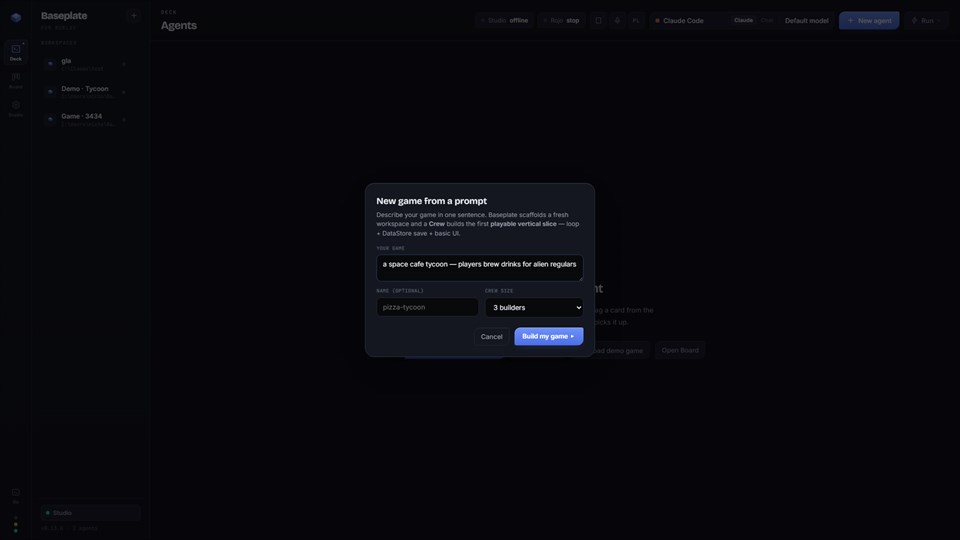
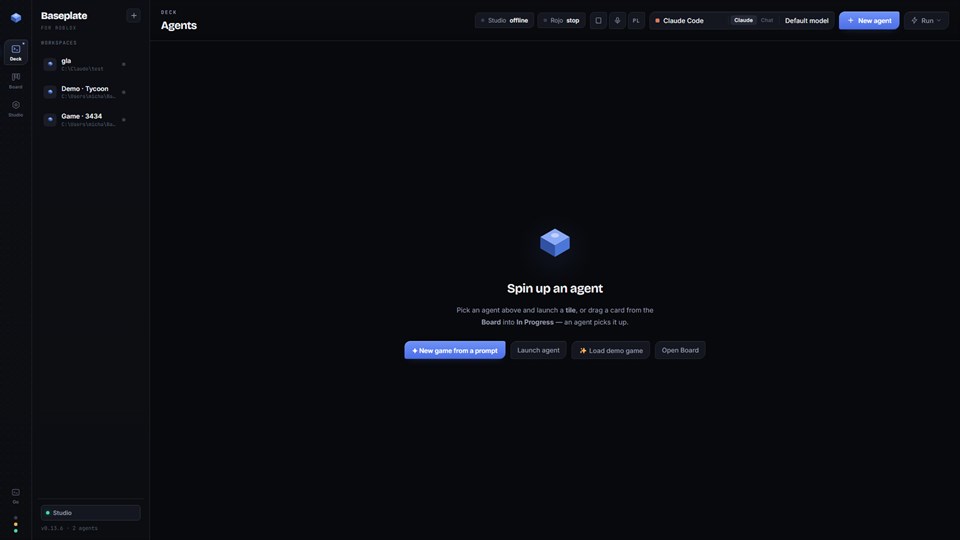
Start with Improve my game: choose a bug fix, a small feature, a free local scan, or guided Open Cloud setup. The guide helps you connect your source folder and AI tool, keeps your task draft, and shows what to do next. Open Cloud is optional; saving a key is separate from verifying access to your game.
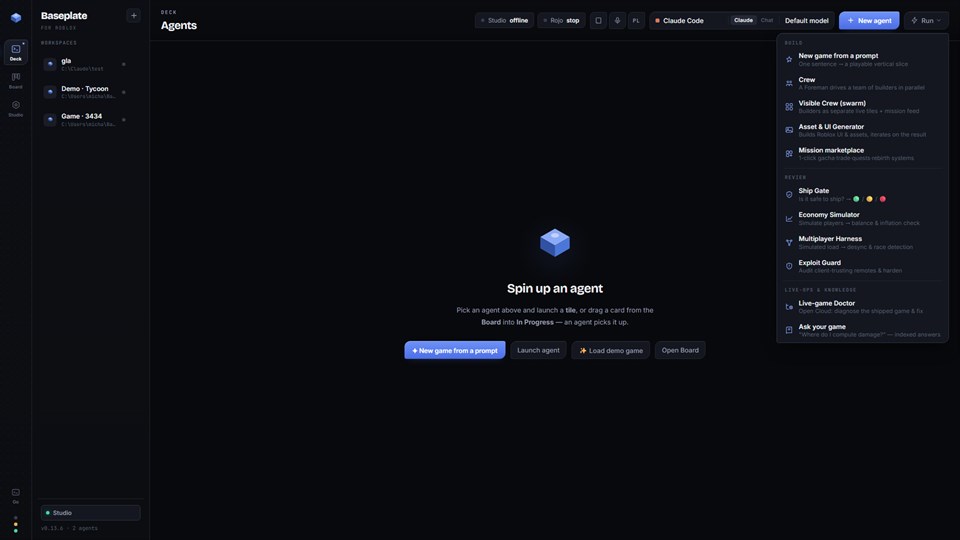
Verified Playtest workflows help supported agents run structured checks through Roblox Studio MCP, collect evidence, and distinguish verified results from unverified output. Built-in review tools cover shipping checks, economy simulation, multiplayer scenarios, exploit-focused audits, and project knowledge.
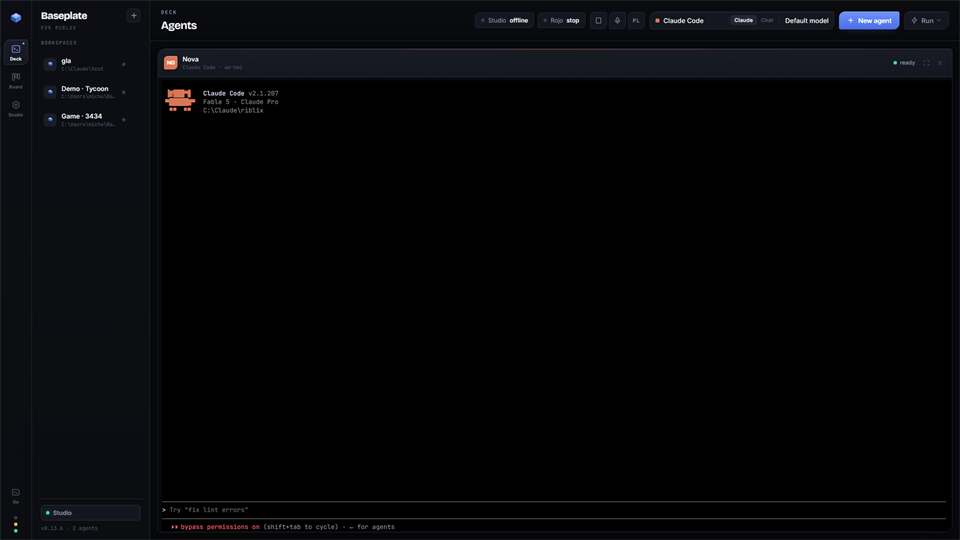
The Free plan can be used without a Baseplate account or paid license. Agent features require a separately installed supported CLI and an eligible provider account; Baseplate does not include AI usage. Live Studio playtesting requires Roblox Studio and the official Roblox Studio MCP. Gemini CLI needs an API key or a supported organization license; Antigravity offers a Native alternative for personal Google accounts. Optional Pro and Studio subscriptions are sold outside Microsoft Store. Your project stays on your computer; when you use an AI provider, the prompts and project context you choose to send are processed under that provider's terms.
Kehittäjältä
Listat 0
-
 Baseplate
Pisteet 0
-

- +1 Piste

Sijoitukset 0
-
- Arviosi
Kehittäjä 1
- Baseplate
- Seuraajat: 0
- Alustat: Windows Sovellukset (1)
- Tarjoukset: 0
- Listat: 0 0
- Pisteet: 0
- Sijoitukset: 0
- Kommentit: 0
- Videot: 0
- RSS: Tilaa
Uutta
- Versio: PC
- Viimeksi päivitetty:
- 0.23.1 — Codex reliability and security maintenance
- Controlled access can inspect the connected Studio, read logs, show a plan and begin a playtest check without unnecessary tool-approval failures.
- Follow-up Codex messages preserve earlier tool results and screenshots instead of overwriting them.
- Compatible dependency updates address published security advisories. MCP tool inputs have a complexity limit before validation.
- Checked upgrades from 0.23.0 preserve projects, settings and encrypted credentials.
Actions that require approval still need it. Store installations update through Microsoft Store. AI features require your own installed CLI and eligible provider account; provider authentication and usage limits still apply.
- 0.23.0 — Turn findings into verified work
- Prepare a Guide task from Verify with context and checks. Baseplate checks that the report, project and sources still match before starting.
- Full access requires confirmation in the desktop app. Recovery into Native CLI keeps your chosen restrictions; denied tool actions remain visible.
- More reliable paid access through signed, time-limited confirmations and server-side device checks. Temporary verification failures keep your key available for recovery.
- Prepared work and successful recorded Studio playtests are separate milestones. A replay is evidence, not a guarantee that every part of a game works.
- Checked upgrades from 0.22 preserve projects, settings and encrypted credentials. Store installations update through Microsoft Store.
AI features require your own installed CLI and eligible provider account. Provider authentication, subscriptions and usage limits still apply. Gemini CLI requires an API key or supported organization access; Antigravity supports Native/MCP rather than structured Chat or Playtest Copilot.
Lisätietoja
- Julkaisupäivämäärä:
- Luokka:
Windows-sovellukset›Kehittäjien työkalut - Käyttöjärjestelmä:
PC - Koko:
303 Mb - Tuetut kielet:
Englanti - Sisällön ikärajoitus:
EVERYONE 10+ - Windows Store Arvio: ¡
0 - Verkkosivusto:
 https://baseplatedev.com/
AppAgg-arvio
Laskennallinen AppAgg-arvio:
Baseplate
Kehittäjä: Baseplate
Korkeampi arvio kertoo yleensä paremmista tuloksista AppAggin seuraamissa mittareissa.
Perustuu: suosioon · käyttäjäarvioihin · tuoreuteen · tarjouksiin · kauppadataan · yhteisön aktiivisuuteen
Lasketaan uudelleen päivittäin tuoreiden AppAgg-tietojen perusteella.
Kommentit 0 ¡
Jaa
Baseplate Lyhennetty URL: Kopioitu!- Windows Store

