
Закладки
| Разработчик: | Baseplate (1) | ||
| Цена: | * Бесплатно | ||
| Оценка: | 700 Серебро | ||
| Рейтинги: | 0 | ||
| Комментарии: | 0 Оставить комментарий | ||
| Списки: | 0 0 | ||
| Очки: | 0 | ||
| +1 Очко | |||
Кратко
Знакомьтесь: Baseplate, приложение от Baseplate из раздела «Средства разработчика».
Вышло , ещё вполне свежее.
Скачать бесплатно, а дальше по желанию (внутри есть покупки).
Microsoft Store встроен в Windows, так что ставится в пару кликов.
Оценка AppAgg: 700. «Серебро», и это уже неплохо.
Возрастной рейтинг «EVERYONE 10+»: для школьников постарше.
Говорит только на одном языке, и это не русский.
На AppAgg его пока никто не оценил. Шанс стать первым прямо сейчас.
Это единственное приложение разработчика на AppAgg. Пока что.
Хотите первым узнавать об обновлениях и новых приложениях? Подпишитесь на разработчика или на RSS-канал. Push приходят в приложении AppAgg Alerts для Android и iOS.
Другие платформы 0
История цен 0
- Текущая цена: Бесплатно
- Минимум: Бесплатно
- Максимум: Бесплатно
Своя лента на главной
Скриншоты 4
Описание

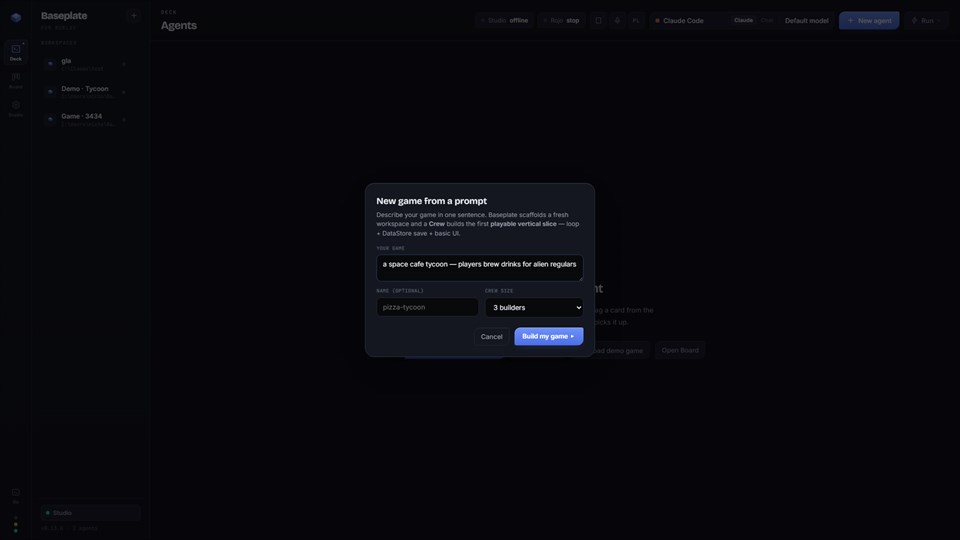
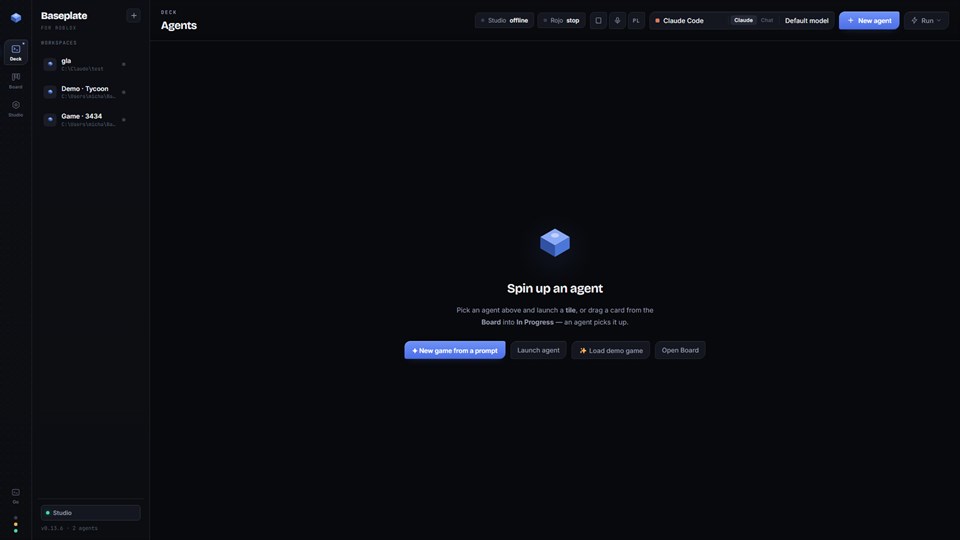
Start with Improve my game: choose a bug fix, a small feature, a free local scan, or guided Open Cloud setup. The guide helps you connect your source folder and AI tool, keeps your task draft, and shows what to do next. Open Cloud is optional; saving a key is separate from verifying access to your game.
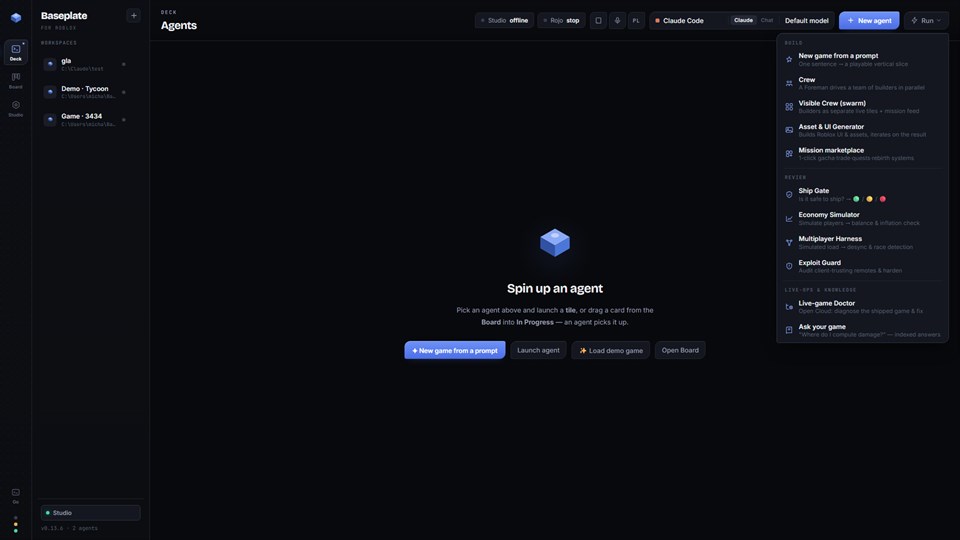
Verified Playtest workflows help supported agents run structured checks through Roblox Studio MCP, collect evidence, and distinguish verified results from unverified output. Built-in review tools cover shipping checks, economy simulation, multiplayer scenarios, exploit-focused audits, and project knowledge.
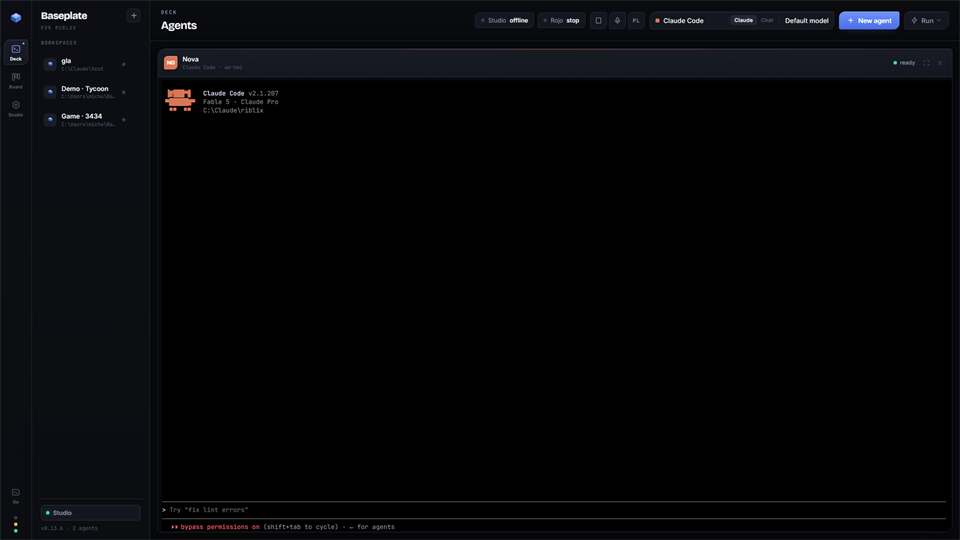
The Free plan can be used without a Baseplate account or paid license. Agent features require a separately installed supported CLI and an eligible provider account; Baseplate does not include AI usage. Live Studio playtesting requires Roblox Studio and the official Roblox Studio MCP. Gemini CLI needs an API key or a supported organization license; Antigravity offers a Native alternative for personal Google accounts. Optional Pro and Studio subscriptions are sold outside Microsoft Store. Your project stays on your computer; when you use an AI provider, the prompts and project context you choose to send are processed under that provider's terms.
От разработчика
Списки 0
-
 Baseplate
Очки 0
-

- +1 Очко

Рейтинги 0
-
- Ваша оценка
Разработчик 1
- Baseplate
- Подписчики: 0
- Платформы: Windows Приложения (1)
- Скидки: 0
- Списки: 0 0
- Очки: 0
- Рейтинги: 0
- Комментарии: 0
- Видео: 0
- RSS: Подписаться
Что нового
- Версия: PC
- Последнее обновление:
- 0.23.1 — Codex reliability and security maintenance
- Controlled access can inspect the connected Studio, read logs, show a plan and begin a playtest check without unnecessary tool-approval failures.
- Follow-up Codex messages preserve earlier tool results and screenshots instead of overwriting them.
- Compatible dependency updates address published security advisories. MCP tool inputs have a complexity limit before validation.
- Checked upgrades from 0.23.0 preserve projects, settings and encrypted credentials.
Actions that require approval still need it. Store installations update through Microsoft Store. AI features require your own installed CLI and eligible provider account; provider authentication and usage limits still apply.
- 0.23.0 — Turn findings into verified work
- Prepare a Guide task from Verify with context and checks. Baseplate checks that the report, project and sources still match before starting.
- Full access requires confirmation in the desktop app. Recovery into Native CLI keeps your chosen restrictions; denied tool actions remain visible.
- More reliable paid access through signed, time-limited confirmations and server-side device checks. Temporary verification failures keep your key available for recovery.
- Prepared work and successful recorded Studio playtests are separate milestones. A replay is evidence, not a guarantee that every part of a game works.
- Checked upgrades from 0.22 preserve projects, settings and encrypted credentials. Store installations update through Microsoft Store.
AI features require your own installed CLI and eligible provider account. Provider authentication, subscriptions and usage limits still apply. Gemini CLI requires an API key or supported organization access; Antigravity supports Native/MCP rather than structured Chat or Playtest Copilot.
Дополнительная информация
- Дата выпуска:
- Категория:
Приложения для Windows›Средства разработчика - Операционные системы:
PC - Размер:
303 Mb - Поддерживаемые языки:
Английский - Возрастные ограничения:
EVERYONE 10+ - Windows Store Рейтинг: ¡
0
 https://baseplatedev.com/
Оценка AppAgg
Примерная оценка AppAgg для
Baseplate
Разработчик: Baseplate
Более высокая оценка обычно означает лучшие результаты по показателям AppAgg.
На основе: популярности · оценок пользователей · актуальности · скидок · данных магазинов · активности сообщества
Пересчитывается ежедневно на основе актуальных данных AppAgg.
Комментарии 0 ¡
Поделиться
Baseplate Короткий URL: Скопировано!- Windows Store

