
Lesezeichen
| Entwickler: | mindigest (3) | ||
| Preis: | * Kostenlos Neu | ||
| Score: | 1.110 Silber | ||
| Ranglisten: | 0 | ||
| Kommentare: | 0 Kommentar posten | ||
| Listen: | 0 0 | ||
| Punkte: | 0 | ||
| +1 Punkt | |||
Kurzinfo
Beaver Compare ist eine App von mindigest aus der Kategorie „Entwicklungstools“.
Neuerscheinung: erst erschienen, du bist also ganz vorne mit dabei.
Der Eintritt ist frei, aber drinnen hat der Shop geöffnet.
Der Microsoft Store ist in Windows eingebaut, die Installation ist also in ein paar Klicks erledigt.
Der AppAgg-Score liegt bei 1.110. Silber, und das ist gar nicht übel.
Altersfreigabe „EVERYONE“, also auch für Kinder geeignet.
Kann 2 Sprachen, aber Deutsch ist noch nicht dabei.
Auf AppAgg hat die App noch niemand bewertet. Jetzt ist deine Chance, den Anfang zu machen.
Der Entwickler hat noch 2 weitere Apps auf AppAgg. Ein Blick lohnt sich.
Willst du als Erstes von Updates und neuen Apps erfahren? Folge dem Entwickler oder abonniere den RSS-Feed. Push-Nachrichten kommen über die App AppAgg Alerts für Android und iOS.
Andere Plattformen 0
Preisentwicklung 0
- Aktueller Preis: Kostenlos
- Minimum: Kostenlos
- Maximum: Kostenlos
Dein eigener Feed auf der Startseite
Screenshots 7
Beschreibung

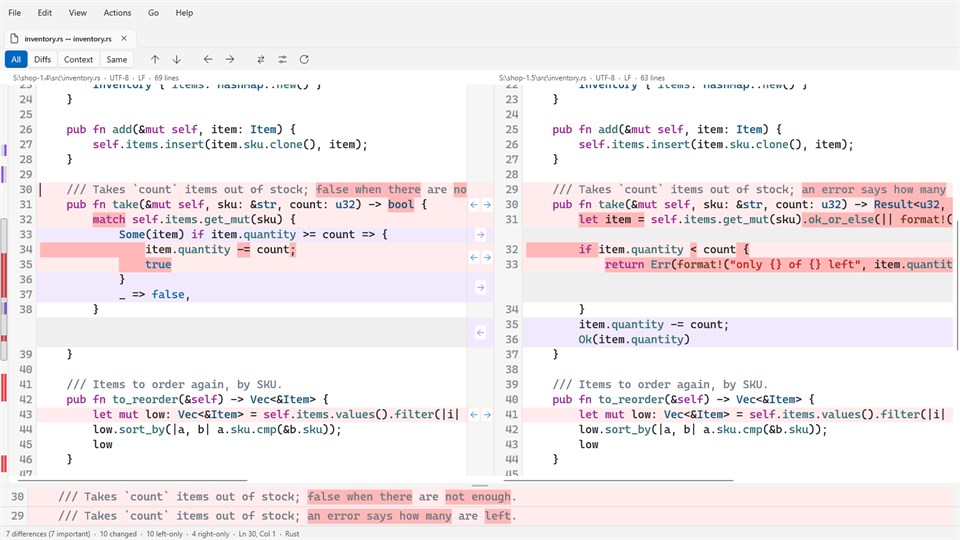
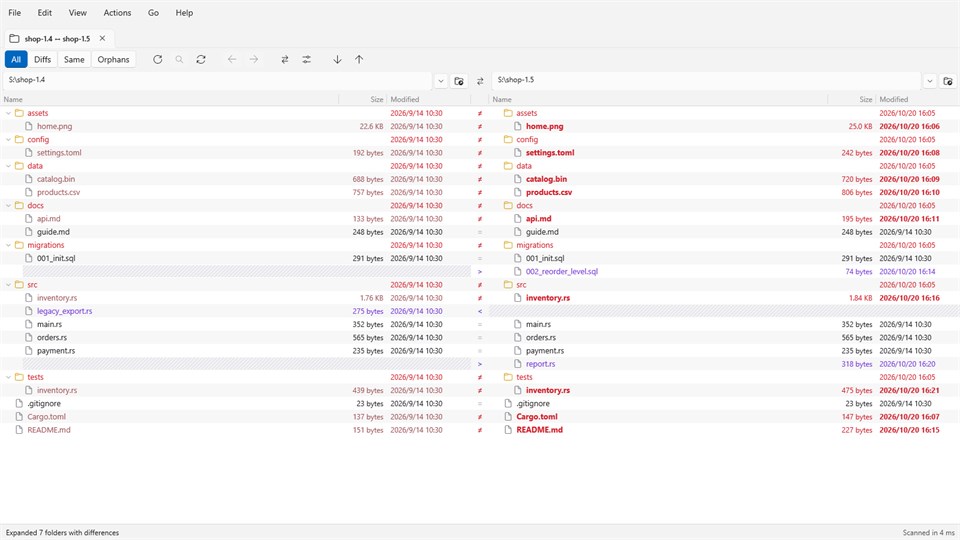
Beaver Compare puts two versions of your work side by side: text files, whole folders, CSV tables, images and binary files. It shows every difference down to the character, lets you copy changes from one side to the other, and merges three versions into one.
TEXT
• Lines line up side by side, and the characters that changed inside each line are marked. A detail pane shows long lines in full.
• Edit either side, copy changes across with one click, undo, and save in the file's own encoding, byte order mark and line endings.
• Syntax highlighting for 26 languages, from C, C#, Java, Python, Rust and Go to JSON, XML, YAML and Markdown.
• Comparison rules: ignore case, white space, line endings or comments; mark text as unimportant with regular expressions.
• Find, go to line, word wrap, and views that show only the differences, with or without context.
• Opens files with millions of lines and stays smooth while you scroll.
FOLDERS
• Compare by size and modification time, or by content. Filter by name, and keep your options as presets.
• Copy, move, rename and delete right in the comparison. Deleted files go to the Recycle Bin.
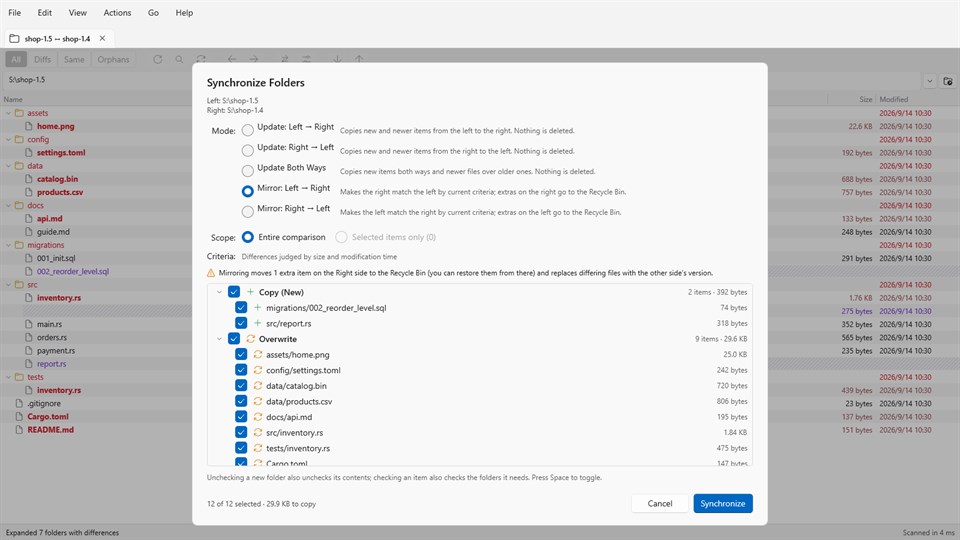
• Synchronize with a preview: update one way, update both ways, or mirror. Only the plan you previewed runs, and every step checks the files again before it touches them.
MERGE
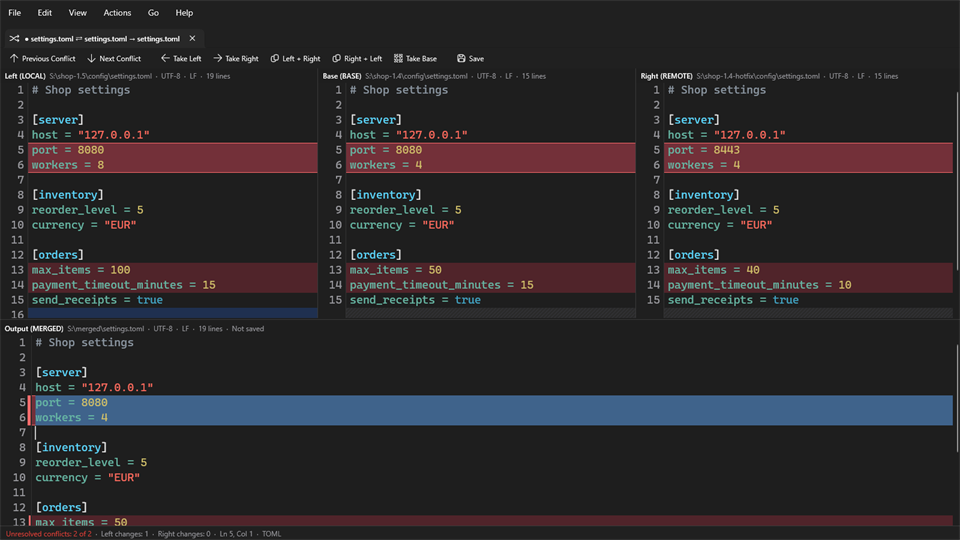
• Three-way merge: your version, their version and the common base, above a result you can edit. Changes that do not conflict are merged for you; step through the conflicts and take left, right, both or the base.
• Works as git difftool and git mergetool. The bvc command opens comparisons and merges from the command line and tells git whether the merge was finished.
MORE COMPARISONS
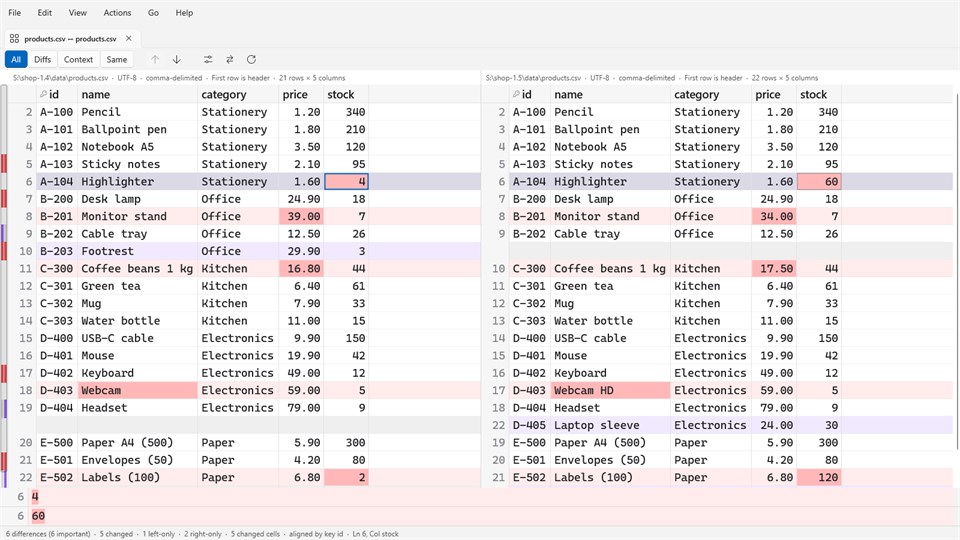
• Tables: CSV and TSV files cell by cell, with rows matched by key columns, ignored columns and a numeric tolerance.
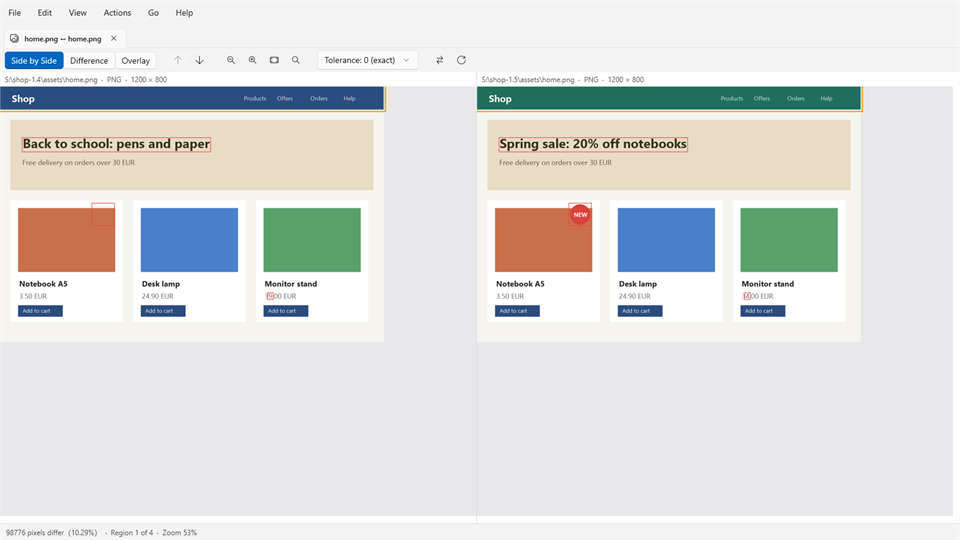
• Images: side by side, as a difference image or as an overlay, with a colour tolerance.
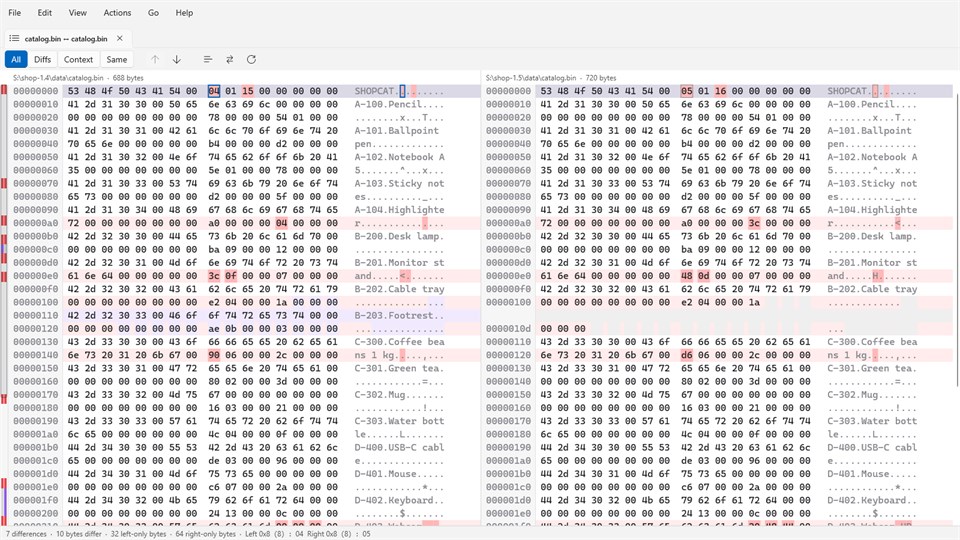
• Binary files: a hexadecimal comparison that lines up inserted and deleted bytes.
• HTML reports of text and folder comparisons.
AT HOME IN WINDOWS
• Compare from the File Explorer context menu: two selected items at once, or pick a left side first and compare it with something else.
• Files that change on disk are reloaded on their own.
• Tabs, saved sessions, dark and light themes, English and Simplified Chinese.
YOUR FILES STAY ON YOUR PC
No account and no analytics. Beaver Compare never uploads your files. It goes online only to download your license when you activate it with an activation code.
TRY IT FREE, BUY IT ONCE
Every feature is free for 30 days from the first launch. After that, Beaver Compare stays useful for viewing: you can still open comparisons, see the differences and export reports, while saving and file operations need a license. It is a one-time purchase, not a subscription. Licenses are sold on our website; one license is for one person on up to 2 computers, Mac or Windows.
Vom Entwickler
Listen 0
-
 Beaver Compare
Punkte 0
-

- +1 Punkt

Ranglisten 0
-
- Deine Bewertung
Entwickler 3
- mindigest
- Follower: 0
- Plattformen: Windows Apps (3)
- Angebote: 0
- Listen: 0 0
- Punkte: 0
- Ranglisten: 0
- Kommentare: 0
- Videos: 0
- RSS: Abonnieren
Neue Funktionen
- Version: PC
- Zuletzt aktualisiert:
Weitere Informationen
- Veröffentlichungsdatum:
- Kategorie:
Windows-Apps›Entwicklungstools - Betriebssysteme:
PC - Größe:
106 Mb - Unterstützte Sprachen:
Chinesisch,Englisch - Altersfreigabe:
EVERYONE - Windows Store Bewertung: ¡
0 - Webseite:
 https://www.mindigest.com/compare
AppAgg-Score
Geschätzter AppAgg-Score für
Beaver Compare
Entwickler: mindigest
Ein höherer Score weist meist auf bessere Werte bei den von AppAgg erfassten Kennzahlen hin.
Basierend auf: Popularität · Nutzerbewertungen · Aktualität · Angeboten · Store-Daten · Community-Aktivität
Wird täglich anhand aktueller AppAgg-Daten neu berechnet.
Kommentare 0 ¡
Teilen
Beaver Compare Kurz-URL: Kopiert!- Windows Store

