
Lesezeichen
Wähle einen Titel für dieses Lesezeichen.
Lesezeichen gespeichert
| Entwickler: | mindigest (2) | ||
| Preis: | Kostenlos Neu | ||
| Score: | 660 Silber | ||
| Ranglisten: | 0 | ||
| Kommentare: | 0 Kommentar posten | ||
| Listen: | 0 + 0 | ||
| Punkte: | 0 + 0 ¡ | ||
| +1 Punkte | |||
Screenshots 5
Werbung
Beschreibung

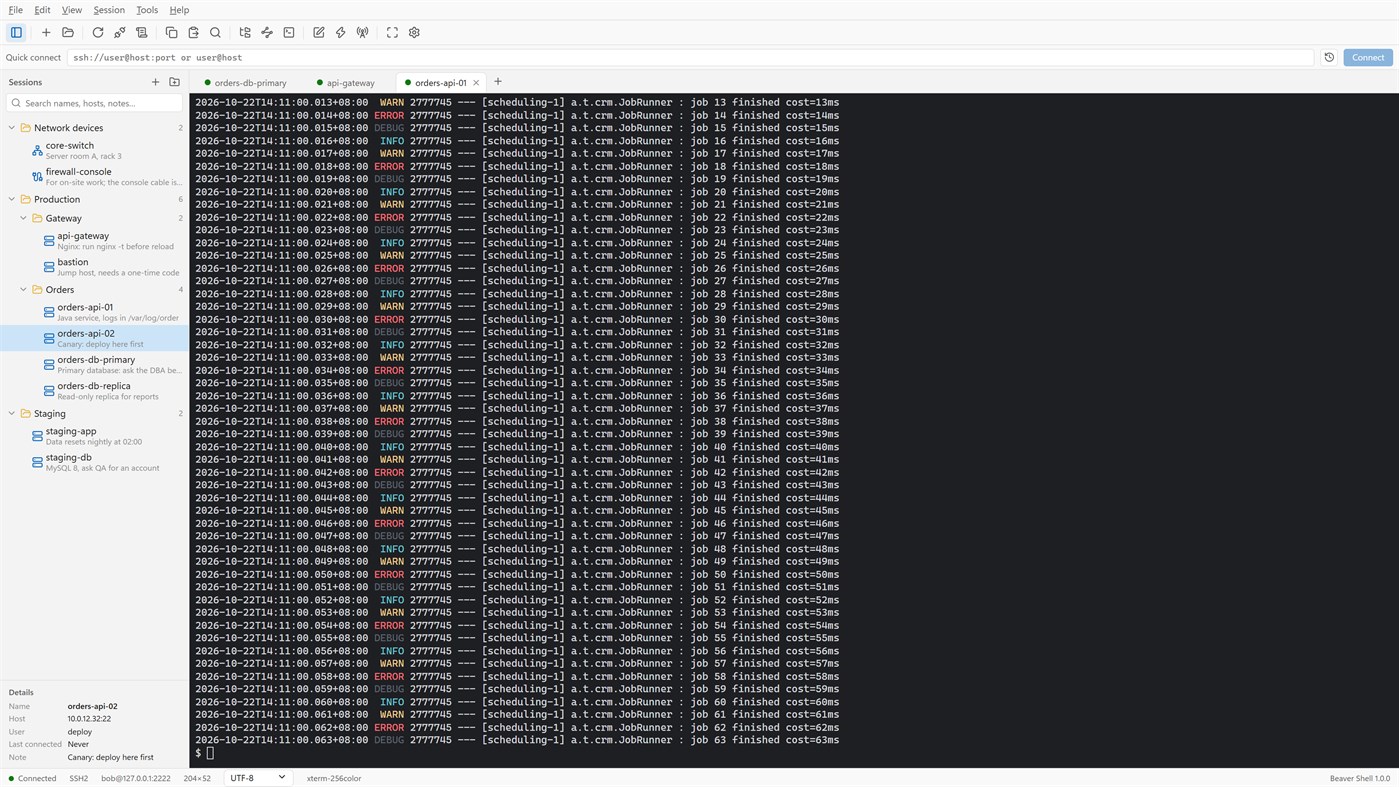
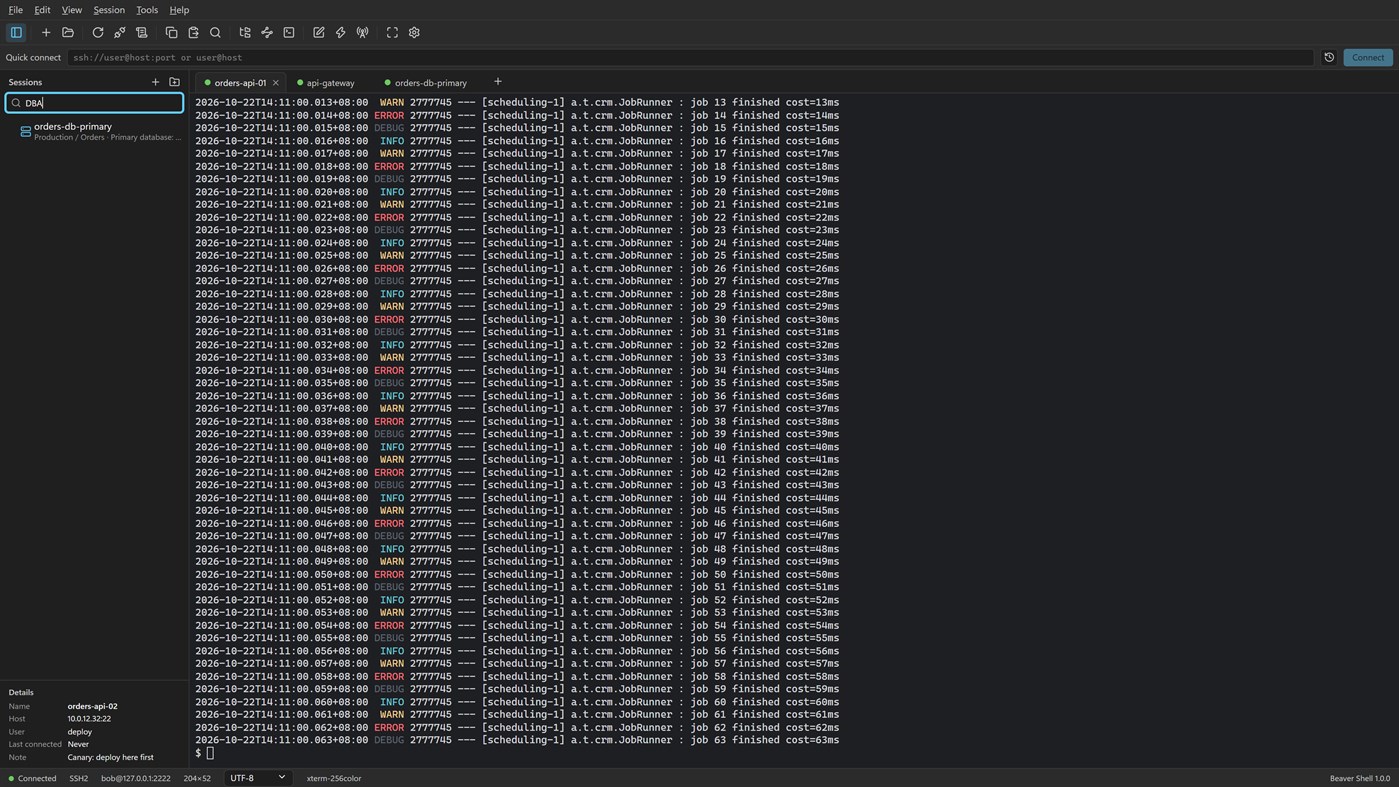
Tabs and sessions
• Connect to many servers at once, or open more tabs on one server over the same connection.
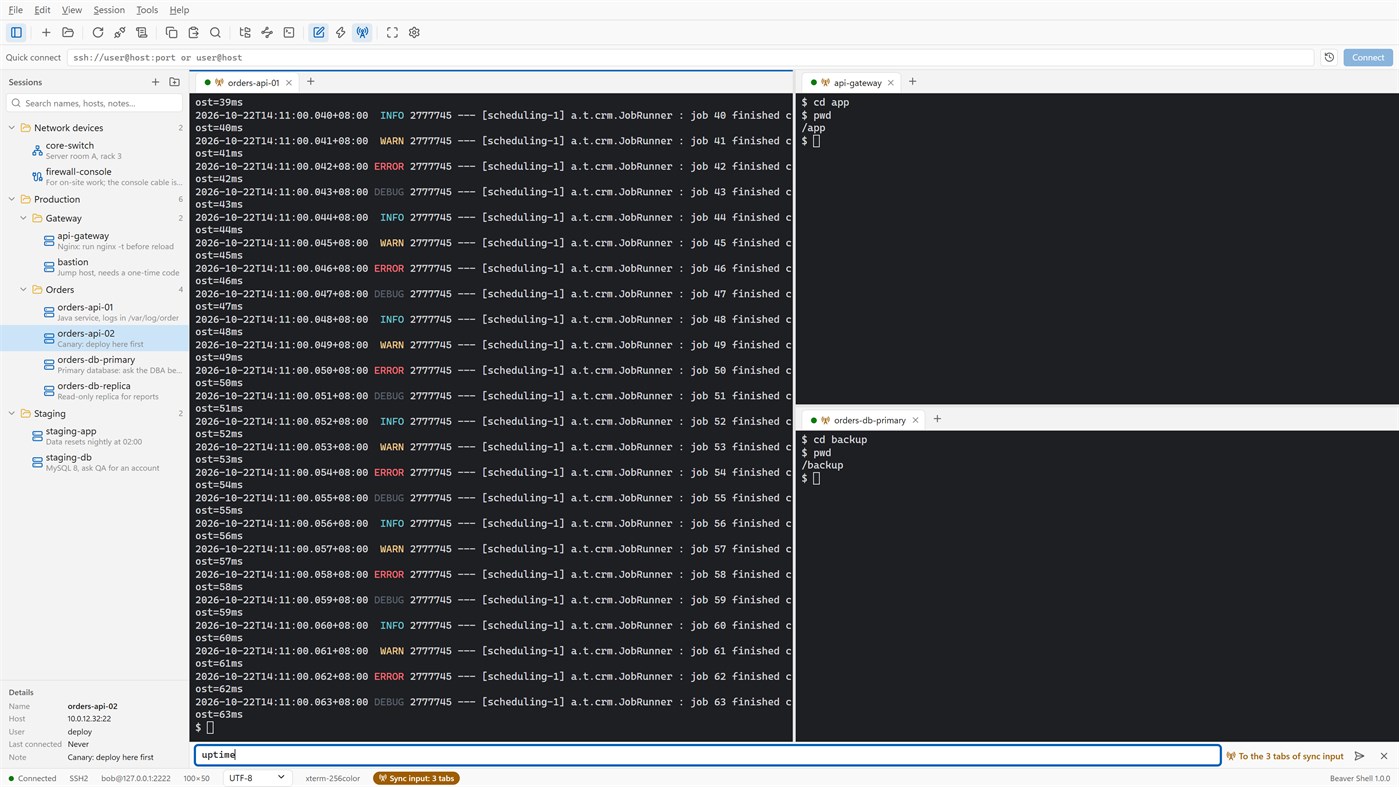
• Split the window into up to six tab groups, side by side or one above the other.
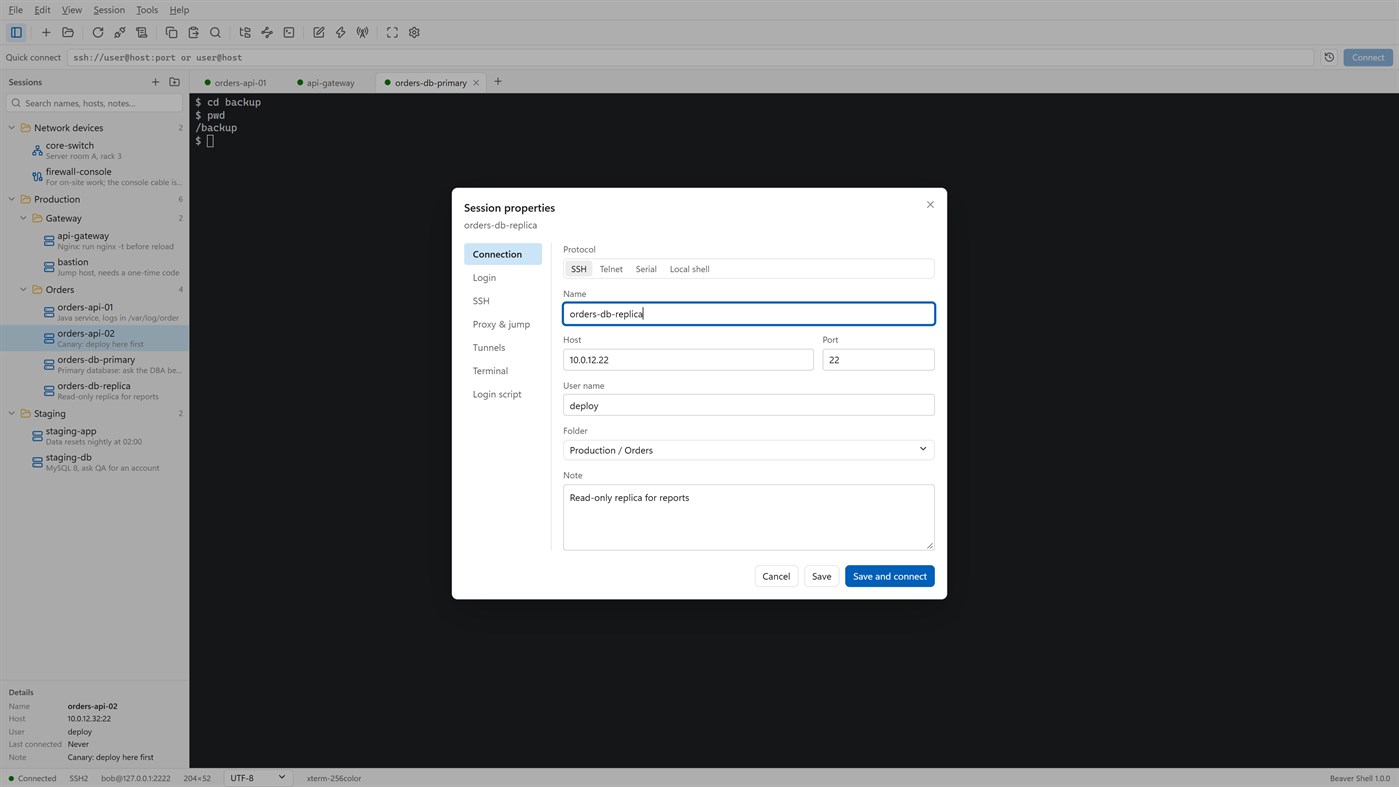
• Keep servers in folders, each with a name and a note; search by name, host, user or note.
• Import sessions from OpenSSH config, PuTTY and Xshell session files; export the library (never with passwords).
• Reconnect automatically after a dropped connection, and reopen last time's tabs at start.
Terminal
• xterm-compatible: 256 colors and true color, mouse, alternate screen; vim, htop and tmux work as they should.
• Chinese, Japanese and Korean wide characters; UTF-8, GBK, GB18030, Big5, Shift_JIS, EUC-KR and more, per session.
• Find with case, whole word and regular expressions; keyword highlighting for logs.
• Built-in color schemes, your own schemes, and import from Windows Terminal and iTerm2.
Files
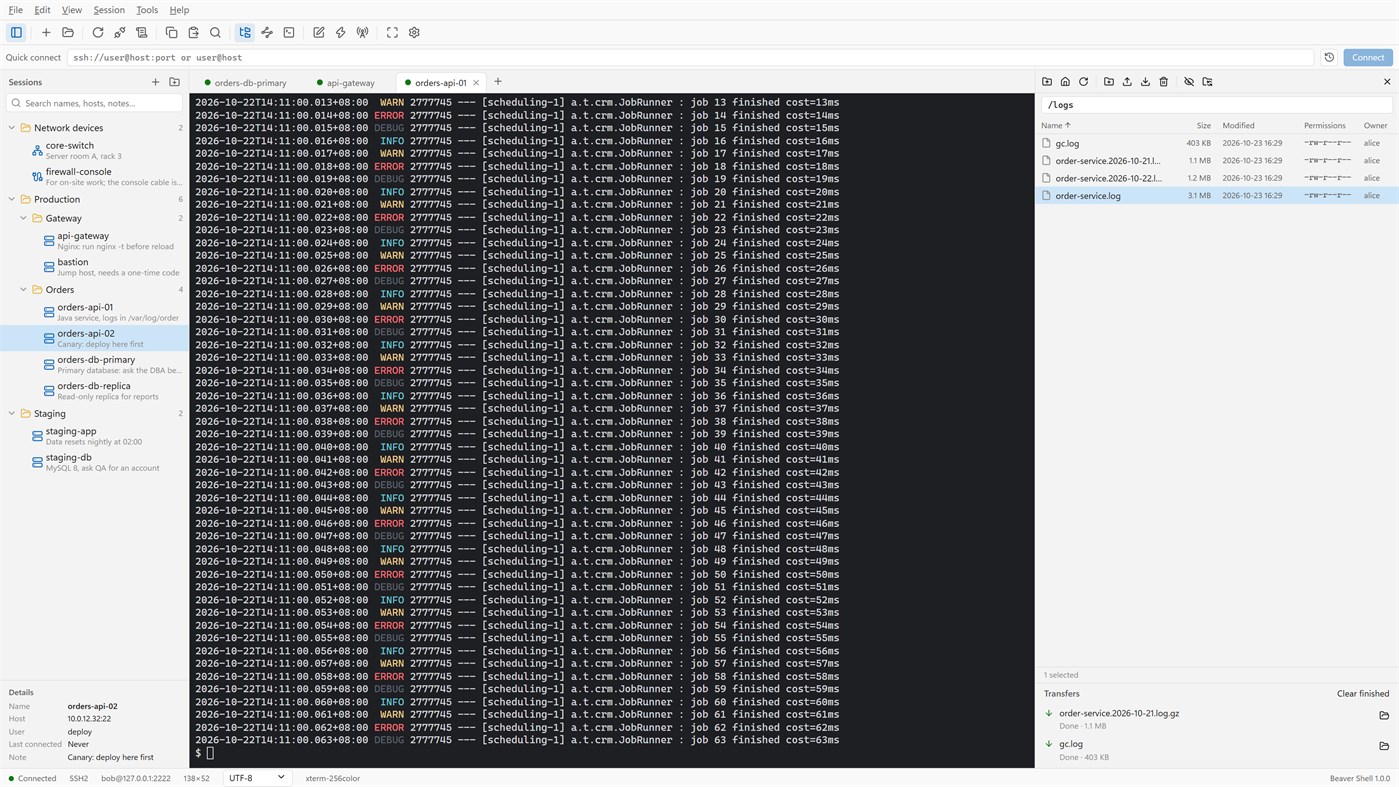
• An SFTP panel next to the terminal: browse, upload, download, rename, delete, change permissions, with a transfer queue.
• The panel can follow the terminal's current folder.
• Edit a remote file in a local editor: it is uploaded again each time you save.
• rz / sz (ZMODEM) in the terminal.
Connections
• Passwords, key files (OpenSSH, PEM, PKCS#8, PuTTY PPK), keyboard-interactive one-time codes, and the SSH agent (OpenSSH agent, Pageant) with agent forwarding.
• Jump hosts, SOCKS5 and HTTP proxies, and local, remote and dynamic port forwarding with a tunnel panel.
• Telnet and serial ports; local PowerShell, cmd and WSL tabs.
Working faster
• Type once and send to all tabs or to the ones you pick; a bar of quick commands.
• Login scripts answer prompts for you after you connect; triggers react to what a server prints.
• Session logs to files, with or without color codes.
Security
• Saved passwords are encrypted for your Windows account; add a master password and lock the window when you step away.
• Host keys are checked, and a changed key is refused unless you accept it.
• Generate Ed25519, ECDSA or RSA keys and install them on a server.
No account, no sign-in, no tracking. The interface is in English and Simplified Chinese.
Licensing
• Free for individuals, families, schools, open-source projects and companies of up to 5 people, with every feature.
• Other companies need a commercial license for each person who uses Beaver Shell at work, bought from Mindigest; see the additional license terms. The app never checks for a license and never limits anything.
Andere Plattformen 0
| Beaver ShellWindows Store660 SilberDu bist hier | Kostenlos |
Derzeit nur in diesem Store.
Preisentwicklung 0
- Aktueller Preis: Kostenlos
- Minimum: Kostenlos
- Maximum: Kostenlos
Preise beobachten Zur Liste hinzufügen und Rabattbenachrichtigungen per E-Mail oder Push erhalten
Listen 0
0
-
 Beaver Shell
Punkte 0
0
Ranglisten 0
-

- Deine Bewertung

Kommentare 0 ¡
Schreibe den ersten Kommentar
Entwickler 2
- mindigest
- Follower: 0
- Plattformen: Windows Apps (2)
- Angebote: 0
- Listen: 0 + 0
- Punkte: 0 + 0 ¡
- Ranglisten: 0
- Kommentare: 0
- Videos: 0
- RSS: Abonnieren
Neue Funktionen
- Version: PC
- Zuletzt aktualisiert:
- The Help menu now opens the Beaver Shell website, the license agreement and the privacy statement, and starts an email to support. About says who may use Beaver Shell free.
Weitere Informationen
- Veröffentlichungsdatum:
- Kategorie:
Windows-Apps›Entwicklungstools - Betriebssysteme:
PC - Größe:
9 Mb - Unterstützte Sprachen:
Chinesisch,Englisch - Altersfreigabe:
EVERYONE - Windows Store Bewertung: ¡
0 - Webseite:
 https://www.mindigest.com/shell
AppAgg-Score
660
Geschätzter AppAgg-Score für
Beaver Shell
Entwickler: mindigest
660 Silber
Ein höherer Score weist meist auf bessere Werte bei den von AppAgg erfassten Kennzahlen hin.
Basierend auf: Popularität · Nutzerbewertungen · Aktualität · Angeboten · Shop-Daten · Community-Aktivität
Wird täglich anhand aktueller AppAgg-Daten neu berechnet.
Badge für Websites:  Kopiert!
Kurzinfo
Beaver Shell Kurz-URL: Kopiert!- Windows Store
Auf AppAgg kannst du „Beaver Shell“ verfolgen, eine App von mindigest für Windows in der Kategorie Entwicklungstools. AppAgg-Score: 660 (Silber). AppAgg-Punkte der App — bestätigt: 0; indirekt: 0. Öffentliche Listen mit dieser App: 0. Nutzer, die sie in privaten Listen gespeichert haben: 0. AppAgg-Nutzer haben die App noch nicht bewertet. Bestätigte Punkte erfassen Store-Aufrufe angemeldeter AppAgg-Nutzer; indirekte Punkte beruhen auf Store-Daten. AppAgg zählt öffentliche Listen mit einer App oder einem Spiel sowie Nutzer, die sie oder es in privaten Listen gespeichert haben. Die App wurde erstmals am veröffentlicht. Die App wurde zuletzt am aktualisiert. Die App ist derzeit kostenlos verfügbar. Die App ist in folgenden Sprachen verfügbar: Chinesisch, Englisch. Sieh dir den Preisverlauf an, füge die App einer Liste hinzu oder folge dem Entwickler. Verfolge künftige Angebote und Updates der App über den RSS-Feed. AppAgg hostet oder vertreibt diese App nicht. Alle Marken, Logos und Screenshots im Zusammenhang mit der App gehören ihren jeweiligen Eigentümern.

