
Bookmarks
Choose a title for this bookmark.
Bookmark saved
| Developer: | mindigest (2) | ||
| Price: | Free New | ||
| Score: | 660 Silver | ||
| Rankings: | 0 | ||
| Comments: | 0 Add a comment | ||
| Lists: | 0 + 0 | ||
| Points: | 0 + 0 ¡ | ||
| +1 Points | |||
Screenshots 5
Advertisement
Description

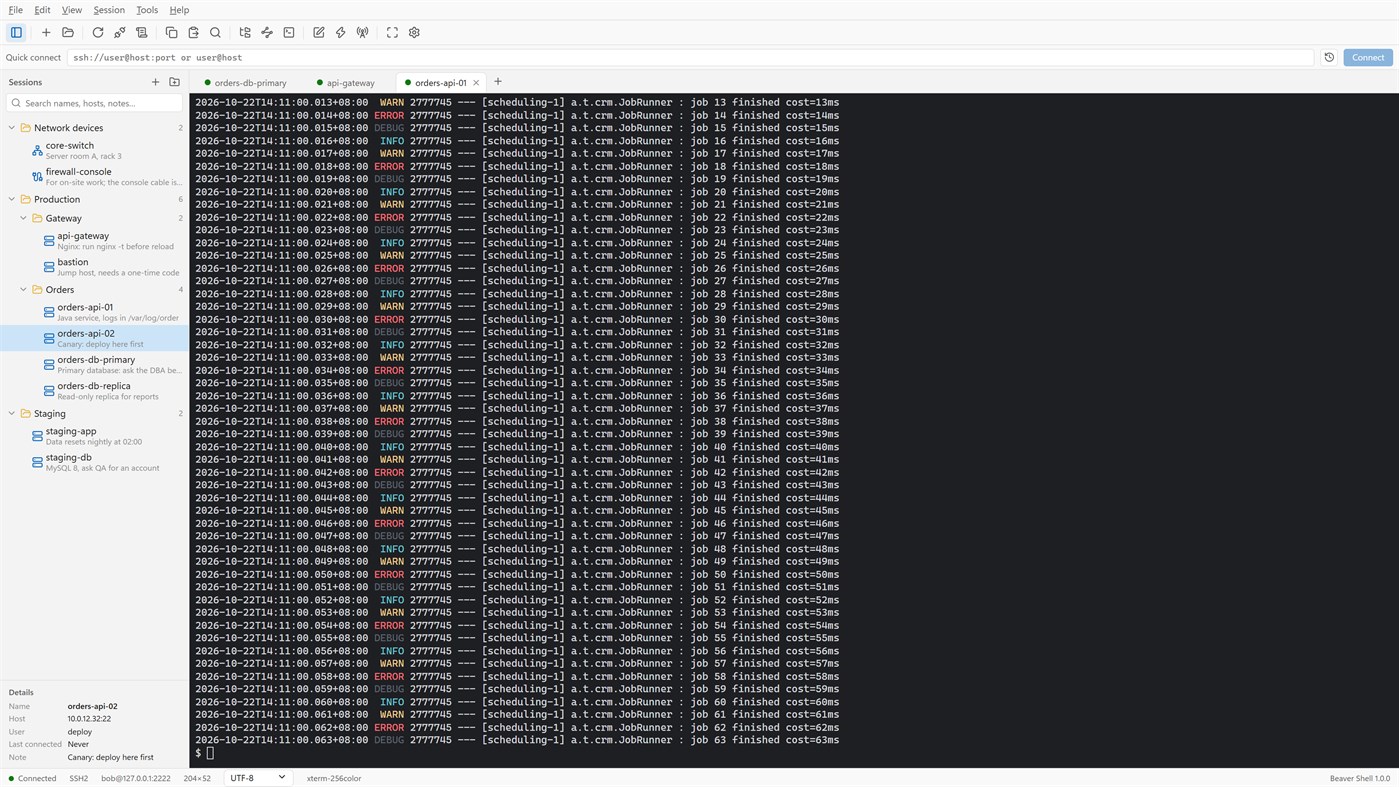
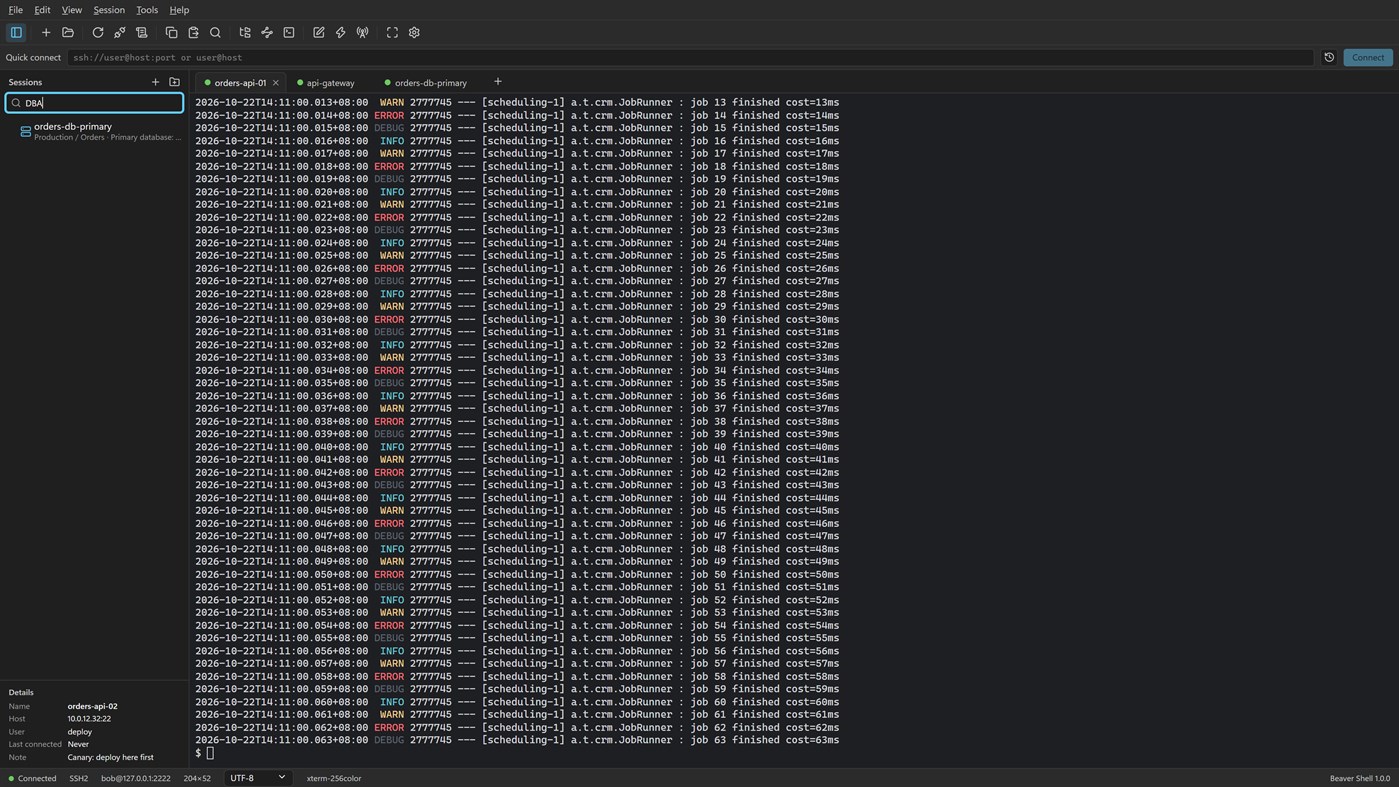
Tabs and sessions
• Connect to many servers at once, or open more tabs on one server over the same connection.
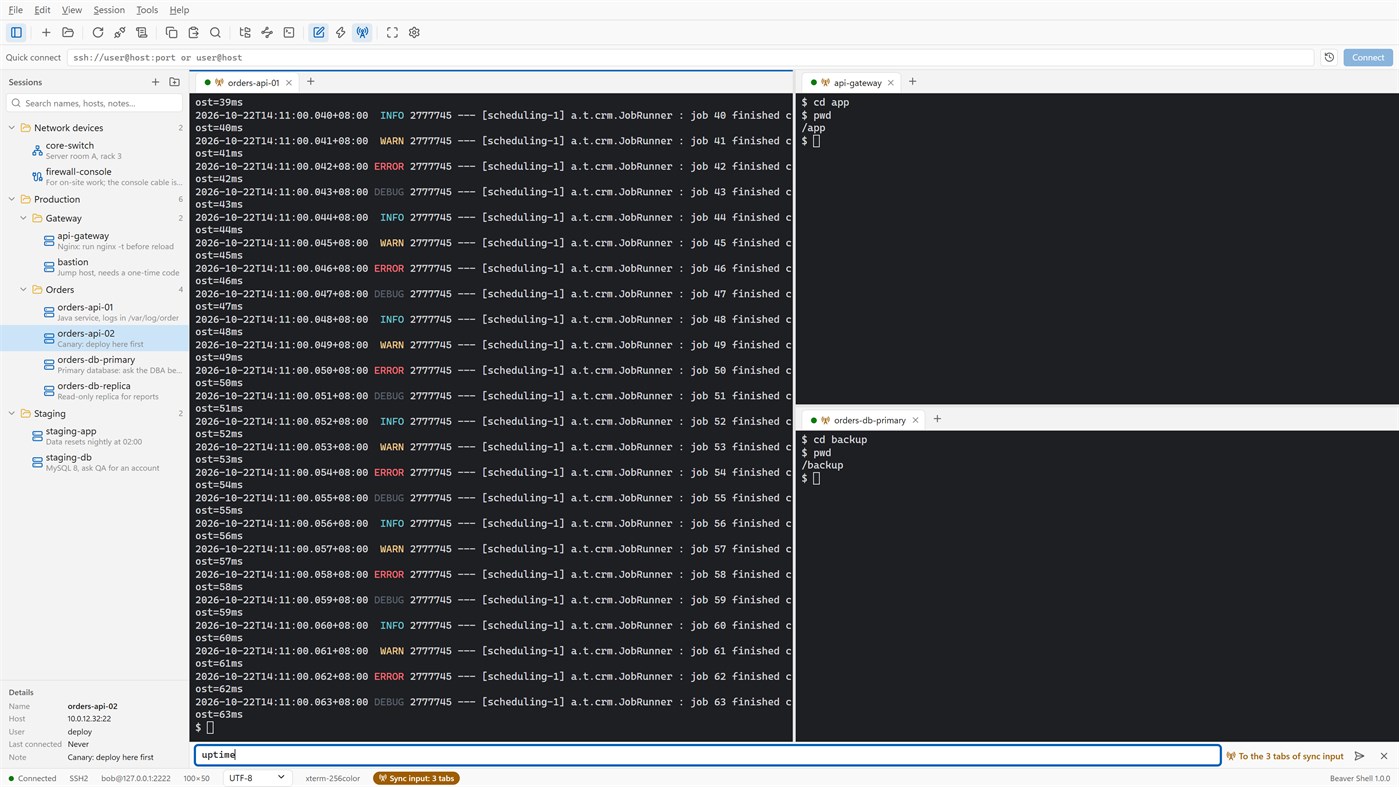
• Split the window into up to six tab groups, side by side or one above the other.
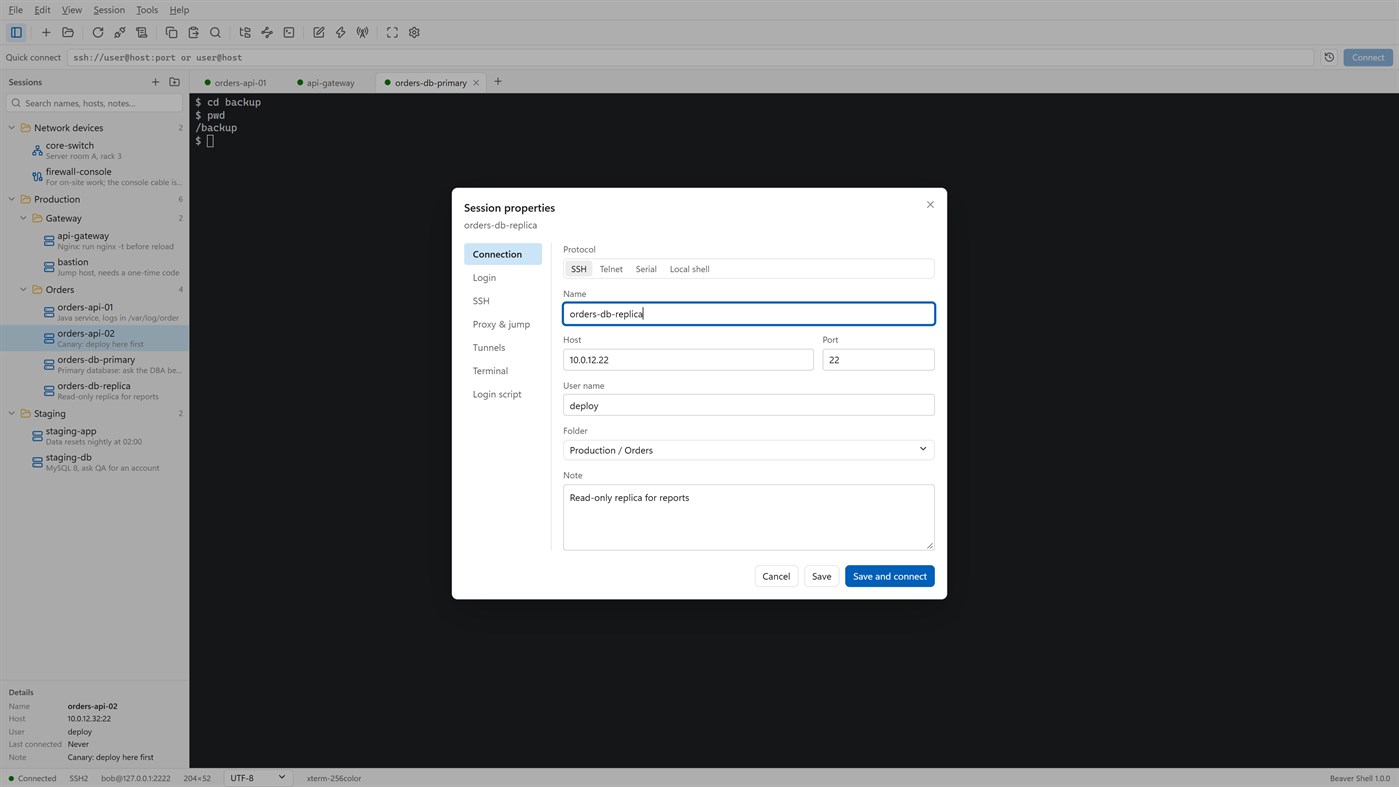
• Keep servers in folders, each with a name and a note; search by name, host, user or note.
• Import sessions from OpenSSH config, PuTTY and Xshell session files; export the library (never with passwords).
• Reconnect automatically after a dropped connection, and reopen last time's tabs at start.
Terminal
• xterm-compatible: 256 colors and true color, mouse, alternate screen; vim, htop and tmux work as they should.
• Chinese, Japanese and Korean wide characters; UTF-8, GBK, GB18030, Big5, Shift_JIS, EUC-KR and more, per session.
• Find with case, whole word and regular expressions; keyword highlighting for logs.
• Built-in color schemes, your own schemes, and import from Windows Terminal and iTerm2.
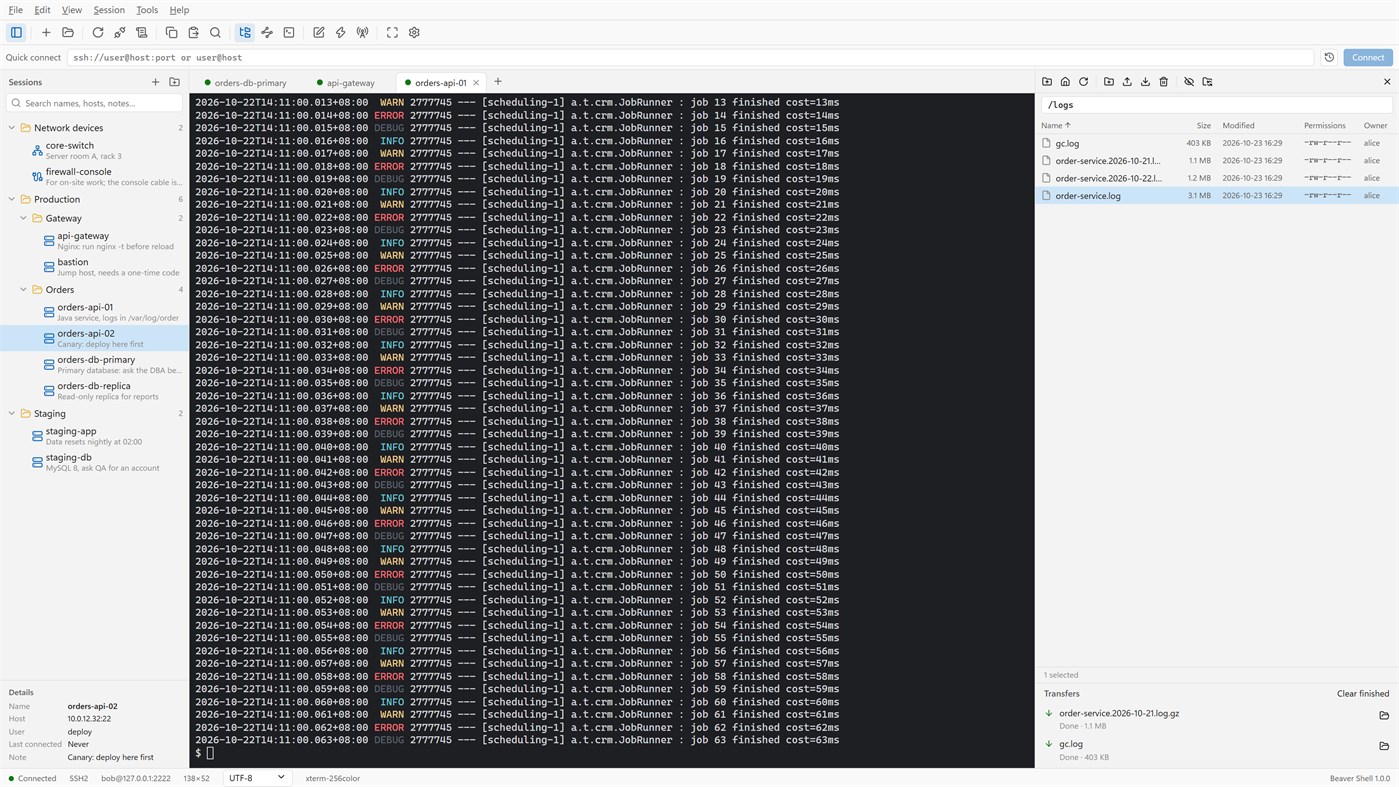
Files
• An SFTP panel next to the terminal: browse, upload, download, rename, delete, change permissions, with a transfer queue.
• The panel can follow the terminal's current folder.
• Edit a remote file in a local editor: it is uploaded again each time you save.
• rz / sz (ZMODEM) in the terminal.
Connections
• Passwords, key files (OpenSSH, PEM, PKCS#8, PuTTY PPK), keyboard-interactive one-time codes, and the SSH agent (OpenSSH agent, Pageant) with agent forwarding.
• Jump hosts, SOCKS5 and HTTP proxies, and local, remote and dynamic port forwarding with a tunnel panel.
• Telnet and serial ports; local PowerShell, cmd and WSL tabs.
Working faster
• Type once and send to all tabs or to the ones you pick; a bar of quick commands.
• Login scripts answer prompts for you after you connect; triggers react to what a server prints.
• Session logs to files, with or without color codes.
Security
• Saved passwords are encrypted for your Windows account; add a master password and lock the window when you step away.
• Host keys are checked, and a changed key is refused unless you accept it.
• Generate Ed25519, ECDSA or RSA keys and install them on a server.
No account, no sign-in, no tracking. The interface is in English and Simplified Chinese.
Licensing
• Free for individuals, families, schools, open-source projects and companies of up to 5 people, with every feature.
• Other companies need a commercial license for each person who uses Beaver Shell at work, bought from Mindigest; see the additional license terms. The app never checks for a license and never limits anything.
Other platforms 0
| Beaver ShellWindows Store660 SilverYou are here | Free |
Only in this store right now.
Price History 0
- Current price: Free
- Minimum: Free
- Maximum: Free
Track prices Add to a list to get discount alerts by email or push
Lists 0
0
-
 Beaver Shell
Points 0
0
Rankings 0
-

- Your rating

Comments 0 ¡
Be the first to comment
Developer 2
- mindigest
- Followers: 0
- Platforms: Windows Apps (2)
- Deals: 0
- Lists: 0 + 0
- Points: 0 + 0 ¡
- Rankings: 0
- Comments: 0
- Videos: 0
- RSS: Subscribe
What's new
- Version: PC
- Last Updated:
- The Help menu now opens the Beaver Shell website, the license agreement and the privacy statement, and starts an email to support. About says who may use Beaver Shell free.
Additional Information
- Release Date:
- Category:
Windows Apps›Developer tools - OS:
PC - Size:
9 Mb - Supported Languages:
English,Chinese - Content Rating:
EVERYONE - Windows Store Rating: ¡
0 - Website:
 https://www.mindigest.com/shell
AppAgg Score
660
Estimated AppAgg Score for
Beaver Shell
Developer: mindigest
660 Silver
Higher scores usually reflect better results across AppAgg’s indicators.
Based on: popularity · ratings · freshness · deals · store data · community signals
Recalculated daily using fresh AppAgg data.
Website badge:  Copied!
Summary
Beaver Shell Short URL: Copied!- Windows Store
On AppAgg, you can track the Windows app “Beaver Shell” by mindigest, listed under Developer tools. AppAgg Score: 660 (Silver). AppAgg Points for the app — confirmed: 0; indirect: 0. Public lists containing the app: 0. Users who have saved it in private lists: 0. AppAgg users have not rated the app yet. Confirmed Points record visits to a store by signed-in AppAgg users; indirect Points are based on store data. AppAgg counts public lists containing an app or game and users who have saved it in private lists. The app was first released on . The app was last updated on . The app is currently available for free. The app is available in these languages: English, Chinese. Explore the price history, add the app to a list, or follow its developer. Follow future deals and updates for the app via its RSS feed. AppAgg does not host or distribute the app. All trademarks, logos, and screenshots related to the app belong to their respective owners.
You may also like
Recent discussions
 AppLocalDub – Real-Time Game Dubbing Hello Kırtay Interactive, I am using LocalDub - Real-Time Game Dubbing. I would like to know if Hind...
  rashid game5
  AppNauticPlayer This app is absolute cinema. Honestly, it’s one of the best media players I’ve ever tried, and I’m s...
  Manuel16
  AppScreen Beings This is my app so I’m a little bias but as someone from the ADHD community that teaches ADHD and neu...
  Tarelle Irwin6
  AppAadi vault good it ia a encrypter and good you my work on office
  Aditya Rai5
  AppTyping 365 | Daily Typing Trainer The best typing app ever. With Typing 365 you don’t have to force yourself for couple minutes traini...
  Ahmad Mozaffar5
  AppZefir Calendar — Calendar in the Taskbar excelente app! Superando todas as espectativas!
  Diógenes Magnus5
  AppCN Vault I Love this app CN Vault is a user-friendly app that helps keep your passwords safe and secure. If y...
  Marjuk Amin5
