
Kirjanmerkit
Valitse tälle kirjanmerkille otsikko.
Kirjanmerkki tallennettu
| Kehittäjä: | mindigest (2) | ||
| Hinta: | Ilmainen Uutta | ||
| Arvio: | 660 Hopea | ||
| Sijoitukset: | 0 | ||
| Kommentit: | 0 Lähetä kommentti | ||
| Listat: | 0 + 0 | ||
| Pisteet: | 0 + 0 ¡ | ||
| +1 Pisteet | |||
Näyttökuvat 5
Mainos
Kuvaus

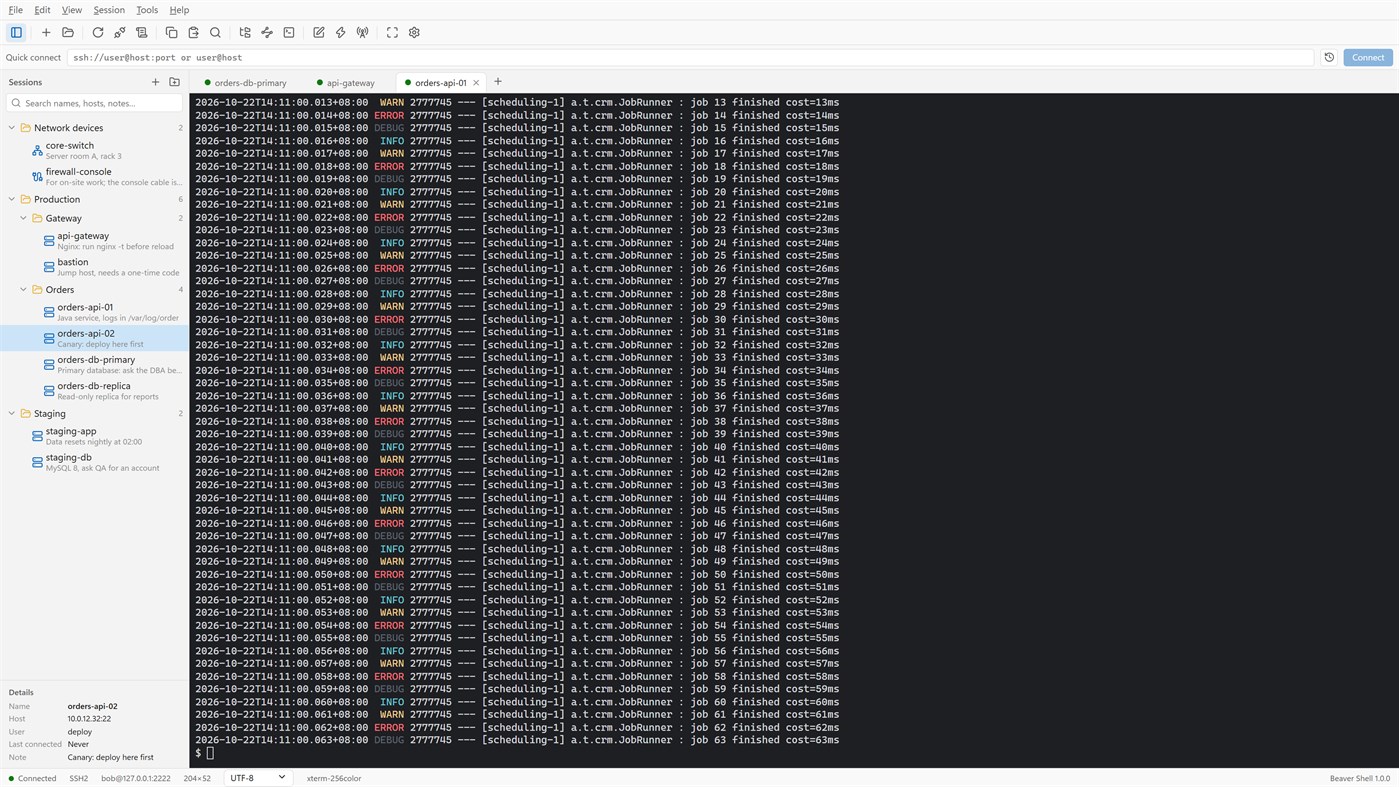
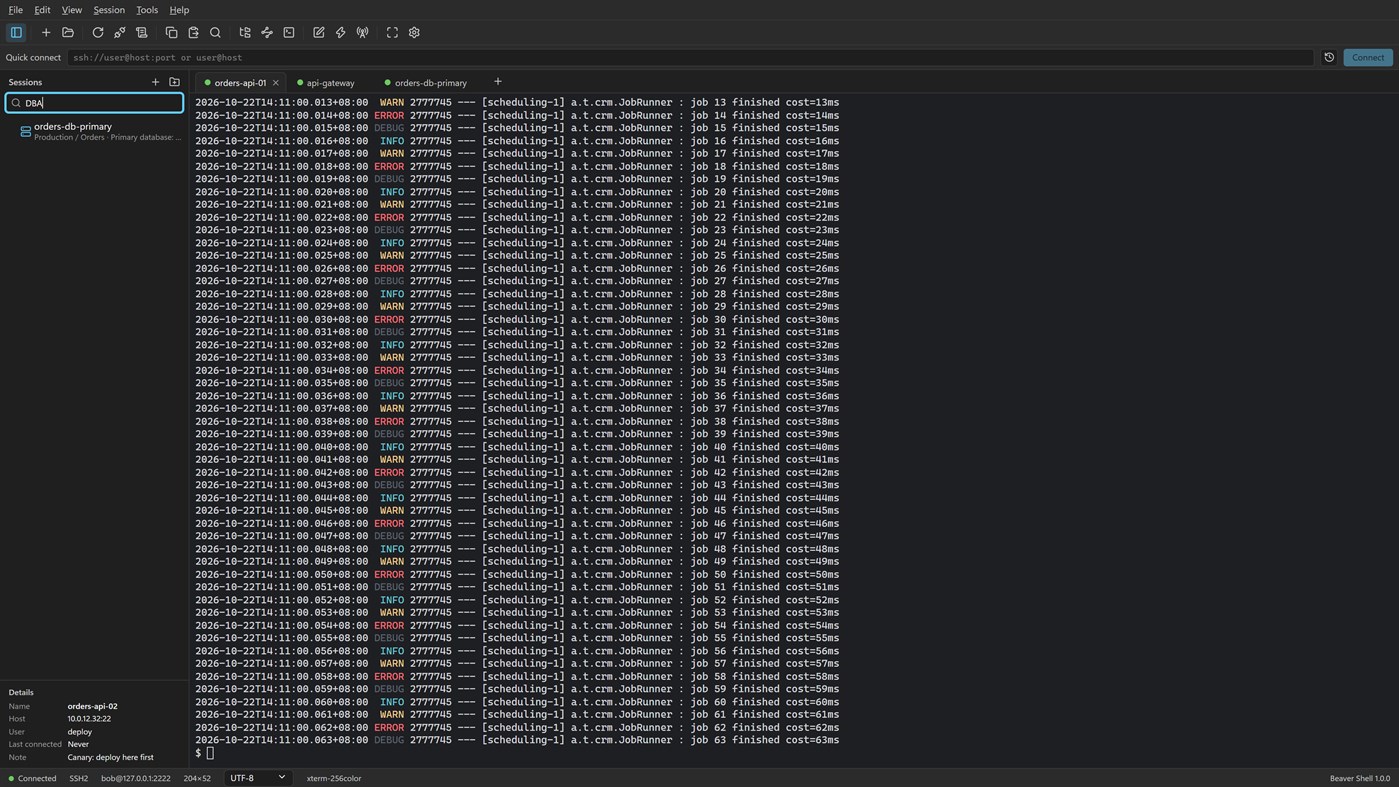
Tabs and sessions
• Connect to many servers at once, or open more tabs on one server over the same connection.
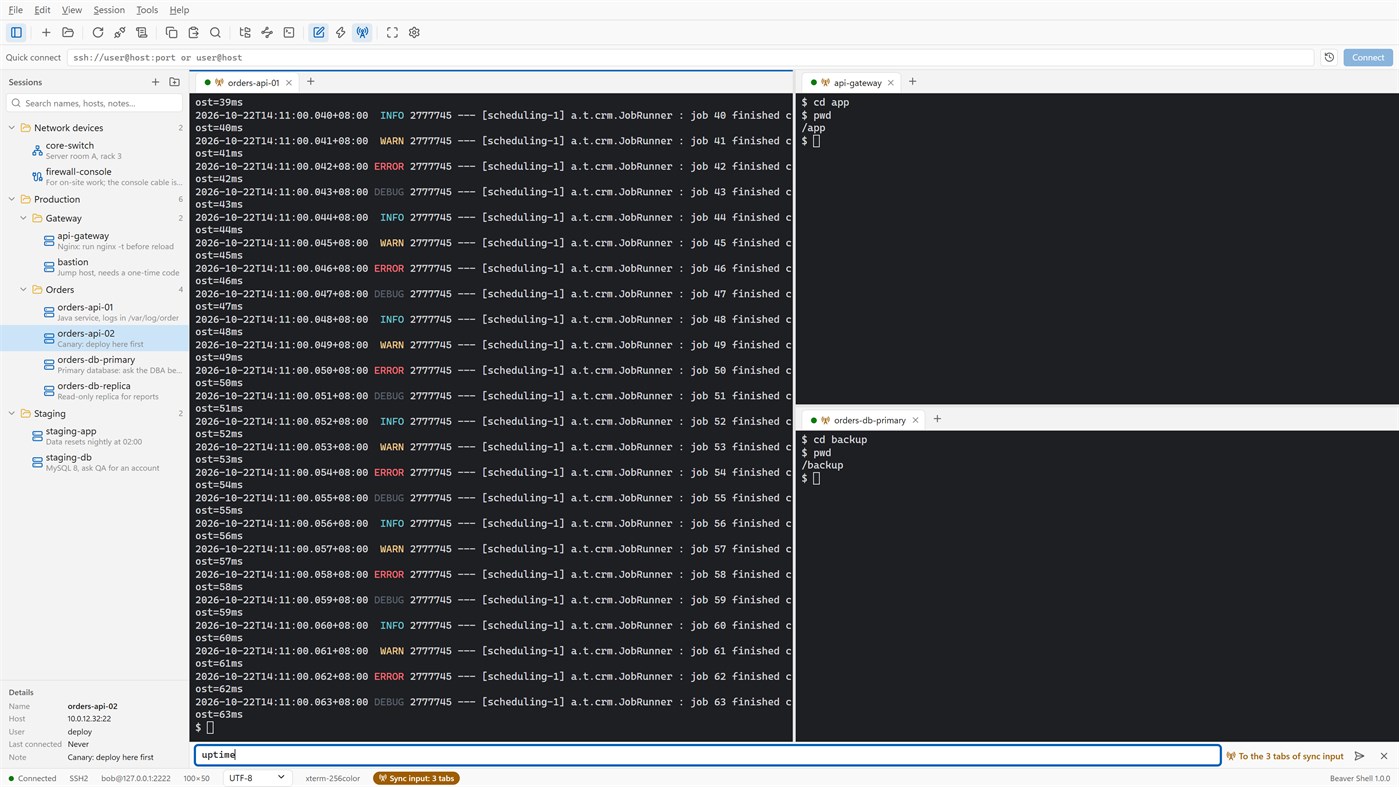
• Split the window into up to six tab groups, side by side or one above the other.
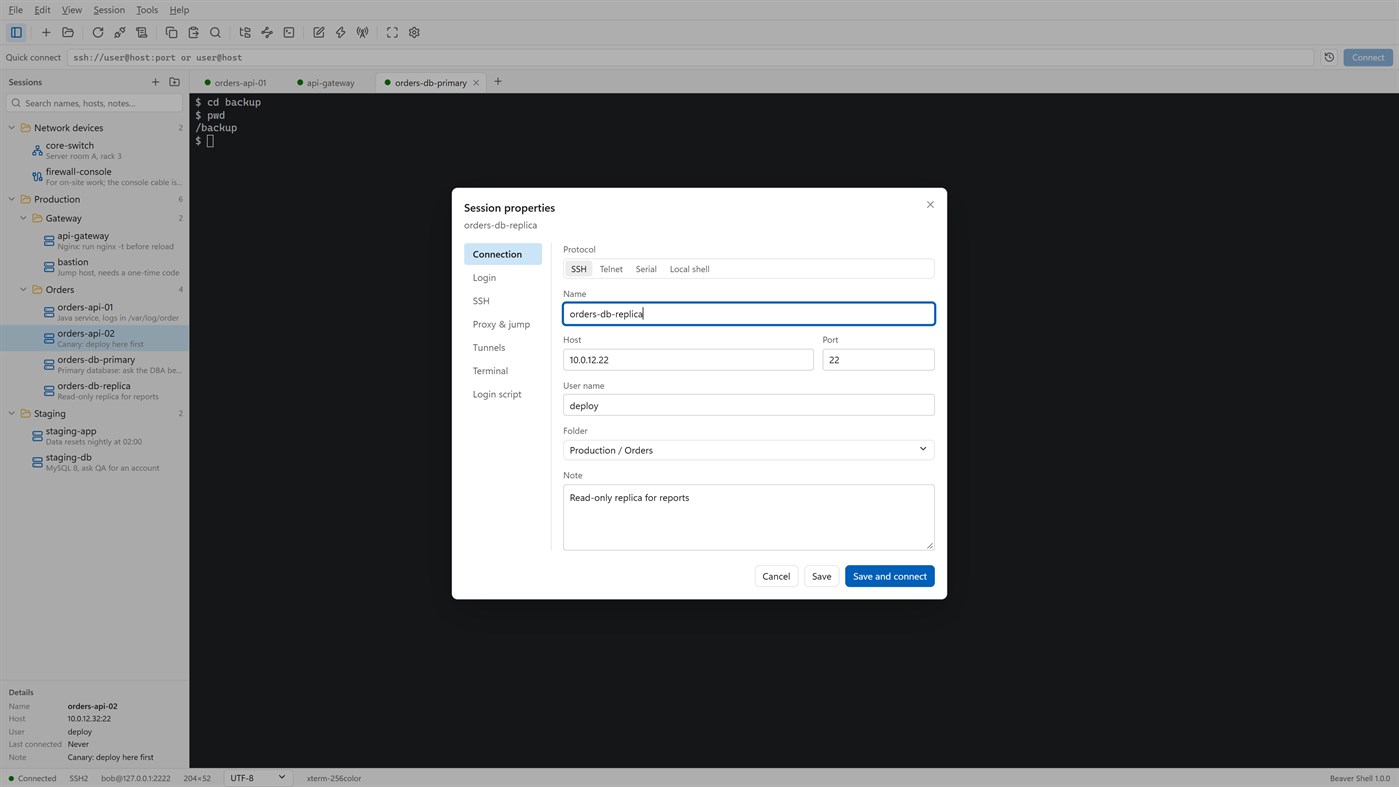
• Keep servers in folders, each with a name and a note; search by name, host, user or note.
• Import sessions from OpenSSH config, PuTTY and Xshell session files; export the library (never with passwords).
• Reconnect automatically after a dropped connection, and reopen last time's tabs at start.
Terminal
• xterm-compatible: 256 colors and true color, mouse, alternate screen; vim, htop and tmux work as they should.
• Chinese, Japanese and Korean wide characters; UTF-8, GBK, GB18030, Big5, Shift_JIS, EUC-KR and more, per session.
• Find with case, whole word and regular expressions; keyword highlighting for logs.
• Built-in color schemes, your own schemes, and import from Windows Terminal and iTerm2.
Files
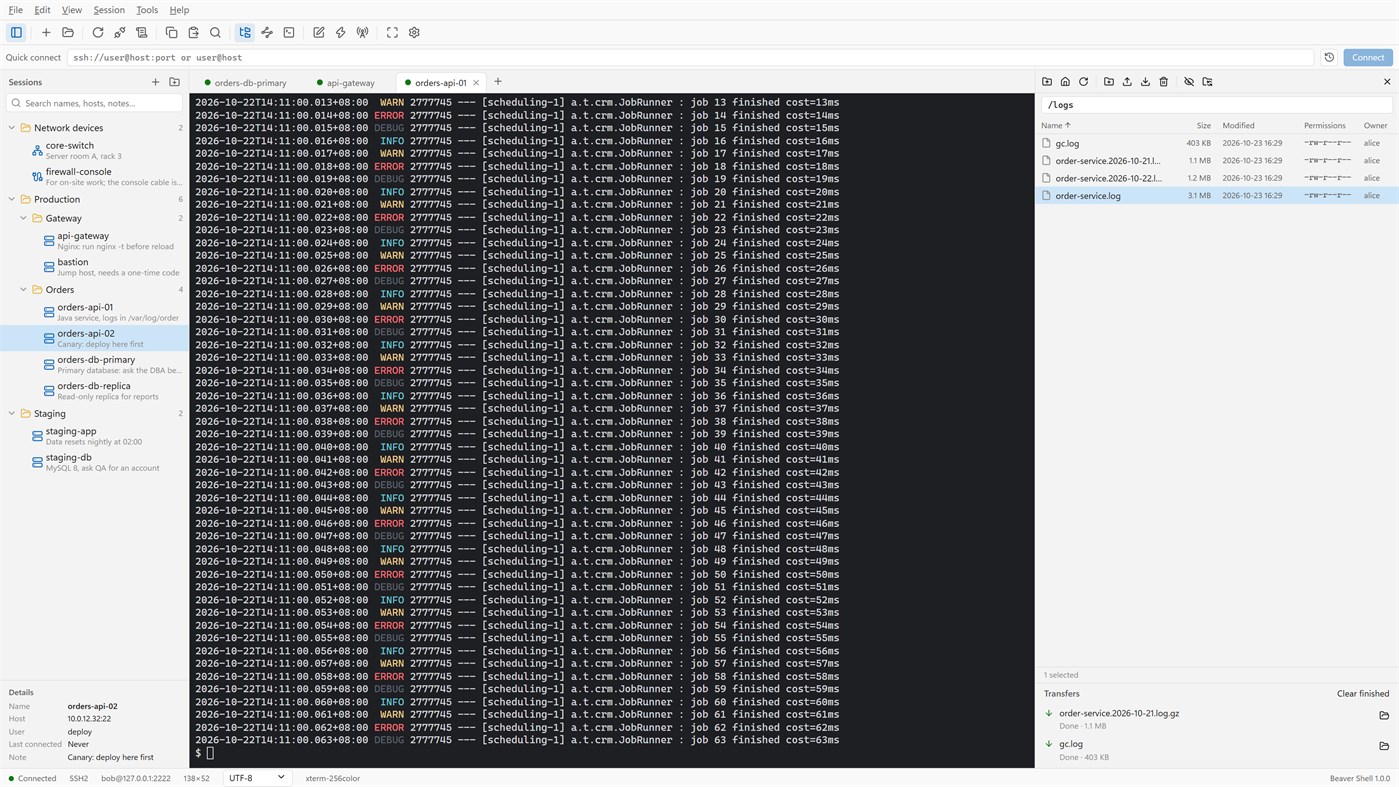
• An SFTP panel next to the terminal: browse, upload, download, rename, delete, change permissions, with a transfer queue.
• The panel can follow the terminal's current folder.
• Edit a remote file in a local editor: it is uploaded again each time you save.
• rz / sz (ZMODEM) in the terminal.
Connections
• Passwords, key files (OpenSSH, PEM, PKCS#8, PuTTY PPK), keyboard-interactive one-time codes, and the SSH agent (OpenSSH agent, Pageant) with agent forwarding.
• Jump hosts, SOCKS5 and HTTP proxies, and local, remote and dynamic port forwarding with a tunnel panel.
• Telnet and serial ports; local PowerShell, cmd and WSL tabs.
Working faster
• Type once and send to all tabs or to the ones you pick; a bar of quick commands.
• Login scripts answer prompts for you after you connect; triggers react to what a server prints.
• Session logs to files, with or without color codes.
Security
• Saved passwords are encrypted for your Windows account; add a master password and lock the window when you step away.
• Host keys are checked, and a changed key is refused unless you accept it.
• Generate Ed25519, ECDSA or RSA keys and install them on a server.
No account, no sign-in, no tracking. The interface is in English and Simplified Chinese.
Licensing
• Free for individuals, families, schools, open-source projects and companies of up to 5 people, with every feature.
• Other companies need a commercial license for each person who uses Beaver Shell at work, bought from Mindigest; see the additional license terms. The app never checks for a license and never limits anything.
Muut alustat 0
| Beaver ShellWindows Store660 HopeaOlet tässä | Ilmainen |
Tällä hetkellä vain tässä kaupassa.
Hintahistoria 0
- Nykyinen hinta: Ilmainen
- Vähintään: Ilmainen
- Enintään: Ilmainen
Seuraa hintoja Lisää listalle saadaksesi alennusilmoituksia sähköpostitse tai push-ilmoituksina
Listat 0
0
-
 Beaver Shell
Pisteet 0
0
Sijoitukset 0
-

- Arviosi

Kommentit 0 ¡
Ole ensimmäinen kommentoija
Kehittäjä 2
- mindigest
- Seuraajat: 0
- Alustat: Windows Sovellukset (2)
- Tarjoukset: 0
- Listat: 0 + 0
- Pisteet: 0 + 0 ¡
- Sijoitukset: 0
- Kommentit: 0
- Videot: 0
- RSS: Tilaa
Uutta
- Versio: PC
- Viimeksi päivitetty:
- The Help menu now opens the Beaver Shell website, the license agreement and the privacy statement, and starts an email to support. About says who may use Beaver Shell free.
Lisätietoja
- Julkaisupäivämäärä:
- Luokka:
Windows-sovellukset›Kehittäjien työkalut - Käyttöjärjestelmä:
PC - Koko:
9 Mb - Tuetut kielet:
Englanti,Kiina - Sisällön ikärajoitus:
EVERYONE - Windows Store Arvio: ¡
0 - Verkkosivusto:
 https://www.mindigest.com/shell
AppAgg-arvio
660
Laskennallinen AppAgg-arvio:
Beaver Shell
Kehittäjä: mindigest
660 Hopea
Korkeampi arvio kertoo yleensä paremmista tuloksista AppAggin seuraamissa mittareissa.
Perustuu: suosioon · käyttäjäarvioihin · tuoreuteen · tarjouksiin · kauppadataan · yhteisön aktiivisuuteen
Lasketaan uudelleen päivittäin tuoreiden AppAgg-tietojen perusteella.
Merkki verkkosivustolle:  Kopioitu!
Lyhyesti
Beaver Shell Lyhennetty URL: Kopioitu!- Windows Store
AppAggissa voit seurata sovellusta ”Beaver Shell”, jonka kehittäjä on mindigest. Alusta: Windows. Kategoria: Kehittäjien työkalut. AppAgg-arvio: 660 (Hopea). Sovelluksen AppAgg-pisteet — vahvistetut: 0; epäsuorat: 0. Julkisia listoja, joilla sovellus on: 0. Käyttäjiä, jotka ovat tallentaneet sen yksityisille listoille: 0. AppAggin käyttäjät eivät ole vielä arvioineet sovellusta. Vahvistetut pisteet kirjaavat kirjautuneiden AppAgg-käyttäjien siirtymisiä kauppaan. Epäsuorat pisteet perustuvat kauppojen tietoihin. Laskurit näyttävät julkisten listojen määrän sekä niiden käyttäjien määrän, jotka ovat tallentaneet sovelluksen tai pelin yksityisille listoille. Sovellus julkaistiin ensimmäisen kerran . Sovelluksen viimeisin päivitys: . Sovellus on tällä hetkellä saatavilla maksutta. Sovellus tukee seuraavia kieliä: Englanti, Kiina. Tutustu hintahistoriaan, lisää sovellus listalle tai seuraa kehittäjää. Tilaa RSS-syöte ja seuraa sovelluksen tulevia tarjouksia ja päivityksiä. AppAgg ei säilytä tätä sovellusta palvelimillaan eikä jakele sitä. Kaikki sovellukseen liittyvät tavaramerkit, logot ja kuvakaappaukset kuuluvat omistajilleen.

