
Закладки
Выберите название для этой закладки.
Закладка сохранена
| Разработчик: | mindigest (2) | ||
| Цена: | Бесплатно Новинка | ||
| Оценка: | 660 Серебро | ||
| Рейтинги: | 0 | ||
| Комментарии: | 0 Оставьте комментарий | ||
| Списки: | 0 + 0 | ||
| Очки: | 0 + 0 ¡ | ||
| +1 Очки | |||
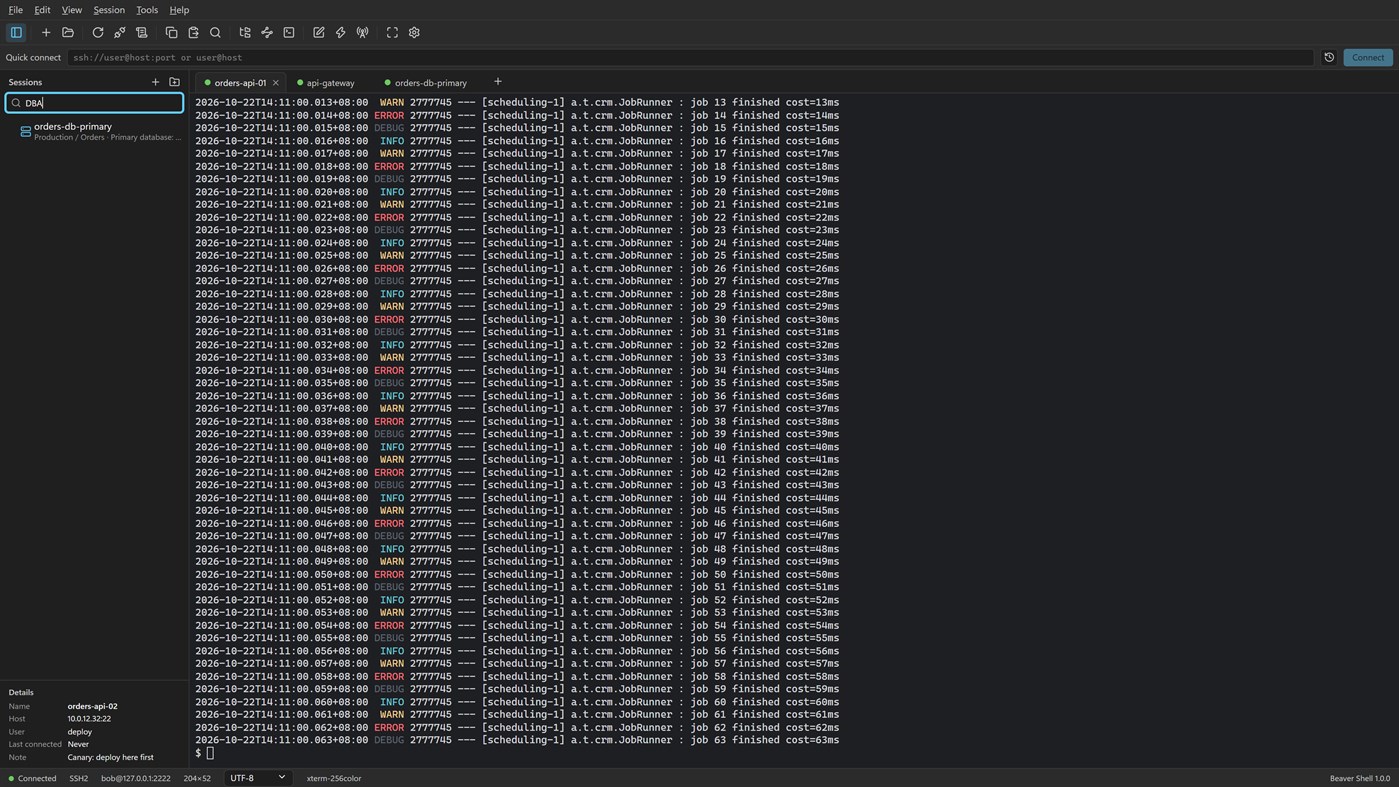
Скриншоты 5
Реклама
Описание

Tabs and sessions
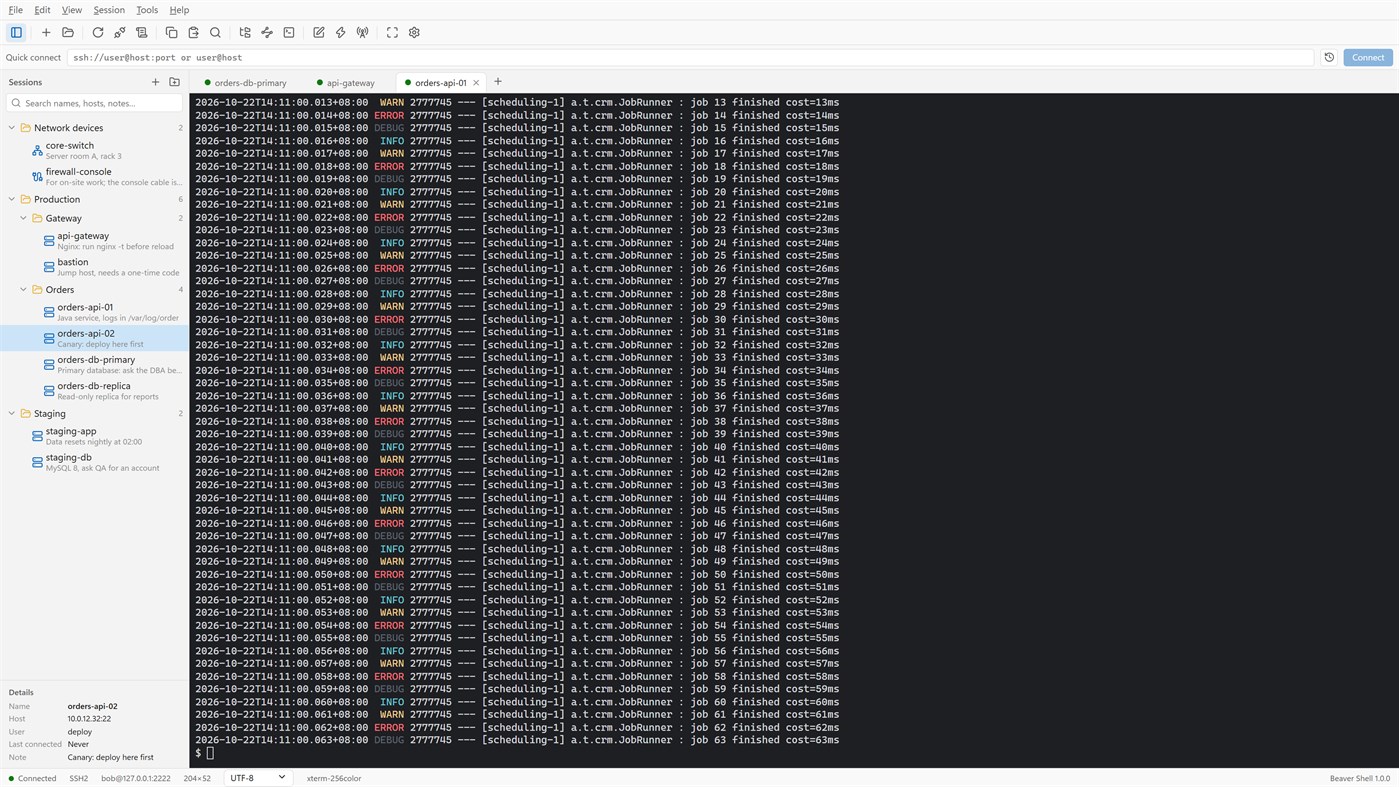
• Connect to many servers at once, or open more tabs on one server over the same connection.
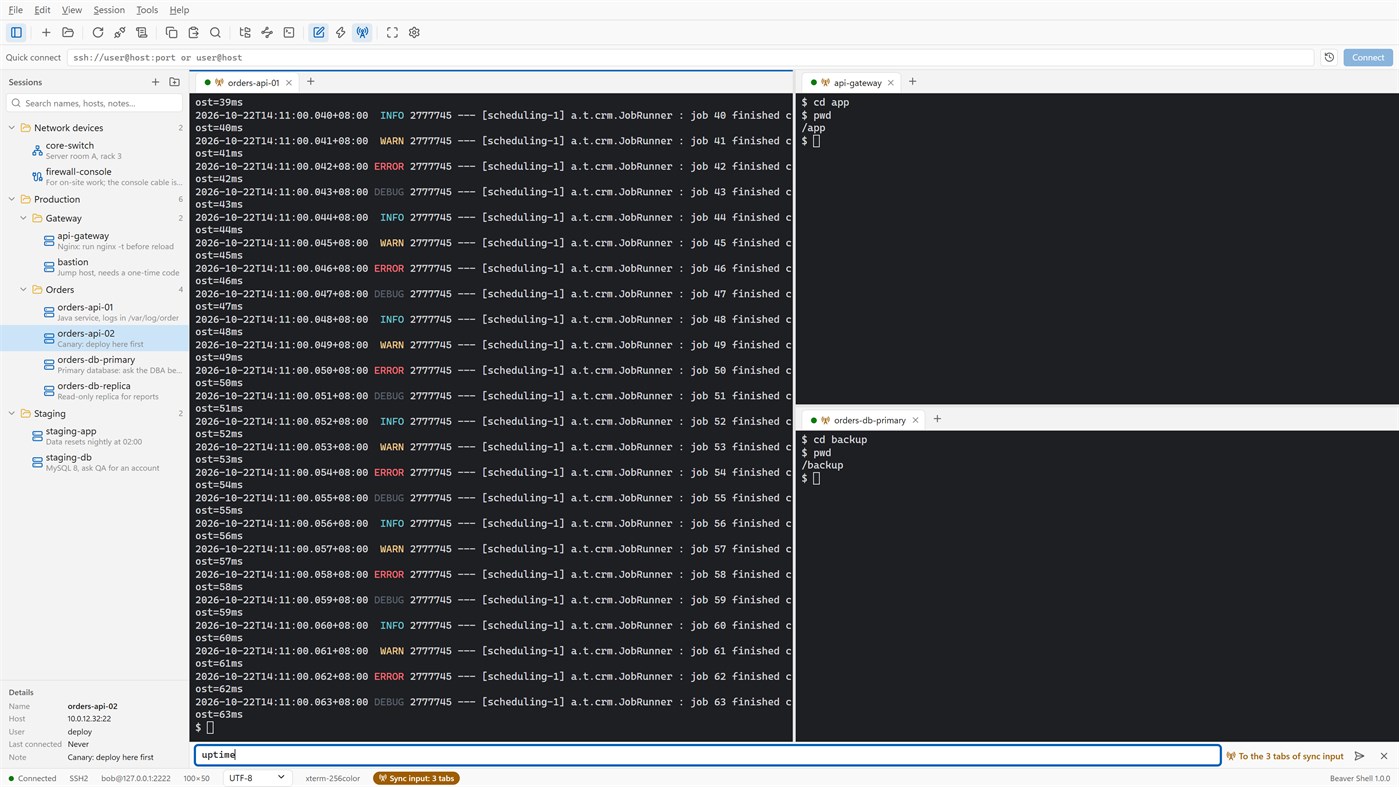
• Split the window into up to six tab groups, side by side or one above the other.
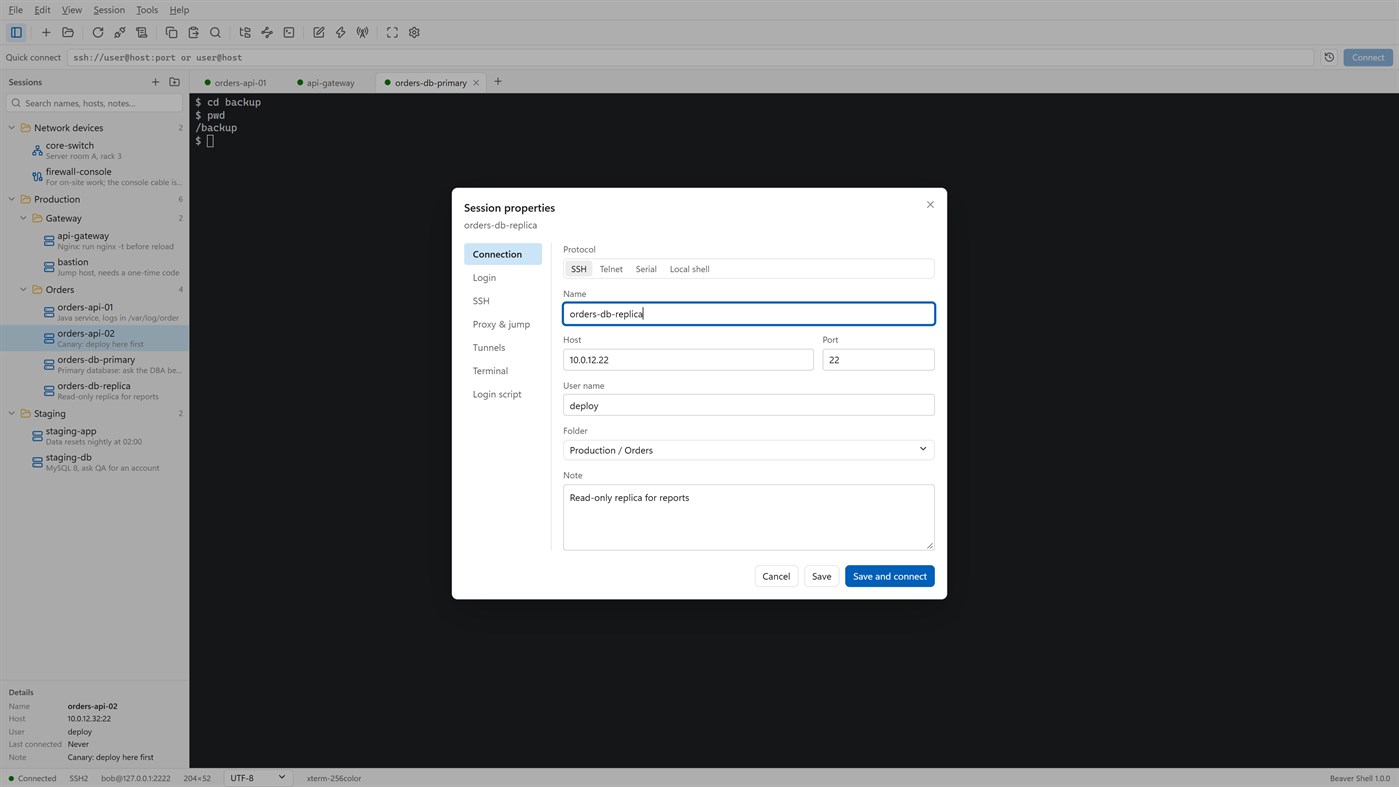
• Keep servers in folders, each with a name and a note; search by name, host, user or note.
• Import sessions from OpenSSH config, PuTTY and Xshell session files; export the library (never with passwords).
• Reconnect automatically after a dropped connection, and reopen last time's tabs at start.
Terminal
• xterm-compatible: 256 colors and true color, mouse, alternate screen; vim, htop and tmux work as they should.
• Chinese, Japanese and Korean wide characters; UTF-8, GBK, GB18030, Big5, Shift_JIS, EUC-KR and more, per session.
• Find with case, whole word and regular expressions; keyword highlighting for logs.
• Built-in color schemes, your own schemes, and import from Windows Terminal and iTerm2.
Files
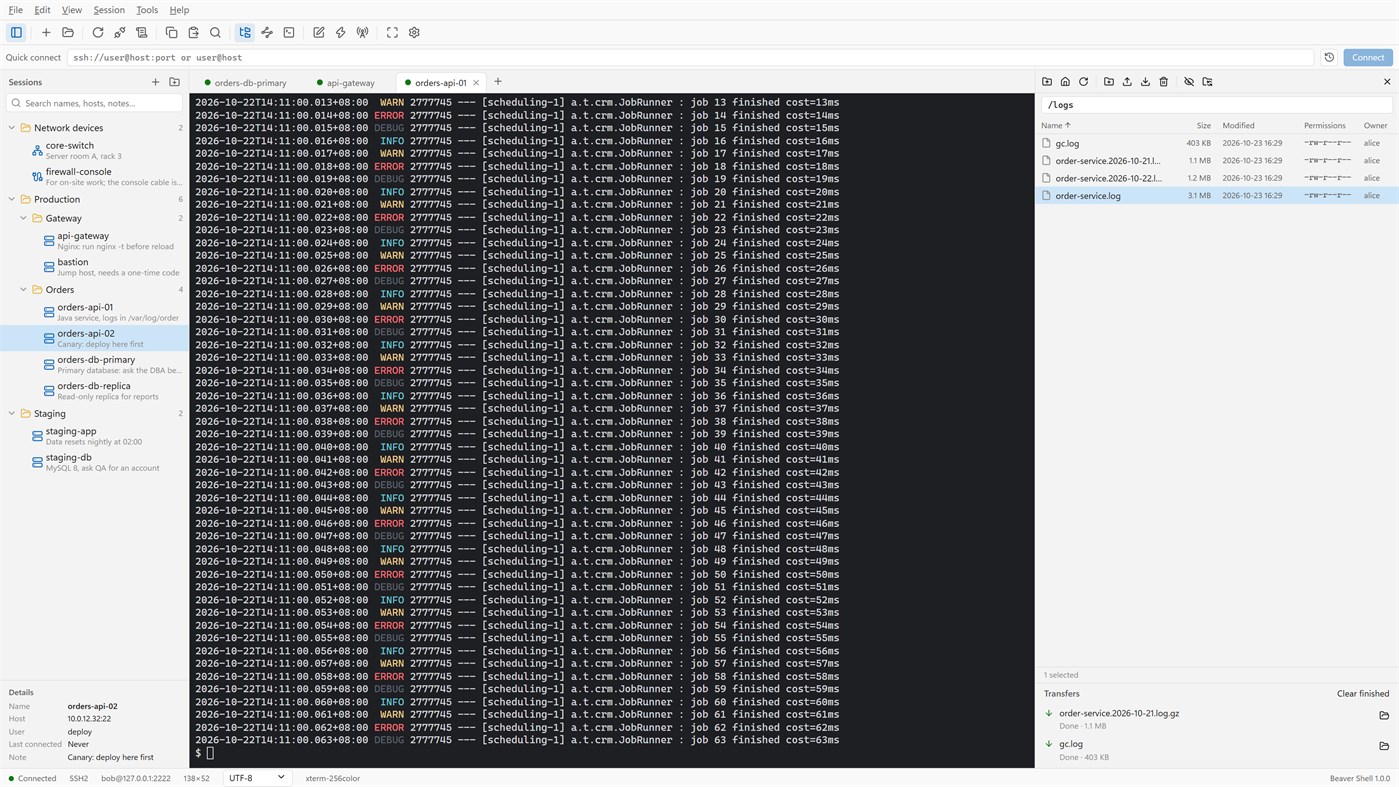
• An SFTP panel next to the terminal: browse, upload, download, rename, delete, change permissions, with a transfer queue.
• The panel can follow the terminal's current folder.
• Edit a remote file in a local editor: it is uploaded again each time you save.
• rz / sz (ZMODEM) in the terminal.
Connections
• Passwords, key files (OpenSSH, PEM, PKCS#8, PuTTY PPK), keyboard-interactive one-time codes, and the SSH agent (OpenSSH agent, Pageant) with agent forwarding.
• Jump hosts, SOCKS5 and HTTP proxies, and local, remote and dynamic port forwarding with a tunnel panel.
• Telnet and serial ports; local PowerShell, cmd and WSL tabs.
Working faster
• Type once and send to all tabs or to the ones you pick; a bar of quick commands.
• Login scripts answer prompts for you after you connect; triggers react to what a server prints.
• Session logs to files, with or without color codes.
Security
• Saved passwords are encrypted for your Windows account; add a master password and lock the window when you step away.
• Host keys are checked, and a changed key is refused unless you accept it.
• Generate Ed25519, ECDSA or RSA keys and install them on a server.
No account, no sign-in, no tracking. The interface is in English and Simplified Chinese.
Licensing
• Free for individuals, families, schools, open-source projects and companies of up to 5 people, with every feature.
• Other companies need a commercial license for each person who uses Beaver Shell at work, bought from Mindigest; see the additional license terms. The app never checks for a license and never limits anything.
Другие платформы 0
| Beaver ShellWindows Store660 СереброВы здесь | Бесплатно |
Сейчас только в этом магазине.
История цен 0
- Текущая цена: Бесплатно
- Минимум: Бесплатно
- Максимум: Бесплатно
Отслеживайте цены Добавьте в список, чтобы получать уведомления о скидках по электронной почте или через push
Списки 0
0
-
 Beaver Shell
Очки 0
0
Рейтинги 0
-

- Ваша оценка

Комментарии 0 ¡
Будьте первым, кто оставит комментарий
Разработчик 2
- mindigest
- Подписчики: 0
- Платформы: Windows Приложения (2)
- Скидки: 0
- Списки: 0 + 0
- Очки: 0 + 0 ¡
- Рейтинги: 0
- Комментарии: 0
- Видео: 0
- RSS: Подписаться
Что нового
- Версия: PC
- Последнее обновление:
- The Help menu now opens the Beaver Shell website, the license agreement and the privacy statement, and starts an email to support. About says who may use Beaver Shell free.
Дополнительная информация
- Дата выпуска:
- Категория:
Приложения для Windows›Средства разработчика - Операционные системы:
PC - Размер:
9 Mb - Поддерживаемые языки:
Английский,Китайский - Возрастные ограничения:
EVERYONE - Windows Store Рейтинг: ¡
0
 https://www.mindigest.com/shell
Оценка AppAgg
660
Примерная оценка AppAgg для
Beaver Shell
Разработчик: mindigest
660 Серебро
Более высокая оценка обычно означает лучшие результаты по показателям AppAgg.
На основе: популярности · оценок пользователей · актуальности · скидок · данных магазинов · активности сообщества
Пересчитывается ежедневно на основе актуальных данных AppAgg.
Бейдж для сайта:  Скопировано!
Кратко
Beaver Shell Короткий URL: Скопировано!- Windows Store
На AppAgg можно следить за приложением «Beaver Shell» от mindigest. Платформа — Windows, категория — Средства разработчика. Оценка AppAgg: 660 (Серебро). Очки приложения — подтверждённые: 0; косвенные: 0. Публичных списков с приложением: 0. Пользователей, сохранивших его в приватные списки: 0. Пользователи AppAgg пока не оценили приложение. Подтверждённые очки отражают переходы авторизованных пользователей AppAgg в магазин; косвенные очки основаны на данных магазинов. AppAgg учитывает публичные списки с приложением или игрой и пользователей, сохранивших приложение или игру в приватные списки. Приложение впервые выпущено . Последнее обновление приложения: . Сейчас приложение доступно бесплатно. Приложение доступно на следующих языках: Английский, Китайский. Посмотрите историю цен, добавьте приложение в список или подпишитесь на разработчика. Следите за будущими скидками и обновлениями приложения через RSS-канал. AppAgg не размещает и не распространяет это приложение. Все связанные с приложением товарные знаки, логотипы и снимки экрана принадлежат их владельцам.

