
书签
为此书签设置标题。
书签已保存
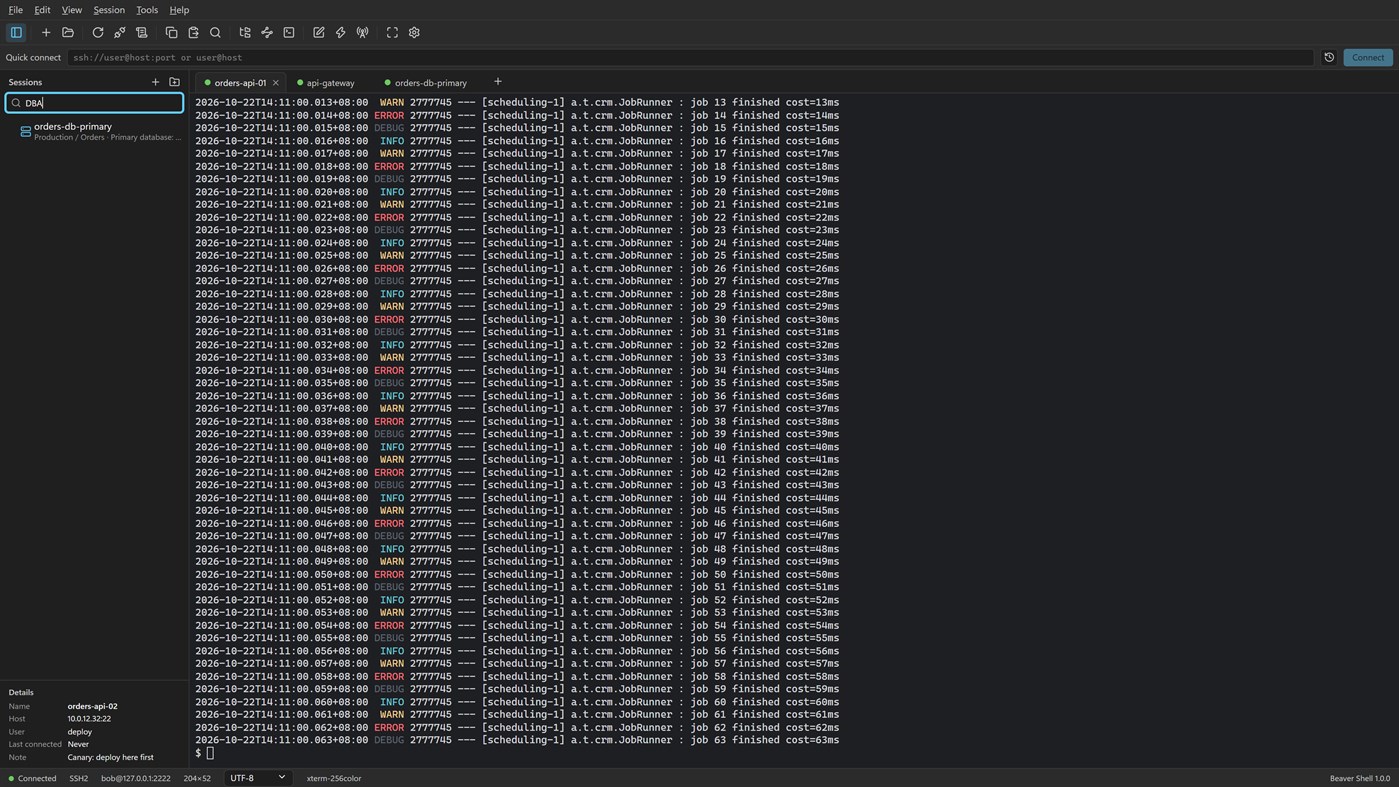
屏幕截图 5
广告
说明

Tabs and sessions
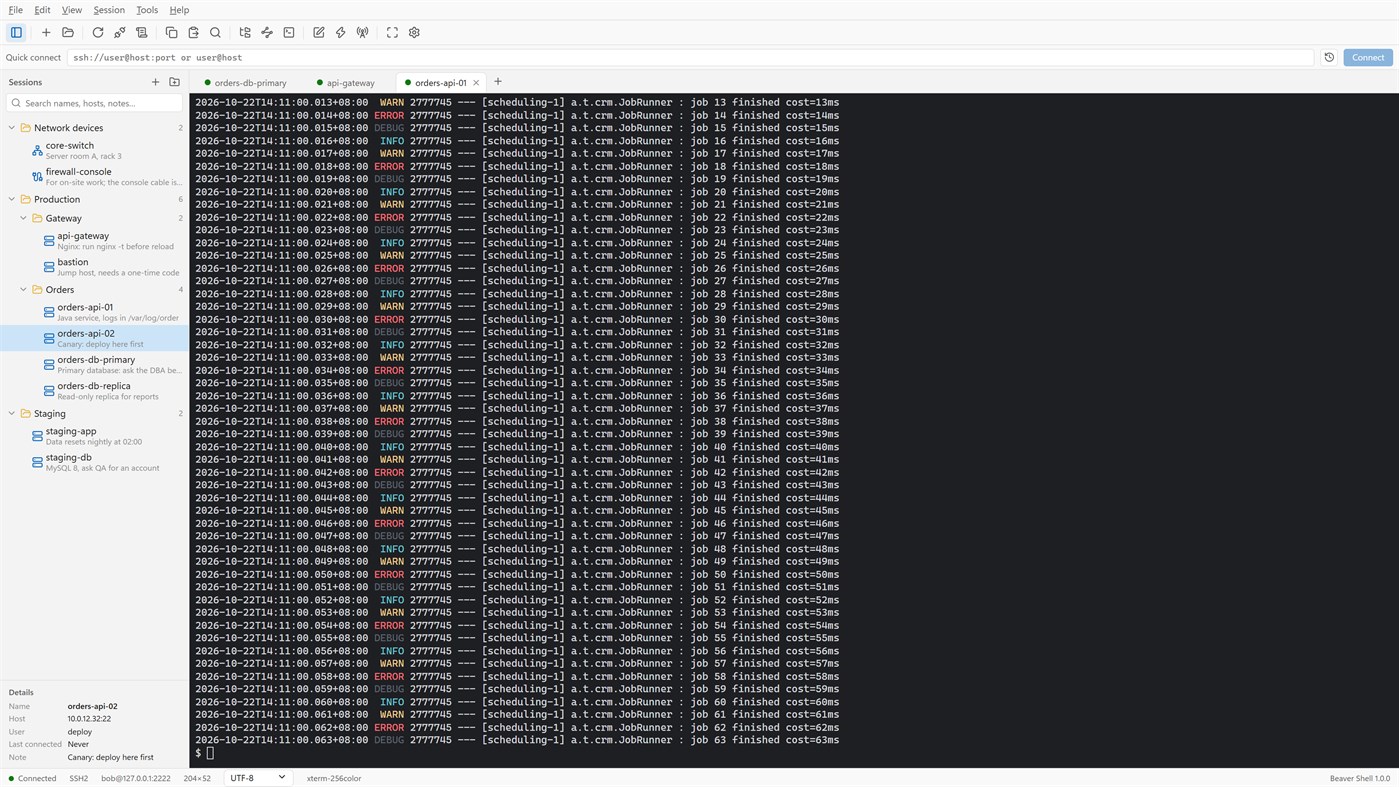
• Connect to many servers at once, or open more tabs on one server over the same connection.
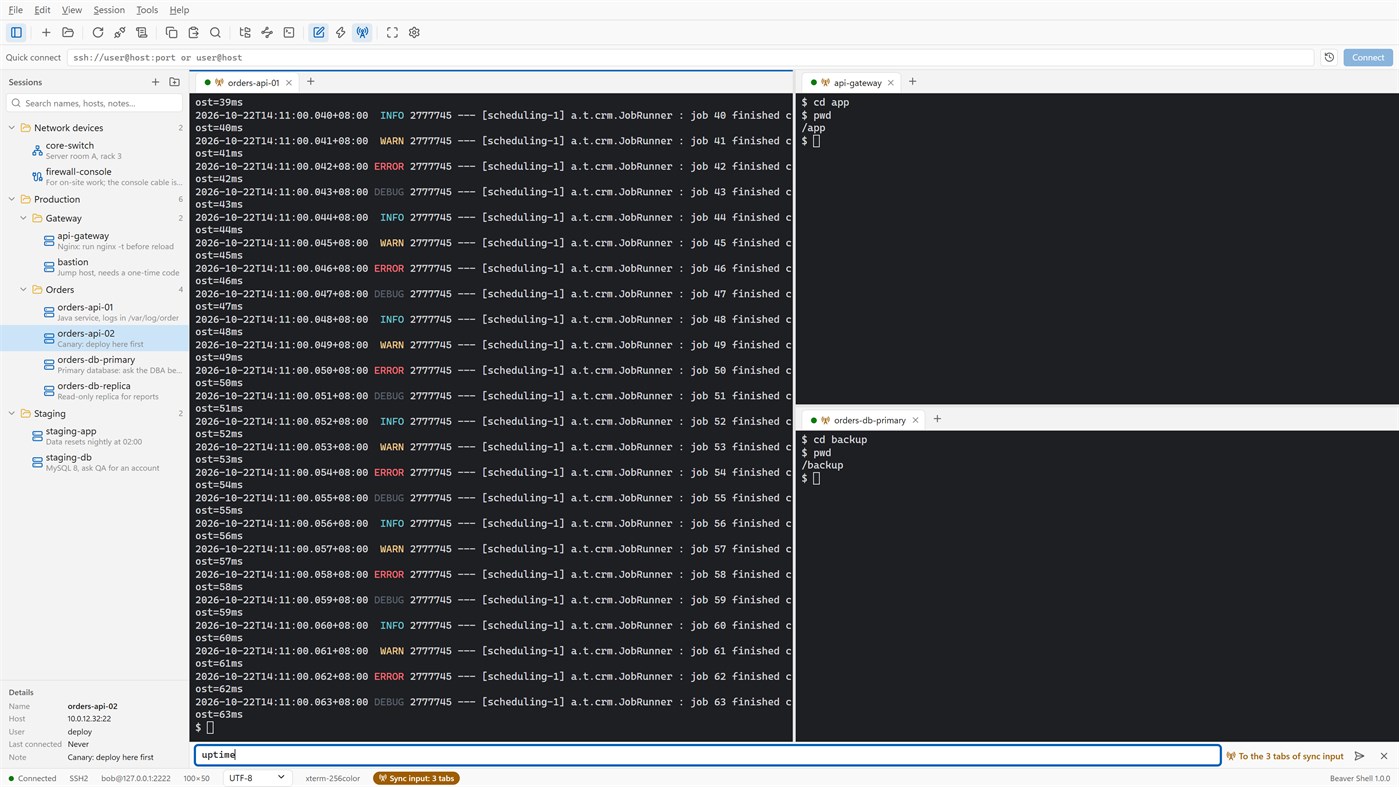
• Split the window into up to six tab groups, side by side or one above the other.
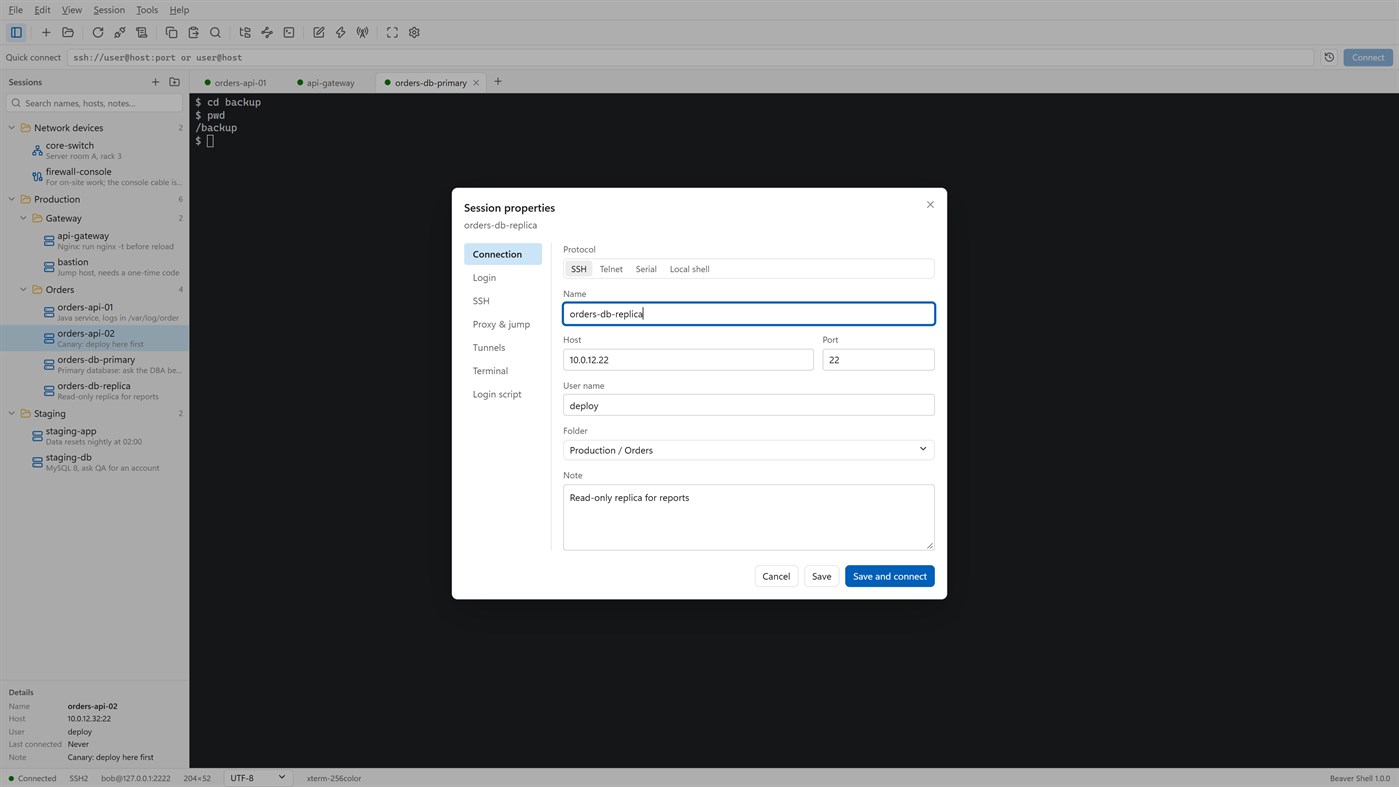
• Keep servers in folders, each with a name and a note; search by name, host, user or note.
• Import sessions from OpenSSH config, PuTTY and Xshell session files; export the library (never with passwords).
• Reconnect automatically after a dropped connection, and reopen last time's tabs at start.
Terminal
• xterm-compatible: 256 colors and true color, mouse, alternate screen; vim, htop and tmux work as they should.
• Chinese, Japanese and Korean wide characters; UTF-8, GBK, GB18030, Big5, Shift_JIS, EUC-KR and more, per session.
• Find with case, whole word and regular expressions; keyword highlighting for logs.
• Built-in color schemes, your own schemes, and import from Windows Terminal and iTerm2.
Files
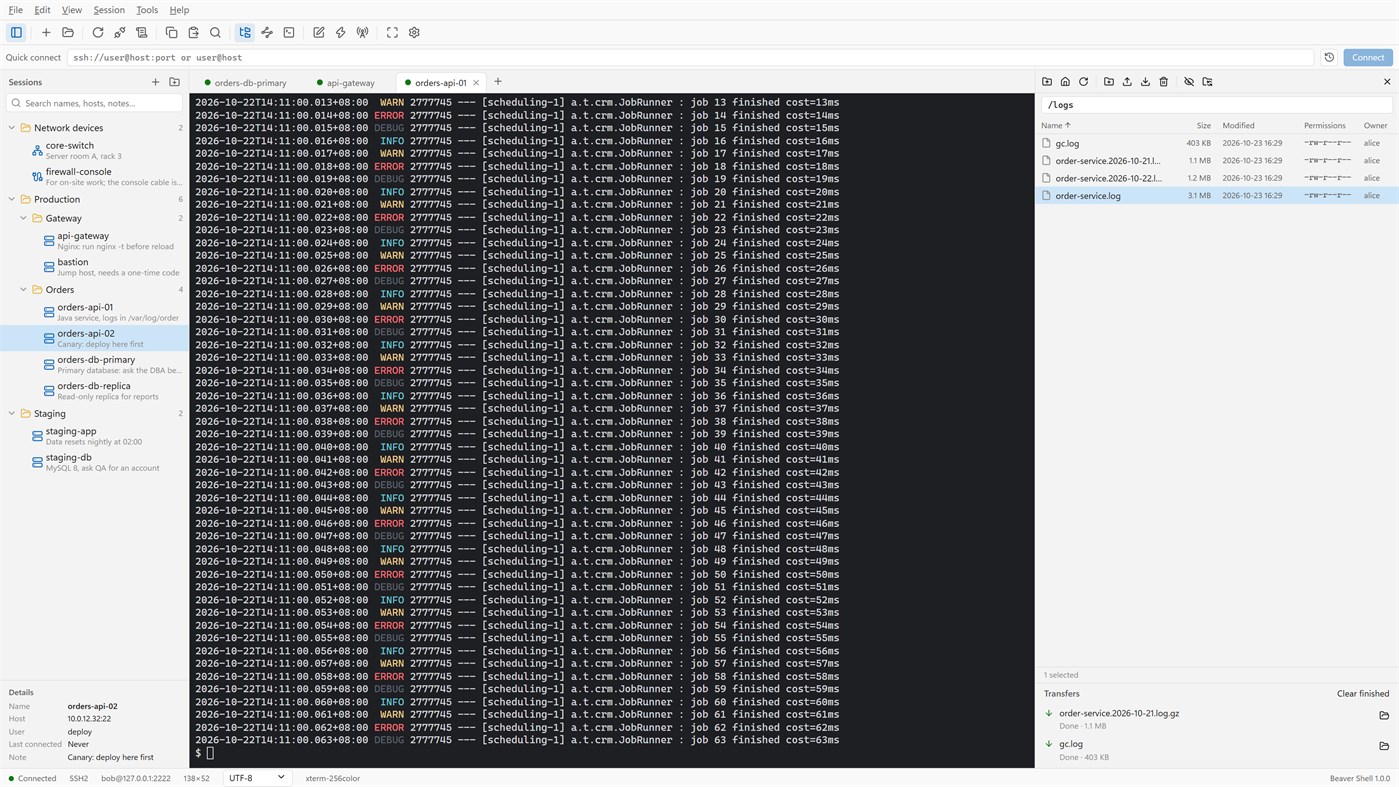
• An SFTP panel next to the terminal: browse, upload, download, rename, delete, change permissions, with a transfer queue.
• The panel can follow the terminal's current folder.
• Edit a remote file in a local editor: it is uploaded again each time you save.
• rz / sz (ZMODEM) in the terminal.
Connections
• Passwords, key files (OpenSSH, PEM, PKCS#8, PuTTY PPK), keyboard-interactive one-time codes, and the SSH agent (OpenSSH agent, Pageant) with agent forwarding.
• Jump hosts, SOCKS5 and HTTP proxies, and local, remote and dynamic port forwarding with a tunnel panel.
• Telnet and serial ports; local PowerShell, cmd and WSL tabs.
Working faster
• Type once and send to all tabs or to the ones you pick; a bar of quick commands.
• Login scripts answer prompts for you after you connect; triggers react to what a server prints.
• Session logs to files, with or without color codes.
Security
• Saved passwords are encrypted for your Windows account; add a master password and lock the window when you step away.
• Host keys are checked, and a changed key is refused unless you accept it.
• Generate Ed25519, ECDSA or RSA keys and install them on a server.
No account, no sign-in, no tracking. The interface is in English and Simplified Chinese.
Licensing
• Free for individuals, families, schools, open-source projects and companies of up to 5 people, with every feature.
• Other companies need a commercial license for each person who uses Beaver Shell at work, bought from Mindigest; see the additional license terms. The app never checks for a license and never limits anything.
其他平台 0
| Beaver ShellWindows Store660 白银当前页面 | 免费 |
目前仅在此商店提供。
价格历史 0
- 目前价格: 免费
- 最小值: 免费
- 最大值: 免费
列表 0
0
-
 Beaver Shell
积分 0
0
排名 0
-

- 您的评分

评论 0 ¡
来发第一条评论吧
开发者 2
- mindigest
- 关注者: 0
- 平台: Windows 应用 (2)
- 折扣: 0
- 列表: 0 + 0
- 积分: 0 + 0 ¡
- 排名: 0
- 评论: 0
- 视频: 0
- RSS: 订阅
新版变化
- 版本: PC
- 最后更新:
- The Help menu now opens the Beaver Shell website, the license agreement and the privacy statement, and starts an email to support. About says who may use Beaver Shell free.
其他信息
 https://www.mindigest.com/shell
AppAgg 评分
660
AppAgg 预估评分:
Beaver Shell
开发者: mindigest
660 白银
评分越高,通常表示其在 AppAgg 上的各项指标表现越好。
基于: 热度 · 用户评分 · 新鲜度 · 优惠 · 商店数据 · 社区活跃度
根据最新 AppAgg 数据每日重新计算。
网站徽章:  已复制!
已复制!
摘要
Beaver Shell 短网址: 已复制!- Windows Store
在 AppAgg 上,您可以关注由 mindigest 开发的“Beaver Shell”应用。适用平台:Windows;分类:开发人员工具。 AppAgg 评分:660(白银)。 AppAgg 为该应用记录的积分:已确认 0,间接 0。 收录此应用的公开列表:0 个。将其保存到私密列表的用户:0 人。 AppAgg 用户尚未对该应用评分。 已确认积分记录已登录 AppAgg 用户前往商店的操作,间接积分则基于商店数据。 两个计数分别表示公开列表数量,以及将应用或游戏保存到私密列表的用户人数。 该应用首次发布于。 该应用最近更新于。 该应用目前可免费获取。 该应用支持以下语言:中文, 英语。 查看价格历史、将应用加入列表,或关注开发者。 通过RSS 订阅源关注该应用今后的优惠和更新。 AppAgg 不托管或分发该应用。 与该应用相关的所有商标、徽标和屏幕截图均归其各自所有者所有。

