
| ผู้พัฒนา: | Kurta Radu (1) | ||
| ราคา: | ฟรี | ||
| การจัดอันดับ: | 0 | ||
| ความเห็น: | 0 เขียนความเห็น | ||
| รายการ: | 0 + 1 | ||
| แต้มแล: | 2 + 0 ¡ | ||
| Windows Store | |||
คำอธิบาย

Once you install the application you can set it as default browser.
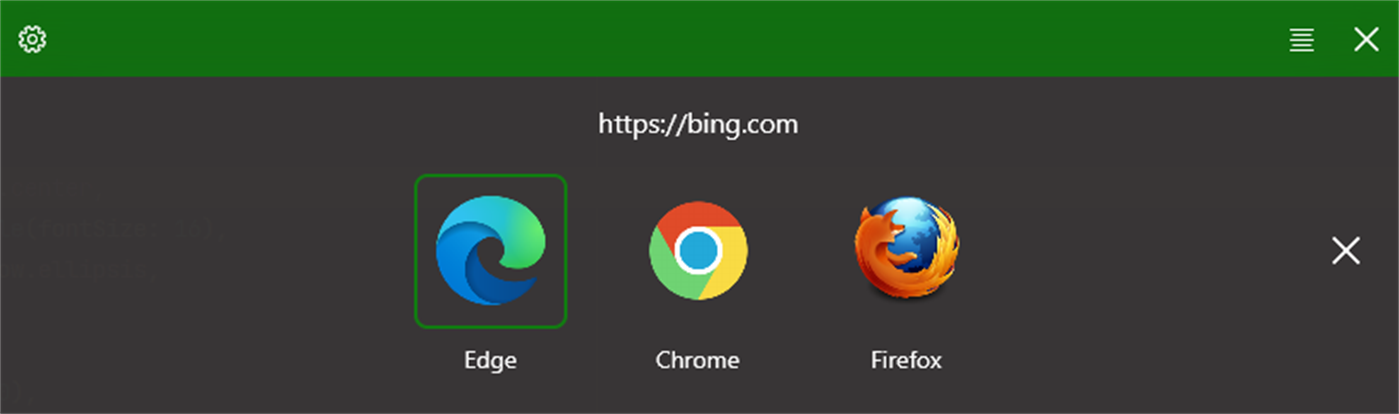
After that when opening a link Browsel will present a list of configured browsers to select from.
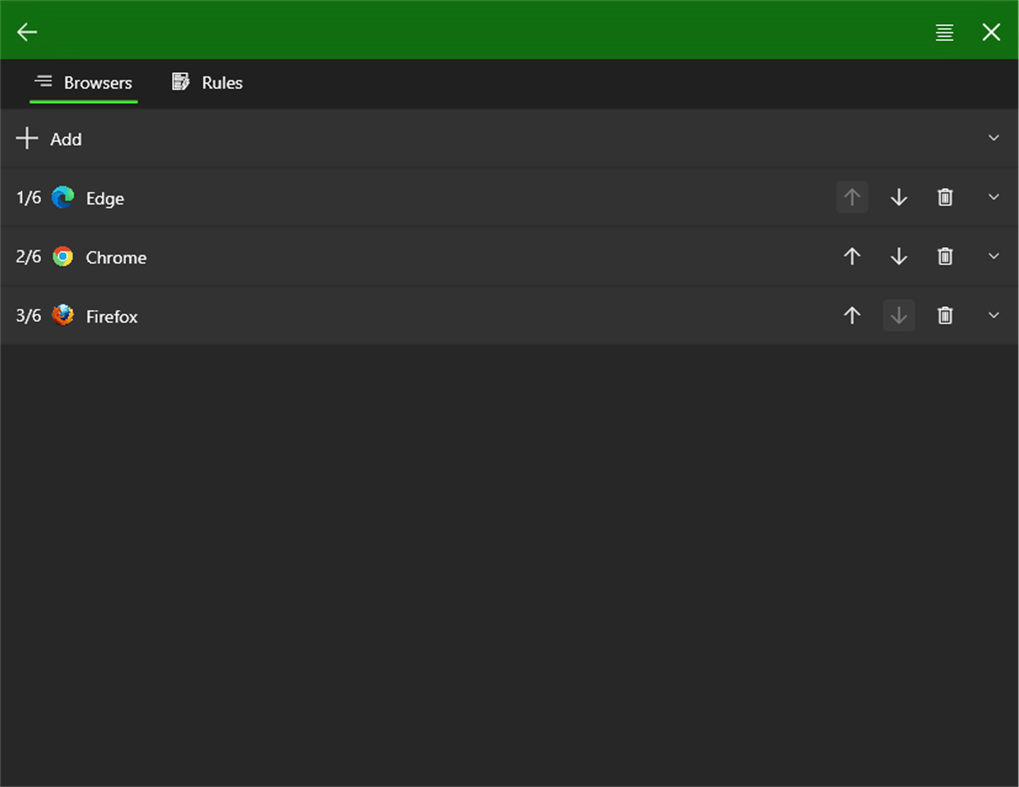
It will try to detect Edge, Chrome and Firefox automatically and up to 6 browsers can be configured.
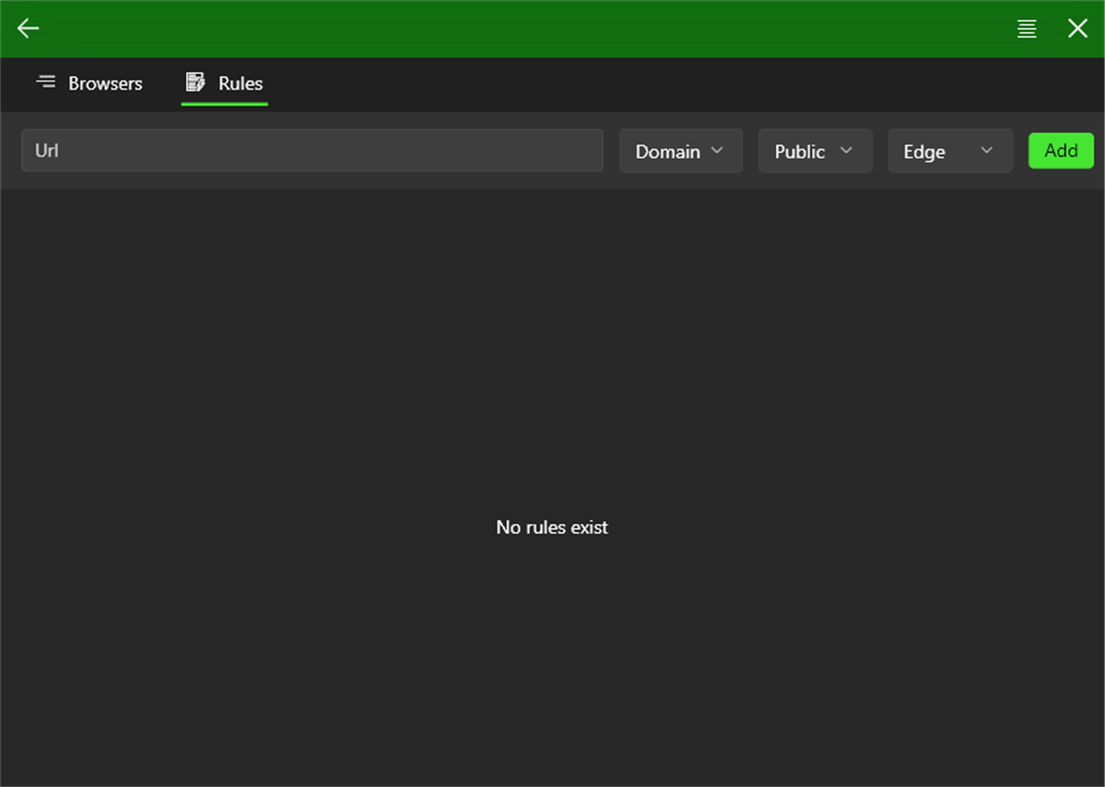
Holding Ctrl while selecting a link will create a rule for future navigations to that link.
Holding Shift while selecting a link will create a rule for future navigations to that domain.
Holding Alt while selecting a link will open it in a private window.
ภาพหน้าจอ
มีอะไรใหม่
- เวอร์ชัน: PC
- อัปเดต:
ราคา
- วันนี้: ฟรี
- ต่ำสุด: ฟรี
- มากที่สุด: $2.99
ติดตามราคา
ผู้พัฒนา
- Kurta Radu
- แพลตฟอร์ม: Windows แอป (1)
- รายการ: 0 + 1
- แต้มแล: 2 + 0 ¡
- การจัดอันดับ: 0
- ความเห็น: 0
- ลดราคา: 0
- วิดีโอ: 0
- RSS: ติดตาม
แต้มแล
-

- 10,822 Simon Chan
- +1
-
- 1,110 眰恦(眰恦)
- +1


การจัดอันดับ
0 ☹️
รายการ
0 ☹️
- Browsel
ความเห็น
แสดงรีวิวเป็นคนแรกเลย 🌟
ข้อมูลเพิ่มเติม
- เวอร์ชัน: PC
- หมวดหมู่:
Windows แอป›เครื่องมือสำหรับนักพัฒนา - ระบบปฏิบัติการ:
PC - ขนาด:
19 Mb - ภาษาที่สนับสนุน:
English - การจัดประเภทเนื้อหา:
EVERYONE - Windows Store คะแนนโดย:
0 - อัปเดต:
- วันที่วางจำหน่าย:
Browsel URL แบบสั้น: คัดลอกแล้ว!- 🌟 แชร์
- Windows Store
คุณอาจชอบ
-
- Windows Terminal
- Windows แอป: เครื่องมือสำหรับนักพัฒนา โดย: Microsoft Corporation
- ฟรี
- รายการ: 7 + 3 การจัดอันดับ: 0 ความเห็น: 0
- แต้มแล: 5 + 9,022 (4.5) เวอร์ชัน: PC The Windows Terminal is a modern, fast, efficient, powerful, and productive terminal application for users of command-line tools and shells like Command Prompt, PowerShell, and WSL. ... ⥯
-
- App Installer for Mobile - WinUI 3
- Windows แอป: เครื่องมือสำหรับนักพัฒนา โดย: wherewhere
- ฟรี
- รายการ: 3 + 2 การจัดอันดับ: 0 ความเห็น: 0
- แต้มแล: 19 + 4,115 (4.6) เวอร์ชัน: PC Android™ App Installer for Windows 10/11 makes sideloading Android applications easy for WSA, Anbox, etc.: Just double-click the app package, and you won't have to run Android Debug ... ⥯
-
- Ubuntu on Windows
- Windows แอป: เครื่องมือสำหรับนักพัฒนา โดย: Canonical Group Limited
- ฟรี
- รายการ: 2 + 0 การจัดอันดับ: 0 ความเห็น: 0
- แต้มแล: 11 + 912 (4.5) เวอร์ชัน: PC Ubuntu on Windows allows you to use Ubuntu Terminal and run Ubuntu command line utilities including bash, ssh, git, apt and many more. Please note that Windows 10 S does not support ... ⥯
-
- Arduino IDE
- Windows แอป: เครื่องมือสำหรับนักพัฒนา โดย: Arduino LLC
- ฟรี
- รายการ: 0 + 2 การจัดอันดับ: 0 ความเห็น: 0
- แต้มแล: 2 + 753 (4.5) เวอร์ชัน: PC Arduino is an open-source electronics platform based on easy-to-use hardware and software. It's intended for anyone making interactive projects. IMPORTANT: This app performs with core ... ⥯
-
- DevToys
- Windows แอป: เครื่องมือสำหรับนักพัฒนา โดย: etiennebaudoux
- ฟรี
- รายการ: 3 + 1 การจัดอันดับ: 0 ความเห็น: 0
- แต้มแล: 5 + 677 (4.9) เวอร์ชัน: PC An Open-Source Swiss Army knife for developers. DevToys helps in everyday tasks like formatting JSON, comparing text, testing RegExp. No need to use many untruthful websites to do ... ⥯
-
- TurboWarp
- Windows แอป: เครื่องมือสำหรับนักพัฒนา โดย: Thomas Weber
- ฟรี
- รายการ: 0 + 0 การจัดอันดับ: 0 ความเห็น: 0
- แต้มแล: 1 + 655 (4.6) เวอร์ชัน: PC TurboWarp is a mod of the Scratch programming language with a compiler to run projects faster, dark mode, new extensions, a bunch of addons, and more. - Runs projects up to 100x faster ⥯
-
- Termius - Modern SSH Client
- Windows แอป: เครื่องมือสำหรับนักพัฒนา โดย: Termius Corporation
- * ฟรี
- รายการ: 0 + 4 การจัดอันดับ: 0 ความเห็น: 0
- แต้มแล: 8 + 620 (4.4) เวอร์ชัน: PC Termius is a modern SSH client designed for productivity and collaboration. Connect with one click from desktop and mobile no re-entering IP addresses, ports, and passwords. With a ... ⥯
-
- Python 3.12
- Windows แอป: เครื่องมือสำหรับนักพัฒนา โดย: Python Software Foundation
- ฟรี
- รายการ: 0 + 0 การจัดอันดับ: 0 ความเห็น: 0
- แต้มแล: 1 + 466 (4.3) เวอร์ชัน: PC Python is an easy to learn, powerful programming language. It has efficient high-level data structures and a simple but effective approach to object-oriented programming. Python s ... ⥯