
Bogmærker
| Udvikler: | Ctr-L (11) | ||
| Pris: | * Gratis Ny | ||
| Score: | 830 Sølv | ||
| Ranglister: | 0 | ||
| Kommentarer: | 0 Skriv kommentar | ||
| Lister: | 0 0 | ||
| Point: | 0 | ||
| +1 Point | |||
Kort fortalt
C Ftp er en app fra Ctr-L i kategorien »Udviklerværktøjer«.
Helt ny: den udkom . Den dufter stadig af ny kode.
Gratis at komme ind, men butikken derinde har åbent.
Microsoft Store er bygget ind i Windows, så installationen klares med et par klik.
AppAgg-scoren er 830. Sølv, og det er slet ikke dårligt.
Aldersgrænse »EVERYONE«: også fint for børn.
Taler 54 sprog, og dansk er med.
Har du brugt den? Din anmeldelse bliver den første her.
Udvikleren har yderligere 10 apps på AppAgg. Tag et kig.
Forresten har denne udvikler 3 tilbud lige nu.
Vil du høre om opdateringer og nye apps først? Følg udvikleren eller abonner på vores RSS-feed. Push-beskeder kommer via appen AppAgg Alerts til Android og iOS.
Andre platforme 0
Prishistorik 0
- Nuværende pris: Gratis
- Minimum: Gratis
- Maksimum: Gratis
Dit eget feed på forsiden
Skærmbilleder 5
Beskrivelse

Take control of your files, servers, and cloud storage with C FTP, a modern file transfer and management application for Windows.
Whether you manage websites, upload project files, maintain remote servers, or organize files across different locations, C FTP gives you the tools you need in one clean, efficient workspace.
ONE APP. MULTIPLE CONNECTIONS.
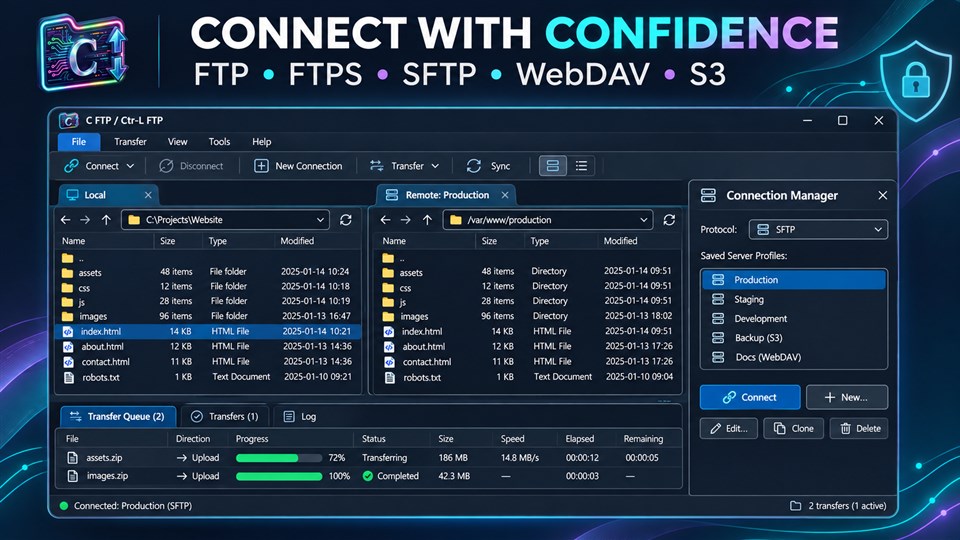
Connect to your files using popular transfer protocols:
• FTP — Standard file transfer connections.
• FTPS — Secure FTP with explicit or implicit TLS.
• SFTP — Secure file transfers over SSH.
• WebDAV — Access compatible remote storage over HTTPS.
• S3 — Work with compatible object storage services.
Choose the connection type that fits your server and manage your files from a single desktop application.
A BETTER WAY TO MANAGE FILES
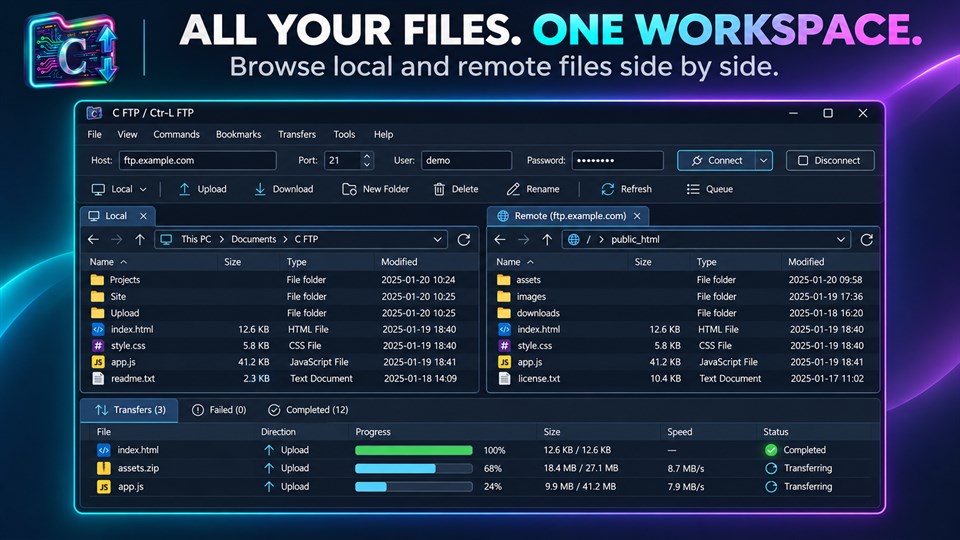
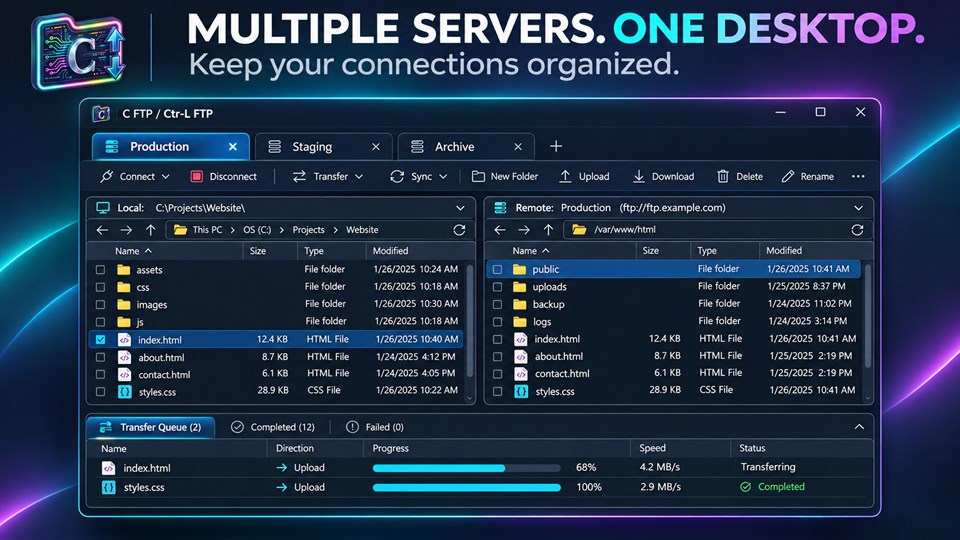
The dual-pane file manager puts your local and remote files side by side, making everyday tasks faster and easier.
Browse folders, upload and download files, create directories, rename items, move files, and organize remote content without constantly switching between windows.
Drag-and-drop support helps simplify transfers, while multiple connection tabs let you work with different servers from one place.
STAY IN CONTROL OF EVERY TRANSFER
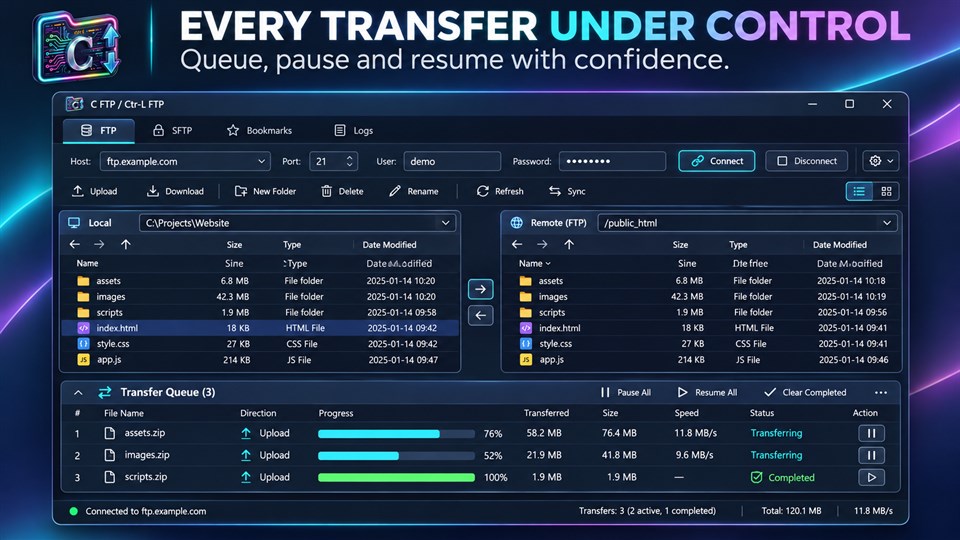
C FTP provides practical tools for managing file transfers:
• Transfer queue with progress information.
• Pause and resume controls for supported operations.
• File conflict handling when destination files already exist.
• Options to overwrite, resume, rename, or skip conflicting transfers.
• Transfer speed controls.
• Support for multiple server connections.
From everyday file uploads to more demanding transfer workflows, C FTP is designed to keep your work organized and manageable.
YOUR CONNECTIONS, READY WHEN YOU ARE
Save server profiles and bookmarks for quicker access to frequently used locations.
Import supported connection configurations from FileZilla, WinSCP, Cyberduck, and OpenSSH to simplify moving to C FTP.
Secure connection options help you choose an appropriate protocol for your server. Supported Windows credential storage helps protect saved authentication details.
DESIGNED FOR EVERYDAY PRODUCTIVITY
C FTP combines essential file management tools with a clean, modern Windows interface.
• Convenient local and remote folder navigation.
• Multiple connection tabs.
• Directory comparison tools.
• File and folder management.
• Flexible transfer controls.
• Multilingual interface.
• A workspace designed for efficient daily use.
FREE TO GET STARTED. PRO WHEN YOU NEED MORE.
Download C FTP for free and access its file management features with BASIC.
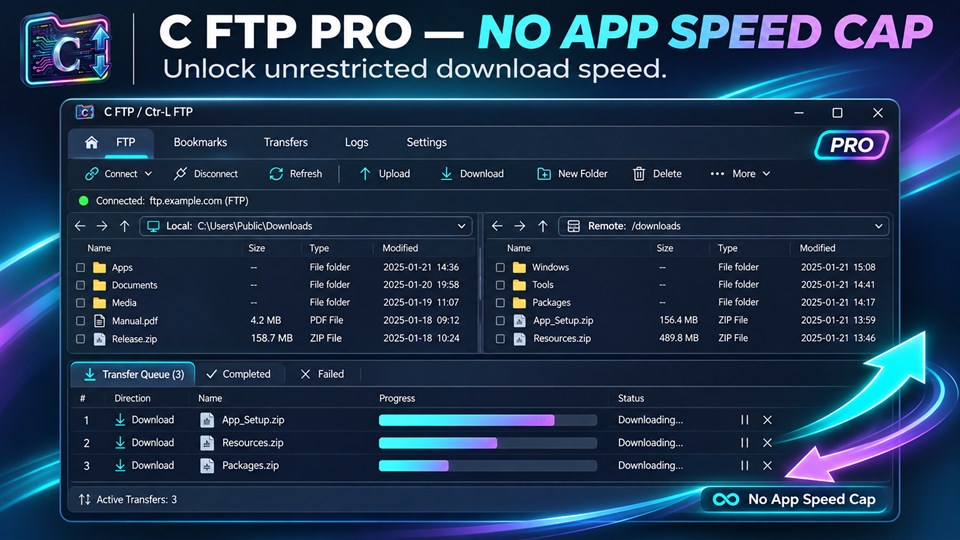
For transfers without an application-imposed download speed limit, choose the optional C FTP PRO annual subscription.
PRO removes the BASIC download speed cap while your subscription remains active. Actual transfer speeds depend on your internet connection, server, and network conditions.
C FTP gives you the flexibility to start free and upgrade when you need faster transfers.
C FTP — Your files. Your servers. Your workspace.
Fra udvikleren
Lister 0
-
 C Ftp
Point 0
-

- +1 Point

Ranglister 0
-
- Din bedømmelse
Udvikler 11
- Ctr-L
- Følgere: 0
- Platforme: Windows Apps (11)
- Tilbud: 3
- Lister: 0 0
- Point: 0
- Ranglister: 0
- Kommentarer: 0
- Videoer: 1
- RSS: Abonner
Nyheder
- Version: PC
- Sidst opdateret:
Yderligere oplysninger
- Udgivelsesdato:
- Kategori:
Windows-apps›Udviklerværktøjer - Operativsystem:
PC - Størrelse:
113 Mb - Understøttede sprog:
Dansk,Albansk,Arabisk,Armensk,Bengali,Bulgarsk,Engelsk,Estisk,Filippinsk,Finsk,Fransk,Georgisk,Græsk,Gujarati,Hebraisk,Hindi,Indonesisk,Islandsk,Italiensk,Japansk,Kannada,Kinesisk,Koreansk,Kroatisk,Lettisk,Litauisk,Makedonsk,Malajisk,Malayalam,Marathi,Nederlandsk,Norsk,Persisk,Polsk,Portugisisk,Punjabi,Rumænsk,Russisk,Serbisk,Slovakisk,Slovensk,Spansk,Svensk,Swahili,Tamil,Telugu,Thai,Tjekkisk,Tyrkisk,Tysk,Ukrainsk,Ungarsk,Urdu,Vietnamesisk - Indholdsklassificering:
EVERYONE - Windows Store Bedømmelse: ¡
0 - Websted:
 https://ctr-l.com/
AppAgg-score
Estimeret AppAgg-score for
C Ftp
Udvikler: Ctr-L
En højere score afspejler som regel bedre resultater på de områder, AppAgg måler.
Baseret på: popularitet · brugervurderinger · aktualitet · tilbud · butiksdata · fællesskabsaktivitet
Genberegnes dagligt ud fra aktuelle AppAgg-data.
Kommentarer 0 ¡
Del
C Ftp Kort webadresse: Kopieret!- Windows Store

