
Bookmarks
| Developer: | Ctr-L (11) | ||
| Price: | * Free New | ||
| Score: | 830 Silver | ||
| Rankings: | 0 | ||
| Comments: | 0 Add a comment | ||
| Lists: | 0 0 | ||
| Points: | 0 | ||
| +1 Point | |||
Summary
C Ftp is an app by Ctr-L in the Developer tools category.
Brand new: it came out . It still has that new-code smell.
Free to get in, but the shop inside is open.
The Microsoft Store is built into Windows, so it installs in a couple of clicks.
Its AppAgg Score is 830. Silver, and that’s not bad at all.
Rated “EVERYONE”, so it’s fine for kids too.
Speaks 54 languages, English included.
Used it? Your review would be the first one here.
The developer has 10 more apps on AppAgg. Worth a look.
By the way, this developer has 3 deals right now.
Want to hear about updates and new apps first? Follow the developer or subscribe to the RSS feed. Push alerts come through the AppAgg Alerts app for Android and iOS.
Other platforms 0
Price History 0
- Current price: Free
- Minimum: Free
- Maximum: Free
Your own feed on the home page
Screenshots 5
Description

Take control of your files, servers, and cloud storage with C FTP, a modern file transfer and management application for Windows.
Whether you manage websites, upload project files, maintain remote servers, or organize files across different locations, C FTP gives you the tools you need in one clean, efficient workspace.
ONE APP. MULTIPLE CONNECTIONS.
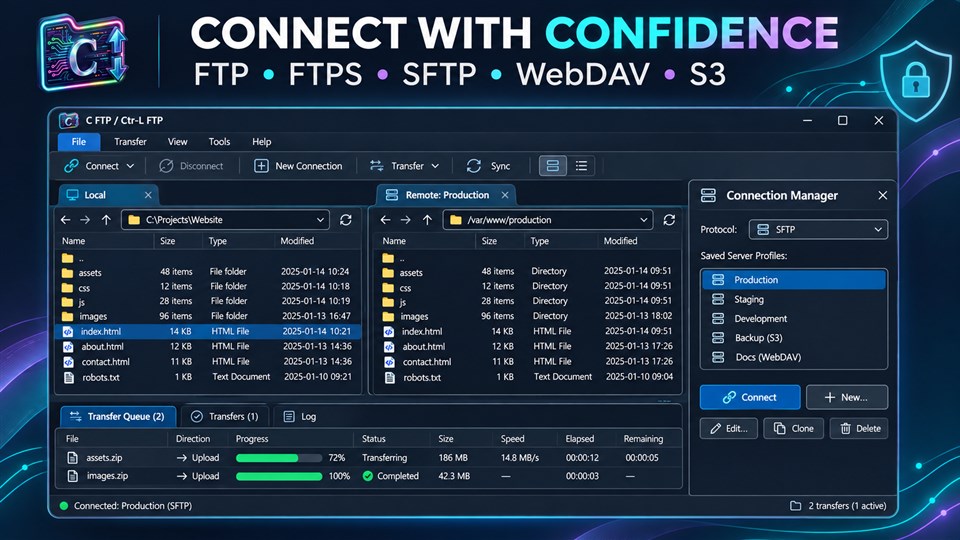
Connect to your files using popular transfer protocols:
• FTP — Standard file transfer connections.
• FTPS — Secure FTP with explicit or implicit TLS.
• SFTP — Secure file transfers over SSH.
• WebDAV — Access compatible remote storage over HTTPS.
• S3 — Work with compatible object storage services.
Choose the connection type that fits your server and manage your files from a single desktop application.
A BETTER WAY TO MANAGE FILES
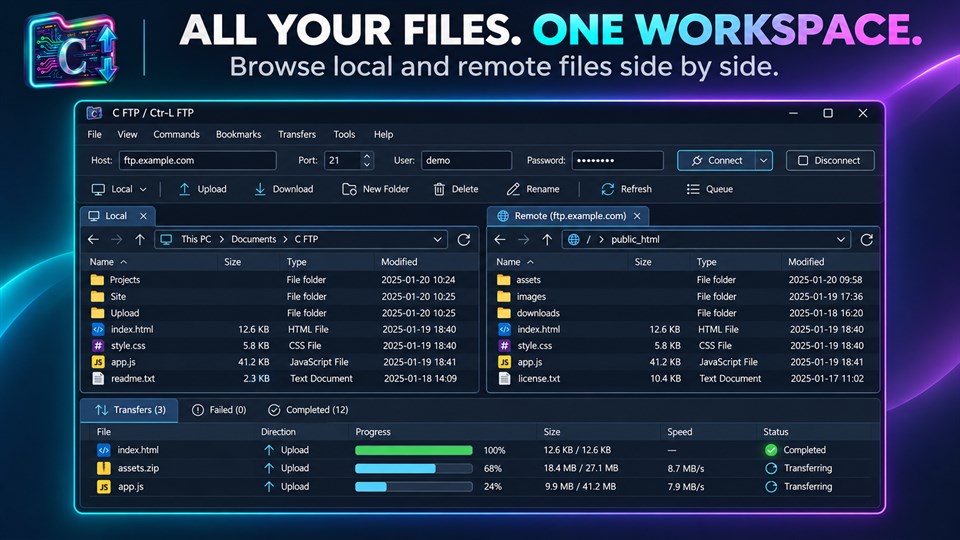
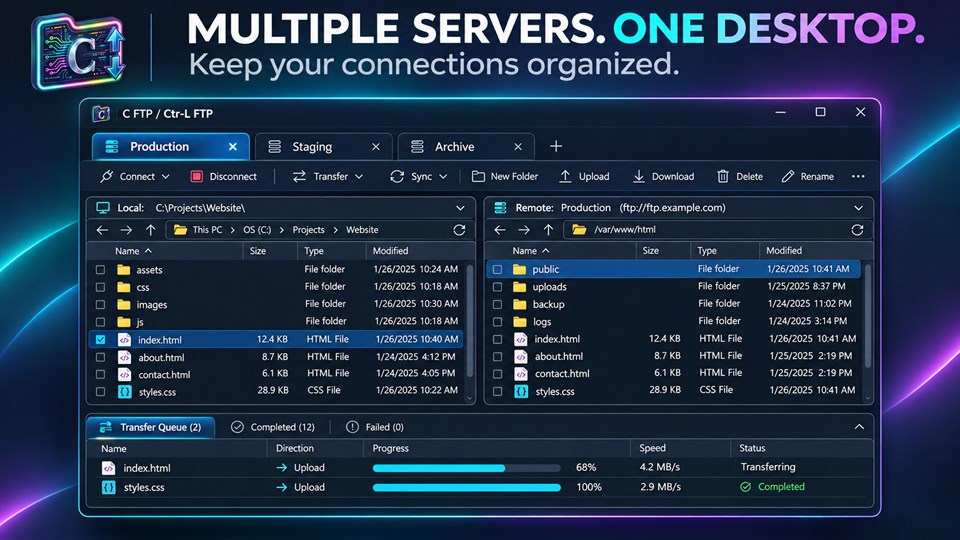
The dual-pane file manager puts your local and remote files side by side, making everyday tasks faster and easier.
Browse folders, upload and download files, create directories, rename items, move files, and organize remote content without constantly switching between windows.
Drag-and-drop support helps simplify transfers, while multiple connection tabs let you work with different servers from one place.
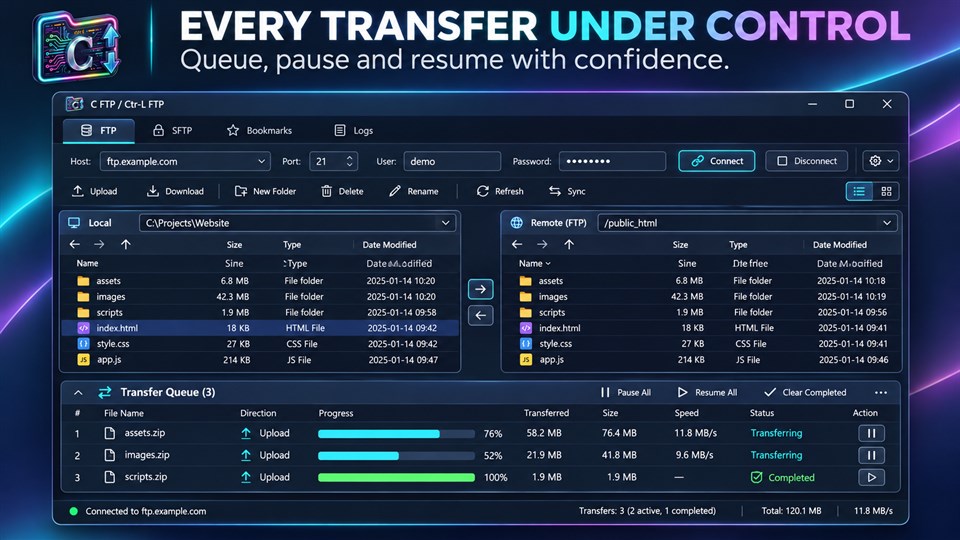
STAY IN CONTROL OF EVERY TRANSFER
C FTP provides practical tools for managing file transfers:
• Transfer queue with progress information.
• Pause and resume controls for supported operations.
• File conflict handling when destination files already exist.
• Options to overwrite, resume, rename, or skip conflicting transfers.
• Transfer speed controls.
• Support for multiple server connections.
From everyday file uploads to more demanding transfer workflows, C FTP is designed to keep your work organized and manageable.
YOUR CONNECTIONS, READY WHEN YOU ARE
Save server profiles and bookmarks for quicker access to frequently used locations.
Import supported connection configurations from FileZilla, WinSCP, Cyberduck, and OpenSSH to simplify moving to C FTP.
Secure connection options help you choose an appropriate protocol for your server. Supported Windows credential storage helps protect saved authentication details.
DESIGNED FOR EVERYDAY PRODUCTIVITY
C FTP combines essential file management tools with a clean, modern Windows interface.
• Convenient local and remote folder navigation.
• Multiple connection tabs.
• Directory comparison tools.
• File and folder management.
• Flexible transfer controls.
• Multilingual interface.
• A workspace designed for efficient daily use.
FREE TO GET STARTED. PRO WHEN YOU NEED MORE.
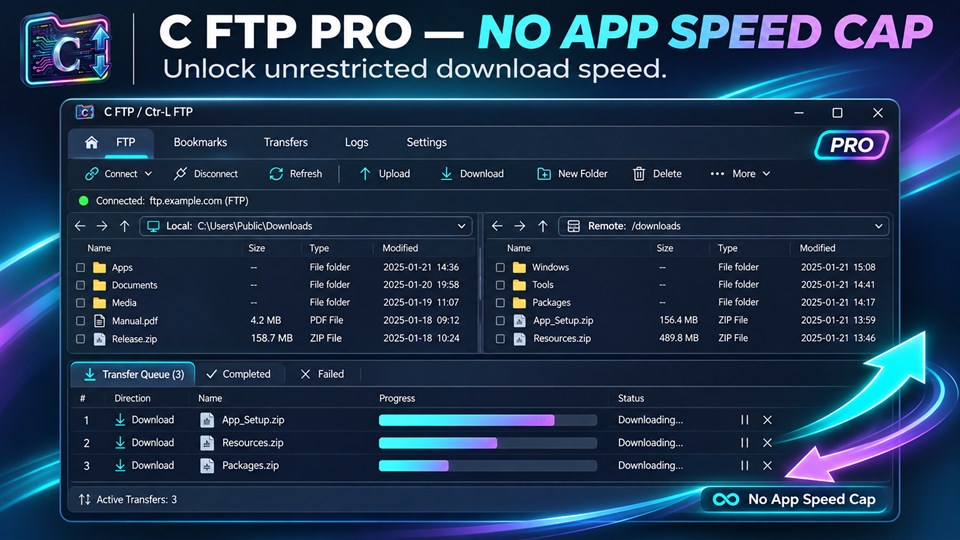
Download C FTP for free and access its file management features with BASIC.
For transfers without an application-imposed download speed limit, choose the optional C FTP PRO annual subscription.
PRO removes the BASIC download speed cap while your subscription remains active. Actual transfer speeds depend on your internet connection, server, and network conditions.
C FTP gives you the flexibility to start free and upgrade when you need faster transfers.
C FTP — Your files. Your servers. Your workspace.
From the developer
Lists 0
-
 C Ftp
Points 0
-

- +1 Point

Rankings 0
-
- Your rating
Developer 11
- Ctr-L
- Followers: 0
- Platforms: Windows Apps (11)
- Deals: 3
- Lists: 0 0
- Points: 0
- Rankings: 0
- Comments: 0
- Videos: 1
- RSS: Subscribe
What's new
- Version: PC
- Last Updated:
Additional Information
- Release Date:
- Category:
Windows Apps›Developer tools - OS:
PC - Size:
113 Mb - Supported Languages:
English,Albanian,Arabic,Armenian,Bangla,Bulgarian,Chinese,Croatian,Czech,Danish,Dutch,Estonian,Filipino,Finnish,French,Georgian,German,Greek,Gujarati,Hebrew,Hindi,Hungarian,Icelandic,Indonesian,Italian,Japanese,Kannada,Korean,Latvian,Lithuanian,Macedonian,Malay,Malayalam,Marathi,Norwegian,Persian,Polish,Portuguese,Punjabi,Romanian,Russian,Serbian,Slovak,Slovenian,Spanish,Swahili,Swedish,Tamil,Telugu,Thai,Turkish,Ukrainian,Urdu,Vietnamese - Content Rating:
EVERYONE - Windows Store Rating: ¡
0 - Website:
 https://ctr-l.com/
AppAgg Score
Estimated AppAgg Score for
C Ftp
Developer: Ctr-L
Higher scores usually reflect better results across AppAgg’s indicators.
Based on: popularity · ratings · freshness · deals · store data · community signals
Recalculated daily using fresh AppAgg data.
Comments 0 ¡
Share
C Ftp Short URL: Copied!- Windows Store
You may also like
Recent discussionsMore →
 AppGame4Class Game4Class makes lesson review fun and interactive. I like how easily students can join from their o...
 Mehdi Gateway62
 AppAniMate Waifu - AI Anime Desktop Pet This is the best anime desktop pets I have ever had, The dancing feature is amazing.
 shaw chaney34
 AppSpark Motion Create 26 The graphics are amazing! Now I can design my ball layouts and watch then spin in 3D animation.
 Jim Kirker40
 AppLocalDub – Real-Time Game Dubbing Hello Kırtay Interactive, I am using LocalDub - Real-Time Game Dubbing. I would like to know if Hind...
 rashid game53
 AppNauticPlayer This app is absolute cinema. Honestly, it’s one of the best media players I’ve ever tried, and I’m s...
 Manuel92
 AppScreen Beings - Interactive Accessibility Companion This is my app so I’m a little bias but as someone from the ADHD community that teaches ADHD and neu...
 Tarelle Irwin54
 AppAadi vault good it ia a encrypter and good you my work on office
 Aditya Rai50
 AppTyping 365 | Daily Typing Trainer The best typing app ever. With Typing 365 you don’t have to force yourself for couple minutes traini...
 Ahmad Mozaffar50
 AppZefir Calendar — Calendar in the Taskbar excelente app! Superando todas as espectativas!
 Diógenes Magnus50
 AppBlazin IPTV Player This compact IPTV player is amazing. I threw multiple playlists at it and it handles it with no issu...
 Mike Anderson40

