
Segnalibri
| Sviluppatore: | Ctr-L (11) | ||
| Prezzo: | * Gratis Novità | ||
| Punteggio: | 830 Argento | ||
| Classifiche: | 0 | ||
| Commenti: | 0 Pubblica commento | ||
| Liste: | 0 0 | ||
| Punti: | 0 | ||
| +1 Punto | |||
In breve
C Ftp è un’app di Ctr-L della categoria «Strumenti di sviluppo».
Nuova di zecca, è uscita . Profuma ancora di codice fresco.
Entrare è gratis, ma dentro il negozio è aperto.
Il Microsoft Store è integrato in Windows, quindi si installa in un paio di clic.
Il suo Punteggio AppAgg è 830. Livello Argento, e non è affatto male.
Classificazione «EVERYONE»: va bene anche per i bambini.
Parla 54 lingue, italiano compreso.
L’hai usata? La tua recensione sarebbe la prima qui.
Lo sviluppatore ha 10 altre app su AppAgg. Vale la pena dare un’occhiata.
A proposito, questo sviluppatore ha 3 offerte in corso.
Vuoi sapere prima di tutti di aggiornamenti e nuove app? Segui lo sviluppatore o iscriviti al feed RSS. Le notifiche push arrivano tramite l’app AppAgg Alerts per Android e iOS.
Altre piattaforme 0
Cronologia dei prezzi 0
- Prezzo attuale: Gratis
- Minimo: Gratis
- Massimo: Gratis
Il tuo feed personale nella home
Screenshot 5
Descrizione

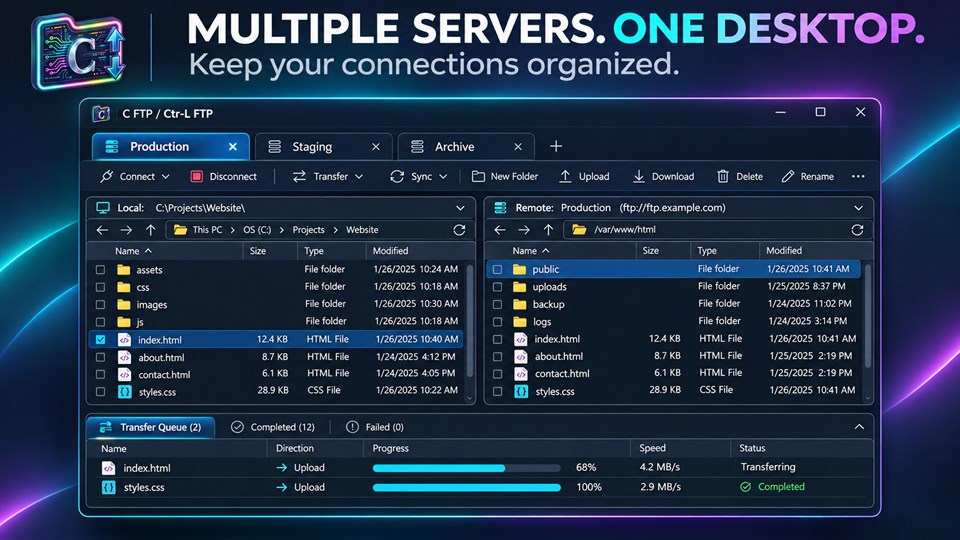
Take control of your files, servers, and cloud storage with C FTP, a modern file transfer and management application for Windows.
Whether you manage websites, upload project files, maintain remote servers, or organize files across different locations, C FTP gives you the tools you need in one clean, efficient workspace.
ONE APP. MULTIPLE CONNECTIONS.
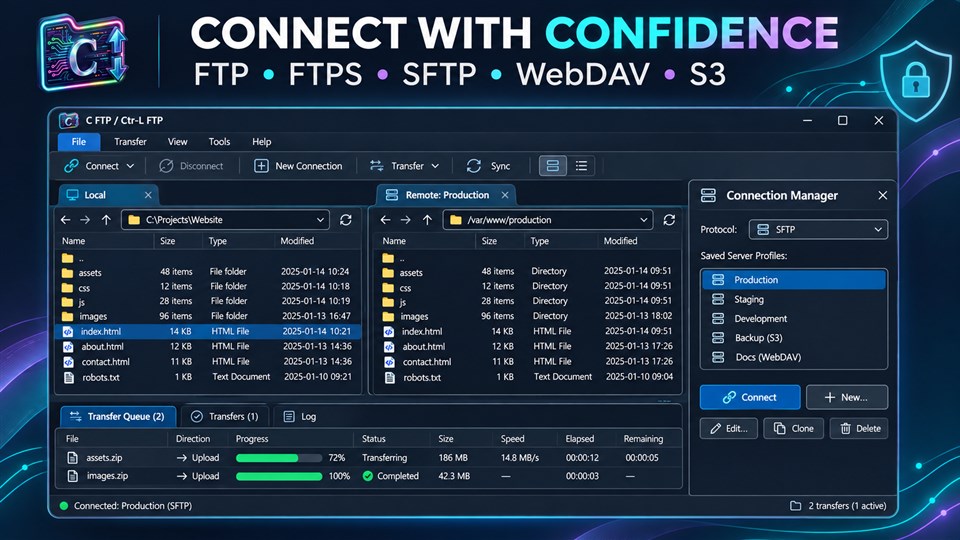
Connect to your files using popular transfer protocols:
• FTP — Standard file transfer connections.
• FTPS — Secure FTP with explicit or implicit TLS.
• SFTP — Secure file transfers over SSH.
• WebDAV — Access compatible remote storage over HTTPS.
• S3 — Work with compatible object storage services.
Choose the connection type that fits your server and manage your files from a single desktop application.
A BETTER WAY TO MANAGE FILES
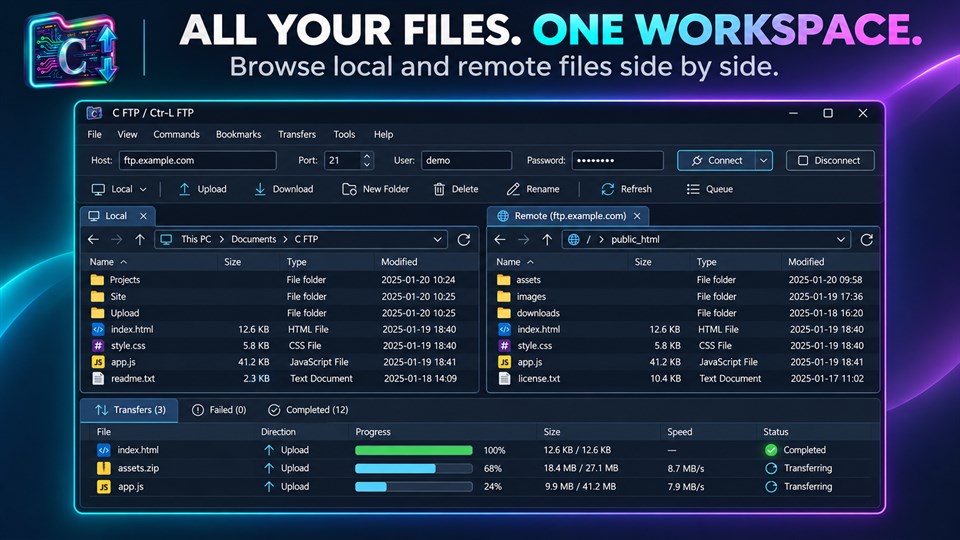
The dual-pane file manager puts your local and remote files side by side, making everyday tasks faster and easier.
Browse folders, upload and download files, create directories, rename items, move files, and organize remote content without constantly switching between windows.
Drag-and-drop support helps simplify transfers, while multiple connection tabs let you work with different servers from one place.
STAY IN CONTROL OF EVERY TRANSFER
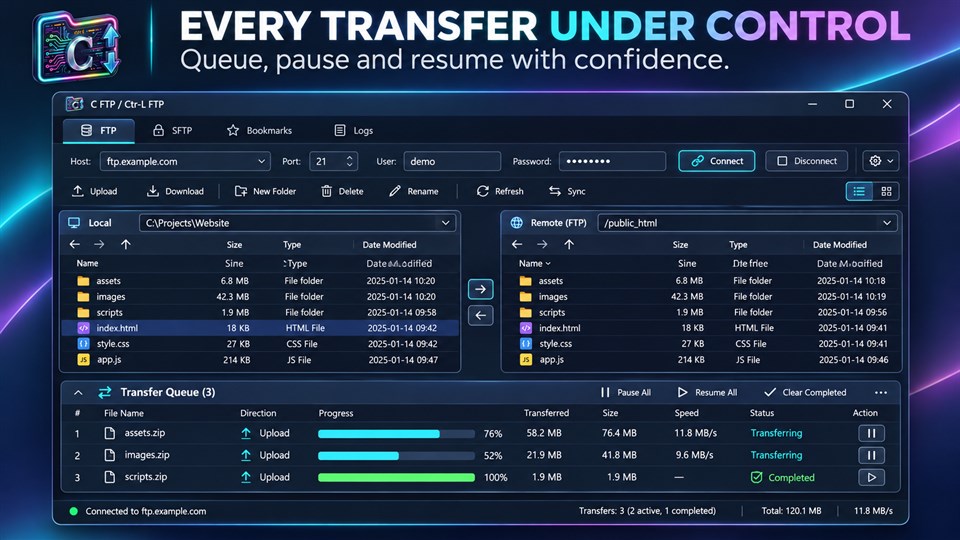
C FTP provides practical tools for managing file transfers:
• Transfer queue with progress information.
• Pause and resume controls for supported operations.
• File conflict handling when destination files already exist.
• Options to overwrite, resume, rename, or skip conflicting transfers.
• Transfer speed controls.
• Support for multiple server connections.
From everyday file uploads to more demanding transfer workflows, C FTP is designed to keep your work organized and manageable.
YOUR CONNECTIONS, READY WHEN YOU ARE
Save server profiles and bookmarks for quicker access to frequently used locations.
Import supported connection configurations from FileZilla, WinSCP, Cyberduck, and OpenSSH to simplify moving to C FTP.
Secure connection options help you choose an appropriate protocol for your server. Supported Windows credential storage helps protect saved authentication details.
DESIGNED FOR EVERYDAY PRODUCTIVITY
C FTP combines essential file management tools with a clean, modern Windows interface.
• Convenient local and remote folder navigation.
• Multiple connection tabs.
• Directory comparison tools.
• File and folder management.
• Flexible transfer controls.
• Multilingual interface.
• A workspace designed for efficient daily use.
FREE TO GET STARTED. PRO WHEN YOU NEED MORE.
Download C FTP for free and access its file management features with BASIC.
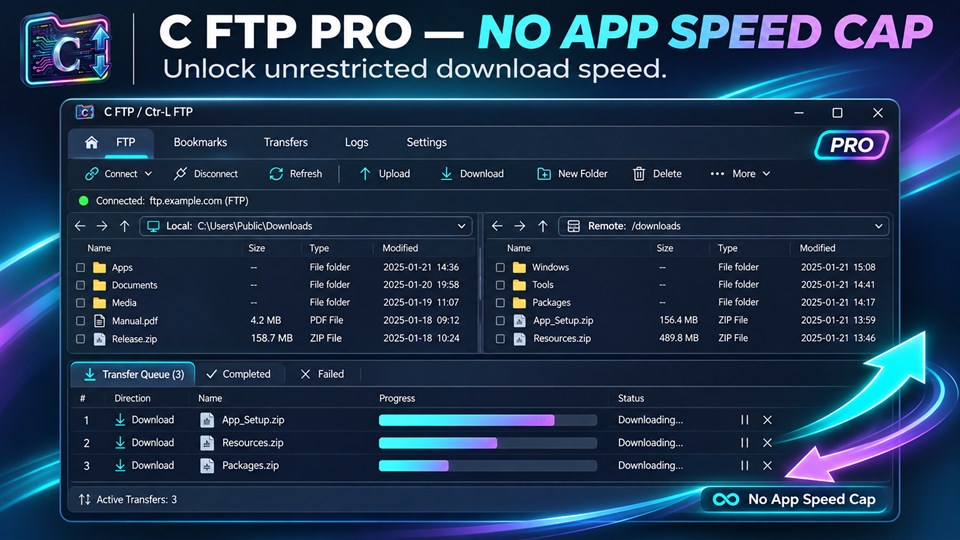
For transfers without an application-imposed download speed limit, choose the optional C FTP PRO annual subscription.
PRO removes the BASIC download speed cap while your subscription remains active. Actual transfer speeds depend on your internet connection, server, and network conditions.
C FTP gives you the flexibility to start free and upgrade when you need faster transfers.
C FTP — Your files. Your servers. Your workspace.
Dallo sviluppatore
Liste 0
-
 C Ftp
Punti 0
-

- +1 Punto

Classifiche 0
-
- La tua valutazione
Sviluppatore 11
- Ctr-L
- Follower: 0
- Piattaforme: Windows App (11)
- Offerte: 3
- Liste: 0 0
- Punti: 0
- Classifiche: 0
- Commenti: 0
- Video: 1
- RSS: Iscriviti
Novità
- Versione: PC
- Ultimo aggiornamento:
Informazioni aggiuntive
- Data di uscita:
- Categoria:
App per Windows›Strumenti di sviluppo - Sistemi operativi:
PC - Dimensioni:
113 Mb - Lingue supportate:
Italiano,Albanese,Arabo,Armeno,Bengalese,Bulgaro,Ceco,Cinese,Coreano,Croato,Danese,Ebraico,Estone,Filippino,Finlandese,Francese,Georgiano,Giapponese,Greco,Gujarati,Hindi,Indonesiano,Inglese,Islandese,Kannada,Lettone,Lituano,Macedone,Malayalam,Malese,Marathi,Norvegese,Olandese,Persiano,Polacco,Portoghese,Punjabi,Rumeno,Russo,Serbo,Slovacco,Sloveno,Spagnolo,Svedese,Swahili,Tamil,Tedesco,Telugu,Thailandese,Turco,Ucraino,Ungherese,Urdu,Vietnamita - Classificazione contenuti:
EVERYONE - Windows Store Valutazione: ¡
0 - Sito web:
 https://ctr-l.com/
Punteggio AppAgg
Punteggio AppAgg stimato per
C Ftp
Sviluppatore: Ctr-L
Un punteggio più alto riflette in genere risultati migliori negli indicatori di AppAgg.
Basato su: popolarità · valutazioni degli utenti · freschezza · offerte · dati degli store · attività della community
Ricalcolato ogni giorno con dati AppAgg aggiornati.
Commenti 0 ¡
Condividi
C Ftp URL breve: Copiato!- Windows Store

