
Закладки
| Разработчик: | Ctr-L (11) | ||
| Цена: | * Бесплатно Новинка | ||
| Оценка: | 830 Серебро | ||
| Рейтинги: | 0 | ||
| Комментарии: | 0 Оставить комментарий | ||
| Списки: | 0 0 | ||
| Очки: | 0 | ||
| +1 Очко | |||
Кратко
Это C Ftp, приложение от Ctr-L из раздела «Средства разработчика».
Совсем свежее: вышло . Ещё пахнет новым кодом.
Вход бесплатный, а магазин внутри работает.
Microsoft Store встроен в Windows, так что ставится в пару кликов.
Оценка AppAgg: 830. «Серебро», и это уже неплохо.
Возрастной рейтинг «EVERYONE», подходит и детям.
Говорит на 54 языках, и русский среди них есть.
Пользовались? Ваш отзыв будет здесь первым.
У этого разработчика на AppAgg ещё 10 приложений. Загляните.
Кстати, у этого разработчика сейчас 3 скидки.
Хотите первым узнавать об обновлениях и новых приложениях? Подпишитесь на разработчика или на RSS-канал. Push приходят в приложении AppAgg Alerts для Android и iOS.
Другие платформы 0
История цен 0
- Текущая цена: Бесплатно
- Минимум: Бесплатно
- Максимум: Бесплатно
Своя лента на главной
Скриншоты 5
Описание

Take control of your files, servers, and cloud storage with C FTP, a modern file transfer and management application for Windows.
Whether you manage websites, upload project files, maintain remote servers, or organize files across different locations, C FTP gives you the tools you need in one clean, efficient workspace.
ONE APP. MULTIPLE CONNECTIONS.
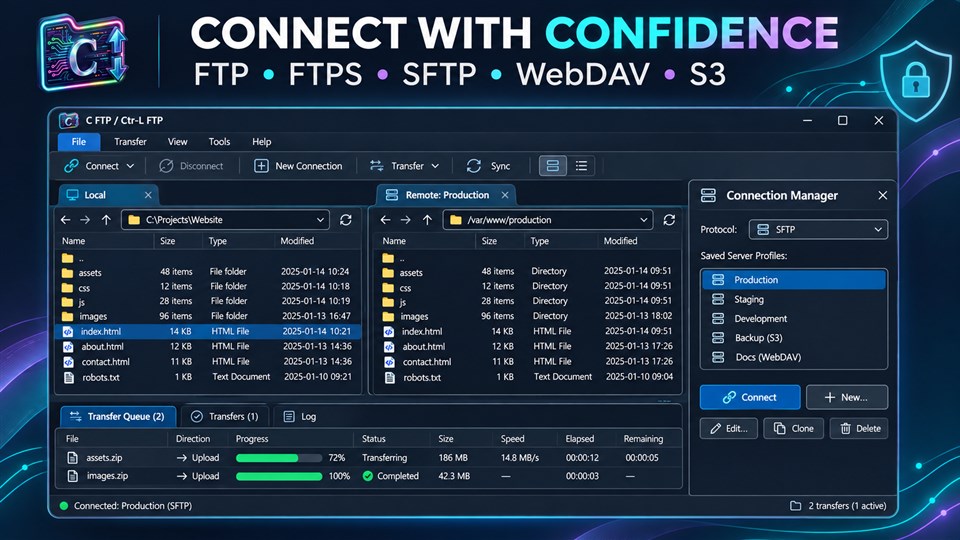
Connect to your files using popular transfer protocols:
• FTP — Standard file transfer connections.
• FTPS — Secure FTP with explicit or implicit TLS.
• SFTP — Secure file transfers over SSH.
• WebDAV — Access compatible remote storage over HTTPS.
• S3 — Work with compatible object storage services.
Choose the connection type that fits your server and manage your files from a single desktop application.
A BETTER WAY TO MANAGE FILES
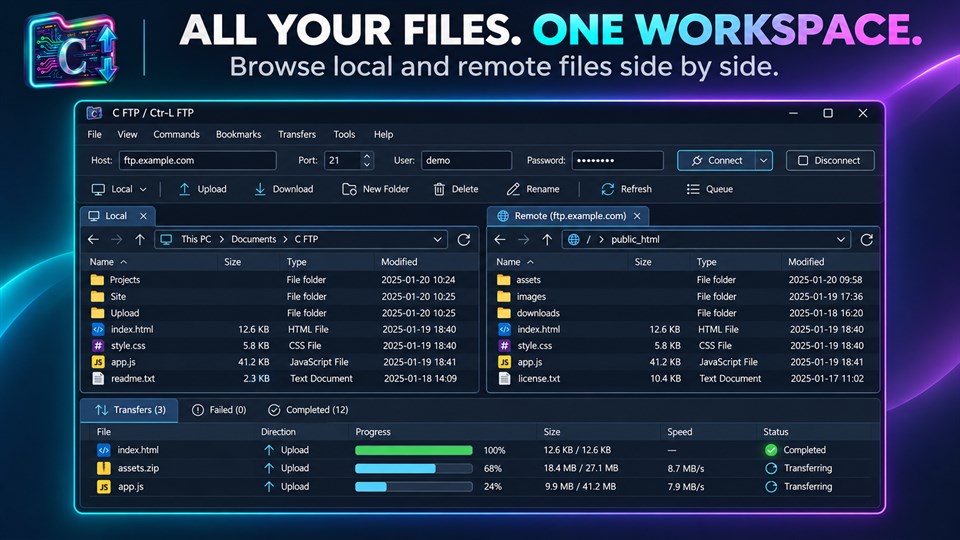
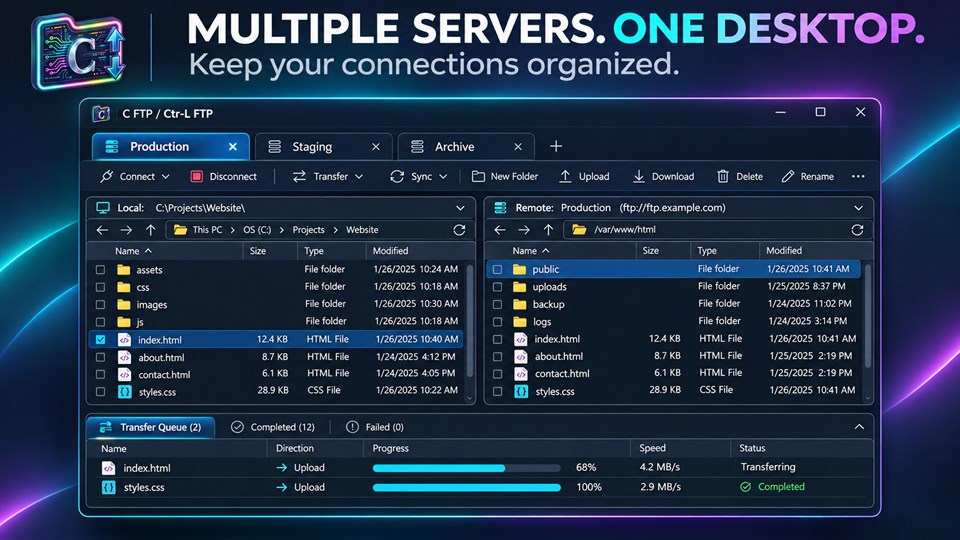
The dual-pane file manager puts your local and remote files side by side, making everyday tasks faster and easier.
Browse folders, upload and download files, create directories, rename items, move files, and organize remote content without constantly switching between windows.
Drag-and-drop support helps simplify transfers, while multiple connection tabs let you work with different servers from one place.
STAY IN CONTROL OF EVERY TRANSFER
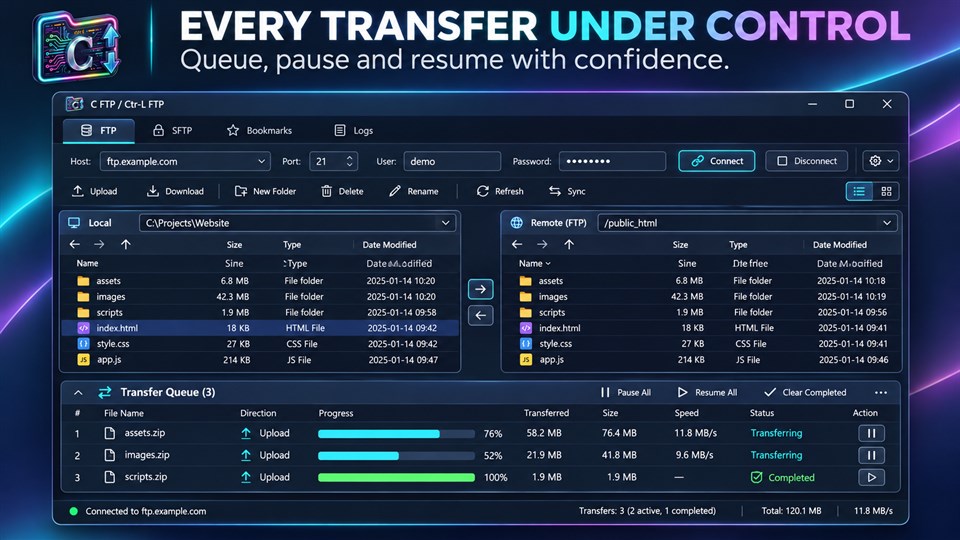
C FTP provides practical tools for managing file transfers:
• Transfer queue with progress information.
• Pause and resume controls for supported operations.
• File conflict handling when destination files already exist.
• Options to overwrite, resume, rename, or skip conflicting transfers.
• Transfer speed controls.
• Support for multiple server connections.
From everyday file uploads to more demanding transfer workflows, C FTP is designed to keep your work organized and manageable.
YOUR CONNECTIONS, READY WHEN YOU ARE
Save server profiles and bookmarks for quicker access to frequently used locations.
Import supported connection configurations from FileZilla, WinSCP, Cyberduck, and OpenSSH to simplify moving to C FTP.
Secure connection options help you choose an appropriate protocol for your server. Supported Windows credential storage helps protect saved authentication details.
DESIGNED FOR EVERYDAY PRODUCTIVITY
C FTP combines essential file management tools with a clean, modern Windows interface.
• Convenient local and remote folder navigation.
• Multiple connection tabs.
• Directory comparison tools.
• File and folder management.
• Flexible transfer controls.
• Multilingual interface.
• A workspace designed for efficient daily use.
FREE TO GET STARTED. PRO WHEN YOU NEED MORE.
Download C FTP for free and access its file management features with BASIC.
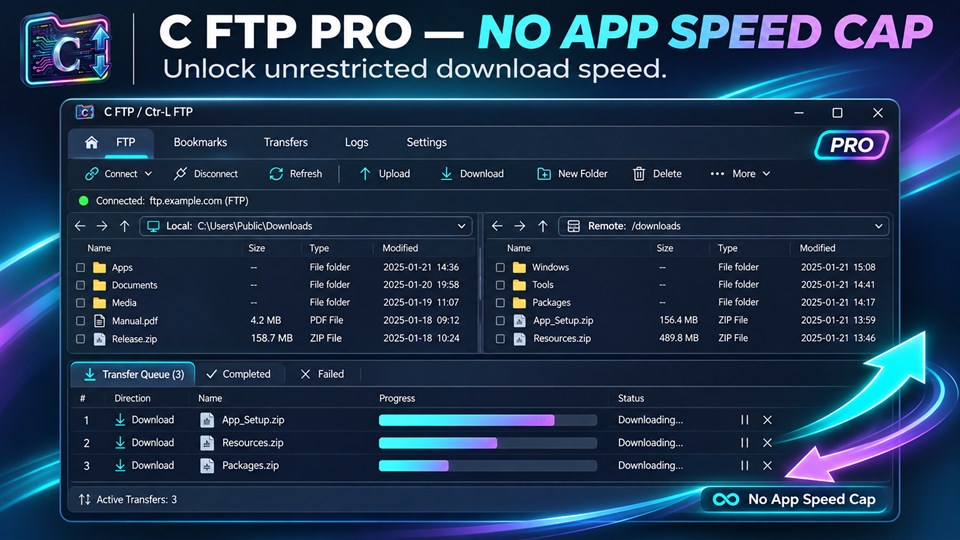
For transfers without an application-imposed download speed limit, choose the optional C FTP PRO annual subscription.
PRO removes the BASIC download speed cap while your subscription remains active. Actual transfer speeds depend on your internet connection, server, and network conditions.
C FTP gives you the flexibility to start free and upgrade when you need faster transfers.
C FTP — Your files. Your servers. Your workspace.
От разработчика
Списки 0
-
 C Ftp
Очки 0
-

- +1 Очко

Рейтинги 0
-
- Ваша оценка
Разработчик 11
- Ctr-L
- Подписчики: 0
- Платформы: Windows Приложения (11)
- Скидки: 3
- Списки: 0 0
- Очки: 0
- Рейтинги: 0
- Комментарии: 0
- Видео: 1
- RSS: Подписаться
Что нового
- Версия: PC
- Последнее обновление:
Дополнительная информация
- Дата выпуска:
- Категория:
Приложения для Windows›Средства разработчика - Операционные системы:
PC - Размер:
113 Mb - Поддерживаемые языки:
Русский,Албанский,Английский,Арабский,Армянский,Бенгальский,Болгарский,Венгерский,Вьетнамский,Греческий,Грузинский,Гуджарати,Датский,Иврит,Индонезийский,Исландский,Испанский,Итальянский,Каннада,Китайский,Корейский,Латышский,Литовский,Македонский,Малайский,Малаялам,Маратхи,Немецкий,Нидерландский,Норвежский,Панджаби,Персидский,Польский,Португальский,Румынский,Сербский,Словацкий,Словенский,Суахили,Тайский,Тамильский,Телугу,Турецкий,Украинский,Урду,Филиппинский,Финский,Французский,Хинди,Хорватский,Чешский,Шведский,Эстонский,Японский - Возрастные ограничения:
EVERYONE - Windows Store Рейтинг: ¡
0 - Сайт:
 https://ctr-l.com/
Оценка AppAgg
Примерная оценка AppAgg для
C Ftp
Разработчик: Ctr-L
Более высокая оценка обычно означает лучшие результаты по показателям AppAgg.
На основе: популярности · оценок пользователей · актуальности · скидок · данных магазинов · активности сообщества
Пересчитывается ежедневно на основе актуальных данных AppAgg.
Комментарии 0 ¡
Поделиться
C Ftp Короткий URL: Скопировано!- Windows Store

