
Segnalibri
| Sviluppatore: | Catbee (1) | ||
| Prezzo: | Gratis | ||
| Punteggio: | 1190 Argento | ||
| Classifiche: | 0 | ||
| Commenti: | 0 Pubblica commento | ||
| Liste: | 0 0 | ||
| Punti: | 0 | ||
| +1 Punto | |||
In breve
Ti presentiamo Catbee Container Studio, un’app di Catbee della categoria «Strumenti di sviluppo».
Uscita , è ancora bella fresca.
Gratis: niente pubblicità, niente acquisti in-app. Solo tu e l’app.
Il Microsoft Store è integrato in Windows, quindi si installa in un paio di clic.
Il suo Punteggio AppAgg è 1190. Livello Argento, e non è affatto male.
Classificazione «EVERYONE»: va bene anche per i bambini.
Parla una sola lingua, e non è l’italiano.
Qui per ora silenzio totale (niente voti, niente commenti). Rompi il ghiaccio.
È l’unica app dello sviluppatore su AppAgg. Per ora.
Vuoi sapere prima di tutti di aggiornamenti e nuove app? Segui lo sviluppatore o iscriviti al feed RSS. Le notifiche push arrivano tramite l’app AppAgg Alerts per Android e iOS.
Altre piattaforme 0
Cronologia dei prezzi 0
- Prezzo attuale: Gratis
- Minimo: Gratis
- Massimo: Gratis
Il tuo feed personale nella home
Screenshot 10
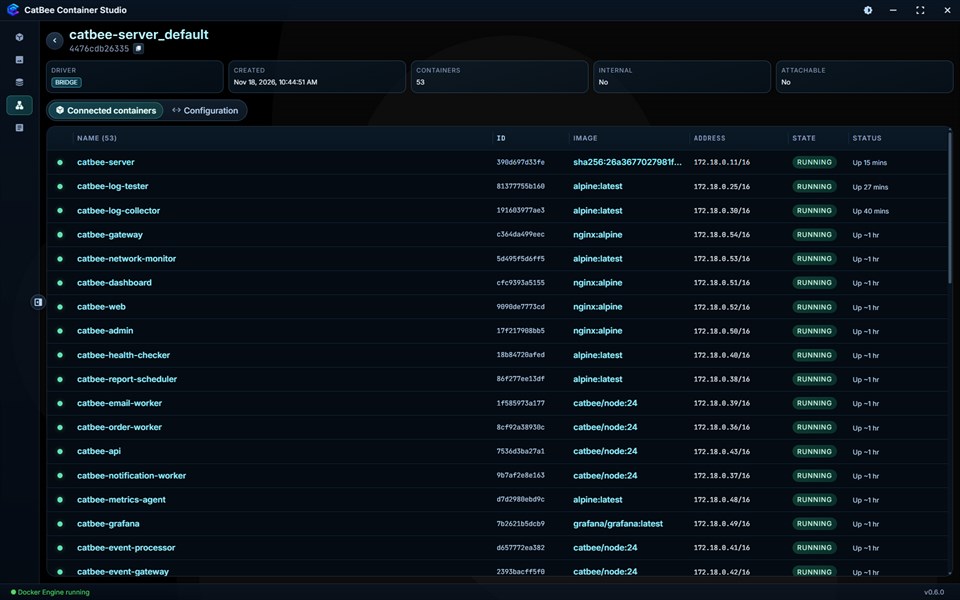
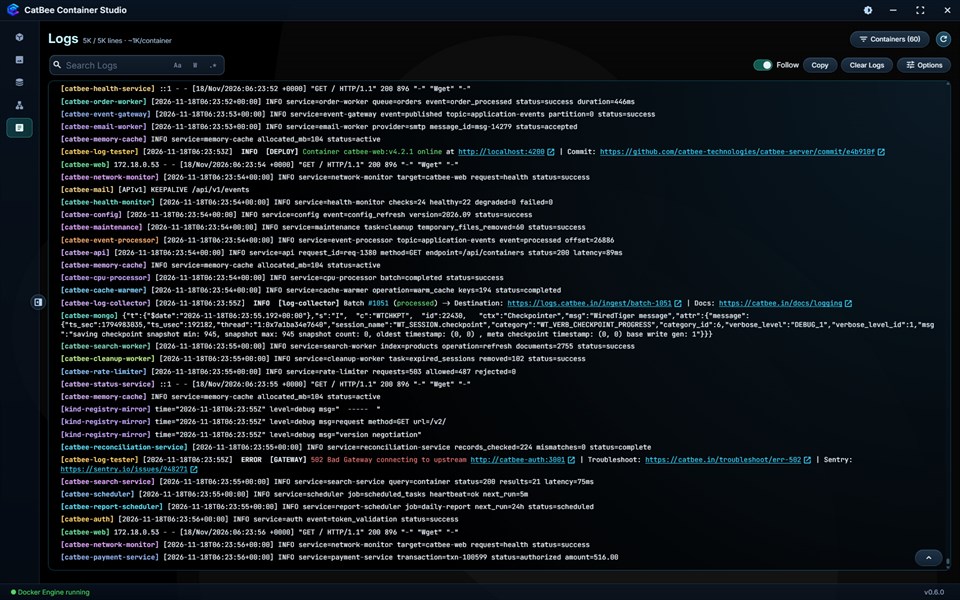
Descrizione

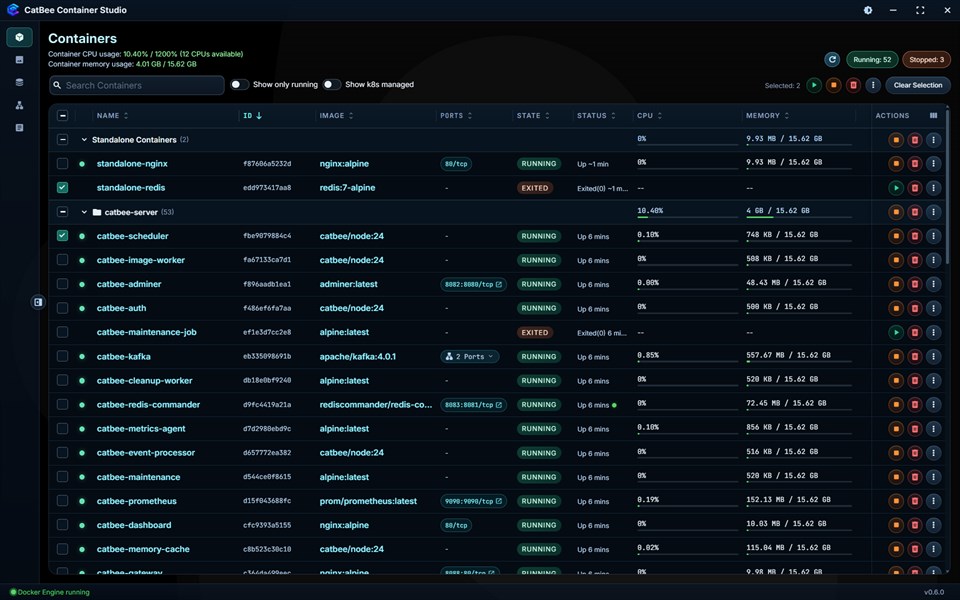
View and manage Docker containers, images, volumes, networks, logs, and files through a focused graphical interface without relying exclusively on the command line.
PREREQUISITES
• Requires Docker Desktop or Docker Engine installed and running locally on Windows.
• Requires Docker Compose CLI for Compose-based project recreation.
KEY CAPABILITIES
Container & Compose Management
• View, start, stop, restart, pause, unpause, and delete containers individually or in bulk
• Force recreate individual containers, multi-selected containers, or entire Docker Compose projects
• Automatically group containers by Docker Compose project with collective status summaries
• Perform bulk lifecycle actions across entire Compose projects
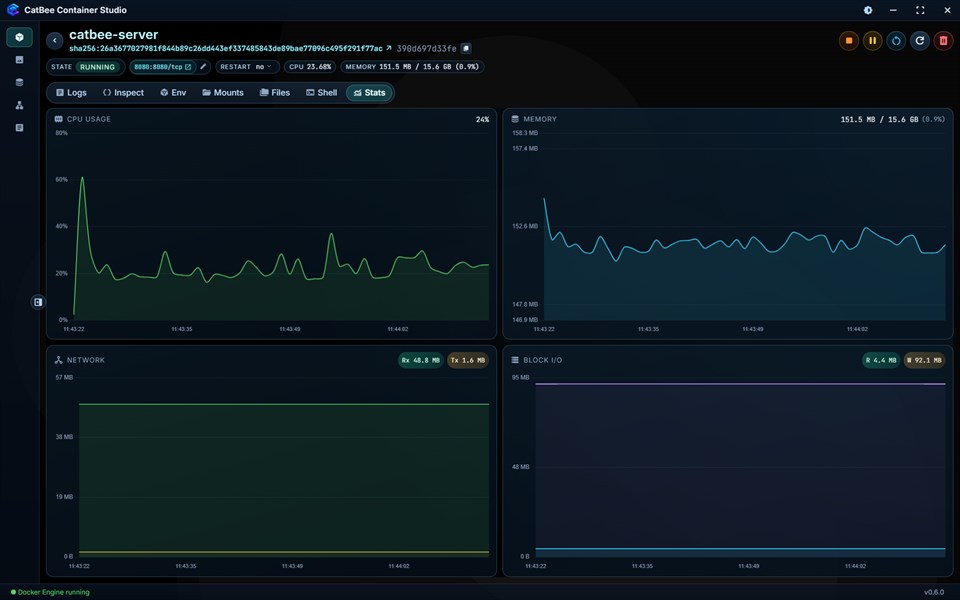
• Monitor aggregate real-time CPU, memory, disk I/O, and network I/O metrics across Compose groups
• Filter containers by name, ID, or image, with quick toggles for running state and Kubernetes-managed containers
• Inspect container health, state, published ports, entrypoints, and raw configuration JSON
Live Reconfiguration & Editing
• Edit environment variables on existing containers with direct .env file paste support
• Add, modify, or remove port mappings with instant duplicate and port-range validation
• Edit container mounts (host paths and volume bindings)
• Modify container restart policies directly from the container overview
• Safely apply configuration edits with automatic container recreation and rollback protection
• One-click launch to open published container ports directly in your default web browser
Files Browser & Interactive Terminal
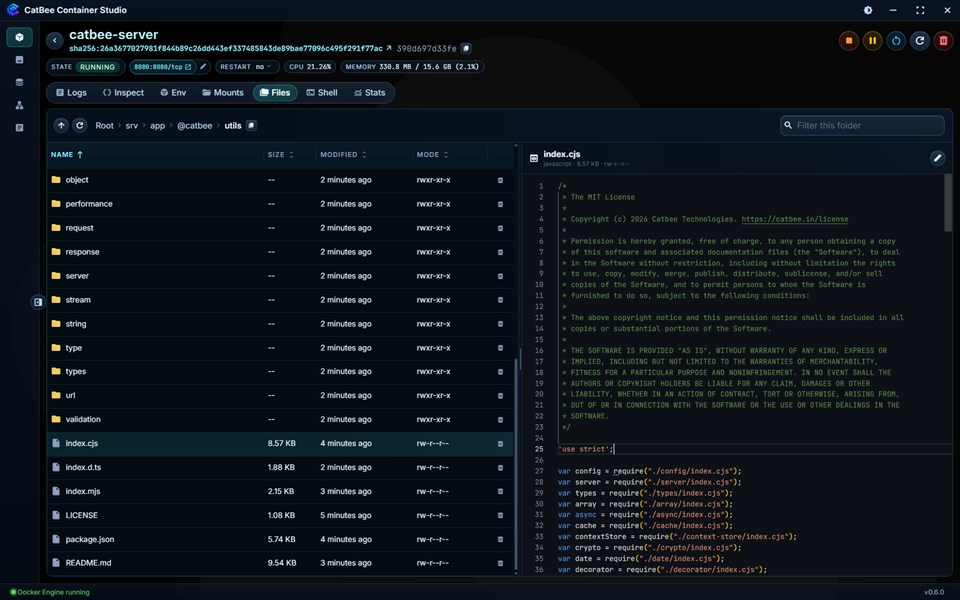
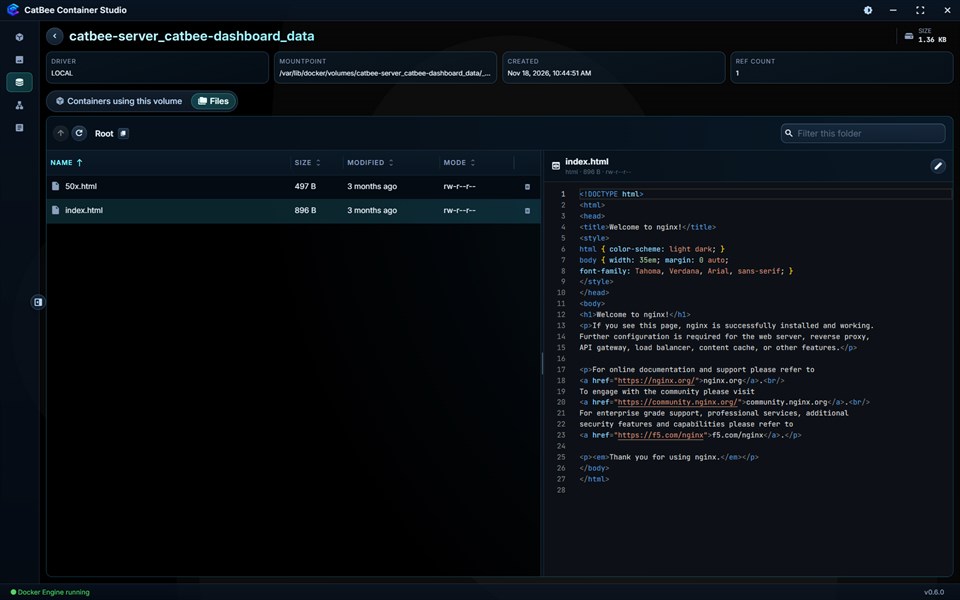
• Browse container and volume filesystems with path breadcrumbs
• View, edit, and save files inside containers and volumes using the integrated Monaco Editor
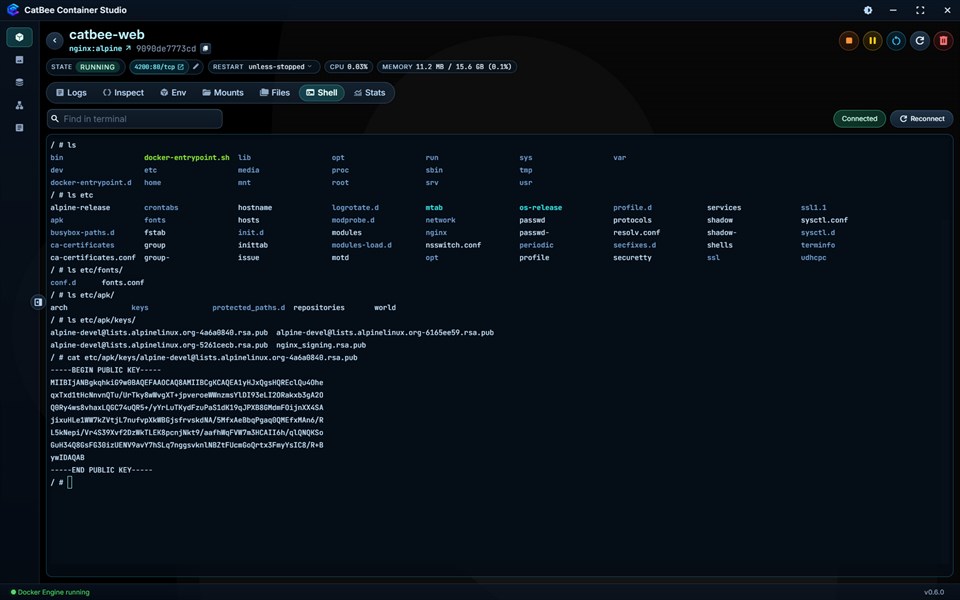
• Built-in interactive shell terminal powered by xterm.js with search and full TTY emulation
• Safely delete files and directories inside containers and volumes
Images, Volumes & Networks
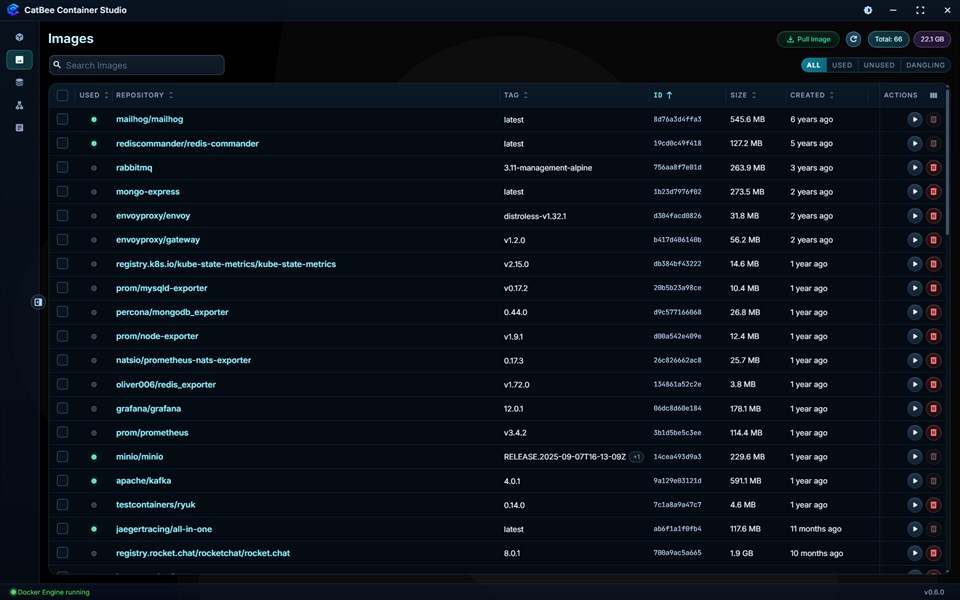
• Browse, pull, inspect, and bulk-delete Docker images
• Inspect image layers, command history, and active containers in use
• Prune dangling images, unused volumes, and unused networks
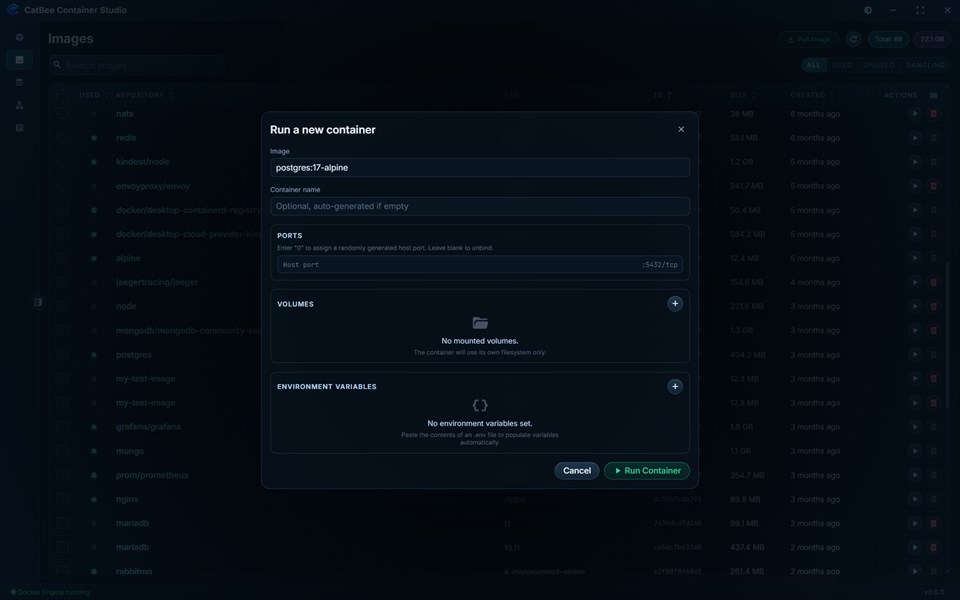
• Create and run new containers directly from Docker images with port, volume, and env configuration
• Create named Docker volumes with custom drivers and optional host directory binding
• Calculate and view total volume disk usage
• Create and inspect custom Docker networks, IPAM configurations, and connected container IP/MAC addresses
Logs Hub & Monitoring
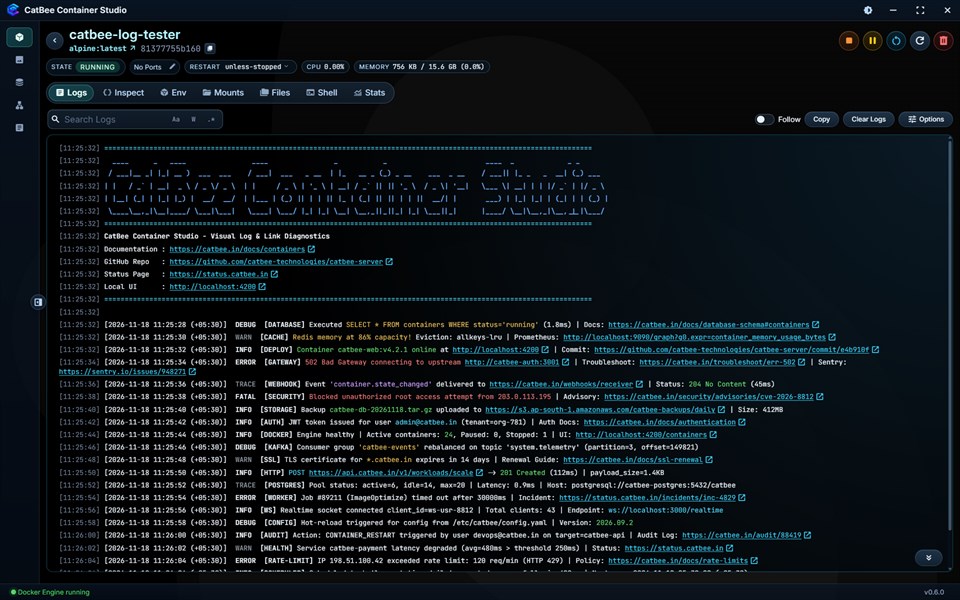
• Centralized multi-container Logs Hub to stream and compare logs concurrently
• High-performance virtualized log scrolling capable of handling heavy output buffers
• Advanced log search with regex, case matching, whole-word matching, and timestamps toggle
• Real-time streaming charts for CPU, memory limits, network I/O, and block I/O
Native Desktop Experience
• 100% local: connects directly to your local Docker daemon without third-party cloud accounts or tracking
• Curated dark and light themes with instant switching
• Resizable table columns with state persistence and shift-click multi-selection
• Draft protection to prevent accidental loss of unsaved changes
CatBee Container Studio makes everyday Docker management effortless while keeping the workflow familiar, fast, and transparent to developers.
Dallo sviluppatore
Liste 0
-
 Catbee Container Studio
Punti 0
-

- +1 Punto

Classifiche 0
-
- La tua valutazione
Sviluppatore 1
- Catbee
- Follower: 0
- Piattaforme: Windows App (1)
- Offerte: 0
- Liste: 0 0
- Punti: 0
- Classifiche: 0
- Commenti: 0
- Video: 0
- RSS: Iscriviti
Novità
- Versione: PC
- Ultimo aggiornamento:
- We regularly update CatBee Container Studio to bring you new features, improvements, and performance enhancements.
For detailed release notes and source code, visit: https://github.com/catbee-technologies/catbee-container-studio/releases
- This release brings improved container management, clearer resource monitoring, and a smoother desktop experience.
• Added aggregated CPU, memory, disk, and network metrics for container groups
• Improved container lifecycle controls with synchronized Start, Stop, Pause, and Unpause states
• Improved handling of partially started and partially paused container groups and bulk selections
• Added container deletion directly from Container Details
• Improved container status display with compact durations and health indicators
• Enhanced tab navigation with a sliding indicator
• Improved input fields and buttons throughout the application
• Enhanced tables with frozen action columns and improved group actions
• Improved global log clearing feedback
• Fixed edge-hover jitter on buttons
Informazioni aggiuntive
- Data di uscita:
- Categoria:
App per Windows›Strumenti di sviluppo - Sistemi operativi:
PC - Dimensioni:
159 Mb - Lingue supportate:
Inglese - Classificazione contenuti:
EVERYONE - Windows Store Valutazione: ¡
0
 https://catbee.in/catbee-container-studio
Punteggio AppAgg
Punteggio AppAgg stimato per
Catbee Container Studio
Sviluppatore: Catbee
Un punteggio più alto riflette in genere risultati migliori negli indicatori di AppAgg.
Basato su: popolarità · valutazioni degli utenti · freschezza · offerte · dati degli store · attività della community
Ricalcolato ogni giorno con dati AppAgg aggiornati.
Commenti 0 ¡
Condividi
Catbee Container Studio URL breve: Copiato!- Windows Store

