
Salvati
Scegli il nome che verrà mostrato nel tuo menu Salvati.
Completato!
| Sviluppatore: | Wojciech Charysz (1) | ||
| Prezzo: | * Gratis | ||
| Valutazione: | 810 Argento | ||
| Classificazioni: | 0 | ||
| Commenti: | 0 Pubblica commento | ||
| Listes: | 0 + 0 | ||
| Punti: | 0 + 0 ¡ | ||
| +1 Punti | |||
Descrizione

Charlotte.Pro shows you what actually went over the wire.
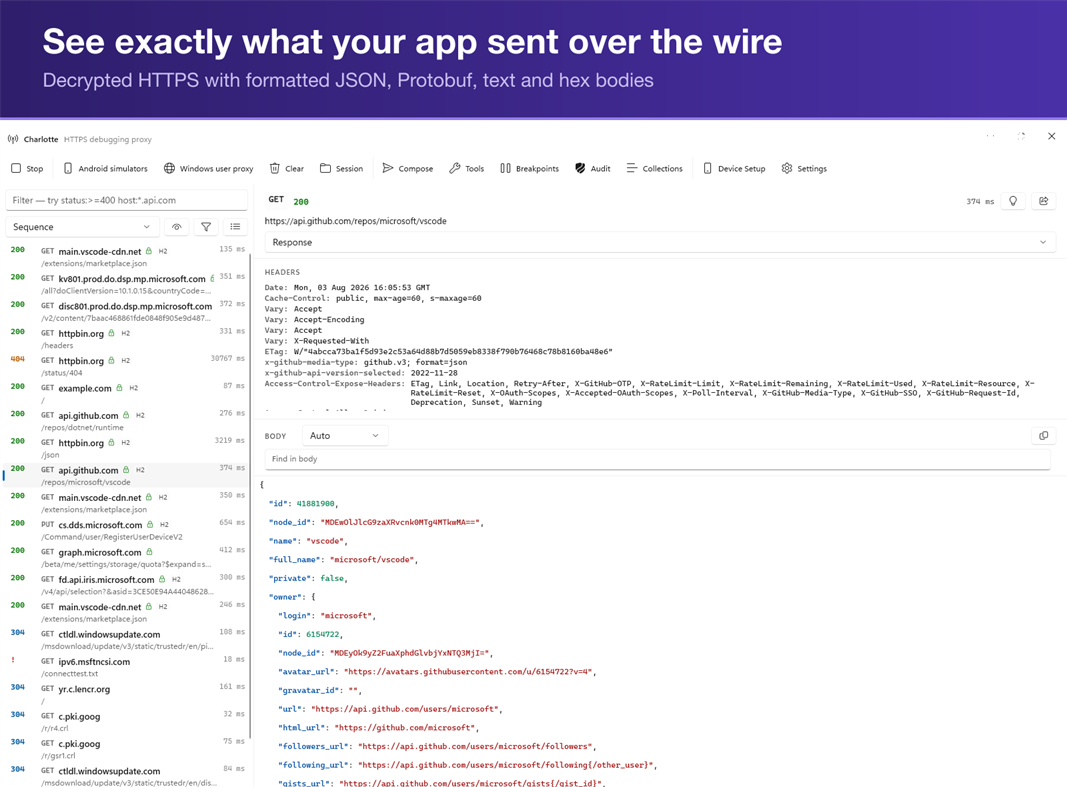
It runs as a proxy on your own machine, decrypts HTTPS from any client you point at it, and lays out every request and response so you can read them properly: headers, status codes, timings, formatted bodies. Nothing leaves your computer.
YOUR AI AGENT, PLUGGED INTO REAL TRAFFIC
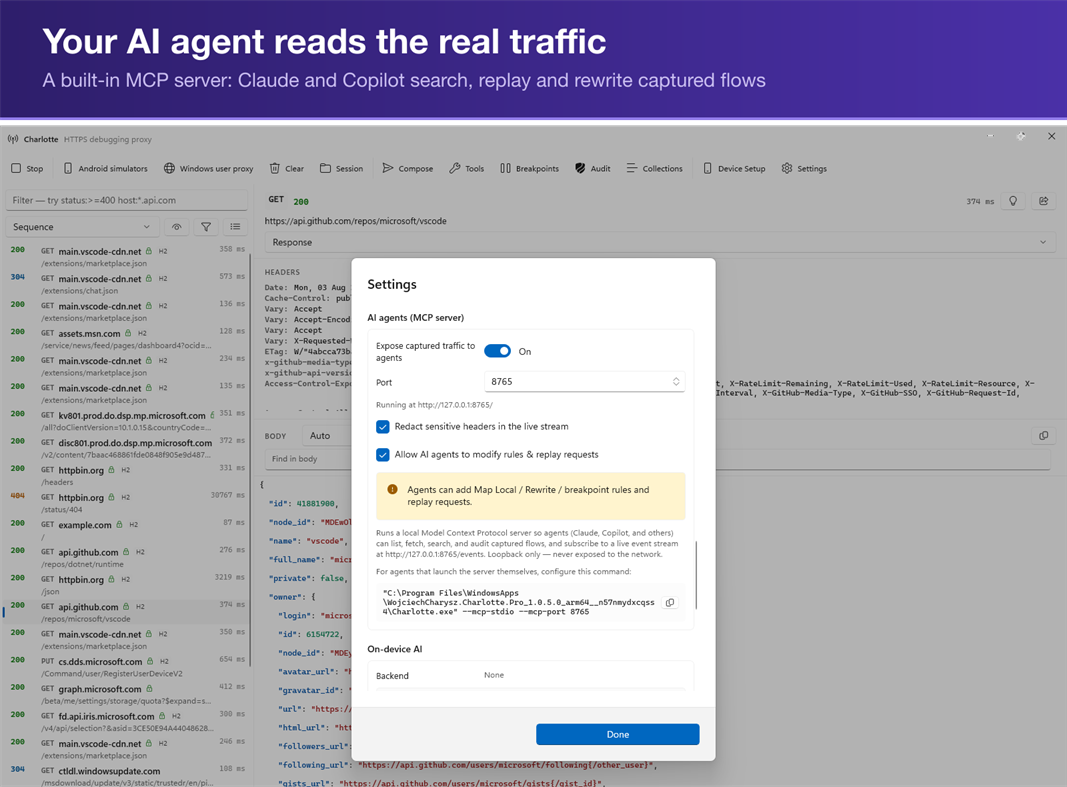
Charlotte.Pro is an MCP server. Connect Claude Code, or any MCP-capable agent, and it works from your actual captured traffic instead of your description of it:
• list_flows / get_flow — read any request and its decoded body
• search_flows — a real query language: status:>=400, host:*.stripe.com, body:"token", with globs, ranges, OR and NOT
• stats — totals, hosts and status codes across the session
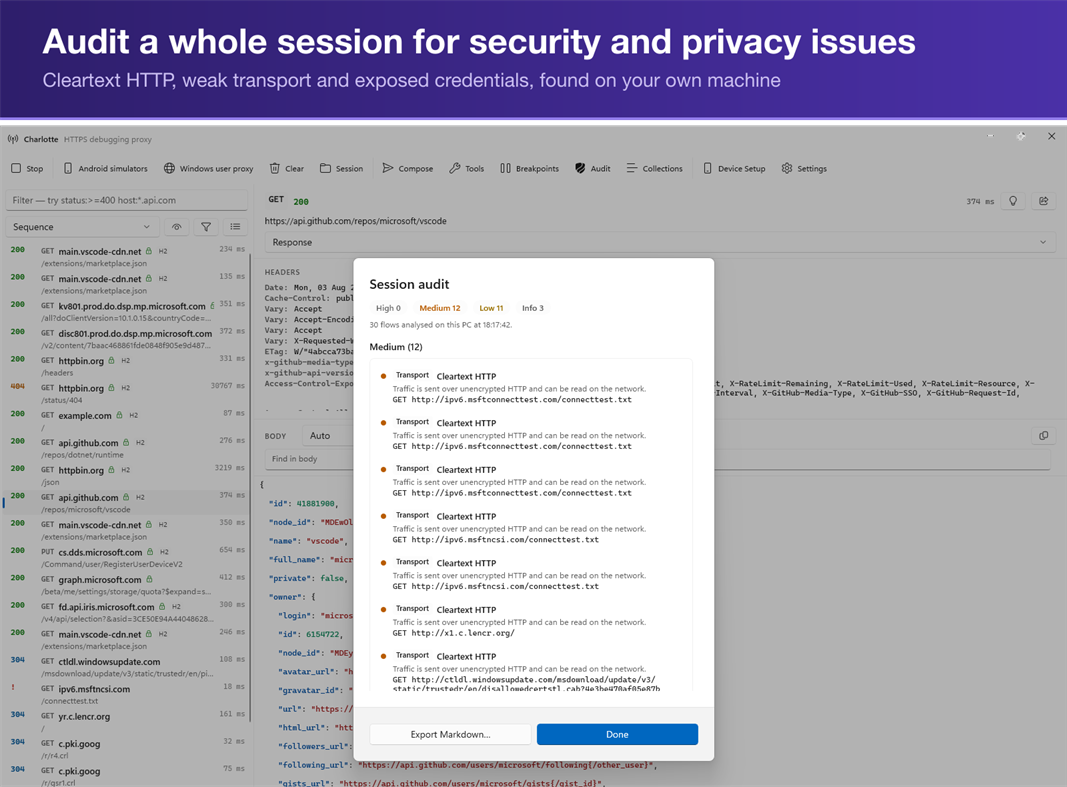
• audit_session — Charlotte's own security and privacy audit, returned as Markdown
• replay_flow, create_rewrite, create_map_local, set_breakpoint — your agent can change traffic, not just read it
Stop pasting curl output into a chat window and hoping you copied the right header. Ask the agent why the request failed, and it reads the request.
Write actions stay off until you enable them. The server binds to loopback only, and every client must present an access token you copy from Settings — no other program on your PC can connect without it. Passwords, tokens and cookies are hidden from agents by default. Your agent sees your traffic; nothing else does. The server binds to loopback only. Your agent sees your traffic; nothing else does.
INSPECT
• Live capture with filtering and full request and response history
• Body viewers for JSON, Protobuf, plain text, and hex
• Automatic gzip and deflate decompression
• HTTP/3 (QUIC) with fallback to HTTP/2 and HTTP/1.1
INTERVENE
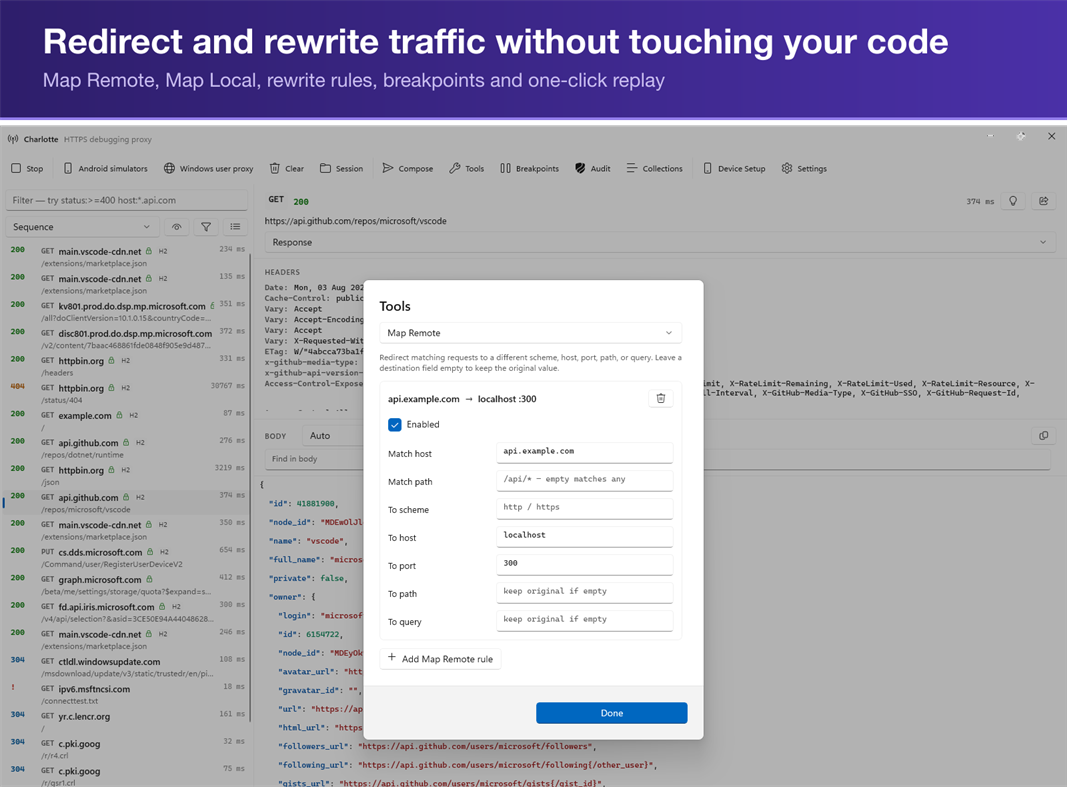
• Breakpoints that pause traffic in flight so you can edit it before it continues
• Map Remote and Map Local to point requests at a different target or a file on disk
• Rewrite rules for headers, bodies, and status codes
• Replay any captured request, with or without changes
TEST THE UNHAPPY PATH
• Throttle bandwidth and inject latency to reproduce slow-network bugs
• Fault injection for timeouts, dropped connections, and error responses
CONNECT YOUR DEVICES
• QR-code setup for iOS and Android handsets on the same network
• Proxy configuration for simulators and emulators
• Per-host leaf certificates so pinned clients can be inspected during development
ON-DEVICE AI
• Explain and summarise captured traffic with a model that runs locally: Phi Silica on Copilot+ PCs, a local ONNX model everywhere else
• No cloud inference. Your traffic is never sent to an AI service, ours or anyone's
PRIVACY AND PERMISSIONS
Charlotte.Pro has no backend. No telemetry, no analytics, no account, nothing transmitted to the developer. There is no server to send it to.
Your root certificate authority's private key is encrypted with Windows DPAPI and never leaves the machine. The root certificate goes into your own user's trust store, and Windows shows its standard consent dialog, which the app does not suppress. Captures stay in memory unless you export them yourself.
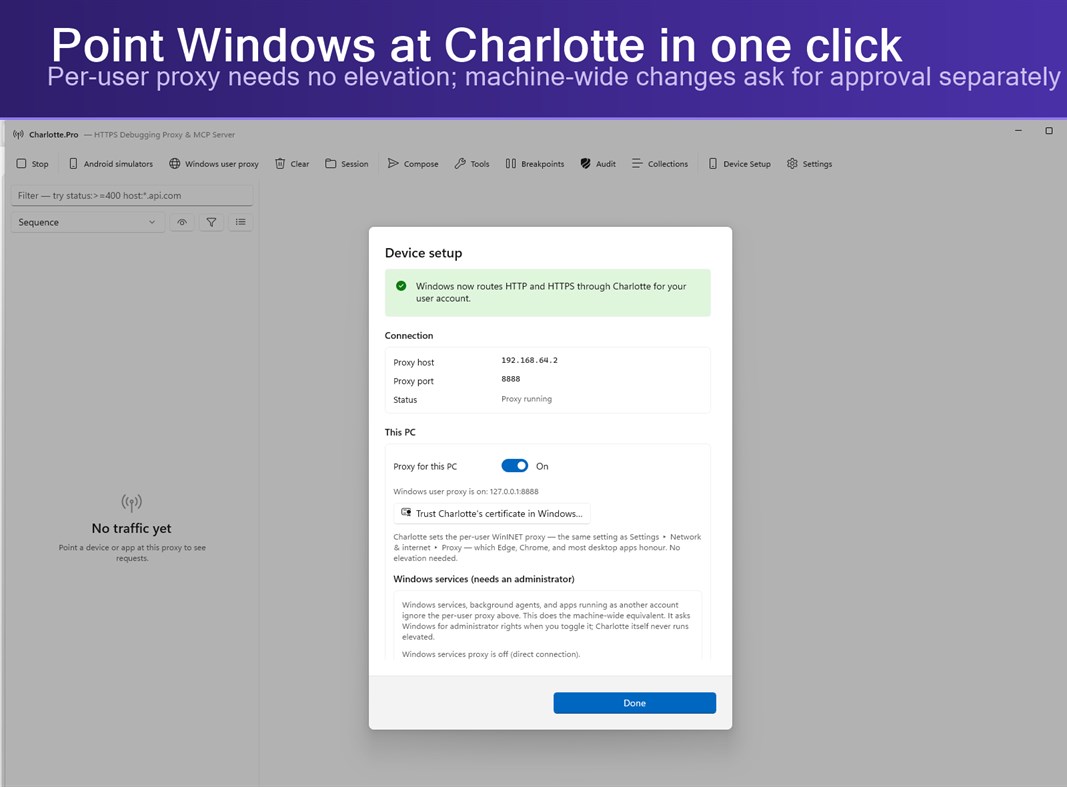
Charlotte.Pro runs as a normal user and never asks for administrator rights to start. Two optional features — routing Windows services through the proxy, and trusting the certificate for all users — change machine-wide settings, and each asks for approval at the moment you use it.
TRY IT PROPERLY FIRST
Free for 14 days with every feature unlocked. No account, no card, no sign-up — install it and go.
After that, one payment unlocks it permanently. Not a subscription. Buy it once and it stays yours.
REQUIREMENTS
Windows 10 version 1903 or later, or Windows 11. Native on x64 and ARM64.
Charlotte.Pro is for inspecting traffic you are authorised to inspect: your own applications and devices, or systems you have permission to test.
Pubblicità
Screenshot
Cronologia dei prezzi
-
* Acquisti in-app - Prezzo attuale: Gratis
- Minimo: Gratis
- Massimo: Gratis
Monitora prezzi Aggiungi a un elenco per ricevere avvisi sugli sconti via e-mail o push
Valutazione AppAgg
810
Valutazione AppAgg stimata per
Charlotte.Pro — HTTPS Debugging Proxy & MCP Server
Sviluppatore: Wojciech Charysz
810 Argento
Valutazioni più alte indicano di solito segnali più forti su AppAgg.
Basato su: popolarità · valutazioni degli utenti · freschezza · offerte · dati degli store · attività della community
Ricalcolato ogni giorno con dati AppAgg aggiornati.
URL breve: Copiato!
Novità
- Versione: PC
- Ultimo aggiornamento:
Informazioni aggiuntive
- Data di uscita:
- Categoria:
App per Windows›Strumenti di sviluppo - Sistemi operativi:
PC - Dimensioni:
63 Mb - Lingue supportate:
English - Classificazione contenuti:
EVERYONE - Windows Store Voto:
0
 https://wcharysz.github.io/Charlotte/support.html
Sviluppatore
- Wojciech Charysz
- Follower: 0
- Piattaforme: Windows App (1)
- Sconti: 0
- Listes: 0 + 0
- Punti: 0 + 0 ¡
- Classificazioni: 0
- Commenti: 0
- Video: 0
- RSS: Sottoscrivi
Listes (0)
0
- Charlotte.Pro — HTTPS Debugging Proxy & MCP Server
Punti (0)
0
Classificazioni (0)
0
Commenti (0)
Sii il primo a commentare
In breve
Charlotte.Pro — HTTPS Debugging Proxy & MCP Server URL breve: Copiato!- Condividi
- Windows Store
«Charlotte.Pro — HTTPS Debugging Proxy & MCP Server» è un’app della categoria Strumenti di sviluppo per Windows. L’app è stata sviluppata da «Wojciech Charysz», pubblicata per la prima volta il e aggiornata l’ultima volta il . L’app è attualmente disponibile gratuitamente. L’app non ha ancora ricevuto valutazioni su AppAgg. L’app è disponibile nelle seguenti lingue: English. AppAgg tiene traccia della cronologia dei prezzi, delle valutazioni e delle recensioni degli utenti dell’app «Charlotte.Pro — HTTPS Debugging Proxy & MCP Server». AppAgg non ospita né distribuisce questa app. Tutti i marchi, i loghi e gli screenshot relativi all’app appartengono ai rispettivi proprietari. Segui le prossime offerte e gli aggiornamenti dell’app tramite Feed RSS.
Simili
-
- Server Creator
- Windows App: Strumenti di sviluppo di: portwarp.com
- Gratis
- Listes: 0 0 0
- Punti: 0 + 0 600 · Argento Versione: PC Server Creator makes it easy to create and manage your own game servers in just a few clicks. Launch servers for Minecraft (Java & Bedrock), FiveM, and other supported games without ...
-
- Proxy Checker
- Windows App: Strumenti di sviluppo di: TrustedClicks Technology
- Gratis
- Listes: 0 0 0
- Punti: 0 + 0 630 · Argento Versione: PC Check, bulk verify, and test your proxies with Pixelscan Proxy Checker! Pixelscan is a powerful proxy checker. Our comprehensive algorithms easily test, analyze, and validate your ...
-
- Server Express
- Windows App: Strumenti di sviluppo di: ZhouCheng
- Gratis
- Listes: 0 0 0
- Punti: 0 + 0 500 · Bronzo Versione: PC An SFTP client for file management on remote servers
- Nuova
- Mako Server
- Windows App: Strumenti di sviluppo di: Real Time Logic LLC
- Gratis
- Listes: 0 0 0
- Punti: 0 + 0 570 · Bronzo Versione: PC Mako Server Developer Edition Mako Server is a compact, ready-to-run Lua application server for building web, content-management, IoT, and embedded-device applications on Windows. This
-
- SRT Redundancy Proxy
- Windows App: Strumenti di sviluppo di: VideoSupporterSoft
- Gratis
- Listes: 0 0 0
- Punti: 0 + 0 570 · Bronzo Versione: PC SRT Redundancy Proxy receives one SRT stream and forwards it to up to two SRT destinations on Windows. It is designed for redundant contribution and monitoring workflows where the same
-
- WebSocket Debug Tools: Client & Server
- Windows App: Strumenti di sviluppo di: YH Software
- * Gratis
- Listes: 1 + 1 0 0
- Punti: 1 + 0 1K · Argento Versione: PC This is a testing and debugging UWP app for WebSocket that helps you debug WebSocket connections! Both client and server debugger are included and you can view and copy detail message ...
-
- SQL Server Description Editor
- Windows App: Strumenti di sviluppo di: Eden Wu
- Gratis
- Listes: 0 0 0
- Punti: 0 + 0 500 · Bronzo Versione: PC 1. The "Description" comment on Table or Field in SQL Server. 2. Can be exported into Excel file for easy editing, and import after the updated the Excel file. 3. Native mode app. ...
-
- BanglaHost Local Web Server
- Windows App: Strumenti di sviluppo di: IT Amadersomaj Inc
- Gratis
- Listes: 0 0 0
- Punti: 0 + 0 1K · Argento Versione: PC BanglaHost Local Web Server is a modern, free, and open-source local development environment for Windows. It provides developers with everything needed to build, test, and manage web ...
-
- SSH Proxy
- Windows App: Strumenti di sviluppo di: XSoft Studio
- $1.19
- Listes: 0 0 0
- Punti: 0 + 0 610 · Argento Versione: PC SSH Proxy is applications help to create proxy or local port forwarding to access blocked websites and servers over an encrypted SSH connection easily. It is able to create socks5 ...
-
- Halo 5: Guardians Local Server
- Windows App: Strumenti di sviluppo di: Microsoft Studios
- Gratis
- Listes: 0 + 1 0 0
- Punti: 1 + 16 5K · Oro Versione: PC REQUIRES HALO 5: GUARDIANS ON XBOX ONE. THIS IS A TOOL FOR HOSTING LOCAL MULTIPLAYER MATCHES AND DOES NOT CONTAIN ACTUAL GAME CONTENT Halo 5: Guardians Local Server provides a new way ...
-
- Multi-Model AI Proxy for GitHub CoPilot and Visual Studio 2026 / Code
- Windows App: Strumenti di sviluppo di: hayman.dev LTD
- Gratis
- Listes: 0 0 0
- Punti: 0 + 0 1K · Argento Versione: PC Use models from OpenRouter, DeepSeek v4, Mimo (Xiaomi),, x.AI, Qwen and Z.ai (ZhiPu GLM), natively in Visual Studio's 2026 / Code's GitHub CoPilot chat window! The Multi-Model AI Proxy
-
- X410 - X Server for Windows
- Windows App: Strumenti di sviluppo di: Choung Networks
- * Gratis
- Listes: 1 0 0
- Punti: 0 + 24 7K · Oro Versione: PC Do you want to seamlessly use Linux GUI apps side by side with Windows apps? Simply start X410 and adjust a few settings; your Linux GUI apps then suddenly appear in Windows and you ...
-
- Personal DNS Server
- Windows App: Strumenti di sviluppo di: Psalmsoft Solutions
- $3.34
- Listes: 0 0 0
- Punti: 0 + 0 580 · Bronzo Versione: PC Take control of your network with Personal DNS Server a lightweight, privacy-focused DNS server that runs entirely on your Windows PC. No cloud services, no subscriptions, no data ...
-
- Simple HTTP Server
- Windows App: Strumenti di sviluppo di: Firefly
- Gratis
- Listes: 0 0 0
- Punti: 0 + 15 570 · Bronzo Versione: PC A simple HTTP server application, it can let your device as a simple HTTP server.

