
Segnalibri
| Sviluppatore: | GizmoGoose.com (7) | ||
| Prezzo: | Gratis Novità | ||
| Punteggio: | 1100 Argento | ||
| Classifiche: | 0 | ||
| Commenti: | 0 Pubblica commento | ||
| Liste: | 0 0 | ||
| Punti: | 0 | ||
| +1 Punto | |||
In breve
Ti presentiamo ChipScope, un’app di GizmoGoose.com della categoria «Strumenti di sviluppo».
È uscita , è più giovane del latte nel tuo frigo.
Gratis: niente pubblicità, niente acquisti in-app. Solo tu e l’app.
Il Microsoft Store è integrato in Windows, quindi si installa in un paio di clic.
Il suo Punteggio AppAgg è 1100. Livello Argento, e non è affatto male.
Classificazione «EVERYONE»: va bene anche per i bambini.
Parla una sola lingua, e non è l’italiano.
Su AppAgg nessuno l’ha ancora votata. Tocca a te aprire le danze.
Lo sviluppatore ha 6 altre app su AppAgg. Vale la pena dare un’occhiata.
Vuoi sapere prima di tutti di aggiornamenti e nuove app? Segui lo sviluppatore o iscriviti al feed RSS. Le notifiche push arrivano tramite l’app AppAgg Alerts per Android e iOS.
Altre piattaforme 0
Cronologia dei prezzi 0
- Prezzo attuale: Gratis
- Minimo: Gratis
- Massimo: Gratis
Il tuo feed personale nella home
Screenshot 7
Descrizione

For live chips you need a PC/SC smart-card reader (contact, contactless or both), which is not included. Without a reader you can still try everything on the built-in simulated specimen documents.
What you can do
Examine an electronic identity document
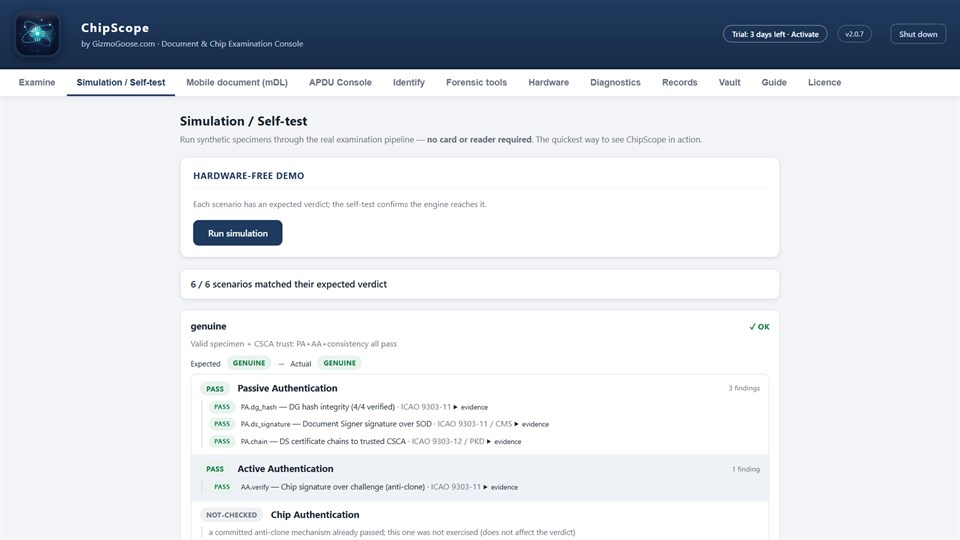
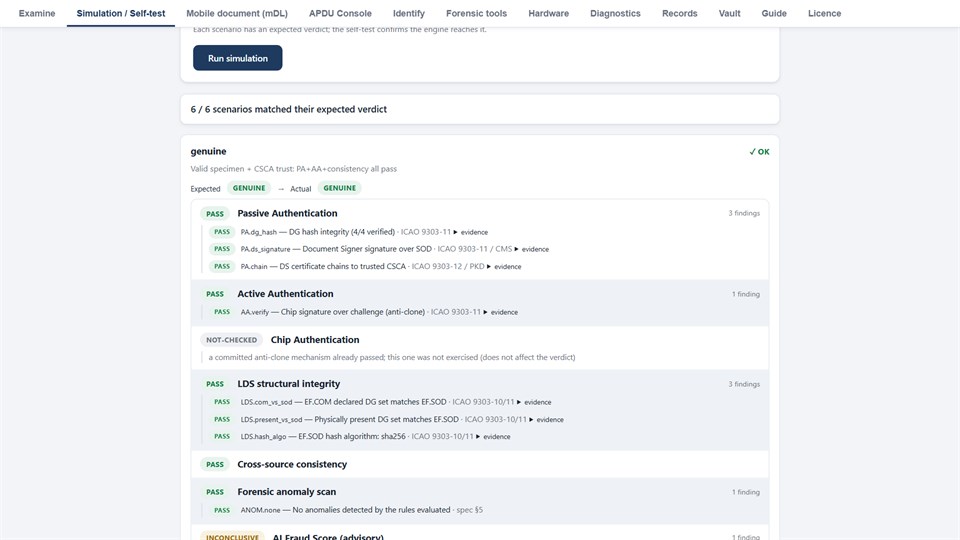
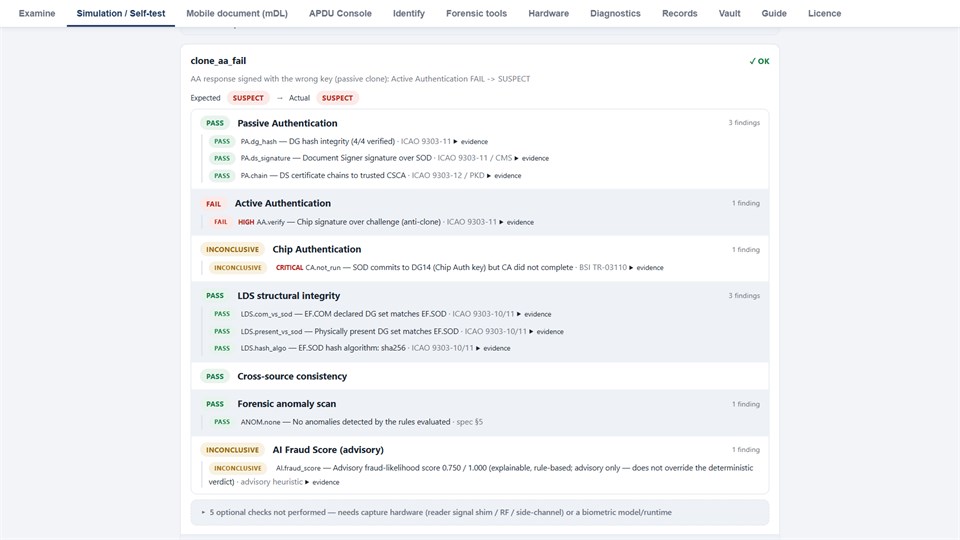
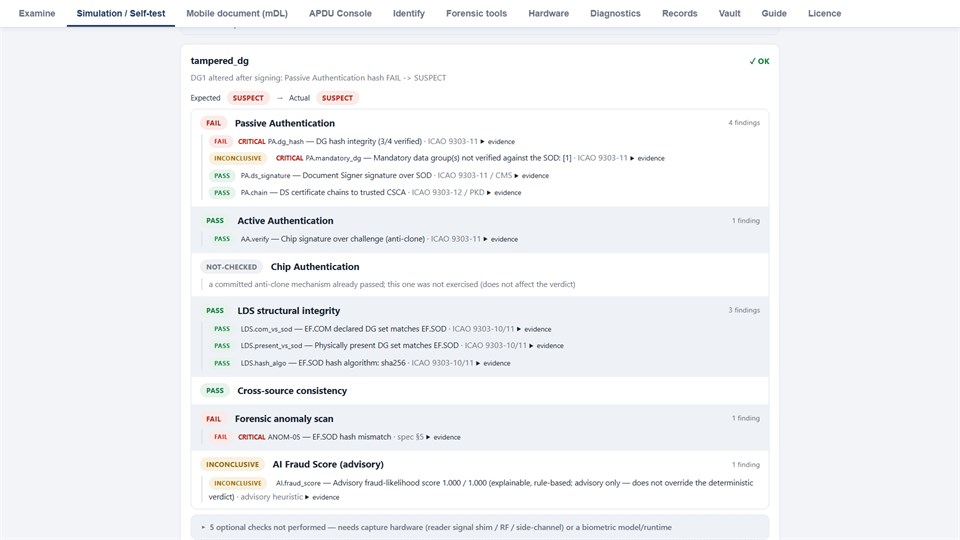
Open the secure channel of an electronic passport or ID card with the access number printed on the document or its machine-readable zone, read the data groups you are allowed to read, and run the document's own security checks: the issuer's signature over the data (Passive Authentication), and the chip's anti-cloning checks (Active Authentication and Chip Authentication). You get one clear result, genuine, inconclusive or suspect, with the reason for it, and every check listed underneath with its evidence.
Identify an unknown chip
Put a card on the reader and ChipScope tells you what it is: the answer-to-reset, the chip and operating-system fingerprint, the applications it carries and the commands it answers.
Read payment-card and SIM chips safely
For a payment card, ChipScope lists the applications and checks the card's offline data authentication. The card number is masked by default and the examination makes no transaction. For a SIM, it shows the card and network identifiers, with subscriber digits masked by default.
Compare the holder with the portrait
After reading a document, ChipScope shows the portrait stored in the chip, including portraits stored as JPEG 2000. With a camera attached you can take a live picture and compare it with that portrait. The built-in comparison is advisory: it gives a similarity score, not a verdict. The picture is compared on your computer and is not saved. The first time you use it, ChipScope downloads two small face-recognition model files from a public open-source model collection on the internet.
Check a mobile driving licence file
Open a stored mobile document (ISO/IEC 18013-5 mdoc) and check the issuer's signature, the validity period and which data elements it contains. The examination lists the elements rather than their values.
Work at the command level
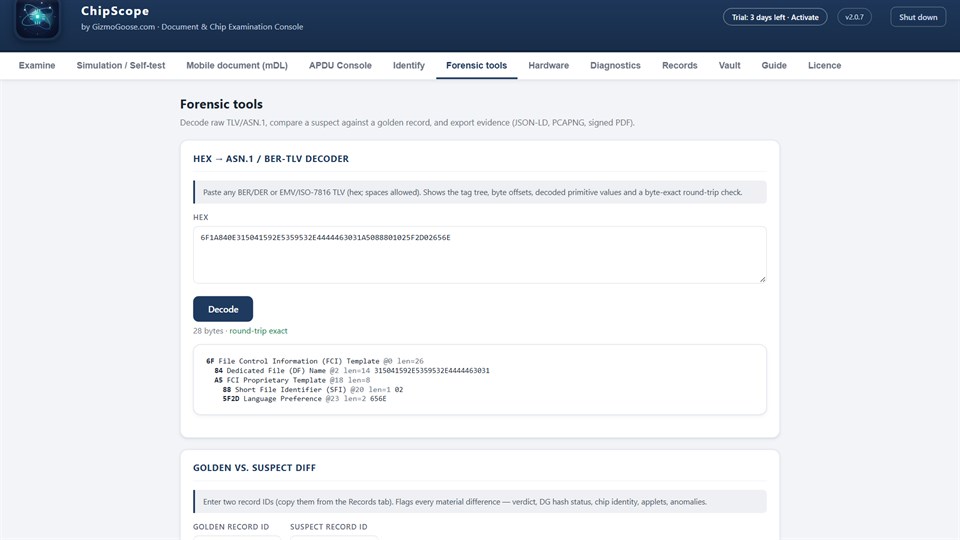
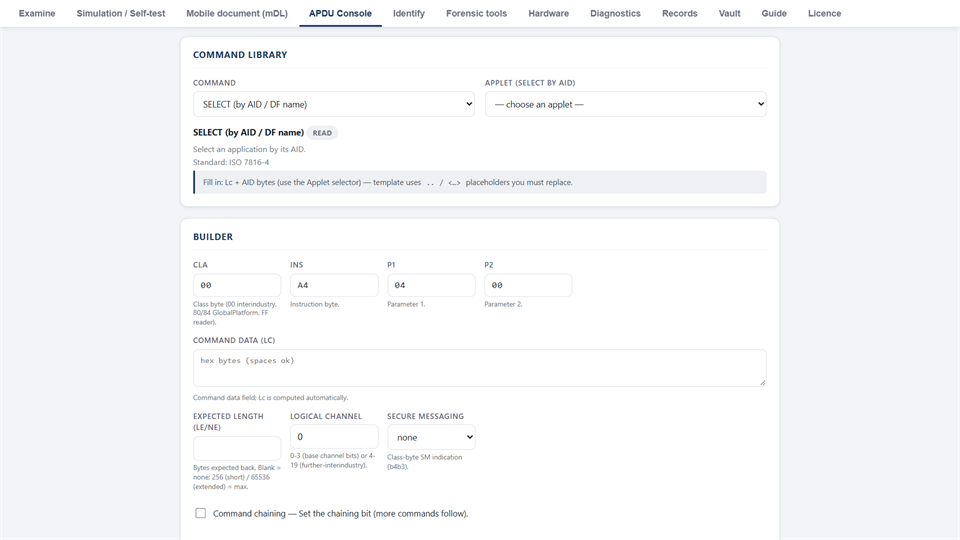
A command console builds, explains and sends ISO/IEC 7816-4 commands, with a library of standard commands. A decoder turns raw bytes into a readable tag tree. A diagnostics section runs focused investigations that explain why a result came out the way it did.
Keep proper records
Every examination can be saved, printed as a report, signed, compared with an earlier one and exported. An encrypted vault holds your trust certificates and keys. A tamper-evident log records who did what and when. Operator roles limit sensitive actions.
Try it without hardware
The Simulation tab runs synthetic specimen documents, one genuine and several altered or cloned, through the same examination steps, so you can see the results and the report with no reader and no card.
Standards
ChipScope follows the published standards for these chips: ICAO Doc 9303 for travel documents, ISO/IEC 7816 and ISO/IEC 14443 for contact and contactless cards, and ISO/IEC 18013-5 for mobile driving licences. It is a test and examination tool, not a certified inspection system.
Responsible use
Use ChipScope only on documents and cards that you own or are lawfully authorised to examine. Its examinations only read: they do not write to the chip, clone a card or make a payment transaction, and they do not get around a chip's access protection. You need the document's own access number, and protected fingerprint and iris data can be read only with the official certificates issued to an authorised inspection body. Some tools go beyond reading, only when you choose them, and are meant for your own test cards: the command console sends any command you type, including commands that write to a card; an optional check, off by default, tests whether a card's management keys were left at their published factory defaults; and a lab mode, also off by default, shows card numbers and personal data unmasked. ChipScope does not crack or search for unknown keys. Card numbers and personal data are masked by default, and ChipScope sends nothing it reads from a chip to anyone.
Free trial and licence
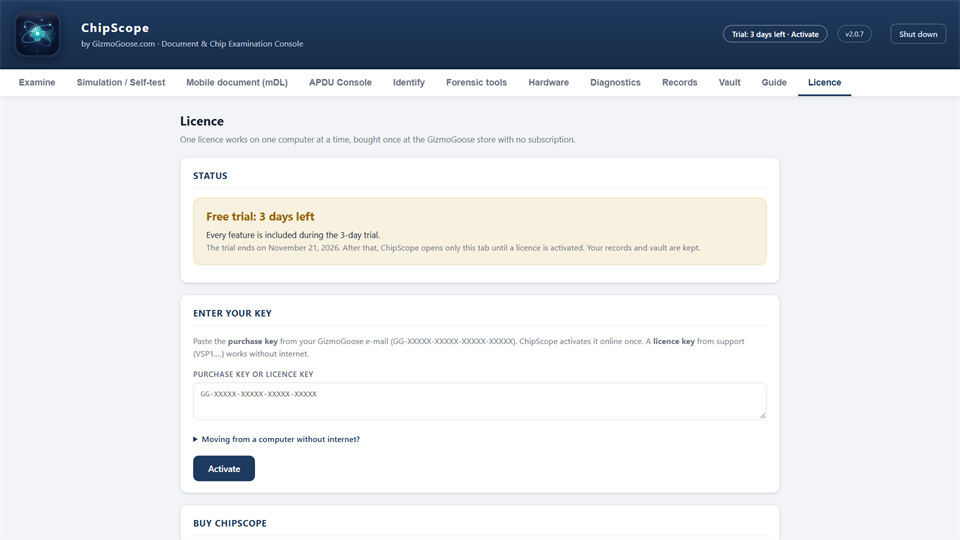
ChipScope is free to download and every feature works for 3 days. After that it needs a licence, bought once at gizmogoose.com with no subscription. The licence is activated online once with the key you receive by e-mail, works on one computer at a time, and you can move it yourself. Purchases are made on the GizmoGoose website, not through the Microsoft Store.
The app's interface is in English.
Dallo sviluppatore
Liste 0
-
 ChipScope
Punti 0
-

- +1 Punto

Classifiche 0
-
- La tua valutazione
Sviluppatore 7
- GizmoGoose.com
- Follower: 0
- Piattaforme: Windows App (7)
- Offerte: 0
- Liste: 0 0
- Punti: 0
- Classifiche: 0
- Commenti: 0
- Video: 1
- RSS: Iscriviti
Novità
- Versione: PC
- Ultimo aggiornamento:
- ChipScope 2.0.7, the first release in the Microsoft Store.
- Examine electronic passports and ID cards: secure channel, data groups and the document's security checks, with one clear result.
- An operator window shows the chip's portrait beside the report, including JPEG 2000 portraits.
- Optional live face comparison with a camera (advisory), with a threshold you can set for your own model.
- More reliable reading on contactless readers that drop the card during large reads: ChipScope retries with smaller blocks.
- Identify unknown chips, and read payment-card and SIM chips with numbers masked by default.
- Check stored mobile driving licence files (ISO/IEC 18013-5).
- Command console, byte decoder and a diagnostics section.
- Saved records, signed reports, an encrypted vault and a tamper-evident log.
- Starting ChipScope twice opens the console that is already running, and Shut down confirms that the app has really stopped.
- Simulated specimen documents, so everything can be tried without a reader.
- 3-day free trial with every feature.
Informazioni aggiuntive
- Data di uscita:
- Categoria:
App per Windows›Strumenti di sviluppo - Sistemi operativi:
PC - Dimensioni:
81 Mb - Lingue supportate:
Inglese - Classificazione contenuti:
EVERYONE - Windows Store Valutazione: ¡
0 - Sito web:
 https://www.GizmoGoose.com
Punteggio AppAgg
Punteggio AppAgg stimato per
ChipScope
Sviluppatore: GizmoGoose.com
Un punteggio più alto riflette in genere risultati migliori negli indicatori di AppAgg.
Basato su: popolarità · valutazioni degli utenti · freschezza · offerte · dati degli store · attività della community
Ricalcolato ogni giorno con dati AppAgg aggiornati.
Commenti 0 ¡
Condividi
ChipScope URL breve: Copiato!- Windows Store

