
Bookmarks
| Developer: | SlnU (7) | ||
| Price: | Free | ||
| Score: | 600 Silver | ||
| Rankings: | 0 | ||
| Comments: | 0 Add a comment | ||
| Lists: | 0 0 | ||
| Points: | 0 | ||
| +1 Point | |||
Summary
Meet Clowder, an app from SlnU in the Developer tools category.
Released , still pretty fresh.
Free, no ads, no in-app purchases. Just you and the app.
The Microsoft Store is built into Windows, so it installs in a couple of clicks.
Its AppAgg Score is 600. Silver, and that’s not bad at all.
Just 5 megabytes, it’ll fit even on a full drive.
Rated “EVERYONE”, so it’s fine for kids too.
Speaks 2 languages, English included.
Total silence here so far: no ratings, no comments. Break the silence.
The developer has 6 more apps on AppAgg. Worth a look.
Want to hear about updates and new apps first? Follow the developer or subscribe to the RSS feed. Push alerts come through the AppAgg Alerts app for Android and iOS.
Screenshots 4
Other platforms 0
Price History 0
- Current price: Free
- Minimum: Free
- Maximum: Free
Your own feed on the home page
Description

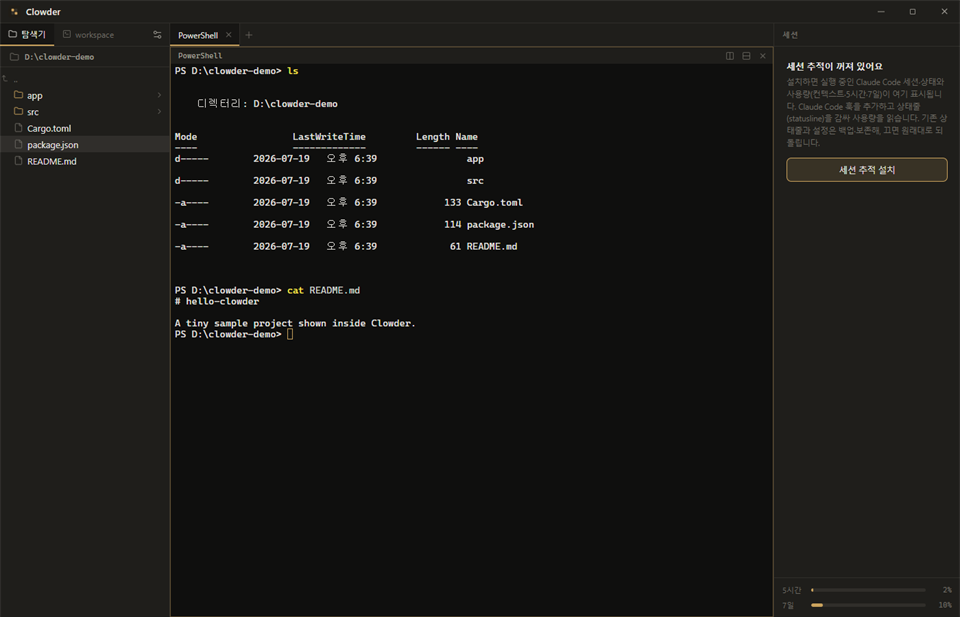
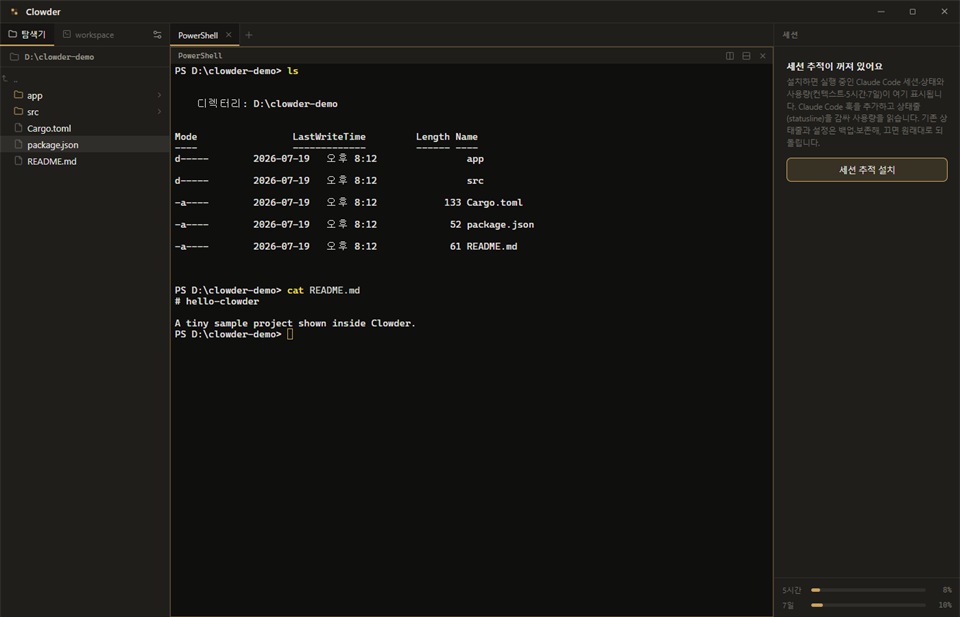
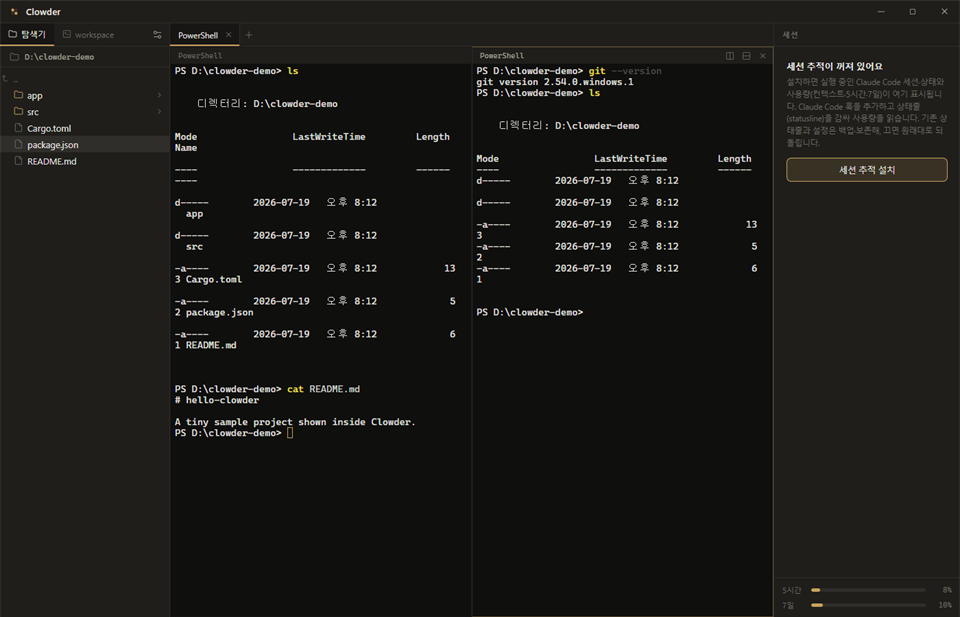
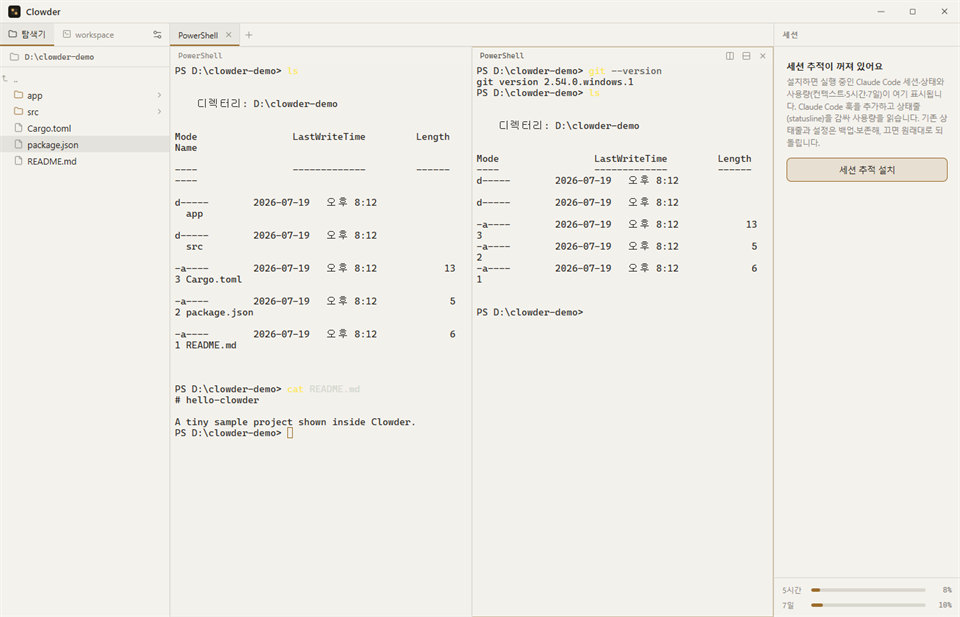
Open a terminal straight from a folder and split panes to lay work out side by side (PowerShell or bash). Terminals live in a keep-alive pool, so they survive tab switches, and CJK output stays intact. Ctrl+V pastes, Shift+drag selects part of the screen — and copy works even in a fullscreen TUI.
VS Code’s explorer is tied to the folder you opened; Clowder’s full file explorer isn’t. Browse anywhere with a single-folder navigator, while the workspace tree follows wherever your active terminal is.
The right rail is a space you fill with the panels you need. Check which ports are listening and kill one with a click (fixes “port 3000 already in use”), read the git status of the active terminal’s folder, connect to an SSH host, work with Docker containers and Kubernetes pods, run a folder’s npm / Make / just scripts, or save commands you use often and re-run them. Every panel’s action leads back to a terminal — connecting, exec’ing, and running all open in a new terminal pane. Panels for tools you don’t have installed hide themselves.
Install the sessions panel to see each running Claude Code session’s status (awaiting permission · waiting · working · idle), its subagents, and context / usage at a glance. It’s one click to install, and your Claude Code settings are backed up and fully restorable at any time. Each card shows the session’s name, and a session that was killed — or any recent session — resumes right where it left off with one click. The recent list works even without session tracking installed.
Read local Markdown and HTML (with math and diagrams) in the built-in viewer — it holds your reading position across tab switches — and work comfortably with deep-dark and light themes and an accent color. The terminal palette is its own setting, separate from the app theme. The UI is available in English and Korean — it follows your system language and switches instantly in settings, with no restart.
It starts fast, stays out of your way, and keeps your data entirely on your device — free for personal and commercial use alike.
From the developer
Lists 0
-
 Clowder
Points 0
-

- +1 Point

Rankings 0
-
- Your rating
Developer 7
- SlnU
- Followers: 0
- Platforms: Windows Apps (7)
- Deals: 0
- Lists: 0 0
- Points: 0
- Rankings: 0
- Comments: 0
- Videos: 0
- RSS: Subscribe
What's new
- Version: PC
- Last Updated:
- Resume sessions — a Claude Code session that was killed can be picked up again from the sessions panel. Click “Resume” on an ended card, or any entry under “Recent sessions”, and the conversation continues in a new tab in its original folder.
Session names — session cards and the recent list show each session’s name: the one you gave it, or else the title Claude Code generated.
- A crashed program no longer leaves the terminal broken — when a fullscreen program such as Claude Code was killed, moving the mouse could type characters, push CPU up, and leave the screen stuck. The terminal now puts itself back to normal as soon as the shell prompt returns.
Reset terminal — if anything still looks wrong, “Reset terminal” in the terminal’s right-click menu clears the screen, terminal modes and the input line at once.
Open in File Explorer — from the explorer’s right-click menu, a folder opens straight in Windows File Explorer, and a file opens its folder with the file selected.
Additional Information
- Release Date:
- Category:
Windows Apps›Developer tools - OS:
PC - Size:
5 Mb - Supported Languages:
English,Korean - Content Rating:
EVERYONE - Windows Store Rating: ¡
0
AppAgg Score
Estimated AppAgg Score for
Clowder
Developer: SlnU
Higher scores usually reflect better results across AppAgg’s indicators.
Based on: popularity · ratings · freshness · deals · store data · community signals
Recalculated daily using fresh AppAgg data.
Comments 0 ¡
Share
Clowder Short URL: Copied!- Windows Store
You may also like
Recent discussionsMore →
 AppTapeFlo this app is the best app i use in my life Because. you trade. journal. Discipline. rule's that you w...
 Shurem Boy15
 AppGame4Class Game4Class makes lesson review fun and interactive. I like how easily students can join from their o...
 Mehdi Gateway62
 AppAniMate Waifu - AI Anime Desktop Pet This is the best anime desktop pets I have ever had, The dancing feature is amazing.
 shaw chaney34
 AppSpark Motion Create 26 The graphics are amazing! Now I can design my ball layouts and watch then spin in 3D animation.
 Jim Kirker40
 AppLocalDub – Real-Time Game Dubbing Hello Kırtay Interactive, I am using LocalDub - Real-Time Game Dubbing. I would like to know if Hind...
 rashid game53
 AppNauticPlayer This app is absolute cinema. Honestly, it’s one of the best media players I’ve ever tried, and I’m s...
 Manuel92
 AppScreen Beings - Interactive Accessibility Companion This is my app so I’m a little bias but as someone from the ADHD community that teaches ADHD and neu...
 Tarelle Irwin54
 AppAadi vault good it ia a encrypter and good you my work on office
 Aditya Rai50
 AppTyping 365 | Daily Typing Trainer The best typing app ever. With Typing 365 you don’t have to force yourself for couple minutes traini...
 Ahmad Mozaffar50
 AppZefir Calendar — Calendar in the Taskbar excelente app! Superando todas as espectativas!
 Diógenes Magnus50

