
Kirjanmerkit
Valitse tälle kirjanmerkille otsikko.
Kirjanmerkki tallennettu
| Kehittäjä: | MaksIT (2) | ||
| Hinta: | Ilmainen Uutta | ||
| Arvio: | 1,130 Hopea | ||
| Sijoitukset: | 0 | ||
| Kommentit: | 0 Lähetä kommentti | ||
| Listat: | 0 + 0 | ||
| Pisteet: | 0 + 0 ¡ | ||
| +1 Pisteet | |||
Näyttökuvat
Mainos
Kuvaus

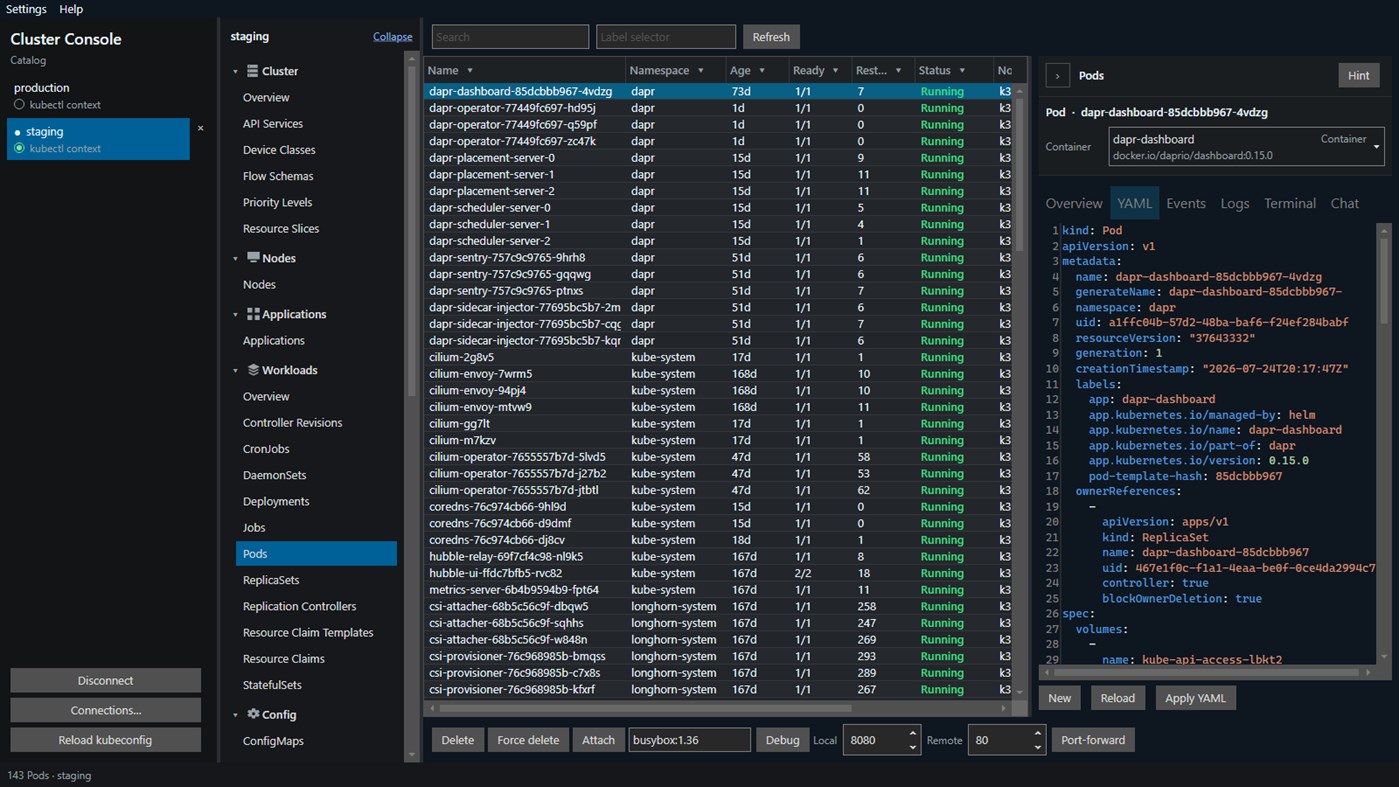
Connect with the kubeconfig you already use. What you can see and change is exactly what that identity is allowed to do. Click a catalog row to open that context in this app. The radio beside the row only writes kubectl current-context, so the command line can follow. This app does not read that field. Several contexts can stay open here while kubectl still has one current context.
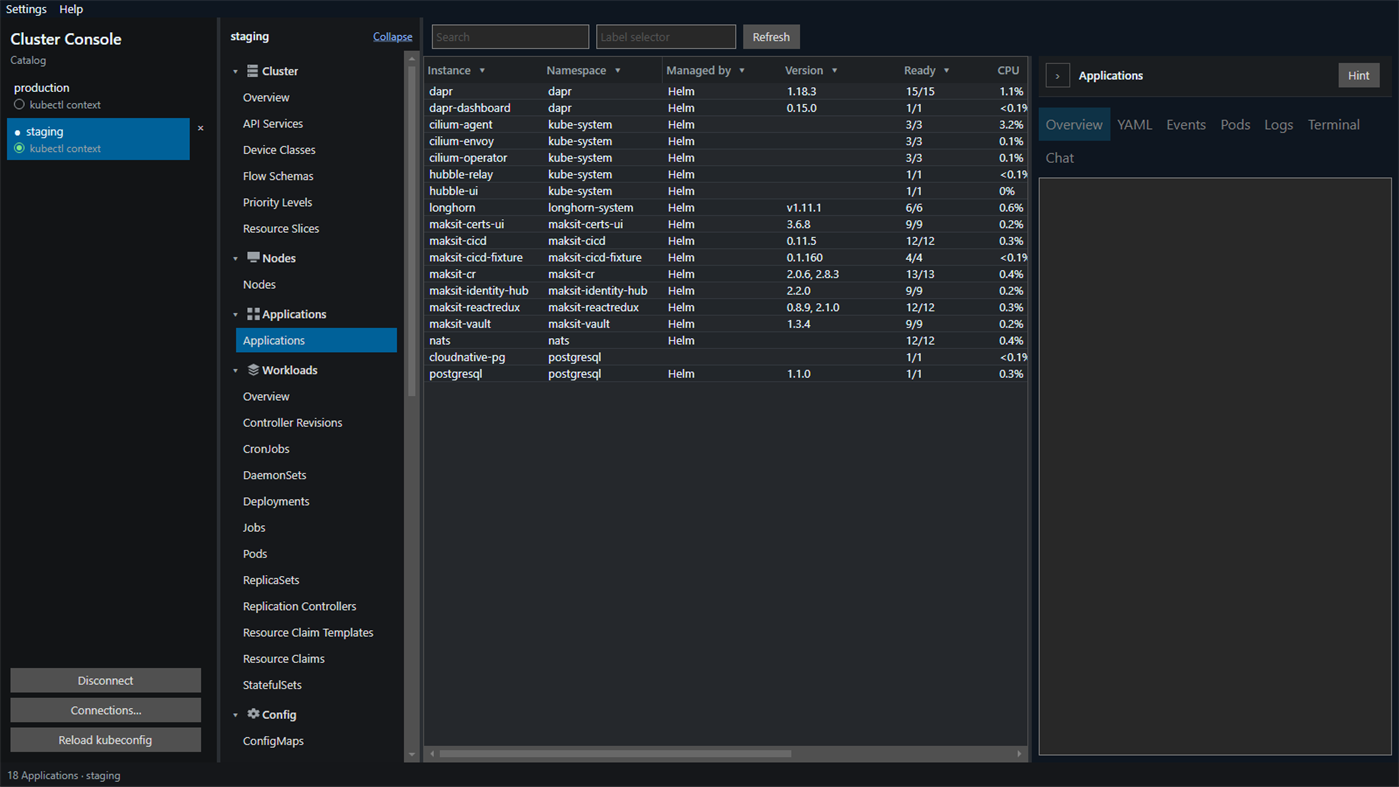
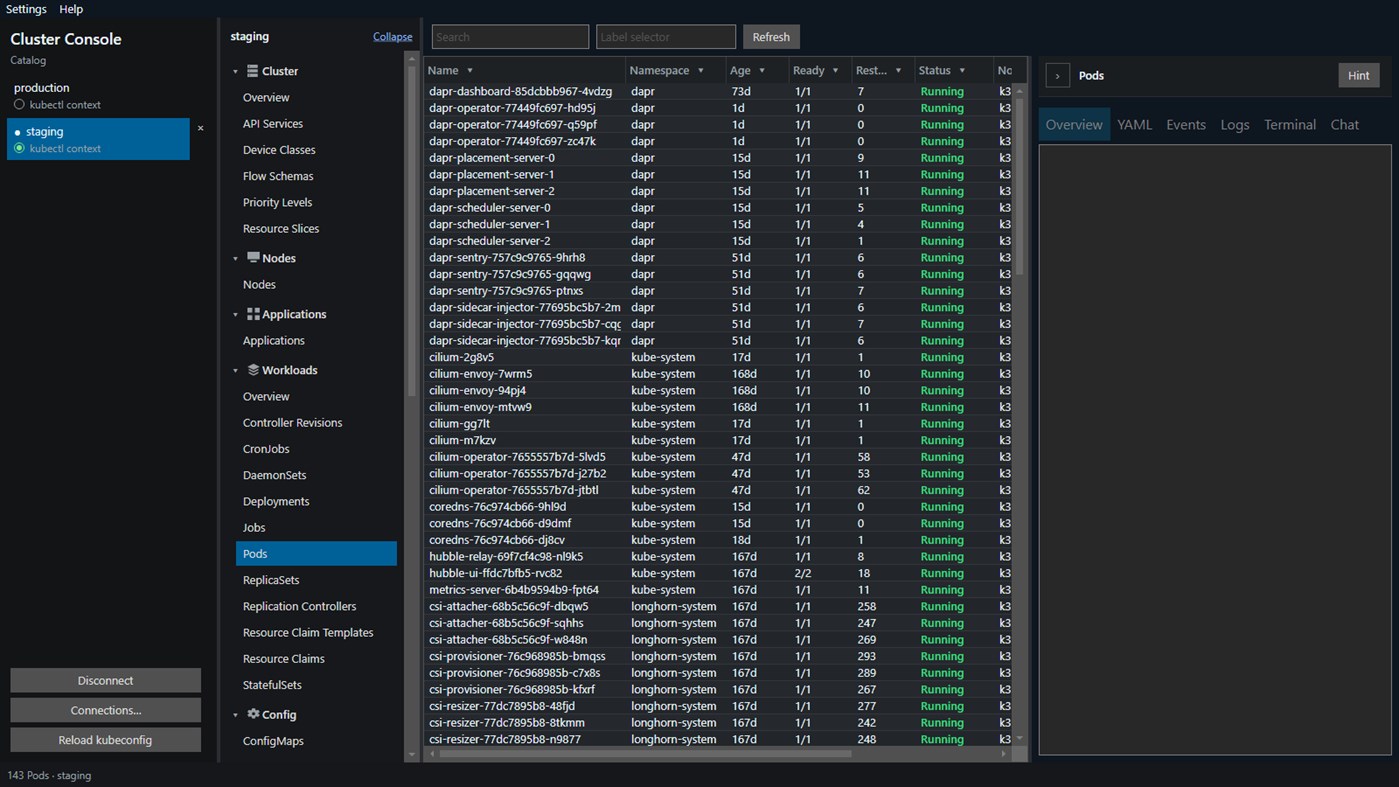
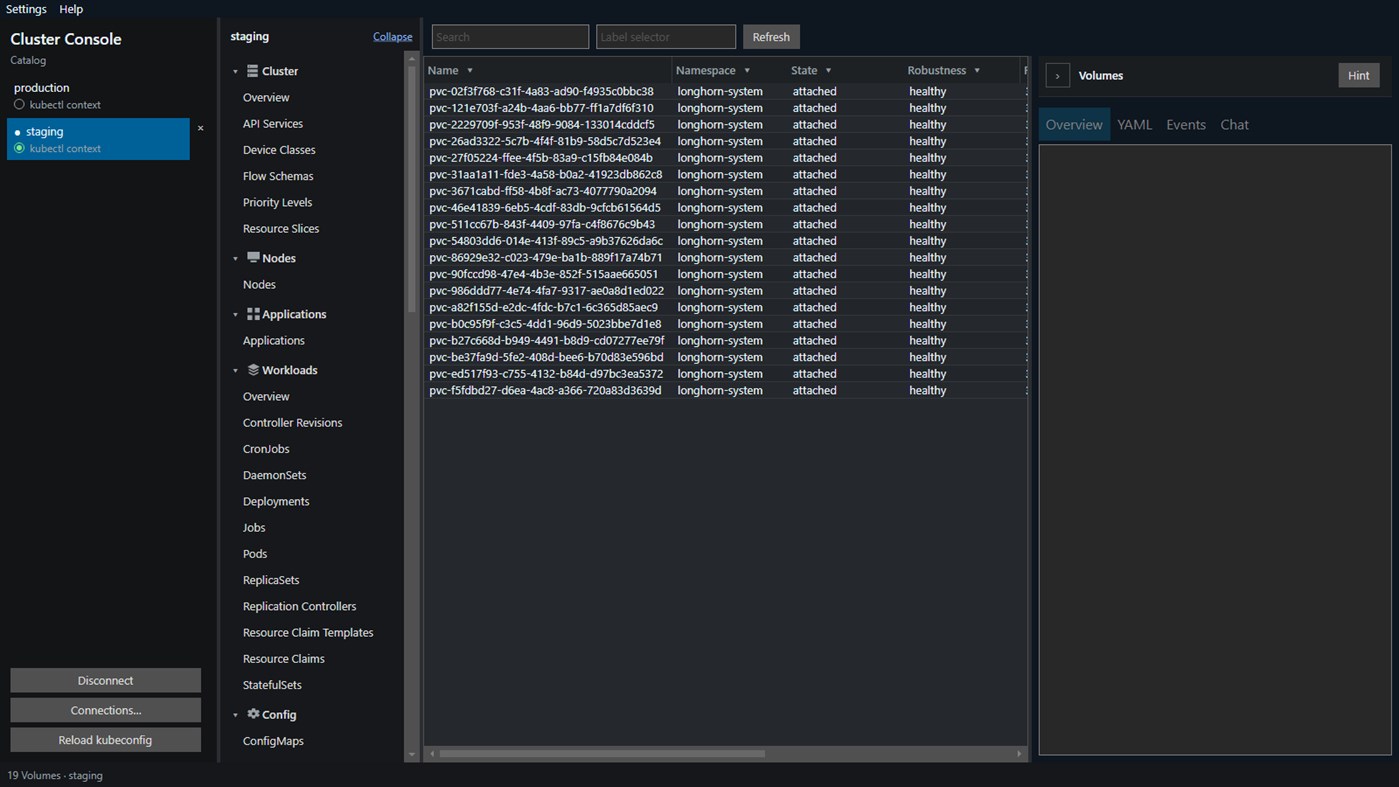
Move through the cluster from one navigator: cluster and nodes, applications, workloads, config, network, storage, namespaces, events, Helm releases, Dapr, access control, and custom resources, including CRDs already installed. Longhorn volumes and nodes, and CloudNativePG clusters, appear when those APIs are installed. Several contexts can stay connected. Add a context with a token, a client certificate, pasted k3s certificate data, or a username and password. The open table watches the API, and a label selector is sent with the list. Search filters the rows already loaded. Filters and sort stay per cluster. Selecting several rows runs a footer action on each of them. Custom resource tables show extra columns from the CRD. Open a row for YAML, events, and status. Hint explains the kind on screen.
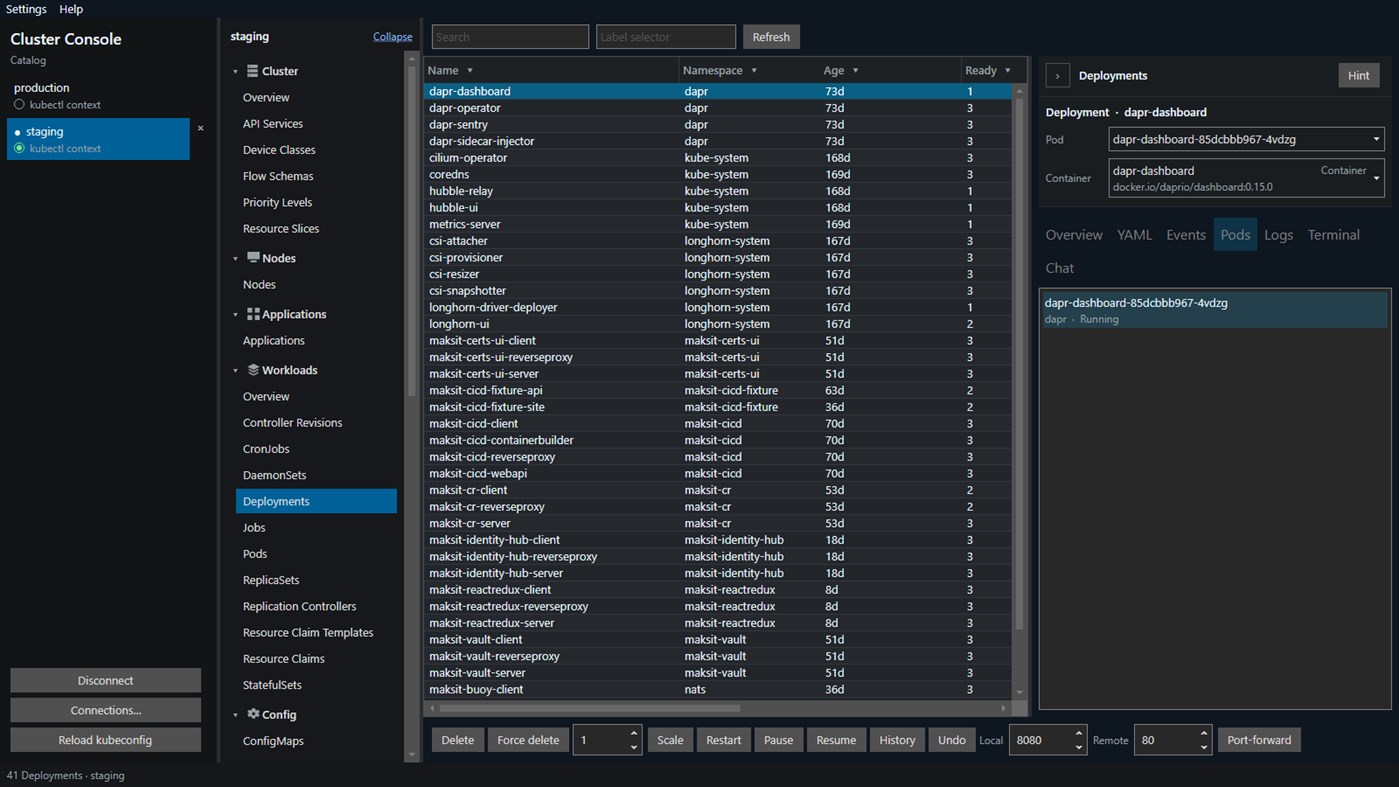
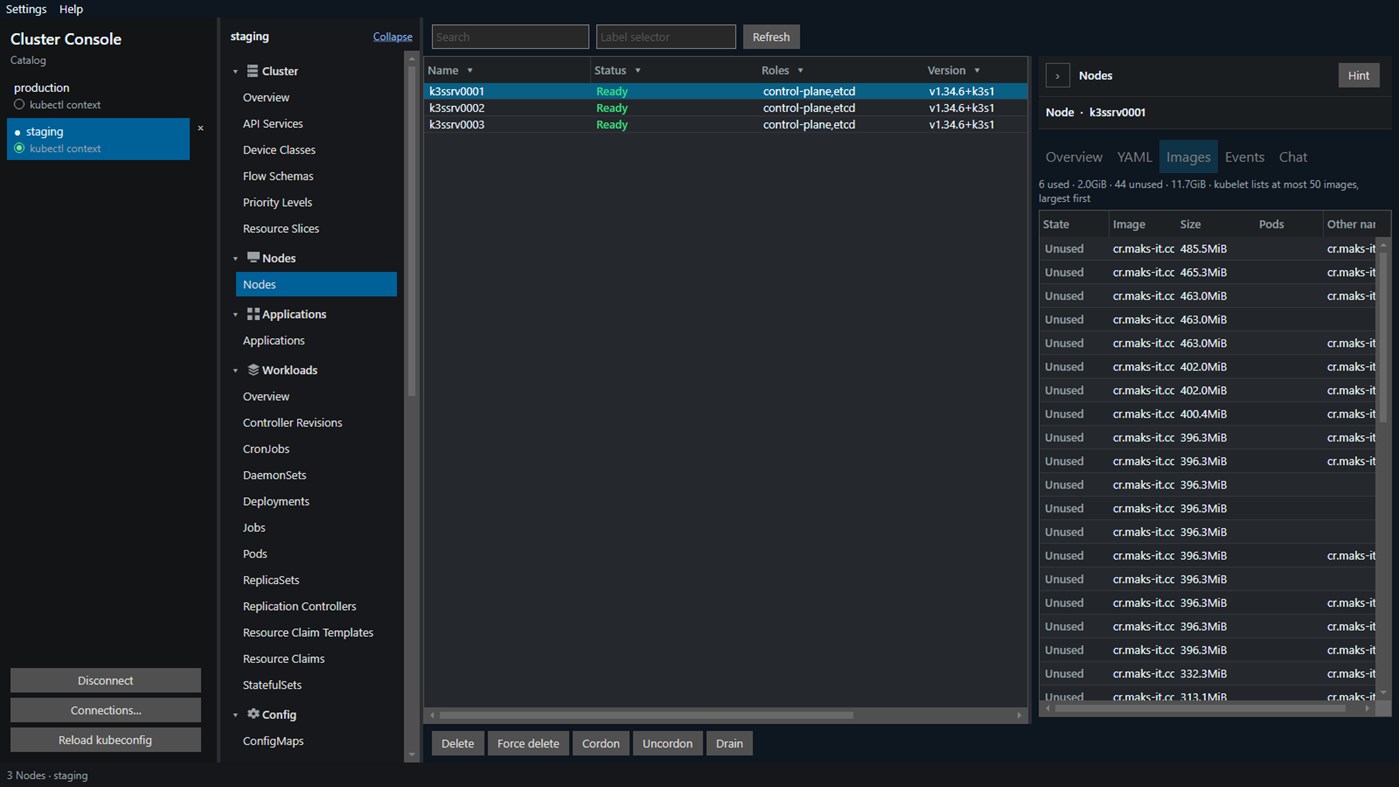
Everyday changes stay in the same window. Apply or create YAML. If the API server rejects an apply patch, apply falls back to create or replace. JSON and YAML highlighting follows the document. Force-delete strips finalizers. Scale a Deployment, StatefulSet, ReplicaSet, or ReplicationController. Restart a Deployment, StatefulSet, or DaemonSet. Pause, resume, and undo a Deployment rollout. Trigger a CronJob. Force delete namespace removes a selected namespace, except default, kube-system, kube-public, and kube-node-lease. Cordon and Drain stay hidden unless another Ready node can still take pods. Uncordon still restores a node that is already cordoned. Drain asks first and shows which pods will move and which will remain, including anything a disruption budget would refuse. When AI is on, that dialog also includes a short note. The note does not drain the node. The Images tab marks cached images Used or Unused from the pods on that node. On a pod, follow the log, open a shell, attach output, or add a debug container. The image defaults to busybox and stays until the pod is recreated. ConfigMaps and Secrets edit as data keys, with a decoded preview. A Service shows Active, Pending, or Unreachable.
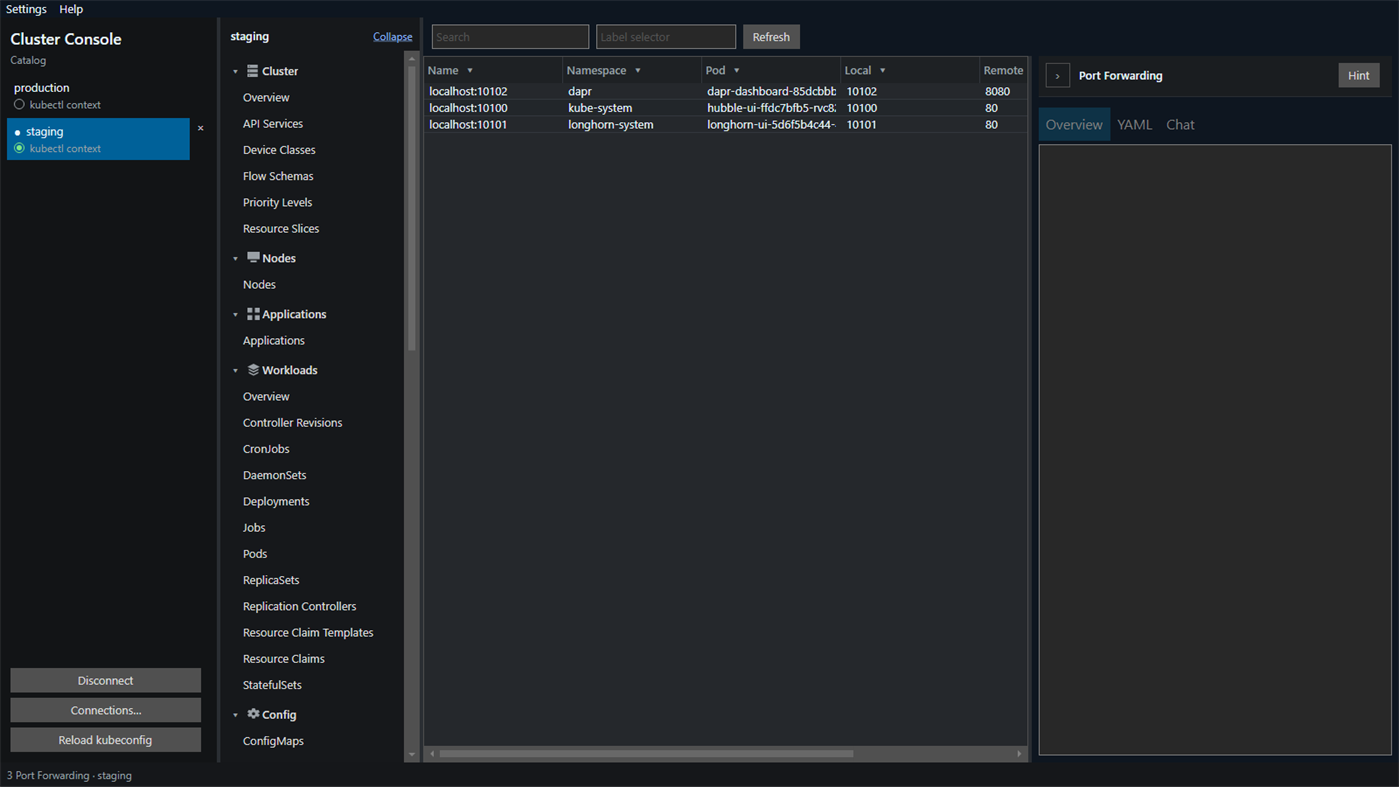
Resize a persistent volume claim, or change reclaim policy on a storage class and its volumes. Approve or deny a certificate signing request, and create a ServiceAccount token that is shown once. Port forwards are saved, restored when you reconnect, and a double-click on an active forward opens it in the browser. Rebind changes the local port.
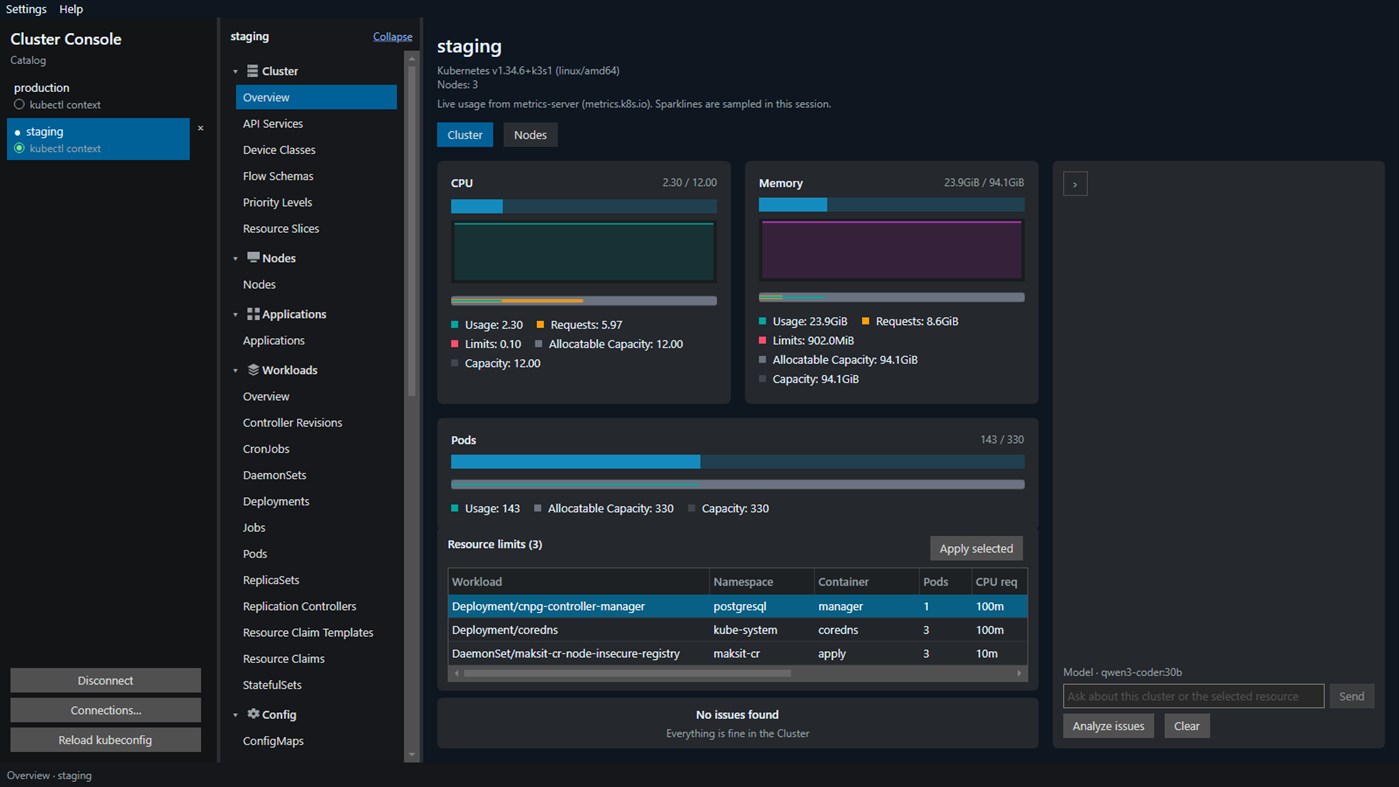
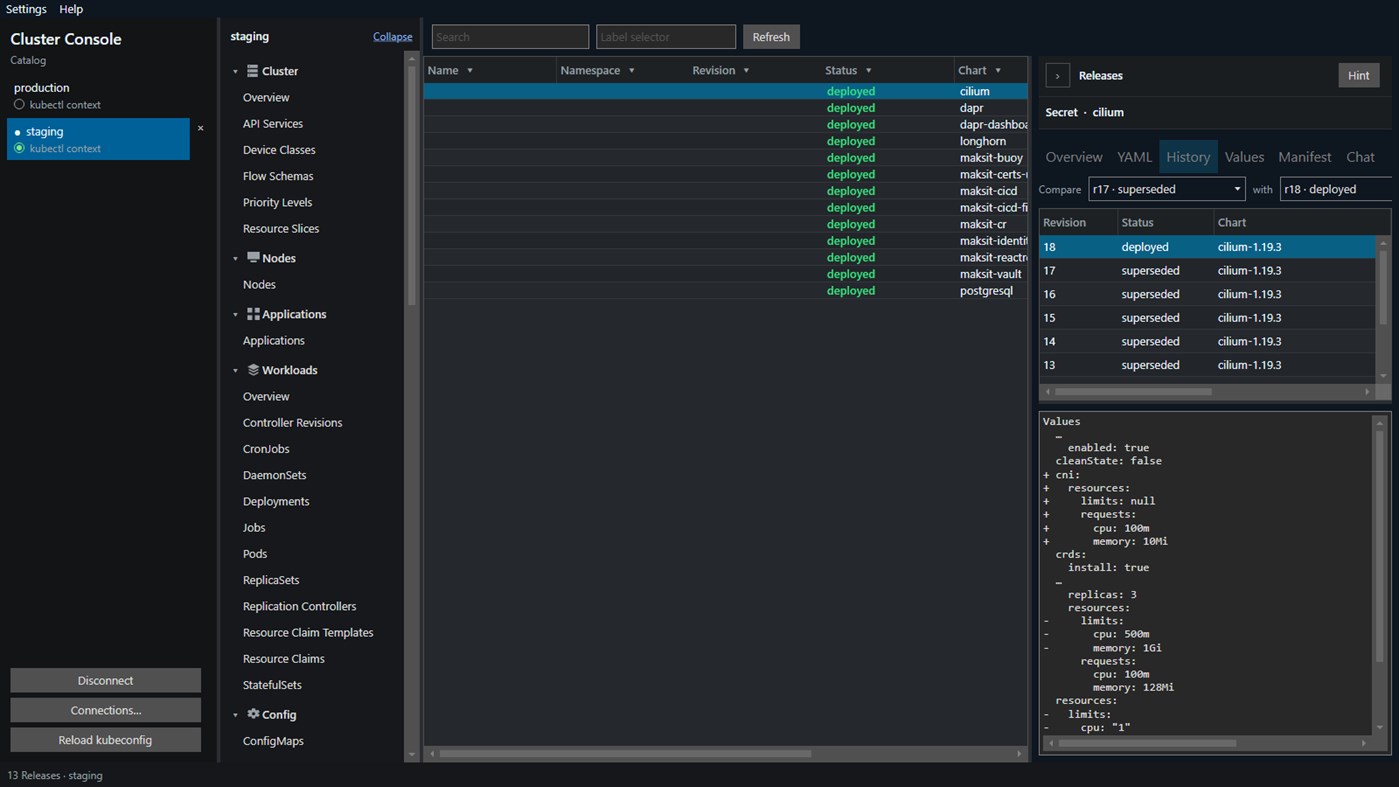
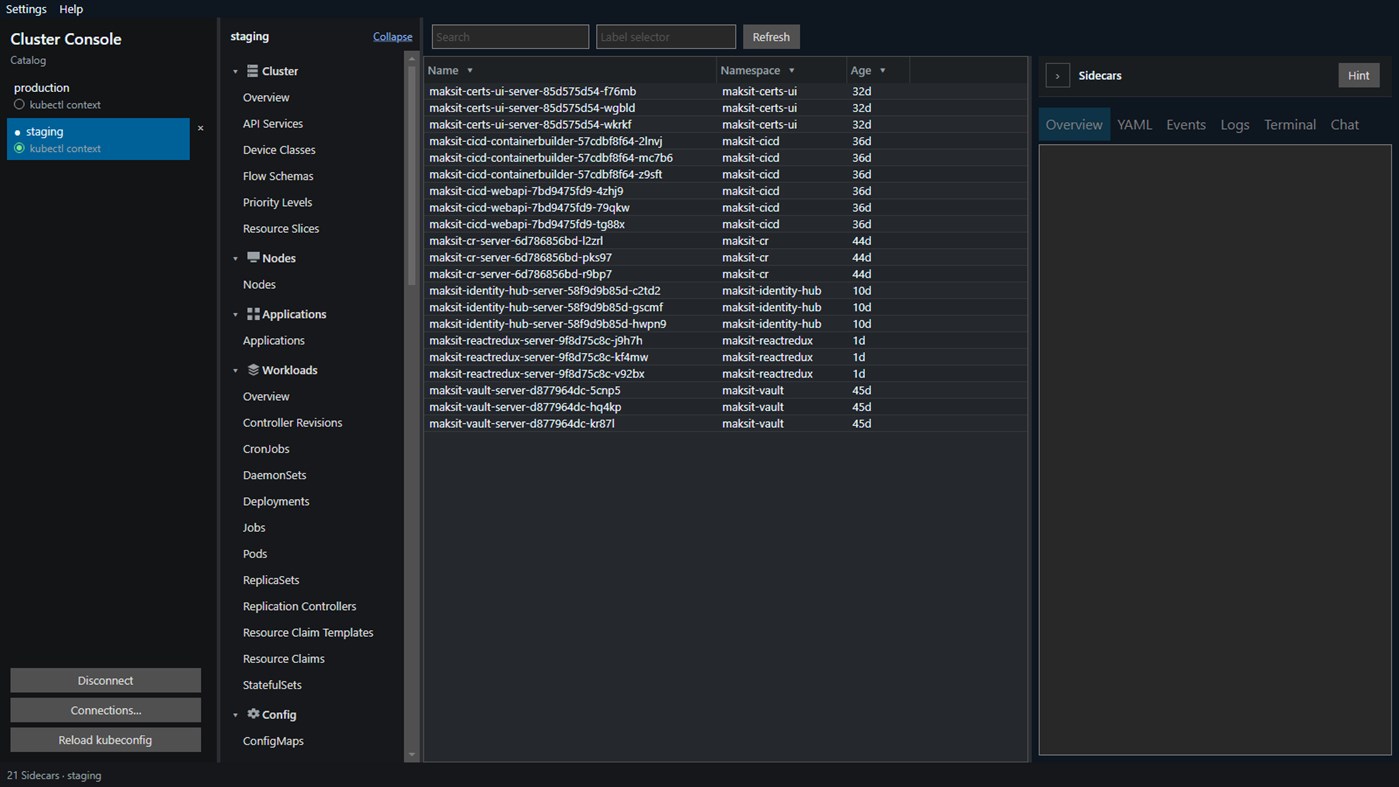
CPU and memory appear on the overview, applications, and workload tables when the cluster has metrics-server. From the overview you can patch container CPU and memory against node capacity. Persistent volumes and claims open a file browser for viewing, editing, downloading, and uploading files. Helm charts list each installed chart version. A release shows revision history, user-supplied values, the rendered manifest, and a diff between two revisions. Chart install and upgrade stay on the Helm CLI. Dapr pages list components, configurations, subscriptions, sidecars, and the control plane that are already in the cluster.
Chat is optional and stays on this PC. It talks to a local Ollama server, on the overview and on a selected resource. The model is any one you have pulled. qwen3:8b is the default and is enough to read issues, YAML, logs, and events. On the overview, Analyze issues explains the current warnings and errors. Repairs work better with a larger model such as qwen3:14b, qwen3:32b, or qwen3-coder:30b. Turn on Allow the assistant to change the cluster and the same chat can restart a workload, delete a pod, scale, or apply YAML. Each of those waits for Approve or Reject. Reject leaves the cluster unchanged. Pod delete here is not force-delete. Cluster data is not sent to a cloud AI service.
Your layout, open clusters, and saved port forwards are stored on this computer. Cluster Console talks to a cluster you already run.
You need 64-bit Windows, a kubeconfig that can reach a running cluster, and a network path to that cluster's API. Install Ollama locally only if you want Chat.
Hintahistoria
- Nykyinen hinta: Ilmainen
- Vähintään: Ilmainen
- Enintään: Ilmainen
Seuraa hintoja Lisää listalle saadaksesi alennusilmoituksia sähköpostitse tai push-ilmoituksina
Muut alustat (0)
| Cluster ConsoleWindows StoreOlet tässä | Ilmainen |
Tällä hetkellä vain tässä kaupassa.
Listat (0)
0
- Cluster Console
Pisteet (0)
0
Sijoitukset (0)
0
Kommentit (0) ¡
Ole ensimmäinen kommentoija
Kehittäjä
- MaksIT
- Seuraajat: 0
- Alustat: Windows Sovellukset (2)
- Tarjoukset: 0
- Listat: 0 + 0
- Pisteet: 0 + 0 ¡
- Sijoitukset: 0
- Kommentit: 0
- Videot: 0
- RSS: Tilaa
Uutta
- Versio: PC
- Viimeksi päivitetty:
Lisätietoja
- Julkaisupäivämäärä:
- Luokka:
Windows-sovellukset›Kehittäjien työkalut - Käyttöjärjestelmä:
PC - Koko:
78 Mb - Tuetut kielet:
English - Sisällön ikärajoitus:
EVERYONE - Windows Store Arvio: ¡
0 - Verkkosivusto:
 https://maks-it.com/products/cluster-console
AppAgg-arvio
1,130
Laskennallinen AppAgg-arvio:
Cluster Console
Kehittäjä: MaksIT
1,130 Hopea
Korkeampi arvio kertoo yleensä paremmista tuloksista AppAggin seuraamissa mittareissa.
Perustuu: suosioon · käyttäjäarvioihin · tuoreuteen · tarjouksiin · kauppadataan · yhteisön aktiivisuuteen
Lasketaan uudelleen päivittäin tuoreiden AppAgg-tietojen perusteella.
Merkki verkkosivustolle:  Kopioitu!
Lyhyesti
Cluster Console Lyhennetty URL: Kopioitu!- Windows Store
AppAggissa voit seurata sovellusta ”Cluster Console”, jonka kehittäjä on MaksIT. Alusta: Windows. Kategoria: Kehittäjien työkalut. AppAgg-arvio: 1,130 (Hopea). Sovelluksen AppAgg-pisteet — vahvistetut: 0; epäsuorat: 0. Julkisia listoja, joilla sovellus on: 0. Käyttäjiä, jotka ovat tallentaneet sen yksityisille listoille: 0. AppAggin käyttäjät eivät ole vielä arvioineet sovellusta. Vahvistetut pisteet kirjaavat kirjautuneiden AppAgg-käyttäjien siirtymisiä kauppaan. Epäsuorat pisteet perustuvat kauppojen tietoihin. Laskurit näyttävät julkisten listojen määrän sekä niiden käyttäjien määrän, jotka ovat tallentaneet sovelluksen tai pelin yksityisille listoille. Sovellus julkaistiin ensimmäisen kerran . Sovelluksen viimeisin päivitys: . Sovellus on tällä hetkellä saatavilla maksutta. Sovellus tukee seuraavia kieliä: English. Tutustu hintahistoriaan, lisää sovellus listalle tai seuraa kehittäjää. Tilaa RSS-syöte ja seuraa sovelluksen tulevia tarjouksia ja päivityksiä. AppAgg ei säilytä tätä sovellusta palvelimillaan eikä jakele sitä. Kaikki sovellukseen liittyvät tavaramerkit, logot ja kuvakaappaukset kuuluvat omistajilleen.
Saatat myös pitää
Viimeisimmät keskustelut
 SovellusNauticPlayer This app is absolute cinema. Honestly, it’s one of the best media players I’ve ever tried, and I’m s...
  Manuel16
  SovellusScreen Beings - Desktop Pet & Study Companion This is my app so I’m a little bias but as someone from the ADHD community that teaches ADHD and neu...
  Tarelle Irwin6
  SovellusAadi vault good it ia a encrypter and good you my work on office
  Aditya Rai5
  SovellusTyping 365 | Daily Typing Trainer The best typing app ever. With Typing 365 you don’t have to force yourself for couple minutes traini...
  Ahmad Mozaffar5
  SovellusZefir Calendar — Calendar in the Taskbar excelente app! Superando todas as espectativas!
  Diógenes Magnus5
  SovellusLockinRa LockinRa 리뷰 LockinRa는 작업 관리, 집중력 도구, AI 코칭을 하나의 데스크톱 앱으로 통합한 무료 Windows 생산성 프로그램입니다. 클라우드 동기화 없이 로컬 ...
  abhilok reddy6
  SovellusCN Vault I Love this app CN Vault is a user-friendly app that helps keep your passwords safe and secure. If y...
  Marjuk Amin5
