
Lesezeichen
| Entwickler: | Ctr-L (11) | ||
| Preis: | $6.99 | ||
| Score: | 1.400 Gold | ||
| Ranglisten: | 0 | ||
| Kommentare: | 0 Kommentar posten | ||
| Listen: | 0 0 | ||
| Punkte: | 0 | ||
| +1 Punkt | |||
Kurzinfo
Vorhang auf für Code Editor Studio, eine App von Ctr-L aus der Kategorie „Entwicklungstools“.
-30%, und das ist Rekord. Billiger als $6.99 gab es die App auf AppAgg noch nie.
Neuerscheinung: erst erschienen, du bist also ganz vorne mit dabei.
Der Microsoft Store ist in Windows eingebaut, die Installation ist also in ein paar Klicks erledigt.
Der AppAgg-Score liegt bei 1.400. Das ist Gold.
Altersfreigabe „EVERYONE“, also auch für Kinder geeignet.
Spricht 16 Sprachen, Deutsch ist dabei.
Schon benutzt? Deine Rezension wäre hier die erste.
Der Entwickler hat noch 10 weitere Apps auf AppAgg. Ein Blick lohnt sich.
Übrigens, dieser Entwickler hat gerade 3 Angebote.
Willst du als Erstes von Angeboten, Updates und neuen Apps erfahren? Richte einen Preisalarm ein, folge dem Entwickler oder abonniere den RSS-Feed. Push-Nachrichten kommen über die App AppAgg Alerts für Android und iOS.
Andere Plattformen 0
Preisentwicklung 1
- Aktueller Preis: $6.99
$9.99-30% - Minimum: $6.99
- Maximum: $9.99
Dein eigener Feed auf der Startseite
Screenshots 10
Beschreibung

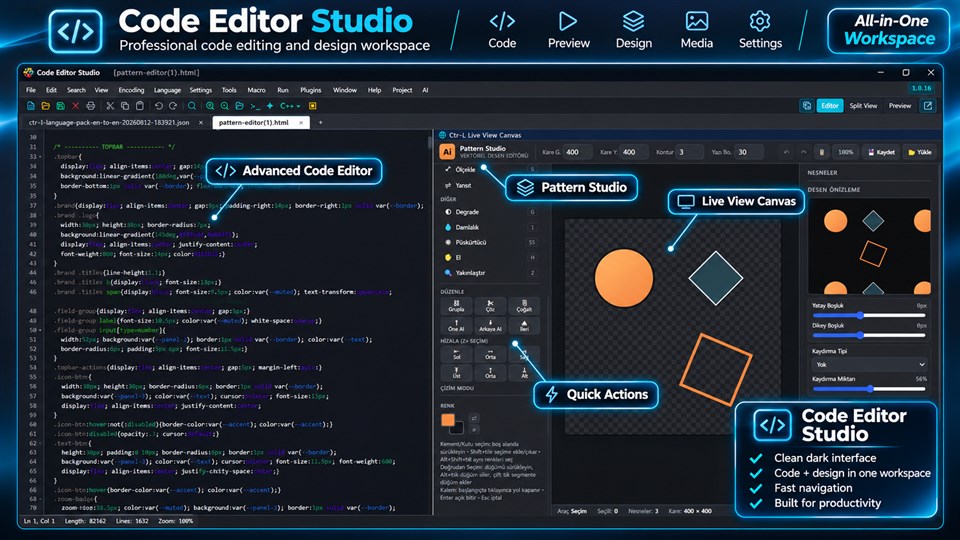
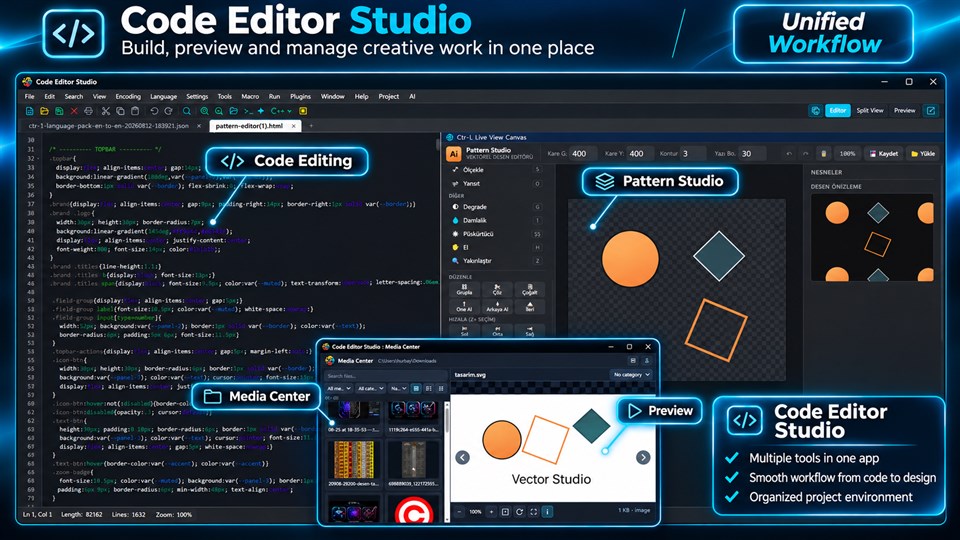
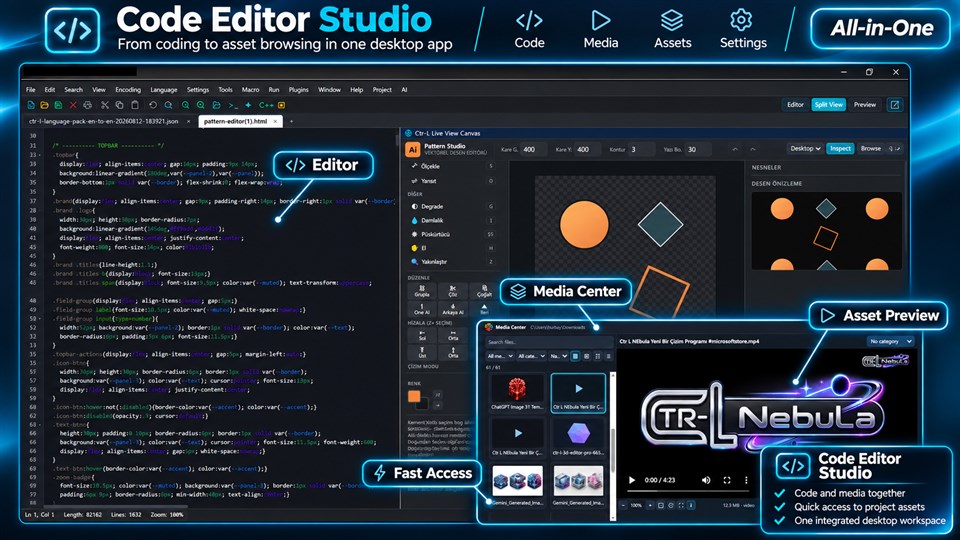
Combining source code editing, live previews, flexible layouts, and media management, Code Editor Studio brings essential development tools together in one application.
**POWERFUL CODE EDITING**
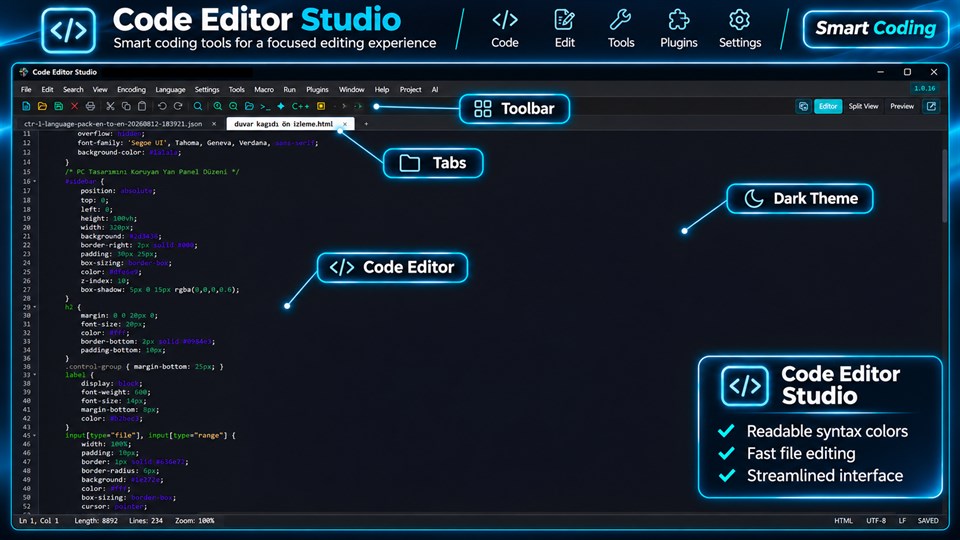
Work with HTML, CSS, JavaScript, JSON, and other text-based files using a clean, syntax-highlighted editor. Navigate through your code, manage multiple open documents, and switch between files using convenient tabs.
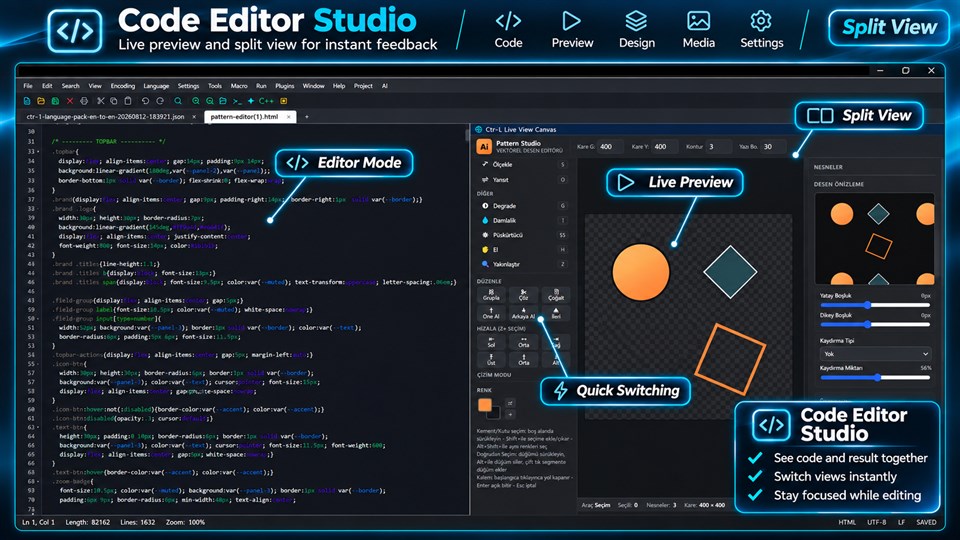
**LIVE PREVIEW & SPLIT VIEW**
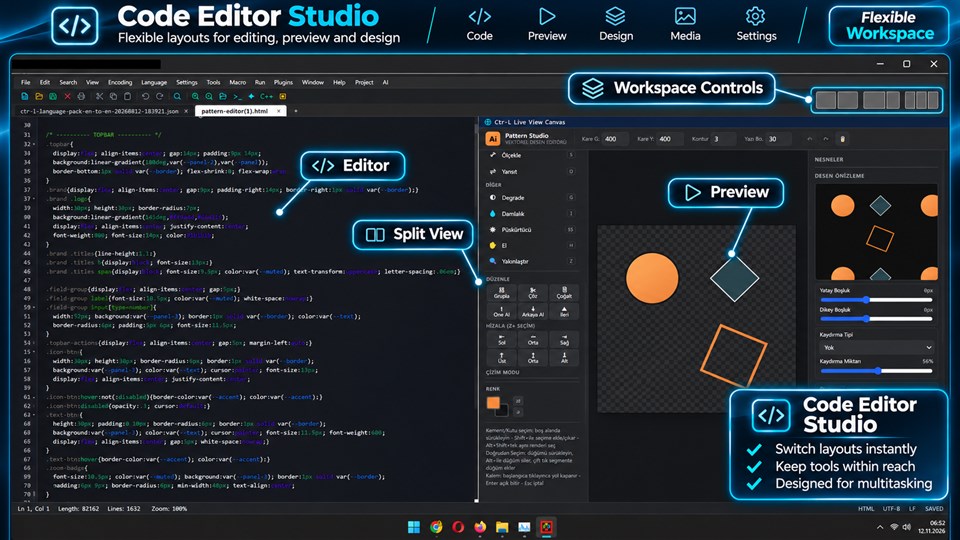
See your code and visual results side by side. Switch between Editor, Split View, and Preview modes to inspect web pages, layouts, and interactive interfaces without losing focus on your code.
**FLEXIBLE WORKSPACE**
Organize your editing environment to match your workflow. Work with resizable panels, flexible window arrangements, and multiple viewing modes to make the most of your screen space.
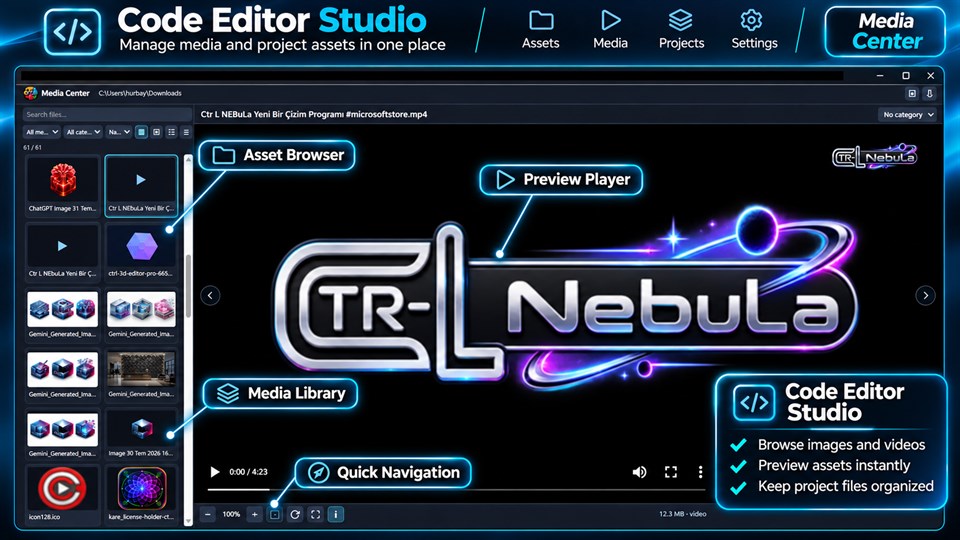
**MEDIA CENTER & ASSET MANAGEMENT**
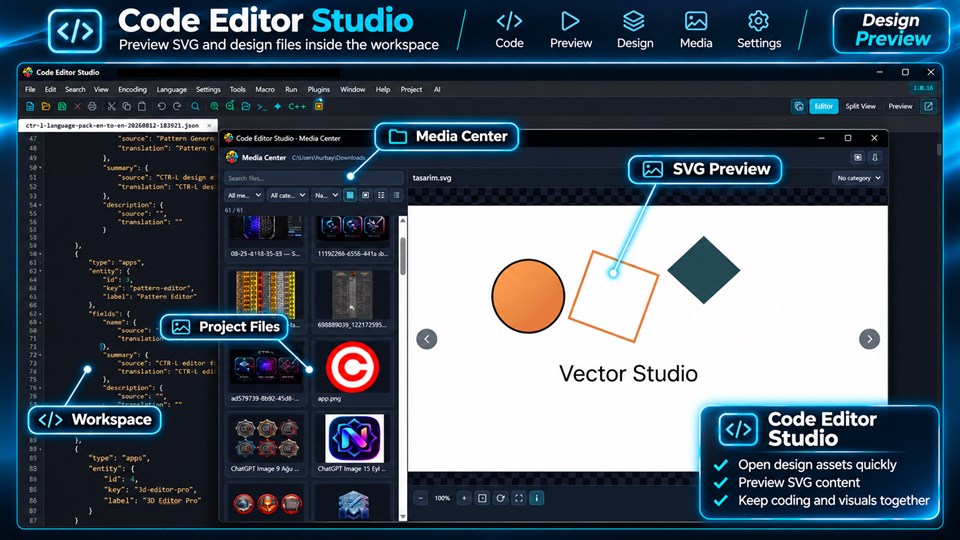
Browse and preview images, videos, SVG graphics, and other project assets through the integrated Media Center. Quickly inspect visual resources while working on your projects.
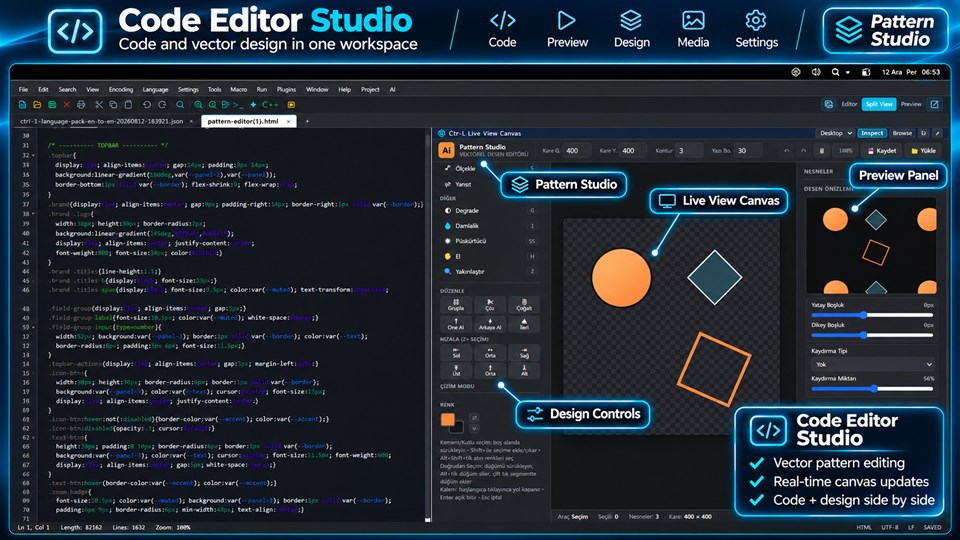
**VISUAL DESIGN WORKFLOWS**
Preview HTML-based design tools, vector graphics, and interactive visual projects directly within your editing environment. Combine coding and visual inspection in a convenient workspace.
**MULTILINGUAL INTERFACE**
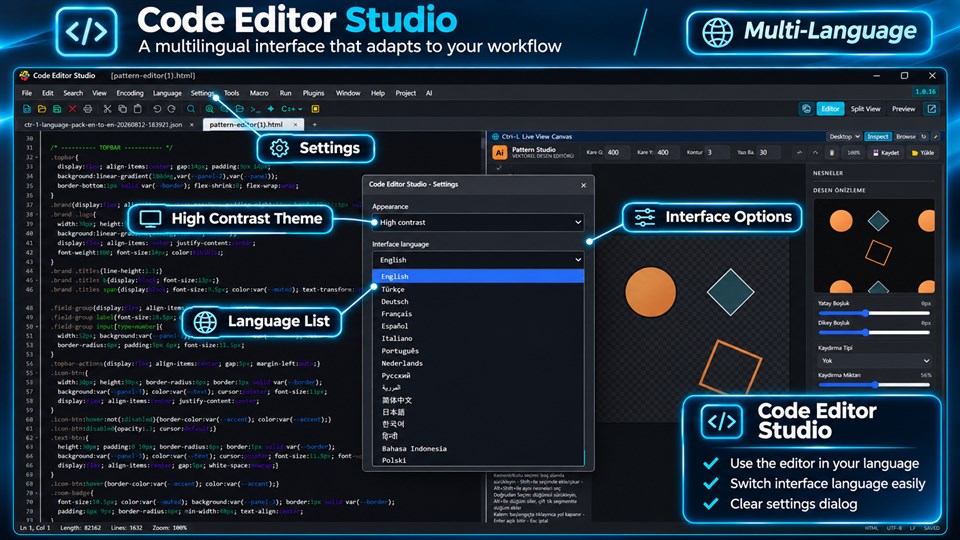
Choose from a wide range of interface languages to work in your preferred language. Adjust appearance settings, including high-contrast display options, for a more comfortable experience.
**PRODUCTIVITY-FOCUSED TOOLS**
Take advantage of familiar editing controls, search tools, document tabs, toolbar shortcuts, and organized menus designed to simplify everyday development tasks.
**BUILT FOR WINDOWS**
Code Editor Studio provides a desktop development environment for creating websites, editing source files, reviewing visual projects, and managing project resources.
Whether you are building a website, reviewing code, testing a layout, or exploring creative web projects, Code Editor Studio helps keep your development workflow organized and accessible.
Vom Entwickler
Listen 0
-
 Code Editor Studio
Punkte 0
-

- +1 Punkt

Ranglisten 0
-
- Deine Bewertung
Entwickler 11
- Ctr-L
- Follower: 0
- Plattformen: Windows Apps (11)
- Angebote: 3
- Listen: 0 0
- Punkte: 0
- Ranglisten: 0
- Kommentare: 0
- Videos: 1
- RSS: Abonnieren
Neue Funktionen
- Version: PC
- Zuletzt aktualisiert:
Weitere Informationen
- Veröffentlichungsdatum:
- Kategorie:
Windows-Apps›Entwicklungstools - Betriebssysteme:
PC - Größe:
150 Mb - Unterstützte Sprachen:
Deutsch,Arabisch,Chinesisch,Englisch,Französisch,Hindi,Indonesisch,Italienisch,Japanisch,Koreanisch,Niederländisch,Polnisch,Portugiesisch,Russisch,Spanisch,Türkisch - Altersfreigabe:
EVERYONE - Windows Store Bewertung: ¡
0 - Webseite:
 https://ctr-l.com/
AppAgg-Score
Geschätzter AppAgg-Score für
Code Editor Studio
Entwickler: Ctr-L
Ein höherer Score weist meist auf bessere Werte bei den von AppAgg erfassten Kennzahlen hin.
Basierend auf: Popularität · Nutzerbewertungen · Aktualität · Angeboten · Store-Daten · Community-Aktivität
Wird täglich anhand aktueller AppAgg-Daten neu berechnet.
Kommentare 0 ¡
Teilen
Code Editor Studio Kurz-URL: Kopiert!- Windows Store

