
Закладки
| Разработчик: | Anton Horbatiuk (2) | ||
| Цена: | $2.99 | ||
| Оценка: | 670 Серебро | ||
| Рейтинги: | 0 | ||
| Комментарии: | 0 Оставить комментарий | ||
| Списки: | 0 0 | ||
| Очки: | 0 | ||
| +1 Очко | |||
Кратко
Знакомьтесь: Code Vault – offline code snippets manager, приложение от Anton Horbatiuk из раздела «Средства разработчика».
Вышло , ещё вполне свежее.
$2.99, и ни одной скидки за всё время на AppAgg. Крепкий орешек.
Microsoft Store встроен в Windows, так что ставится в пару кликов.
Оценка AppAgg: 670. «Серебро», и это уже неплохо.
Возрастной рейтинг «EVERYONE», подходит и детям.
Знает 2 языка, но русский пока не выучило.
Пользовались? Ваш отзыв будет здесь первым.
У этого разработчика на AppAgg ещё 1 приложение. Загляните.
Хотите первым узнавать о скидках, обновлениях и новых приложениях? Включите оповещение о цене, подпишитесь на разработчика или на RSS-канал. Push приходят в приложении AppAgg Alerts для Android и iOS.
Другие платформы 0
 | Code Vault – offline code snippets managerWindows Store670 СереброWindows | $2.99 |
Сейчас только в этом магазине.
История цен 0
- Текущая цена: $2.99
- Минимум: $2.99
- Максимум: $2.99
Своя лента на главной
Скриншоты 4
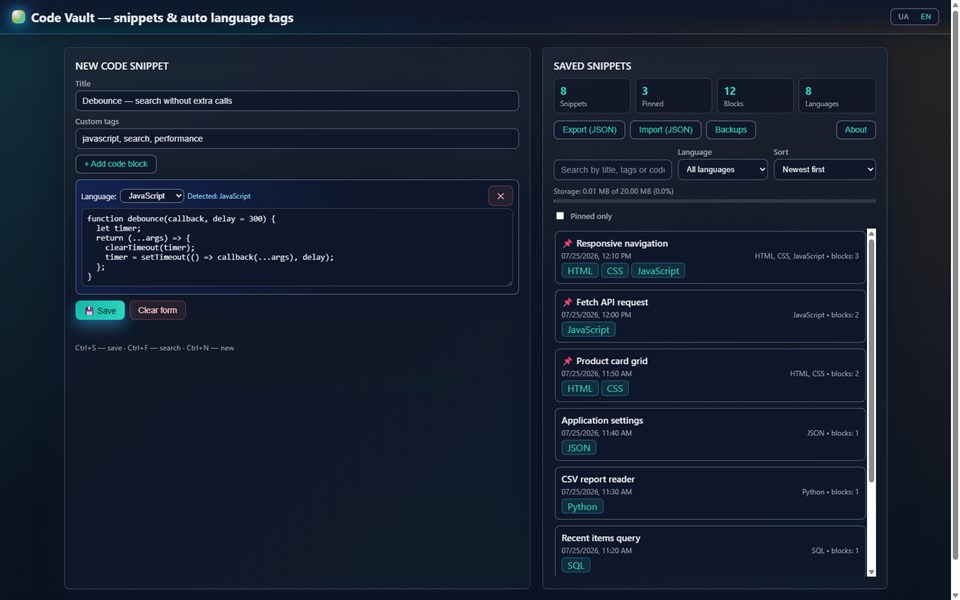
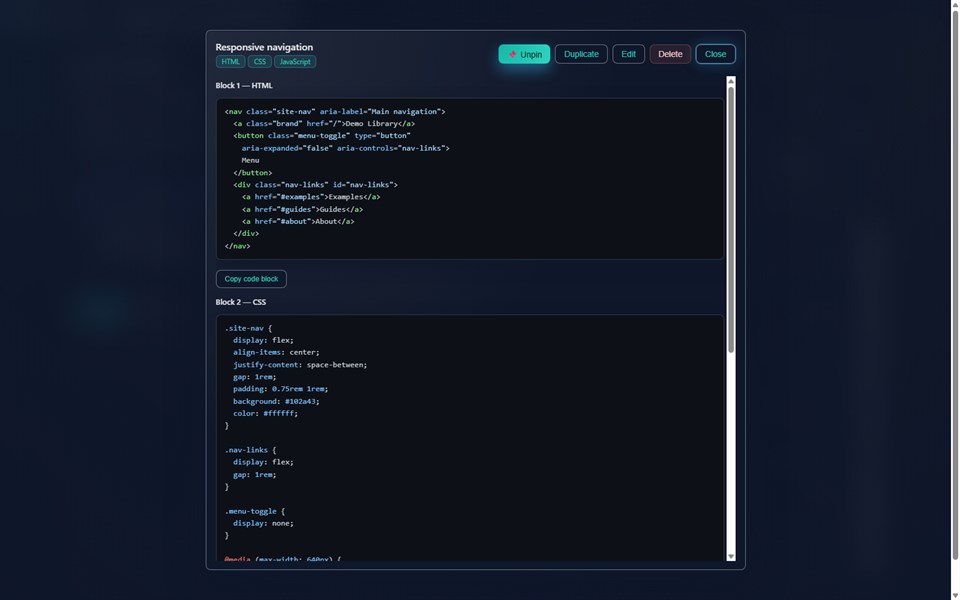
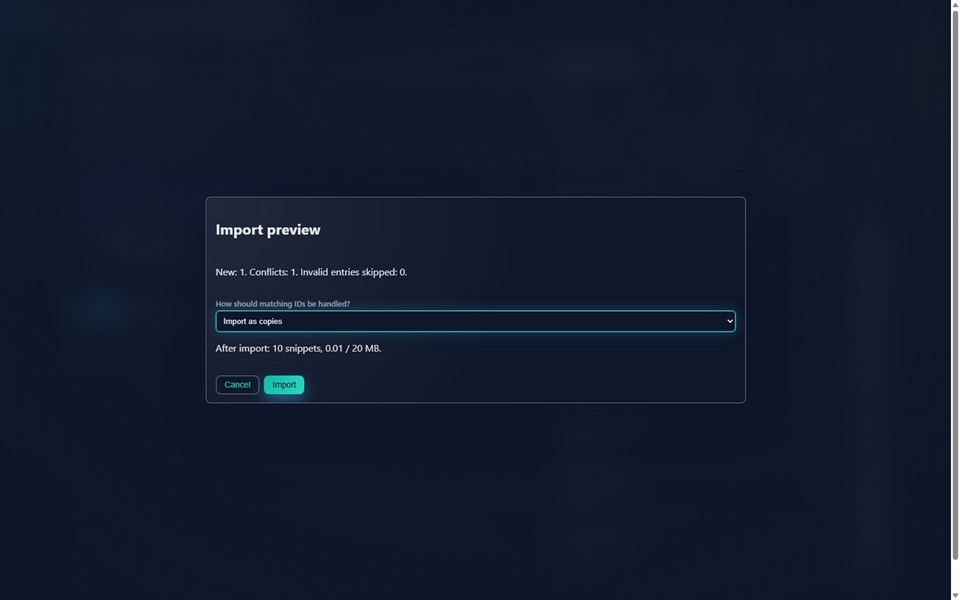
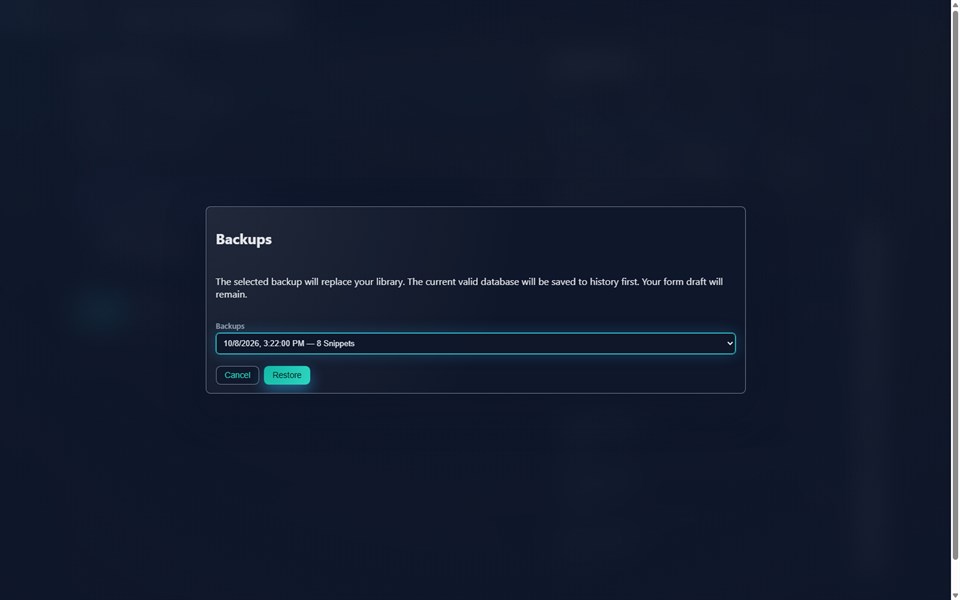
Описание
Keep reusable code in one place with multiple blocks per snippet, local syntax highlighting, automatic detection for 22 programming and markup languages, and manual language selection. Organize snippets with custom tags, filter by language or pinned status, search titles, tags, and code using multiple words, and sort or duplicate entries for faster reuse.
Pick up where you left off: unfinished forms are saved locally as drafts and restored after restarting the app. Undo the last deletion during the current session, or restore an earlier library state from a history of up to 10 local backups. If the primary database is missing or damaged, Code Vault can load a valid backup when one is available.
Preview JSON imports before changing your library. Review new entries, conflicts, skipped data, and the resulting database size. Keep existing entries, replace them, or import conflicting entries as copies. Export your library to a portable JSON file whenever needed.
Work faster with Ctrl+S to save, Ctrl+F to search, Ctrl+N to start a new snippet, and keyboard navigation. Soft neon focus highlights active fields, and the app remembers your window size and position. Larger libraries are displayed in pages of 100 entries.
Your library is stored in Documents\CodeVault\Data\snippets.json. The same folder holds a previous database copy, backup history, and your form draft. These JSON files are not encrypted by Code Vault. If Windows synchronizes Documents with OneDrive, they may be copied according to your system settings; Code Vault does not connect to OneDrive directly. A storage meter tracks the 20 MiB database limit.
Available in Ukrainian and English. Core features work without an internet connection or account. No advertising, telemetry, analytics, or tracking.
От разработчика
Списки 0
-
 Code Vault – offline code snippets manager
Очки 0
-

- +1 Очко

Рейтинги 0
-
- Ваша оценка
Разработчик 2
- Anton Horbatiuk
- Подписчики: 0
- Платформы: Windows Приложения (2)
- Скидки: 0
- Списки: 0 0
- Очки: 0
- Рейтинги: 0
- Комментарии: 0
- Видео: 0
- RSS: Подписаться
Что нового
- Версия: PC
- Последнее обновление:
- Code Vault 1.2.1
- Autosaved local drafts restore your unfinished form after restarting the app.
- Backup history keeps up to 10 previous library snapshots, with a picker for restoring an earlier state.
- JSON import preview shows new entries, conflicts, skipped data, and the resulting database size. Keep existing entries, replace them, or import conflicts as copies.
- Undo the last snippet deletion during the current session.
- Search using multiple words, filter pinned snippets, and browse larger libraries in pages of 100 entries.
- Use Ctrl+S to save, Ctrl+F to search, Ctrl+N for a new snippet, and improved keyboard navigation.
- Soft neon focus highlights input fields and selections. Window size and position are remembered.
- Improved save handling and recovery from valid local backups when the primary database is missing or damaged.
- Visual improvements: refreshed icons, clearer navigation, an improved search layout, and fixes to the app icon appearance in Windows.
Дополнительная информация
- Дата выпуска:
- Категория:
Приложения для Windows›Средства разработчика - Операционные системы:
PC - Размер:
144 Mb - Поддерживаемые языки:
Английский,Украинский - Возрастные ограничения:
EVERYONE - Windows Store Рейтинг: ¡
0
 https://teacher.cv.ua/codevault
Оценка AppAgg
Примерная оценка AppAgg для
Code Vault – offline code snippets manager
Разработчик: Anton Horbatiuk
Более высокая оценка обычно означает лучшие результаты по показателям AppAgg.
На основе: популярности · оценок пользователей · актуальности · скидок · данных магазинов · активности сообщества
Пересчитывается ежедневно на основе актуальных данных AppAgg.
Комментарии 0 ¡
Поделиться
Code Vault – offline code snippets manager Короткий URL: Скопировано!- Windows Store

