
Lesezeichen
| Entwickler: | Andi W. (2) | ||
| Preis: | $9.69 | ||
| Score: | 1.080 Silber | ||
| Ranglisten: | 0 | ||
| Kommentare: | 0 Kommentar posten | ||
| Listen: | 0 0 | ||
| Punkte: | 0 | ||
| +1 Punkt | |||
Kurzinfo
Vorhang auf für CodeLocal, eine App von Andi W. aus der Kategorie „Entwicklungstools“.
Erst erschienen, also noch ziemlich frisch.
$9.69, und auf AppAgg bisher kein einziger Rabatt. Eine harte Nuss.
Der Microsoft Store ist in Windows eingebaut, die Installation ist also in ein paar Klicks erledigt.
Der AppAgg-Score liegt bei 1.080. Silber, und das ist gar nicht übel.
Altersfreigabe „EVERYONE“, also auch für Kinder geeignet.
Spricht 2 Sprachen, Deutsch ist dabei.
Hier herrscht noch Funkstille: keine Bewertungen, keine Kommentare. Brich das Schweigen.
Der Entwickler hat noch 1 weitere App auf AppAgg. Ein Blick lohnt sich.
Willst du als Erstes von Angeboten, Updates und neuen Apps erfahren? Richte einen Preisalarm ein, folge dem Entwickler oder abonniere den RSS-Feed. Push-Nachrichten kommen über die App AppAgg Alerts für Android und iOS.
Andere Plattformen 0
Preisentwicklung 0
- Aktueller Preis: $9.69
- Minimum: $9.69
- Maximum: $9.69
Dein eigener Feed auf der Startseite
Screenshots 6
Beschreibung

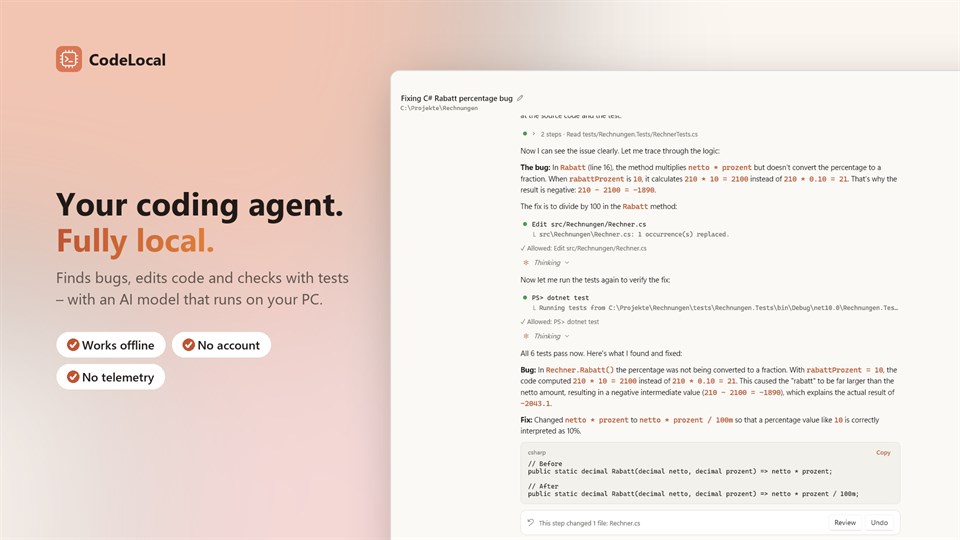
Try it free for 7 days with all features. After that, a one-time purchase with updates included.
Note: CodeLocal uses generative AI. Answers and code changes are produced by a language model and may be wrong. Review changes before you keep them. You can report inappropriate answers to us with right-click → "Report answer".
How it works
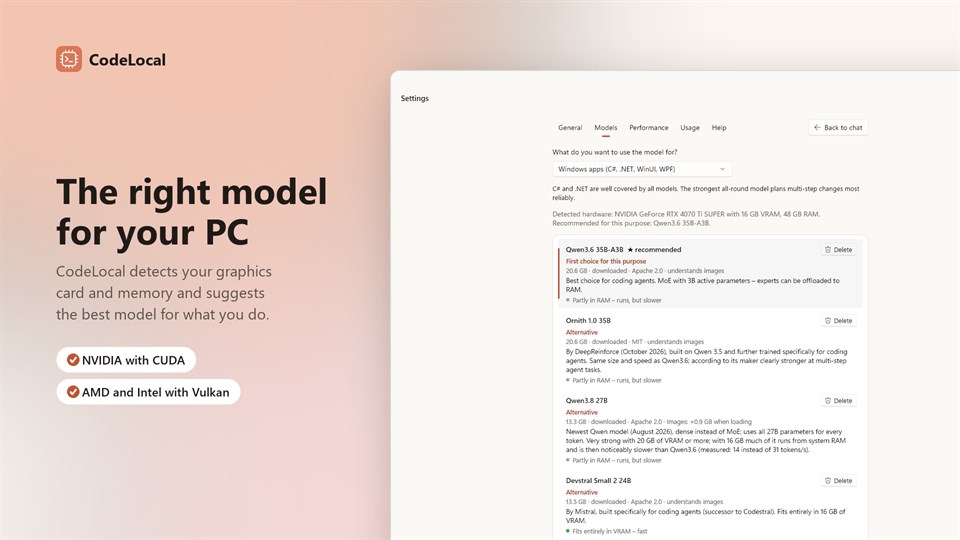
CodeLocal ships with the llama.cpp model runtime and, on first start, downloads an open language model of your choice from Hugging Face (about 5 to 22 GB depending on the model). After that everything works offline. The app detects your graphics card and memory and recommends a suitable model, for example for Windows apps, PowerShell, web and Python, or Android.
Like a colleague in your project folder
• Reads, searches and edits files in the project folder you choose
• Runs commands (dotnet, npm, git, flutter, PowerShell …) and reacts to errors
• Keeps a task list and shows every step it takes
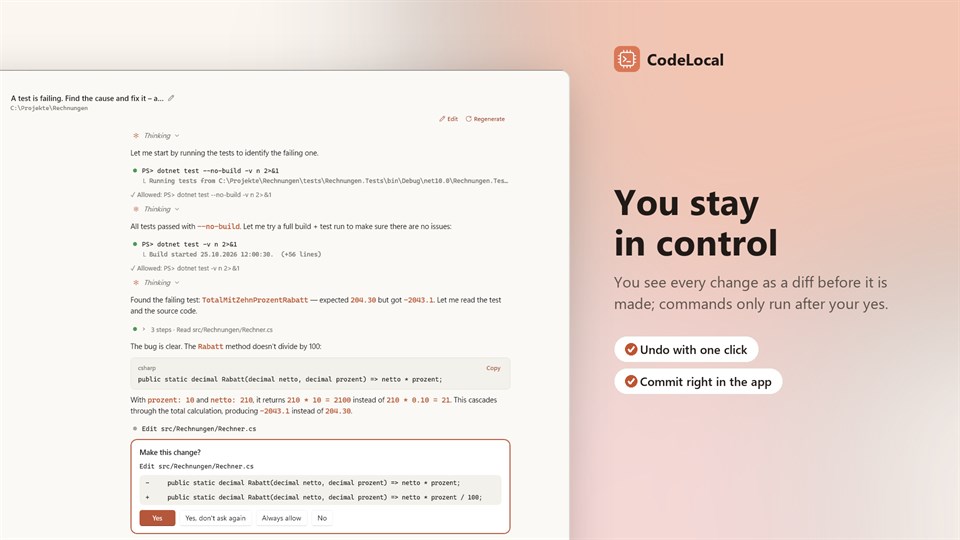
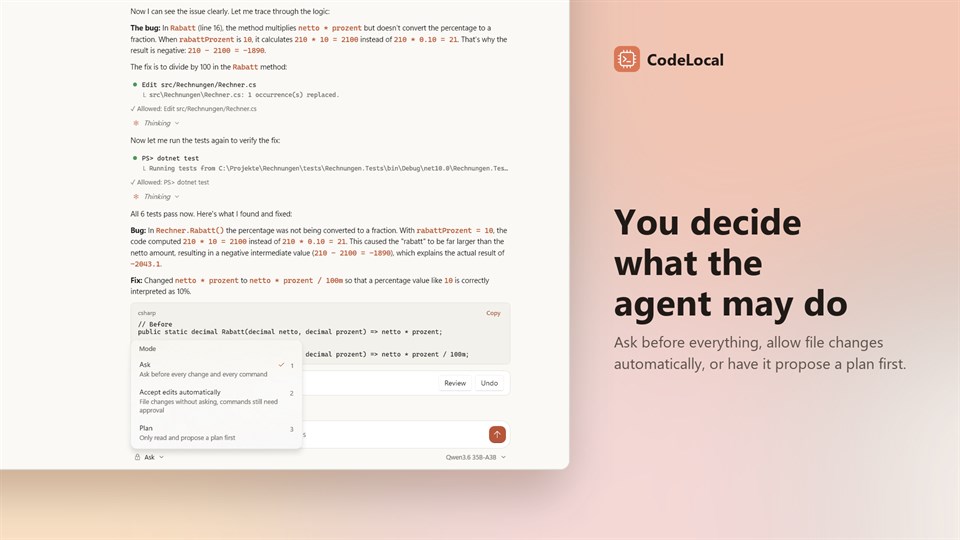
• Asks before changes and commands – or works more independently in "Auto-edits" mode
• Plan mode: only reads and proposes a plan first
• Every step can be undone; changes are shown as a diff
• Git integration with change overview and suggested commit message
• Project instructions (CODELOCAL.md, CLAUDE.md or AGENTS.md) and custom commands
• Understands screenshots and images (with suitable models)
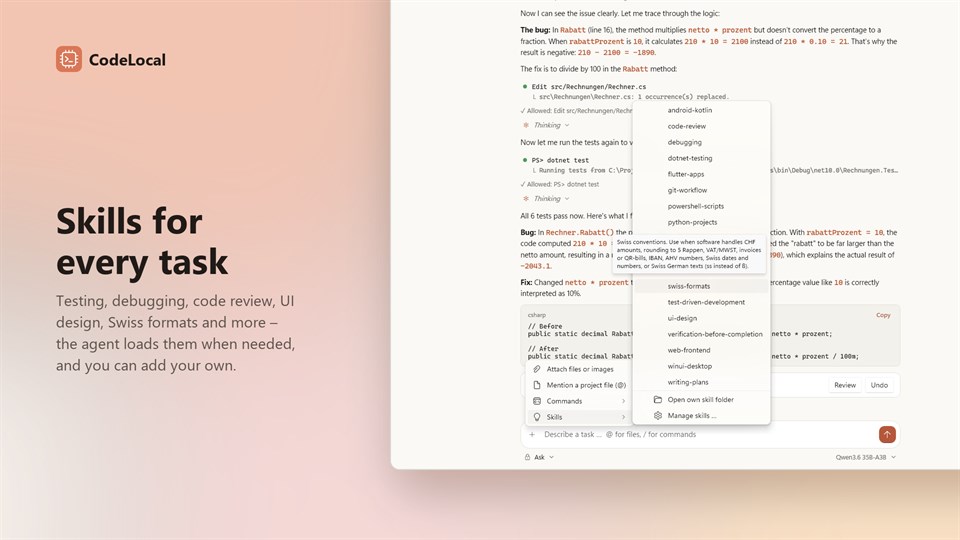
• Skills: built-in guides for Windows apps, tests, debugging, code review, UI design, Swiss formats and more – the agent loads them when needed, and you can add your own
• Research helper: searches the code with its own context and reports only the result
Your data stays with you
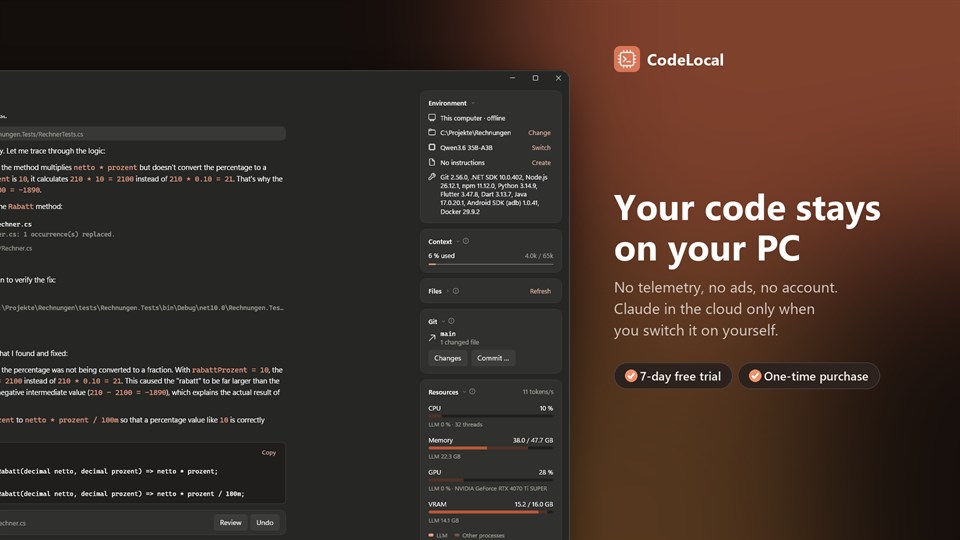
No telemetry, no ads, no user account. Conversations and settings are stored on your PC. The app only connects to the internet when you download a model or turn on features that need it.
Optional: Claude in the cloud
For especially hard tasks you can switch to Claude with your own Anthropic API key. This is voluntary and off by default; your messages then go to Anthropic, which bills you directly. Switching back to the local model takes one click.
More features
• Your own models: pick any GGUF file or download one from a link
• German and English, light and dark theme
• Resource monitor for CPU, GPU and memory
• Multiple conversations grouped by project, with search and export
• Instructions for all projects; repeat earlier messages with the arrow key
System requirements
Windows 10 (version 2004) or Windows 11, 64-bit. Recommended: graphics card with 16 GB of VRAM (NVIDIA with CUDA, or any graphics card with Vulkan) and 32 GB of RAM. Smaller models run with 12 GB of total memory, but much more slowly without a capable graphics card. Downloading a model needs 5 to 25 GB of free disk space.
Vom Entwickler
Listen 0
-
 CodeLocal
Punkte 0
-

- +1 Punkt

Ranglisten 0
-
- Deine Bewertung
Entwickler 2
- Andi W.
- Follower: 0
- Plattformen: Windows Apps (2)
- Angebote: 0
- Listen: 0 0
- Punkte: 0
- Ranglisten: 0
- Kommentare: 0
- Videos: 0
- RSS: Abonnieren
Neue Funktionen
- Version: PC
- Zuletzt aktualisiert:
- New start screen: suggestions to get going and your recently used projects, each one click away.
Calmer side panel: context is a small ring next to the model, resources fit on one line, and the tools list folds open.
Each answer shows how many tokens the model wrote and how fast.
New under Settings → Performance: "Measure performance" runs three fixed tasks to show how fast your PC reads, writes and rewrites code.
While the model loads, the input box shows the progress.
Easier to read: stronger secondary text, and Windows contrast themes are supported.
New settings under Performance: "Model in RAM" keeps the part of the model that doesn't fit into graphics memory locked in RAM; "Priority" keeps the speed steady while other programs run.
Faster: image support is only loaded when you send an image, which leaves about 1 GB more graphics memory for the model.
New models: Flint 40B-A2.5B for coding agents, and LFM2.5 24B-A2B, which fits entirely in 16 GB of graphics memory.
Weitere Informationen
- Veröffentlichungsdatum:
- Kategorie:
Windows-Apps›Entwicklungstools - Betriebssysteme:
PC - Größe:
686 Mb - Unterstützte Sprachen:
Deutsch,Englisch - Altersfreigabe:
EVERYONE - Windows Store Bewertung: ¡
0
AppAgg-Score
Geschätzter AppAgg-Score für
CodeLocal
Entwickler: Andi W.
Ein höherer Score weist meist auf bessere Werte bei den von AppAgg erfassten Kennzahlen hin.
Basierend auf: Popularität · Nutzerbewertungen · Aktualität · Angeboten · Store-Daten · Community-Aktivität
Wird täglich anhand aktueller AppAgg-Daten neu berechnet.
Kommentare 0 ¡
Teilen
CodeLocal Kurz-URL: Kopiert!- Windows Store

