
Bookmarks
| Developer: | Andi W. (2) | ||
| Price: | $9.69 | ||
| Score: | 1,080 Silver | ||
| Rankings: | 0 | ||
| Comments: | 0 Add a comment | ||
| Lists: | 0 0 | ||
| Points: | 0 | ||
| +1 Point | |||
Summary
Meet CodeLocal, an app from Andi W. in the Developer tools category.
Released , still pretty fresh.
$9.69, and not a single discount on AppAgg so far. Tough nut to crack.
The Microsoft Store is built into Windows, so it installs in a couple of clicks.
Its AppAgg Score is 1,080. Silver, and that’s not bad at all.
Rated “EVERYONE”, so it’s fine for kids too.
Speaks 2 languages, English included.
Total silence here so far: no ratings, no comments. Break the silence.
The developer has 1 more app on AppAgg. Worth a look.
Want to hear about deals, updates and new apps first? Set a price alert, follow the developer or subscribe to the RSS feed. Push alerts come through the AppAgg Alerts app for Android and iOS.
Other platforms 0
Price History 0
- Current price: $9.69
- Minimum: $9.69
- Maximum: $9.69
Your own feed on the home page
Screenshots 6
Description

Try it free for 7 days with all features. After that, a one-time purchase with updates included.
Note: CodeLocal uses generative AI. Answers and code changes are produced by a language model and may be wrong. Review changes before you keep them. You can report inappropriate answers to us with right-click → "Report answer".
How it works
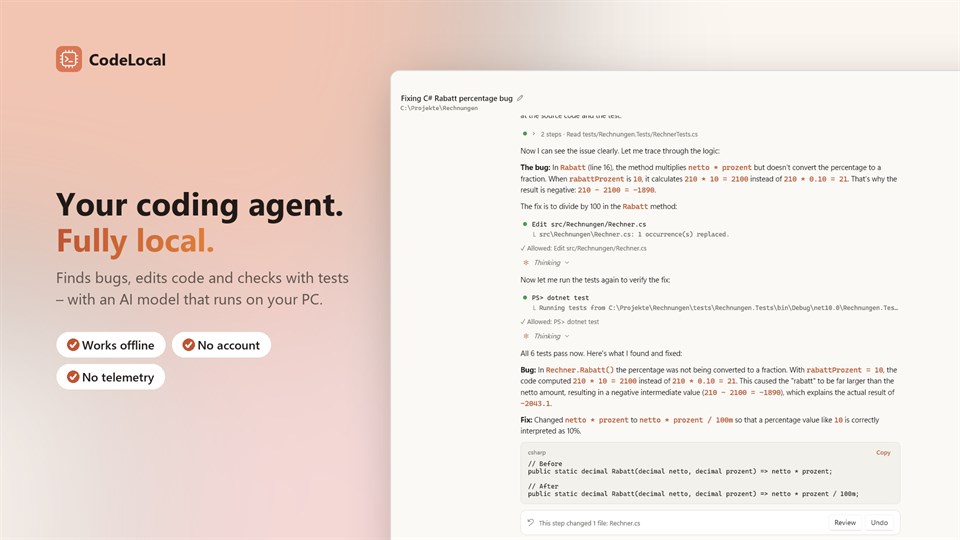
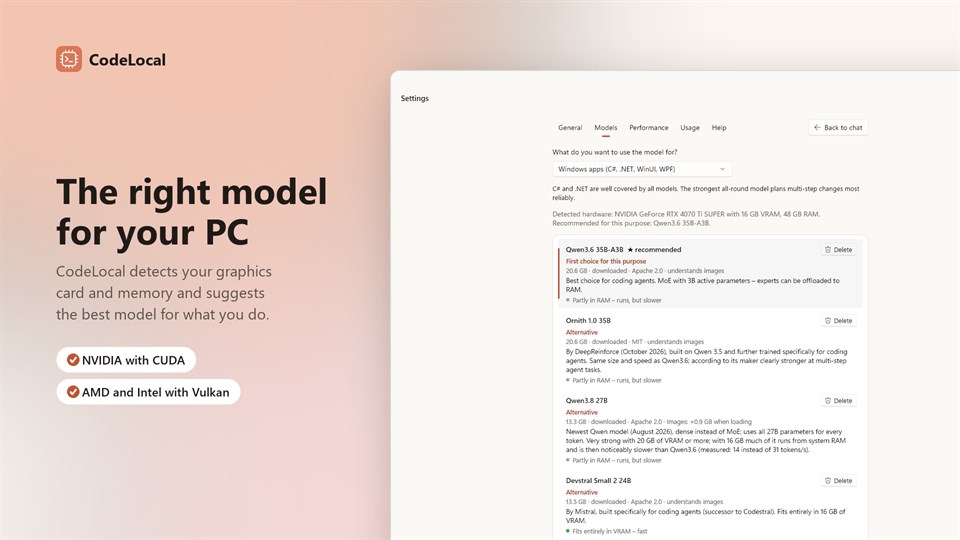
CodeLocal ships with the llama.cpp model runtime and, on first start, downloads an open language model of your choice from Hugging Face (about 5 to 22 GB depending on the model). After that everything works offline. The app detects your graphics card and memory and recommends a suitable model, for example for Windows apps, PowerShell, web and Python, or Android.
Like a colleague in your project folder
• Reads, searches and edits files in the project folder you choose
• Runs commands (dotnet, npm, git, flutter, PowerShell …) and reacts to errors
• Keeps a task list and shows every step it takes
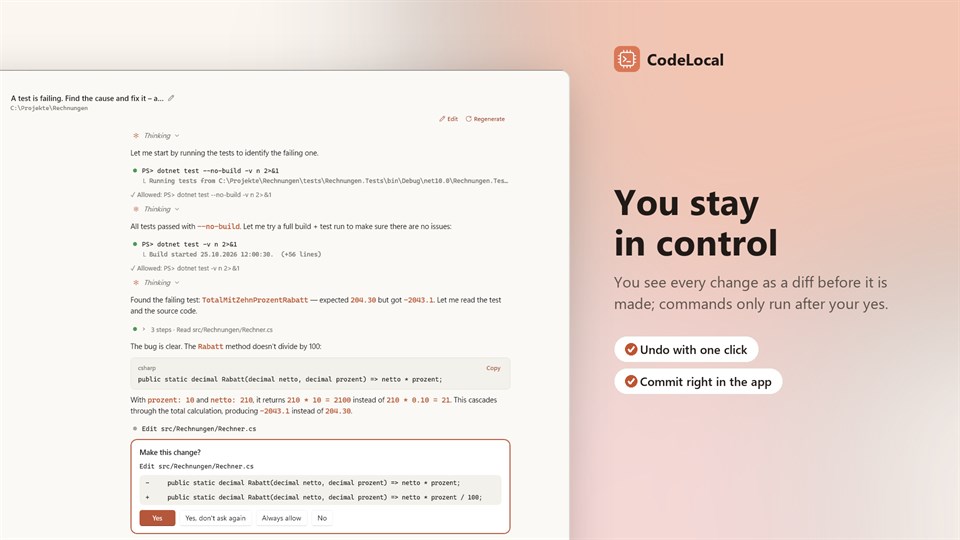
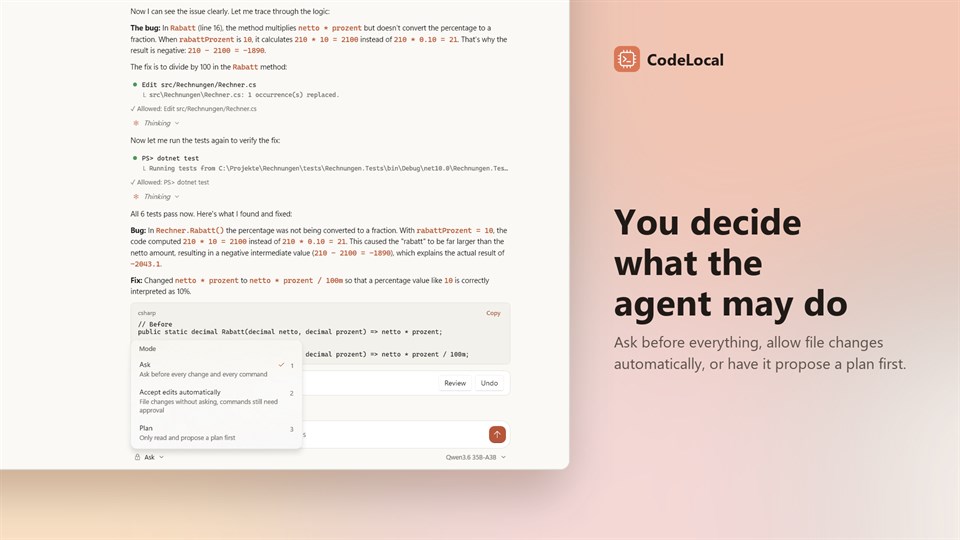
• Asks before changes and commands – or works more independently in "Auto-edits" mode
• Plan mode: only reads and proposes a plan first
• Every step can be undone; changes are shown as a diff
• Git integration with change overview and suggested commit message
• Project instructions (CODELOCAL.md, CLAUDE.md or AGENTS.md) and custom commands
• Understands screenshots and images (with suitable models)
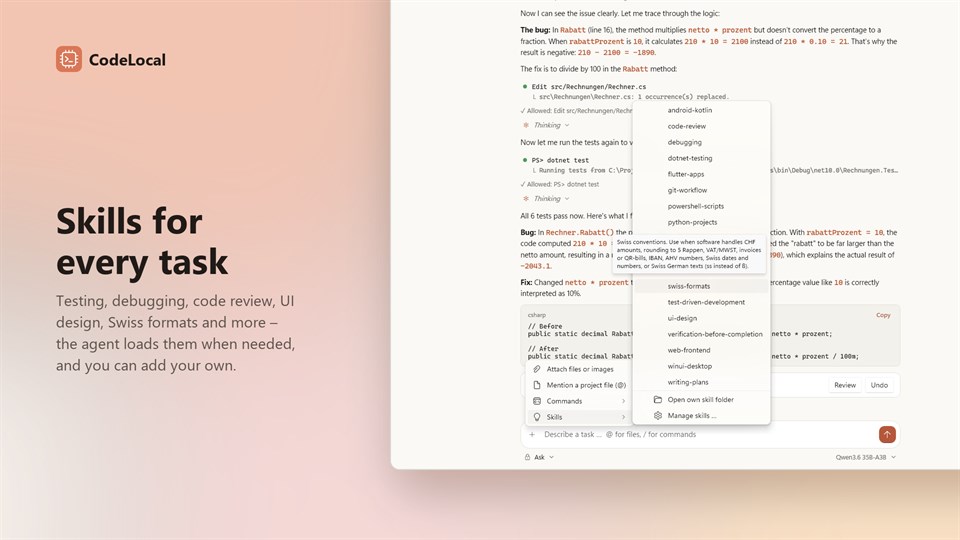
• Skills: built-in guides for Windows apps, tests, debugging, code review, UI design, Swiss formats and more – the agent loads them when needed, and you can add your own
• Research helper: searches the code with its own context and reports only the result
Your data stays with you
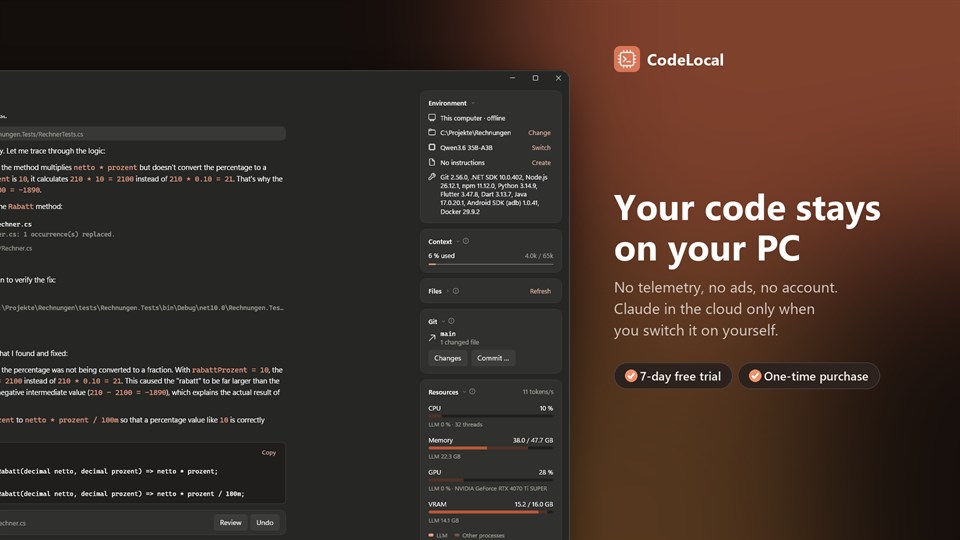
No telemetry, no ads, no user account. Conversations and settings are stored on your PC. The app only connects to the internet when you download a model or turn on features that need it.
Optional: Claude in the cloud
For especially hard tasks you can switch to Claude with your own Anthropic API key. This is voluntary and off by default; your messages then go to Anthropic, which bills you directly. Switching back to the local model takes one click.
More features
• Your own models: pick any GGUF file or download one from a link
• German and English, light and dark theme
• Resource monitor for CPU, GPU and memory
• Multiple conversations grouped by project, with search and export
• Instructions for all projects; repeat earlier messages with the arrow key
System requirements
Windows 10 (version 2004) or Windows 11, 64-bit. Recommended: graphics card with 16 GB of VRAM (NVIDIA with CUDA, or any graphics card with Vulkan) and 32 GB of RAM. Smaller models run with 12 GB of total memory, but much more slowly without a capable graphics card. Downloading a model needs 5 to 25 GB of free disk space.
From the developer
Lists 0
-
 CodeLocal
Points 0
-

- +1 Point

Rankings 0
-
- Your rating
Developer 2
- Andi W.
- Followers: 0
- Platforms: Windows Apps (2)
- Deals: 0
- Lists: 0 0
- Points: 0
- Rankings: 0
- Comments: 0
- Videos: 0
- RSS: Subscribe
What's new
- Version: PC
- Last Updated:
- New start screen: suggestions to get going and your recently used projects, each one click away.
Calmer side panel: context is a small ring next to the model, resources fit on one line, and the tools list folds open.
Each answer shows how many tokens the model wrote and how fast.
New under Settings → Performance: "Measure performance" runs three fixed tasks to show how fast your PC reads, writes and rewrites code.
While the model loads, the input box shows the progress.
Easier to read: stronger secondary text, and Windows contrast themes are supported.
New settings under Performance: "Model in RAM" keeps the part of the model that doesn't fit into graphics memory locked in RAM; "Priority" keeps the speed steady while other programs run.
Faster: image support is only loaded when you send an image, which leaves about 1 GB more graphics memory for the model.
New models: Flint 40B-A2.5B for coding agents, and LFM2.5 24B-A2B, which fits entirely in 16 GB of graphics memory.
Additional Information
- Release Date:
- Category:
Windows Apps›Developer tools - OS:
PC - Size:
686 Mb - Supported Languages:
English,German - Content Rating:
EVERYONE - Windows Store Rating: ¡
0
AppAgg Score
Estimated AppAgg Score for
CodeLocal
Developer: Andi W.
Higher scores usually reflect better results across AppAgg’s indicators.
Based on: popularity · ratings · freshness · deals · store data · community signals
Recalculated daily using fresh AppAgg data.
Comments 0 ¡
Share
CodeLocal Short URL: Copied!- Windows Store
You may also like
Recent discussionsMore →
 AppGame4Class Game4Class makes lesson review fun and interactive. I like how easily students can join from their o...
 Mehdi Gateway62
 AppAniMate Waifu - AI Anime Desktop Pet This is the best anime desktop pets I have ever had, The dancing feature is amazing.
 shaw chaney34
 AppSpark Motion Create 26 The graphics are amazing! Now I can design my ball layouts and watch then spin in 3D animation.
 Jim Kirker40
 AppLocalDub – Real-Time Game Dubbing Hello Kırtay Interactive, I am using LocalDub - Real-Time Game Dubbing. I would like to know if Hind...
 rashid game53
 AppNauticPlayer This app is absolute cinema. Honestly, it’s one of the best media players I’ve ever tried, and I’m s...
 Manuel92
 AppScreen Beings - Interactive Accessibility Companion This is my app so I’m a little bias but as someone from the ADHD community that teaches ADHD and neu...
 Tarelle Irwin54
 AppAadi vault good it ia a encrypter and good you my work on office
 Aditya Rai50
 AppTyping 365 | Daily Typing Trainer The best typing app ever. With Typing 365 you don’t have to force yourself for couple minutes traini...
 Ahmad Mozaffar50
 AppZefir Calendar — Calendar in the Taskbar excelente app! Superando todas as espectativas!
 Diógenes Magnus50
 AppBlazin IPTV Player This compact IPTV player is amazing. I threw multiple playlists at it and it handles it with no issu...
 Mike Anderson40

