
| Developer: | Adrian K (2) | ||
| Price: | Free | ||
| Rankings: | 0 | ||
| Reviews: | 0 Write a Review | ||
| Lists: | 0 + 0 | ||
| Points: | 0 + 1 (5.0) ¡ | ||
| Windows Store | |||
Description

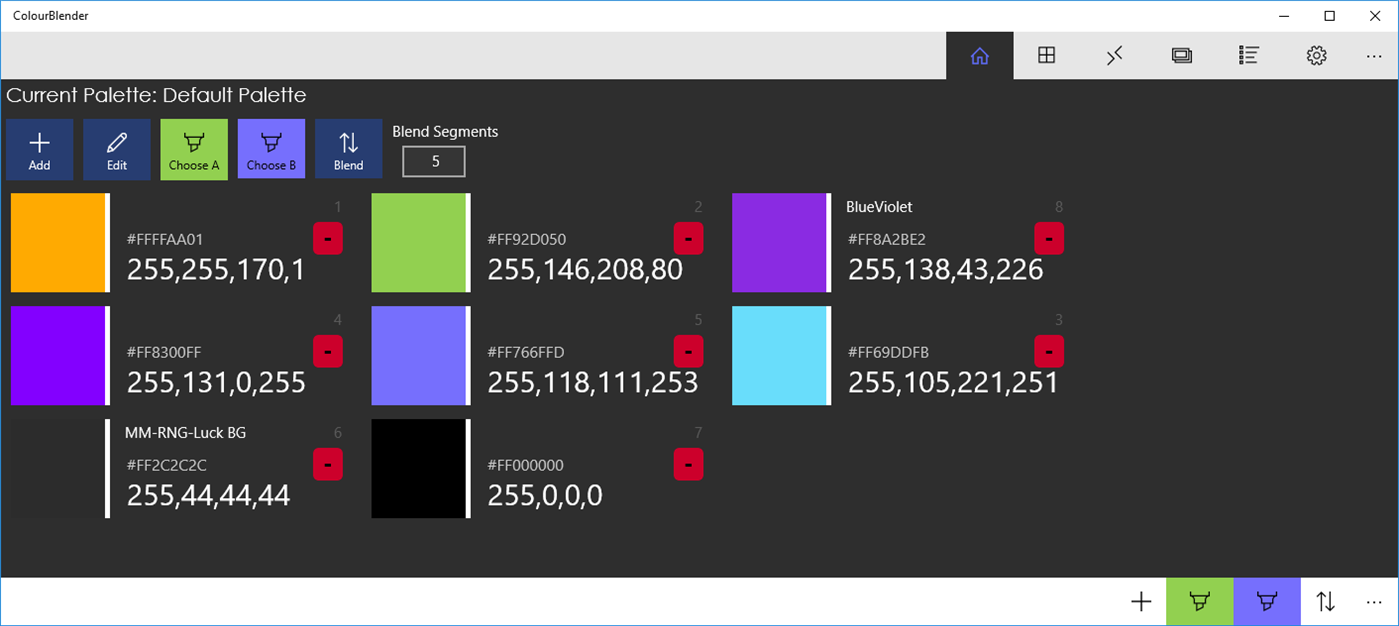
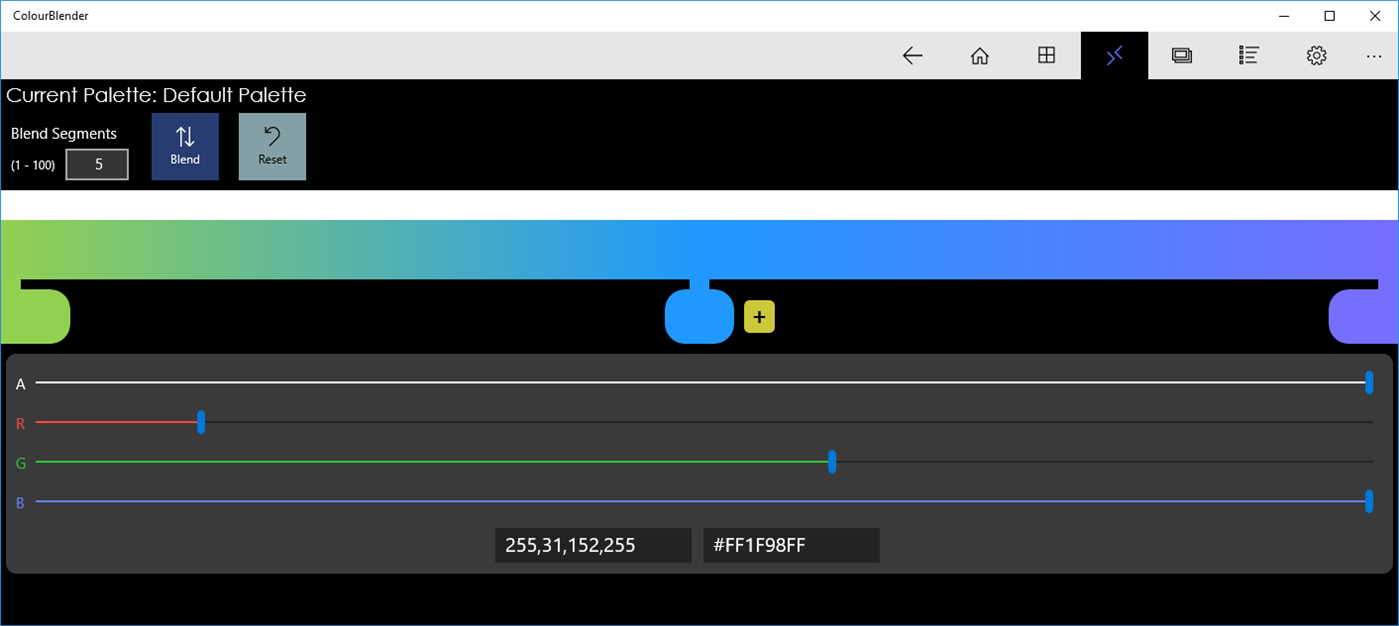
When I am developing software user interfaces I often want to set colour using code - but there's usually no easy way to visually define colours when you're dealing with code directly. ColourBlender gets around that be being a visual colour tool, which provides easy access to the ARGB and Hexadecimal values of the colour - so you can conveniently paste it into your code.
You can also save colours to a "palette"; you can name the palette and the colours, making it easy to store colour palettes for your applications for easy reference.
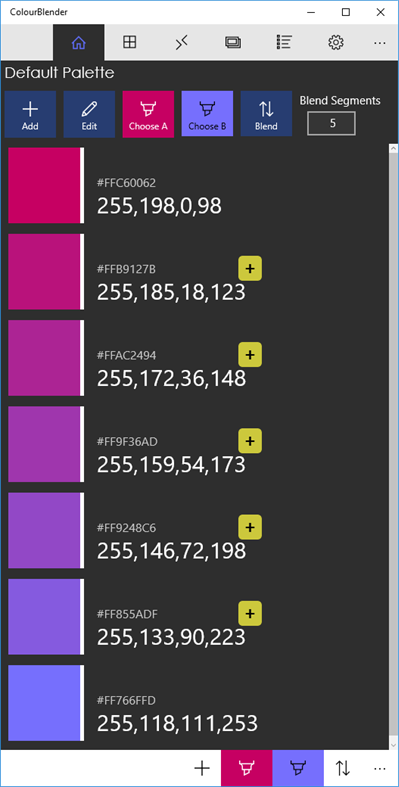
It also has some great tools that help you create ranges of colour. Need smooth fade between two colours? ColourBlender can create these for you.
Screenshots
What's new
- Version: PC
- Updated:
Price History
- Today: Free
- Minimum: Free
- Maximum: Free
Track prices
Developer
- Adrian K
- Platforms: Windows Apps (2)
- Lists: 0 + 0
- Points: 0 + 2 ¡
- Rankings: 0
- Reviews: 0
- Discounts: 0
- Videos: 0
- RSS: Subscribe
Points
0 ☹️
Rankings
0 ☹️
Lists
0 ☹️
Reviews
Be the first to review 🌟
Additional Information
- Version: PC
- Category:
Windows Apps›Developer tools - OS:
HoloLens,Mobile,PC,Surface Hub - Size:
6 Mb - Supported Languages:
English - Content Rating:
EVERYONE - Windows Store Rating:
5.0(1) - Updated:
- Release Date:
Contacts
 https://morphological.wordpress.com/projects/colourblender/
 «ColourBlender» is a Developer tools app for Windows, developed by «Adrian K». It was first released on and last updated on . This app is currently free. This app has not yet received any ratings or reviews on AppAgg. On Windows Store, the current store rating is 5.0 based on 1 votes. Available languages: English. AppAgg continuously tracks the price history, ratings, and user feedback for «ColourBlender». Subscribe to this app or follow its RSS feed to get notified about future discounts or updates.
ColourBlender Short URL: Copied!- 🌟 Share
- Windows Store
You may also like
-
- Colour Picker App
- Windows Apps: Developer tools By: Brighter Tools Limited
- Free
- Lists: 0 + 0 Rankings: 0 Reviews: 0
- Points: 1 + 2 (3.0) Version: PC Colour Picker Utility for picking HTML colours from screen. ⥯
-
- Color Picker on Screen - Pixel Colour
- Windows Apps: Developer tools By: IO Stream
- $3.49
- Lists: 0 + 0 Rankings: 0 Reviews: 0
- Points: 0 + 17 (4.6) Version: PC Pixel Colour is a tool defining and generating color code at mouse position and capture it by hotkey easily. The aim of Pixel Colour is convenience for developers, programmers and ... ⥯
-
- Converting Colors - Color Blender
- Windows Apps: Developer tools By: Andreas Zettl
- Free
- Lists: 0 + 0 Rankings: 0 Reviews: 0
- Points: 0 + 1 (5.0) Version: PC This tool lets you blend two hex colors by defining the number of colors you want to see as steps in between. ⥯
-
- Color Palette Manager
- Windows Apps: Developer tools By: PIN0L33KZ
- Free
- Lists: 0 + 1 Rankings: 0 Reviews: 0
- Points: 2 + 0 Version: PC Color Palette Manager is a focused development and design tool built to organise colours clearly, efficiently and without friction. Create personalised colour palettes, extract colours ⥯
-
- Sniplet
- Windows Apps: Developer tools By: Ashley James Chapman
- $0.99
- Lists: 0 + 0 Rankings: 0 Reviews: 0
- Points: 0 + 1 (4.0) Version: PC Sniplet allows you to store & collect all you programming code into one organized place, with the ability to separate Code Snippets depending on Programming Language this allows Code ... ⥯
-
- SSH Client - SFTP Terminal and Telnet
- Windows Apps: Developer tools By: Moon Technolabs Pvt. Ltd.
- * Free
- Lists: 0 + 0 Rankings: 0 Reviews: 0
- Points: 0 + 0 Version: PC Experience seamless remote access with SSH Client Terminal & Telnet! This terminus & SFTP app offers secure & easy-to-use terminal emulation for your device. Here is one of the most ... ⥯