
Segnalibri
| Sviluppatore: | mcp-tool-shop (9) | ||
| Prezzo: | Gratis | ||
| Punteggio: | 600 Argento | ||
| Classifiche: | 0 | ||
| Commenti: | 0 Pubblica commento | ||
| Liste: | 0 0 | ||
| Punti: | 0 | ||
| +1 Punto | |||
In breve
CommandUI è un’app di mcp-tool-shop della categoria «Strumenti di sviluppo».
Uscita , è ancora bella fresca.
Gratis: niente pubblicità, niente acquisti in-app. Solo tu e l’app.
Il Microsoft Store è integrato in Windows, quindi si installa in un paio di clic.
Il suo Punteggio AppAgg è 600. Livello Argento, e non è affatto male.
Solo 6 megabyte. Ci sta anche su un disco pieno zeppo.
Classificazione «EVERYONE»: va bene anche per i bambini.
Parla una sola lingua, e non è l’italiano.
Su AppAgg nessuno l’ha ancora votata. Tocca a te aprire le danze.
Lo sviluppatore ha 8 altre app su AppAgg. Vale la pena dare un’occhiata.
Vuoi sapere prima di tutti di aggiornamenti e nuove app? Segui lo sviluppatore o iscriviti al feed RSS. Le notifiche push arrivano tramite l’app AppAgg Alerts per Android e iOS.
Altre piattaforme 0
Cronologia dei prezzi 0
- Prezzo attuale: Gratis
- Minimo: Gratis
- Massimo: Gratis
Il tuo feed personale nella home
Screenshot 5
Descrizione

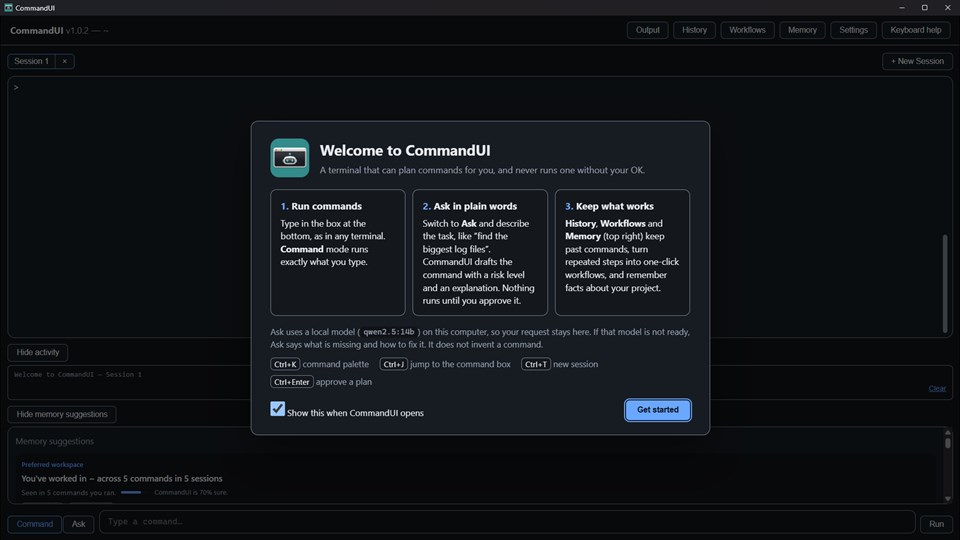
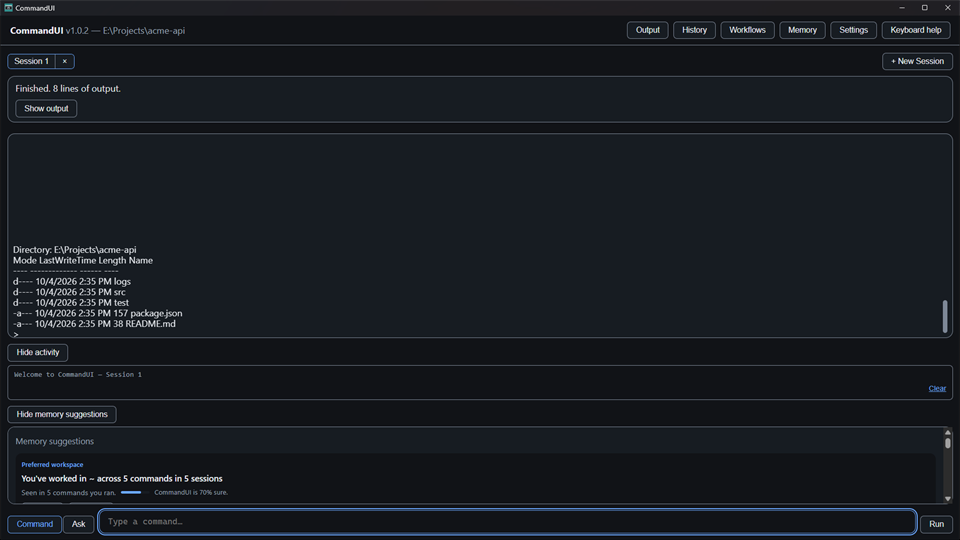
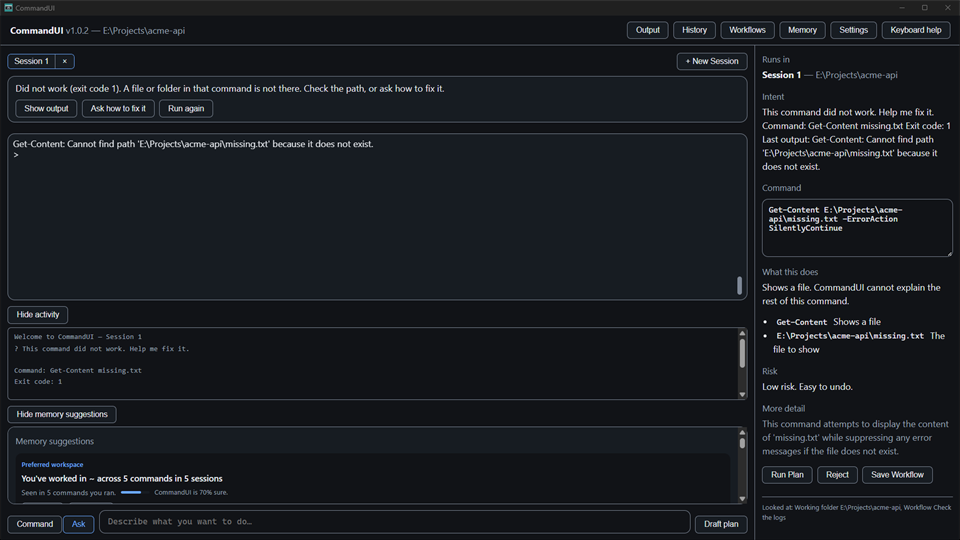
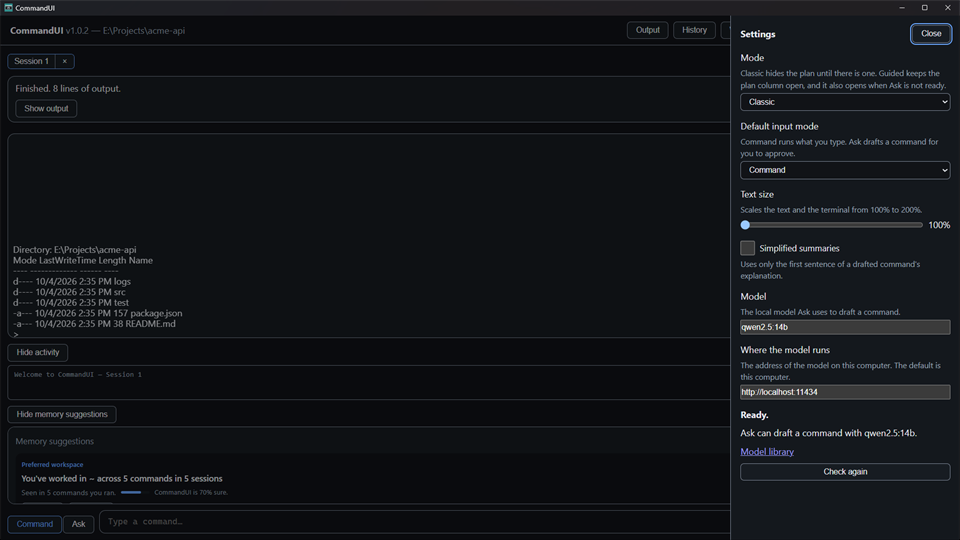
Every command ends with one plain sentence that says whether it worked, and what to do if it did not. A failure offers Ask how to fix it and Run again.
Ask lets you describe what you want in plain words. CommandUI drafts a command, explains it, and shows its risk in words. Nothing runs until you choose Run Plan. A command that deletes files or needs higher permissions also waits until you type the folder name.
Designed for the keyboard and for screen readers:
• Results and errors are announced once, without moving your focus.
• Output lists each command as plain text, one region per command.
• F1 opens keyboard help. Ctrl+Shift+R jumps to the last result. Ctrl+Shift+A switches between Command and Ask.
• Text from 100% to 200%, panels you can hide, and Windows contrast themes and reduced motion respected.
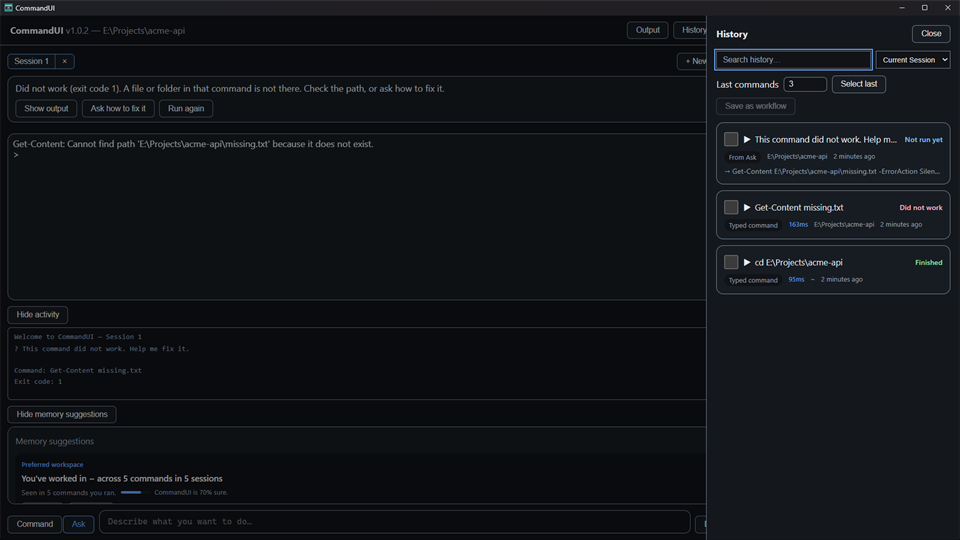
You still get a real shell, with your own profile and more than one session. Make workflows from the commands you run, search your history, and read or delete what CommandUI has noticed.
Everything stays on your computer. Ask uses a model on this computer through Ollama (qwen2.5:14b). If that model is not installed or not running, CommandUI says so and does not invent a command. CommandUI sends no telemetry.
Dallo sviluppatore
Liste 0
-
 CommandUI
Punti 0
-

- +1 Punto

Classifiche 0
-
- La tua valutazione
Sviluppatore 9
- mcp-tool-shop
- Follower: 0
- Piattaforme: Windows App (9)
- Offerte: 0
- Liste: 0 0
- Punti: 0
- Classifiche: 0
- Commenti: 0
- Video: 0
- RSS: Iscriviti
Novità
- Versione: PC
- Ultimo aggiornamento:
- A new design around accessibility. Every result now ends in a plain sentence, with Ask how to fix it and Run again. Results and errors are announced to screen readers, Output shows each command as plain text, and every action has a keyboard path (F1 lists them). Text size goes from 100% to 200%. Workflows can be created and edited, and a delete can be undone. PowerShell sessions start cleanly in your home folder. Ask says when its local model is not ready instead of guessing, and the first request waits while the model loads. New icon. Testing with Narrator, NVDA and Windows contrast themes comes in a later update.
Informazioni aggiuntive
- Data di uscita:
- Categoria:
App per Windows›Strumenti di sviluppo - Sistemi operativi:
PC - Dimensioni:
6 Mb - Lingue supportate:
Inglese - Classificazione contenuti:
EVERYONE - Windows Store Valutazione: ¡
0 - Sito web:
 https://mcptoolshop.com/
Punteggio AppAgg
Punteggio AppAgg stimato per
CommandUI
Sviluppatore: mcp-tool-shop
Un punteggio più alto riflette in genere risultati migliori negli indicatori di AppAgg.
Basato su: popolarità · valutazioni degli utenti · freschezza · offerte · dati degli store · attività della community
Ricalcolato ogni giorno con dati AppAgg aggiornati.
Commenti 0 ¡
Condividi
CommandUI URL breve: Copiato!- Windows Store

