
Закладки
| Разработчик: | mcp-tool-shop (9) | ||
| Цена: | Бесплатно | ||
| Оценка: | 600 Серебро | ||
| Рейтинги: | 0 | ||
| Комментарии: | 0 Оставить комментарий | ||
| Списки: | 0 0 | ||
| Очки: | 0 | ||
| +1 Очко | |||
Кратко
Это CommandUI, приложение от mcp-tool-shop из раздела «Средства разработчика».
Вышло , ещё вполне свежее.
Бесплатно: ни рекламы, ни встроенных покупок. Только вы и приложение.
Microsoft Store встроен в Windows, так что ставится в пару кликов.
Оценка AppAgg: 600. «Серебро», и это уже неплохо.
Всего 6 мегабайт, поместится даже на забитый диск.
Возрастной рейтинг «EVERYONE», подходит и детям.
Говорит только на одном языке, и это не русский.
На AppAgg его пока никто не оценил. Шанс стать первым прямо сейчас.
У этого разработчика на AppAgg ещё 8 приложений. Загляните.
Хотите первым узнавать об обновлениях и новых приложениях? Подпишитесь на разработчика или на RSS-канал. Push приходят в приложении AppAgg Alerts для Android и iOS.
Другие платформы 0
История цен 0
- Текущая цена: Бесплатно
- Минимум: Бесплатно
- Максимум: Бесплатно
Своя лента на главной
Скриншоты 5
Описание

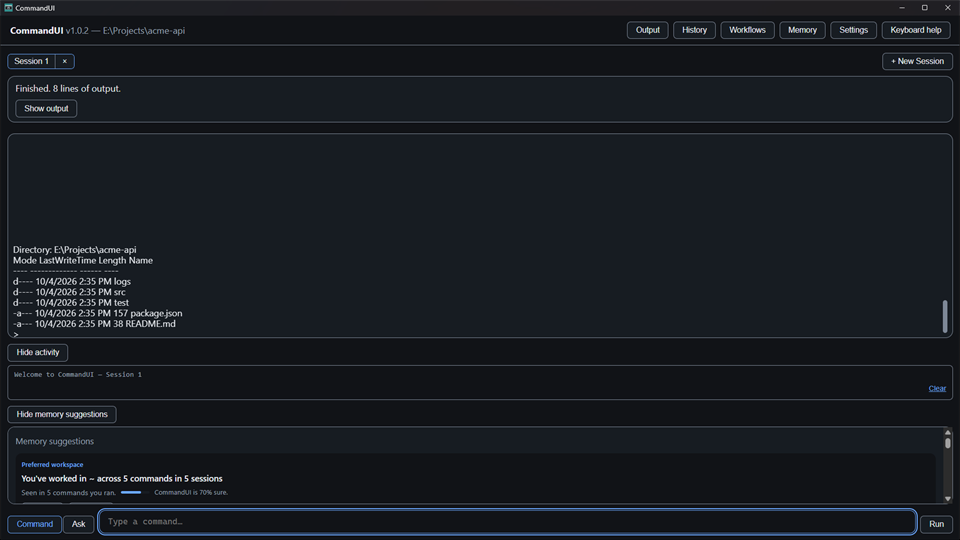
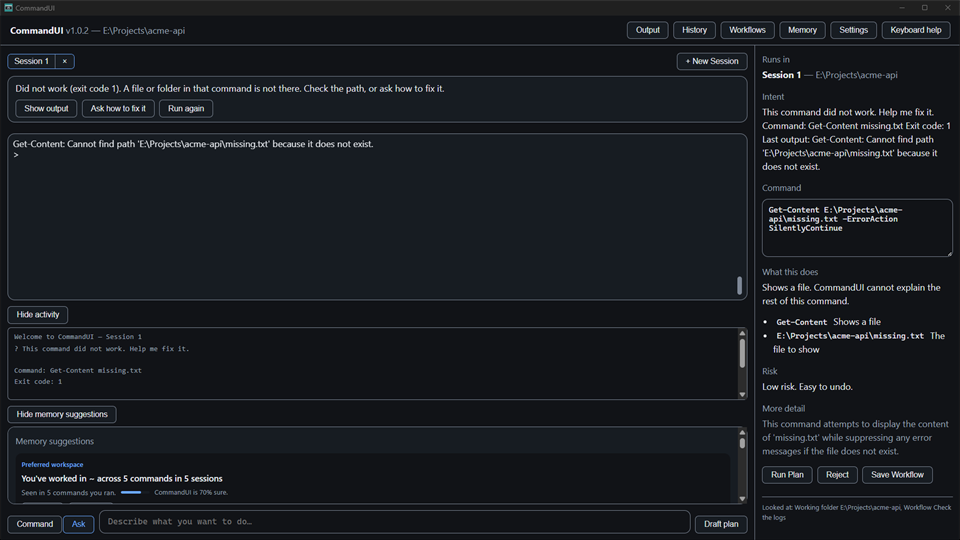
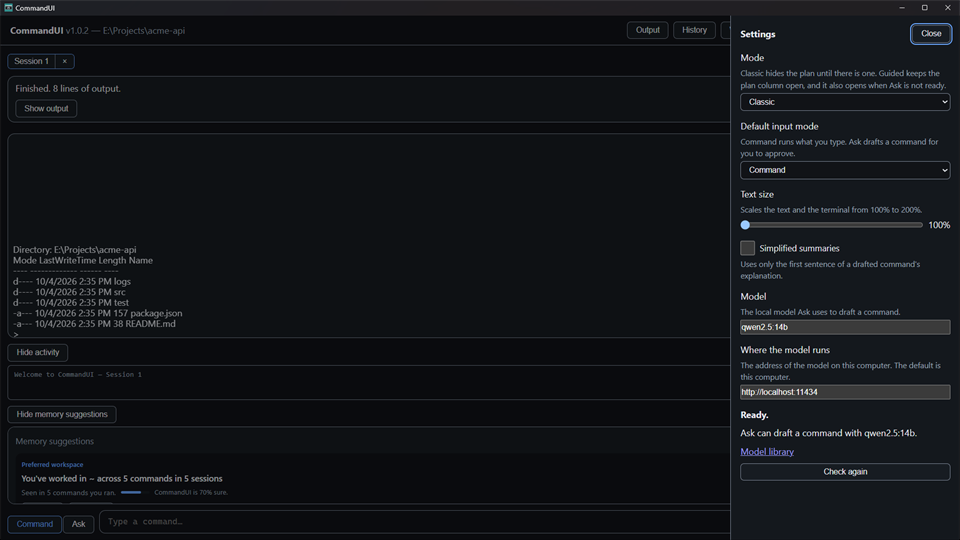
Every command ends with one plain sentence that says whether it worked, and what to do if it did not. A failure offers Ask how to fix it and Run again.
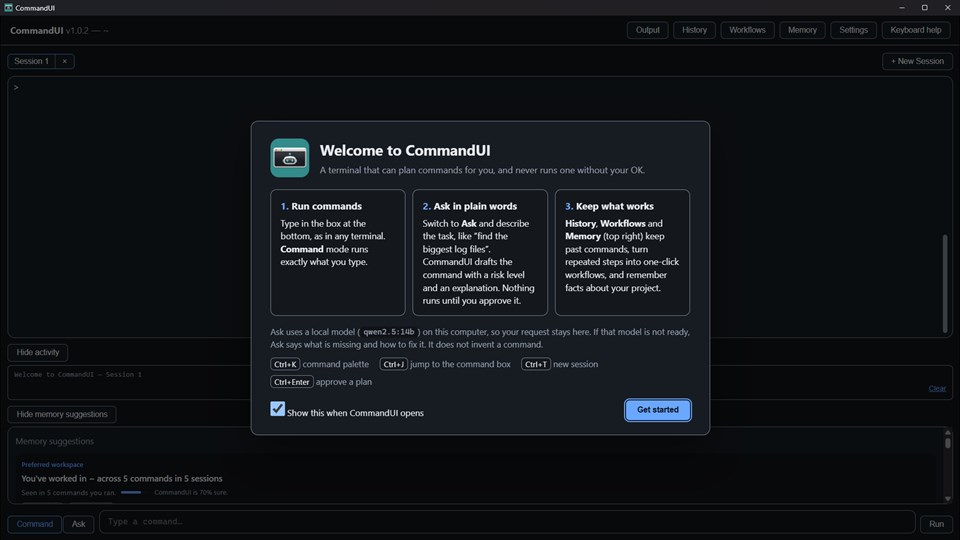
Ask lets you describe what you want in plain words. CommandUI drafts a command, explains it, and shows its risk in words. Nothing runs until you choose Run Plan. A command that deletes files or needs higher permissions also waits until you type the folder name.
Designed for the keyboard and for screen readers:
• Results and errors are announced once, without moving your focus.
• Output lists each command as plain text, one region per command.
• F1 opens keyboard help. Ctrl+Shift+R jumps to the last result. Ctrl+Shift+A switches between Command and Ask.
• Text from 100% to 200%, panels you can hide, and Windows contrast themes and reduced motion respected.
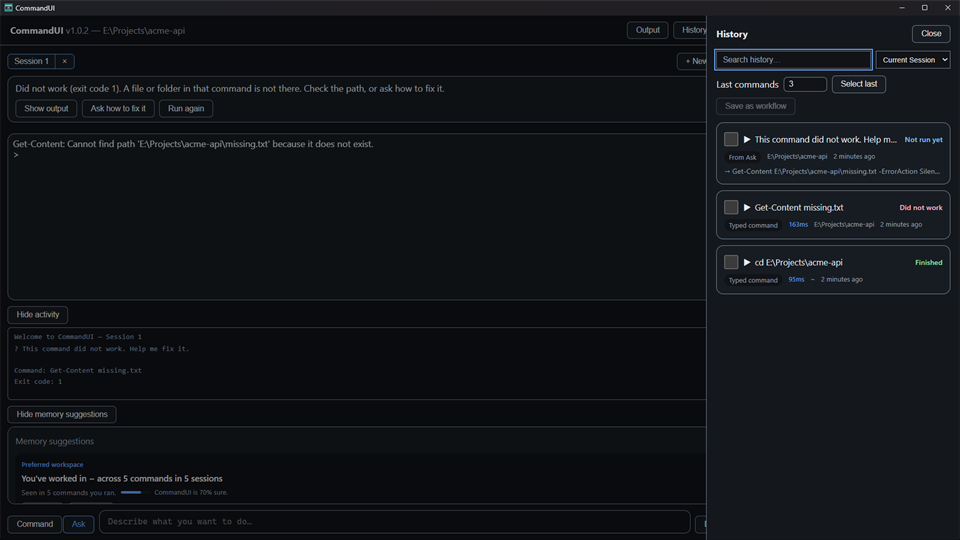
You still get a real shell, with your own profile and more than one session. Make workflows from the commands you run, search your history, and read or delete what CommandUI has noticed.
Everything stays on your computer. Ask uses a model on this computer through Ollama (qwen2.5:14b). If that model is not installed or not running, CommandUI says so and does not invent a command. CommandUI sends no telemetry.
От разработчика
Списки 0
-
 CommandUI
Очки 0
-

- +1 Очко

Рейтинги 0
-
- Ваша оценка
Разработчик 9
- mcp-tool-shop
- Подписчики: 0
- Платформы: Windows Приложения (9)
- Скидки: 0
- Списки: 0 0
- Очки: 0
- Рейтинги: 0
- Комментарии: 0
- Видео: 0
- RSS: Подписаться
Что нового
- Версия: PC
- Последнее обновление:
- A new design around accessibility. Every result now ends in a plain sentence, with Ask how to fix it and Run again. Results and errors are announced to screen readers, Output shows each command as plain text, and every action has a keyboard path (F1 lists them). Text size goes from 100% to 200%. Workflows can be created and edited, and a delete can be undone. PowerShell sessions start cleanly in your home folder. Ask says when its local model is not ready instead of guessing, and the first request waits while the model loads. New icon. Testing with Narrator, NVDA and Windows contrast themes comes in a later update.
Дополнительная информация
- Дата выпуска:
- Категория:
Приложения для Windows›Средства разработчика - Операционные системы:
PC - Размер:
6 Mb - Поддерживаемые языки:
Английский - Возрастные ограничения:
EVERYONE - Windows Store Рейтинг: ¡
0 - Сайт:
 https://mcptoolshop.com/
Оценка AppAgg
Примерная оценка AppAgg для
CommandUI
Разработчик: mcp-tool-shop
Более высокая оценка обычно означает лучшие результаты по показателям AppAgg.
На основе: популярности · оценок пользователей · актуальности · скидок · данных магазинов · активности сообщества
Пересчитывается ежедневно на основе актуальных данных AppAgg.
Комментарии 0 ¡
Поделиться
CommandUI Короткий URL: Скопировано!- Windows Store

