
Lesezeichen
| Entwickler: | 杭州净相科技有限公司 (1) | ||
| Preis: | Kostenlos | ||
| Score: | 1.070 Silber | ||
| Ranglisten: | 0 | ||
| Kommentare: | 0 Kommentar posten | ||
| Listen: | 0 0 | ||
| Punkte: | 0 | ||
| +1 Punkt | |||
Kurzinfo
Vorhang auf für Container (LLM Framework), eine App von 杭州净相科技有限公司 aus der Kategorie „Entwicklungstools“.
Erst erschienen, also noch ziemlich frisch.
Gratis, keine Werbung, keine In-App-Käufe. Nur du und die App.
Der Microsoft Store ist in Windows eingebaut, die Installation ist also in ein paar Klicks erledigt.
Der AppAgg-Score liegt bei 1.070. Silber, und das ist gar nicht übel.
Altersfreigabe „EVERYONE“, also auch für Kinder geeignet.
Kann 2 Sprachen, aber Deutsch ist noch nicht dabei.
Schon benutzt? Deine Rezension wäre hier die erste.
Das ist die einzige App des Entwicklers auf AppAgg. Noch.
Willst du als Erstes von Updates und neuen Apps erfahren? Folge dem Entwickler oder abonniere den RSS-Feed. Push-Nachrichten kommen über die App AppAgg Alerts für Android und iOS.
Andere Plattformen 0
Preisentwicklung 0
- Aktueller Preis: Kostenlos
- Minimum: Kostenlos
- Maximum: Kostenlos
Dein eigener Feed auf der Startseite
Screenshots 7
Beschreibung

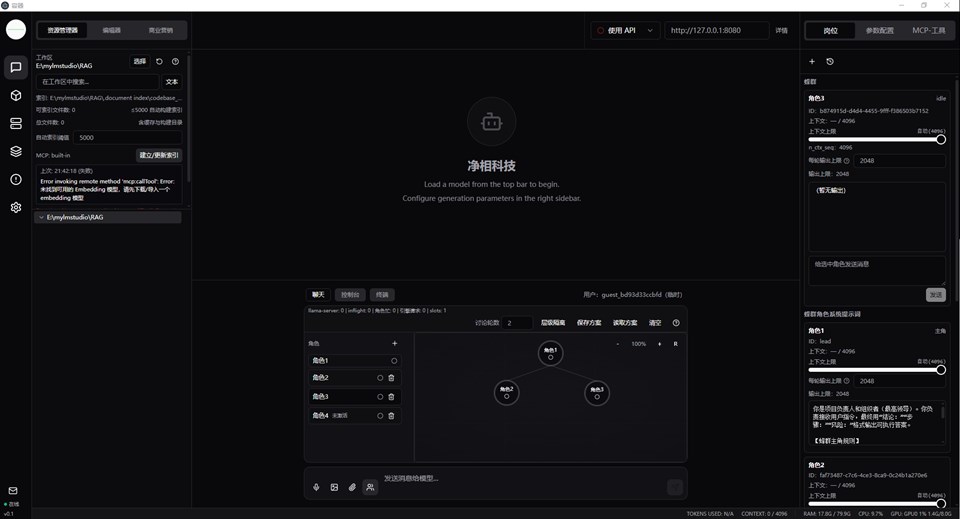
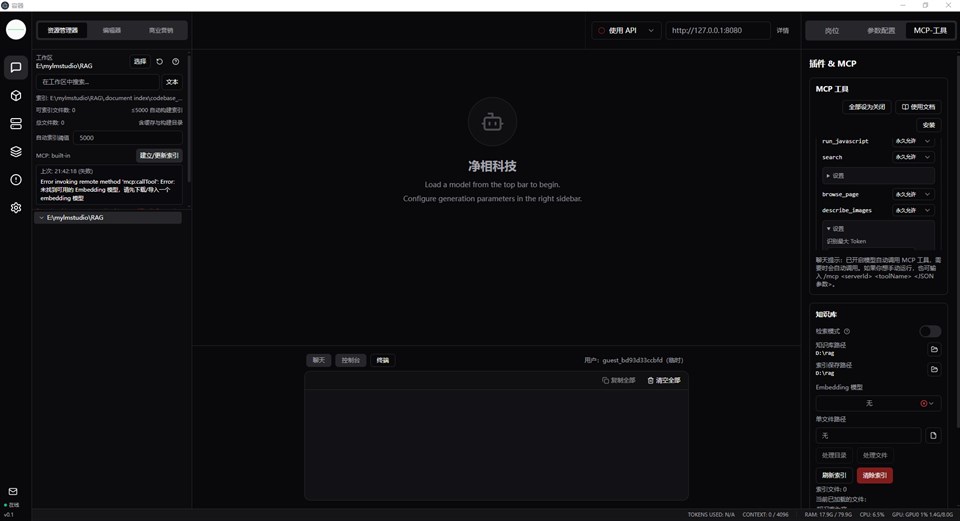
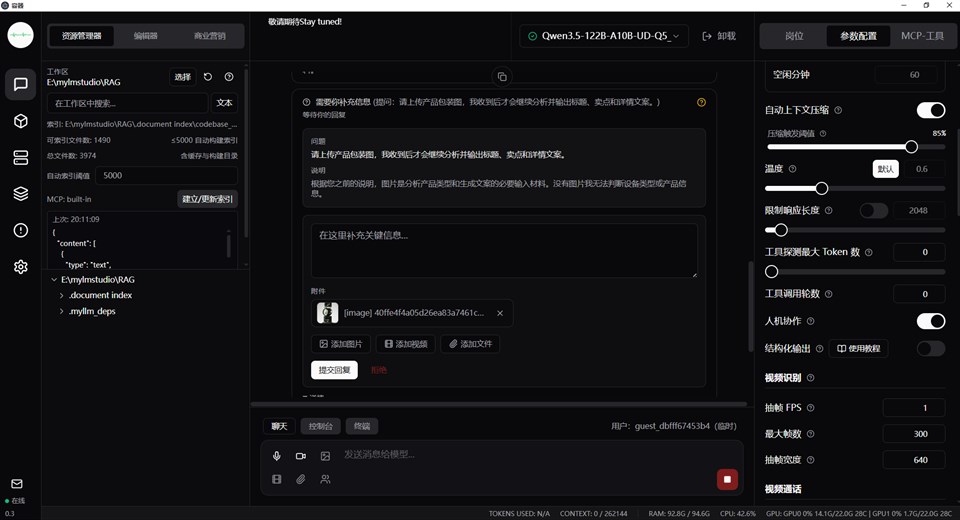
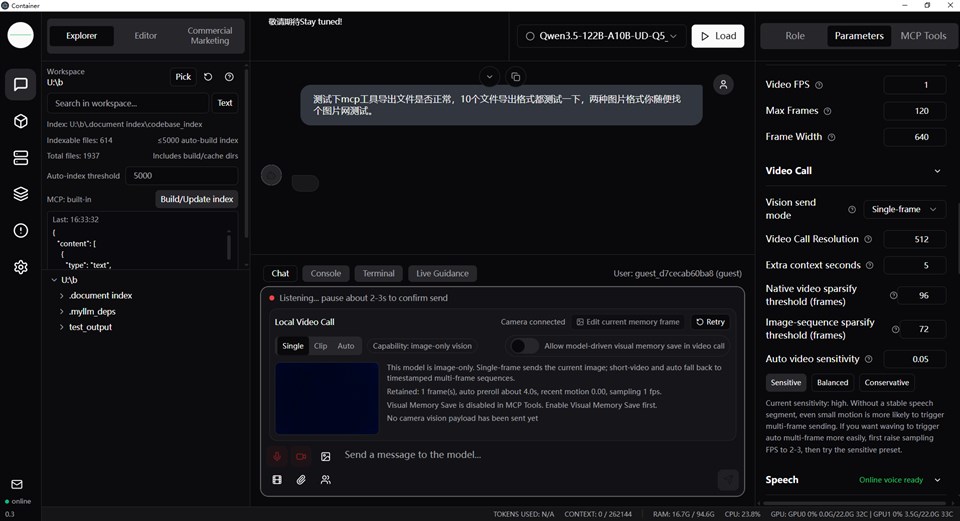
Upgrade LLMs from “chatting with one person” to “working as a team”: swarm-style multi-agent orchestration + tool system + local inference & API gateway, delivered as one integrated stack for executable results—without worrying about personal privacy leaks.
## Highlights
Out-of-the-box desktop experience: local-first inference, with models and data processed primarily on your machine—low latency and high controllability. Optional free API (no deployment required) + parameter panel + console + resource monitor, with all key states visualized.
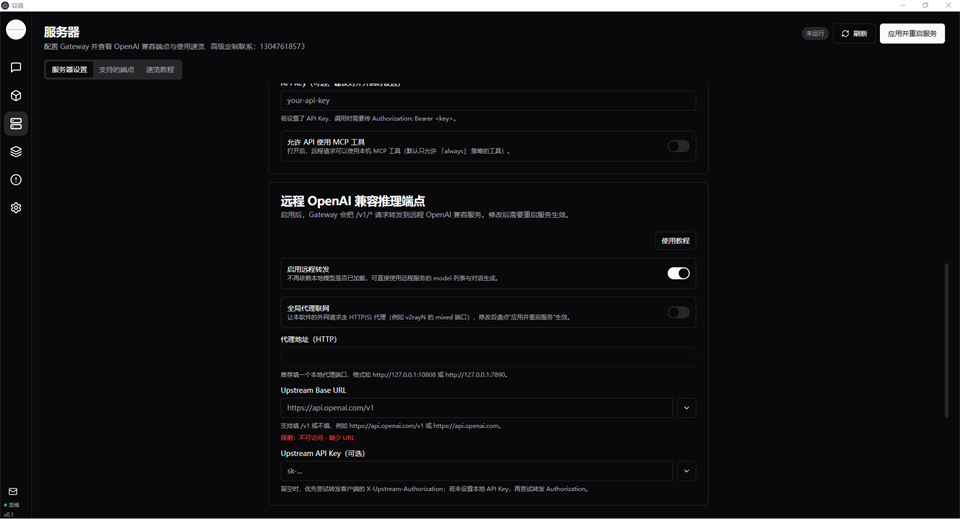
- OpenAI-compatible API Gateway : let your toolchain call your local app directly (SSE streaming, model list, embeddings, etc.)
- MCP Tool Ecosystem : one-click install custom tools; built-in presets cover common daily workflows
- RAG Knowledge Base : index a folder or a single file; refresh/clean indexes; controllable recall count and threshold
- Workspace & Search : file tree, full-text search, semantic search (requires an MCP service that supports indexing/search)
-Desktop Automation:AI model takes full control of local machine operations, enabling one-click workflow automation.
-Agent Skill:Agent Skill supports custom task orchestration, tool invocation, logical decision-making, and multi-step automated execution, enabling large models to autonomously complete complex workflows and desktop operations.
- Runtime Engine Management : manage local inference engines (Windows: CUDA / Vulkan / CPU), with download, version switching, and extra launch arguments
## Core Features
### Model Management
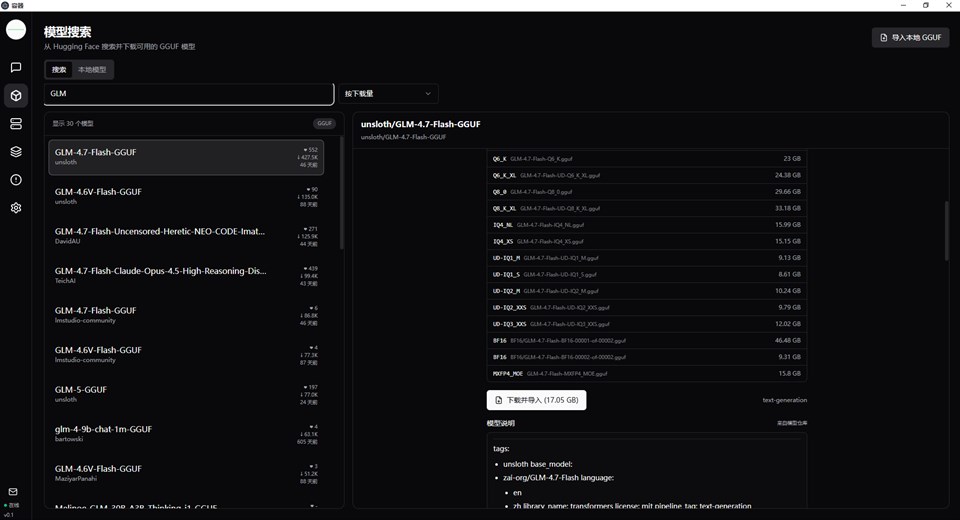
- Import/delete local models
- Built-in model search and download (with model metadata display)
### Chat & Inference Controls
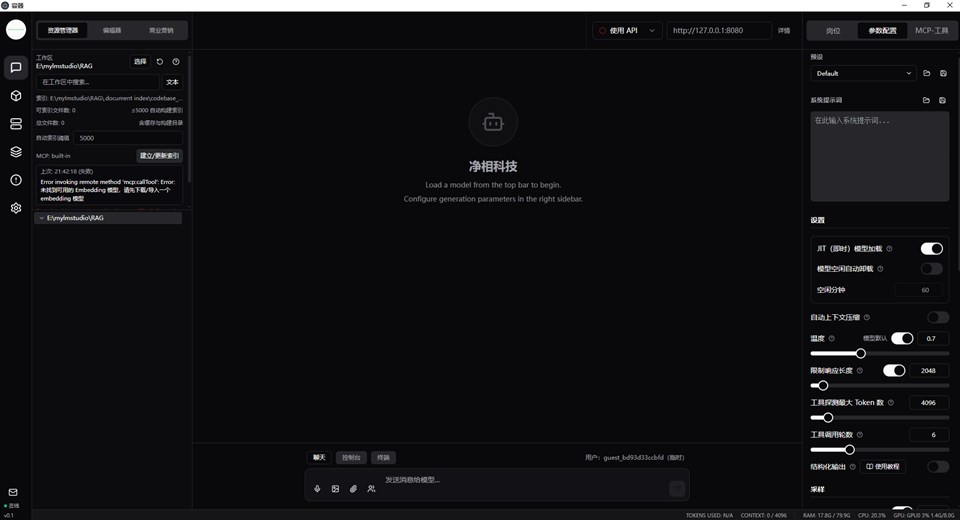
- Visual configuration for temperature, TopP/TopK, repetition penalty, context length, batch/threads, etc.
- GPU offload (auto/manual strategies), VRAM pressure hints, and actual loaded layer count display
- Structured Output: JSON Schema–constrained outputs
### Multimodal & Tools
- Image understanding: configurable vision models
- Tool calling: manually run or auto-trigger MCP tools in chat
### Voice Input
- Local/cloud speech-to-text (configurable local ASR engine)
### Networking & Security
- Gateway settings: port, CORS, API key
- Upstream forwarding (Upstream Base URL + Key) and proxy support
### System Observability
- Footer displays real-time CPU / RAM / GPU / VRAM metrics (may vary across hardware/drivers)
### Swarm Multi-Agent Orchestration
- Role orchestration, hierarchy, visualization, import/export, per-role budget control
- Workspace & Search : file tree, text search, semantic search; terminal automation for project scaffolding
- Concurrency Testing : test model capability and optimize tuning
- Privacy-first (Local-first) : your chats, prompts, knowledge base, and model files stay on your device by default. We do not collect content or build user profiles. For stability, we only upload minimized diagnostics when exceptions occur (error level/summary, stack trace, page route, client version, and basic device info). We do not upload chat content, file content, or secrets such as keys.
## Quick Start
- Download and install: see Release Assets
- Open the app → set model directory and runtime directory (optional)
- Import/download models in Models
- Go to Chat , load a model, and start chatting
- If you need the API: go to Server to enable the gateway and configure port/API key
## Notes
- Vision, voice, and local GPU metrics collection depend on your system environment and drivers; keep GPU drivers up to date.
- Semantic search requires an installed and enabled MCP service that supports indexing/search, and you must build the index first.
## Changelog
- V0.6
## Disclaimer
This app is a client tool and does not provide or sell LLMs. Model outputs may be inaccurate or incomplete. Please use your own judgment and comply with applicable laws and regulations.
Vom Entwickler
Listen 0
-
 Container (LLM Framework)
Punkte 0
-

- +1 Punkt

Ranglisten 0
-
- Deine Bewertung
Entwickler 1
- 杭州净相科技有限公司
- Follower: 0
- Plattformen: Windows Apps (1)
- Angebote: 0
- Listen: 0 0
- Punkte: 0
- Ranglisten: 0
- Kommentare: 0
- Videos: 0
- RSS: Abonnieren
Neue Funktionen
- Version: PC
- Zuletzt aktualisiert:
- Memory (text & visual), human-AI collaboration, TTS, video call, real-time guidance, webpage & local video recognition... Fixed numerous known bugs, enhanced existing features, and improved internationalization compatibility.
Weitere Informationen
- Veröffentlichungsdatum:
- Kategorie:
Windows-Apps›Entwicklungstools - Betriebssysteme:
PC - Größe:
1 Gb - Unterstützte Sprachen:
Chinesisch,Englisch - Altersfreigabe:
EVERYONE - Windows Store Bewertung: ¡
0 - Webseite:
 https://www.bzx1988.xyz/
AppAgg-Score
Geschätzter AppAgg-Score für
Container (LLM Framework)
Entwickler: 杭州净相科技有限公司
Ein höherer Score weist meist auf bessere Werte bei den von AppAgg erfassten Kennzahlen hin.
Basierend auf: Popularität · Nutzerbewertungen · Aktualität · Angeboten · Store-Daten · Community-Aktivität
Wird täglich anhand aktueller AppAgg-Daten neu berechnet.
Kommentare 0 ¡
Teilen
Container (LLM Framework) Kurz-URL: Kopiert!- Windows Store

