
Lesezeichen
| Entwickler: | Itay Sagui (9) | ||
| Preis: | $5.99 | ||
| Score: | 630 Silber | ||
| Ranglisten: | 0 | ||
| Kommentare: | 0 Kommentar posten | ||
| Listen: | 0 0 | ||
| Punkte: | 0 | ||
| +1 Punkt | |||
Kurzinfo
Vorhang auf für Data Format Workbench, eine App von Itay Sagui aus der Kategorie „Entwicklungstools“.
Erst erschienen, also noch ziemlich frisch.
$5.99, und auf AppAgg bisher kein einziger Rabatt. Eine harte Nuss.
Der Microsoft Store ist in Windows eingebaut, die Installation ist also in ein paar Klicks erledigt.
Der AppAgg-Score liegt bei 630. Silber, und das ist gar nicht übel.
Altersfreigabe „EVERYONE“, also auch für Kinder geeignet.
Spricht nur eine Sprache, und das ist nicht Deutsch.
Hier herrscht noch Funkstille: keine Bewertungen, keine Kommentare. Brich das Schweigen.
Der Entwickler hat noch 8 weitere Apps auf AppAgg. Ein Blick lohnt sich.
Willst du als Erstes von Angeboten, Updates und neuen Apps erfahren? Richte einen Preisalarm ein, folge dem Entwickler oder abonniere den RSS-Feed. Push-Nachrichten kommen über die App AppAgg Alerts für Android und iOS.
Screenshots 4
Andere Plattformen 0
Preisentwicklung 0
- Aktueller Preis: $5.99
- Minimum: $5.99
- Maximum: $5.99
Dein eigener Feed auf der Startseite
Beschreibung

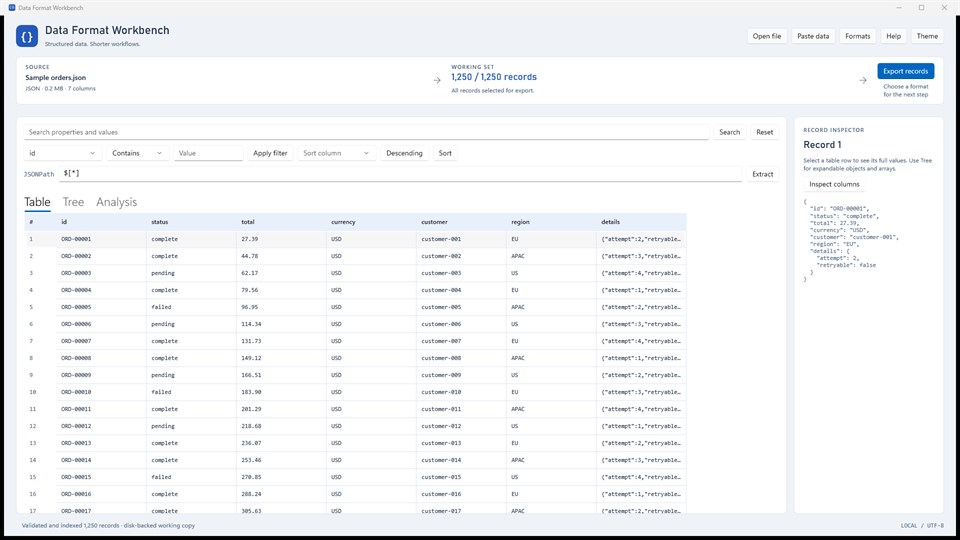
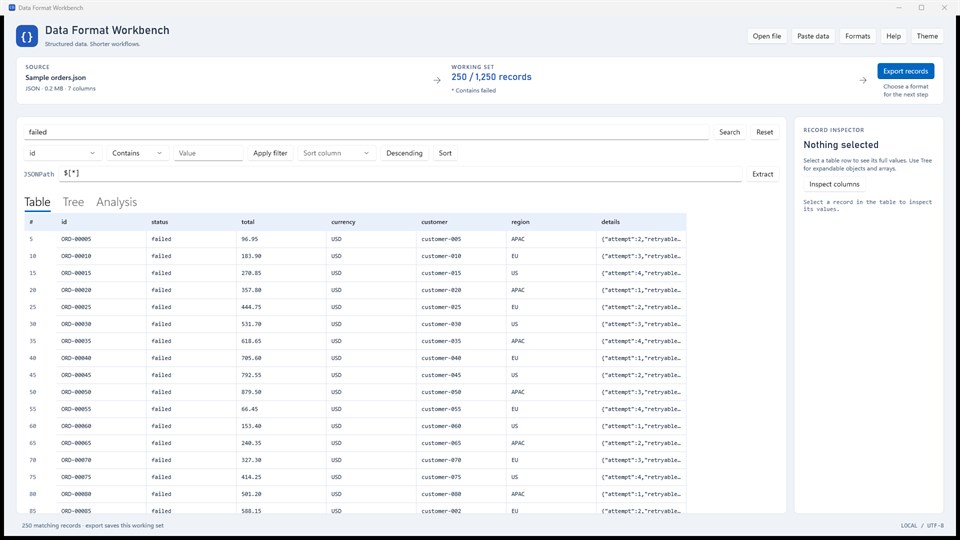
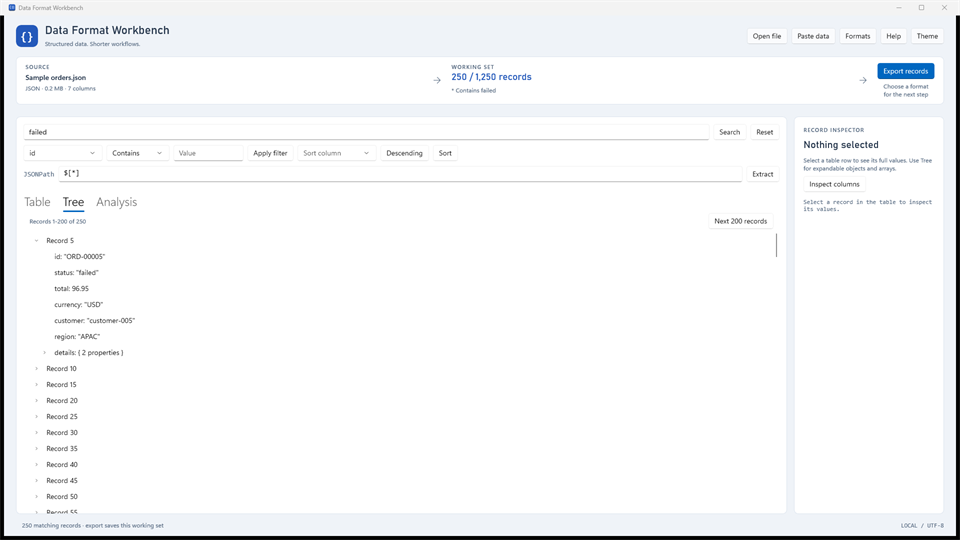
Select Open file, drop a file onto the window, or select Paste data and choose its format. Browse records in Table, select a row to inspect its values, or expand nested objects and arrays in Tree. Search properties and values, or choose a column, operator and value and select Apply filter. Select Export records to save the matching records in your chosen format. Reset restores all records in source order.
Work with JSON, JSON Lines/NDJSON, CSV, TSV, PSV, SSV, fixed-width text, YAML, XML, TOML, INI, JSON5, JSONC, Java properties, dotenv, ARFF and TOON. Set column widths for fixed-width files and choose automatic detection, semicolon or space separation for SSV.
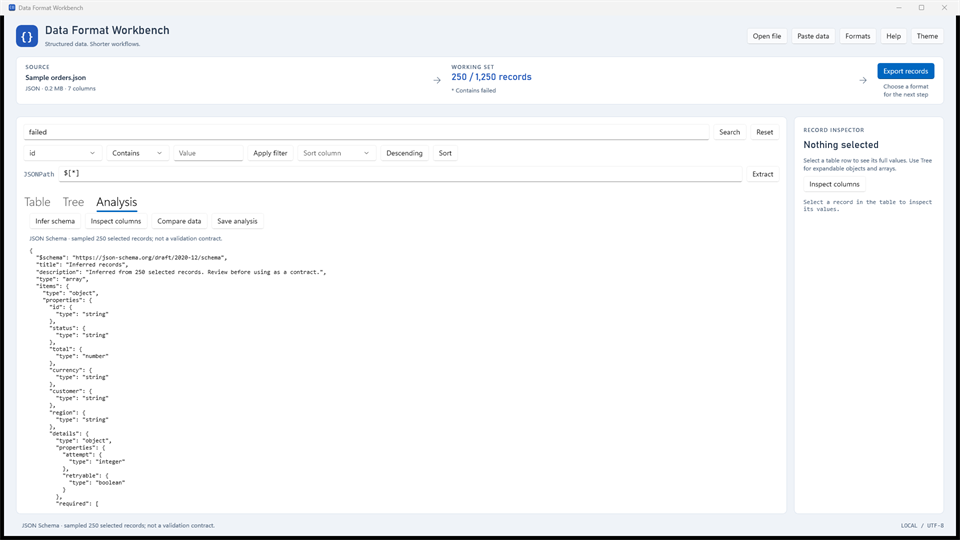
Use JSONPath to extract nested values into a new working set. In Analysis, inspect column types, infer a JSON Schema from sample records, or compare complete structured documents and save their differences. Comparison uses the complete source documents, not the filtered selection; arrays are compared by position.
The app does not require an account or an internet connection and includes no advertising or telemetry. Source files are not edited during inspection. Exports replace an existing destination only after conversion succeeds. Temporary working copies are stored locally and are not encrypted; do not rely on the app to protect secrets in your data.
JSON arrays, JSON Lines, delimited text, YAML sequences, fixed-width text and ARFF are read incrementally into a disk-backed working copy. XML, TOML, INI, properties, dotenv, JSON5, JSONC and TOON imports are limited to 32 MiB. A single large record must still fit in memory, and working copies require free temporary disk space.
Conversions preserve data within each format's rules, not the original comments or formatting. Text tables use strings, and configuration exports require compatible object shapes. Schema inference samples up to 1,000 records; it does not validate against an external schema. Help opens the local user guide, privacy policy and third-party notices. Closing the app normally removes its temporary working files; exported files remain.
Vom Entwickler
Listen 0
-
 Data Format Workbench
Punkte 0
-

- +1 Punkt

Ranglisten 0
-
- Deine Bewertung
Entwickler 9
- Itay Sagui
- Follower: 0
- Plattformen: Windows Apps (9)
- Angebote: 0
- Listen: 0 0
- Punkte: 0
- Ranglisten: 0
- Kommentare: 0
- Videos: 0
- RSS: Abonnieren
Neue Funktionen
- Version: PC
- Zuletzt aktualisiert:
Weitere Informationen
- Veröffentlichungsdatum:
- Kategorie:
Windows-Apps›Entwicklungstools - Betriebssysteme:
PC - Größe:
68 Mb - Unterstützte Sprachen:
Englisch - Altersfreigabe:
EVERYONE - Windows Store Bewertung: ¡
0
AppAgg-Score
Geschätzter AppAgg-Score für
Data Format Workbench
Entwickler: Itay Sagui
Ein höherer Score weist meist auf bessere Werte bei den von AppAgg erfassten Kennzahlen hin.
Basierend auf: Popularität · Nutzerbewertungen · Aktualität · Angeboten · Store-Daten · Community-Aktivität
Wird täglich anhand aktueller AppAgg-Daten neu berechnet.
Kommentare 0 ¡
Teilen
Data Format Workbench Kurz-URL: Kopiert!- Windows Store

