
Gemte
Vælg det navn, der skal vises i menuen Gemte.
Færdig!
| Udvikler: | Jiří Maier (1) | ||
| Pris: | Gratis | ||
| Rangeringer: | 0 | ||
| Kommentarer: | 0 Skriv kommentar | ||
| Lister: | 0 + 0 | ||
| Point: | 0 + 0 ¡ | ||
| Windows Store | |||
Beskrivelse

The communication protocol is designed to be as simple as possible to implement on the MCU firmware side. Data can be transmitted in binary format or as text.
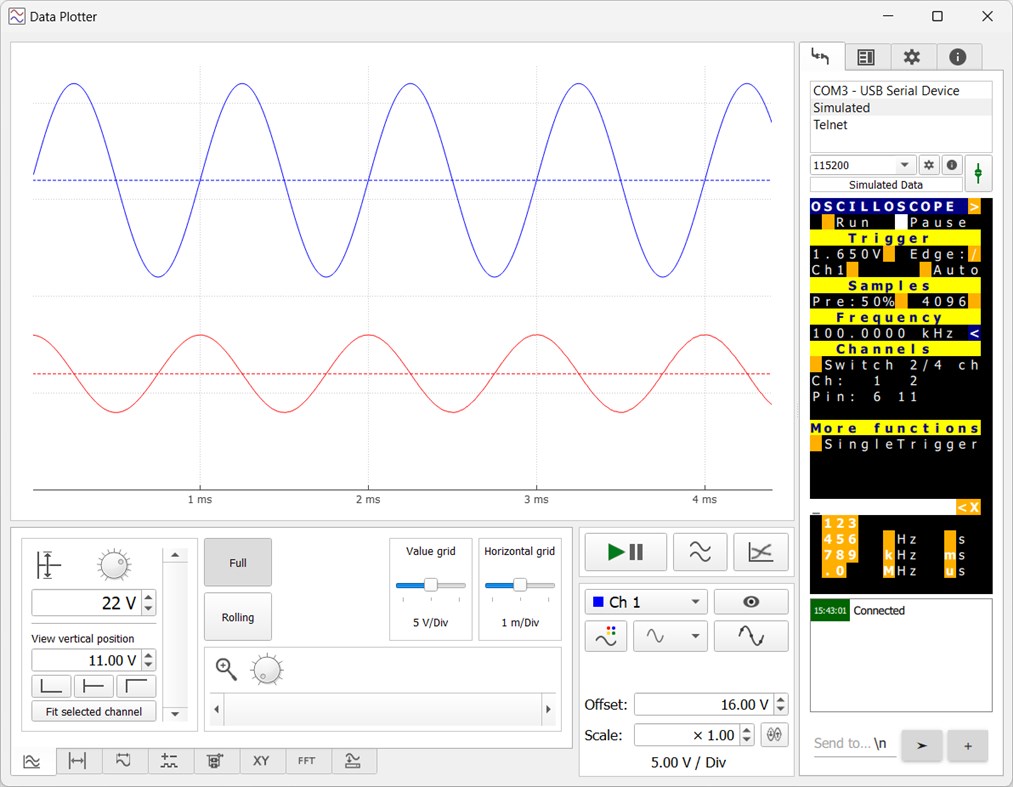
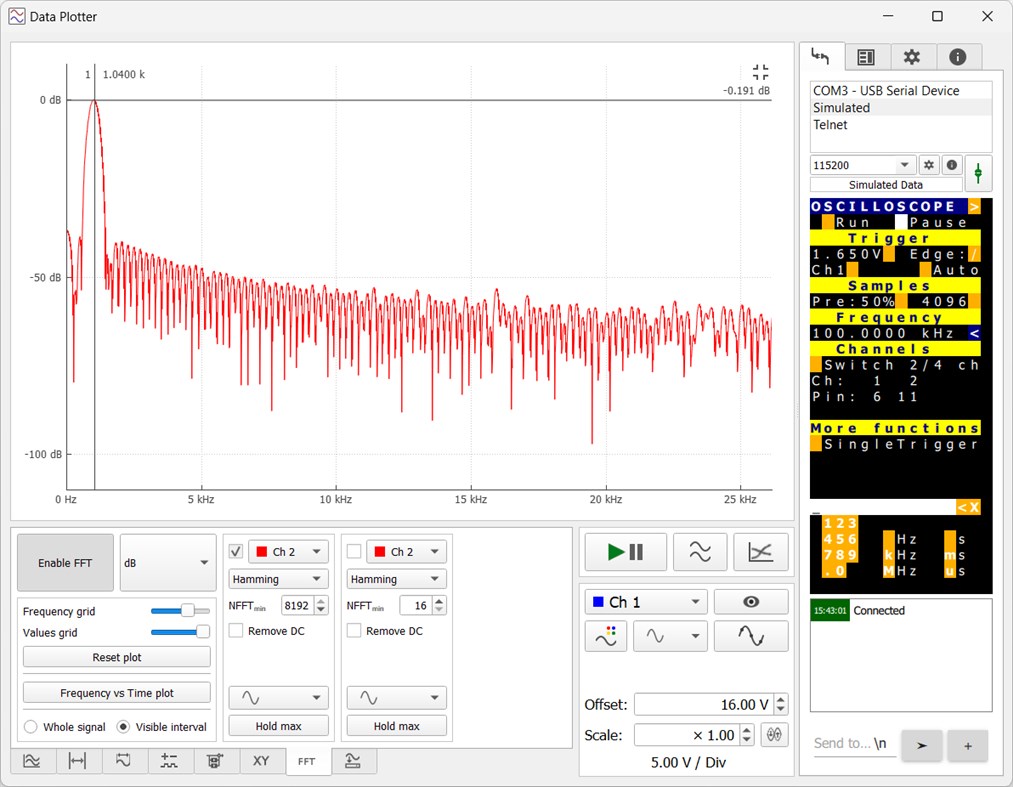
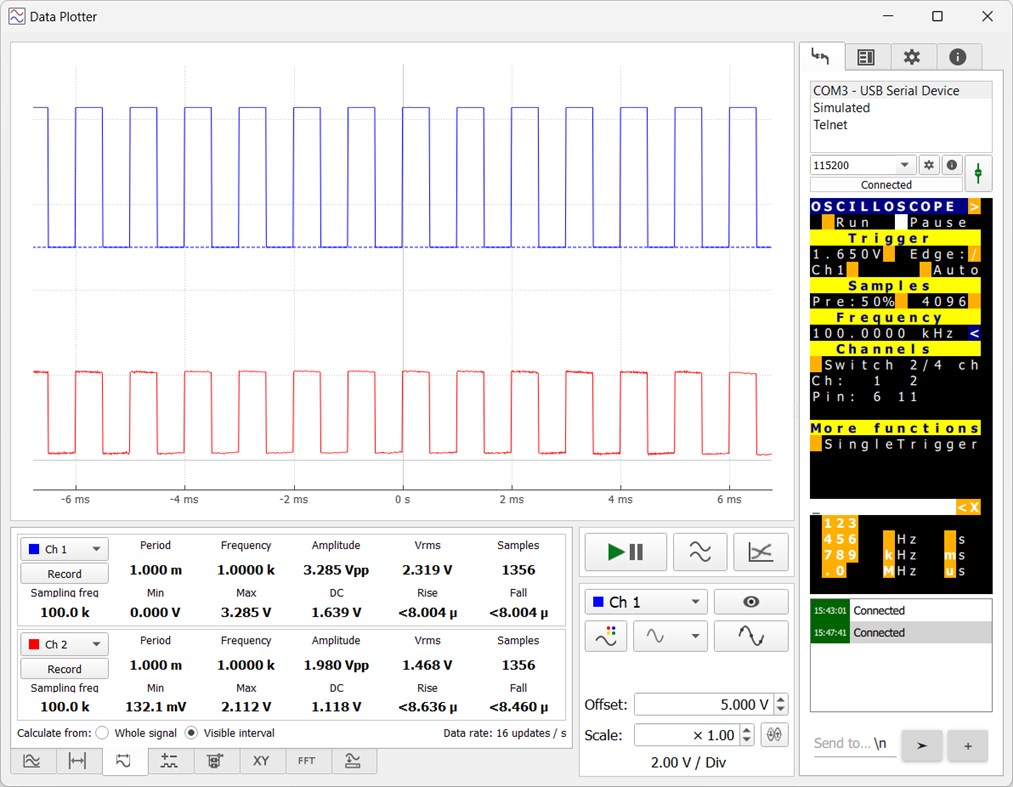
The capabilities of DataPlotter are similar to oscilloscopes, it can plot the data (obviously), perform FFT and automatic measurements, and save data to a CSV file or as an image. There are also cursors and XY modes. The plot can operate either in oscilloscope mode (data received as an array of samples captured over a short time period) or in rolling mode (data received point-by-point and continuously appended to previous data over a long time period). There is also support for logic (digital) channels.
There are various means of controlling the instrument from the DataPlotter:
There is an ANSI terminal emulator that supports escape sequences (you can move the cursor, change text color and background color, etc.). This allows the creating of a pseudo-graphical UI for displaying measured data and settings. It also includes an interactive feature: if a character in the terminal has a colorful background, it can be clicked to send that character to the instrument. This allows you to create buttons in the terminal. The command sent by that button is in principle one byte (the character on that button) so it is very easy to process on the MCU (no parser, just UART ISR or whatever). Some characters have good meaning on the buttons (e.g. + - / ), but if you run out of meaningful characters, you can just hide the character by setting the font color the same as the background and label the button with text next to it.
Another way of dynamically creating instrument controls is QML (QtQuick language). The QML code can be sent to DataPlotter by the instrument (microcontroller) and the new GUI will be shown. There is a minimalistic (easy-to-use) interface for sending and receiving data from the QML code. This offers almost endless possibilities for customization.
Ad
Skærmbilleder
Prishistorie
- I dag: Gratis
- Minimum: Gratis
- Maksimalt: Gratis
Overvåg priser
Nyheder
- Version: PC
- Opdateret:
Yderligere oplysninger
- Udgivelsesdato:
- Kategori:
Windows Apps›Udviklerværktøjer - Operativsystem:
PC - Størrelse:
33 Mb - Understøttet sprog:
English - Indholdsklassificering:
EVERYONE - Windows Store Bedømmelse:
0
 https://jirimaier.github.io/DataPlotter/
Udvikler
- Jiří Maier
- Platforme: Windows Apps (1)
- Lister: 0 + 0
- Point: 0 + 0 ¡
- Rangeringer: 0
- Kommentarer: 0
- Rabatter: 0
- Videoer: 0
- RSS: Abonner
Lister (0)
0 ☹️
- Data Plotter
Point (0)
0 ☹️
Rangeringer (0)
0 ☹️
Kommentarer (0)
Vær den første til at kommentere 🌟
«Data Plotter». Platform: Windows. Kategori: Udviklerværktøjer. Udvikler: «Jiří Maier». Første udgivelse: . Sidste opdatering: . Nuværende pris: gratis. Denne titel har endnu ikke modtaget vurderinger eller anmeldelser på AppAgg. Tilgængelige sprog: English. AppAgg sporer prishistorik, vurderinger og brugerfeedback for «Data Plotter». Følg fremtidige rabatter og opdateringer via RSS. AppAgg hoster ikke applikationer eller distribuerer software. Alle varemærker, logoer og skærmbilleder tilhører deres respektive ejere.
Data Plotter Kort webadresse: Kopieret!- 🌟 Del
- Windows Store
Lignende
-
- Data Charts
- Windows Apps: Udviklerværktøjer Ved: WTCube
- Gratis
- Lister: 0 0 0
- Point: 0 Version: PC Data Charts is an application to request JSON from an REST endpoint quickly in the form of charts. It can save the URL and the value to display for quick lookup. ⥯
-
- AnSam Serial Port Plotter
- Windows Apps: Udviklerværktøjer Ved: AnSam Freedive
- $3.99
- Lister: 0 0 0
- Point: 0 Version: PC It shows the data of the connected serial device in graphs and logs. It connects hardware devices such as Arduino and PC and conveniently performs data transmission and reception. In ... ⥯
-
- Hexa Data Reader
- Windows Apps: Udviklerværktøjer Ved: L.Moriarty
- Gratis
- Lister: 0 + 1 0 0
- Point: 0 + 1 (5.0) Version: PC This app would help you to view the data in the file in hexadecimal code. ⥯
-
- SensorTag Data Acquisition
- Windows Apps: Udviklerværktøjer Ved: RS Systems
- Gratis
- Lister: 0 0 0
- Point: 0 + 1 (5.0) Version: PC This app is aimed to facilitate the data capturing from multiple TI SensorTag CC2650 modules. IMU (Accelerometer, angular velocity, magnetic field), Luxmeter, Humidity, Barometer, IR ... ⥯
-
- DSE Inline Diff
- Windows Apps: Udviklerværktøjer Ved: Data Safety Expert
- Gratis
- Lister: 0 + 1 0 0
- Point: 2 + 1 (1.0) Version: PC Text file comparison tool. Compares two text files and displays differences in different colors. Also compares different lines and displays different characters in different colors. ... ⥯
-
- Serial Debug Assistant
- Windows Apps: Udviklerværktøjer Ved: lingguang
- * Gratis
- Lister: 4 0 0
- Point: 15 + 79 (4.6) Version: PC A communication debugging tool tailored for embedded systems, supporting serial port debugging, TCP and UDP debugging. Powerful yet easy to use, it helps you easily send and receive ... ⥯
-
- Ubuntu
- Windows Apps: Udviklerværktøjer Ved: Canonical Group Limited
- Gratis
- Lister: 2 + 2 0 0
- Point: 6 + 657 (4.4) Version: PC Install a complete Ubuntu terminal environment in minutes with Windows Subsystem for Linux (WSL). Develop cross-platform applications, improve your data science or web development ... ⥯
-
- DevToys
- Windows Apps: Udviklerværktøjer Ved: etiennebaudoux
- Gratis
- Lister: 3 + 1 0 0
- Point: 5 + 677 (4.9) Version: PC An Open-Source Swiss Army knife for developers. DevToys helps in everyday tasks like formatting JSON, comparing text, testing RegExp. No need to use many untruthful websites to do ... ⥯
-
- JSONGrid Desktop
- Windows Apps: Udviklerværktøjer Ved: JSONGrid
- * Gratis
- Lister: 2 0 0
- Point: 2 Version: PC JSONGrid Desktop brings your JSON data to life with a clean, intuitive, and interactive grid-based interface. Instead of sifting through raw, nested structures, you can effortlessly ... ⥯
-
- Database Designer SDK
- Windows Apps: Udviklerværktøjer Ved: Ezyware Software
- $6.99
- Lister: 0 + 1 0 0
- Point: 3 Version: PC Database Designer Software Development kit is a tool for designing and developing standalone custom desktop database software applications for all versions of Windows Designed for ... ⥯
-
- Windows App Manager
- Windows Apps: Udviklerværktøjer Ved: Software Tailor (HK) Limited
- Gratis
- Lister: 1 + 1 0 0
- Point: 2 Version: PC System Requirements: - Microsoft .NET Desktop Runtime (available as a free download) Windows App Manager is a lightweight, privacy-conscious tool for Windows app authors who publish ... ⥯
-
- Metaforce+
- Windows Apps: Udviklerværktøjer Ved: Metaforce+
- * Gratis
- Lister: 2 0 0
- Point: 2 Version: PC Metaforce is a powerful salesforce administration and development tool which helps you to manage and customize your salesforce organizations faster and easier! Core Features: #1: Org ... ⥯
-
- PowerShell
- Windows Apps: Udviklerværktøjer Ved: Microsoft Corporation
- Gratis
- Lister: 0 + 2 0 0
- Point: 1 + 293 (4.6) Version: PC PowerShell is a task-based command-line shell and scripting language built on .NET. PowerShell helps system administrators and power-users rapidly automate task that manage operating ... ⥯
-
- Tabnalysis
- Windows Apps: Udviklerværktøjer Ved: Bryce Hutchings
- Gratis
- Lister: 0 + 1 0 0
- Point: 1 + 6 (5.0) Version: PC Tabnalysis is a tool used to view and analyze tabular data files of any size, regardless of how much memory your PC has. Tabnalysis is designed with a bias towards speed. Often these ... ⥯