
Bogmærker
| Udvikler: | Floweare (1) | ||
| Pris: | Gratis Ny | ||
| Score: | 660 Sølv | ||
| Ranglister: | 0 | ||
| Kommentarer: | 0 Skriv kommentar | ||
| Lister: | 0 0 | ||
| Point: | 0 | ||
| +1 Point | |||
Kort fortalt
Mød Design System Graph, en app fra Floweare i kategorien »Udviklerværktøjer«.
Nyhed: den udkom , så du er blandt de første.
Gratis: ingen reklamer og ingen køb i appen. Kun dig og appen.
Microsoft Store er bygget ind i Windows, så installationen klares med et par klik.
AppAgg-scoren er 660. Sølv, og det er slet ikke dårligt.
Aldersgrænse »EVERYONE«: også fint for børn.
Taler kun ét sprog, og det er ikke dansk.
Ingen på AppAgg har bedømt den endnu. Din chance for at blive den første er lige nu.
Det er udviklerens eneste app på AppAgg. Indtil videre.
Vil du høre om opdateringer og nye apps først? Følg udvikleren eller abonner på vores RSS-feed. Push-beskeder kommer via appen AppAgg Alerts til Android og iOS.
Andre platforme 0
Prishistorik 0
- Nuværende pris: Gratis
- Minimum: Gratis
- Maksimum: Gratis
Dit eget feed på forsiden
Skærmbilleder 4
Beskrivelse

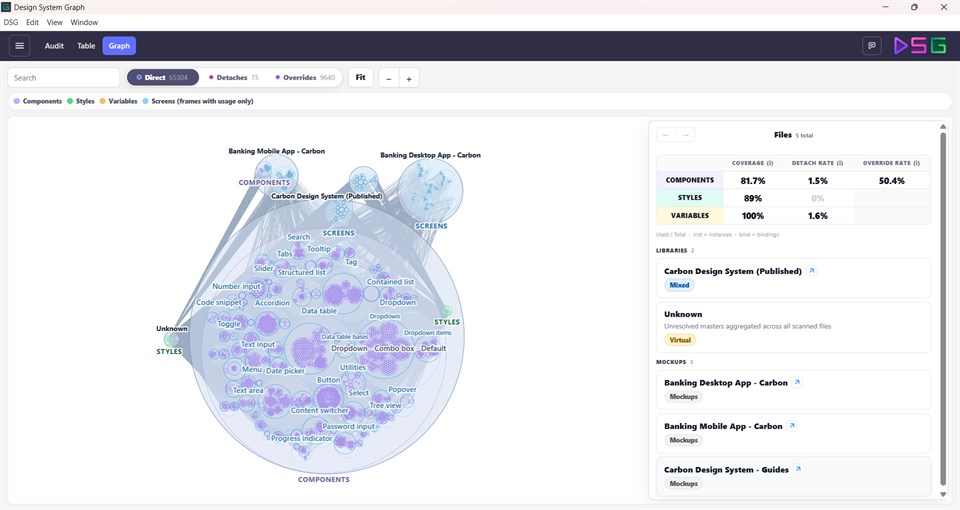
Design System Graph (DSG) is a Windows desktop app that analyzes components, styles, and variables across your Figma libraries and design files. Explore dependencies, review usage metrics, and identify areas for cleanup.
A Figma account, a Figma personal access token, and access to the files you want to analyze are required.
EXPLORE YOUR DESIGN SYSTEM
• Graph View: Explore connections between files, components, styles, and variables on an interactive, zoomable canvas.
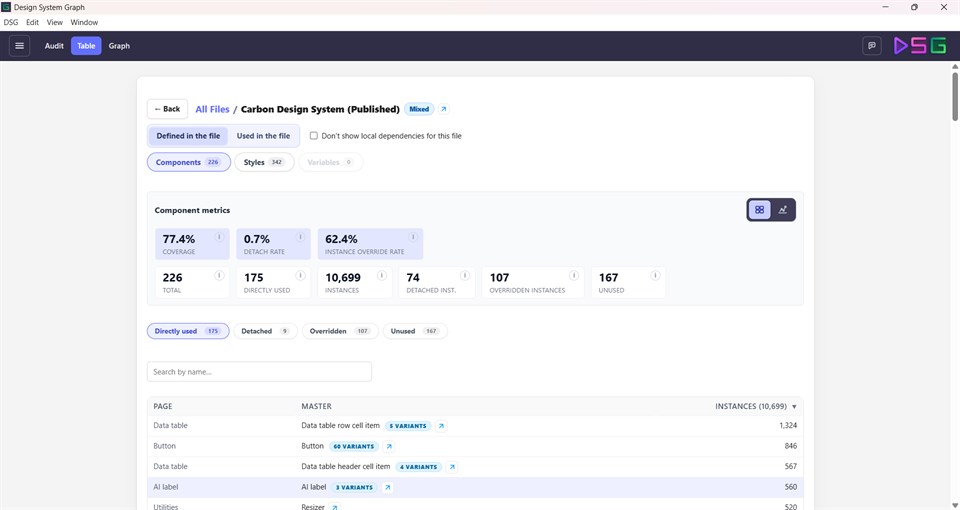
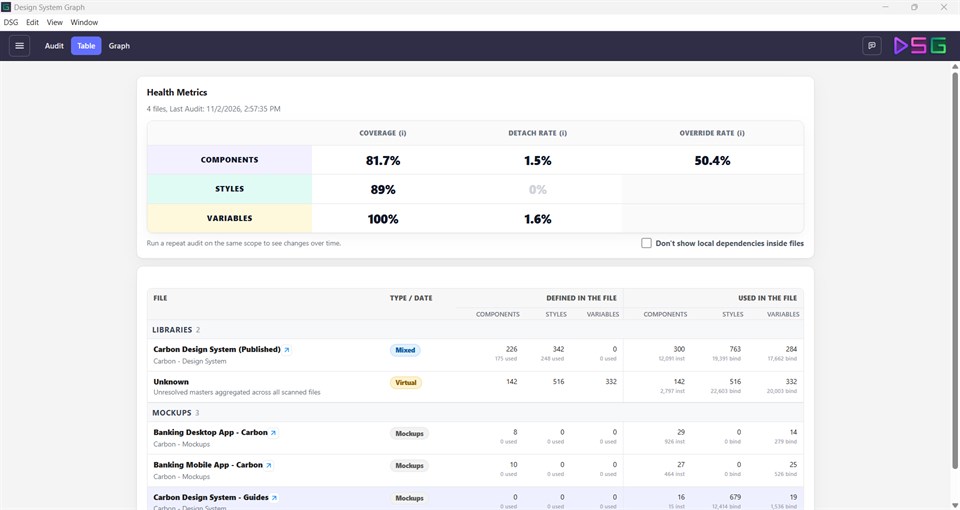
• Table View: Review usage, unused assets, detaches, and overrides in detailed tables.
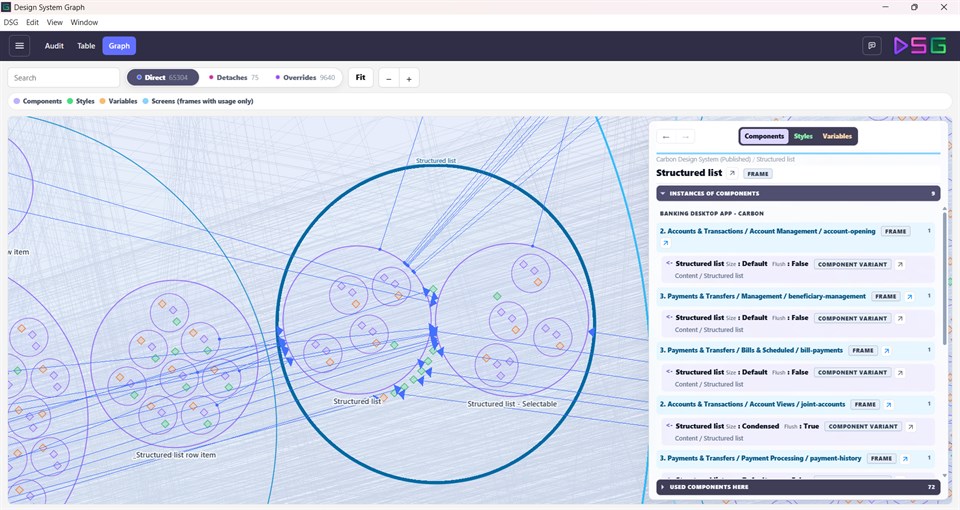
• Inspect the evidence: Drill down into the instances and bindings behind each count, then open the corresponding location in Figma.
• Choose your audit scope: Select the teams, projects, and files you want to analyze.
TURN AUDIT RESULTS INTO ACTION
• Trace where a component, style, or variable is used across files.
• See which component variants are used and inspect their instances.
• Review the library resources used by a product design file.
• Identify unused assets and inspect their dependencies before making changes.
• Investigate detached components and review instance overrides.
• Bring usage metrics and concrete examples into design system adoption reviews.
Audit results are stored locally on your Windows PC.
GET STARTED
1. Install and open DSG on Windows.
2. Enter your Figma personal access token.
3. Add your Figma team link and select projects and files.
4. Run an audit and explore the results in Graph View and Table View.
To include local variables, export them to the desktop app using the DSG companion plugin for Figma.
FREE TRIAL AND LICENSE
The free trial includes 3 audits covering up to 3 projects across 2 teams, including all files within the selected projects.
A paid license is required to run additional audits. Licenses are sold separately through Gumroad as a one-time purchase.
Fra udvikleren
Lister 0
-
 Design System Graph
Point 0
-

- +1 Point

Ranglister 0
-
- Din bedømmelse
Udvikler 1
- Floweare
- Følgere: 0
- Platforme: Windows Apps (1)
- Tilbud: 0
- Lister: 0 0
- Point: 0
- Ranglister: 0
- Kommentarer: 0
- Videoer: 0
- RSS: Abonner
Nyheder
- Version: PC
- Sidst opdateret:
Yderligere oplysninger
- Udgivelsesdato:
- Kategori:
Windows-apps›Udviklerværktøjer - Operativsystem:
PC - Størrelse:
137 Mb - Understøttede sprog:
Engelsk - Indholdsklassificering:
EVERYONE - Windows Store Bedømmelse: ¡
0
AppAgg-score
Estimeret AppAgg-score for
Design System Graph
Udvikler: Floweare
En højere score afspejler som regel bedre resultater på de områder, AppAgg måler.
Baseret på: popularitet · brugervurderinger · aktualitet · tilbud · butiksdata · fællesskabsaktivitet
Genberegnes dagligt ud fra aktuelle AppAgg-data.
Kommentarer 0 ¡
Del
Design System Graph Kort webadresse: Kopieret!- Windows Store

