
Lesezeichen
| Entwickler: | Floweare (1) | ||
| Preis: | Kostenlos Neu | ||
| Score: | 660 Silber | ||
| Ranglisten: | 0 | ||
| Kommentare: | 0 Kommentar posten | ||
| Listen: | 0 0 | ||
| Punkte: | 0 | ||
| +1 Punkt | |||
Kurzinfo
Vorhang auf für Design System Graph, eine App von Floweare aus der Kategorie „Entwicklungstools“.
Neuerscheinung: erst erschienen, du bist also ganz vorne mit dabei.
Gratis, keine Werbung, keine In-App-Käufe. Nur du und die App.
Der Microsoft Store ist in Windows eingebaut, die Installation ist also in ein paar Klicks erledigt.
Der AppAgg-Score liegt bei 660. Silber, und das ist gar nicht übel.
Altersfreigabe „EVERYONE“, also auch für Kinder geeignet.
Spricht nur eine Sprache, und das ist nicht Deutsch.
Auf AppAgg hat die App noch niemand bewertet. Jetzt ist deine Chance, den Anfang zu machen.
Das ist die einzige App des Entwicklers auf AppAgg. Noch.
Willst du als Erstes von Updates und neuen Apps erfahren? Folge dem Entwickler oder abonniere den RSS-Feed. Push-Nachrichten kommen über die App AppAgg Alerts für Android und iOS.
Andere Plattformen 0
Preisentwicklung 0
- Aktueller Preis: Kostenlos
- Minimum: Kostenlos
- Maximum: Kostenlos
Dein eigener Feed auf der Startseite
Screenshots 4
Beschreibung

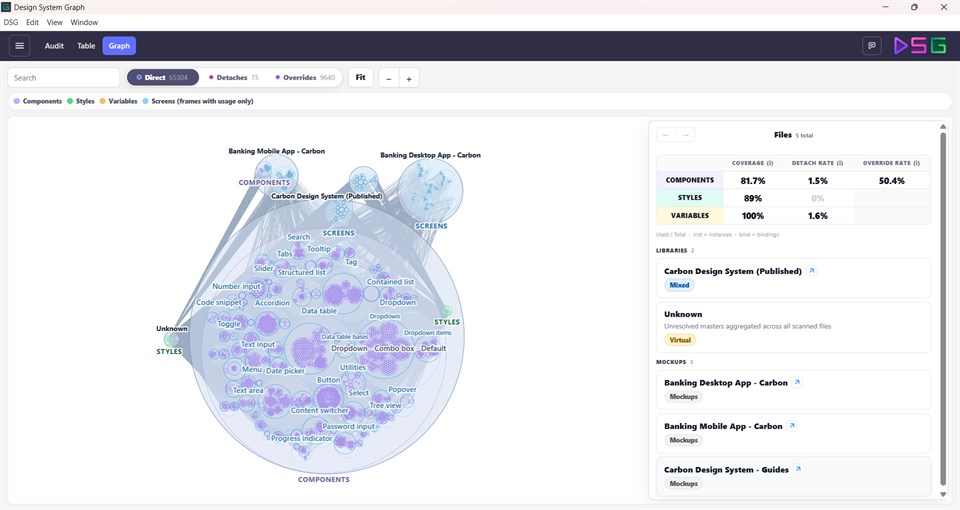
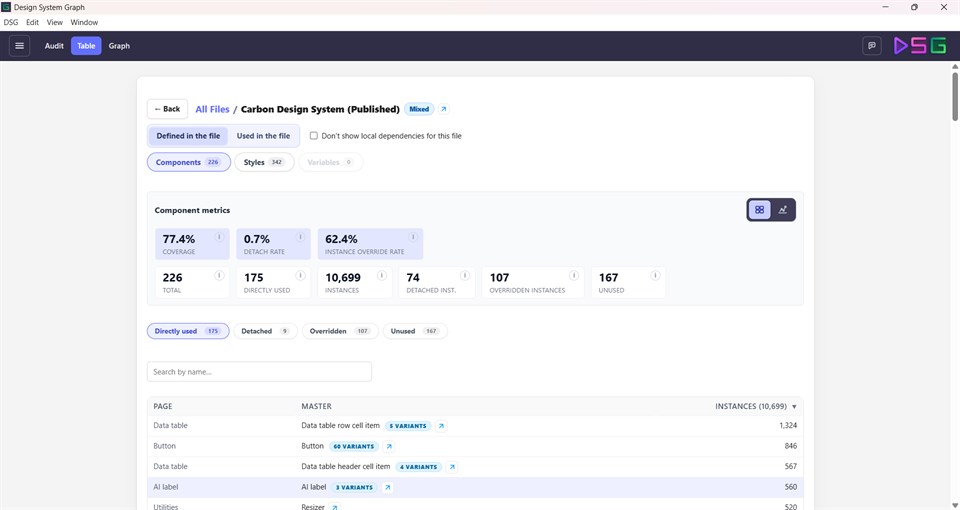
Design System Graph (DSG) is a Windows desktop app that analyzes components, styles, and variables across your Figma libraries and design files. Explore dependencies, review usage metrics, and identify areas for cleanup.
A Figma account, a Figma personal access token, and access to the files you want to analyze are required.
EXPLORE YOUR DESIGN SYSTEM
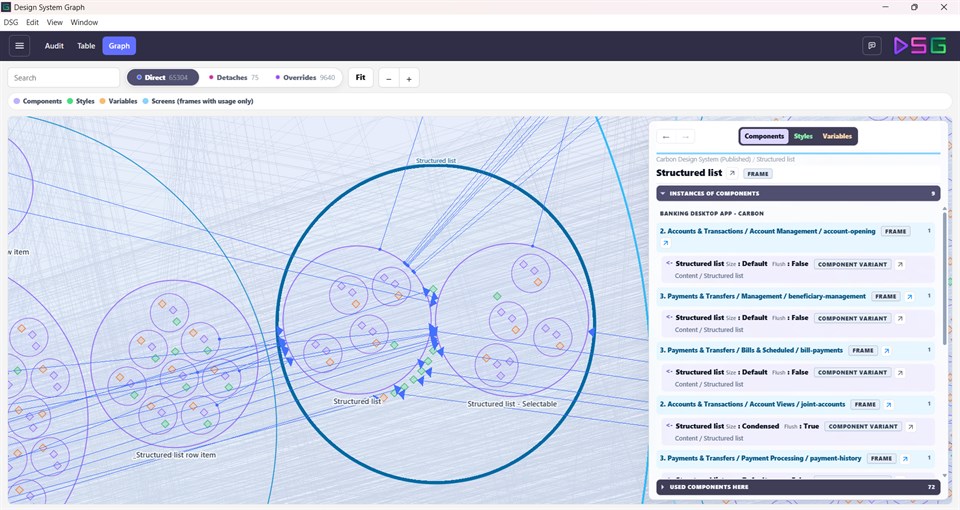
• Graph View: Explore connections between files, components, styles, and variables on an interactive, zoomable canvas.
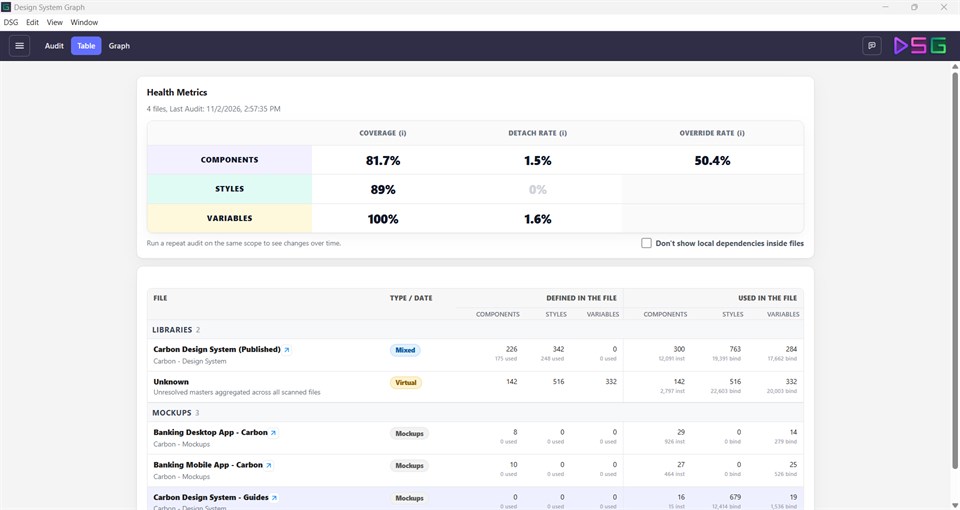
• Table View: Review usage, unused assets, detaches, and overrides in detailed tables.
• Inspect the evidence: Drill down into the instances and bindings behind each count, then open the corresponding location in Figma.
• Choose your audit scope: Select the teams, projects, and files you want to analyze.
TURN AUDIT RESULTS INTO ACTION
• Trace where a component, style, or variable is used across files.
• See which component variants are used and inspect their instances.
• Review the library resources used by a product design file.
• Identify unused assets and inspect their dependencies before making changes.
• Investigate detached components and review instance overrides.
• Bring usage metrics and concrete examples into design system adoption reviews.
Audit results are stored locally on your Windows PC.
GET STARTED
1. Install and open DSG on Windows.
2. Enter your Figma personal access token.
3. Add your Figma team link and select projects and files.
4. Run an audit and explore the results in Graph View and Table View.
To include local variables, export them to the desktop app using the DSG companion plugin for Figma.
FREE TRIAL AND LICENSE
The free trial includes 3 audits covering up to 3 projects across 2 teams, including all files within the selected projects.
A paid license is required to run additional audits. Licenses are sold separately through Gumroad as a one-time purchase.
Vom Entwickler
Listen 0
-
 Design System Graph
Punkte 0
-

- +1 Punkt

Ranglisten 0
-
- Deine Bewertung
Entwickler 1
- Floweare
- Follower: 0
- Plattformen: Windows Apps (1)
- Angebote: 0
- Listen: 0 0
- Punkte: 0
- Ranglisten: 0
- Kommentare: 0
- Videos: 0
- RSS: Abonnieren
Neue Funktionen
- Version: PC
- Zuletzt aktualisiert:
Weitere Informationen
- Veröffentlichungsdatum:
- Kategorie:
Windows-Apps›Entwicklungstools - Betriebssysteme:
PC - Größe:
137 Mb - Unterstützte Sprachen:
Englisch - Altersfreigabe:
EVERYONE - Windows Store Bewertung: ¡
0
AppAgg-Score
Geschätzter AppAgg-Score für
Design System Graph
Entwickler: Floweare
Ein höherer Score weist meist auf bessere Werte bei den von AppAgg erfassten Kennzahlen hin.
Basierend auf: Popularität · Nutzerbewertungen · Aktualität · Angeboten · Store-Daten · Community-Aktivität
Wird täglich anhand aktueller AppAgg-Daten neu berechnet.
Kommentare 0 ¡
Teilen
Design System Graph Kurz-URL: Kopiert!- Windows Store

