
Bookmarks
| Developer: | TriptoAfsin (5) | ||
| Price: | Free New | ||
| Score: | 620 Silver | ||
| Rankings: | 0 | ||
| Comments: | 0 Add a comment | ||
| Lists: | 0 0 | ||
| Points: | 0 | ||
| +1 Point | |||
Summary
dev-cleaner is an app by TriptoAfsin in the Developer tools category.
New release: it came out , so you’re among the first.
Free, no ads, no in-app purchases. Just you and the app.
The Microsoft Store is built into Windows, so it installs in a couple of clicks.
Its AppAgg Score is 620. Silver, and that’s not bad at all.
Just 3 megabytes, it’ll fit even on a full drive.
Rated “EVERYONE”, so it’s fine for kids too.
Only one language, and it’s English.
Total silence here so far: no ratings, no comments. Break the silence.
The developer has 4 more apps on AppAgg. Worth a look.
Want to hear about updates and new apps first? Follow the developer or subscribe to the RSS feed. Push alerts come through the AppAgg Alerts app for Android and iOS.
Screenshots 5
Other platforms 0
Price History 0
- Current price: Free
- Minimum: Free
- Maximum: Free
Your own feed on the home page
Description

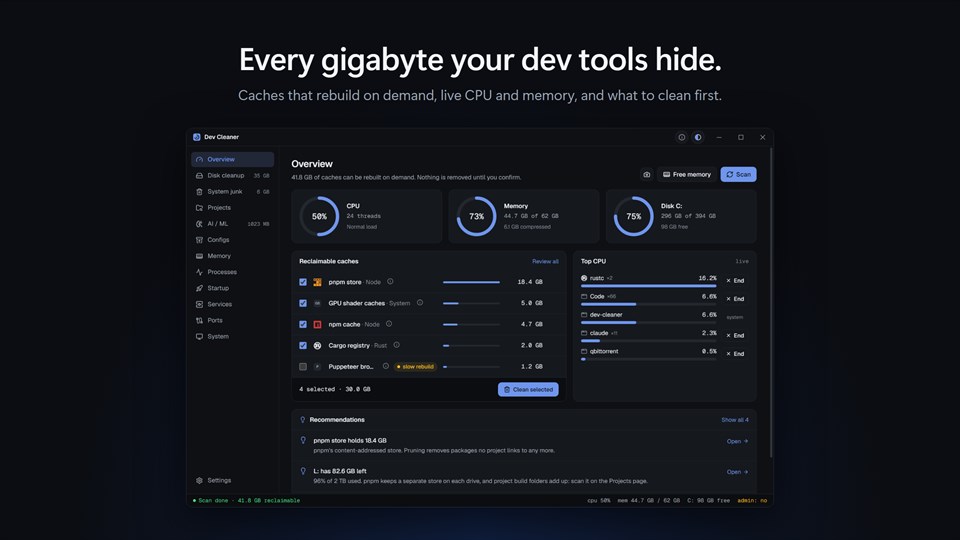
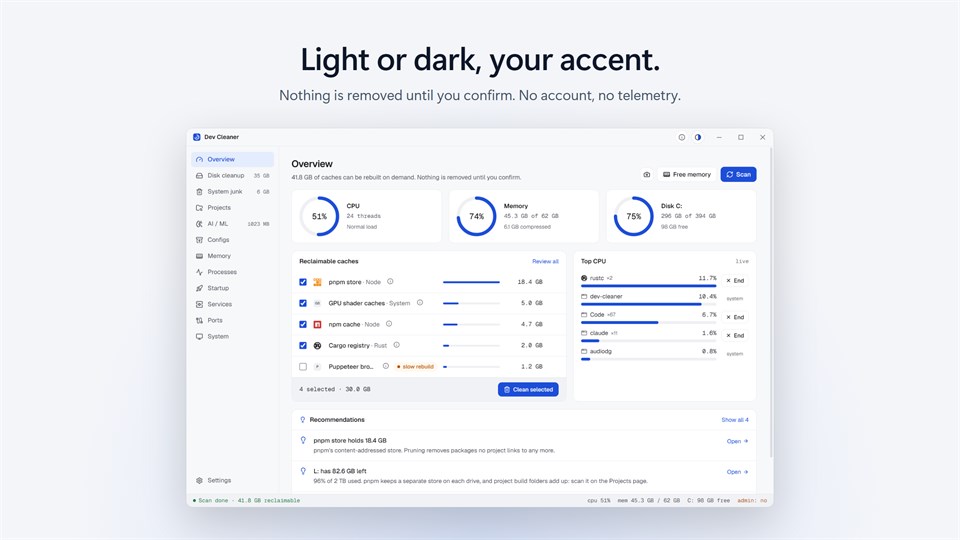
Nothing is removed until you confirm.
DISK CLEANUP
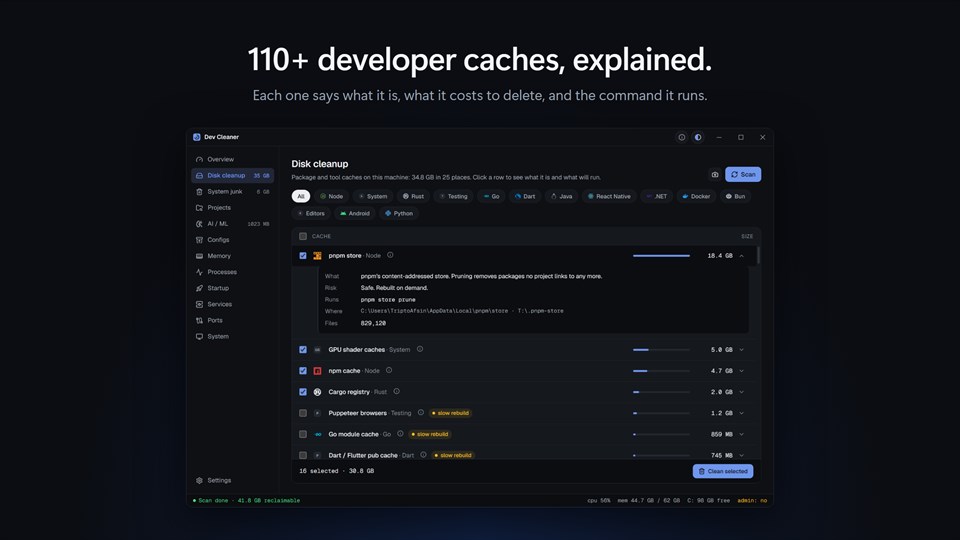
• 110+ developer caches: Node and its version managers, Bun, Deno, Rust, Python, Go, Java, Kotlin, Android and Android Studio, .NET, Ruby, PHP, Swift, Dart and Flutter, Docker, Kubernetes, Terraform, Bazel, game engines, editors and many more
• pnpm stores found on every drive, and each tool asked where its cache really is
• A "slow rebuild" tag on caches that take a while to fill again
SYSTEM JUNK
• Temp folders, Windows Update and Delivery Optimization leftovers, error reports, memory dumps, thumbnail caches, browser and chat-app caches, unfinished downloads and the Recycle Bin
• Items that need admin rights run together after one UAC prompt, and are never pre-selected
PROJECTS
• Point it at your code folders or whole drives to find node_modules, Python venvs, Rust and Maven target, Gradle build, .NET bin/obj, .next, .turbo, Flutter, Unity, Unreal and CMake build trees
• See when each project was last used and delete only the build folders you pick. Source code is never touched
AI / ML
• Ollama, LM Studio and Hugging Face models, plus loose .gguf, .safetensors, .ckpt, .pt and .onnx files
• What AI coding agents leave behind: Claude Code, Codex, Copilot CLI, OpenCode, Qwen Code and more, never their transcripts, memory or settings
• Hugging Face, PyTorch, Keras, wandb and Gradio caches
PROCESSES, MEMORY AND PORTS
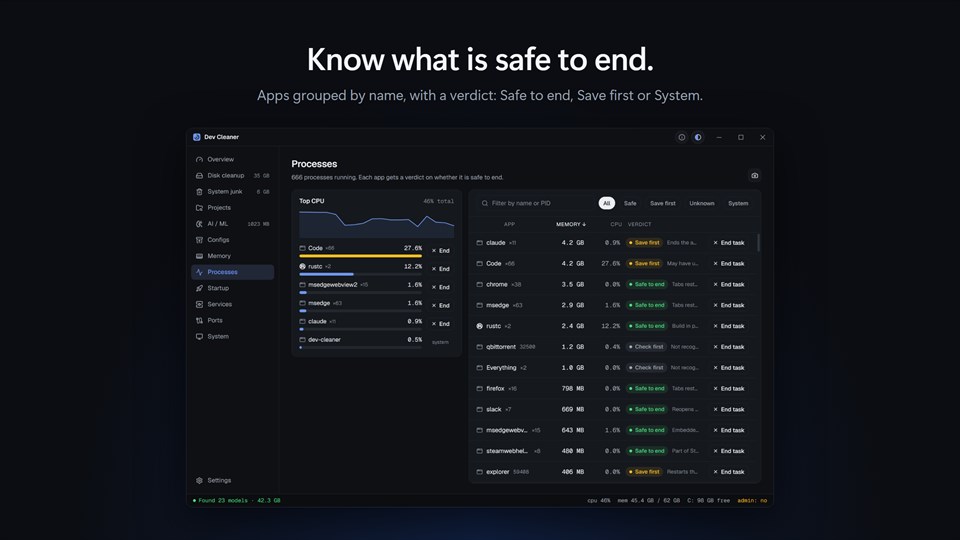
• Apps grouped by name and sorted by RAM or CPU, each marked Safe to end, Save first or System
• Free memory trims idle pages without closing anything
• See which process holds 3000, 5173, 5432, 8080 and other dev ports, with its command line and project folder, and free the port in one click
SYSTEM AND CONFIGS
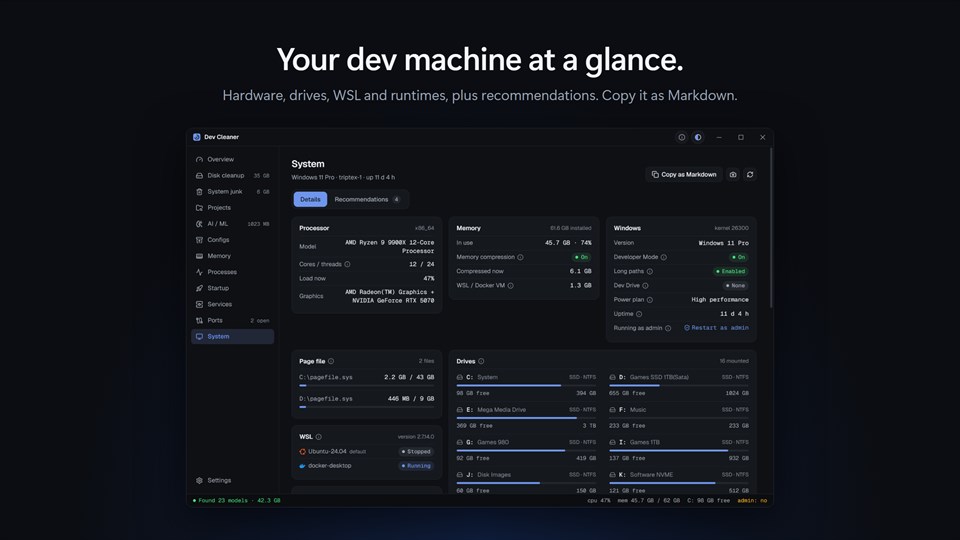
• OS, CPU, memory, drives, WSL, runtimes, editors and AI coding CLIs, with recommendations, copyable as Markdown
• Back up VS Code, Cursor, Zed, JetBrains, Claude Code, Codex and more to one zip, and copy settings, extensions and MCP servers between tools
SAFE BY DESIGN
• Scans are read-only. The backend re-checks every delete against known cache locations
• Browser cookies, history and passwords, Windows Prefetch and WinSxS are never cleaned
• Processes Windows needs can't be ended
PRIVATE
No account, no ads, no analytics, no telemetry. The only network requests are an update check and a definitions download (a list of cache locations) from the app's public GitHub repository, and both can be turned off.
Deletes are permanent. Dev Cleaner is provided as is under the MIT License; read what each item does before cleaning.
Free and open source: github.com/TriptoAfsin/dev-cleaner
From the developer
Lists 0
-
 dev-cleaner
Points 0
-

- +1 Point

Rankings 0
-
- Your rating
Developer 5
- TriptoAfsin
- Followers: 0
- Platforms: Windows Apps (5)
- Deals: 0
- Lists: 0 0
- Points: 0
- Rankings: 0
- Comments: 0
- Videos: 0
- RSS: Subscribe
What's new
- Version: PC
- Last Updated:
- Version 0.6.0
• A tidier sidebar: pages are grouped into Clean up, Manage and Machine, and each section folds away
• Memory sits right under Overview and shows how much RAM is free
• Click the CPU, Memory or Disk card on the Overview to jump to that page
• Update checks keep working when GitHub is busy
Additional Information
- Release Date:
- Category:
Windows Apps›Developer tools - OS:
PC - Size:
3 Mb - Supported Languages:
English - Content Rating:
EVERYONE - Windows Store Rating: ¡
0
 https://github.com/TriptoAfsin/dev-cleaner
AppAgg Score
Estimated AppAgg Score for
dev-cleaner
Developer: TriptoAfsin
Higher scores usually reflect better results across AppAgg’s indicators.
Based on: popularity · ratings · freshness · deals · store data · community signals
Recalculated daily using fresh AppAgg data.
Comments 0 ¡
Share
dev-cleaner Short URL: Copied!- Windows Store
You may also like
Recent discussionsMore →
 AppTapeFlo this app is the best app i use in my life Because. you trade. journal. Discipline. rule's that you w...
 Shurem Boy15
 AppGame4Class Game4Class makes lesson review fun and interactive. I like how easily students can join from their o...
 Mehdi Gateway62
 AppAniMate Waifu - AI Anime Desktop Pet This is the best anime desktop pets I have ever had, The dancing feature is amazing.
 shaw chaney34
 AppSpark Motion Create 26 The graphics are amazing! Now I can design my ball layouts and watch then spin in 3D animation.
 Jim Kirker40
 AppLocalDub – Real-Time Game Dubbing Hello Kırtay Interactive, I am using LocalDub - Real-Time Game Dubbing. I would like to know if Hind...
 rashid game53
 AppNauticPlayer This app is absolute cinema. Honestly, it’s one of the best media players I’ve ever tried, and I’m s...
 Manuel92
 AppScreen Beings - Interactive Accessibility Companion This is my app so I’m a little bias but as someone from the ADHD community that teaches ADHD and neu...
 Tarelle Irwin54
 AppAadi vault good it ia a encrypter and good you my work on office
 Aditya Rai50
 AppTyping 365 | Daily Typing Trainer The best typing app ever. With Typing 365 you don’t have to force yourself for couple minutes traini...
 Ahmad Mozaffar50
 AppZefir Calendar — Calendar in the Taskbar excelente app! Superando todas as espectativas!
 Diógenes Magnus50

