
Bookmarks
Choose a title for this bookmark.
Bookmark saved
| Developer: | Martin Grüner (10) | ||
| Price: | * Free | ||
| Score: | 1,080 Silver | ||
| Rankings: | 0 | ||
| Comments: | 0 Add a comment | ||
| Lists: | 0 + 0 | ||
| Points: | 0 + 0 ¡ | ||
| +1 Points | |||
Screenshots 6
Advertisement
Video 1
Description

SEE WHERE YOUR AI AGENTS ARE WORKING
DevDock shows when Claude Code or Codex is active in a project and whether it is working, running a command, or waiting. Check before you switch branches, run a build, or edit the same files. You don't need to connect an account.
RUN YOUR PROJECTS FROM ONE PLACE
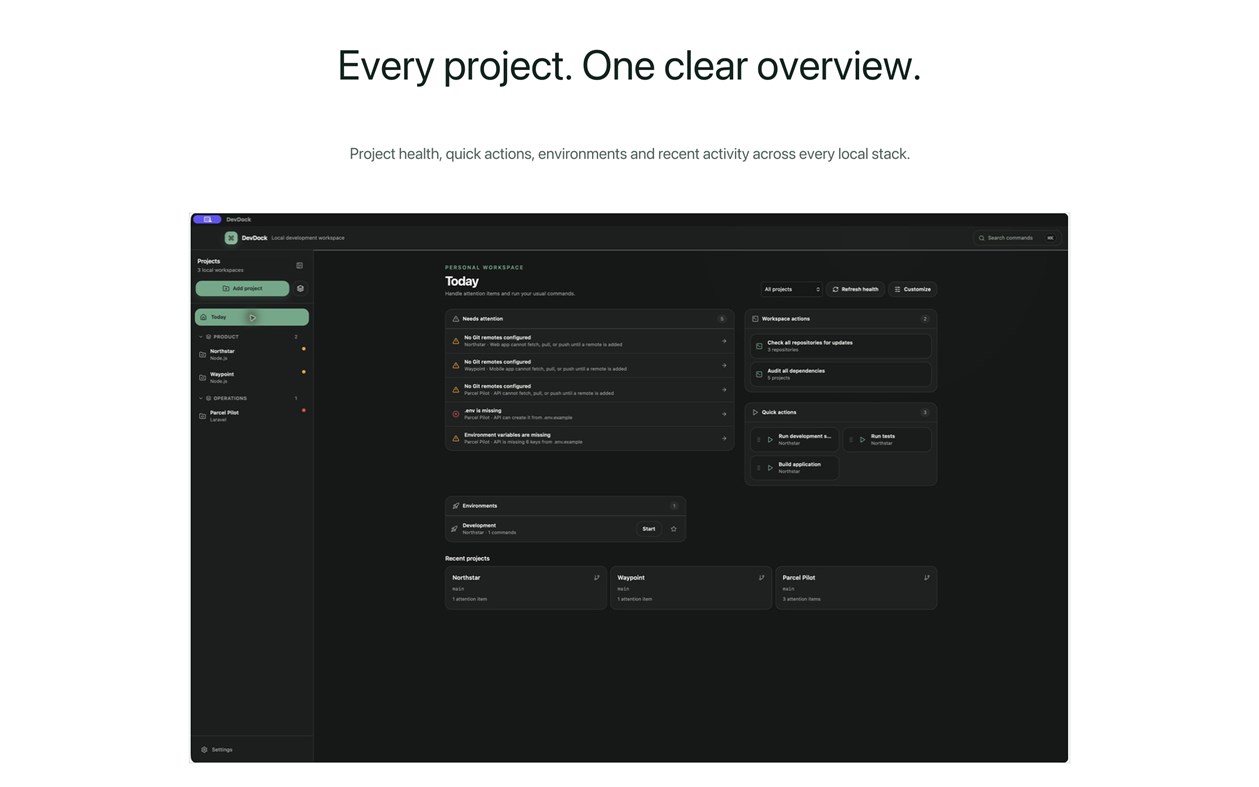
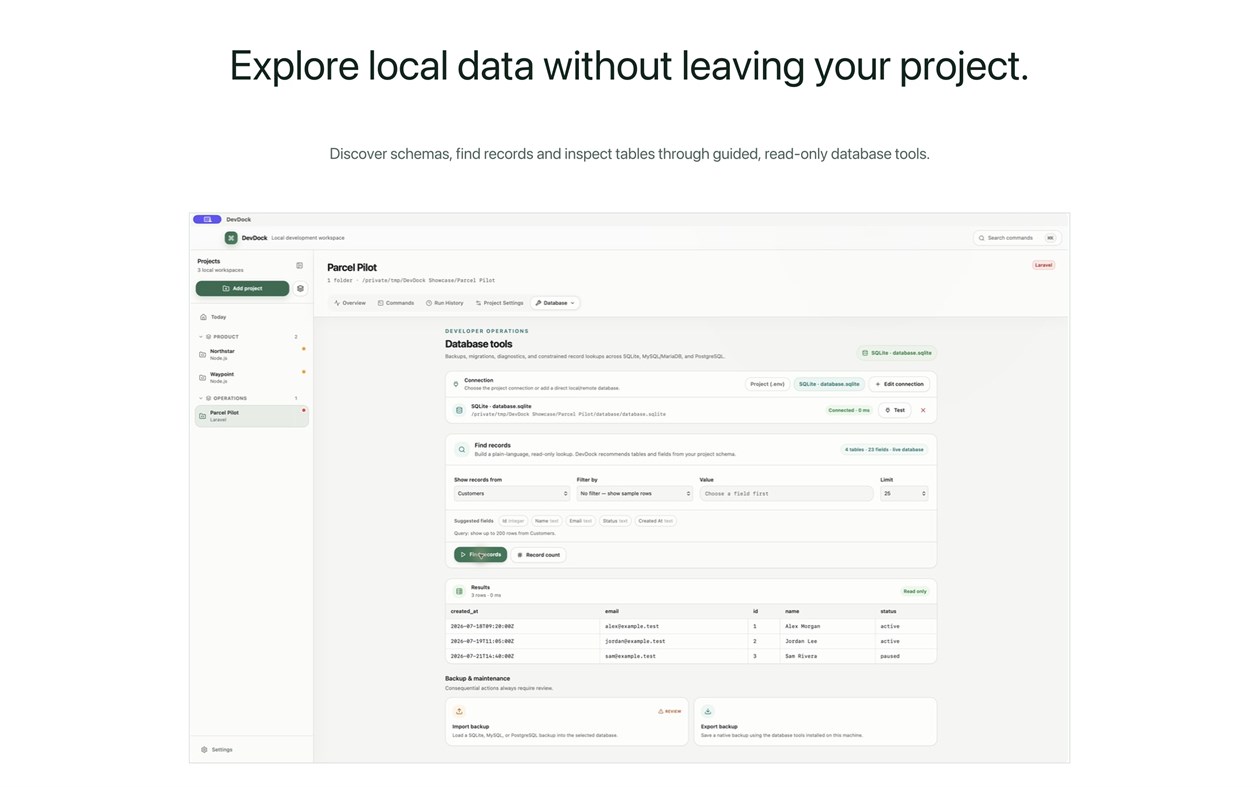
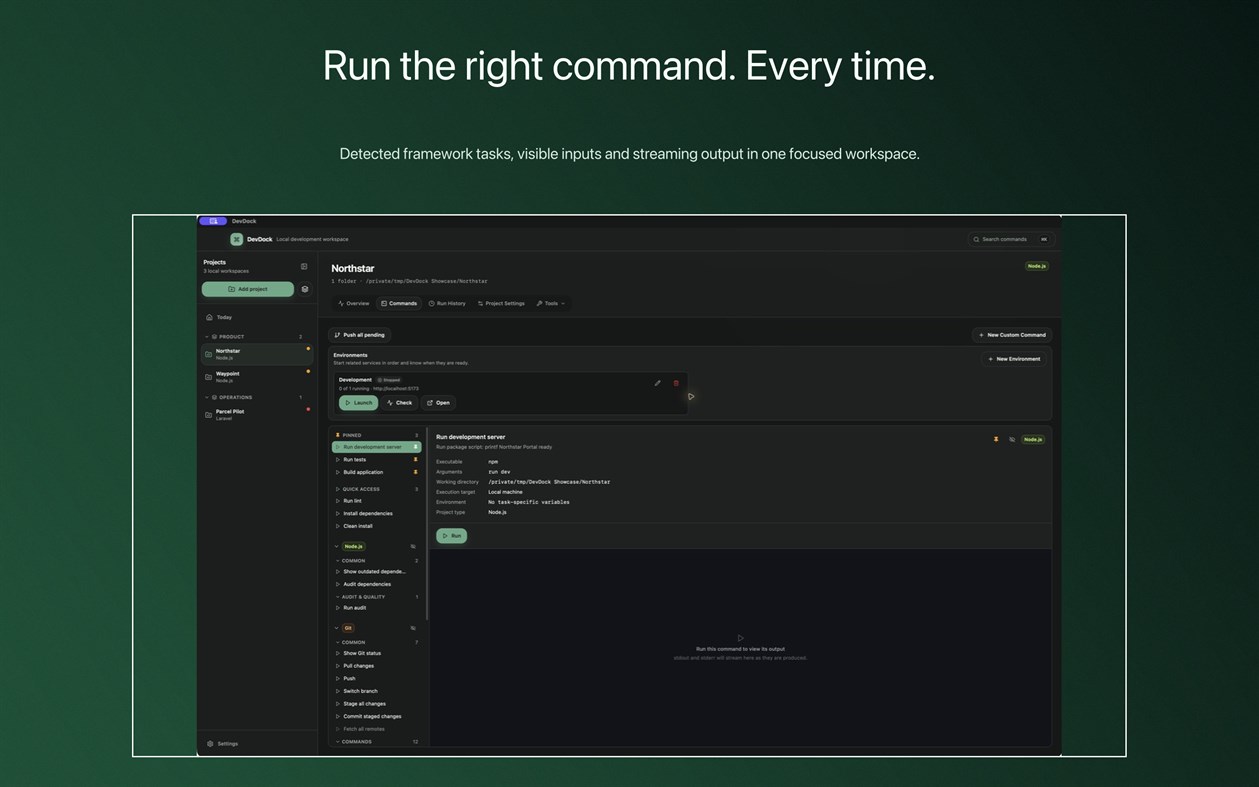
• Add a project folder and DevDock detects its languages, frameworks, package managers, Docker setup, and common commands. Detection only reads project files.
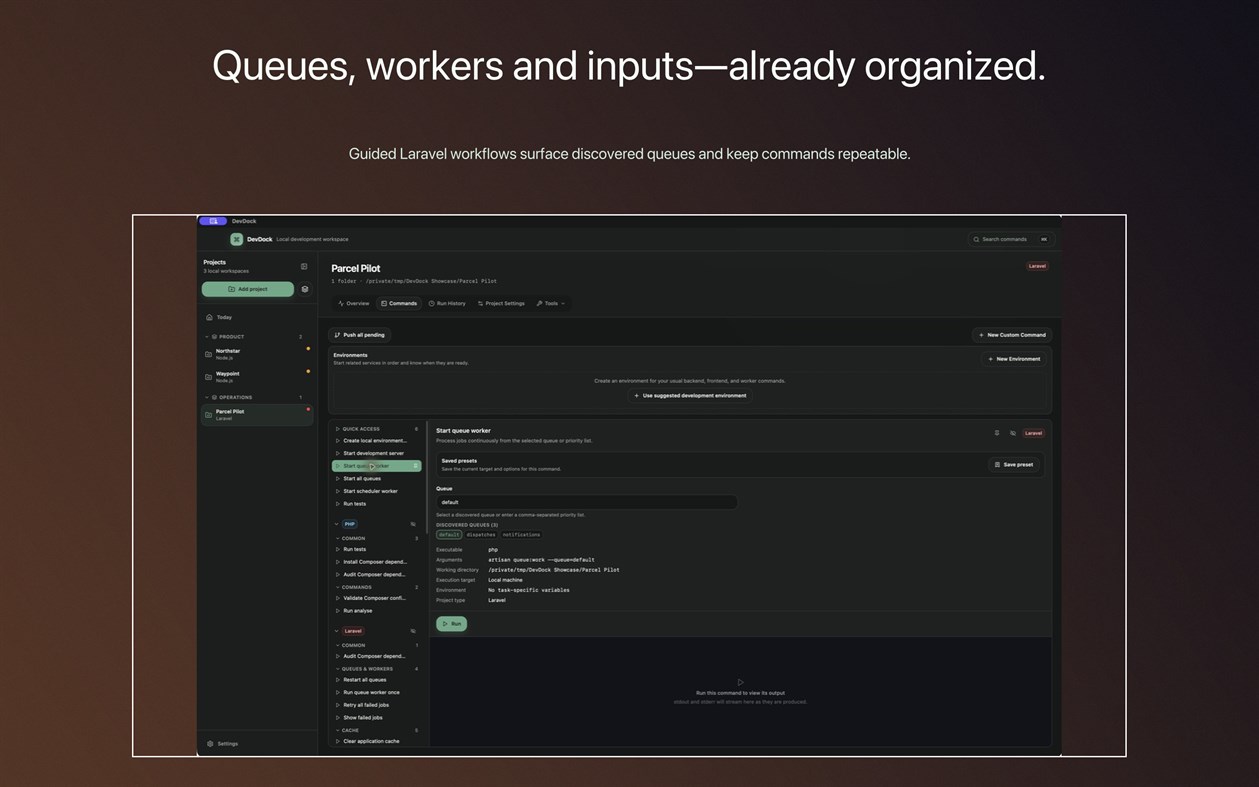
• Start commands and follow their live output. Stopping a command, or quitting DevDock, also stops every process it launched, so no servers are left running.
• Get back to recent projects and pinned workflows from Today.
• Open any project folder in a terminal, Visual Studio Code, or File Explorer.
GIT AND DOCKER
• Check repository state, switch branches, fetch, pull, commit, and review where a push will go. If local changes block a branch switch, DevDock can stash them, switch, and restore them.
• See Docker Compose service health, published ports, and resource use.
CHECK A PROJECT BEFORE YOU SHIP
• Project health points out missing tools, configuration problems, and Git, Docker, or dependency issues.
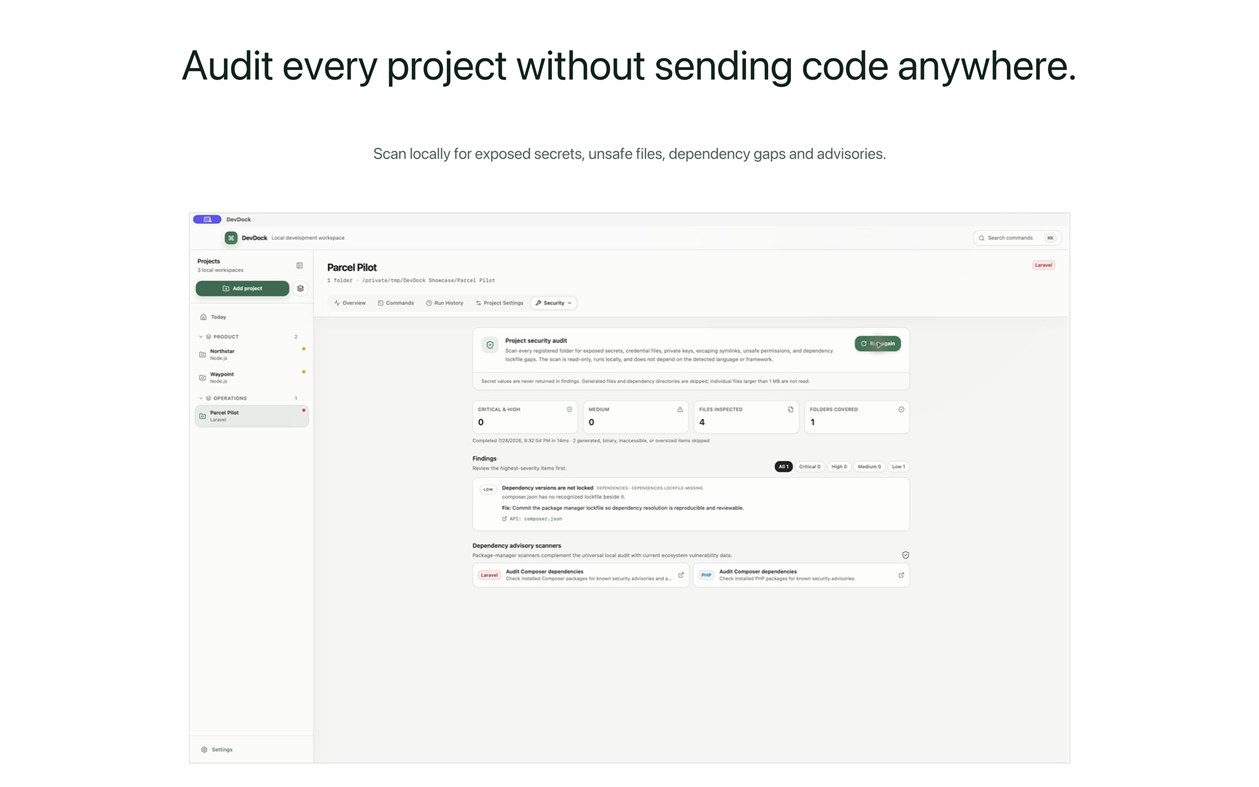
• A local security audit looks for exposed secrets, private keys, tracked credential files, and missing lockfiles.
FREE AND PRO
DevDock Free includes up to three projects with commands, Git, Docker, project health, the security audit, AI agent presence, and the 20 most recent runs per project.
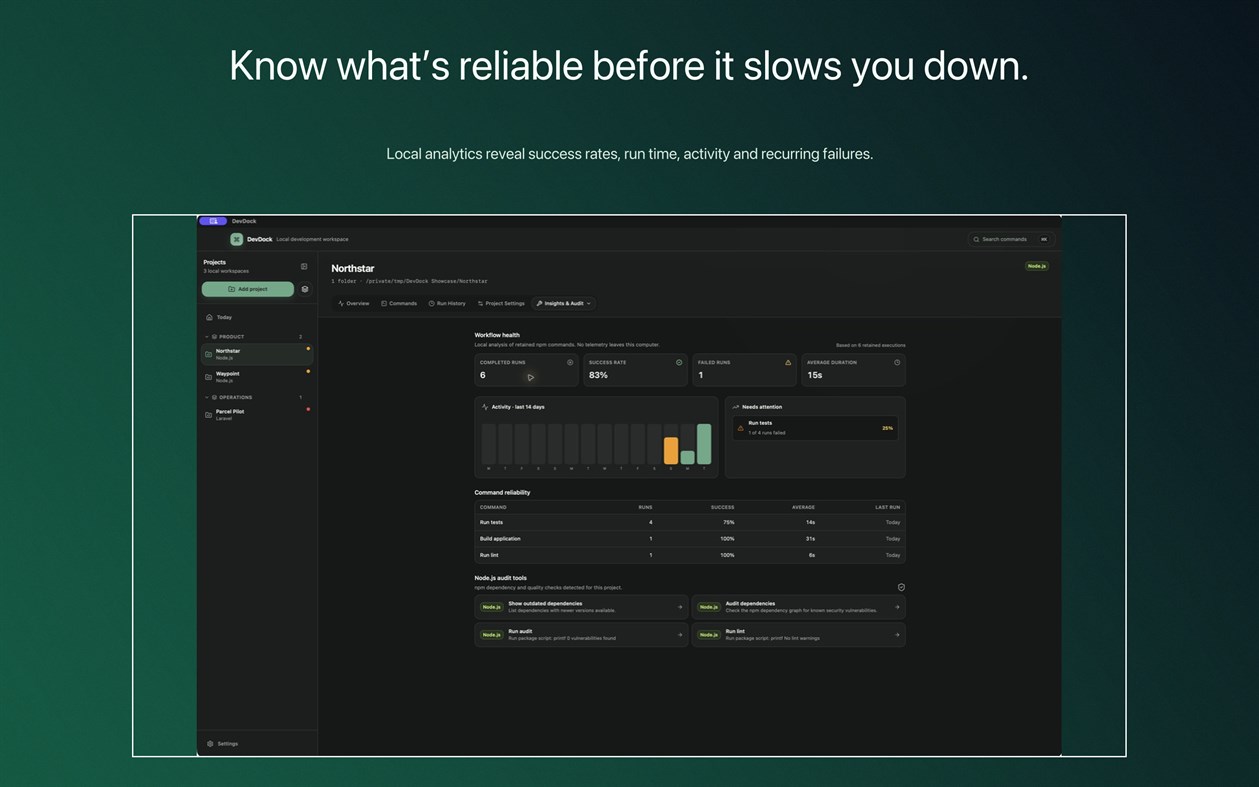
DevDock Pro is a one-time purchase. It adds unlimited projects, projects that span several folders or repositories, custom commands and combined workflows, saved environments, full run history and insights, database tools for SQLite, MySQL/MariaDB, and PostgreSQL, SSH file transfers, and configuration backup and restore.
Your projects stay on your PC. DevDock does not upload your source code and does not need an account.
Other platforms 0
| Dev DockWindows Store1K SilverYou are hereIn-App Purchases | Free |
Only in this store right now.
Price History 0
- Current price: Free
- Minimum: Free
- Maximum: Free
Track prices Add to a list to get discount alerts by email or push
Lists 0
0
-
 Dev Dock
Points 0
0
Rankings 0
-

- Your rating

Comments 0 ¡
Be the first to comment
Developer 10
- Martin Gruner
- Followers: 0
- Platforms: Android Apps (1) Android Games (1) iOS Apps (1) iOS Games (2) macOS Apps (2) Windows Apps (3)
- Deals: 0
- Lists: 0 + 0
- Points: 3 + 0 ¡
- Rankings: 0
- Comments: 0
- Videos: 4
- RSS: Subscribe
What's new
- Version: PC
- Last Updated:
- Reliability update: navigation responds reliably when you return to DevDock, interrupted sidebar and panel drags are cleaned up, and finished Git workflows no longer leave a dialog open.
Additional Information
- Release Date:
- Category:
Windows Apps›Developer tools - OS:
PC - Size:
8 Mb - Supported Languages:
English - Content Rating:
EVERYONE - Windows Store Rating: ¡
0
 https://martingruner.com/devdock-support.html
AppAgg Score
1,080
Estimated AppAgg Score for
Dev Dock
Developer: Martin Grüner
1,080 Silver
Higher scores usually reflect better results across AppAgg’s indicators.
Based on: popularity · ratings · freshness · deals · store data · community signals
Recalculated daily using fresh AppAgg data.
Website badge:  Copied!
Summary
Dev Dock Short URL: Copied!- Windows Store
On AppAgg, you can track the Windows app “Dev Dock” by Martin Grüner, listed under Developer tools. AppAgg Score: 1,080 (Silver). AppAgg Points for the app — confirmed: 0; indirect: 0. Public lists containing the app: 0. Users who have saved it in private lists: 0. AppAgg users have not rated the app yet. Confirmed Points record visits to a store by signed-in AppAgg users; indirect Points are based on store data. AppAgg counts public lists containing an app or game and users who have saved it in private lists. The app was first released on . The app was last updated on . The app is currently available for free. The app is available in these languages: English. Explore the price history, add the app to a list, or follow its developer. Follow future deals and updates for the app via its RSS feed. AppAgg does not host or distribute the app. All trademarks, logos, and screenshots related to the app belong to their respective owners.
You may also like
Recent discussions
 AppLocalDub – Real-Time Game Dubbing Hello Kırtay Interactive, I am using LocalDub - Real-Time Game Dubbing. I would like to know if Hind...
  rashid game5
  AppNauticPlayer This app is absolute cinema. Honestly, it’s one of the best media players I’ve ever tried, and I’m s...
  Manuel16
  AppScreen Beings This is my app so I’m a little bias but as someone from the ADHD community that teaches ADHD and neu...
  Tarelle Irwin6
  AppAadi vault good it ia a encrypter and good you my work on office
  Aditya Rai5
  AppTyping 365 | Daily Typing Trainer The best typing app ever. With Typing 365 you don’t have to force yourself for couple minutes traini...
  Ahmad Mozaffar5
  AppZefir Calendar — Calendar in the Taskbar excelente app! Superando todas as espectativas!
  Diógenes Magnus5
  AppCN Vault I Love this app CN Vault is a user-friendly app that helps keep your passwords safe and secure. If y...
  Marjuk Amin5
