
Bookmarks
| Developer: | EarnToLink (20) | ||
| Price: | * Free New | ||
| Score: | 1,310 Gold | ||
| Rankings: | 0 | ||
| Comments: | 0 Add a comment | ||
| Lists: | 0 0 | ||
| Points: | 0 | ||
| +1 Point | |||
Summary
Dev Tray: Developer Toolbox is an app by EarnToLink in the Developer tools category.
New release: it came out , so you’re among the first.
Free to get in, but the shop inside is open.
The Microsoft Store is built into Windows, so it installs in a couple of clicks.
Its AppAgg Score is 1,310. That’s Gold.
Just 22 megabytes, it’ll fit even on a full drive.
Rated “EVERYONE”, so it’s fine for kids too.
Speaks 9 languages, English included.
Nobody on AppAgg has rated it yet. Your chance to be first is right now.
The developer has 19 more apps on AppAgg. Worth a look.
Want to hear about updates and new apps first? Follow the developer or subscribe to the RSS feed. Push alerts come through the AppAgg Alerts app for Android and iOS.
Other platforms 0
 | Dev Tray: Developer ToolboxWindows Store1K GoldWindowsIn-App Purchases | Free |
Only in this store right now.
Price History 0
- Current price: Free
- Minimum: Free
- Maximum: Free
Your own feed on the home page
Screenshots 10
Description
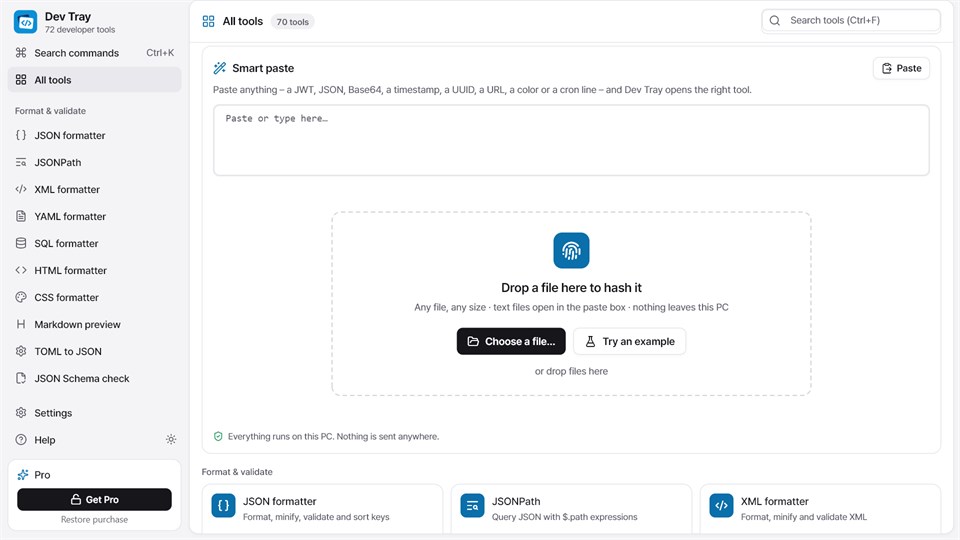
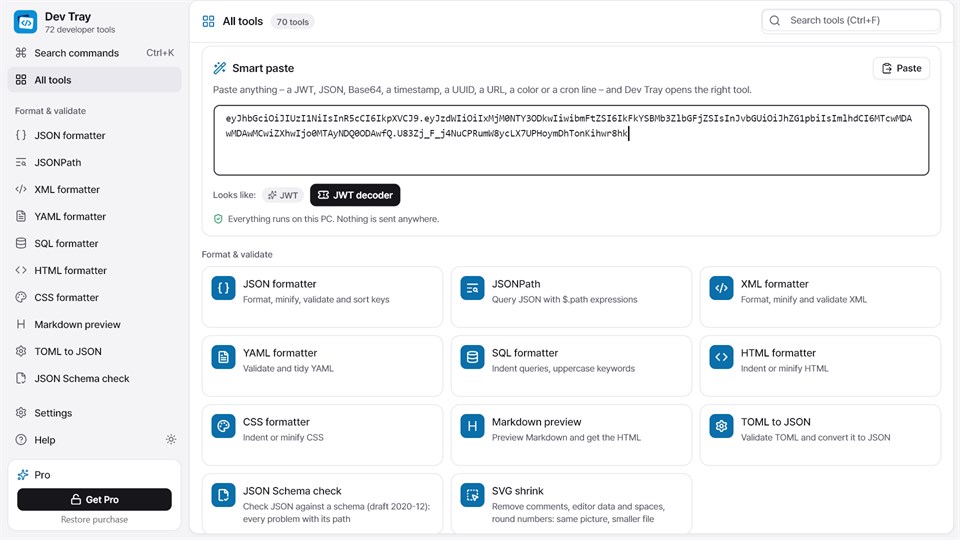
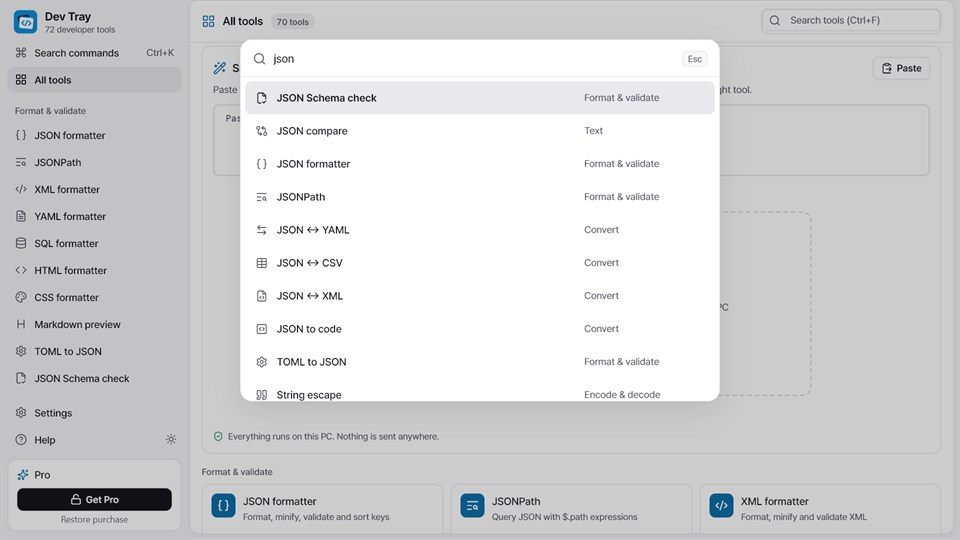
• Smart paste: Dev Tray recognizes JWTs, JSON, Base64, timestamps, UUIDs, URLs, colors, cron lines, IP ranges and hashes and opens the matching tool
• Quick window: press Ctrl+Alt+D in any app, paste, copy the result and get back to work; Dev Tray can stay in the tray
• Format and validate: JSON (sort keys, JSONPath), XML, YAML, SQL, HTML, CSS, TOML and a Markdown preview
• Convert: JSON ↔ YAML, CSV and XML, JSON to TypeScript, C#, Dart, Go, Python, Java, Kotlin and Rust classes, number bases, Unix time, colors with WCAG contrast, cron, chmod and naming case
• Encode and decode: Base64 for text and images, Base32, URL, HTML entities, Unicode and string escapes, hex dump, GZip
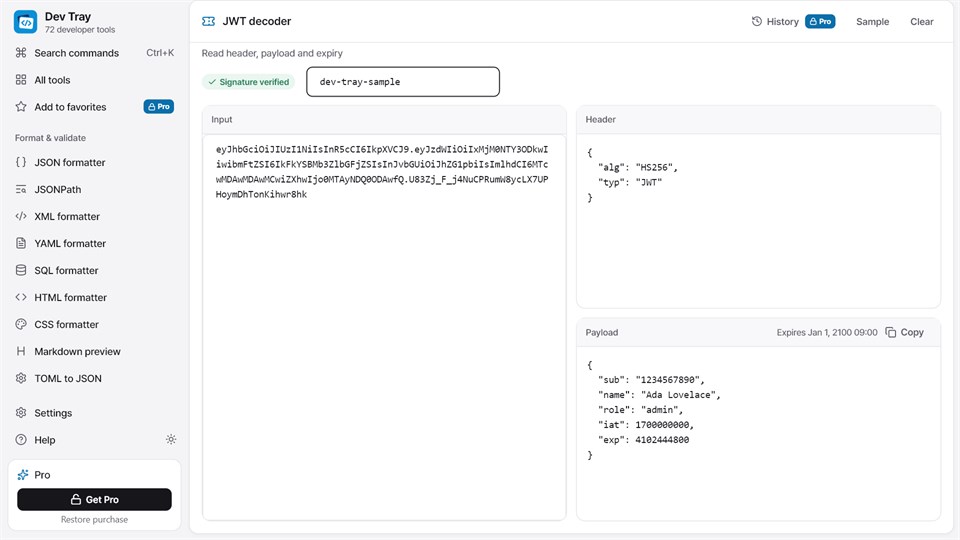
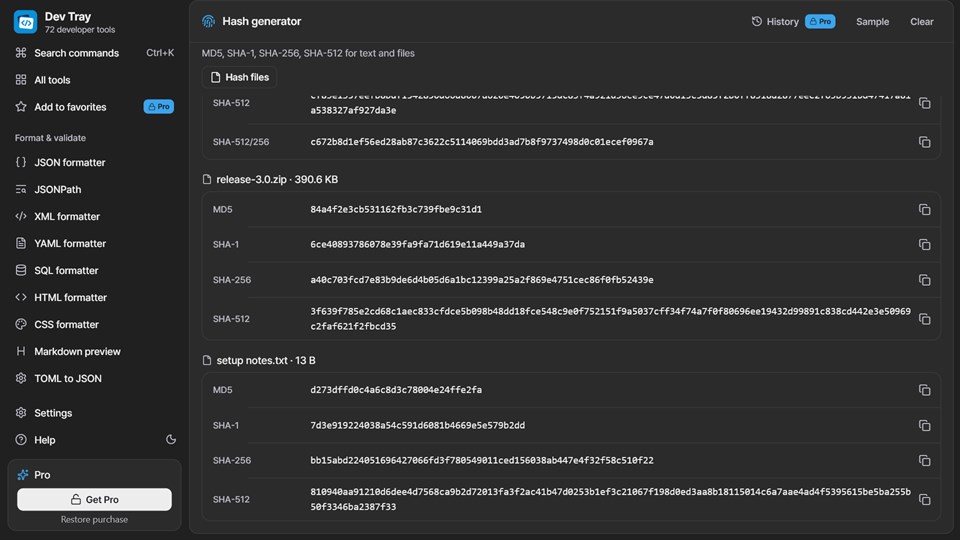
• Hashes and security: MD5, SHA-1, SHA-256 and SHA-512 for text and files of any size, HMAC, CRC-32 and other checksums, bcrypt, JWT decode, sign and verify, certificate decoder
• Generate and edit text: UUID v1/v4/v7, ULID, NanoID, passwords, Lorem ipsum, QR codes; text compare, regex tester, line tools, text counter; IPv4/IPv6 subnets, MAC, HTTP status codes, MIME types, User-Agent
• Private: everything runs on your PC and works offline. No account, no ads, no tracking
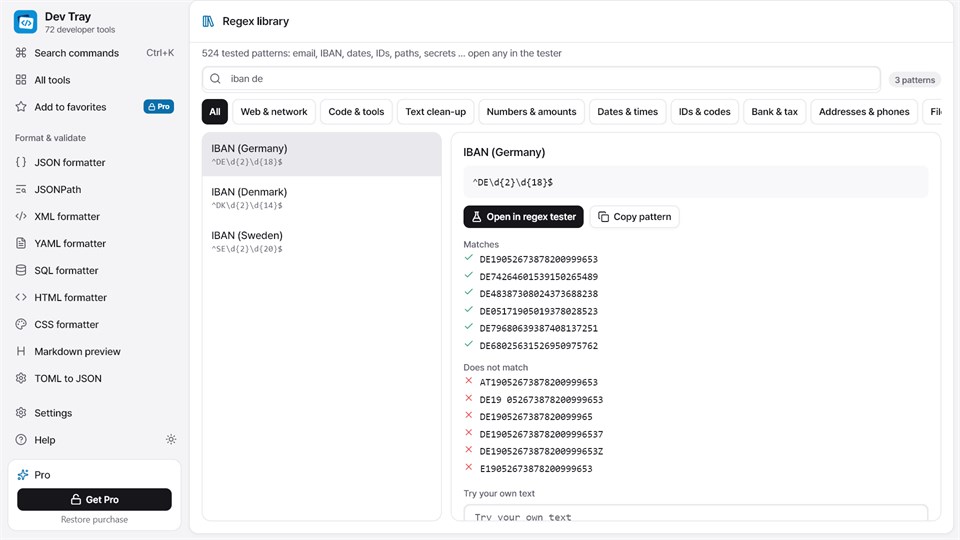
• Regex library: 524 patterns tested against their examples (email, URLs, IBAN for 76 countries, VAT numbers, postal codes, phone numbers, dates, IDs) – open any of them in the tester
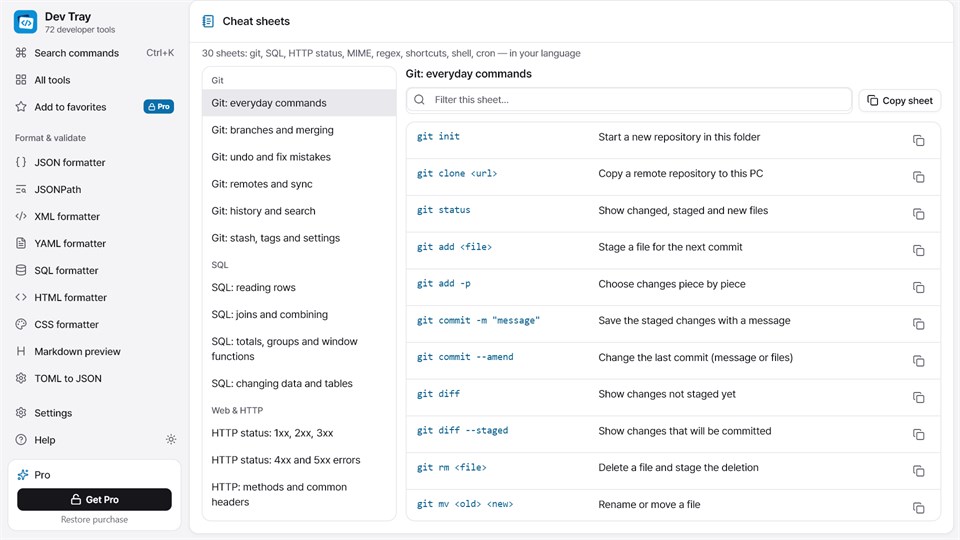
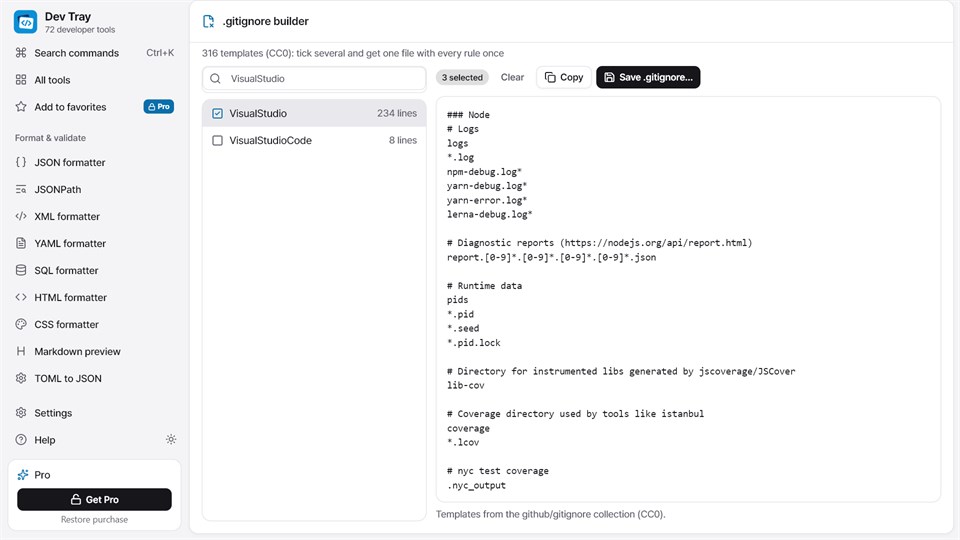
• 30 cheat sheets (Git, SQL, HTTP, regex, keyboard shortcuts, shell, data formats) and 316 .gitignore templates you can combine and save
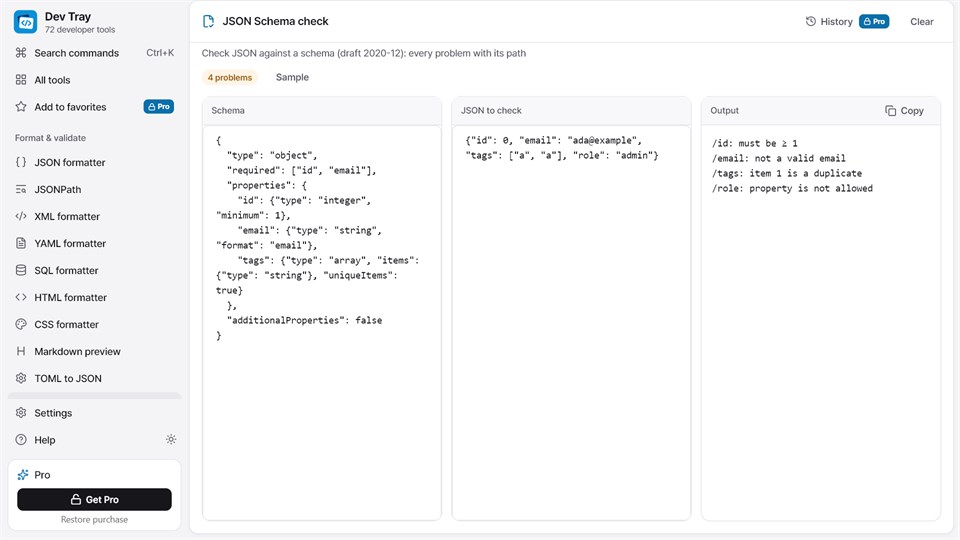
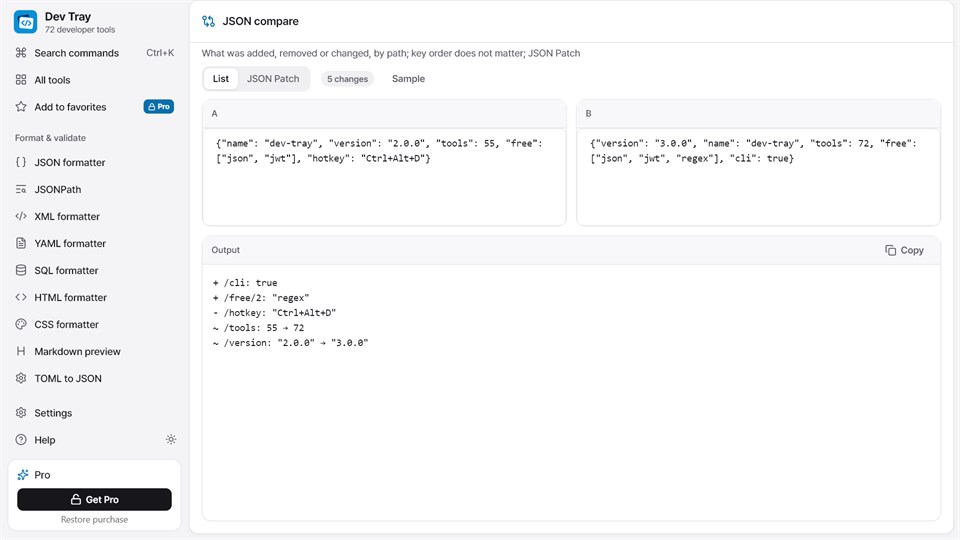
• New tools: JSON Schema check, JSON diff and patch, semantic versions, .env compare, invisible and look-alike characters, MessagePack, CBOR, protobuf, CSV ↔ SQL, curl to code, SVG minify
• Command line: every text tool as devtray with standard input and output and --json; chain tools in one line (base64:decode gzip:decode json)
• Calculate hash with Dev Tray from the File Explorer menu for up to 50 files; Dev Tray can start with Windows in the tray (off until you turn it on)
Free for personal and business use. No ads, no account, no subscription. No charge at the last step: limits are shown up front. Works offline. Never changes your default apps without asking.
No usage tracking or analytics. Sharp on high-DPI screens and across monitors with different scaling. Help › About › Delete all app data removes its settings, history and caches.
FREE VS PRO
Free version:
• 70 of the 72 tools without limits (everything except folder checksums and multi-file replace), including file hashes of any size, HMAC, bcrypt, JWT signing, regex replace and text compare
• Smart paste, the quick window with a global shortcut and the tray icon
• Regex library (524), 30 cheat sheets, 316 .gitignore templates, the command line for every text tool and chains of up to 3 tools
Pro (optional one-time in-app purchase, no subscription):
• Recognize what you copy, shown on the tray icon (Pro only)
• Input history and saved snippets for every tool (Pro only)
• Folder checksums: create and verify SHA256SUMS (Pro only)
• Find and replace in many files, with preview and undo (Pro only)
• Code generation options: nullable fields and naming (Pro only)
• Favorite tools pinned at the top, in your order (Pro only)
• Saved tool chains of any length, devtray recipe and folder commands (folderhash, replace) on the command line (Pro only)
From the developer
Lists 0
-
 Dev Tray: Developer Toolbox
Points 0
-

- +1 Point

Rankings 0
-
- Your rating
Developer 20
- EarnToLink
- Followers: 0
- Platforms: Windows Apps (20)
- Deals: 0
- Lists: 0 0
- Points: 0
- Rankings: 0
- Comments: 0
- Videos: 0
- RSS: Subscribe
What's new
- Version: PC
- Last Updated:
- Dev Tray 3.0 – 72 tools (70 free). New: regex library with 524 patterns tested against their examples, 30 cheat sheets and 316 .gitignore templates you can merge. New tools: JSON Schema check, JSON diff, semver, .env compare, invisible characters, MessagePack, CBOR, protobuf, CSV ↔ SQL, curl to code, SVG minify. Every text tool on the command line (devtray), chains of up to 3 tools. Calculate hash with Dev Tray in File Explorer. Ctrl+K command palette. Large JSON (50 MB) stays smooth.
Additional Information
- Release Date:
- Category:
Windows Apps›Developer tools - OS:
PC - Size:
22 Mb - Supported Languages:
English,Chinese,French,German,Italian,Japanese,Korean,Portuguese,Spanish - Content Rating:
EVERYONE - Windows Store Rating: ¡
0
 https://earntolink.com/help/dev-tray/
AppAgg Score
Estimated AppAgg Score for
Dev Tray: Developer Toolbox
Developer: EarnToLink
Higher scores usually reflect better results across AppAgg’s indicators.
Based on: popularity · ratings · freshness · deals · store data · community signals
Recalculated daily using fresh AppAgg data.
Comments 0 ¡
Share
Dev Tray: Developer Toolbox Short URL: Copied!- Windows Store
You may also like
Recent discussionsMore →
 AppGame4Class Game4Class makes lesson review fun and interactive. I like how easily students can join from their o...
 Mehdi Gateway62
 AppAniMate Waifu - AI Anime Desktop Pet This is the best anime desktop pets I have ever had, The dancing feature is amazing.
 shaw chaney34
 AppSpark Motion Create 26 The graphics are amazing! Now I can design my ball layouts and watch then spin in 3D animation.
 Jim Kirker40
 AppLocalDub – Real-Time Game Dubbing Hello Kırtay Interactive, I am using LocalDub - Real-Time Game Dubbing. I would like to know if Hind...
 rashid game53
 AppNauticPlayer This app is absolute cinema. Honestly, it’s one of the best media players I’ve ever tried, and I’m s...
 Manuel92
 AppScreen Beings - Interactive Accessibility Companion This is my app so I’m a little bias but as someone from the ADHD community that teaches ADHD and neu...
 Tarelle Irwin54
 AppAadi vault good it ia a encrypter and good you my work on office
 Aditya Rai50
 AppTyping 365 | Daily Typing Trainer The best typing app ever. With Typing 365 you don’t have to force yourself for couple minutes traini...
 Ahmad Mozaffar50
 AppZefir Calendar — Calendar in the Taskbar excelente app! Superando todas as espectativas!
 Diógenes Magnus50
 AppBlazin IPTV Player This compact IPTV player is amazing. I threw multiple playlists at it and it handles it with no issu...
 Mike Anderson40

