
书签
为此书签设置标题。
书签已保存
| 开发者: | Stark Industries Dev (1) | ||
| 价格: | 免费 | ||
| 评分: | 1,090 白银 | ||
| 排名: | 0 | ||
| 评论: | 0 发表评论 | ||
| 列表: | 0 0 | ||
| 积分: | 0 | ||
| +1 积分 | |||
摘要
DevProjex 是 Stark Industries Dev 推出的应用,属于“开发人员工具”分类。
发布于,还挺新鲜的。
免费,没有广告,没有内购。只有你和这款应用。
Microsoft Store 内置在 Windows 里,点几下就装好了。
AppAgg 评分 1,090。白银级,已经很不错了。
年龄分级为“EVERYONE”,孩子也适合。
会说 18 种语言,中文也在其中。
AppAgg 上还没人给它打过分。第一个打分的机会就在眼前。
这是该开发者在 AppAgg 上唯一的应用。至少目前是。
想第一时间知道更新和新应用?关注开发者或订阅RSS 订阅源。推送通知通过 AppAgg Alerts 应用发送,支持 Android 和 iOS。
广告
其他平台 0
价格历史 0
- 目前价格: 免费
- 最小值: 免费
- 最大值: 免费
首页专属动态
为「新上架与最近更新」选择平台,首页就只显示你需要的应用和游戏。
屏幕截图 10
描述

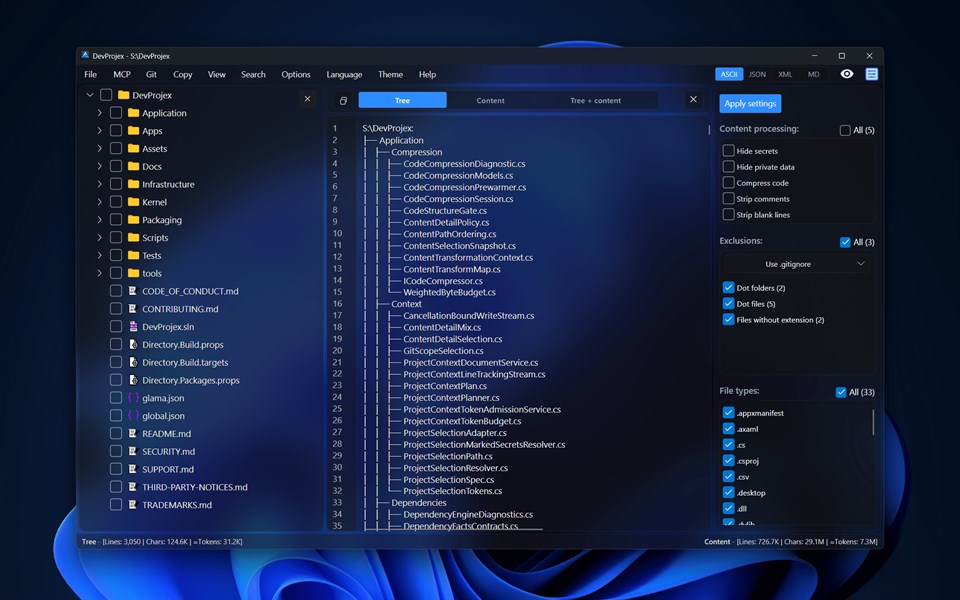
It solves an everyday developer problem: a real project does not fit into a chat window. Copying files one by one does not scale, and pasting everything blows past the token limit — often with API keys, passwords, and personal data inside. DevProjex packs your entire repository — or a single module — into one AI-friendly document, shows the estimated token count in advance, and — with one switch — masks detected secrets before the text ever leaves your machine.
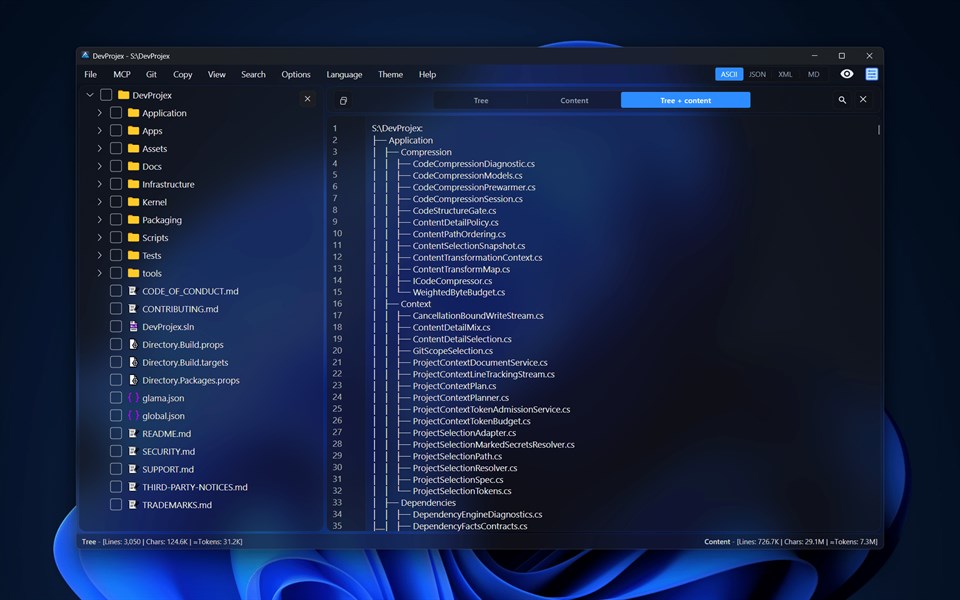
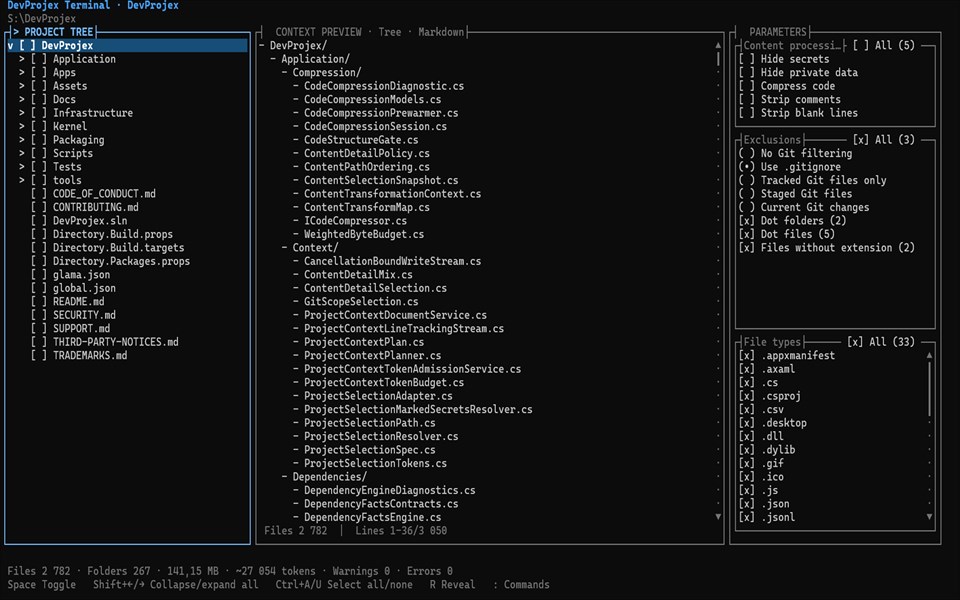
If you have been packing codebases with command-line tools and wished for a visual way to do the same job — this is it: a file tree with checkboxes, search and name filters, and a live preview that updates while you select. Scrollbar markers show search matches and every redaction finding at a glance, so you always see exactly what you are sending.
Smart Ignore removes dependencies, caches, and build artifacts automatically — based on real project evidence, so monorepos are filtered correctly and source folders are never hidden by name alone. Git filtering goes further than .gitignore: include only Git-tracked files, or narrow the selection to staged files, all current changes, or a diff between two refs — ideal for sending an AI only what you are working on right now. Root folders, file types, exclusions, and single files toggle independently.
Hide Secrets masks detected API keys, tokens, passwords, and connection strings right in the output, using Gitleaks-based rules. The file and its surrounding code stay in place — one secret never costs you the whole file, a false positive can be overridden per match right in the preview, and any other value can be hidden by hand for the session or permanently for the project, without storing the original. Optional private-data masking hides emails, IP and MAC addresses, phone numbers, and user paths. In CI, the findings check can fail a pipeline before a leak — secret values are never printed.
Code compression saves tokens where it matters: declarations, signatures, fields, and class structure stay intact while method bodies are emptied — pure source code gets about three times smaller. Comment and blank-line stripping covers 20 syntax-aware language packs: C, C++, C#, Go, Java, JavaScript, Kotlin, PHP, Python, Ruby, Rust, Scala, TypeScript, and more. Every transformation applies to the output only: your files never change.
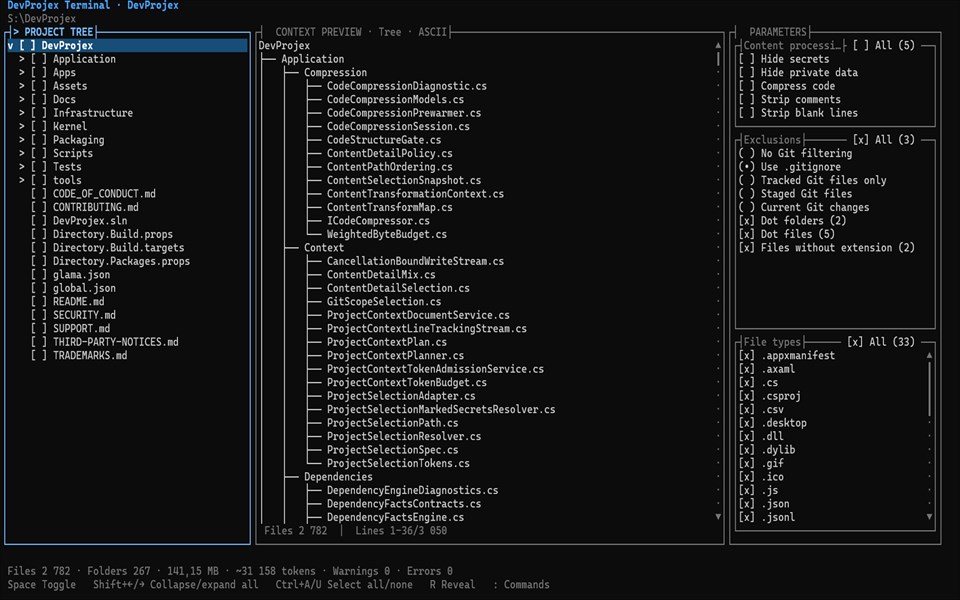
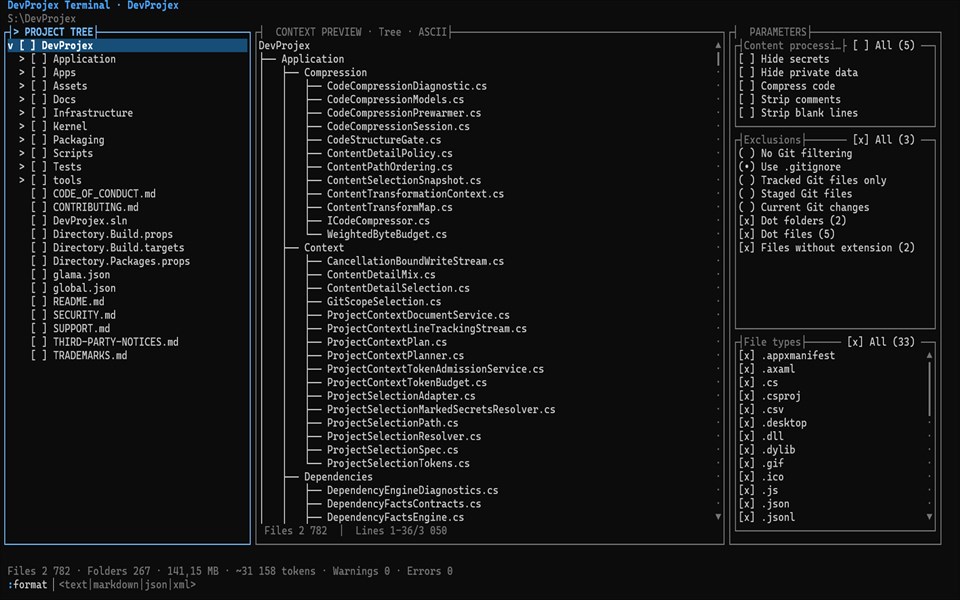
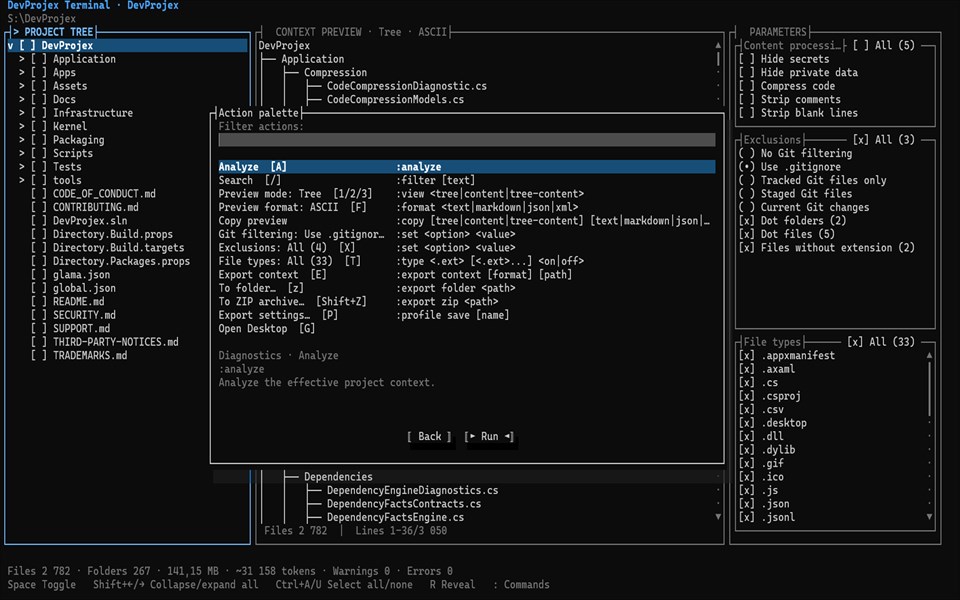
One engine, four ways to work. The GUI gives you the visual tree and preview. The keyboard-first terminal workspace (TUI) brings the same workflow to SSH sessions and servers, with a searchable action palette. The CLI automates scripts and CI: analyze, search, or export straight from a GitHub URL, pipe a file list in from git diff, and use shell completion for bash, zsh, fish, and PowerShell. The built-in Model Context Protocol (MCP) server gives AI agents such as Claude Code, Codex, Cursor, and VS Code read-only access to your project: the agent searches the code and immediately sees which function each match belongs to, reads a single function by name or several files in one request, and receives large results in parts. The server never leaves the folders you allow, opens remote repositories by URL only when you permit it, and its secret masking is always on and cannot be disabled.
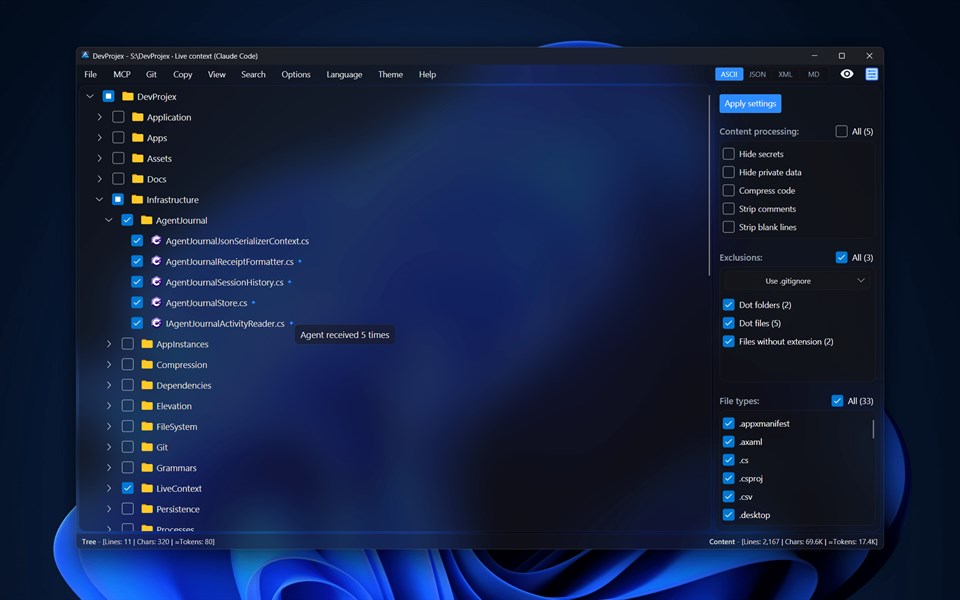
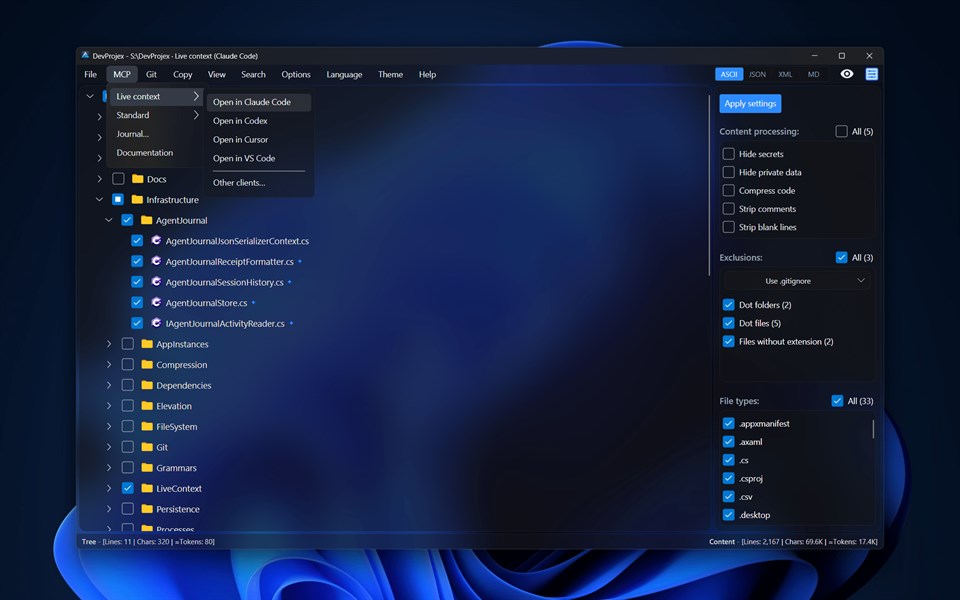
Work with your agent, not around it. Connect an agent in one step — from the MCP menu in the app, or with the mcp connect command in the terminal workspace — and choose a mode: Live context or Standard. In Live context mode, the agent follows the checkboxes in the DevProjex file tree: the checked files and folders become its working area, and when you change the checkboxes, the agent sees the new selection on its very next request — no restart, no copy-paste. The window's filters — file types, exclusions, and Git scope — set the boundary: whatever they hide stays out of the agent's reach, while any other project file can still be opened by name when the agent needs it. In Standard mode, the agent works with the whole project, independent of the window. Turn on View → Agent activity, and files the agent received are marked with ✦ right in the tree, while a tooltip shows how many times it received them; in the terminal workspace they are marked with the letter A. Related files show what a file depends on and what depends on it.
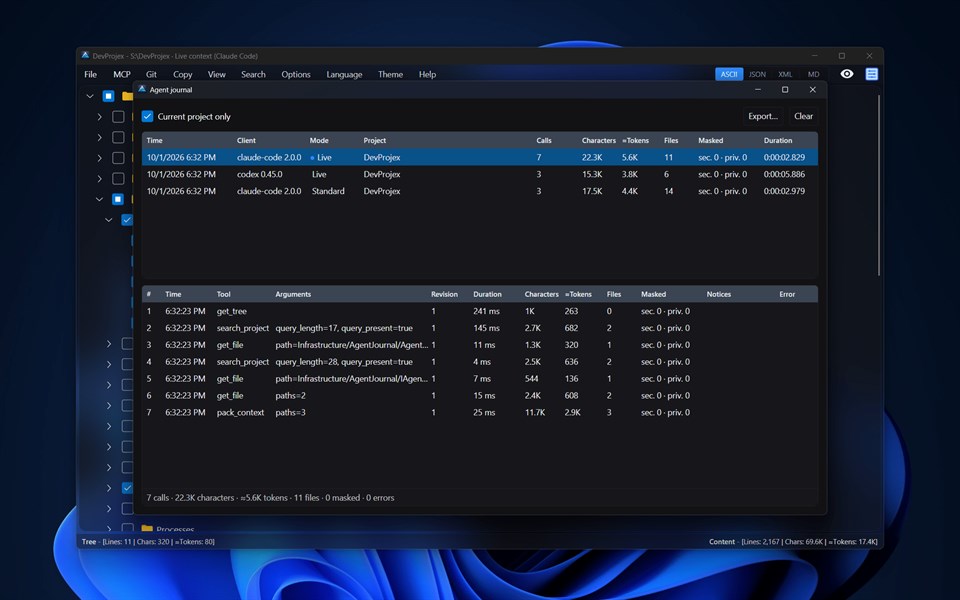
The agent journal (MCP → Journal…) keeps the history of every session right on your computer: the client and its version, the mode, the number of calls, response size, estimated tokens, delivered files, the number of masked values, and the duration — plus, for every call, its parameters, result, and notices. Export any session as a Markdown or JSON report — for an audit, for your team, or simply to see exactly what the agent received. Your code, detected secrets, and search query text never enter the journal.
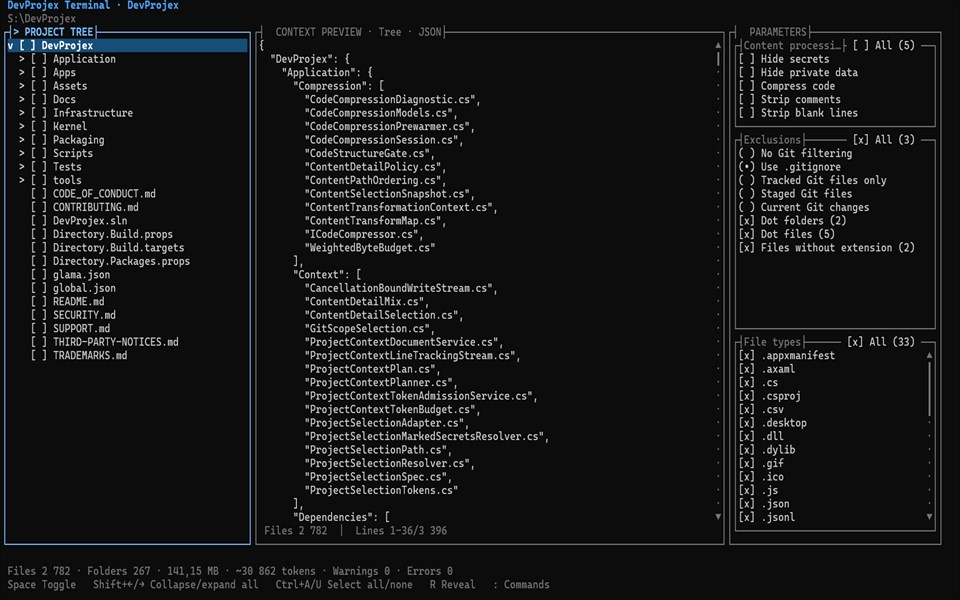
Everything is built for large codebases: fast scanning, search and filters, metrics for files, lines, characters, and estimated tokens — plus a token budget that fits the largest files into a model's context window and reports what was included, while experimental ranking orders files by importance or by closeness to the files you pick, so the budget goes to what matters first. Copy results to the clipboard or export them as ASCII, Markdown, JSON, or XML — or save the selected files as a clean project copy, a folder or ZIP archive, for code review, teaching, or handing a module to a teammate. Local profiles remember settings per project; built-in Git tools clone repositories by URL, switch branches, and update the cache. Light, dark, and system themes, platform-native keyboard shortcuts, safe cancellation of long operations, and an interface in 20 languages.
DevProjex runs locally and never changes your files — read-only by design. No telemetry, no cloud, no account. Headless builds and a Docker image are available for servers and CI. One cross-platform desktop app for Windows, Linux, and macOS, backed by more than 17,000 automated tests, selected for the official Avalonia UI App Showcase, and open-source on GitHub under Apache-2.0.
来自开发者
你是开发者吗?
在页面顶部发布新闻,关注者会通过邮件收到。添加你的 YouTube 视频,它们会排在“视频”版块最前面。
列表 0
-
 DevProjex
积分 0
-

- +1 积分

排名 0
-
- 您的评分
开发者 1
- Stark Industries Dev
- 关注者: 0
- 平台: Windows 应用 (1)
- 折扣: 0
- 列表: 0 0
- 积分: 0
- 排名: 0
- 评论: 0
- 视频: 0
- RSS: 订阅
新版变化
- 版本: PC
- 最后更新:
- DevProjex 5.2 adds Live Context: your AI agent follows the checkboxes in the file tree and sees the new selection on its very next request, while the window's filters set the boundary of its access. Claude Code, Codex, Cursor, and VS Code connect in one step — from the MCP menu in the app or with the devprojex mcp connect command. The agent journal shows which files and how many tokens each client received, and exports sessions as Markdown or JSON. Related files show what a file depends on and what depends on it, while experimental ranking spends the token budget on what matters first. The MCP server finds declarations by name, reads several files and ranges in one request, and states plainly what was found and what was cut. Linux gets an AppImage, and servers and CI get headless builds and a Docker image.
其他信息
 https://github.com/Avazbek22/DevProjex
AppAgg 评分
1,090
AppAgg 预估评分:
DevProjex
开发者: Stark Industries Dev
1,090 白银
评分越高,通常表示其在 AppAgg 上的各项指标表现越好。
基于: 热度 · 用户评分 · 新鲜度 · 优惠 · 商店数据 · 社区活跃度
根据最新 AppAgg 数据每日重新计算。
网站徽章:  已复制!
评论 0 ¡
来发第一条评论吧
分享
DevProjex 短网址: 已复制!- Windows Store

