
저장됨
저장됨 메뉴에 표시할 이름을 선택하세요.
완료!
기술

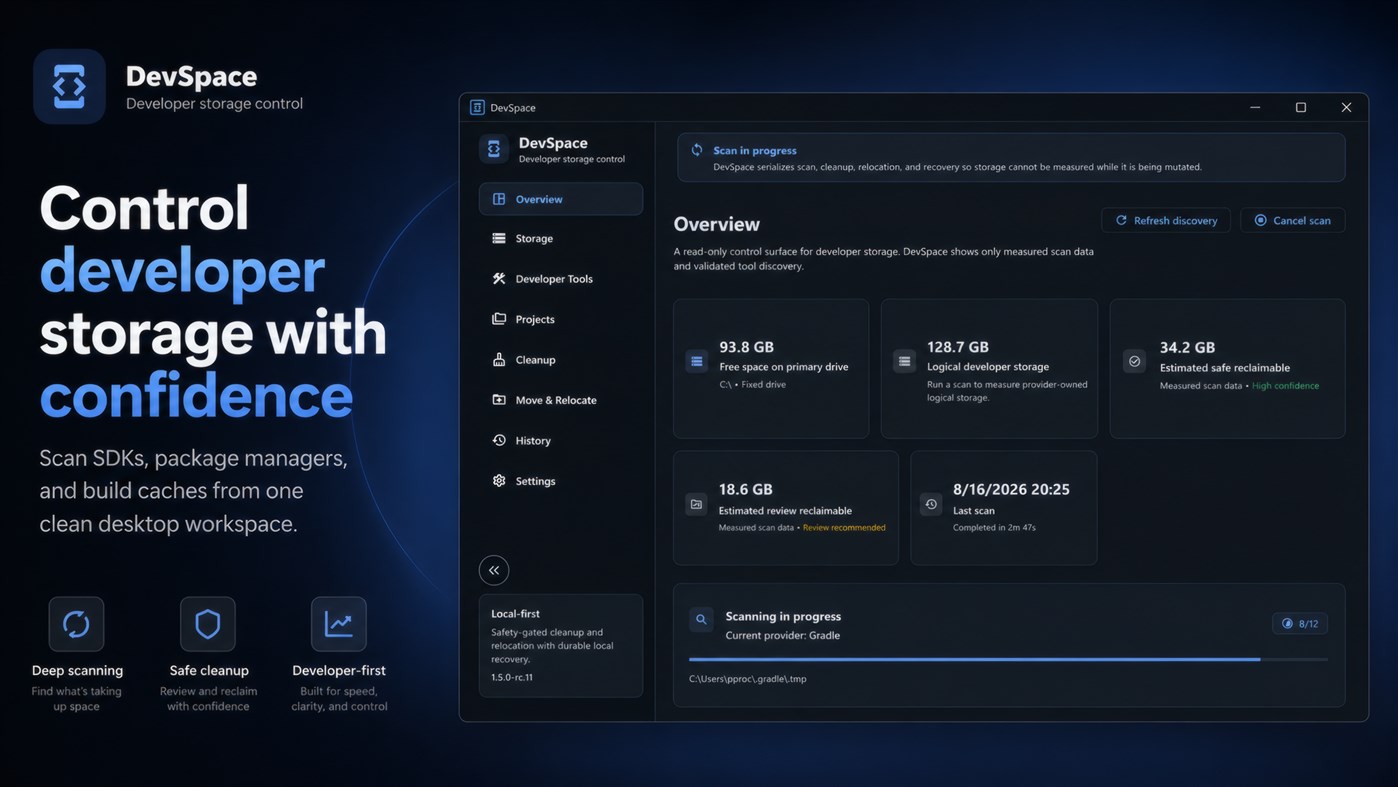
Modern development environments can quietly accumulate gigabytes of caches, package data, SDK files, build artifacts, virtual device storage, and tool-specific directories. DevSpace brings that storage into one clear Windows desktop interface so you can see where your space is going and take action with confidence.
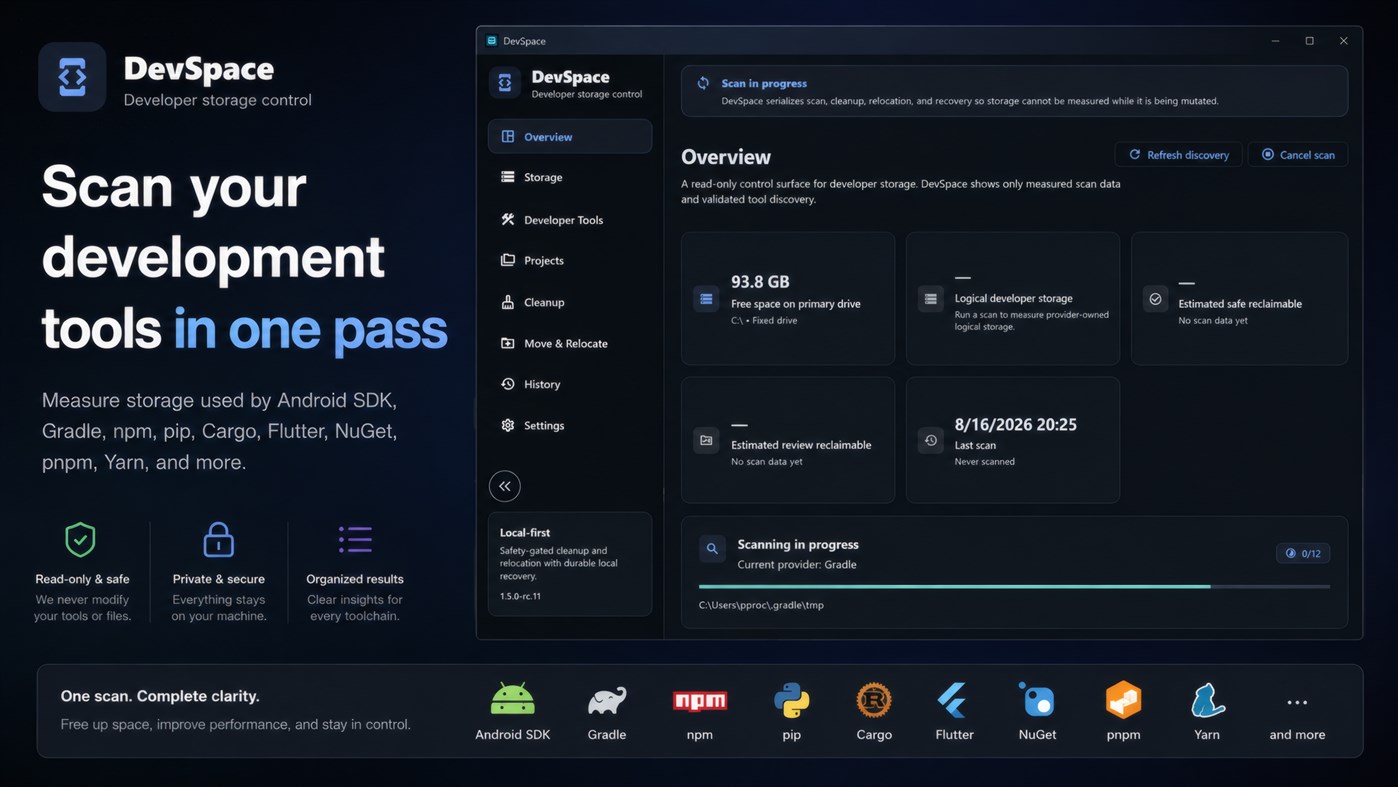
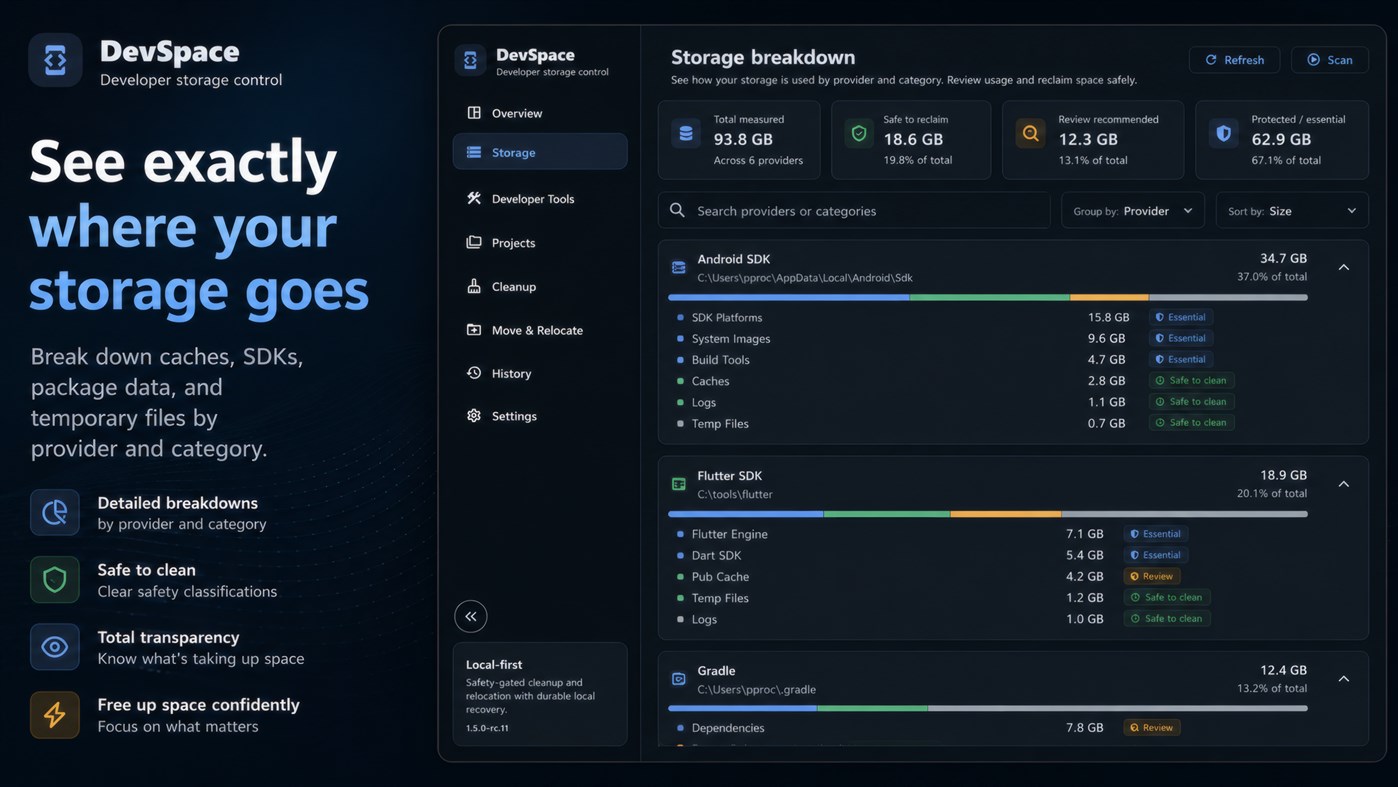
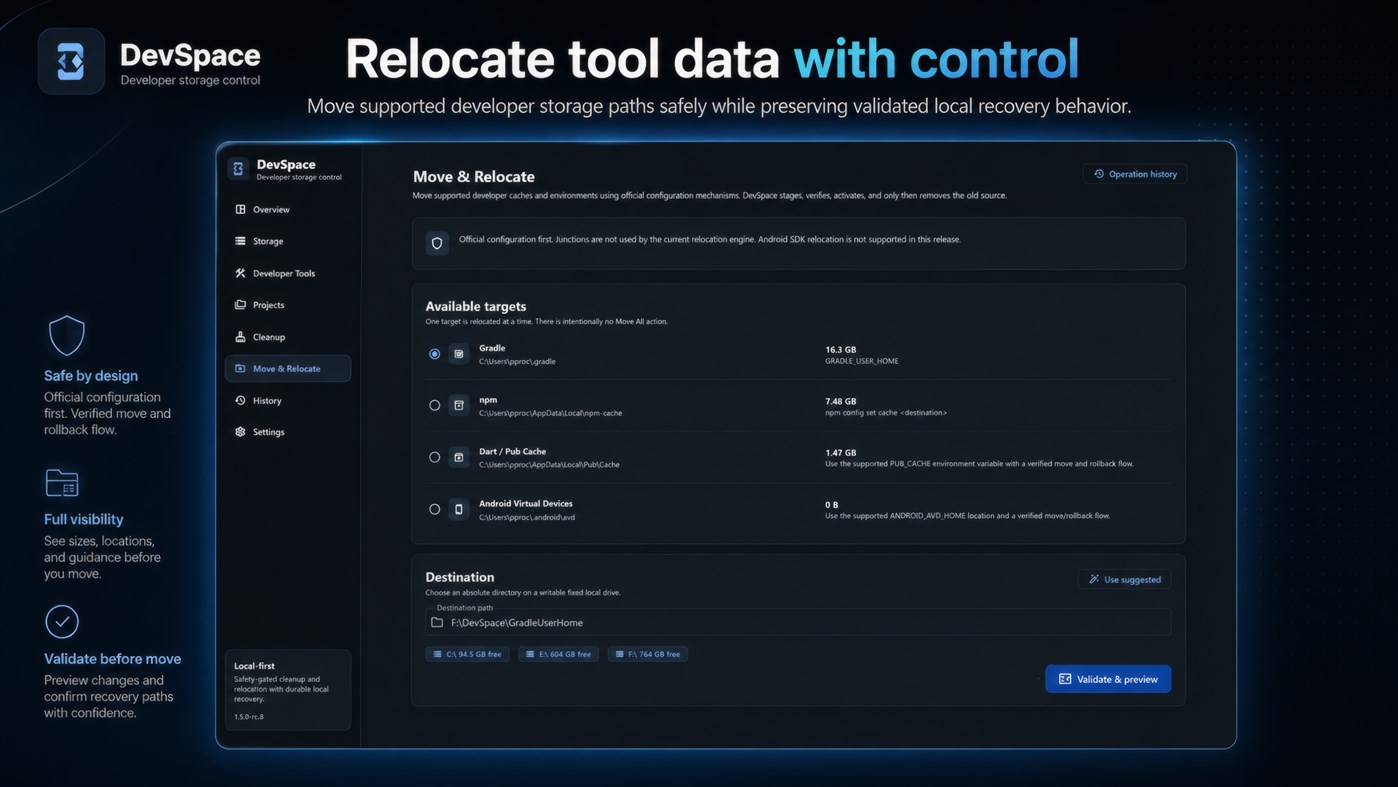
DevSpace can discover and measure storage associated with common developer ecosystems including Gradle, npm, pnpm, Yarn, Android SDK and Android Virtual Devices, Flutter, Dart / Pub, NuGet, Cargo, Go, and pip.
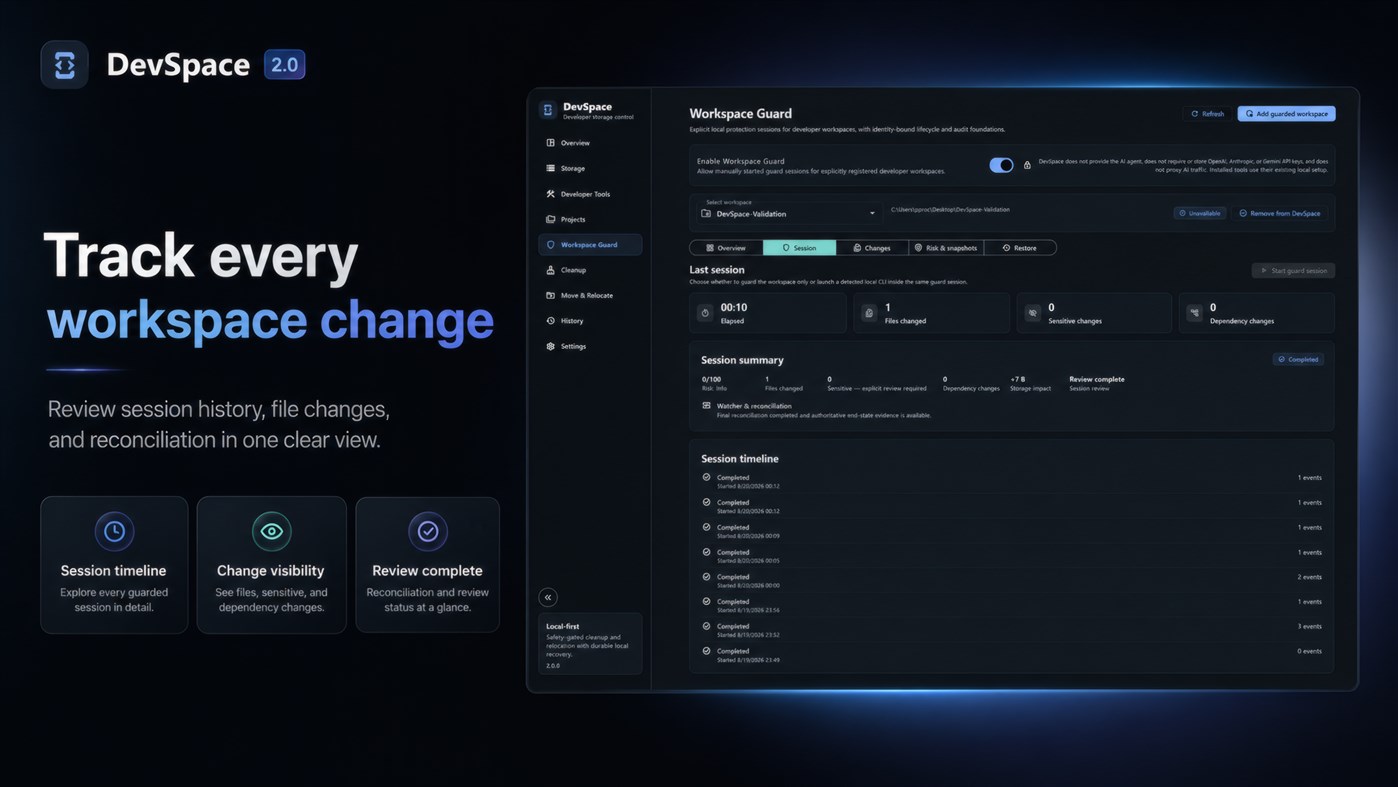
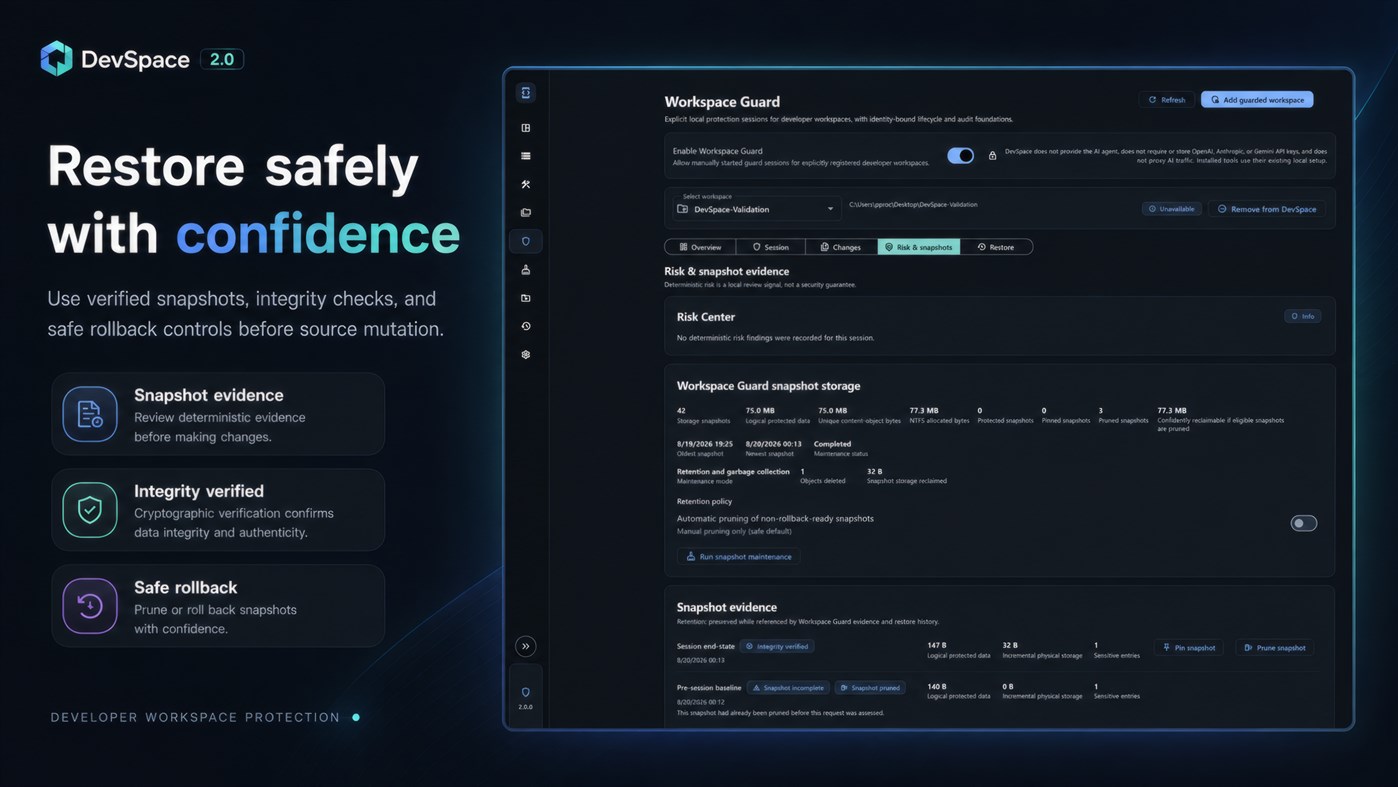
With **Workspace Guard**, DevSpace can also protect explicitly registered developer workspaces during controlled development sessions. Workspace Guard records the authoritative before-and-after state of your workspace, tracks created, modified, deleted, renamed, sensitive, and dependency-related changes, and provides a clear session timeline for reviewing exactly what happened.
Before a guarded session begins, DevSpace creates local snapshot evidence that can later be used for carefully controlled rollback. Snapshots are integrity-checked, can be pinned to protect them from pruning, and are managed through a local retention and garbage-collection system designed to preserve evidence while it is still referenced.
Workspace rollback follows the same conservative philosophy as the rest of DevSpace. Before modifying source files, DevSpace revalidates the current filesystem state, object identity, parent topology, hashes, and other available evidence. Conflicting, inaccessible, replaced, linked, or otherwise unproven filesystem objects are not automatically overwritten. If DevSpace cannot prove that a mutation is safe, it leaves the current file untouched.
This protection extends beyond simple path comparison. Workspace Guard is designed to detect situations such as files being physically replaced at the same path, parent-directory changes, hard-linked files, reparse points and junctions, locked or inaccessible files, and newer work created after a session ended.
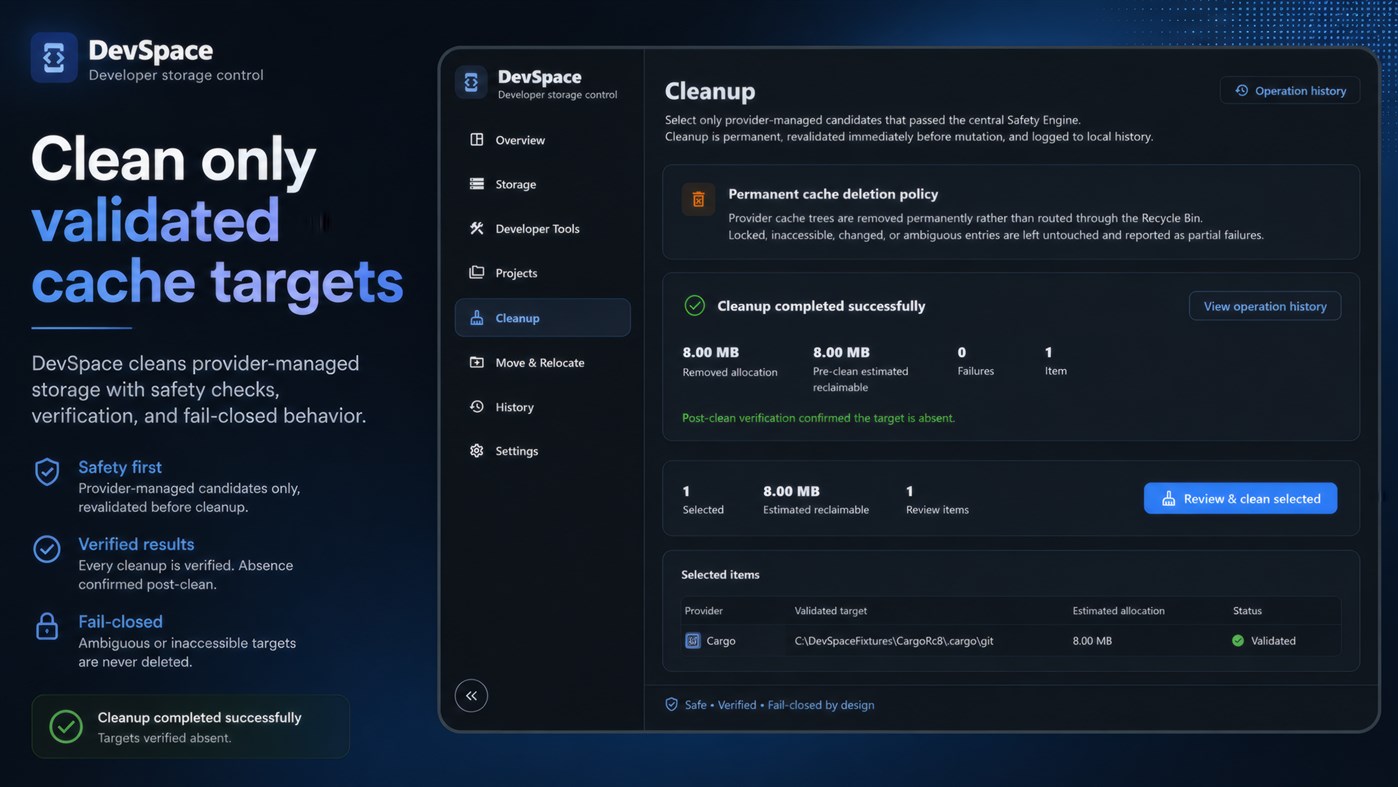
Its broader cleanup safety model is deliberately conservative as well. DevSpace distinguishes between confidently safe cleanup targets, items that require review, and storage that should remain protected. Before destructive operations, it revalidates paths and filesystem identity to help prevent deleting or modifying something that has changed since it was scanned.
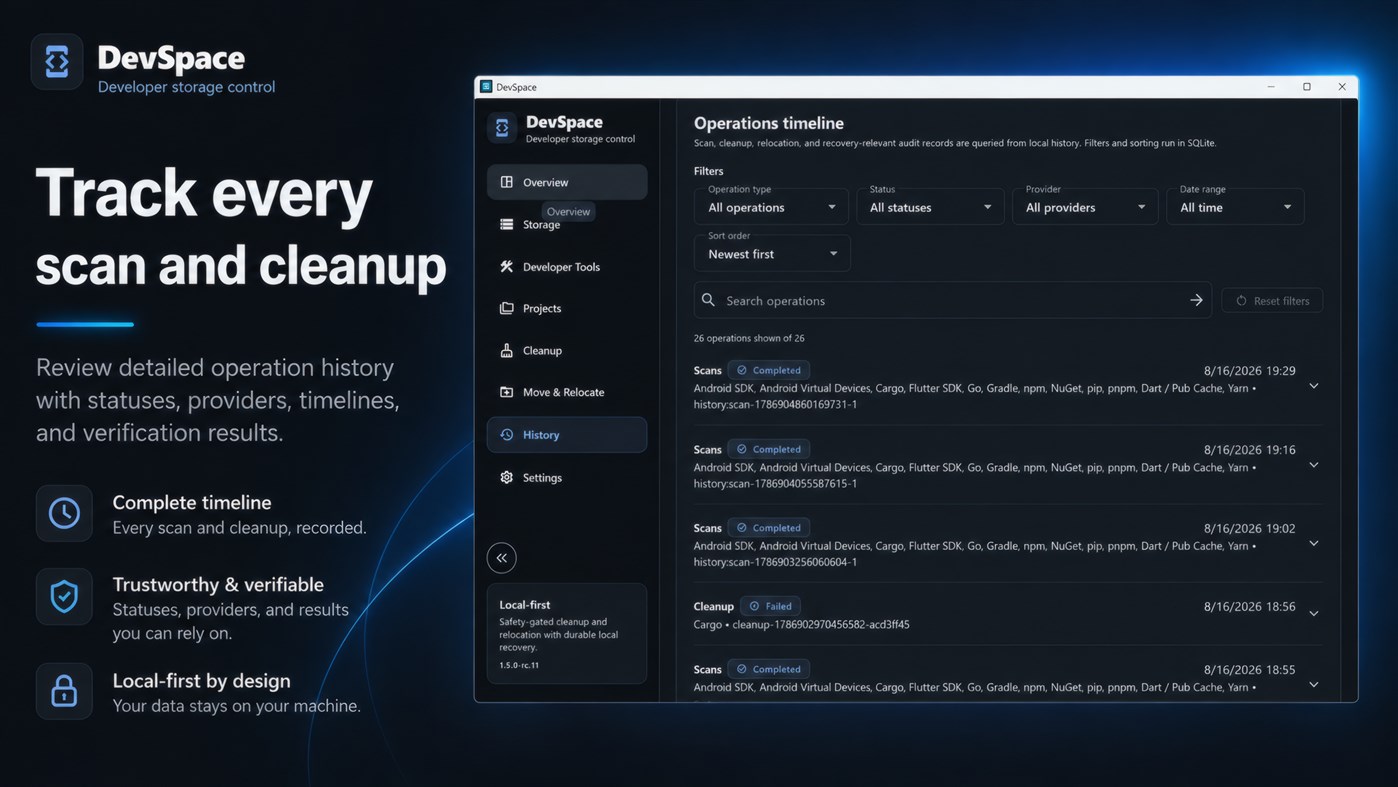
For supported providers, DevSpace can perform controlled cleanup and relocation workflows while keeping operations serialized and auditable. A built-in History timeline records scans, cleanup, relocation, Workspace Guard sessions, snapshot maintenance, restore attempts, and recovery-relevant activity so you can understand what happened and when.
DevSpace is designed as a practical desktop tool rather than a background cloud service. Developer storage analysis, Workspace Guard snapshots, session evidence, and core protection workflows stay local to your PC. DevSpace does not provide or proxy AI agents and does not require your OpenAI, Anthropic, Gemini, or other AI API keys. Installed developer and AI tools continue using their existing local configuration.
There are no ads, no account requirement, and no cloud dependency for core functionality.
**Key capabilities include:**
• Developer storage discovery and measurement
• Safety-gated cleanup for supported caches
• Review classification for higher-risk targets
• Relocation workflows for supported developer storage
• Workspace Guard for explicitly registered developer workspaces
• Local guarded development sessions
• Created, modified, deleted, renamed, sensitive, and dependency change tracking
• Pre-session and session end-state snapshot evidence
• Snapshot integrity verification
• Snapshot pinning, retention, pruning, and garbage collection
• Safety-gated workspace rollback
• Conflict detection before source-file restoration
• Filesystem object and parent identity verification
• Protection against stale rollback previews and newer filesystem changes
• Hard-link and reparse-point safety checks
• Filesystem identity and path revalidation before mutation
• Operation history, verification, and recovery evidence
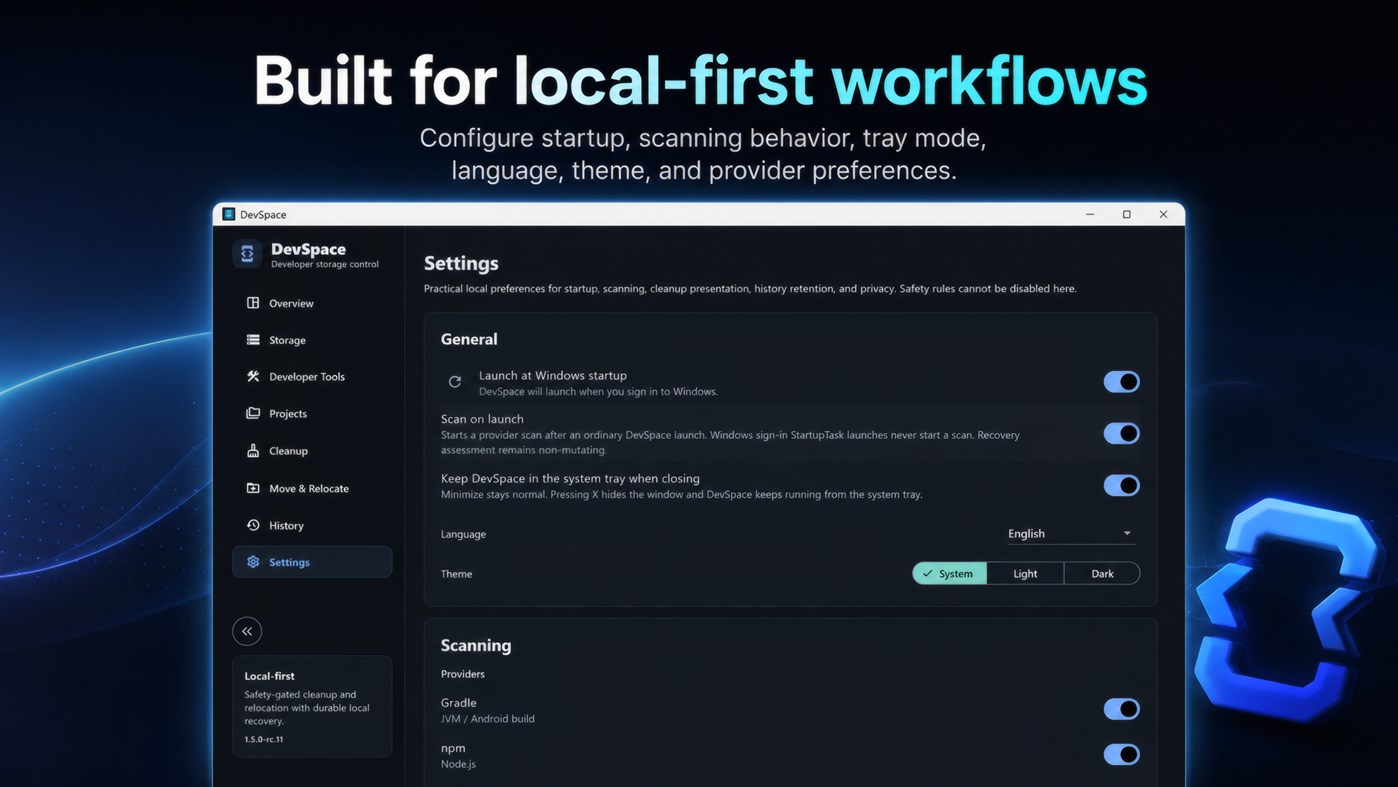
• Windows system tray integration
• Optional launch at Windows sign-in
• English, French, and Arabic interface support
• Responsive Windows desktop UI with light, dark, and system themes
Whether you work with Android, Flutter, JavaScript, Rust, .NET, Go, Python, AI-assisted development tools, or several toolchains at once, DevSpace gives you a clearer and safer way to manage developer storage while adding an additional local protection layer around the workspaces that matter most.
광고
스크린샷
가격 내역
- 현재 가격: $1.99
- 최소: $1.99
- 최대: $1.99
AppAgg 평가
1,260
AppAgg 예상 평가:
DevSpace: Developer Storage Manager
개발자: MokaIO
1,260 실버
평가가 높을수록 보통 AppAgg에서 더 강한 신호를 의미합니다.
기준: 인기 · 사용자 평점 · 최신성 · 딜 · 스토어 데이터 · 커뮤니티 활동
최신 AppAgg 데이터를 바탕으로 매일 다시 계산됩니다.
단축 URL: 복사됨!
새로운 기능
- 버전: PC
- 마지막 업데이트:
추가 정보
 https://www.mokaio.store
목록 (0)
0
- DevSpace: Developer Storage Manager
포인트 (0)
0
순위 (0)
0
댓글 (0)
가장 먼저 댓글을 남겨주세요
요약
DevSpace: Developer Storage Manager 단축 URL: 복사됨!- 공유하기
- Windows Store
«DevSpace: Developer Storage Manager». 플랫폼: Windows. 카테고리: 개발자 도구. 개발자: «MokaIO». 첫 번째 릴리스: . 마지막 업데이트: . 현재 가격: $1.99. 최저 기록 가격: $1.99. 최고 기록 가격: $1.99. 이 타이틀은 아직 AppAgg에서 평가나 리뷰를 받지 못했습니다. 사용 가능한 언어: Arabic, English, French. AppAgg는 «DevSpace: Developer Storage Manager»의 가격 기록, 평점 및 사용자 피드백을 추적합니다. AppAgg는 애플리케이션을 호스팅하거나 소프트웨어를 배포하지 않습니다. 모든 상표, 로고 및 스크린샷은 해당 소유자의 자산입니다. 향후 할인 및 업데이트 받기: RSS에서 확인할 수 있습니다
유사 항목
-
- Developer Tools Pro
- Windows 앱: 개발자 도구 게시자: Aadhil RF
- $4.89
- 목록: 0 0 0
- 포인트: 0 + 0 1K · 실버 버전: PC Developer Tools Pro is a comprehensive utility app for developers, providing over 100+ essential utilities for data conversion, formatting, encoding, and analysis all in a single, ...
-
- Dev Center
- Windows 앱: 개발자 도구 게시자: Microsoft Corporation
- 무료
- 목록: 0 0 0
- 포인트: 2 + 85 7K · 골드 버전: PC The Microsoft Dev Center app allows you to quickly view details about the health and performance of your Windows Store apps on any Windows 10 device. Note: You must have an active ...
-
- Developer Helper
- Windows 앱: 개발자 도구 게시자: Bruno Capuano
- 무료
- 목록: 0 0 0
- 포인트: 0 + 0 500 · 브론즈 버전: PC The app displays - The current connection status (connected or disconnected to internet) - The current IP Address - Battery information - Device information - Latest time of ...
- -50%
- Ora TNSNames Manager
- Windows 앱: 개발자 도구 게시자: Aria Vision
- ▼ $2.49
$4.99-50% - 목록: 0 0 0
- 포인트: 0 + 0 570 · 브론즈 버전: PC ️ Oracle client must be installed on your system. ️ Ora TNSNames Manager is a professional utility designed specifically for Oracle Database administrators (DBAs) and developers. It ...
-
- SD App developer
- Windows 앱: 개발자 도구 게시자: Dynamic Applications
- $4.79
- 목록: 0 + 2 0 0
- 포인트: 2 + 0 5K · 골드 버전: PC Ever wanted to look forward, see your company, and decide 1 year ahead of competition? - we ll give you four years. SD App Developer, based on .NET 6.0 Desktop Environment, allows you ...
-
- Workshell — PowerShell Workspace & Snippet Manager
- Windows 앱: 개발자 도구 게시자: stargazer07
- $4.99
- 목록: 0 + 1 0 0
- 포인트: 1 + 0 1K · 골드 버전: PC Workshell is a PowerShell workspace for Windows developers. It saves your most-used commands as one-click snippets with variables organizes them by project, and lets you run multiple ...
-
- Color Palette Manager
- Windows 앱: 개발자 도구 게시자: PIN0L33KZ
- 무료
- 목록: 0 + 1 0 0
- 포인트: 2 + 6 2K · 골드 버전: PC Color Palette Manager is a focused development and design tool built to organize colors clearly, efficiently and without friction. Create personalized color palettes, extract colors ...
-
- Linux Process Manager
- Windows 앱: 개발자 도구 게시자: internixsystems.com
- * 무료
- 목록: 0 + 1 0 0
- 포인트: 3 + 0 1K · 골드 버전: PC Inspect Linux processes from a remote windows machine. Using Linux Process Manager users are able to connect and monitor remote Linux machines via SSH instead of using complex command ...
-
- Skills Manager
- Windows 앱: 개발자 도구 게시자: Aʀtʋʀ Cʀɘțʋ
- * $10.49
- 목록: 0 0 0
- 포인트: 0 + 0 1K · 실버 버전: PC Skills Manager: Centralize, Sync, and Govern AI Agent Skills Tired of fragmented developer environments where your AI agents, CLIs, and IDEs run on outdated or isolated knowledge? ...
-
- Python Install Manager
- Windows 앱: 개발자 도구 게시자: Python Software Foundation
- 무료
- 목록: 0 + 1 0 0
- 포인트: 3 + 32 3K · 골드 버전: PC The Python install manager helps you to install, manage, and launch Python on Windows. After install, the "py" command is your tool of choice - try "py help" to see what it can do! ...
-
- Cratebox: Asset Manager & Organizer for Game Devs
- Windows 앱: 개발자 도구 게시자: ZK Publishing
- * $9.99
- 목록: 0 0 0
- 포인트: 0 + 0 600 · 실버 버전: PC Cratebox is a fast, offline asset manager built specifically for game developers. Stop digging through endless folders Cratebox scans your project, organizes every sprite, texture, ...
-
- Subnet Manager
- Windows 앱: 개발자 도구 게시자: surgien
- 무료
- 목록: 0 0 0
- 포인트: 0 + 5 570 · 브론즈 버전: PC Subnet Manager is an easy to use app for managing and calculating networks and subnets. It supports subnetting with VLSM. Calculated networks can be stored in sync on the devices. When
-
- WSL Manager
- Windows 앱: 개발자 도구 게시자: Bostrot
- $9.99
- 목록: 0 + 1 0 0
- 포인트: 0 + 23 10K · 골드 버전: PC Introducing "WSL Manager" - the ultimate Windows Store App for managing your WSL (Windows Subsystem for Linux) installations with ease! With a beautiful and intuitive Fluent UI ...
- 새로운
- Service Bus Manager
- Windows 앱: 개발자 도구 게시자: Silverdex IT Limited
- 무료
- 목록: 0 0 0
- 포인트: 0 + 0 1K · 실버 버전: PC Service Bus Manager is a desktop tool for managing Azure Service Bus namespaces, built for developers and support teams who need visibility into queues, topic subscriptions, and dead ...

