
Bookmarks
| Developer: | abarlett368 (1) | ||
| Price: | Free New | ||
| Score: | 590 Bronze | ||
| Rankings: | 0 | ||
| Comments: | 0 Add a comment | ||
| Lists: | 0 0 | ||
| Points: | 0 | ||
| +1 Point | |||
Summary
Meet Dial Menu, an app from abarlett368 in the Developer tools category.
New release: it came out , so you’re among the first.
Free, no ads, no in-app purchases. Just you and the app.
The Microsoft Store is built into Windows, so it installs in a couple of clicks.
Its AppAgg Score is 590. Bronze for now, with plenty of room to grow.
Rated “EVERYONE”, so it’s fine for kids too.
Speaks 2 languages, English included.
Nobody on AppAgg has rated it yet. Your chance to be first is right now.
It’s the developer’s only app on AppAgg. For now.
Want to hear about updates and new apps first? Follow the developer or subscribe to the RSS feed. Push alerts come through the AppAgg Alerts app for Android and iOS.
Screenshots 4
Other platforms 0
Price History 0
- Current price: Free
- Minimum: Free
- Maximum: Free
Your own feed on the home page
Description

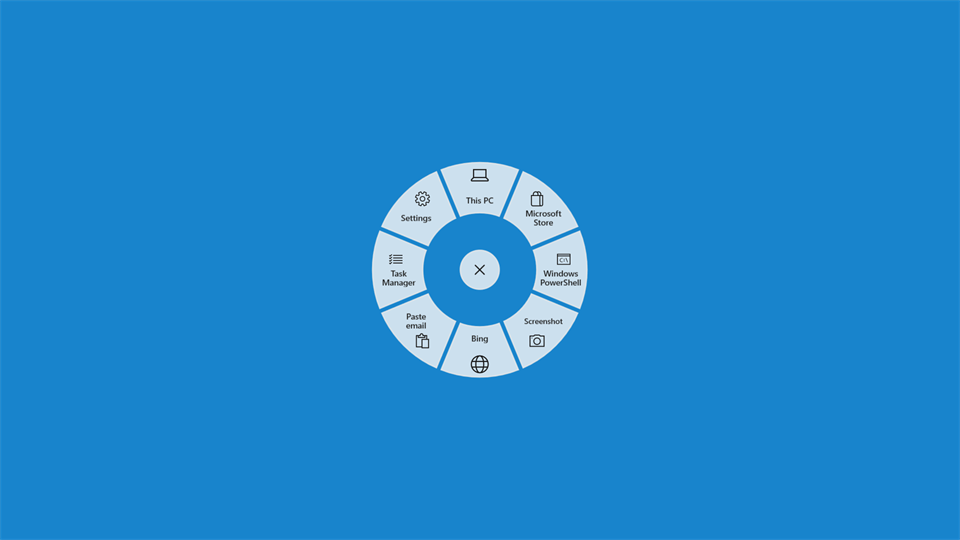
Press a keyboard shortcut to open the wheel, then click an item to launch an app, open a file or website, or run a command. The default shortcut is Ctrl+Tab, and you can change it in Settings. Besides clicking, you can select an item with the arrow keys and press Enter. The wheel can open at the pointer or in the center of the screen.
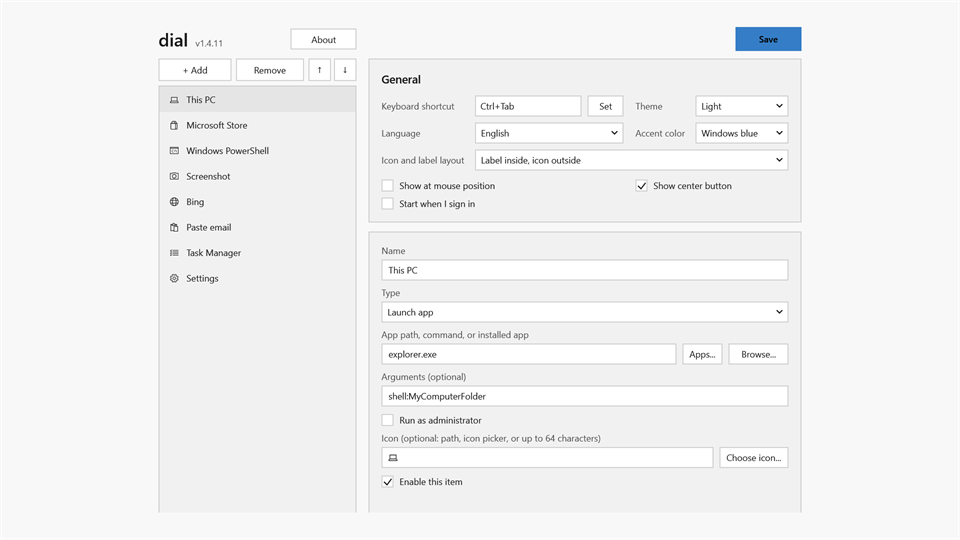
The wheel holds up to 16 items. Each item can be set to:
- Launch an app, with optional arguments
- Open a file, folder, or website
- Run a command or script in Command Prompt, PowerShell, or an interpreter you choose
- Paste a piece of saved text
- Send a key or key combination, such as F5 or Ctrl+Shift+Tab
- Perform a Windows action, including taking a screenshot, opening clipboard history, changing the volume, controlling media playback, locking, sleeping, and shutting down
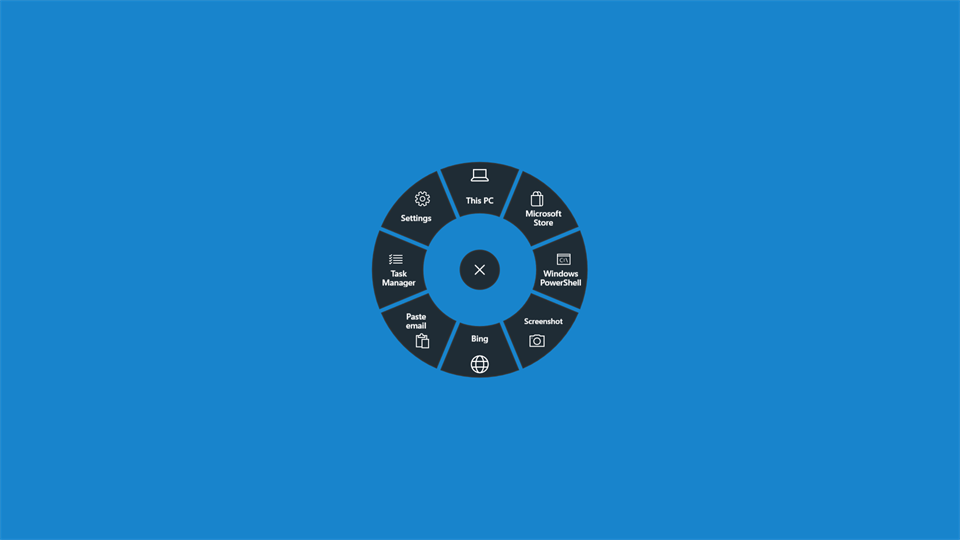
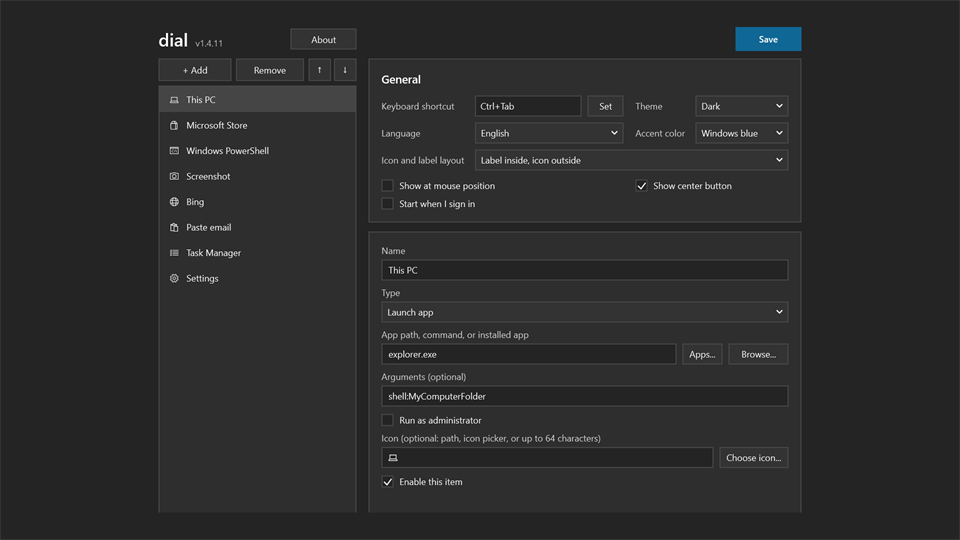
There is a light and a dark theme, and the accent color can be changed. Items can show both an icon and a label, or only one of them. Icons can be chosen from the Windows symbol gallery, an image or ICO file, or the icons inside an EXE or DLL file.
Dial Menu does not require an account and contains no ads. Settings are saved on your PC and are not sent to the developer. The interface is available in English and Simplified Chinese.
From the developer
Developer
- abarlett368
- Followers: 0
- Platforms: Windows Apps (1)
- Deals: 0
- Lists: 0 0
- Points: 0
- Rankings: 0
- Comments: 0
- Videos: 0
- RSS: Subscribe
Lists 0
-
 Dial Menu
Points 0
-

- +1 Point

Rankings 0
-
- Your rating
What's new
- Version: PC
- Last Updated:
Additional Information
- Release Date:
- Category:
Windows Apps›Developer tools - OS:
PC - Size:
64 Mb - Supported Languages:
English,Chinese - Content Rating:
EVERYONE - Windows Store Rating: ¡
0
Comments 0 ¡
AppAgg Score
Estimated AppAgg Score for
Dial Menu
Developer: abarlett368
Higher scores usually reflect better results across AppAgg’s indicators.
Based on: popularity · ratings · freshness · deals · store data · community signals
Recalculated daily using fresh AppAgg data.
Dial Menu Short URL: Copied!- Windows Store
You may also like
Recent discussionsMore →
 AppTapeFlo this app is the best app i use in my life Because. you trade. journal. Discipline. rule's that you w...
 Shurem Boy35
 AppGame4Class Game4Class makes lesson review fun and interactive. I like how easily students can join from their o...
 Mehdi Gateway62
 AppAniMate Waifu - AI Anime Desktop Pet This is the best anime desktop pets I have ever had, The dancing feature is amazing.
 shaw chaney34
 AppSpark Motion Create 26 The graphics are amazing! Now I can design my ball layouts and watch then spin in 3D animation.
 Jim Kirker40
 AppLocalDub – Real-Time Game Dubbing Hello Kırtay Interactive, I am using LocalDub - Real-Time Game Dubbing. I would like to know if Hind...
 rashid game53
 AppNauticPlayer This app is absolute cinema. Honestly, it’s one of the best media players I’ve ever tried, and I’m s...
 Manuel92
 AppScreen Beings - Interactive Accessibility Companion This is my app so I’m a little bias but as someone from the ADHD community that teaches ADHD and neu...
 Tarelle Irwin54
 AppAadi vault good it ia a encrypter and good you my work on office
 Aditya Rai50
 AppTyping 365 | Daily Typing Trainer The best typing app ever. With Typing 365 you don’t have to force yourself for couple minutes traini...
 Ahmad Mozaffar50
 AppZefir Calendar — Calendar in the Taskbar excelente app! Superando todas as espectativas!
 Diógenes Magnus50

