
Záložky
Zvolte název této záložky.
Záložka uložena
| Vývojář: | Ryota Kimura (7) | ||
| Cena: | * Zdarma | ||
| Skóre: | 1 110 Stříbro | ||
| Žebříčky: | 0 | ||
| Komentáře: | 0 Přidat komentář | ||
| Seznamy: | 0 + 0 | ||
| Body: | 0 + 0 ¡ | ||
| +1 Body | |||
Snímky obrazovky 8
Reklama
Popis

Checking by eye is slow, things get missed, and it is hard to be sure you caught everything.
Diff Pro Max highlights the text and values that changed between two versions of a PDF, Excel or Word file. Just drag and drop them. Group versions of the same file as v1, v2… and follow the changes from the first draft to the latest.
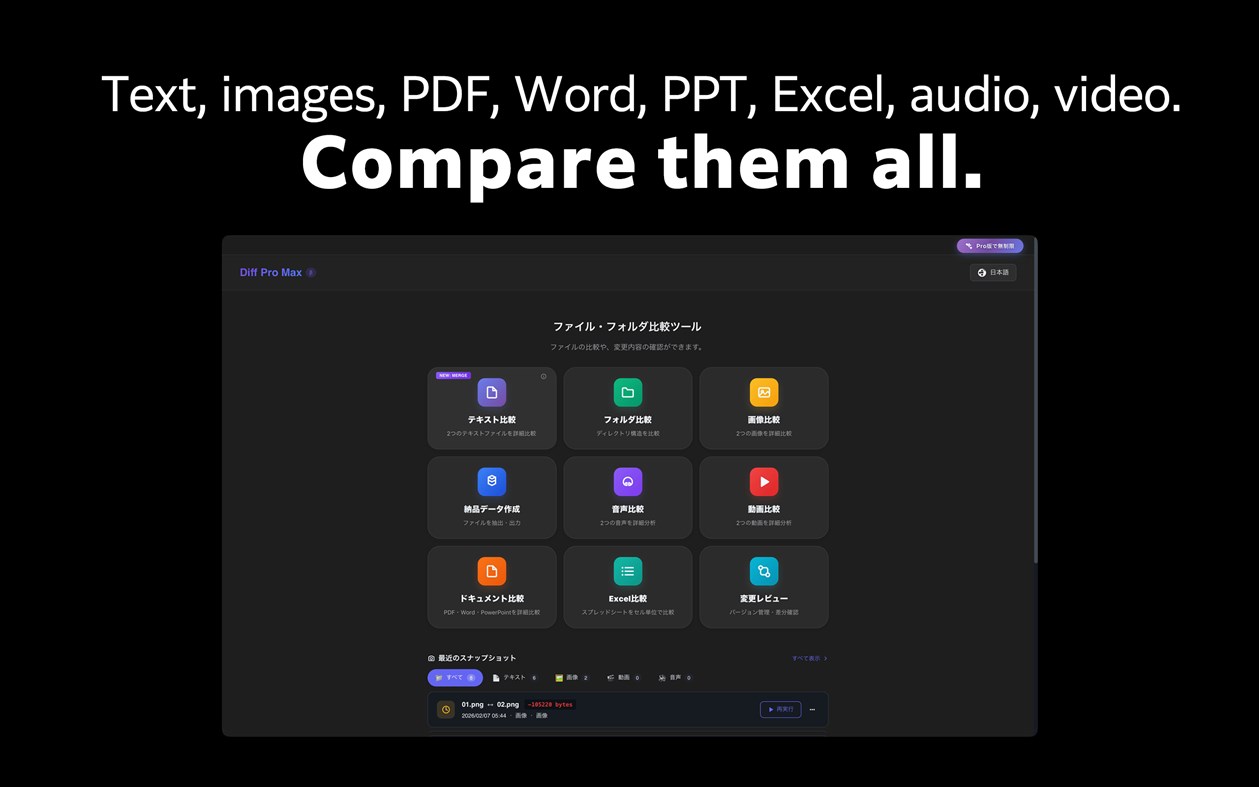
It also compares text, folders, images, audio and video.
Sound familiar?
• You need to verify which version of a document was sent to the client
• You're about to deliver, but want to double-check everything
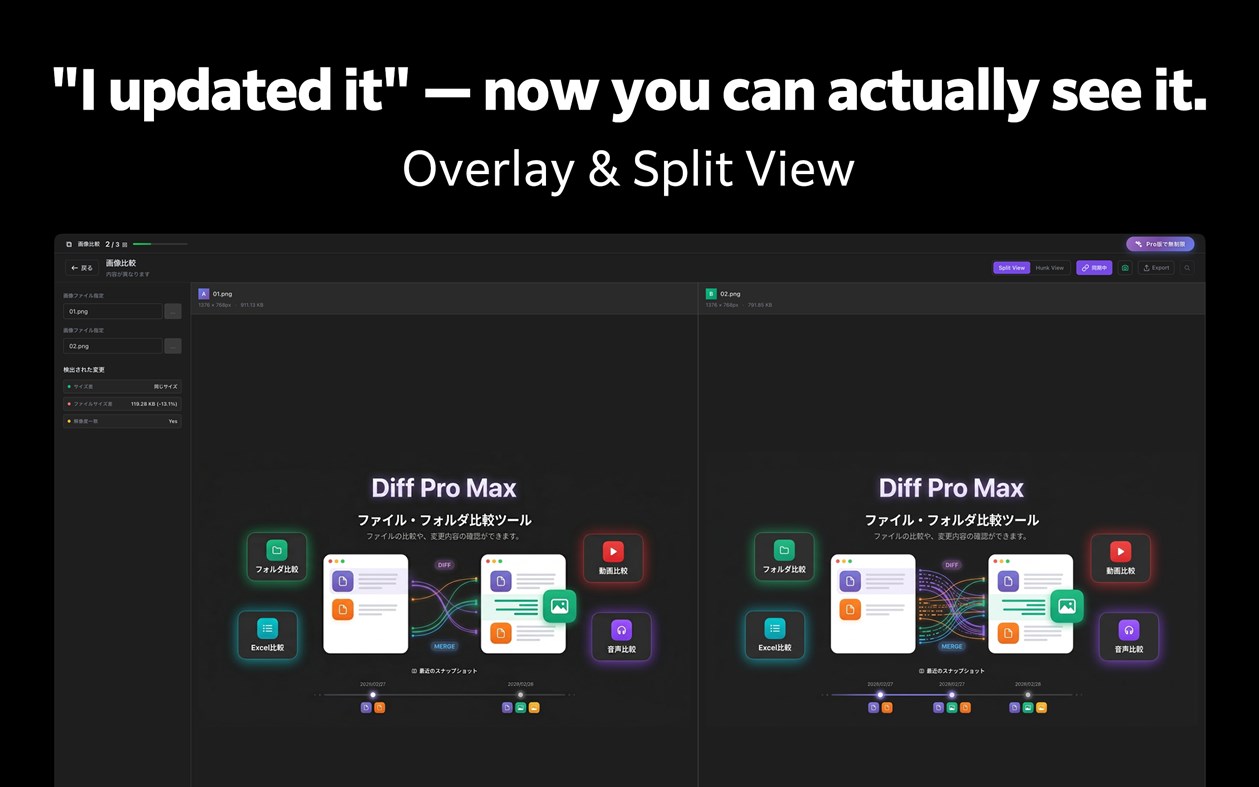
• The designer says "I updated it" but you can't spot the difference
• You edited the code, but can't remember exactly what changed
Diff Pro Max lets you compare, review, and merge — all in one place.
【Key Features】
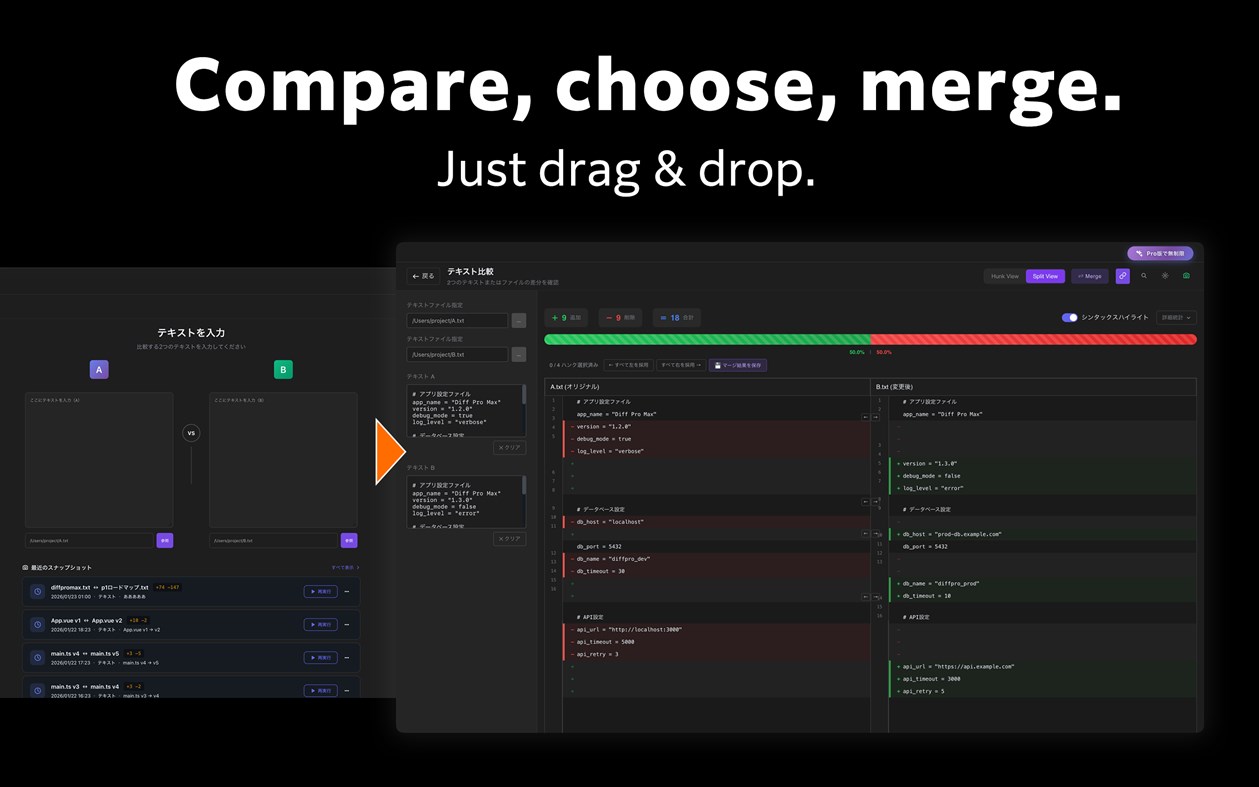
■ Text Compare
- Syntax highlighting for 20+ major languages
- Hunk View and Split View modes
- Inline diff for character-level changes
- Regex search and quick navigation
- Merge mode: select left or right per hunk and save the result [New]
■ Folder Compare
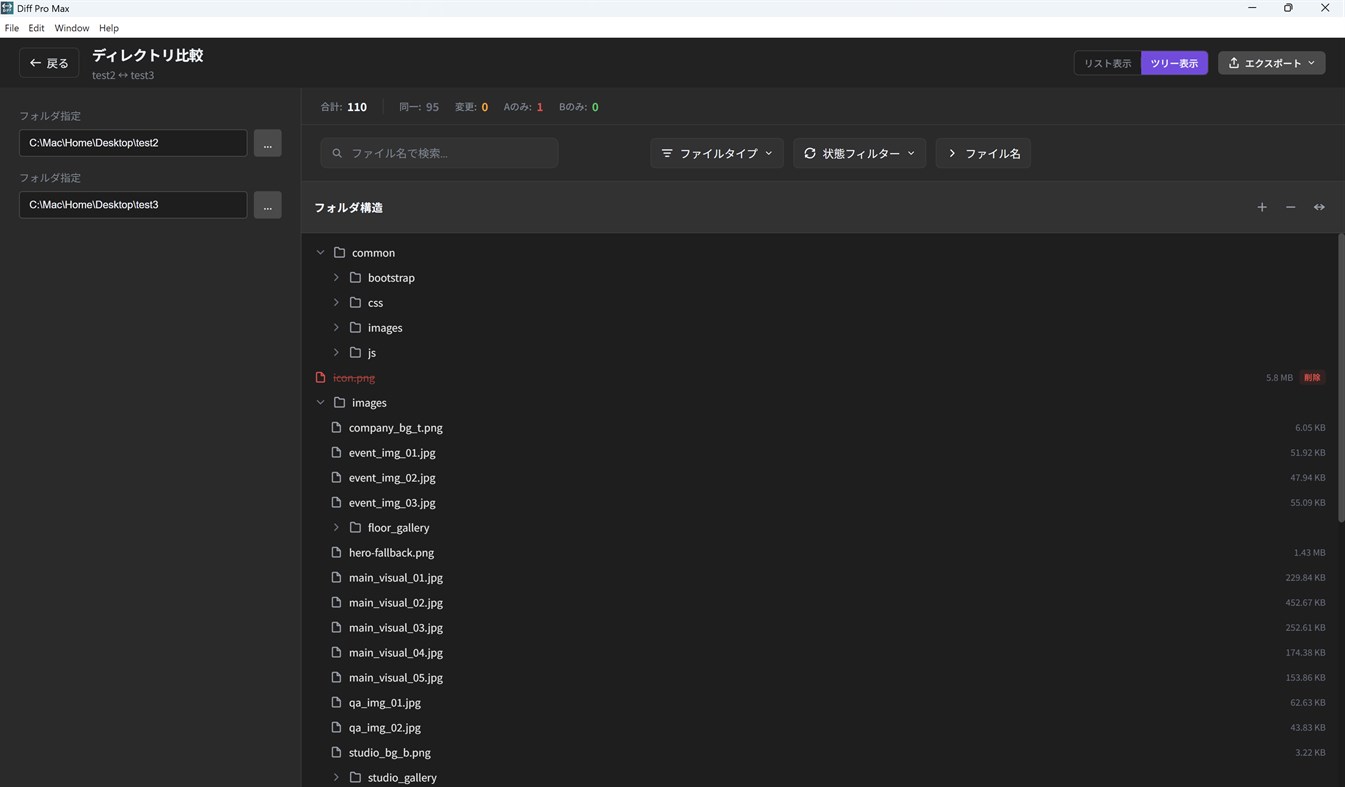
- Hierarchical directory tree view
- Color-coded file status (added, changed, deleted)
- Exclusion patterns to skip unwanted files
- Date range filtering for specific periods
- Fast performance with 1000+ files
■ Image Compare
- Side-by-side visual comparison
- Overlay mode for detailed diff
- Synced zoom and pan controls
■ Audio Compare
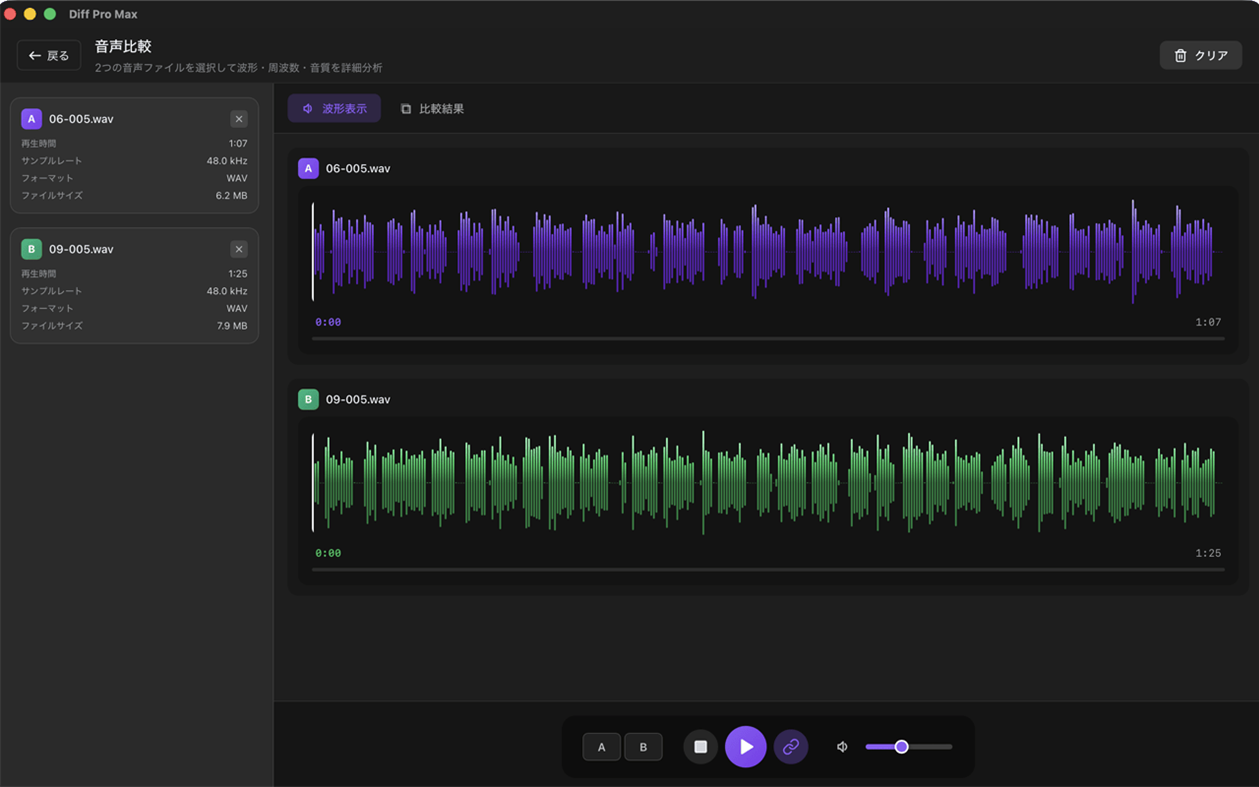
- Waveform visualization for visual comparison
- Synchronized playback to hear differences
- Metadata comparison (format, bitrate, sample rate, etc.)
- Supports MP3, WAV, AAC, FLAC and more
■ Video Compare
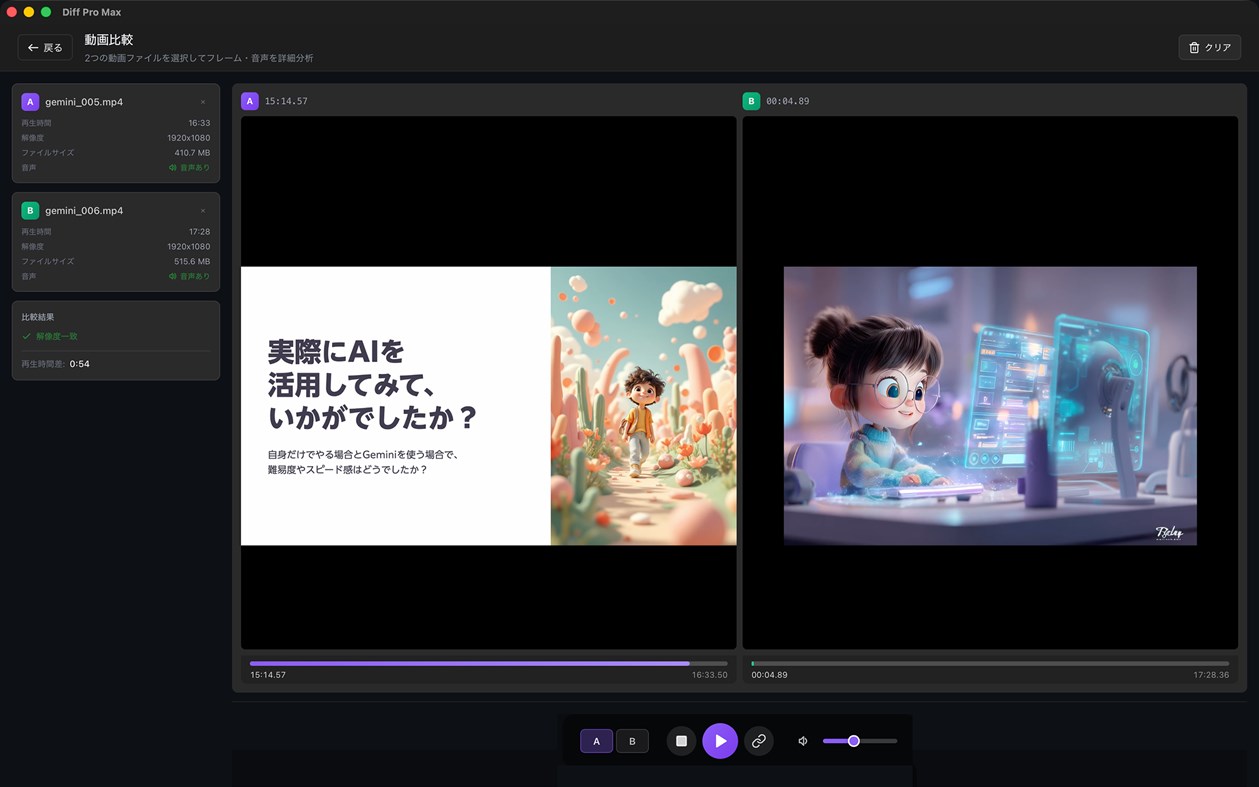
- A/B switching for instant comparison
- Synchronized playback mode
- Supports MP4, MOV, WebM, AVI, MKV and more
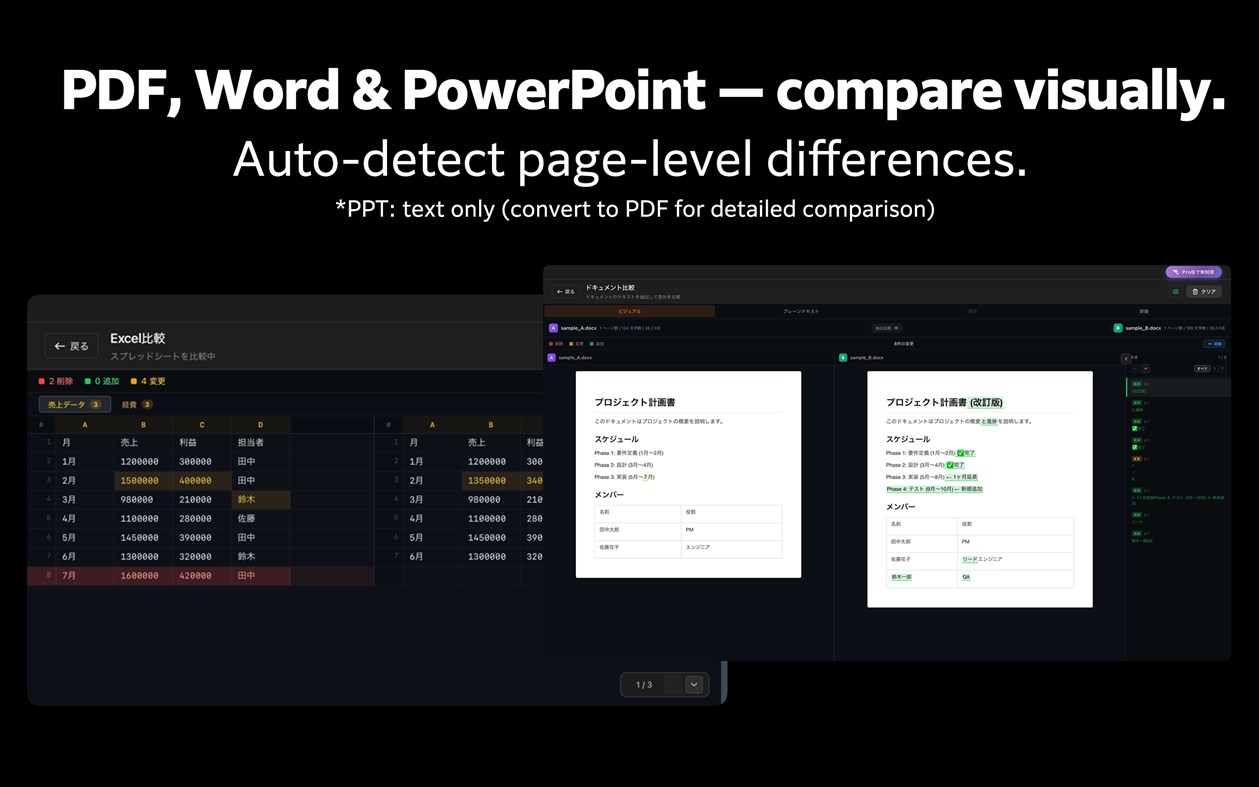
■ Document Compare [New]
- Visual comparison for PDF, Word, and PowerPoint
- On-device OCR for scanned PDFs with no text layer (Pro) — documents are never uploaded
- Page-level diff detection with overlay view
- Page sync and scroll sync
■ Excel Compare [New]
- Cell-level diff for spreadsheets
- Color-coded additions, changes, and deletions
- Multi-sheet comparison
■ Change Review (Version Compare) [New]
- Group versions of the same file and compare them as v1, v2, …
- Instantly compare with past versions
- Drag to reorder versions; numbers and diff summaries update automatically
- Add a comparison to a group right when you save it
- Supports all file types: text, image, audio, video, documents, Excel
■ Delivery Package
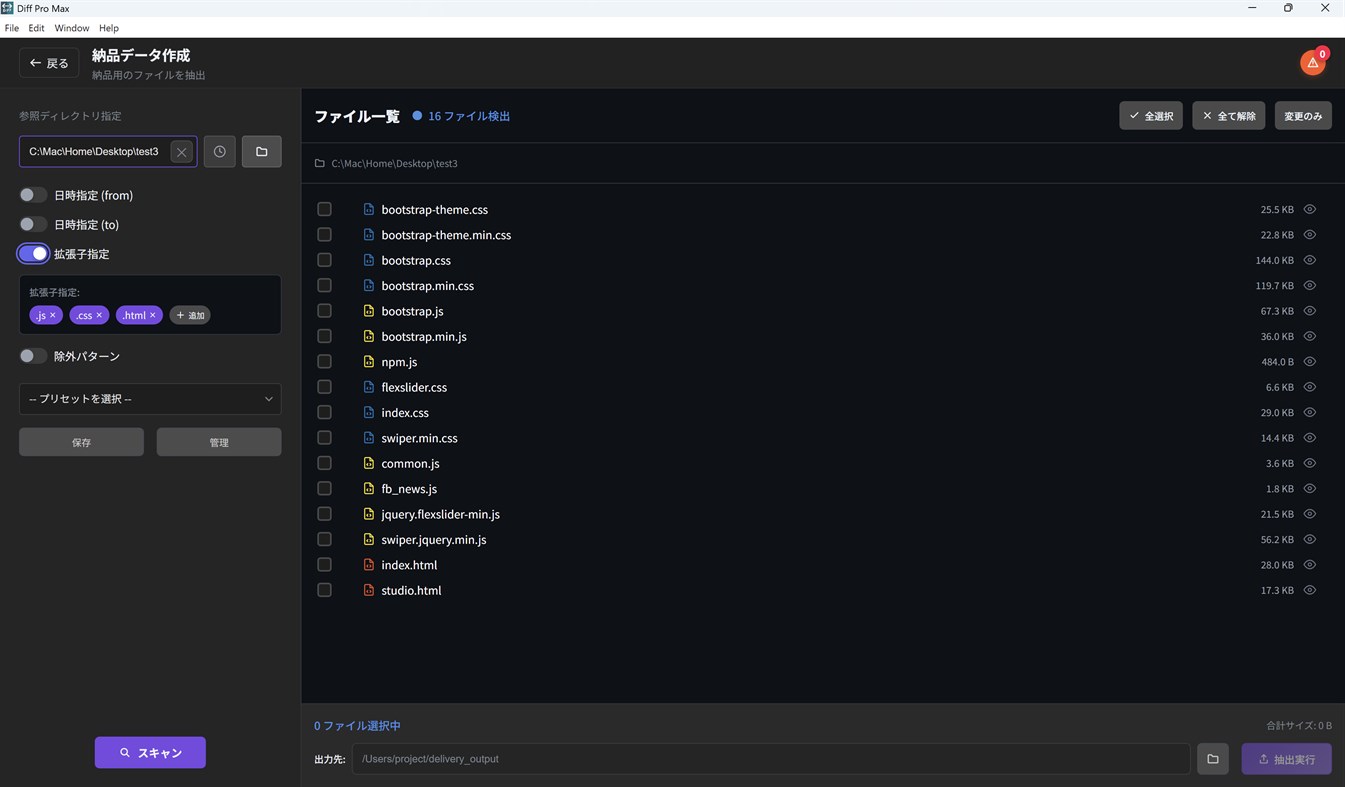
- Extract files for FTP upload efficiently
- Preserve directory structure
- Includes a tree-style folder structure listing (file_tree.txt)
- Auto-detect updated files by date range
- Save and reuse settings with presets
- Preview CSV, TSV, PPTX, and PDF files before extraction
【Additional Features】
- Multilingual support (English / Japanese / German / French)
- Dark mode and Light mode
- Intuitive drag & drop interface
- Preset manager for frequently used settings
- History for quick replay of past comparisons
- Multiple export formats (TXT, CSV, HTML)
【Perfect For】
- Web Designers — Compare design mockups
- Project Managers — Delivery data creation and management
- Writers & Editors — Track manuscript revisions
- Business Professionals — Manage contract and proposal changes
- Video & Audio Creators — Compare edits and mixes
- Students & Researchers — Version control for papers and reports
- Software Engineers — Code diffs, config file merging
- Everyone — Track changes in important documents and files
【Pro】One-time purchase
- Unlimited comparisons for all modes
- Unlimited text merge
- Export to CSV and HTML
- On-device OCR for scanned PDFs
- More groups and versions in Change Review (an add-on removes the limits)
- Advanced filtering and presets
- No watermark
Free version includes unlimited text comparison. Other modes allow 3 uses per day.
Další platformy 1
| Diff Pro Max - File CompareWindows Store1K StříbroJste zdeNákupy v aplikaci | Zdarma |
 | Diff Pro Max - File CompareMac App Store1K StříbroNákupy v aplikaci $9.99 – $14.99 | Zdarma |
Historie cen 0
- Aktuální cena: Zdarma
- Minimální: Zdarma
- Maximální: Zdarma
Sledovat ceny Přidejte do seznamu a dostávejte upozornění na slevy e-mailem nebo push oznámením
Seznamy 0
0
-
 Diff Pro Max - File Compare
Body 0
0
Žebříčky 0
-

- Vaše hodnocení

Komentáře 0 ¡
Napište první komentář
Vývojář 7
- Ryota Kimura
- Sledující: 0
- Platformy: iOS Aplikace (5) macOS Aplikace (1) Windows Aplikace (1)
- Slevy: 0
- Seznamy: 0 + 0
- Body: 1 + 0 ¡
- Žebříčky: 0
- Komentáře: 0
- Videa: 0
- RSS: Odebírat
Novinky
- Verze: PC
- Poslední aktualizace:
- Change Review is even easier to use
- Reorder the versions in a group by dragging the handle (the ↑↓ keys work too). Version numbers follow the new order, and the change summary is updated.
- When you save a comparison, you can add it to a group right in the Save dialog — pick an existing group or create a new one.
Image compare
- ICO images can now be compared.
- If you choose an image format that cannot be compared, the app tells you.
Audio compare
- The score is now labeled "File info match", with a note that the audio content itself is not compared.
Bug fixes
- Fixed: rerunning a comparison from "Recent Snapshots" while the same compare screen was open did nothing.
- Fixed: the limit notice on the purchase screen now shows the correct Pro limits for groups and versions.
- Fixed: keeping the store's sign-in window open for a long time during a purchase or restore no longer shows a timeout error.
Další informace
- Datum vydání:
- Kategorie:
Aplikace pro Windows›Vývojářské nástroje - OS:
PC - Velikost:
7 Mb - Podporované jazyky:
Angličtina,Francouzština,Japonština,Němčina - Hodnocení obsahu:
EVERYONE - Windows Store Hodnocení: ¡
0
 https://rkpg.net/diffpromax/index.html
Skóre AppAgg
1 110
Odhadované skóre AppAgg pro
Diff Pro Max - File Compare
Vývojář: Ryota Kimura
1 110 Stříbro
Vyšší skóre obvykle odráží lepší výsledky v ukazatelích sledovaných na AppAgg.
Na základě: popularity · uživatelských hodnocení · aktuálnosti · nabídek · dat obchodů · aktivity komunity
Denně se přepočítává z aktuálních dat AppAgg.
Odznak na web:  Zkopírováno!
Stručně
Diff Pro Max - File Compare Krátká adresa URL: Zkopírováno!- Windows Store
Na AppAgg můžete sledovat „Diff Pro Max - File Compare“, aplikaci od Ryota Kimura pro Windows v kategorii Vývojářské nástroje. Skóre AppAgg: 1 110 (Stříbro). Body AppAgg aplikace — potvrzené: 0; nepřímé: 0. Veřejné seznamy s touto aplikací: 0. Uživatelé, kteří si ji uložili do soukromých seznamů: 0. Uživatelé AppAgg zatím tuto aplikaci nehodnotili. Potvrzené body zaznamenávají přechody přihlášených uživatelů AppAgg do obchodu. Nepřímé body vycházejí z údajů obchodů. Dvě počítadla ukazují počet veřejných seznamů a uživatelů, kteří si aplikaci nebo hru uložili do soukromých seznamů. Aplikace poprvé vyšla . Poslední aktualizace aplikace: . Aplikace je nyní k dispozici zdarma. Aplikace podporuje tyto jazyky: Angličtina, Francouzština, Japonština, Němčina. Prohlédněte si historii cen, přidejte aplikaci do seznamu nebo sledujte vývojáře. Budoucí slevy a aktualizace aplikace můžete sledovat přes RSS kanál. AppAgg tuto aplikaci nehostuje ani nedistribuuje. Všechny ochranné známky, loga a snímky obrazovky související s aplikací patří příslušným vlastníkům.

