
Segnalibri
Scegli un titolo per questo segnalibro.
Segnalibro salvato
| Sviluppatore: | Ryota Kimura (7) | ||
| Prezzo: | * Gratis | ||
| Punteggio: | 1110 Argento | ||
| Classifiche: | 0 | ||
| Commenti: | 0 Pubblica commento | ||
| Liste: | 0 + 0 | ||
| Punti: | 0 + 0 ¡ | ||
| +1 Punti | |||
Screenshot 8
Pubblicità
Descrizione

Checking by eye is slow, things get missed, and it is hard to be sure you caught everything.
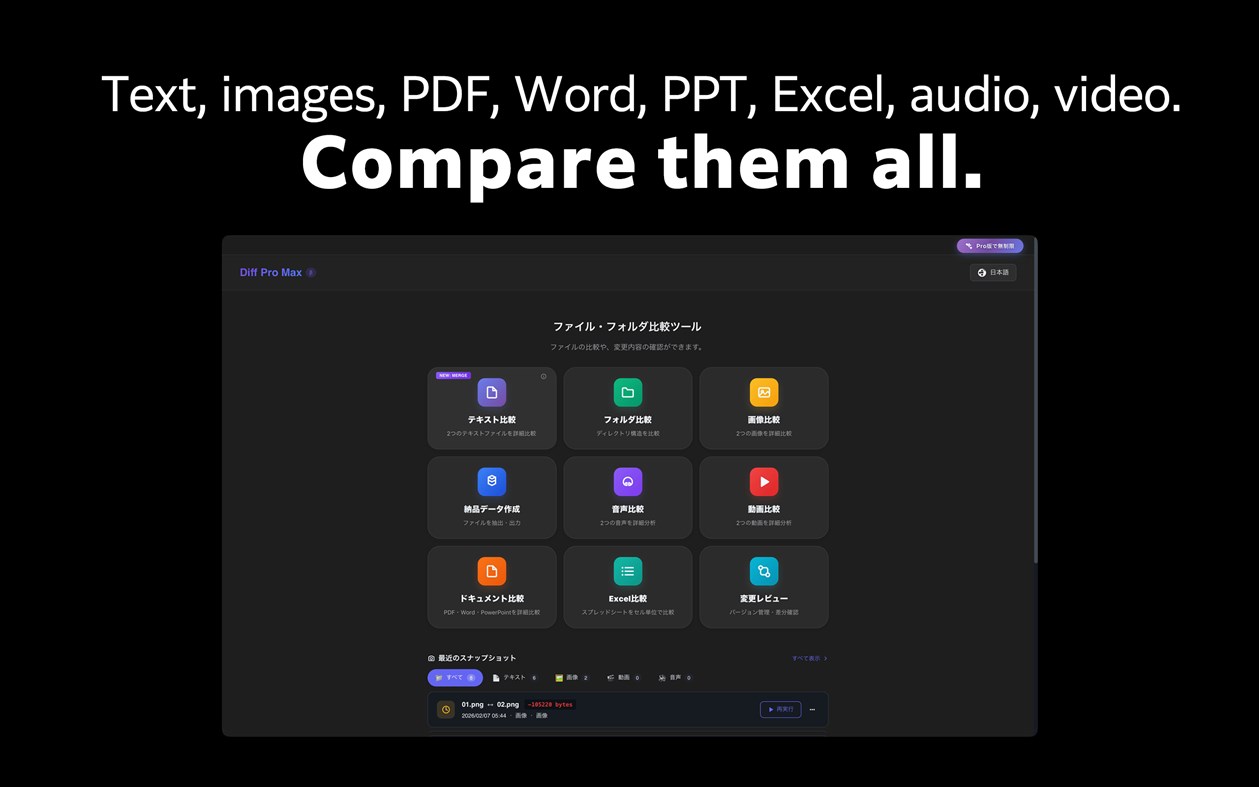
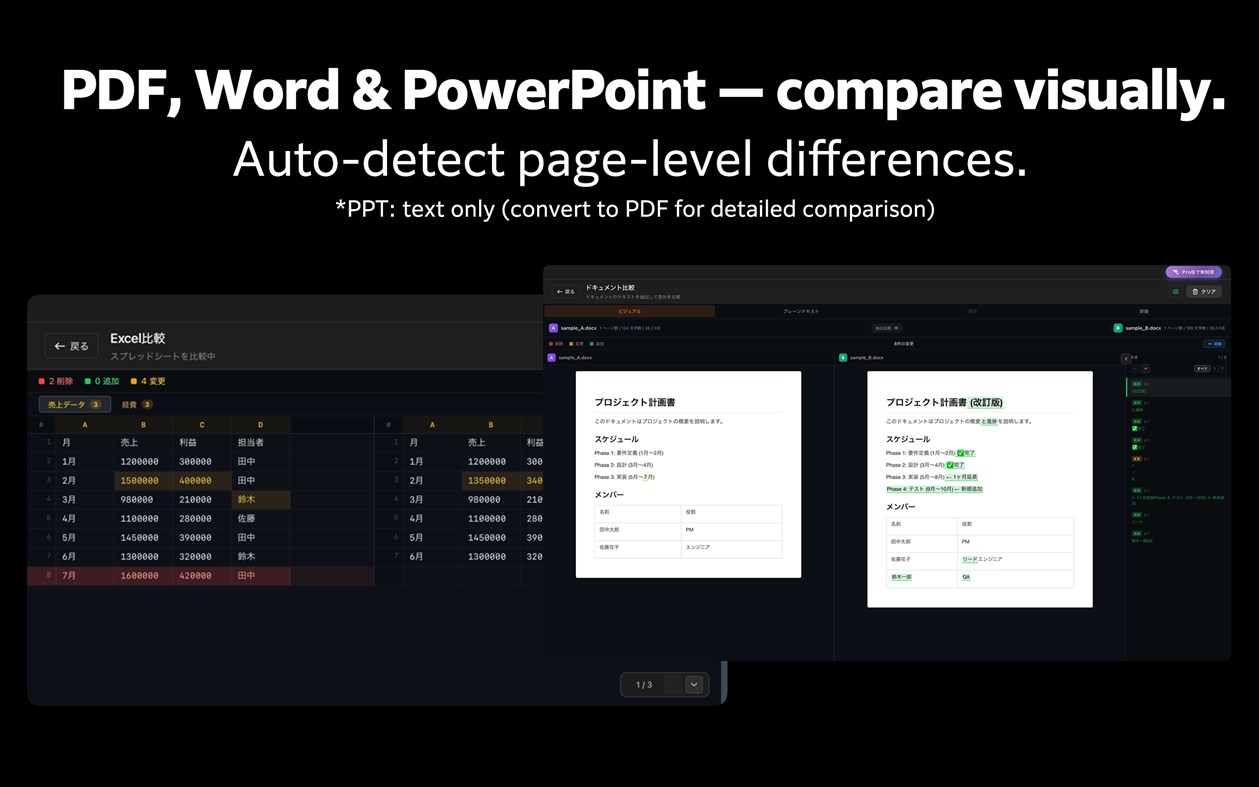
Diff Pro Max highlights the text and values that changed between two versions of a PDF, Excel or Word file. Just drag and drop them. Group versions of the same file as v1, v2… and follow the changes from the first draft to the latest.
It also compares text, folders, images, audio and video.
Sound familiar?
• You need to verify which version of a document was sent to the client
• You're about to deliver, but want to double-check everything
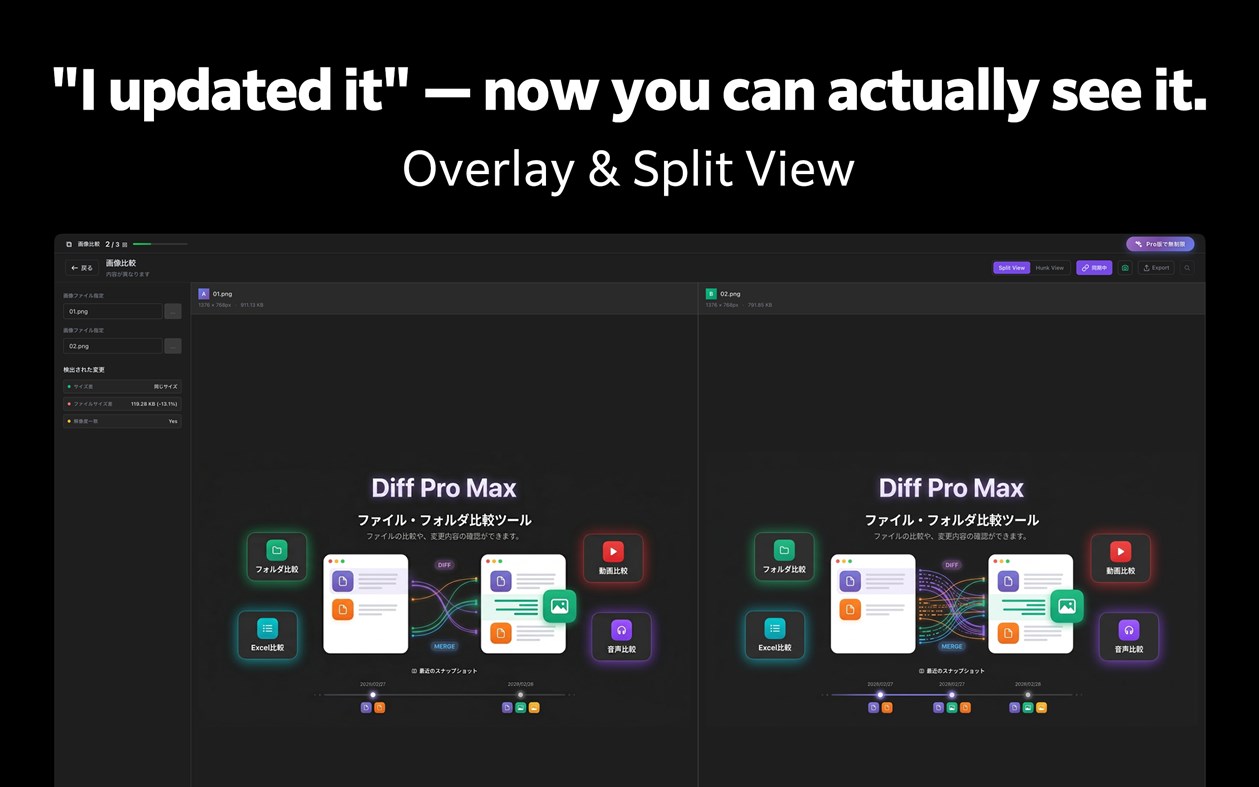
• The designer says "I updated it" but you can't spot the difference
• You edited the code, but can't remember exactly what changed
Diff Pro Max lets you compare, review, and merge — all in one place.
【Key Features】
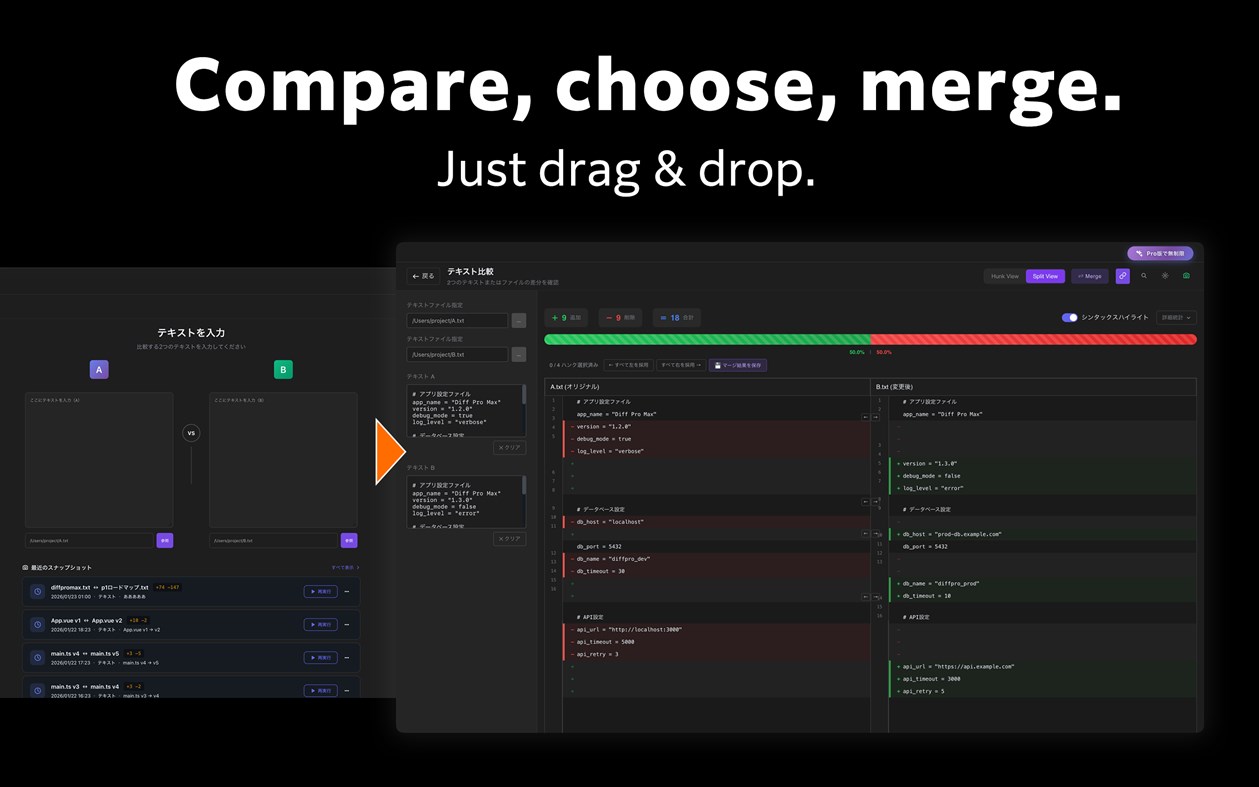
■ Text Compare
- Syntax highlighting for 20+ major languages
- Hunk View and Split View modes
- Inline diff for character-level changes
- Regex search and quick navigation
- Merge mode: select left or right per hunk and save the result [New]
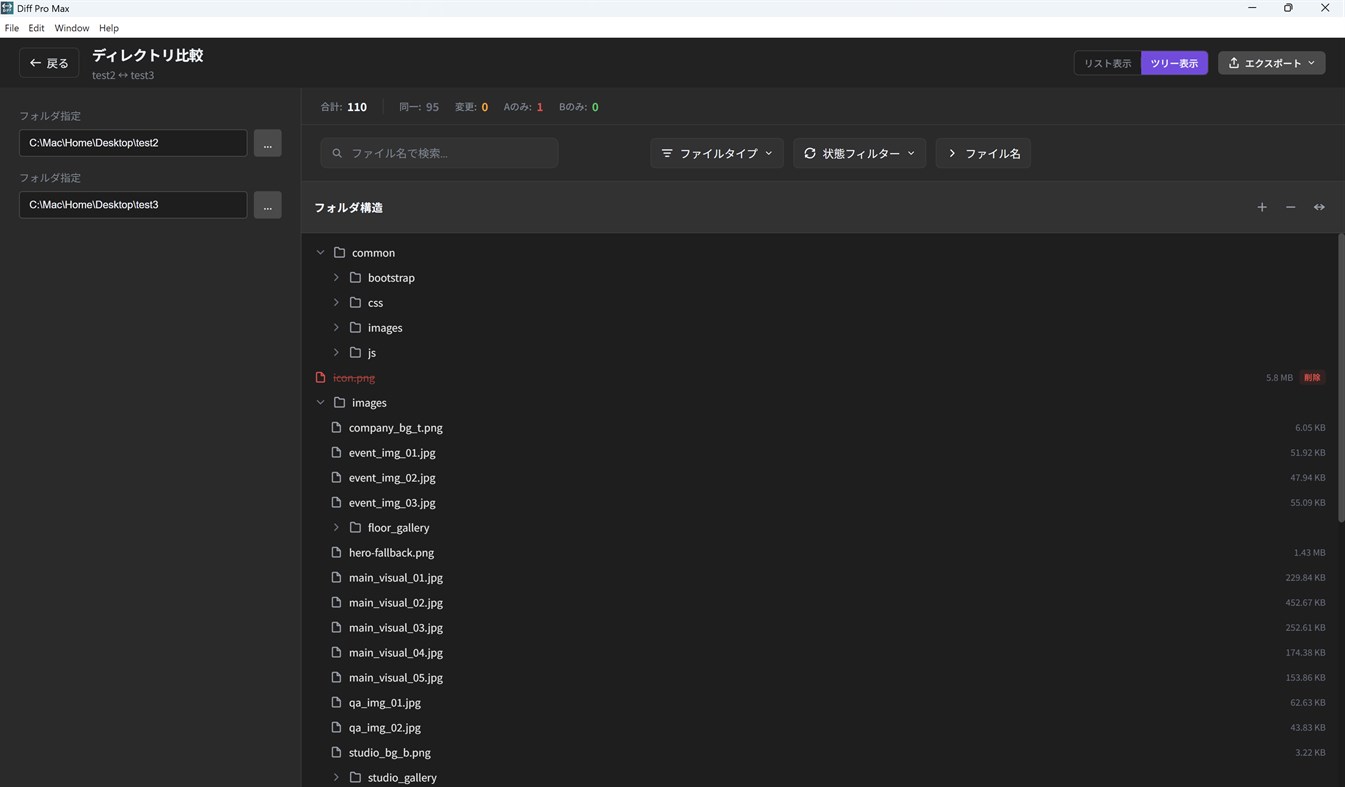
■ Folder Compare
- Hierarchical directory tree view
- Color-coded file status (added, changed, deleted)
- Exclusion patterns to skip unwanted files
- Date range filtering for specific periods
- Fast performance with 1000+ files
■ Image Compare
- Side-by-side visual comparison
- Overlay mode for detailed diff
- Synced zoom and pan controls
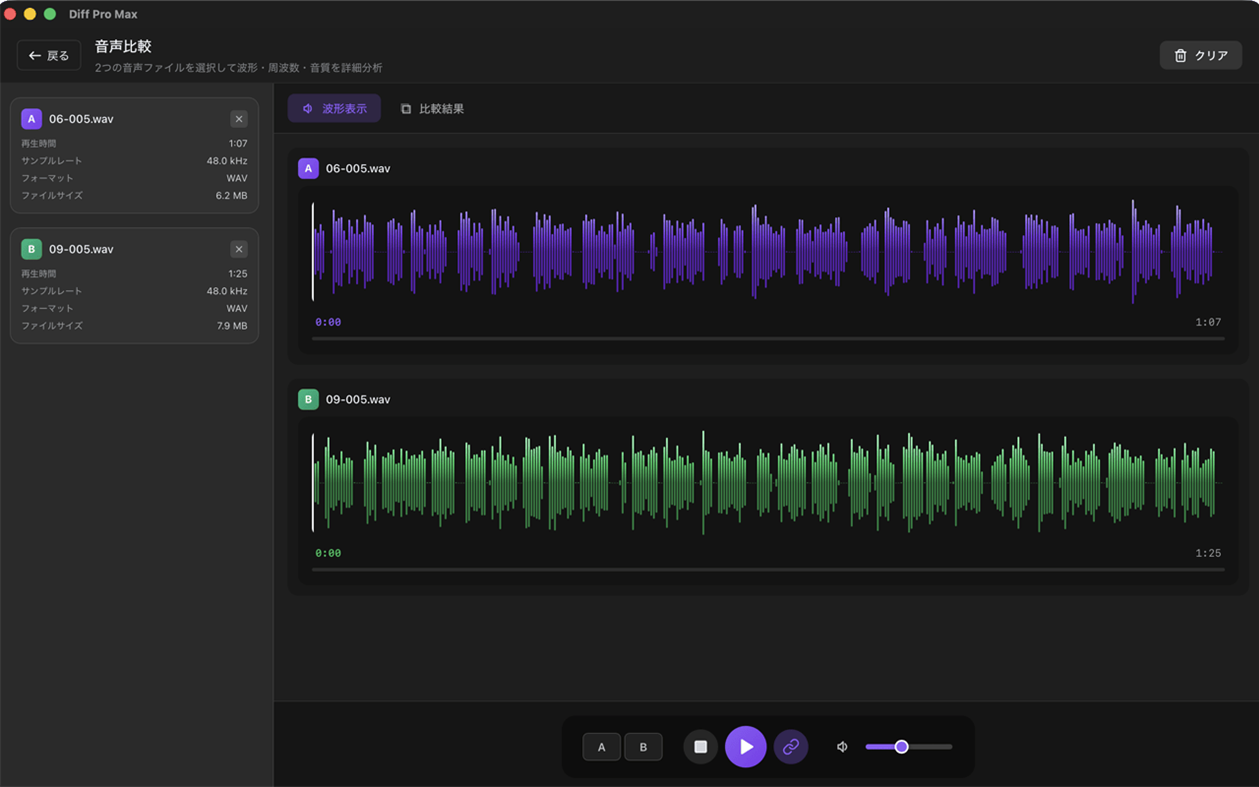
■ Audio Compare
- Waveform visualization for visual comparison
- Synchronized playback to hear differences
- Metadata comparison (format, bitrate, sample rate, etc.)
- Supports MP3, WAV, AAC, FLAC and more
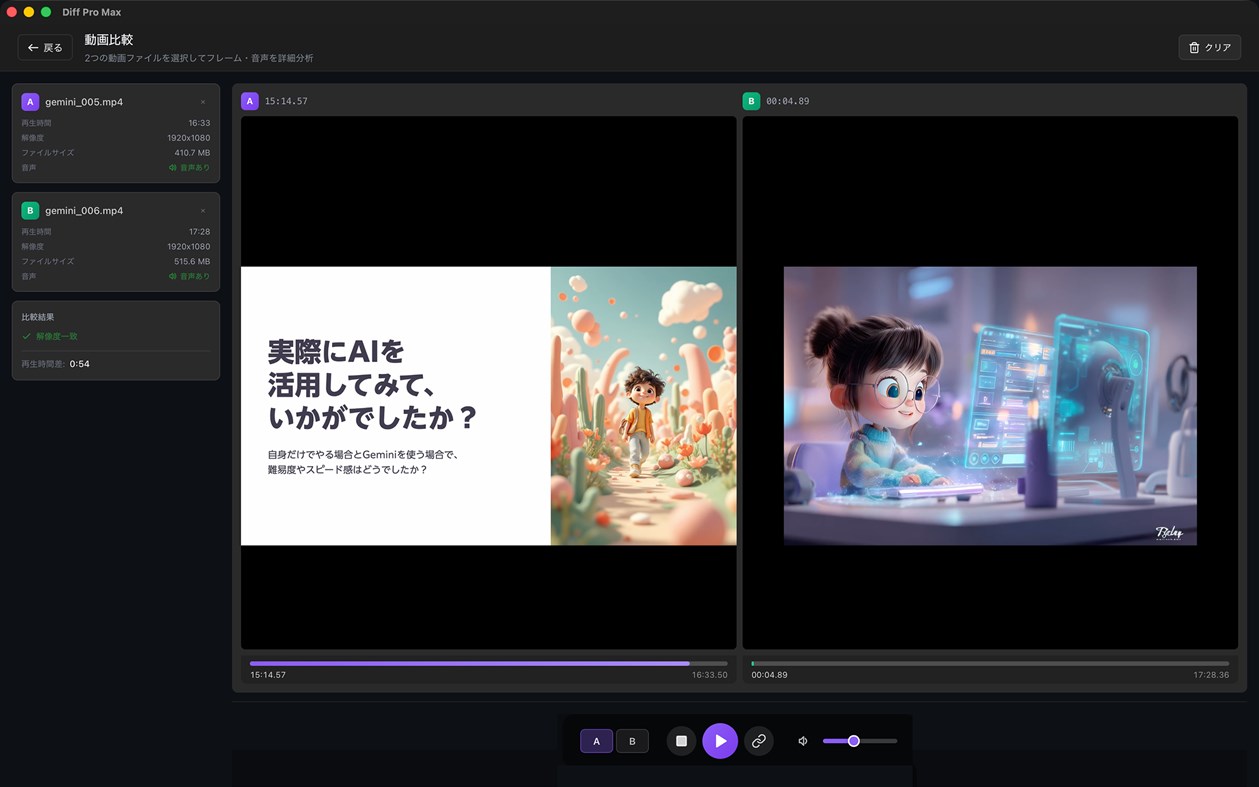
■ Video Compare
- A/B switching for instant comparison
- Synchronized playback mode
- Supports MP4, MOV, WebM, AVI, MKV and more
■ Document Compare [New]
- Visual comparison for PDF, Word, and PowerPoint
- On-device OCR for scanned PDFs with no text layer (Pro) — documents are never uploaded
- Page-level diff detection with overlay view
- Page sync and scroll sync
■ Excel Compare [New]
- Cell-level diff for spreadsheets
- Color-coded additions, changes, and deletions
- Multi-sheet comparison
■ Change Review (Version Compare) [New]
- Group versions of the same file and compare them as v1, v2, …
- Instantly compare with past versions
- Drag to reorder versions; numbers and diff summaries update automatically
- Add a comparison to a group right when you save it
- Supports all file types: text, image, audio, video, documents, Excel
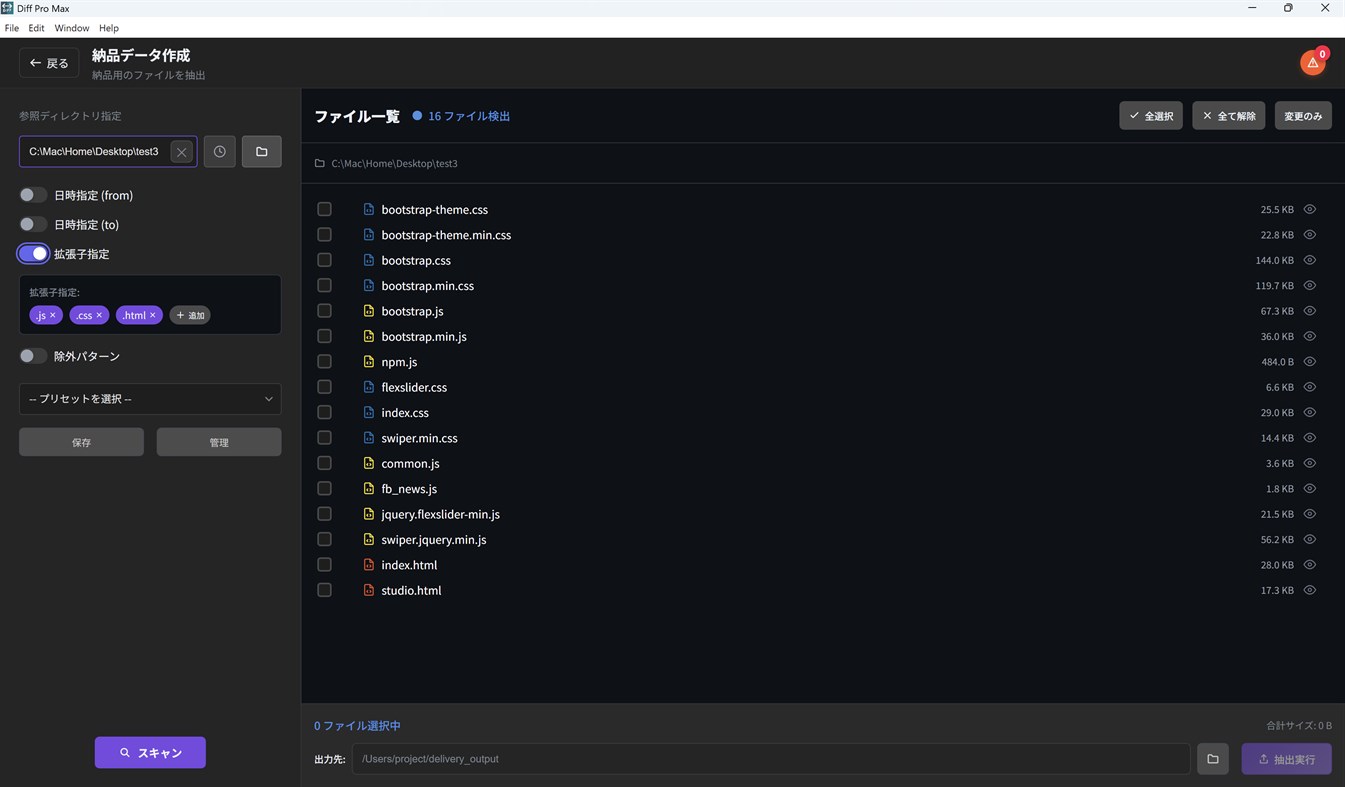
■ Delivery Package
- Extract files for FTP upload efficiently
- Preserve directory structure
- Includes a tree-style folder structure listing (file_tree.txt)
- Auto-detect updated files by date range
- Save and reuse settings with presets
- Preview CSV, TSV, PPTX, and PDF files before extraction
【Additional Features】
- Multilingual support (English / Japanese / German / French)
- Dark mode and Light mode
- Intuitive drag & drop interface
- Preset manager for frequently used settings
- History for quick replay of past comparisons
- Multiple export formats (TXT, CSV, HTML)
【Perfect For】
- Web Designers — Compare design mockups
- Project Managers — Delivery data creation and management
- Writers & Editors — Track manuscript revisions
- Business Professionals — Manage contract and proposal changes
- Video & Audio Creators — Compare edits and mixes
- Students & Researchers — Version control for papers and reports
- Software Engineers — Code diffs, config file merging
- Everyone — Track changes in important documents and files
【Pro】One-time purchase
- Unlimited comparisons for all modes
- Unlimited text merge
- Export to CSV and HTML
- On-device OCR for scanned PDFs
- More groups and versions in Change Review (an add-on removes the limits)
- Advanced filtering and presets
- No watermark
Free version includes unlimited text comparison. Other modes allow 3 uses per day.
Altre piattaforme 1
| Diff Pro Max - File CompareWindows Store1K ArgentoSei quiAcquisti in-app | Gratis |
 | Diff Pro Max - File CompareMac App Store1K ArgentoAcquisti in-app $9.99 – $14.99 | Gratis |
Cronologia dei prezzi 0
- Prezzo attuale: Gratis
- Minimo: Gratis
- Massimo: Gratis
Monitora i prezzi Aggiungi a una lista per ricevere avvisi sugli sconti via email o push
Liste 0
0
-
 Diff Pro Max - File Compare
Punti 0
0
Classifiche 0
-

- La tua valutazione

Commenti 0 ¡
Sii il primo a commentare
Sviluppatore 7
- Ryota Kimura
- Follower: 0
- Piattaforme: iOS App (5) macOS App (1) Windows App (1)
- Offerte: 0
- Liste: 0 + 0
- Punti: 1 + 0 ¡
- Classifiche: 0
- Commenti: 0
- Video: 0
- RSS: Iscriviti
Novità
- Versione: PC
- Ultimo aggiornamento:
- Change Review is even easier to use
- Reorder the versions in a group by dragging the handle (the ↑↓ keys work too). Version numbers follow the new order, and the change summary is updated.
- When you save a comparison, you can add it to a group right in the Save dialog — pick an existing group or create a new one.
Image compare
- ICO images can now be compared.
- If you choose an image format that cannot be compared, the app tells you.
Audio compare
- The score is now labeled "File info match", with a note that the audio content itself is not compared.
Bug fixes
- Fixed: rerunning a comparison from "Recent Snapshots" while the same compare screen was open did nothing.
- Fixed: the limit notice on the purchase screen now shows the correct Pro limits for groups and versions.
- Fixed: keeping the store's sign-in window open for a long time during a purchase or restore no longer shows a timeout error.
Informazioni aggiuntive
- Data di uscita:
- Categoria:
App per Windows›Strumenti di sviluppo - Sistemi operativi:
PC - Dimensioni:
7 Mb - Lingue supportate:
Francese,Giapponese,Inglese,Tedesco - Classificazione contenuti:
EVERYONE - Windows Store Valutazione: ¡
0 - Sito web:
 https://rkpg.net/diffpromax/index.html
Punteggio AppAgg
1110
Punteggio AppAgg stimato per
Diff Pro Max - File Compare
Sviluppatore: Ryota Kimura
1110 Argento
Un punteggio più alto riflette in genere risultati migliori negli indicatori di AppAgg.
Basato su: popolarità · valutazioni degli utenti · freschezza · offerte · dati degli store · attività della community
Ricalcolato ogni giorno con dati AppAgg aggiornati.
Badge per siti web:  Copiato!
In breve
Diff Pro Max - File Compare URL breve: Copiato!- Windows Store
Su AppAgg puoi seguire «Diff Pro Max - File Compare», un’app di Ryota Kimura per Windows nella categoria Strumenti di sviluppo. Punteggio AppAgg: 1110 (Argento). Punti AppAgg dell’app — confermati: 0; indiretti: 0. Liste pubbliche che includono l’app: 0. Utenti che l’hanno salvata in liste private: 0. Gli utenti di AppAgg non hanno ancora valutato questa app. I punti confermati registrano le visite allo store degli utenti che hanno effettuato l’accesso ad AppAgg; quelli indiretti si basano sui dati degli store. I due contatori indicano le liste pubbliche e gli utenti che hanno salvato l’app o il gioco in liste private. L’app è stata pubblicata per la prima volta il . Ultimo aggiornamento dell’app: . L’app è attualmente disponibile gratuitamente. L’app è disponibile nelle seguenti lingue: Francese, Giapponese, Inglese, Tedesco. Consulta la cronologia dei prezzi, aggiungi l’app a una lista o segui lo sviluppatore. Segui le prossime offerte e gli aggiornamenti dell’app tramite il Feed RSS. AppAgg non ospita né distribuisce questa app. Tutti i marchi, i loghi e gli screenshot relativi all’app appartengono ai rispettivi proprietari.

