
Закладки
| Разработчик: | Gus Catalano (7) | ||
| Цена: | Бесплатно | ||
| Оценка: | 1 020 Серебро | ||
| Рейтинги: | 0 | ||
| Комментарии: | 0 Оставить комментарий | ||
| Списки: | 0 0 | ||
| Очки: | 0 | ||
| +1 Очко | |||
Кратко
Знакомьтесь: DriveVisualizer, приложение от Gus Catalano из раздела «Средства разработчика».
Работает даже на HoloLens, Windows в смешанной реальности.
Есть даже версия для Windows Mobile. Привет из прошлого.
Бесплатно: ни рекламы, ни встроенных покупок. Только вы и приложение.
Вышло , ещё вполне свежее.
Подходит даже для Surface Hub, для больших переговорок.
Оценка AppAgg: 1 020. «Серебро», и это уже неплохо.
Всего 28 мегабайт, поместится даже на забитый диск.
Возрастной рейтинг «EVERYONE», подходит и детям.
Говорит только на одном языке, и это не русский.
На AppAgg его пока никто не оценил. Шанс стать первым прямо сейчас.
У этого разработчика на AppAgg ещё 6 приложений. Загляните.
Хотите первым узнавать об обновлениях и новых приложениях? Подпишитесь на разработчика или на RSS-канал. Push приходят в приложении AppAgg Alerts для Android и iOS.
Другие платформы 0
История цен 0
- Текущая цена: Бесплатно
- Минимум: Бесплатно
- Максимум: Бесплатно
Своя лента на главной
Скриншоты 7
Описание

unlike every other space analyzer, it keeps watching, so next time you'll know
exactly what grew, when, and by how much.
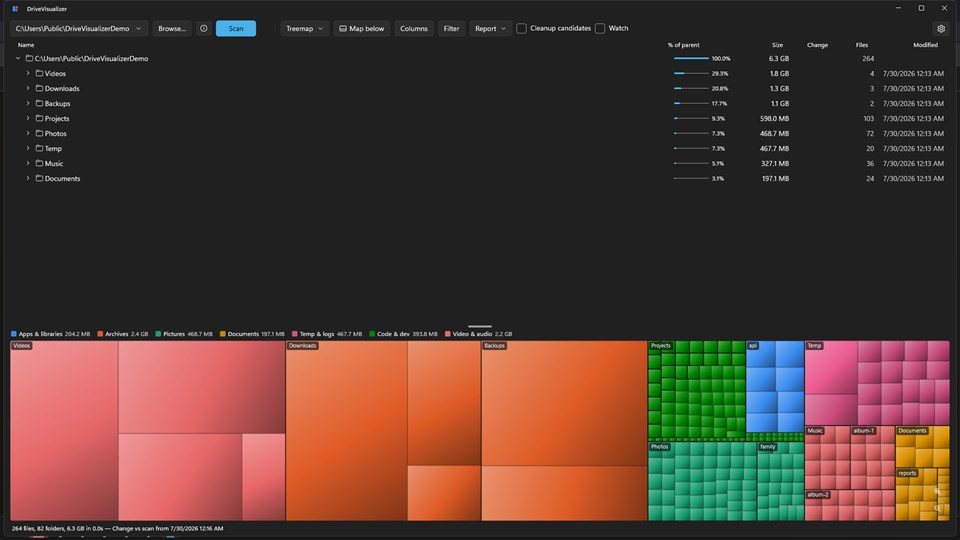
See your whole drive at once
A parallel scanner tears through a million files in seconds while the map builds
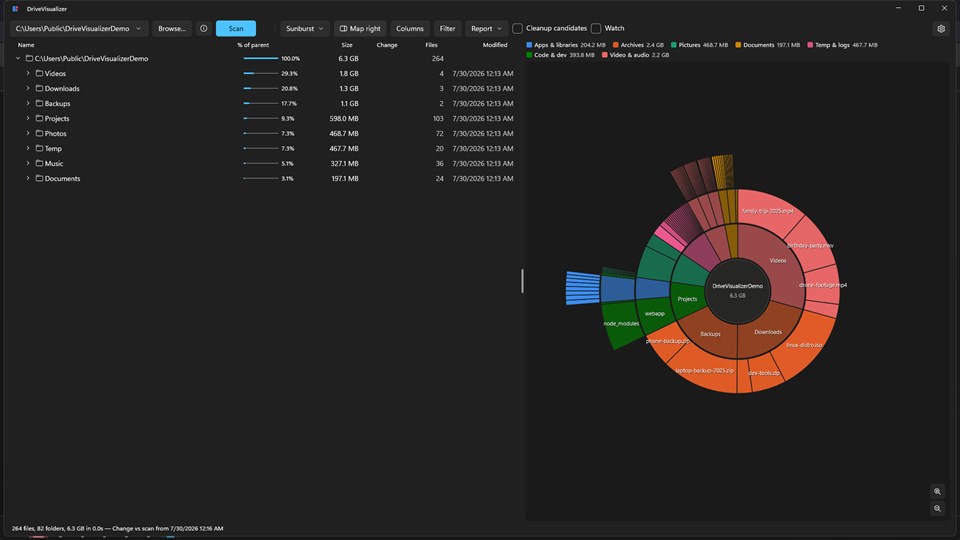
live in front of you. Explore the result as a classic cushion-shaded treemap,
a sunburst of rings, or a flame-style icicle view — every shape sized by what it
actually costs you on disk. Hover for details, click to jump to the folder tree,
double-click to dive deeper.
Colors that actually mean something
Video, pictures, code, archives, documents, temp & logs, apps, disk images — nine
categories, one legend, one-click filtering, and a colorblind-validated palette.
One glance tells you whether that mystery folder is your vacation footage or a
node_modules graveyard.
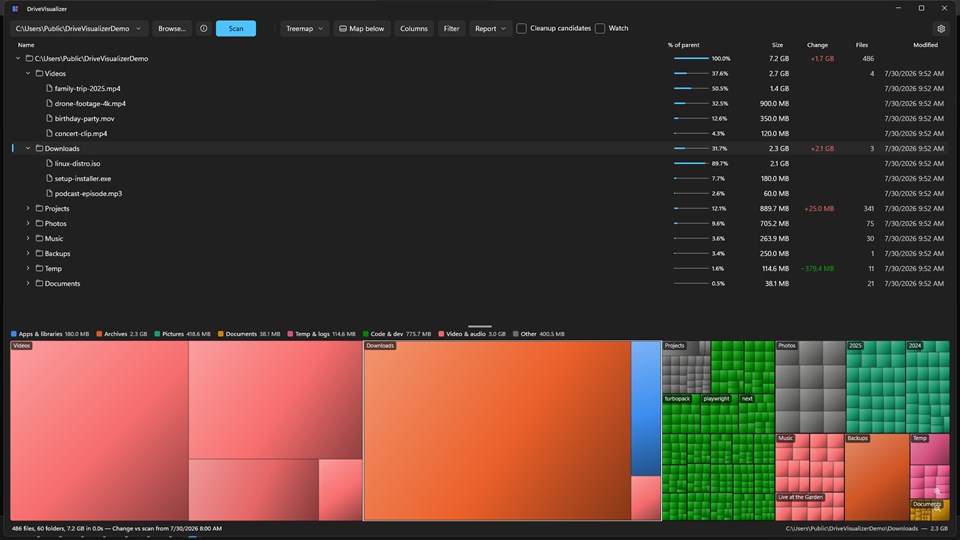
Catch what changed — the feature nobody else has
Every scan saves a snapshot. From then on:
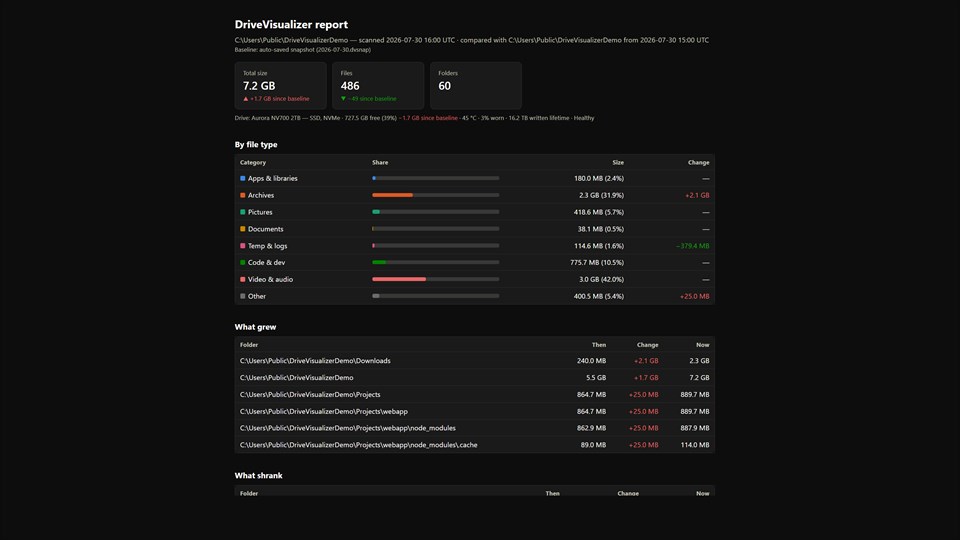
• A red/green Change column shows what grew and what shrank, folder by folder.
• One click opens a then/change/now report naming the exact folders and files
that moved.
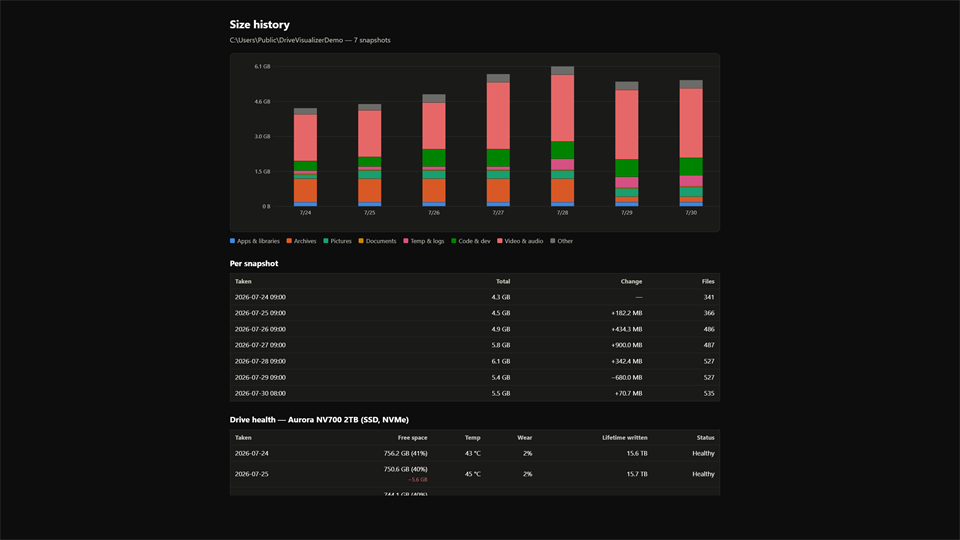
• Size history charts weeks of growth, stacked by category, snapshot by snapshot.
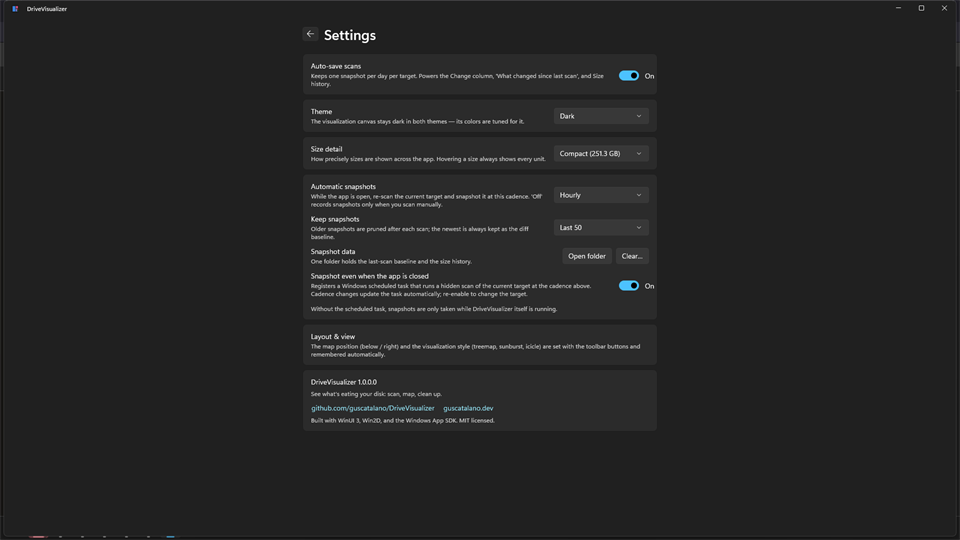
• Snapshots take themselves — hourly, daily, or weekly, even while the app is
closed — with retention limits you control. Come back from vacation and see
precisely what your PC did without you.
Clean up with confidence
Flip on "Cleanup candidates" to highlight only the safe wins: temp folders,
caches, logs, recycle bin, node_modules. Right-click anything to send it to the
Recycle Bin, delete it permanently, or compress it to a zip and drop the
original. Sizes update instantly as you go.
Know your drive's health
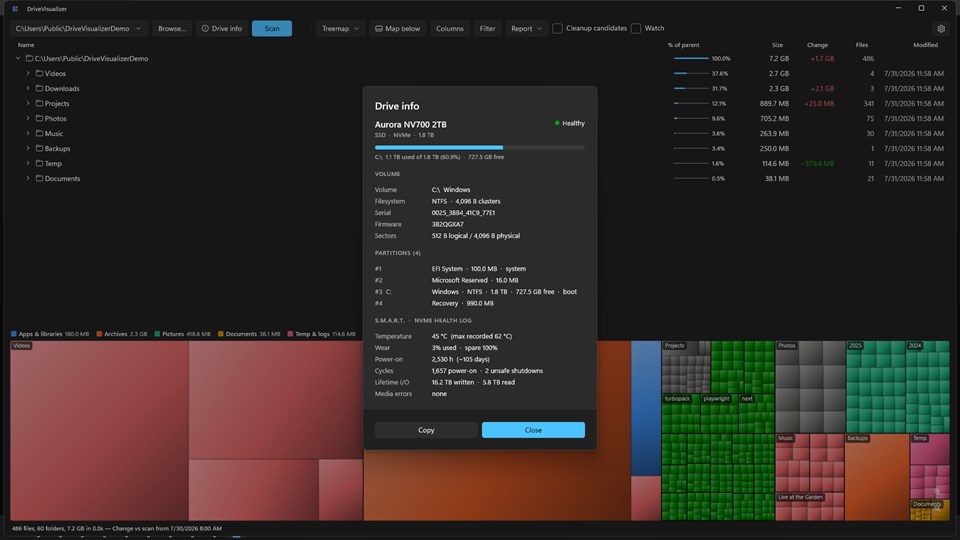
Full S.M.A.R.T. detail without running as administrator: temperature, wear,
power-on hours, lifetime data written, unsafe shutdowns, media errors — plus
model, bus (NVMe/SATA/USB), and SSD vs HDD. Health is stamped into every
snapshot, so you can watch wear and free space trend over months, not just
read today's numbers.
Accurate where it counts
Junctions and symlinks are never double-counted. 260+ character paths just work.
Compressed, sparse, and cloud-placeholder files report their true size on disk,
so the numbers add up to what Windows really uses.
Yours, privately
No accounts, no ads, no telemetry, no network access — your file names never
leave your machine. Free and open source (MIT) at
github.com/guscatalano/DriveVisualizer.
От разработчика
Списки 0
-
 DriveVisualizer
Очки 0
-

- +1 Очко

Рейтинги 0
-
- Ваша оценка
Разработчик 7
- Gus Catalano
- Подписчики: 0
- Платформы: Windows Приложения (7)
- Скидки: 0
- Списки: 0 0
- Очки: 0
- Рейтинги: 0
- Комментарии: 0
- Видео: 0
- RSS: Подписаться
Что нового
- Версия: PC
- Последнее обновление:
Дополнительная информация
- Дата выпуска:
- Категория:
Приложения для Windows›Средства разработчика - Операционные системы:
HoloLensMobilePCSurface Hub - Размер:
28 Mb - Поддерживаемые языки:
Английский - Возрастные ограничения:
EVERYONE - Windows Store Рейтинг: ¡
0 - Сайт:
 http://guscatalano.dev
Оценка AppAgg
Примерная оценка AppAgg для
DriveVisualizer
Разработчик: Gus Catalano
Более высокая оценка обычно означает лучшие результаты по показателям AppAgg.
На основе: популярности · оценок пользователей · актуальности · скидок · данных магазинов · активности сообщества
Пересчитывается ежедневно на основе актуальных данных AppAgg.
Комментарии 0 ¡
Поделиться
DriveVisualizer Короткий URL: Скопировано!- Windows Store

