
Lesezeichen
| Entwickler: | Rever Chan (1) | ||
| Preis: | $4.99 | ||
| Score: | 630 Silber | ||
| Ranglisten: | 0 | ||
| Kommentare: | 0 Kommentar posten | ||
| Listen: | 0 0 | ||
| Punkte: | 0 | ||
| +1 Punkt | |||
Kurzinfo
Vorhang auf für Ex-Snap, eine App von Rever Chan aus der Kategorie „Entwicklungstools“.
Erst erschienen, also noch ziemlich frisch.
$4.99, und auf AppAgg bisher kein einziger Rabatt. Eine harte Nuss.
Der Microsoft Store ist in Windows eingebaut, die Installation ist also in ein paar Klicks erledigt.
Der AppAgg-Score liegt bei 630. Silber, und das ist gar nicht übel.
Altersfreigabe „EVERYONE“, also auch für Kinder geeignet.
Kann 3 Sprachen, aber Deutsch ist noch nicht dabei.
Auf AppAgg hat die App noch niemand bewertet. Jetzt ist deine Chance, den Anfang zu machen.
Das ist die einzige App des Entwicklers auf AppAgg. Noch.
Willst du als Erstes von Angeboten, Updates und neuen Apps erfahren? Richte einen Preisalarm ein, folge dem Entwickler oder abonniere den RSS-Feed. Push-Nachrichten kommen über die App AppAgg Alerts für Android und iOS.
Screenshots 4
Andere Plattformen 0
Preisentwicklung 0
- Aktueller Preis: $4.99
- Minimum: $4.99
- Maximum: $4.99
Dein eigener Feed auf der Startseite
Beschreibung

Do you often need to organize lots of screenshots into Excel? Doing it manually - capture, open Excel, paste, adjust row height, align - is tedious and time-consuming. Ex-Snap compresses all of this into a single action.
【Key Features】
■ Screenshot & auto-insert into Excel
- Two writing modes:
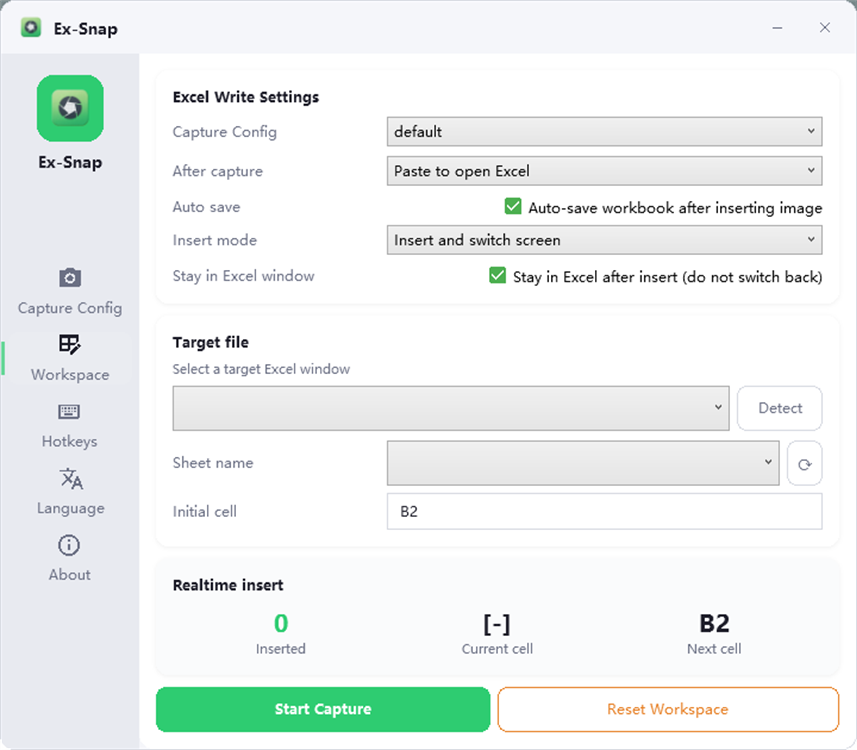
· Paste into open Excel: silent COM insertion, no extra steps
· Write to a closed file: edit .xlsx directly, no Excel installation needed
- Images are anchored to the target cell and arranged automatically by row spacing - one screenshot, one insertion
■ Smart capture
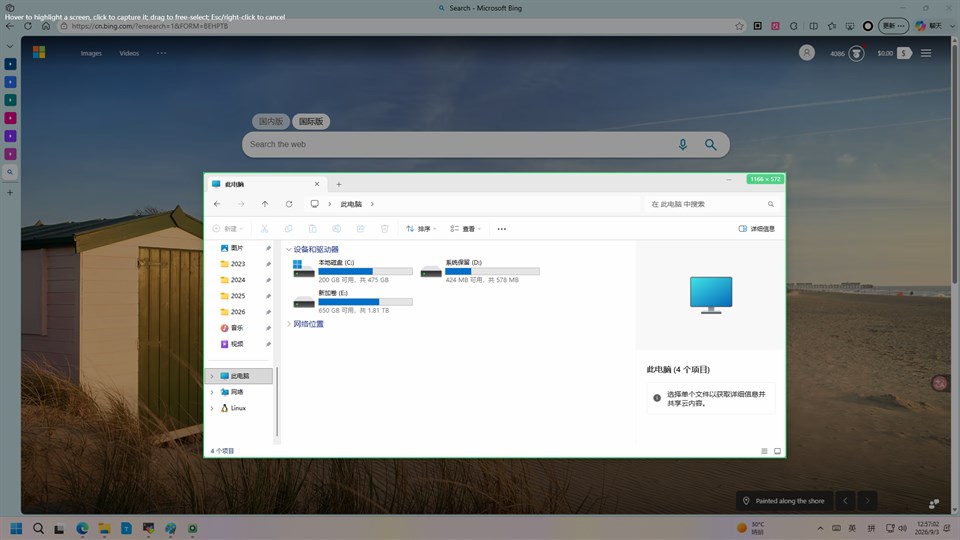
- Window capture: hover to highlight any window, click to capture
- Free-form capture: drag to select any screen region
- Multi-monitor support with DPI-aware scaling
■ Batch continuous capture
- Enter "armed" mode, press one hotkey per screenshot - each one is inserted into the next cell automatically
- Multi-column layout with adjustable row offsets, ideal for long capture sessions
■ Flexible customization
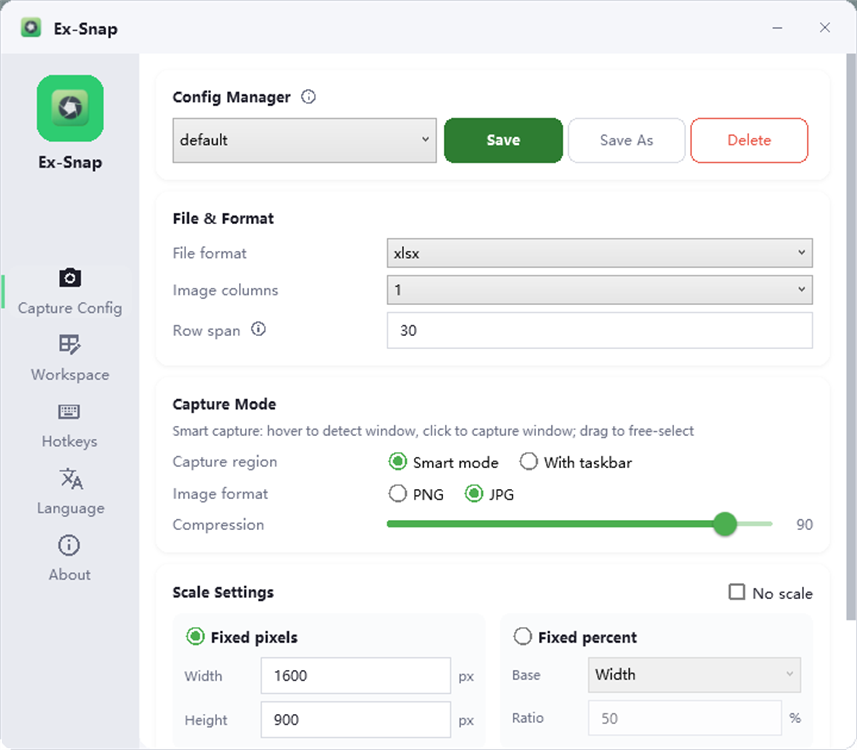
- Image format (PNG/JPG), size, compression quality, fixed-percentage scaling
- File size threshold reminder
- Multiple named capture profiles for different projects
■ Efficiency details
- Always available from the system tray
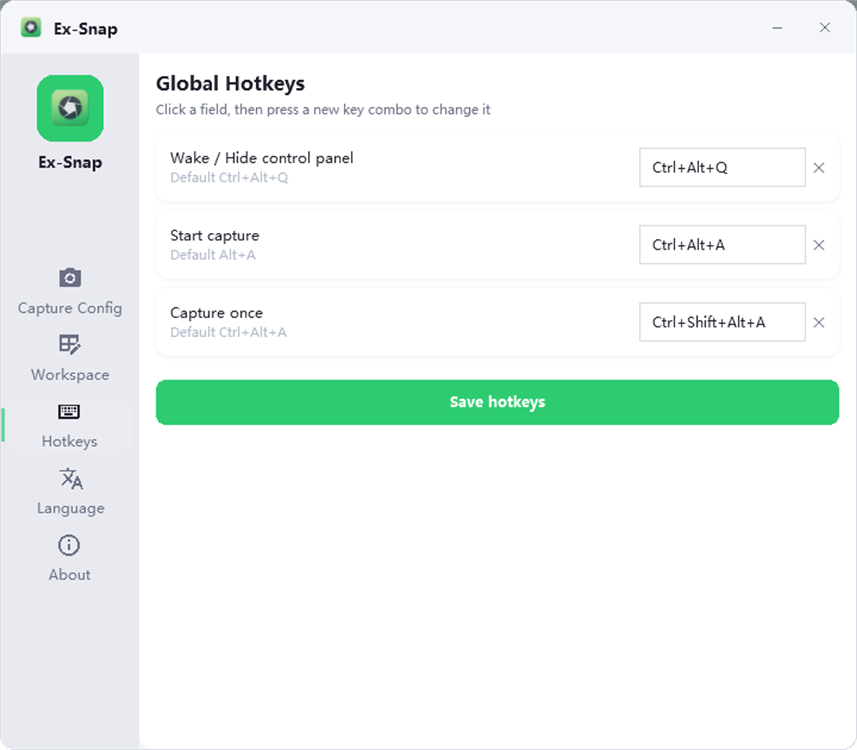
- Customizable global hotkeys (wake / start capture / quick snap)
- Auto-selects the target cell; optionally stays on the Excel window briefly for confirmation
■ Multilingual
- Chinese / English / Japanese, auto-detected from system language
【Typical Use Cases】
- Build software manuals / QA reports by arranging screenshots row by row in Excel
- Inventory checklists, data verification, screenshot-based logging
- Any repetitive task of turning screen content into Excel rows
【Privacy】Runs fully offline; screenshots stay on your device. No network, no upload.
Windows 10/11 (64-bit)
Vom Entwickler
Listen 0
-
 Ex-Snap
Punkte 0
-

- +1 Punkt

Ranglisten 0
-
- Deine Bewertung
Entwickler 1
- Rever Chan
- Follower: 0
- Plattformen: Windows Apps (1)
- Angebote: 0
- Listen: 0 0
- Punkte: 0
- Ranglisten: 0
- Kommentare: 0
- Videos: 0
- RSS: Abonnieren
Neue Funktionen
- Version: PC
- Zuletzt aktualisiert:
Weitere Informationen
- Veröffentlichungsdatum:
- Kategorie:
Windows-Apps›Entwicklungstools - Betriebssysteme:
PC - Größe:
84 Mb - Unterstützte Sprachen:
Chinesisch,Englisch,Japanisch - Altersfreigabe:
EVERYONE - Windows Store Bewertung: ¡
0
AppAgg-Score
Geschätzter AppAgg-Score für
Ex-Snap
Entwickler: Rever Chan
Ein höherer Score weist meist auf bessere Werte bei den von AppAgg erfassten Kennzahlen hin.
Basierend auf: Popularität · Nutzerbewertungen · Aktualität · Angeboten · Store-Daten · Community-Aktivität
Wird täglich anhand aktueller AppAgg-Daten neu berechnet.
Kommentare 0 ¡
Teilen
Ex-Snap Kurz-URL: Kopiert!- Windows Store

