
Закладки
| Разработчик: | Rever Chan (1) | ||
| Цена: | $4.99 | ||
| Оценка: | 630 Серебро | ||
| Рейтинги: | 0 | ||
| Комментарии: | 0 Оставить комментарий | ||
| Списки: | 0 0 | ||
| Очки: | 0 | ||
| +1 Очко | |||
Кратко
Знакомьтесь: Ex-Snap, приложение от Rever Chan из раздела «Средства разработчика».
Вышло , ещё вполне свежее.
$4.99, и ни одной скидки за всё время на AppAgg. Крепкий орешек.
Microsoft Store встроен в Windows, так что ставится в пару кликов.
Оценка AppAgg: 630. «Серебро», и это уже неплохо.
Возрастной рейтинг «EVERYONE», подходит и детям.
Знает 3 языка, но русский пока не выучило.
На AppAgg его пока никто не оценил. Шанс стать первым прямо сейчас.
Это единственное приложение разработчика на AppAgg. Пока что.
Хотите первым узнавать о скидках, обновлениях и новых приложениях? Включите оповещение о цене, подпишитесь на разработчика или на RSS-канал. Push приходят в приложении AppAgg Alerts для Android и iOS.
Скриншоты 4
Другие платформы 0
История цен 0
- Текущая цена: $4.99
- Минимум: $4.99
- Максимум: $4.99
Своя лента на главной
Описание

Do you often need to organize lots of screenshots into Excel? Doing it manually - capture, open Excel, paste, adjust row height, align - is tedious and time-consuming. Ex-Snap compresses all of this into a single action.
【Key Features】
■ Screenshot & auto-insert into Excel
- Two writing modes:
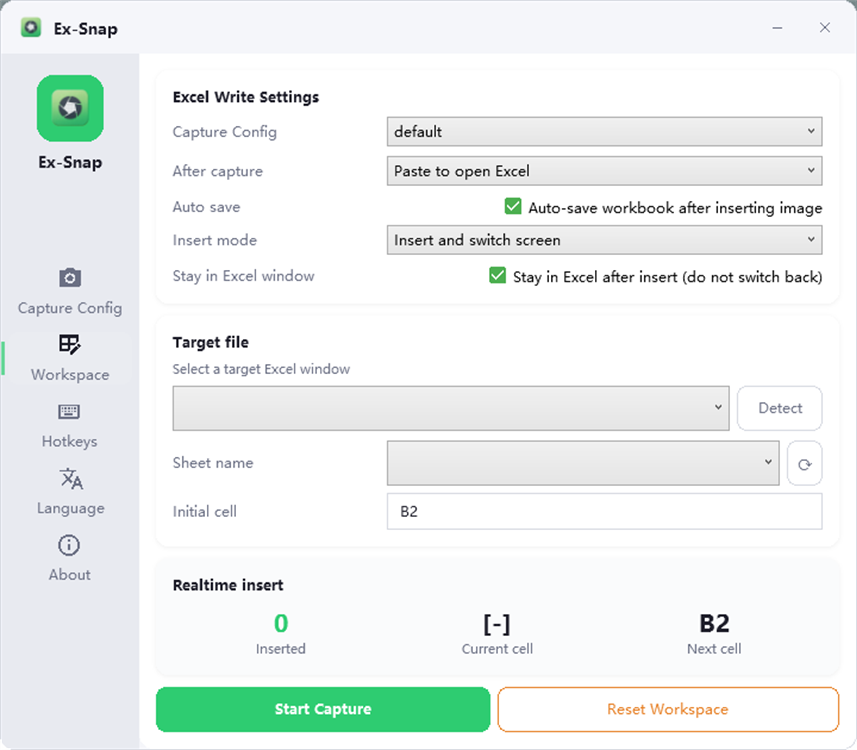
· Paste into open Excel: silent COM insertion, no extra steps
· Write to a closed file: edit .xlsx directly, no Excel installation needed
- Images are anchored to the target cell and arranged automatically by row spacing - one screenshot, one insertion
■ Smart capture
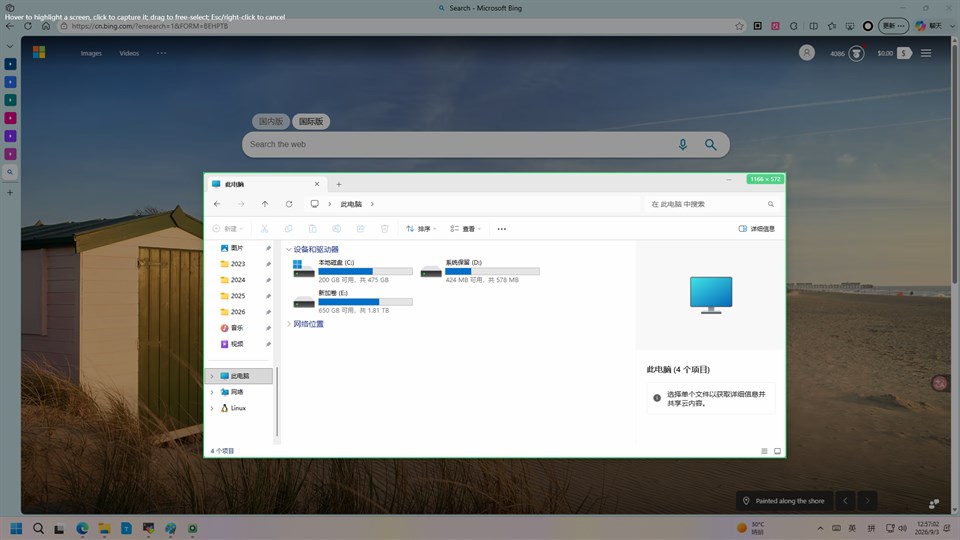
- Window capture: hover to highlight any window, click to capture
- Free-form capture: drag to select any screen region
- Multi-monitor support with DPI-aware scaling
■ Batch continuous capture
- Enter "armed" mode, press one hotkey per screenshot - each one is inserted into the next cell automatically
- Multi-column layout with adjustable row offsets, ideal for long capture sessions
■ Flexible customization
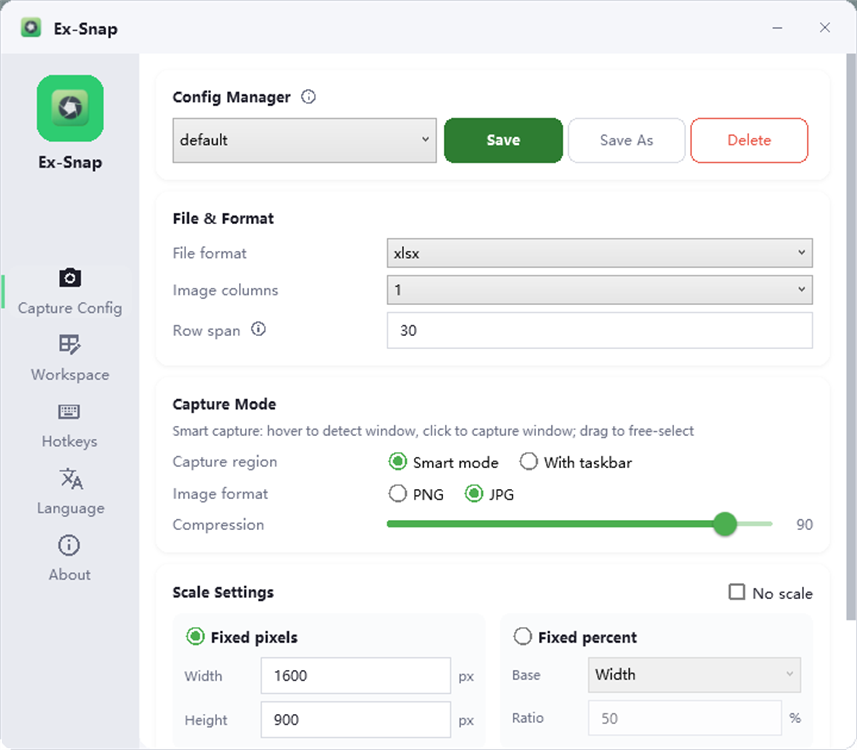
- Image format (PNG/JPG), size, compression quality, fixed-percentage scaling
- File size threshold reminder
- Multiple named capture profiles for different projects
■ Efficiency details
- Always available from the system tray
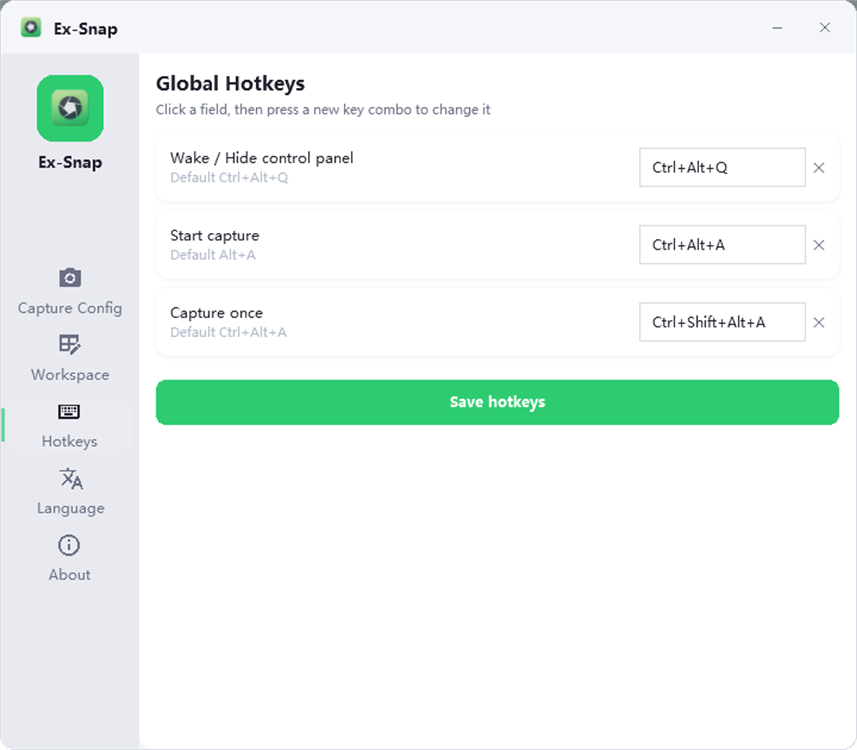
- Customizable global hotkeys (wake / start capture / quick snap)
- Auto-selects the target cell; optionally stays on the Excel window briefly for confirmation
■ Multilingual
- Chinese / English / Japanese, auto-detected from system language
【Typical Use Cases】
- Build software manuals / QA reports by arranging screenshots row by row in Excel
- Inventory checklists, data verification, screenshot-based logging
- Any repetitive task of turning screen content into Excel rows
【Privacy】Runs fully offline; screenshots stay on your device. No network, no upload.
Windows 10/11 (64-bit)
От разработчика
Списки 0
-
 Ex-Snap
Очки 0
-

- +1 Очко

Рейтинги 0
-
- Ваша оценка
Разработчик 1
- Rever Chan
- Подписчики: 0
- Платформы: Windows Приложения (1)
- Скидки: 0
- Списки: 0 0
- Очки: 0
- Рейтинги: 0
- Комментарии: 0
- Видео: 0
- RSS: Подписаться
Что нового
- Версия: PC
- Последнее обновление:
Дополнительная информация
- Дата выпуска:
- Категория:
Приложения для Windows›Средства разработчика - Операционные системы:
PC - Размер:
84 Mb - Поддерживаемые языки:
Английский,Китайский,Японский - Возрастные ограничения:
EVERYONE - Windows Store Рейтинг: ¡
0
Оценка AppAgg
Примерная оценка AppAgg для
Ex-Snap
Разработчик: Rever Chan
Более высокая оценка обычно означает лучшие результаты по показателям AppAgg.
На основе: популярности · оценок пользователей · актуальности · скидок · данных магазинов · активности сообщества
Пересчитывается ежедневно на основе актуальных данных AppAgg.
Комментарии 0 ¡
Поделиться
Ex-Snap Короткий URL: Скопировано!- Windows Store

