
저장됨
저장됨 메뉴에 표시할 이름을 선택하세요.
완료!
| 개발자: | Business Follows srl (3) | ||
| 가격: | $49.99 | ||
| 평가: | 500 브론즈 | ||
| 순위: | 0 | ||
| 댓글: | 0 댓글 게시 | ||
| 목록: | 0 + 0 | ||
| 포인트: | 0 + 0 ¡ | ||
| +1 포인트 | |||
기술

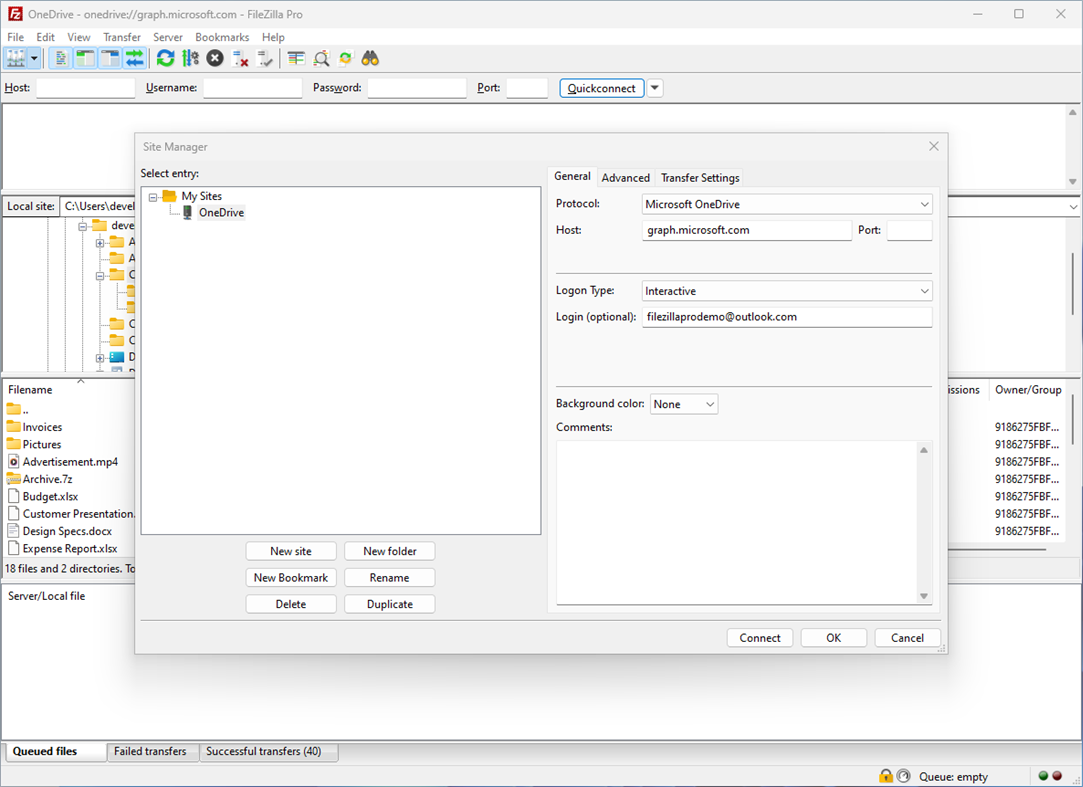
You can use the Site Manager to organize your sites and bookmarks. FileZilla Pro lets you synchronize the Site Manager data securely so that you can access your stored sites from all your machines. Your credentials are stored securely, protected by strong cryptography.
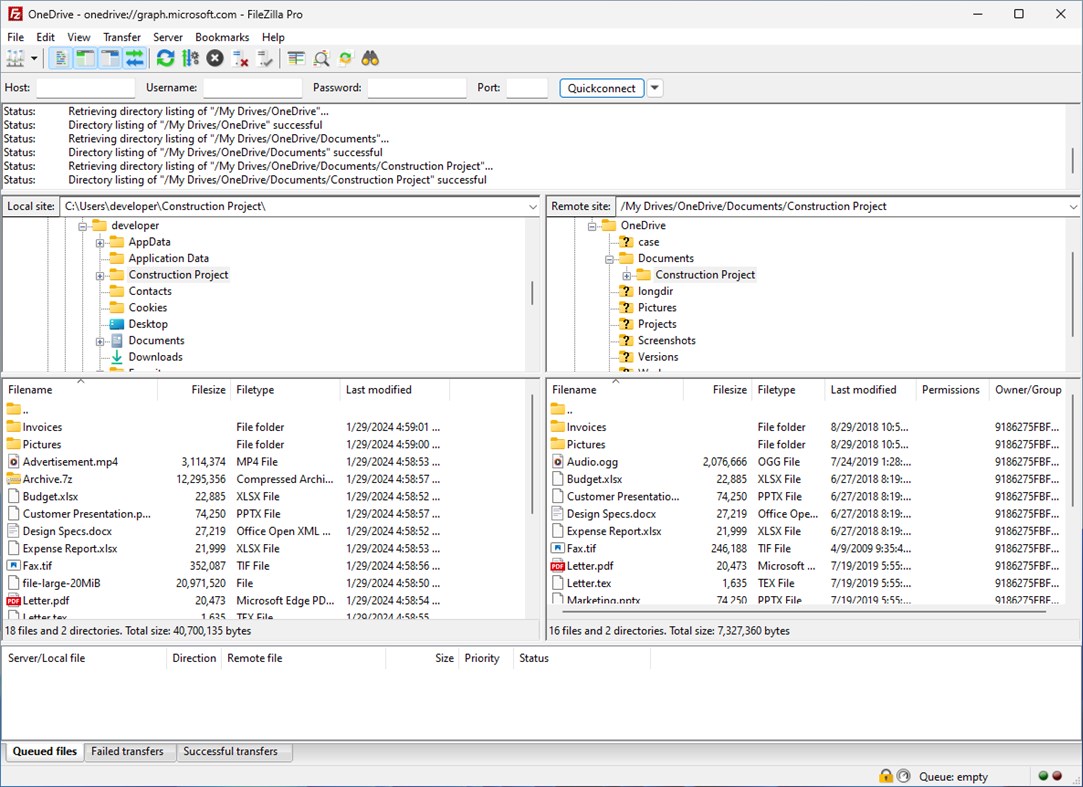
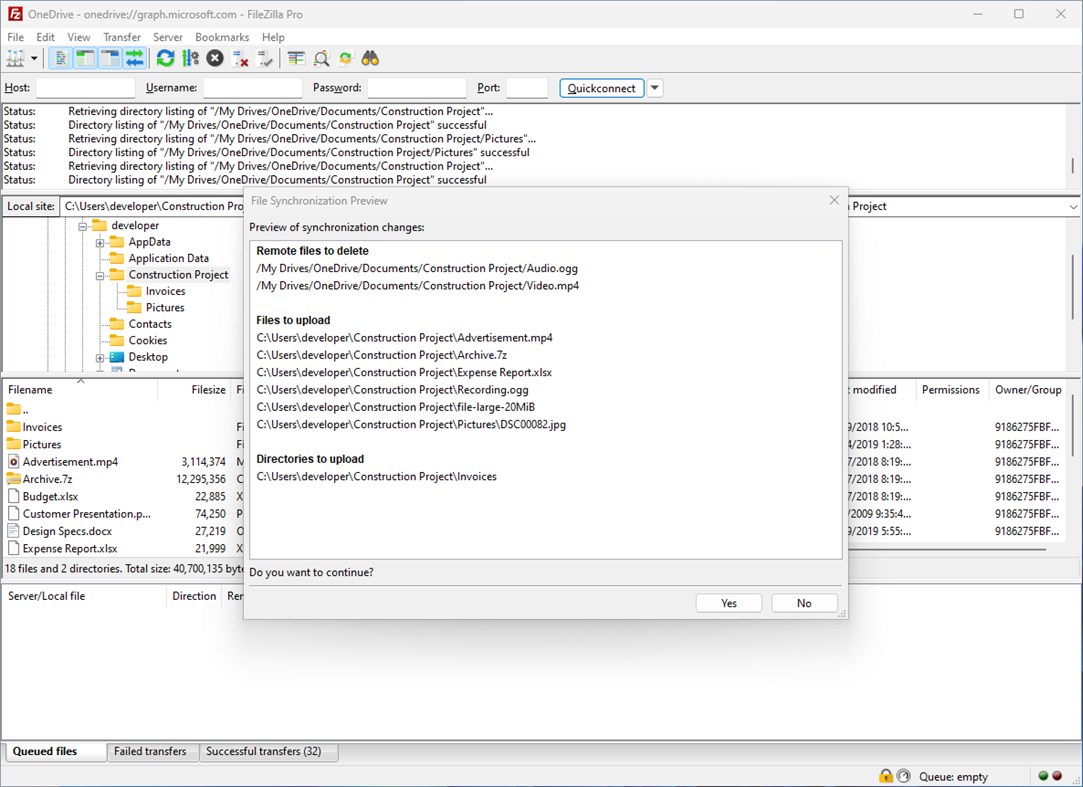
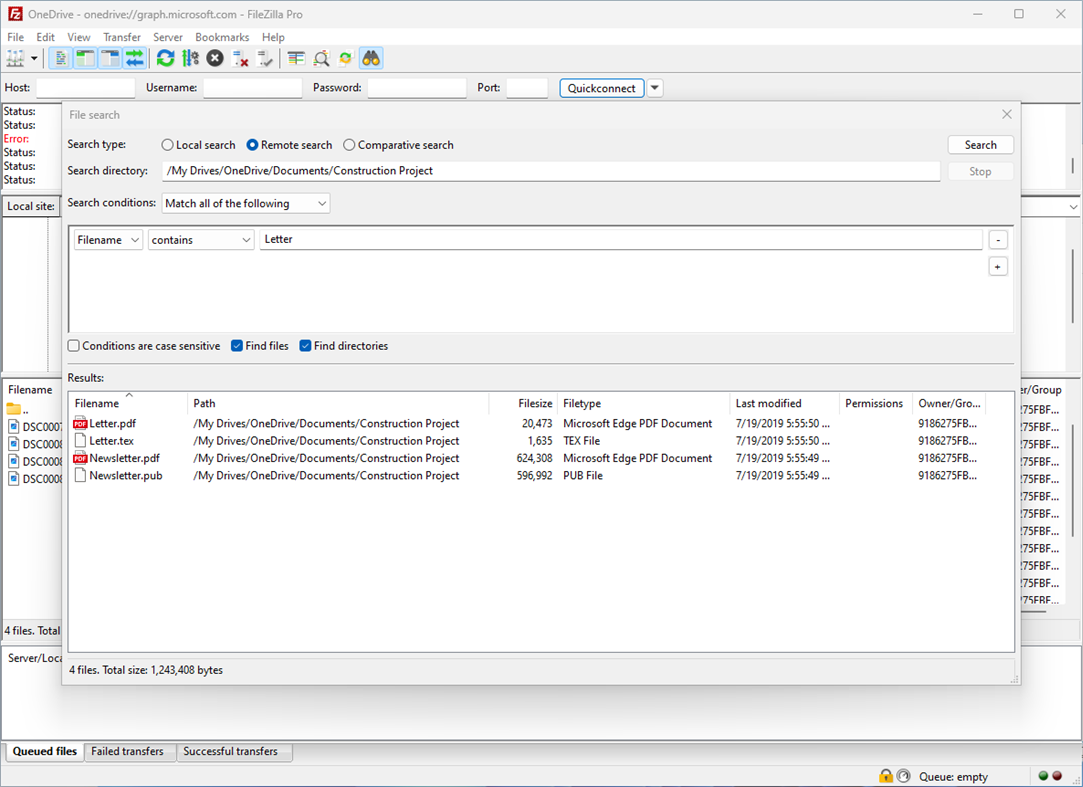
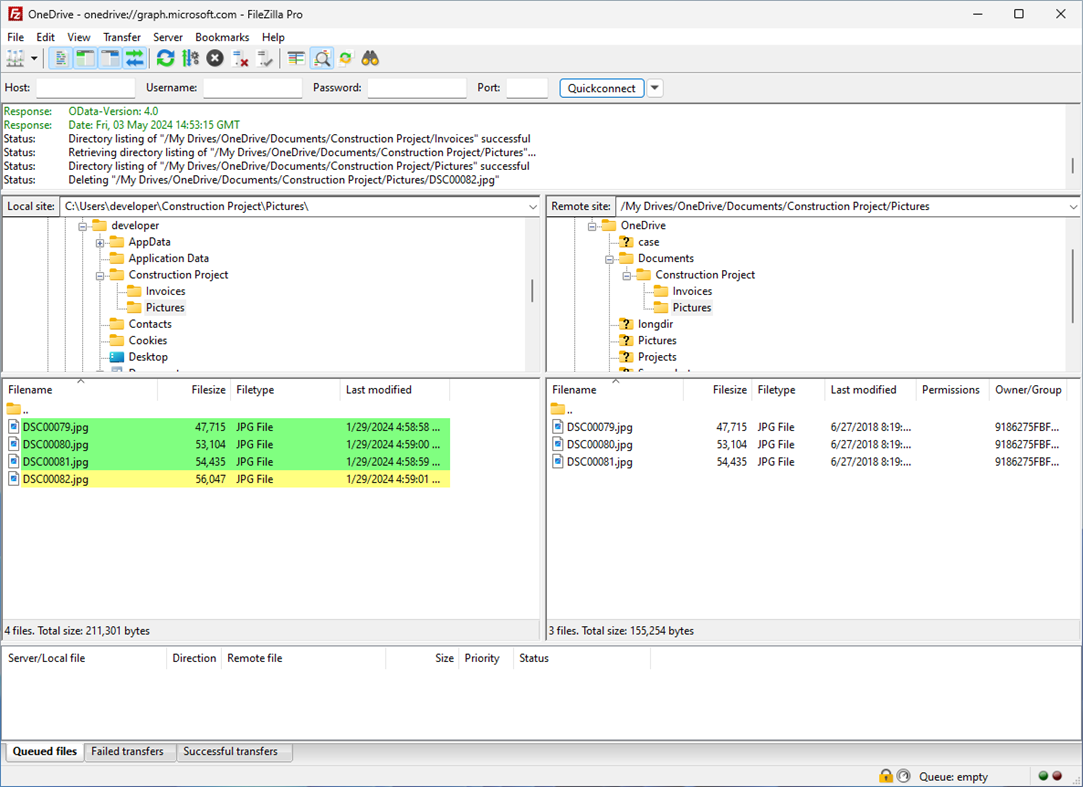
Use powerful tools to quickly and easily navigate the server and locate your files: Directory listing filters hide irrelevant files from view. Compare local and remote directories and highlight the difference. Change both local and remote directories in lockstep. Or just use the the search dialog to find your files.
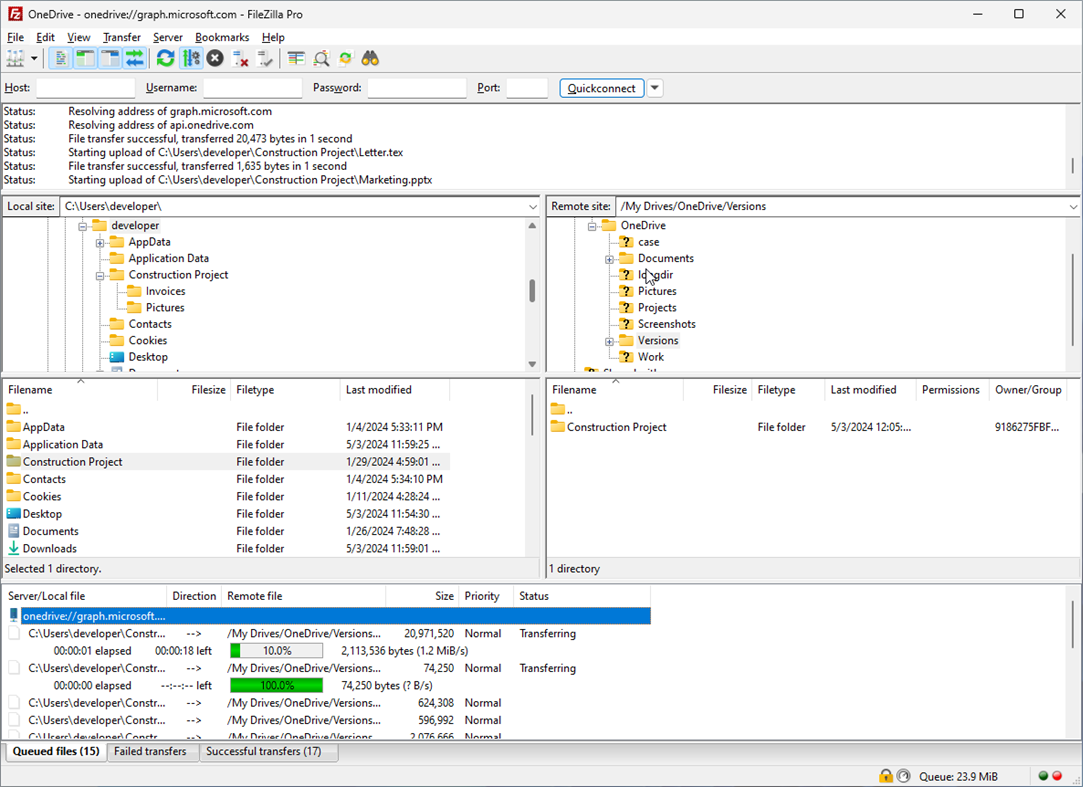
The transfer queue lets you manage your transfers, even if you queue millions of files. The size of your files does not matter, FileZilla Pro knows no size limit. Use drag&drop or the context menu to queue files. You can also directly transfer and open remote files in your favorite editor.
Configurable speed limits let you throttle FileZilla Pro if you need bandwidth for other purposes.
FileZilla Pro is ready for the Internet of the future with complete IPv6 support. Compatible with HTTP/1.1, SOCKS5 and FTP proxies.
The network configuration wizard guides you through configuring not just FileZilla Pro but also any firewall or NAT router you are using.
By purchasing FileZilla Pro from the Microsoft Store, you are not only gaining access to a powerful file transfer solution but also supporting ongoing development and maintenance of FileZilla. Thank you for your support!
스크린샷
Ad
가격 내역
- 현재 가격: $49.99
- 최소: $49.99
- 최대: $49.99
가격 추적
AppAgg 평가
500
AppAgg 예상 평가:
FileZilla Pro
500 브론즈
평가가 높을수록 보통 AppAgg에서 더 강한 신호를 의미합니다.
기준: 인기 · 사용자 평점 · 최신성 · 딜 · 스토어 데이터 · 커뮤니티 활동
최신 AppAgg 데이터를 바탕으로 매일 다시 계산됩니다.
단축 URL: 복사됨!
새로운 기능
- 버전: PC
- 마지막 업데이트:
추가 정보
 https://filezillapro.com
개발자
목록 (0)
0
- FileZilla Pro
포인트 (0)
0
순위 (0)
0
댓글 (0)
가장 먼저 댓글을 남겨주세요
요약
FileZilla Pro 단축 URL: 복사됨!- 공유하기
- Windows Store
«FileZilla Pro». 플랫폼: Windows. 카테고리: 개발자 도구. 개발자: «Business Follows srl». 첫 번째 릴리스: . 마지막 업데이트: . 현재 가격: $49.99. 최저 기록 가격: $49.99. 최고 기록 가격: $49.99. 이 타이틀은 아직 AppAgg에서 평가나 리뷰를 받지 못했습니다. 사용 가능한 언어: English. AppAgg는 «FileZilla Pro»의 가격 기록, 평점 및 사용자 피드백을 추적합니다. AppAgg는 애플리케이션을 호스팅하거나 소프트웨어를 배포하지 않습니다. 모든 상표, 로고 및 스크린샷은 해당 소유자의 자산입니다. 향후 할인 및 업데이트 받기: RSS에서 확인할 수 있습니다
유사 항목
-
- File Content Searcher
- Windows 앱: 개발자 도구 게시자: WrideTech Solutions
- $2.99
- 목록: 0 0 0
- 포인트: 0 + 1 530 버전: PC This is a simple app which allows users to search the contents of their files. Whether you are looking through log files or searching for that document you were writing, when you can't ⥯
-
- Get EXE DLL File Imports
- Windows 앱: 개발자 도구 게시자: y8ngl
- $4.44
- 목록: 0 0 0
- 포인트: 0 + 5 630 버전: PC Get EXE DLL File Imports functions. 1.click 'select' button to open one dll file. 2.click 'analysis' button to analysis selected dll file. Supports 32-bit/64-bit PE file(exe/dll). ⥯
-
- FLOPS (File Logical Operations)
- Windows 앱: 개발자 도구 게시자: ProXoft L.L.C.
- 무료
- 목록: 0 0 0
- 포인트: 0 + 1 530 버전: PC Performs logical operations on entire files. Operations supported are: AND, NAND, OR, NOR, XOR, XNOR and NOT. ⥯
-
- Files Converter
- Windows 앱: 개발자 도구 게시자: Metin Morris
- $2.29
- 목록: 0 0 0
- 포인트: 0 + 2 550 버전: PC File Converter is an easy-to-use Windows desktop application that allows you to convert between common file formats such as xlsx, xml, json and csv. It is the ideal solution to convert ⥯
-
- Microsoft PowerToys
- Windows 앱: 개발자 도구 게시자: Microsoft Corporation
- 무료
- 목록: 3 + 2 4 (1) 0
- 포인트: 4 + 3,340 9K 버전: PC Microsoft PowerToys is a collection of utilities that help you customize Windows and streamline everyday tasks. PowerToys includes over 25 utilities to help you customize and optimize ... ⥯
-
- C# to Dart Transpiler
- Windows 앱: 개발자 도구 게시자: kineapps
- * 무료
- 목록: 1 0 0
- 포인트: 6 + 9 4K 버전: PC This tool will transpile your C# code to Dart language in few seconds. Use the tool e.g. for porting your Xamarin/UWP project to Flutter. C# to Dart transpiler will save you days or ... ⥯
-
- MSI Viewer
- Windows 앱: 개발자 도구 게시자: William Kent
- 무료
- 목록: 3 + 1 0 0
- 포인트: 1 + 8 2K 버전: PC View the contents of MSI installer files and merge modules with this app, and extract them without needing to run the installer. View MSI files by launching the app, or by ... ⥯
-
- SearchInFiles
- Windows 앱: 개발자 도구 게시자: Andrew Whitechapel
- 무료
- 목록: 1 + 1 0 0
- 포인트: 1 + 2 650 버전: PC A simple app that allows you to search for text in files. You can search in any files in any folder to which you have access. One example is searching for a supported API in the ... ⥯
-
- Icon Maker - IconCool Studio Lite
- Windows 앱: 개발자 도구 게시자: Newera Software Technology Inc.
- $29.99
- 목록: 0 + 1 0 0
- 포인트: 1 + 8 750 버전: PC "Icon Maker - IconCool Studio Lite" is a "lite version" of IconCool Studio Pro, it has all the functions of IconCool Studio Pro, but IconCool Mixer. IconCool Studio is a famous icon ... ⥯
-
- XMLGridStudio
- Windows 앱: 개발자 도구 게시자: ElvenTek
- $99.99
- 목록: 0 0 0
- 포인트: 1 + 0 540 버전: PC XMLGridStudio provides developers with the hierarchical XML grid editing tool and supports large XML files depending on your RAM. Highly-optimized to accomodate large XMLs. Edit a ... ⥯
-
- C# Formatter
- Windows 앱: 개발자 도구 게시자: Free Software Tools
- 무료
- 목록: 0 + 1 0 0
- 포인트: 0 + 6 680 버전: PC Open the C# file quickly and format the C# file so it is more readable. Open and edit your C# files instantly for free using this software. You can open and edit your C# files directly ⥯
-
- HexToolkit
- Windows 앱: 개발자 도구 게시자: BinaryEarth
- $3.29
- 목록: 0 0 0
- 포인트: 0 + 2 550 버전: PC This is a very useful hex viewer/editor which can view any file and has some handy features which make it easier to reverse engineer binary file formats. Features: * Works easily with ... ⥯
-
- OpenInWSL
- Windows 앱: 개발자 도구 게시자: Opticos Studios
- $3.99
- 목록: 0 0 0
- 포인트: 1 + 21 1K 버전: PC OpenInWSL lets you set WSL Linux apps as File Handlers in Windows. No more crazy code and custom batch files! Make any Linux app open any file directly from the File Explorer with one ... ⥯