
书签
为此书签设置标题。
书签已保存
屏幕截图
广告
说明

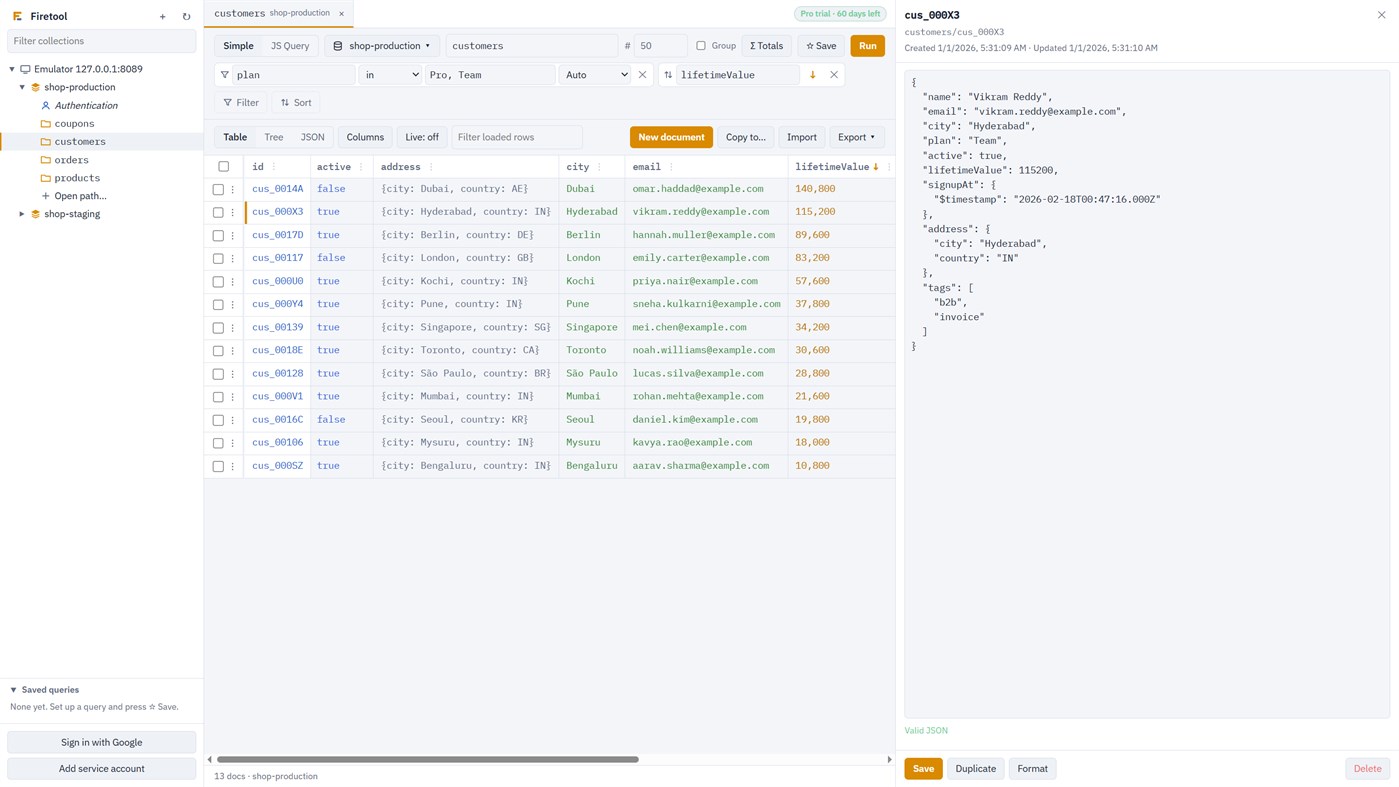
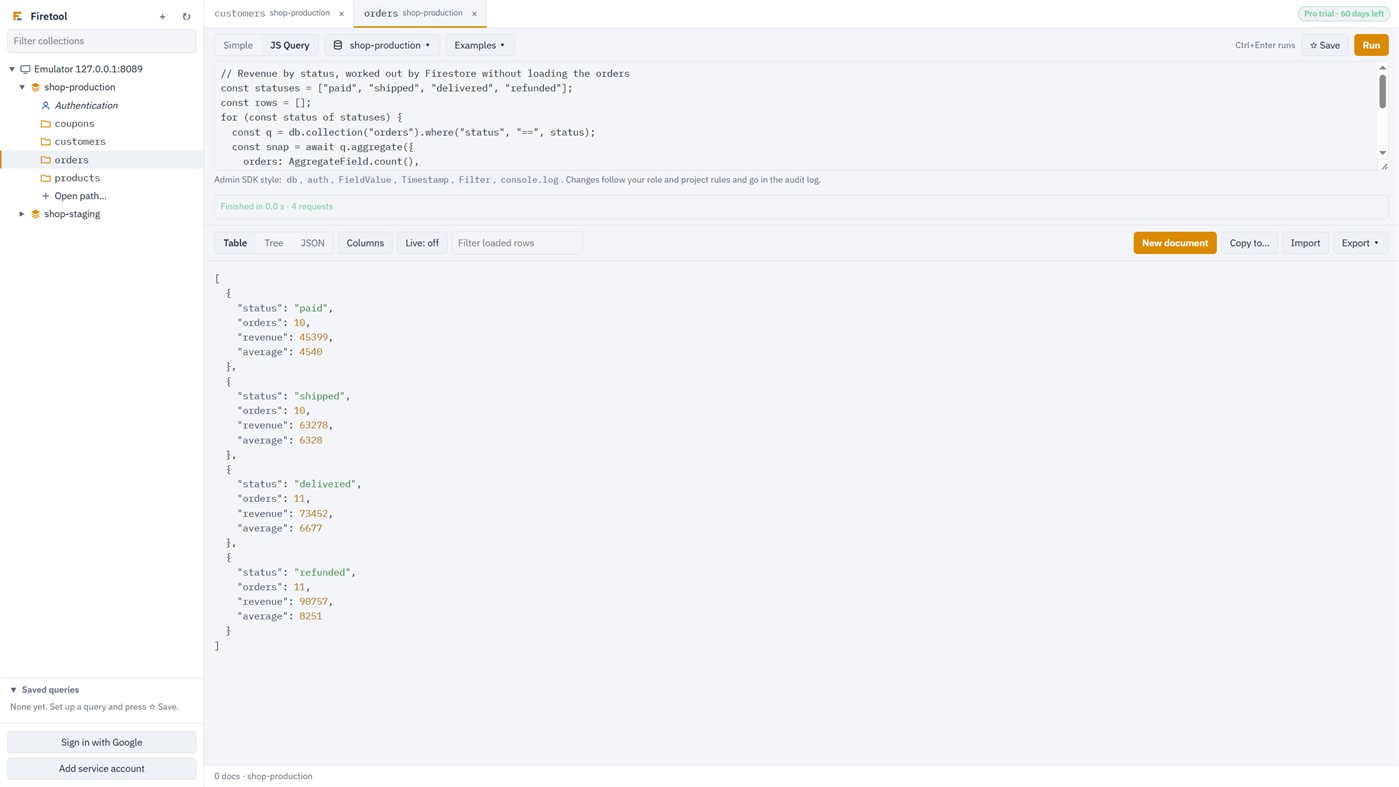
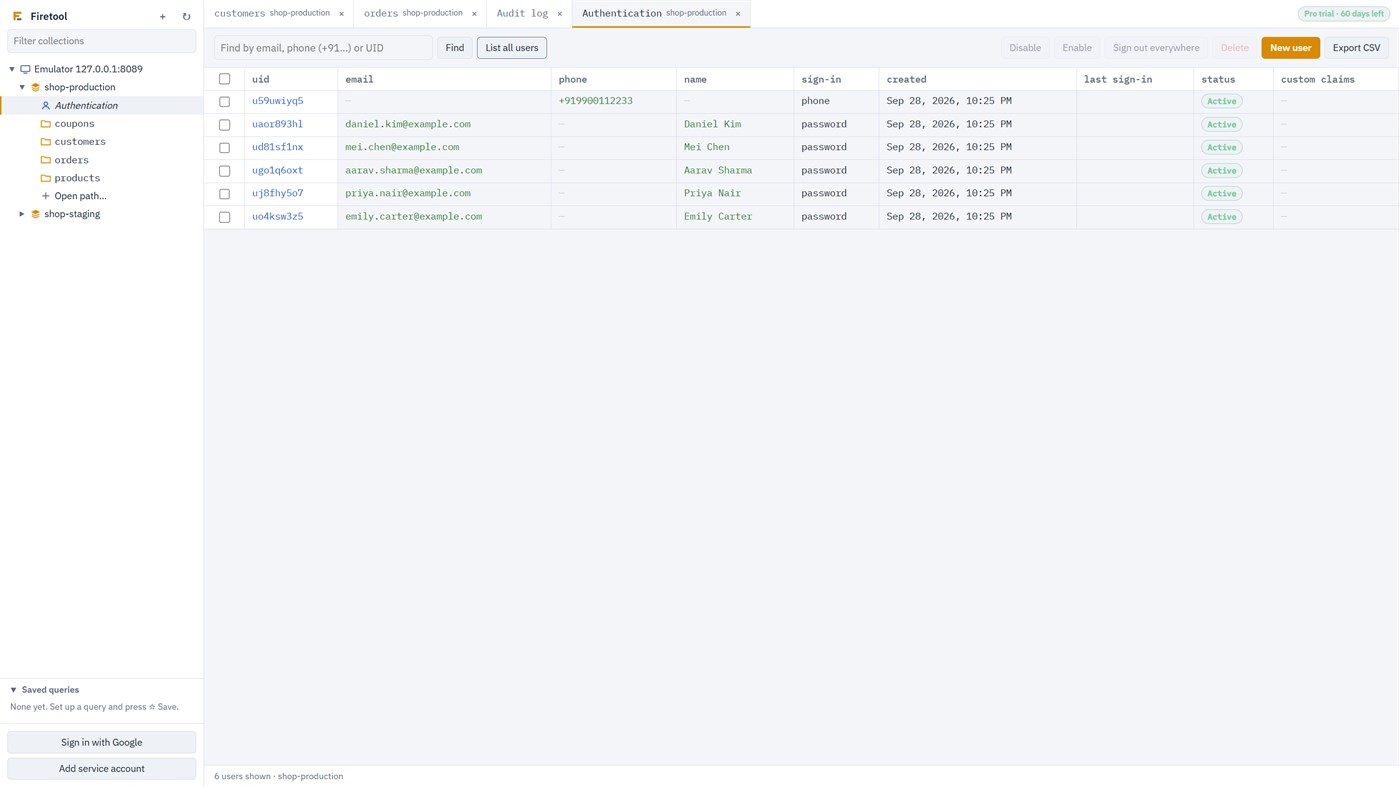
Browse collections and collection groups in a table, tree or JSON view. Filter and sort without writing code, or write JS queries in the Firebase Admin SDK style. Edit fields in place or as JSON: saves change only what you edited, keep every type exactly and warn you if someone else saved first.
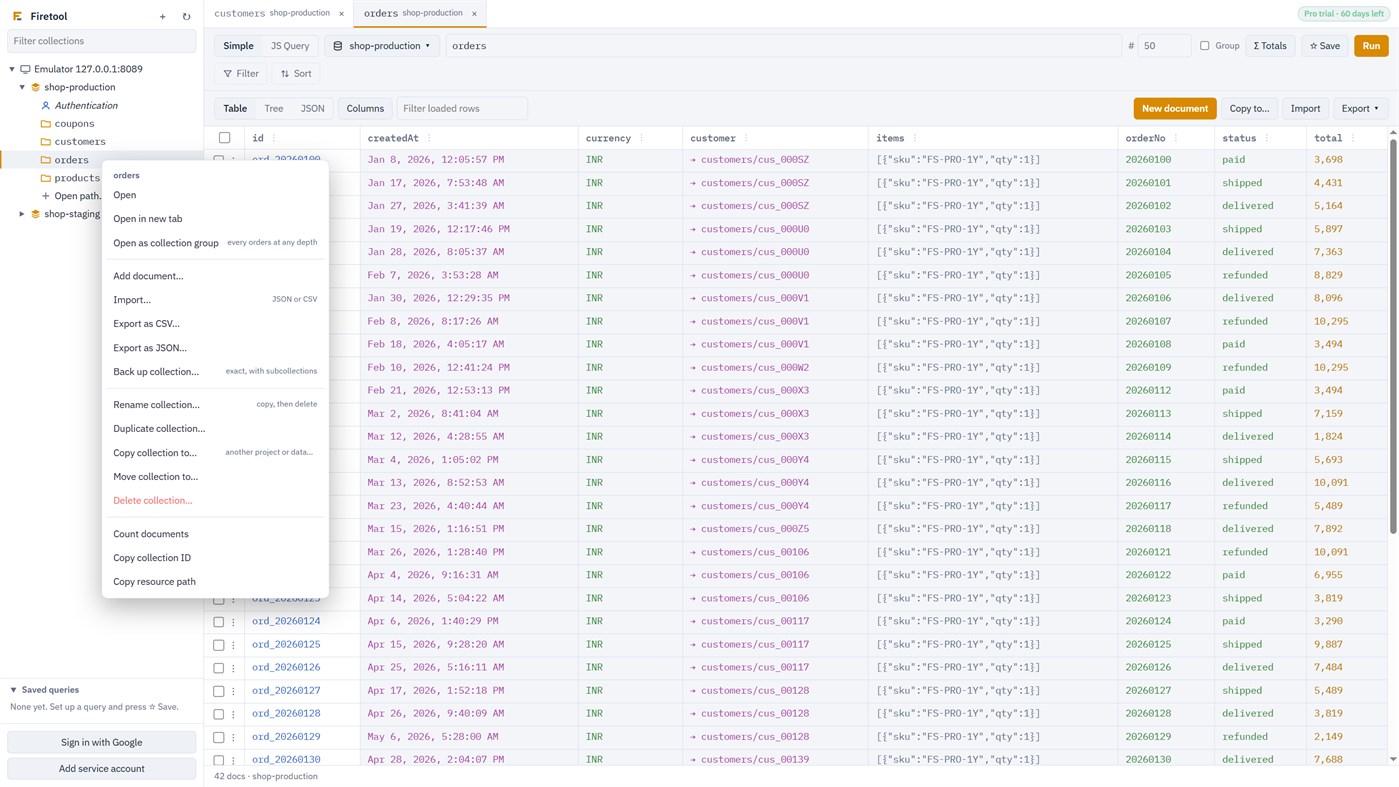
Move data safely: import CSV or JSON, export to CSV (opens cleanly in Excel) or JSON, transfer chosen collections from one project or database to another (with the option to add only new documents), and back up, restore, copy, move or rename whole collections. Long jobs can be stopped and resumed, and copies carry on after Firetool closes. Scheduled exports run by themselves.
Compare and migrate environments: put two databases side by side (for example staging and production), compare a collection's fields, security rules or Authentication settings between projects, and bring documents, indexes, rules and users from one into another with a preview first. Nothing in the target is deleted.
Look after the rest of the project: a Services page shows its Cloud Functions (settings, calls, errors, and Call to run one), Cloud Logging (search, follow new entries, personal data hidden by default), Hosting releases (roll back), Pub/Sub (publish, watch new messages), Cloud Tasks queues (run, pause, purge) and Remote Config (edit a draft, publish, roll back), and compares them between two projects. Deploying functions and uploading sites stay with the Firebase CLI.
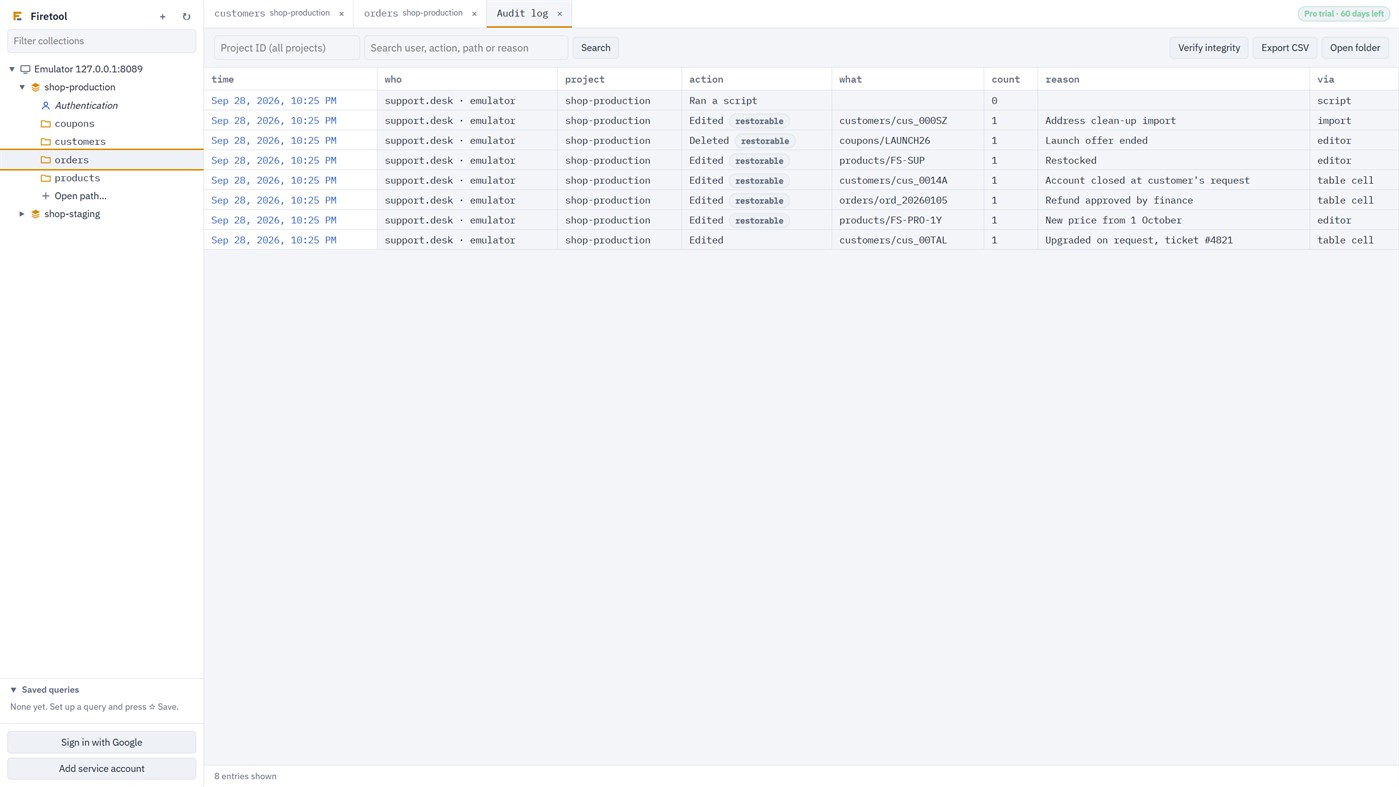
Made for teams that work with production data: every change is written to an audit log with a copy you can restore. Mark a project or a single database as read-only or as production: read-only stops every change, and production asks for the project ID before deletes, scripts and bulk changes and shows each field before and after first. A whole operation (a bulk change, a copy, an import, a restore, a migration) can be undone in one step. JS Query scripts can be dry-run: you see every change before anything is written. Environment rules can ask for a reason for every change in Production and mask emails and phone numbers in copies out of it. Support staff can have a read-only role.
Works with your Google sign-in or service account keys, which stay on your computer, and with the Firestore emulator. Your data goes only between your computer and Google.
FREE AND PRO EDITIONS
Firetool is free to download. The Free edition has no time limit. It can browse, filter and query Firestore data, open documents, list Firebase Authentication users, and show the audit log and settings, and compare collections, databases, schemas, security rules and Authentication settings, including a migration's preview. It can't change, import or export data.
These features need Pro: editing, adding and deleting documents; imports; exports and backups; restores; copying, moving and transferring collections; changes to Authentication users; JS Query scripts; scheduled exports; deploying security rules; managing indexes; migrating environments; undoing an operation; team sharing; and the Services pages (Cloud Functions, logs, Hosting, Pub/Sub, Cloud Tasks and Remote Config, reading included).
30-day Pro trial: every Pro feature, free for 30 days. It starts the first time Firetool opens, with no email, card or payment details. There is one trial per computer, and reinstalling doesn't start a new one. Reminders by email before it ends are optional. When the trial ends, the Pro features stop working and Firetool keeps running as the Free edition. Your connections and settings are kept, nothing is charged, and entering a licence key turns Pro back on.
Buying Pro: Pro licences are sold by the developer through https://firetool.in/pricing, not through the Microsoft Store. A licence is for one person on one computer, for a month or a year. Until buying online opens there, a licence is requested from that page and the developer replies with the price and how to pay. The licence key arrives by email.
Firestore and Firebase are trademarks of Google LLC. Firetool is an independent product and isn't affiliated with or endorsed by Google.
价格历史
-
* 提供应用内购商品 - 目前价格: 免费
- 最小值: 免费
- 最大值: 免费
其他平台 (0)
| FiretoolWindows Store当前页面提供应用内购商品 | 免费 |
目前仅在此商店提供。
列表 (0)
0
- Firetool
积分 (0)
0
排名 (0)
0
评论 (0) ¡
来发第一条评论吧
开发者
- Firetool
- 关注者: 0
- 平台: Windows 应用 (1)
- 折扣: 0
- 列表: 0 + 0
- 积分: 0 + 0 ¡
- 排名: 0
- 评论: 0
- 视频: 0
- RSS: 订阅
新版变化
- 版本: PC
- 最后更新:
其他信息
 https://firetool.in
AppAgg 评分
850
AppAgg 预估评分:
Firetool
开发者: Firetool
850 白银
评分越高,通常表示其在 AppAgg 上的各项指标表现越好。
基于: 热度 · 用户评分 · 新鲜度 · 优惠 · 商店数据 · 社区活跃度
根据最新 AppAgg 数据每日重新计算。
网站徽章:  已复制!
已复制!
摘要
Firetool 短网址: 已复制!- Windows Store
在 AppAgg 上,您可以关注由 Firetool 开发的“Firetool”应用。适用平台:Windows;分类:开发人员工具。 AppAgg 评分:850(白银)。 AppAgg 为该应用记录的积分:已确认 0,间接 0。 收录此应用的公开列表:0 个。将其保存到私密列表的用户:0 人。 AppAgg 用户尚未对该应用评分。 已确认积分记录已登录 AppAgg 用户前往商店的操作,间接积分则基于商店数据。 两个计数分别表示公开列表数量,以及将应用或游戏保存到私密列表的用户人数。 该应用首次发布于。 该应用最近更新于。 该应用目前可免费获取。 该应用支持以下语言:English。 查看价格历史、将应用加入列表,或关注开发者。 通过RSS 订阅源关注该应用今后的优惠和更新。 AppAgg 不托管或分发该应用。 与该应用相关的所有商标、徽标和屏幕截图均归其各自所有者所有。
您可能还喜欢
最新讨论
 应用NauticPlayer This app is absolute cinema. Honestly, it’s one of the best media players I’ve ever tried, and I’m s...
  Manuel16
  应用Screen Beings - Desktop Pet & Study Companion This is my app so I’m a little bias but as someone from the ADHD community that teaches ADHD and neu...
  Tarelle Irwin6
  应用Aadi vault good it ia a encrypter and good you my work on office
  Aditya Rai5
  应用Typing 365 | Daily Typing Trainer The best typing app ever. With Typing 365 you don’t have to force yourself for couple minutes traini...
  Ahmad Mozaffar5
  应用Zefir Calendar — Calendar in the Taskbar excelente app! Superando todas as espectativas!
  Diógenes Magnus5
  应用LockinRa LockinRa 리뷰 LockinRa는 작업 관리, 집중력 도구, AI 코칭을 하나의 데스크톱 앱으로 통합한 무료 Windows 생산성 프로그램입니다. 클라우드 동기화 없이 로컬 ...
  abhilok reddy6
  应用CN Vault I Love this app CN Vault is a user-friendly app that helps keep your passwords safe and secure. If y...
  Marjuk Amin5
