
Bogmærker
| Udvikler: | Late Apex Software (1) | ||
| Pris: | Gratis Ny | ||
| Score: | 900 Sølv | ||
| Ranglister: | 0 | ||
| Kommentarer: | 0 Skriv kommentar | ||
| Lister: | 0 0 | ||
| Point: | 0 | ||
| +1 Point | |||
Kort fortalt
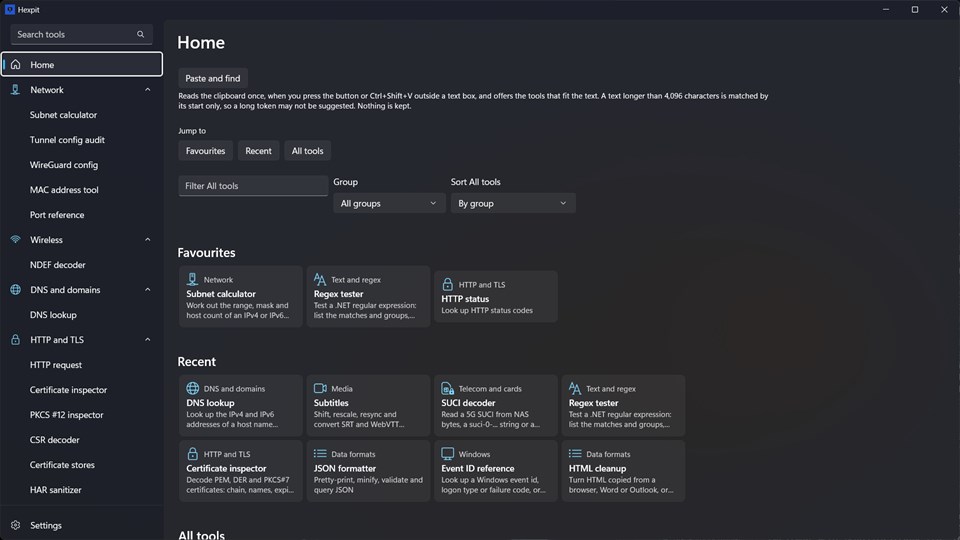
Mød hexpit, en app fra Late Apex Software i kategorien »Udviklerværktøjer«.
Den udkom , så den er yngre end mælken i dit køleskab.
Gratis: ingen reklamer og ingen køb i appen. Kun dig og appen.
Microsoft Store er bygget ind i Windows, så installationen klares med et par klik.
AppAgg-scoren er 900. Sølv, og det er slet ikke dårligt.
Aldersgrænse »EVERYONE«: også fint for børn.
Taler kun ét sprog, og det er ikke dansk.
Ingen på AppAgg har bedømt den endnu. Din chance for at blive den første er lige nu.
Det er udviklerens eneste app på AppAgg. Indtil videre.
Vil du høre om opdateringer og nye apps først? Følg udvikleren eller abonner på vores RSS-feed. Push-beskeder kommer via appen AppAgg Alerts til Android og iOS.
Skærmbilleder 6
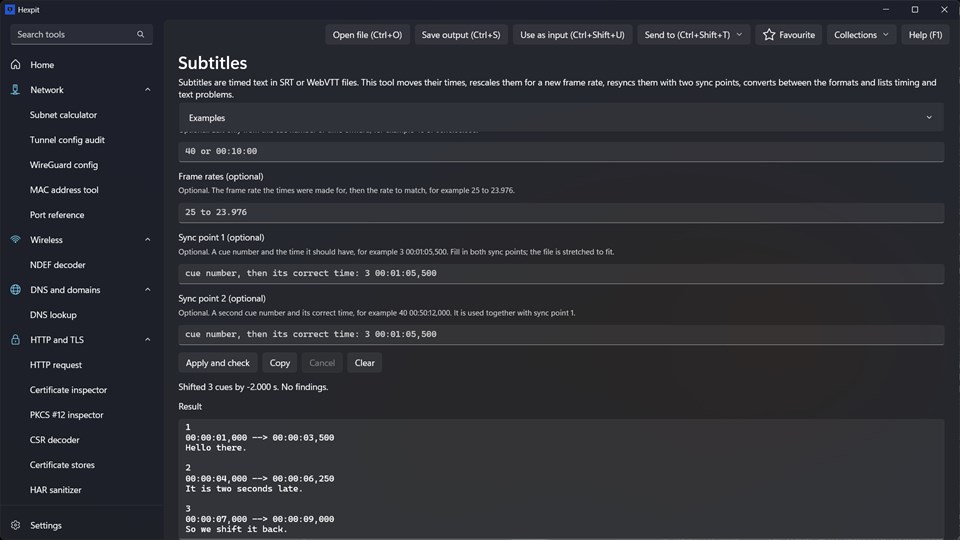
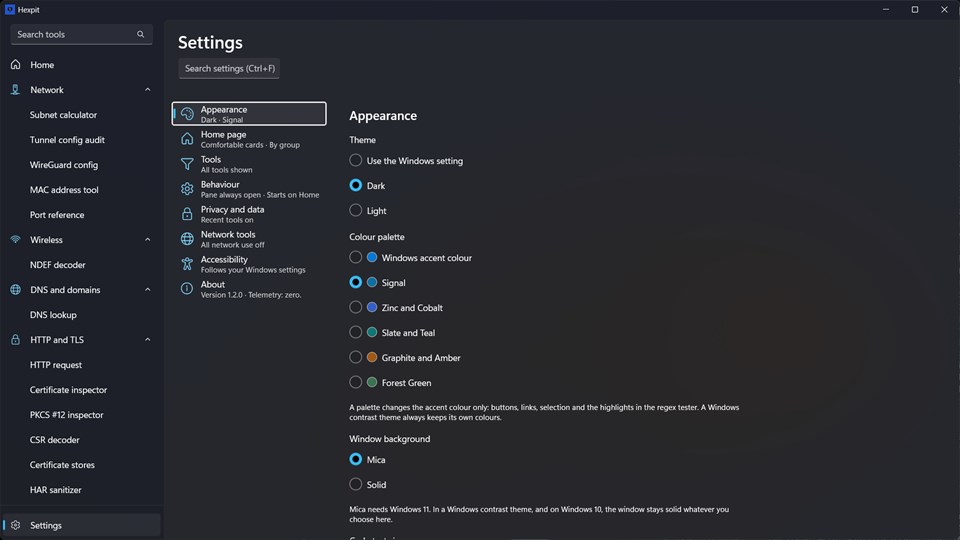
Andre platforme 0
Prishistorik 0
- Nuværende pris: Gratis
- Minimum: Gratis
- Maksimum: Gratis
Dit eget feed på forsiden
Beskrivelse

What is in the box:
Data formats: format and validate JSON, XML, YAML and SQL, preview Markdown, convert between formats, decode ASN.1, look up OIDs, read connection strings and identifiers.
Encoders: Base64, hex, URL encoding, checksums, QR codes.
Crypto and secrets: hashes, hash identification, UUIDs, password and key generation, JWT decoding, CVSS scores.
Converters and time: timestamps, number bases, chmod, colours, cron expressions, units.
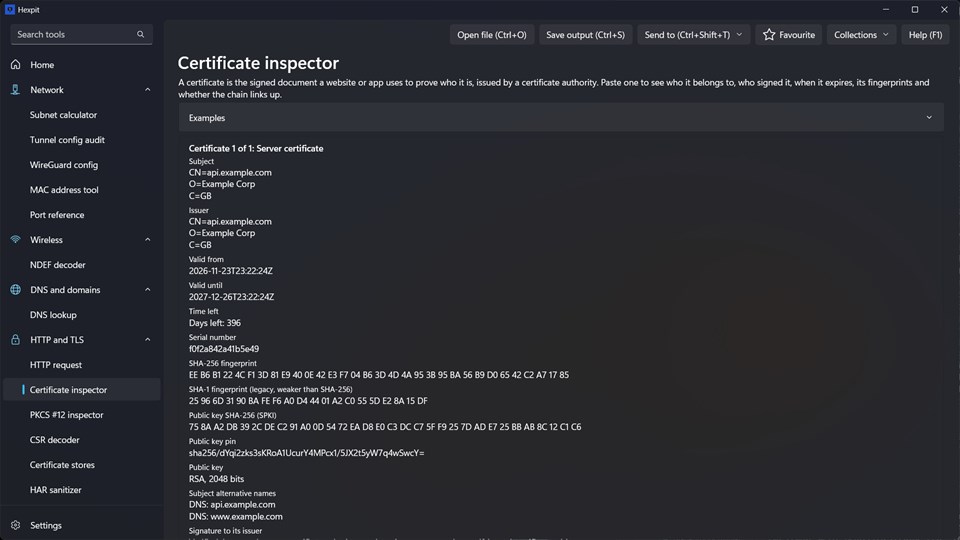
HTTP and TLS: inspect X.509 certificates, CSRs and PKCS#12 files, build curl commands, look up HTTP status codes and headers, HTTP request (off until you turn it on).
Network: subnet calculator, port reference, MAC address tool.
DNS and domains: DNS lookup (off until you turn it on).
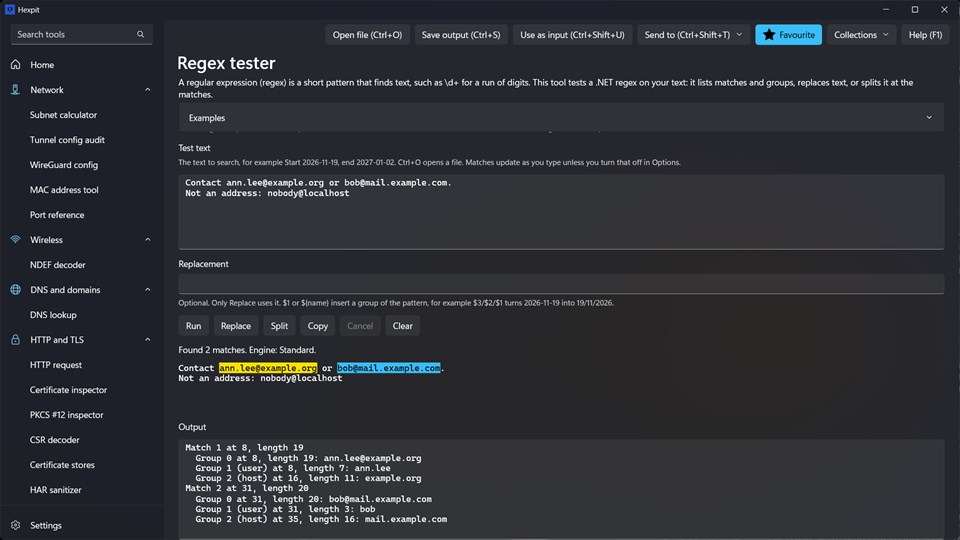
Text and regex: regex tester, text diff, case conversion, string escaping, Unicode inspector, secret redactor.
Windows decoders: HRESULT and error codes, path translator and inspector, hosts file linter, .reg file preview, text encoding detective, SDDL decoder.
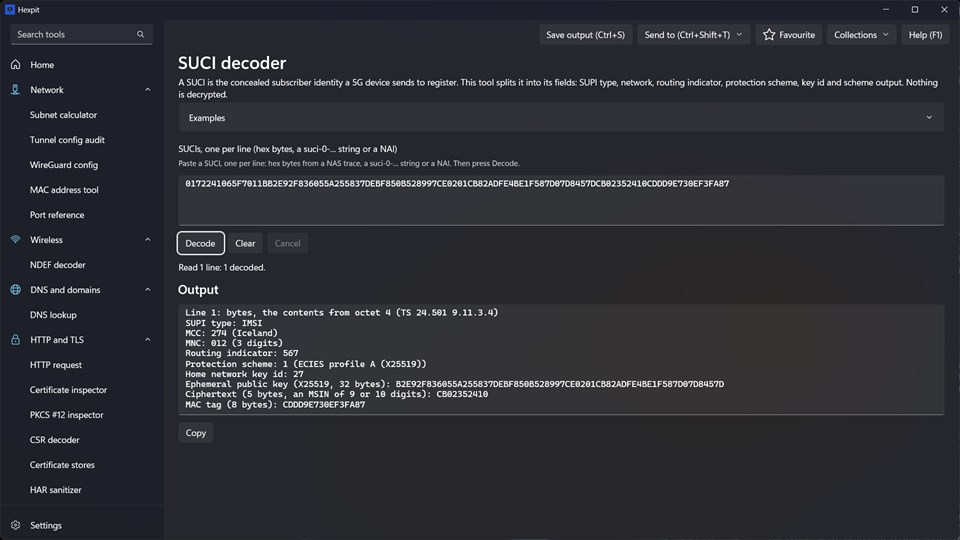
Telecom cards: APDU, ATR, TLV and SIM file decoders, SIM identifier checks.
Hexpit's own code collects nothing. It has no account, no sign-in and no updater of its own: updates come through the Microsoft Store.
The Windows App SDK that Hexpit is built on may send Microsoft usage data under your Windows diagnostic settings. The privacy policy at https://hexpit.app/privacy/ says what Hexpit keeps on your PC and what Windows, and the Store do outside Hexpit.
Fra udvikleren
Udvikler
- Late Apex Software
- Følgere: 0
- Platforme: Windows Apps (1)
- Tilbud: 0
- Lister: 0 0
- Point: 0
- Ranglister: 0
- Kommentarer: 0
- Videoer: 0
- RSS: Abonner
Lister 0
-
 hexpit
Point 0
-

- +1 Point

Ranglister 0
-
- Din bedømmelse
Nyheder
- Version: PC
- Sidst opdateret:
- Hexpit now has 98 tools (71 before). New ones cover telecom cards (SUCI decoder, AKA Milenage, more APDU and TLV reading), media and documents (PDF tools, HTML cleanup), and data (JSON to types, SemVer, byte diff, palette contrast check, placeholder data, event ID reference, TOML in the format converter).
New look: color palettes and a choice of window backdrop. Settings is sorted into categories, each with a short summary.
Tools come with examples you can try in one step, each with a short note on what it shows.
Open file and Save output in the tool frame, and Use as input to carry a result into another tool. Paste and find (Ctrl+Shift+V) picks a tool for the text you paste.
DNS lookup and HTTP request send requests only when you turn them on in the tool. Settings > Network tools has a switch for each and Turn all off.
Run as you type for the timestamp, number base, JSON, JWT, Base64, URL encode, string escape and text case tools.
Send to (Ctrl+Shift+T) moves a result into another tool.
Yderligere oplysninger
- Udgivelsesdato:
- Kategori:
Windows-apps›Udviklerværktøjer - Operativsystem:
PC - Størrelse:
70 Mb - Understøttede sprog:
Engelsk - Indholdsklassificering:
EVERYONE - Windows Store Bedømmelse: ¡
0 - Websted:
 https://hexpit.app/support/
Kommentarer 0 ¡
AppAgg-score
Estimeret AppAgg-score for
hexpit
Udvikler: Late Apex Software
En højere score afspejler som regel bedre resultater på de områder, AppAgg måler.
Baseret på: popularitet · brugervurderinger · aktualitet · tilbud · butiksdata · fællesskabsaktivitet
Genberegnes dagligt ud fra aktuelle AppAgg-data.
hexpit Kort webadresse: Kopieret!- Windows Store

