
Закладки
| Разработчик: | netDesk.IT - Massimo Pagano (4) | ||
| Цена: | $3.69 Новинка | ||
| Оценка: | 600 Серебро | ||
| Рейтинги: | 0 | ||
| Комментарии: | 0 Оставить комментарий | ||
| Списки: | 0 0 | ||
| Очки: | 0 | ||
| +1 Очко | |||
Кратко
Это Hide Users, приложение от netDesk.IT - Massimo Pagano из раздела «Средства разработчика».
Новинка: вышло , так что вы среди первых.
$3.69. Скидок на AppAgg не было ни разу. Совсем. Включите оповещение о цене. Мы не забудем, даже если вы забудете.
Microsoft Store встроен в Windows, так что ставится в пару кликов.
Оценка AppAgg: 600. «Серебро», и это уже неплохо.
Возрастной рейтинг «EVERYONE», подходит и детям.
Знает 5 языков, но русский пока не выучило.
На AppAgg его пока никто не оценил. Шанс стать первым прямо сейчас.
У этого разработчика на AppAgg ещё 3 приложения. Загляните.
Хотите первым узнавать о скидках, обновлениях и новых приложениях? Включите оповещение о цене, подпишитесь на разработчика или на RSS-канал. Push приходят в приложении AppAgg Alerts для Android и iOS.
Скриншоты 5
Другие платформы 0
История цен 0
- Текущая цена: $3.69
- Минимум: $3.69
- Максимум: $3.69
Своя лента на главной
Описание

What it does
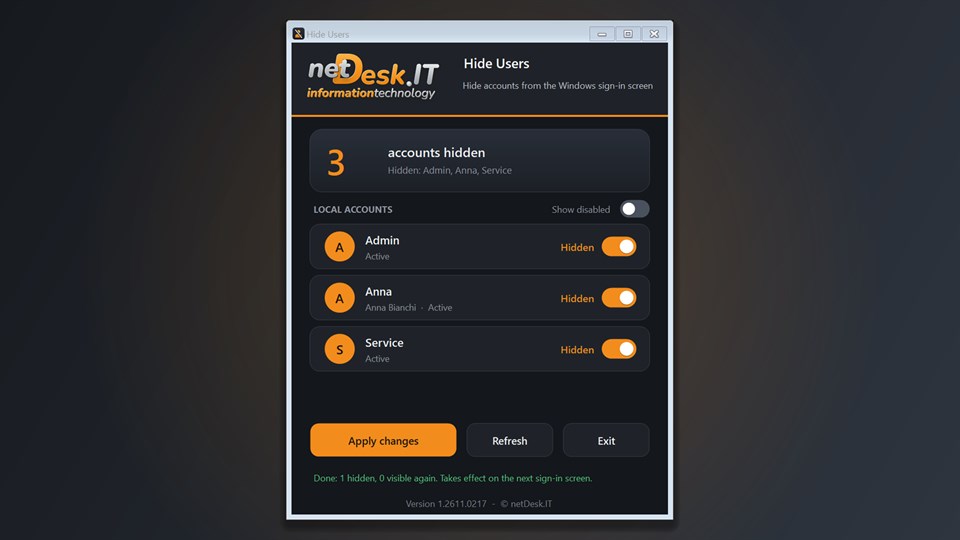
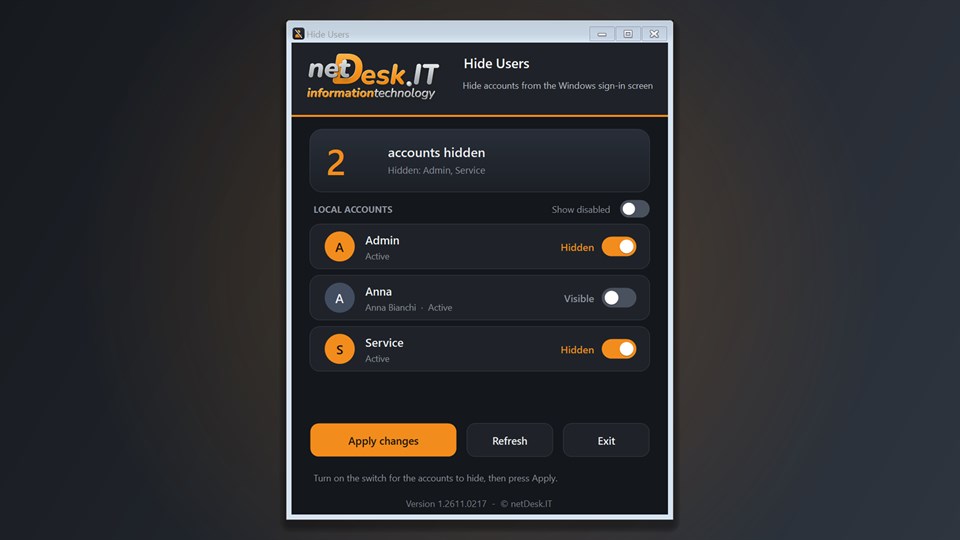
• List of local accounts: for each one you see the name, the full name and the status (active, disabled or no longer present).
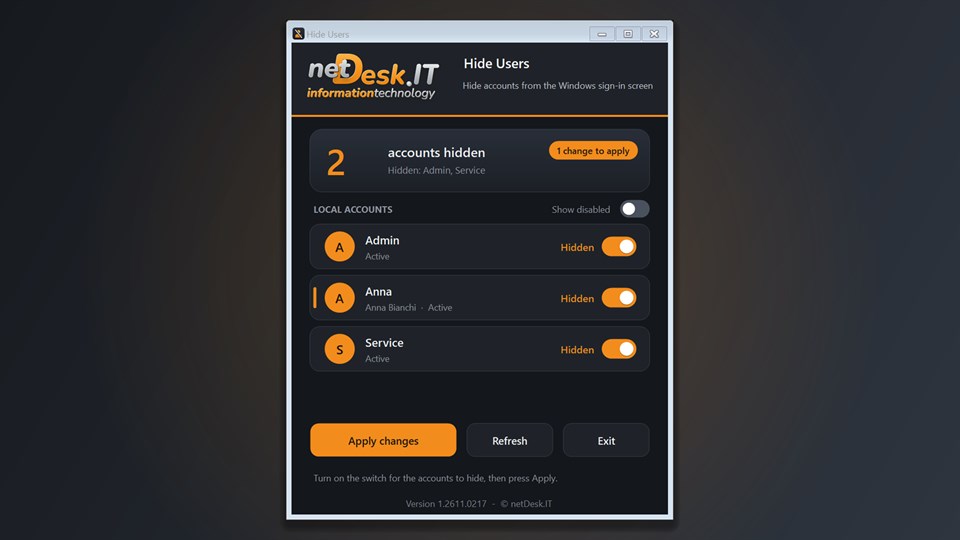
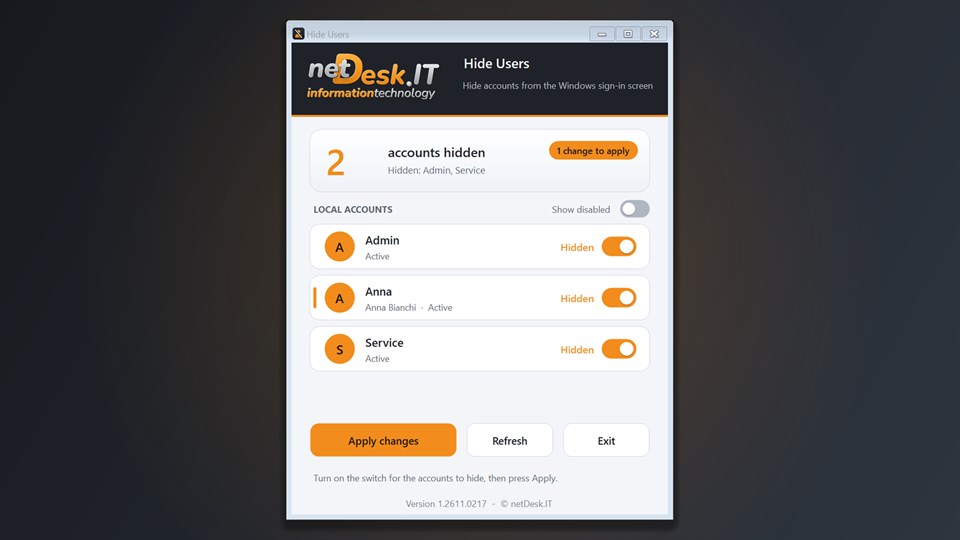
• One switch per account: turn it on to hide the account, turn it off to show it again.
• Several changes at once: choose as many accounts as you like, a summary shows the changes still to apply, and one button confirms them.
• A safeguard: at least one enabled administrator account always stays visible. If a change would hide them all, Hide Users does not apply it and explains why; it also warns you if no enabled account would appear on the sign-in screen.
• Adaptive window: it grows to show all the accounts without a scroll bar, within the limits of the screen, and it can be resized.
• Easy to undo: to make an account visible again, just turn its switch off.
• 5 languages: Italian, English, French, German and Spanish. The app starts in the Windows language and you can change it from the About window.
How to sign in to a hidden account
If the sign-in screen offers it, choose “Other user” and type the user name and password: this depends on the Windows configuration (sign-in policies, PIN, Microsoft account). The change takes effect from the next sign-in screen.
Privacy and security
The app has no network features and sends no data to anyone. Changing the list of hidden accounts requires administrator privileges: if you start Hide Users as a normal user, you can view the list and the app offers to reopen as administrator (Windows asks for confirmation); if you decline, the list stays read-only and nothing is changed.
Who it is for
For anyone who manages a shared PC, a fixed workstation, a counter or a home PC and wants a tidier sign-in screen, without service or administration accounts in view.
Note: hiding an account is not a security measure. It tidies the sign-in screen; protection still depends on passwords.
7-day free trial; after it, hiding or showing accounts requires buying the app from the Store. Accounts already hidden stay hidden until you buy it.
От разработчика
Списки 0
-
 Hide Users
Очки 0
-

- +1 Очко

Рейтинги 0
-
- Ваша оценка
Разработчик 4
- netDesk.IT - Massimo Pagano
- Подписчики: 0
- Платформы: Windows Приложения (4)
- Скидки: 0
- Списки: 0 0
- Очки: 0
- Рейтинги: 0
- Комментарии: 0
- Видео: 0
- RSS: Подписаться
Что нового
- Версия: PC
- Последнее обновление:
- • Hide local accounts from the Windows sign-in screen.
• One switch per account, with a summary of the changes to apply.
• Interface in 5 languages.
Дополнительная информация
- Дата выпуска:
- Категория:
Приложения для Windows›Средства разработчика - Операционные системы:
PC - Размер:
675 Kb - Поддерживаемые языки:
Английский,Испанский,Итальянский,Немецкий,Французский - Возрастные ограничения:
EVERYONE - Windows Store Рейтинг: ¡
0 - Сайт:
 https://www.netdesk.it
Оценка AppAgg
Примерная оценка AppAgg для
Hide Users
Разработчик: netDesk.IT - Massimo Pagano
Более высокая оценка обычно означает лучшие результаты по показателям AppAgg.
На основе: популярности · оценок пользователей · актуальности · скидок · данных магазинов · активности сообщества
Пересчитывается ежедневно на основе актуальных данных AppAgg.
Комментарии 0 ¡
Поделиться
Hide Users Короткий URL: Скопировано!- Windows Store

