
Lesezeichen
Wähle einen Titel für dieses Lesezeichen.
Lesezeichen gespeichert
| Entwickler: | Webspace IN (14) | ||
| Preis: | * $6.99 Neu | ||
| Score: | 1.450 Gold | ||
| Ranglisten: | 0 | ||
| Kommentare: | 0 Kommentar posten | ||
| Listen: | 0 + 0 | ||
| Punkte: | 0 + 0 ¡ | ||
| +1 Punkt | |||
Dein eigener Feed auf der Startseite ¡
Wähle Plattformen für die Liste „Neu & aktualisiert“, und auf der Startseite erscheinen nur die Apps und Spiele, die du brauchst.
Screenshots 10
Werbung
Beschreibung

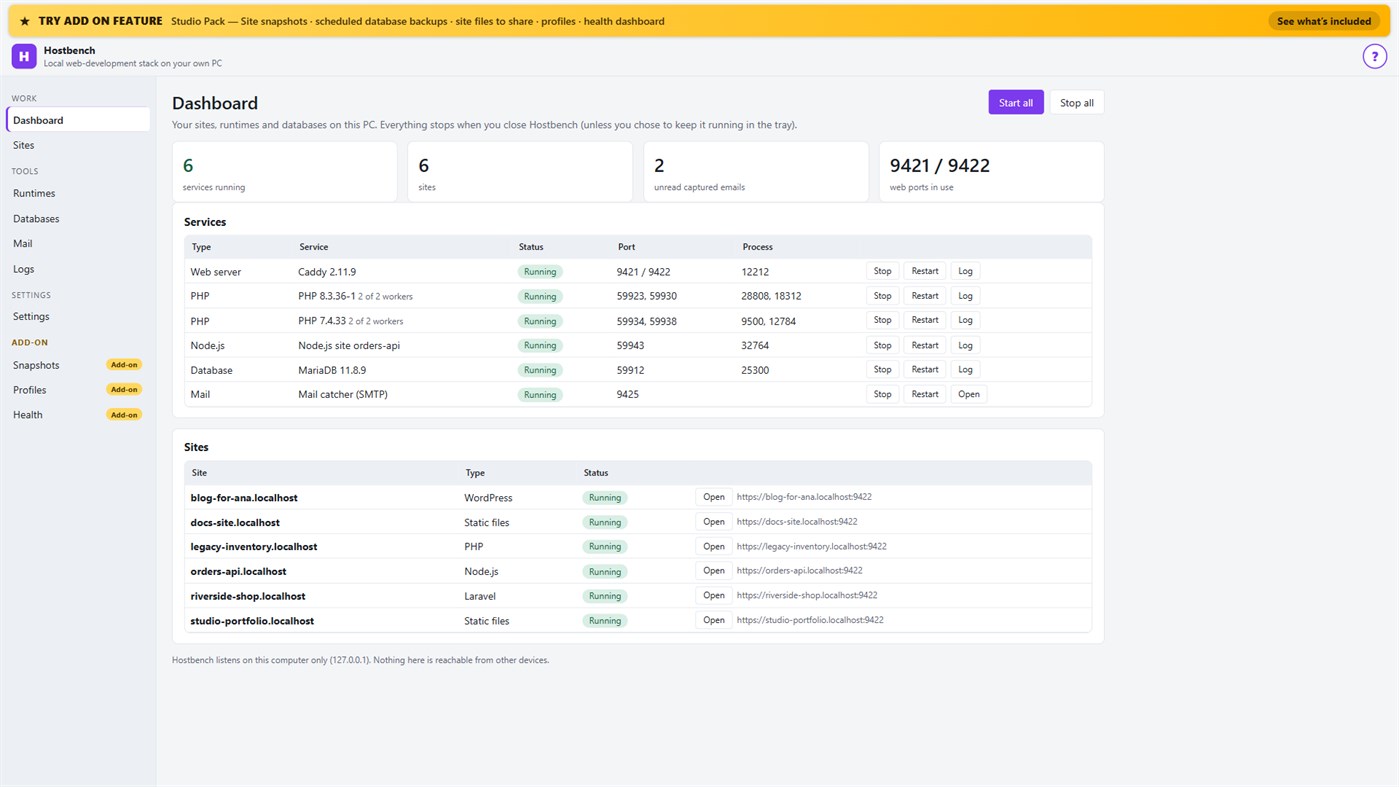
Hostbench is for PHP, Laravel and WordPress developers, Node.js developers, freelancers and agencies with many client sites, and students learning web development. It serves your own projects on your own PC (127.0.0.1) only. It does not host sites for other people and does not deploy anywhere.
HOW IT WORKS
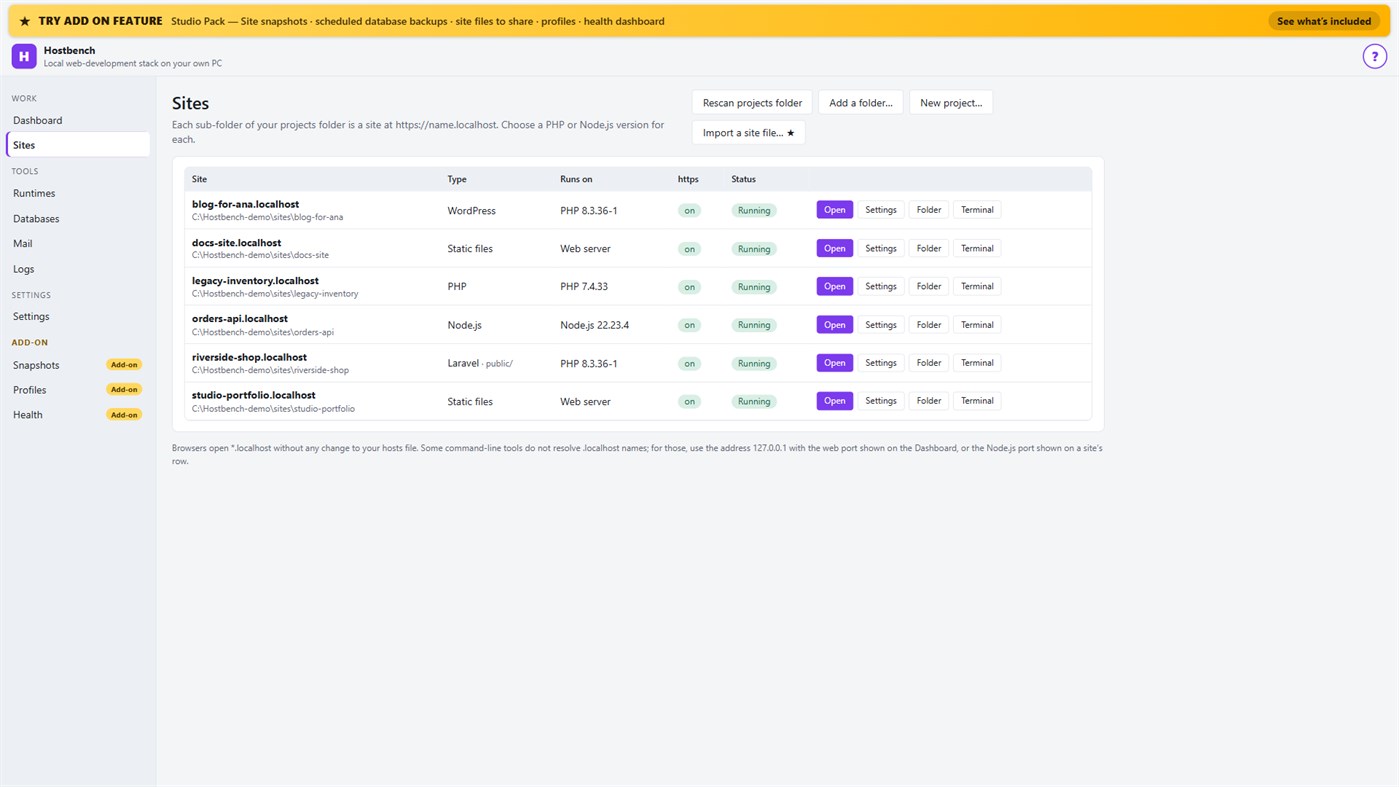
1. Choose your projects folder. Every sub-folder becomes a site: the folder "shop" is https://shop.localhost.
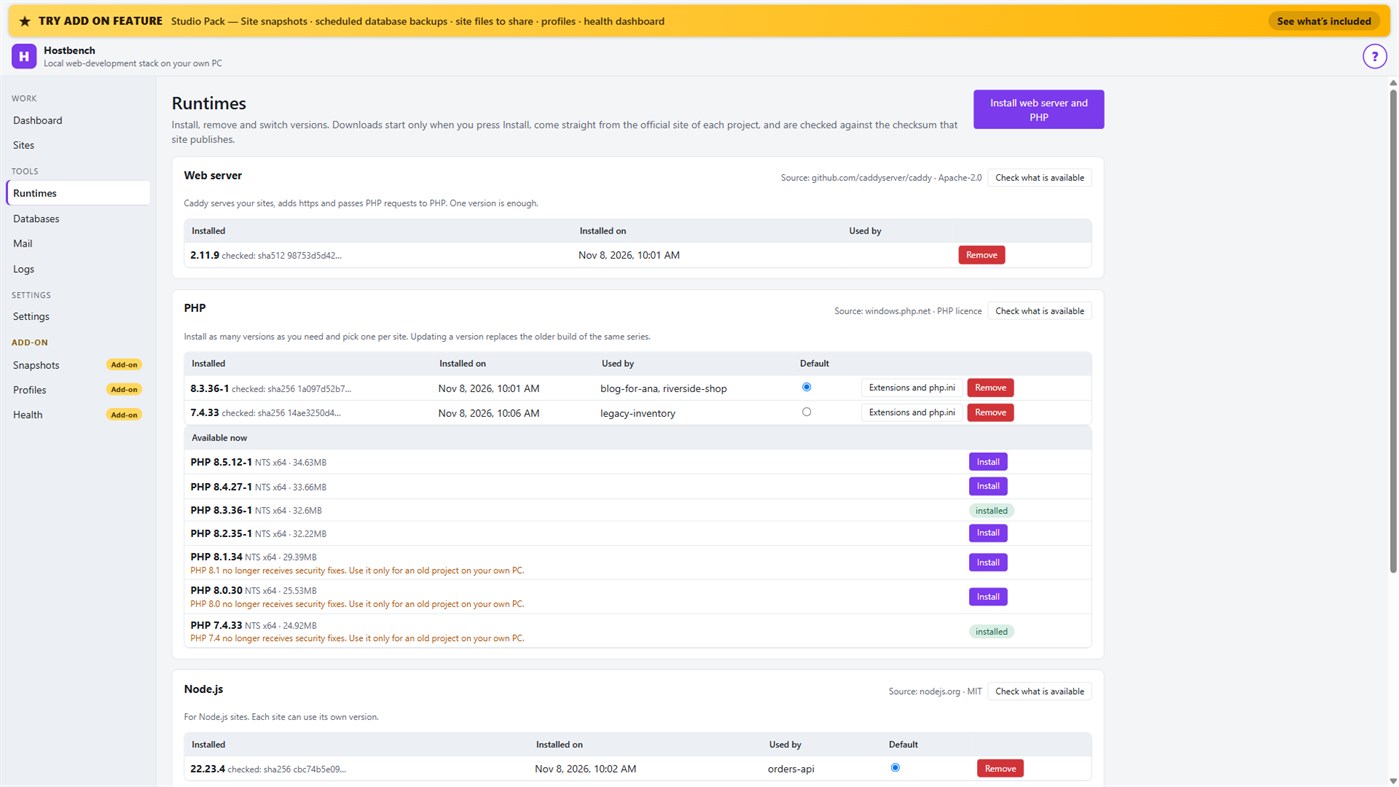
2. Install what you need. Hostbench downloads the web server, PHP, Node.js and MariaDB from their official sites when you press Install, and checks every file against the checksum the site publishes. The publisher of Hostbench hosts nothing.
3. Pick a version per site: PHP 8.3 for one client, PHP 7.4 for an old client site, Node.js 22 for an API.
4. Press Start all. Open the site. Close Hostbench and everything stops.
EVERYTHING IN THE ONE-TIME PURCHASE
• Sites from folders with *.localhost addresses (no hosts-file editing for browsers); Laravel, Symfony, WordPress, plain PHP, static and Node.js projects are recognised, including the public folder
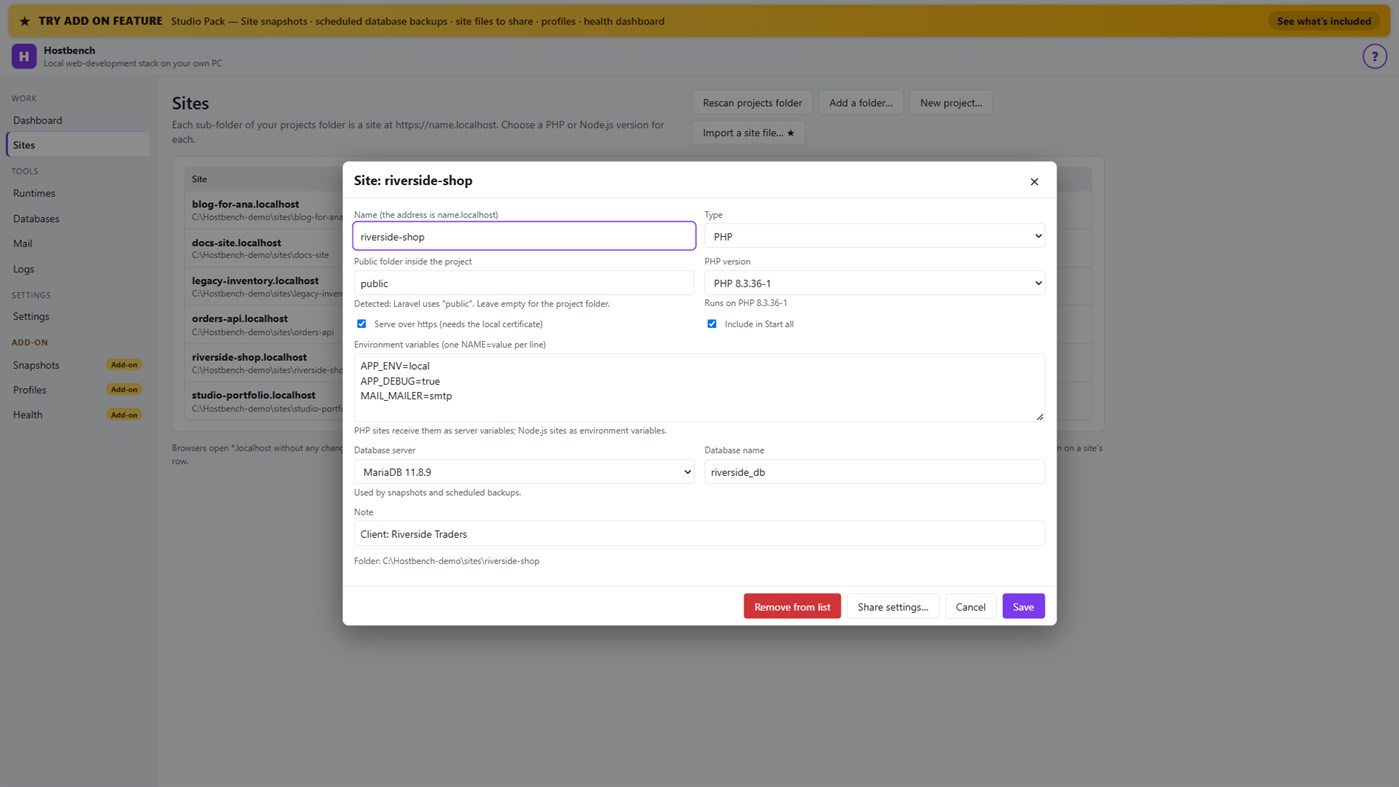
• Several PHP versions and Node.js versions installed side by side, chosen per site; each install is checksum-verified; versions without security support are marked
• https that works: Hostbench creates its own certificate authority for this PC, limited to .localhost names, and — only after your confirmation in Windows — trusts it for your account. Remove it again in one click
• A web server (Caddy) with PHP running through FastCGI worker pools, and Node.js sites proxied behind the same https address
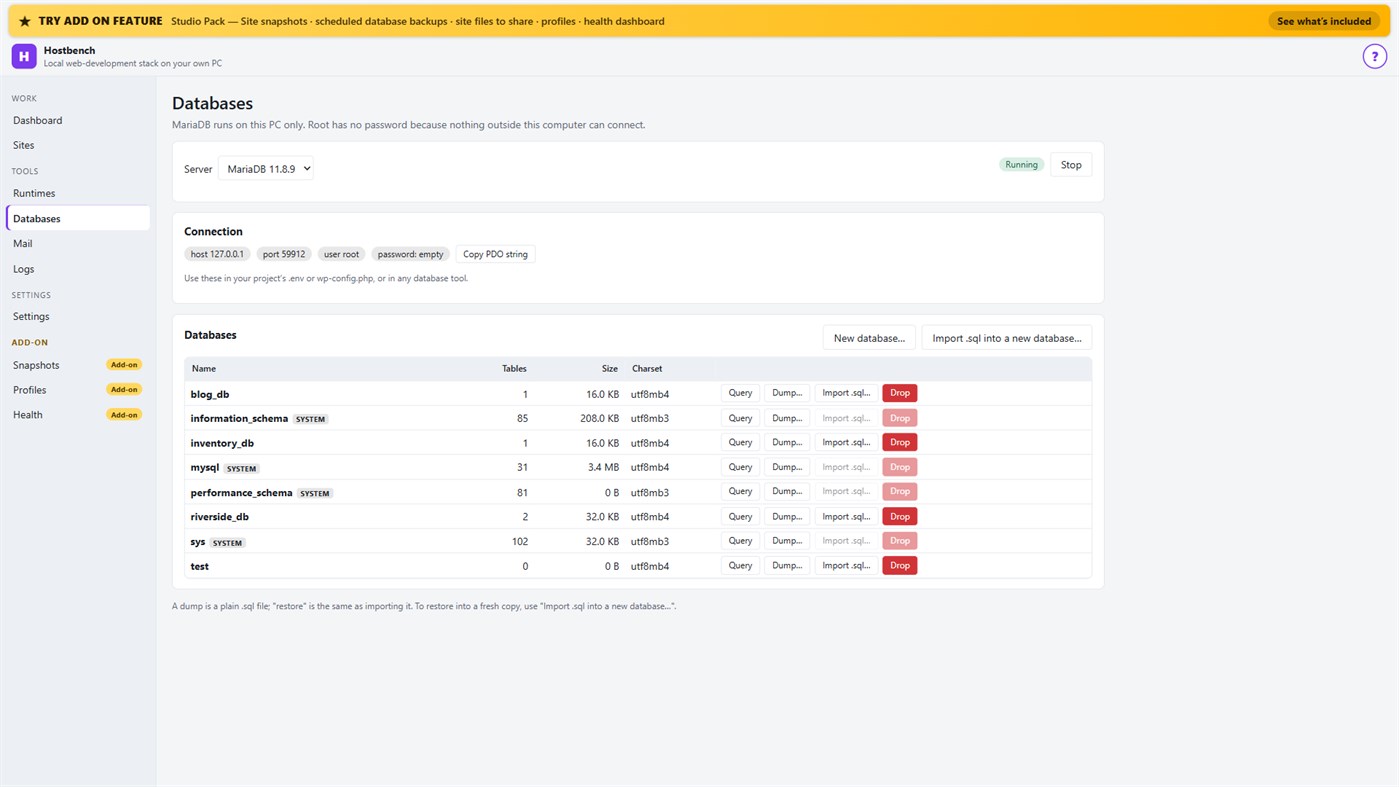
• MariaDB server with a database screen: create, drop, dump, import a .sql file, restore into a copy, run a quick query
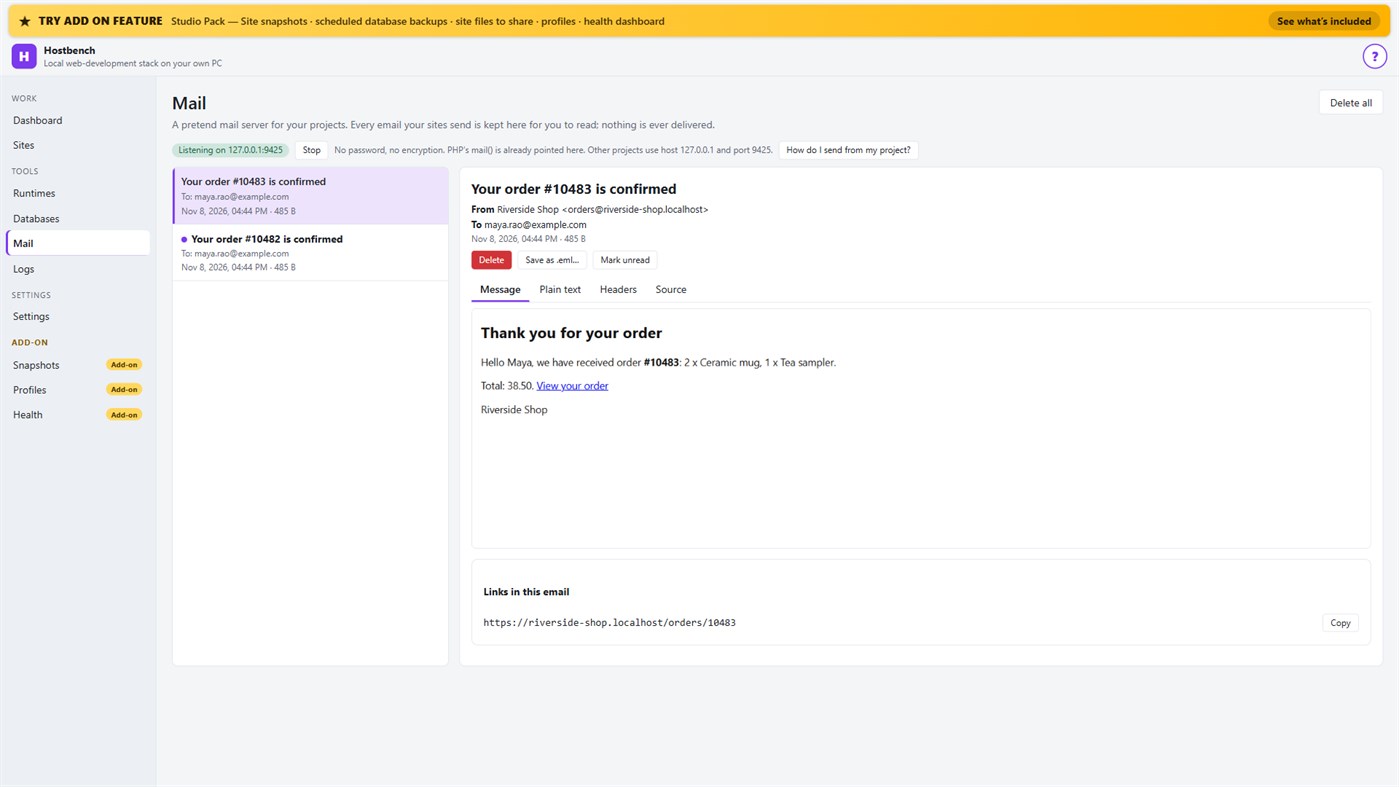
• Mail catcher: everything your sites send arrives in the Mail screen, with the message, text, headers, source, links and attachments. PHP's mail() is already connected. Nothing is ever delivered to anyone
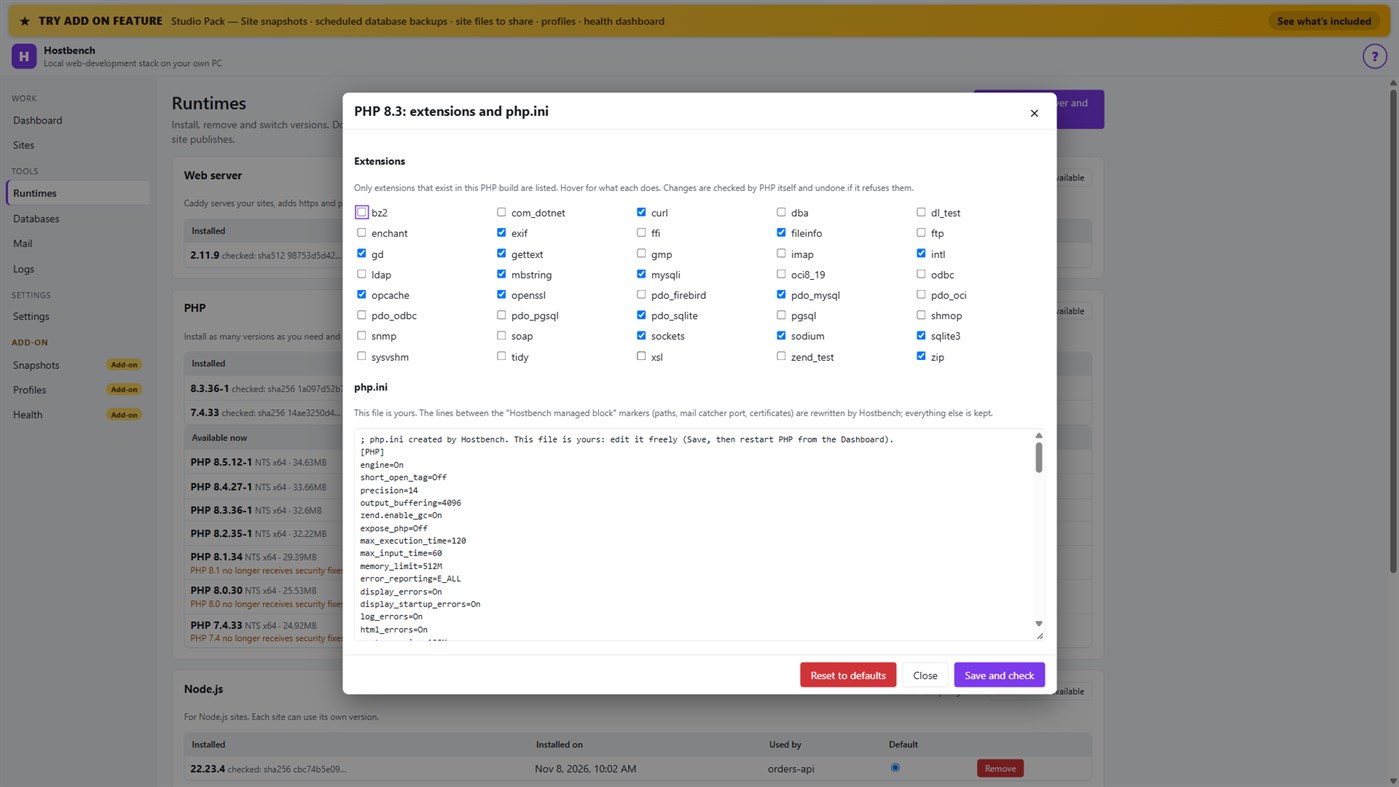
• PHP extension switches and a PHP settings file editor for every PHP version, checked by PHP itself before a change is kept
• Per-site environment variables, a Terminal button with the site's PHP, Node.js and Composer on the PATH
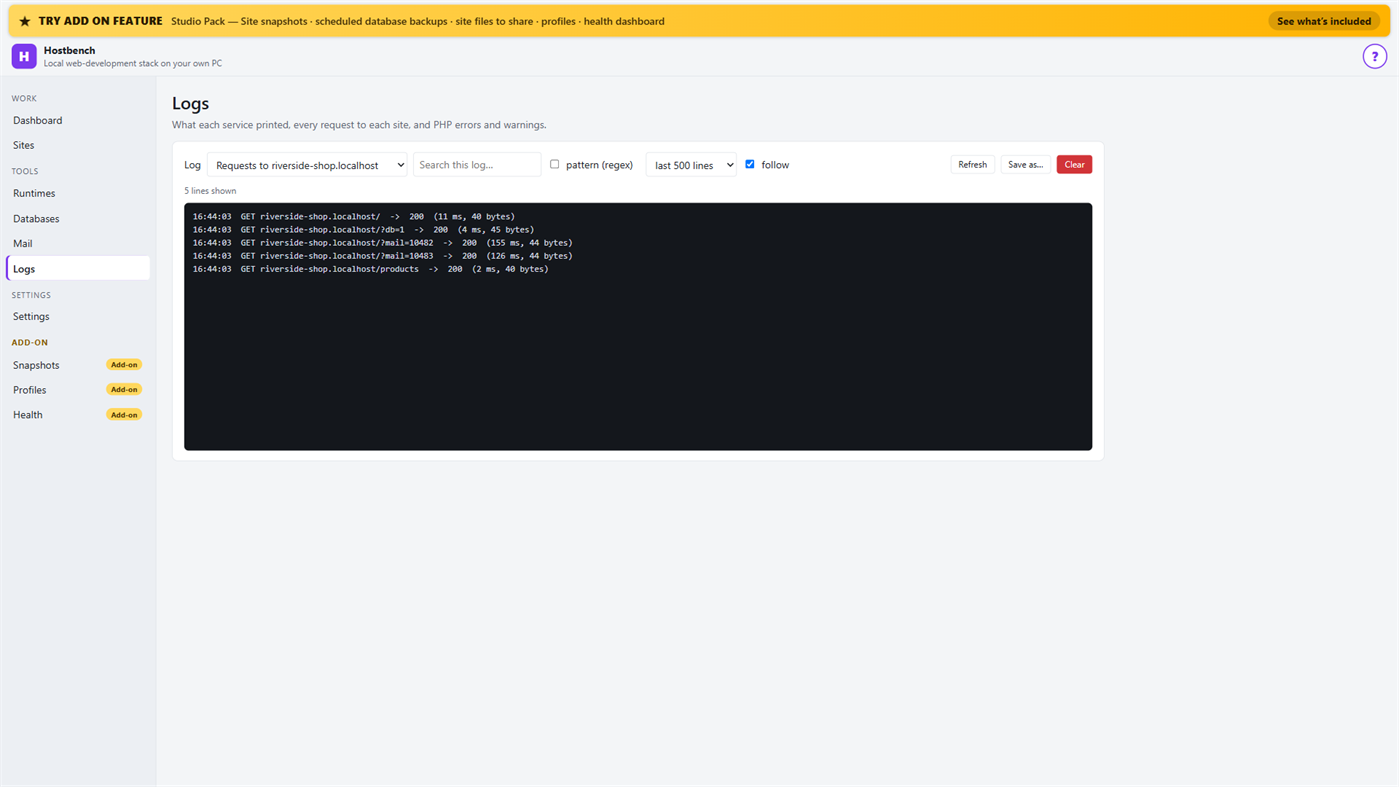
• Logs for every service, every request to every site and PHP errors, with search and regular expressions
• Port conflict detection: when ports 80 and 443 are busy (for example IIS), Hostbench switches to fallback ports (8080 and 8443), shows the addresses with the port and names the program holding the port when Windows reports it
• New WordPress and Laravel projects in one step (WordPress from wordpress.org, Laravel through Composer)
• Everything stops when you close the window (or keep it running in the tray if you choose); no process is left behind
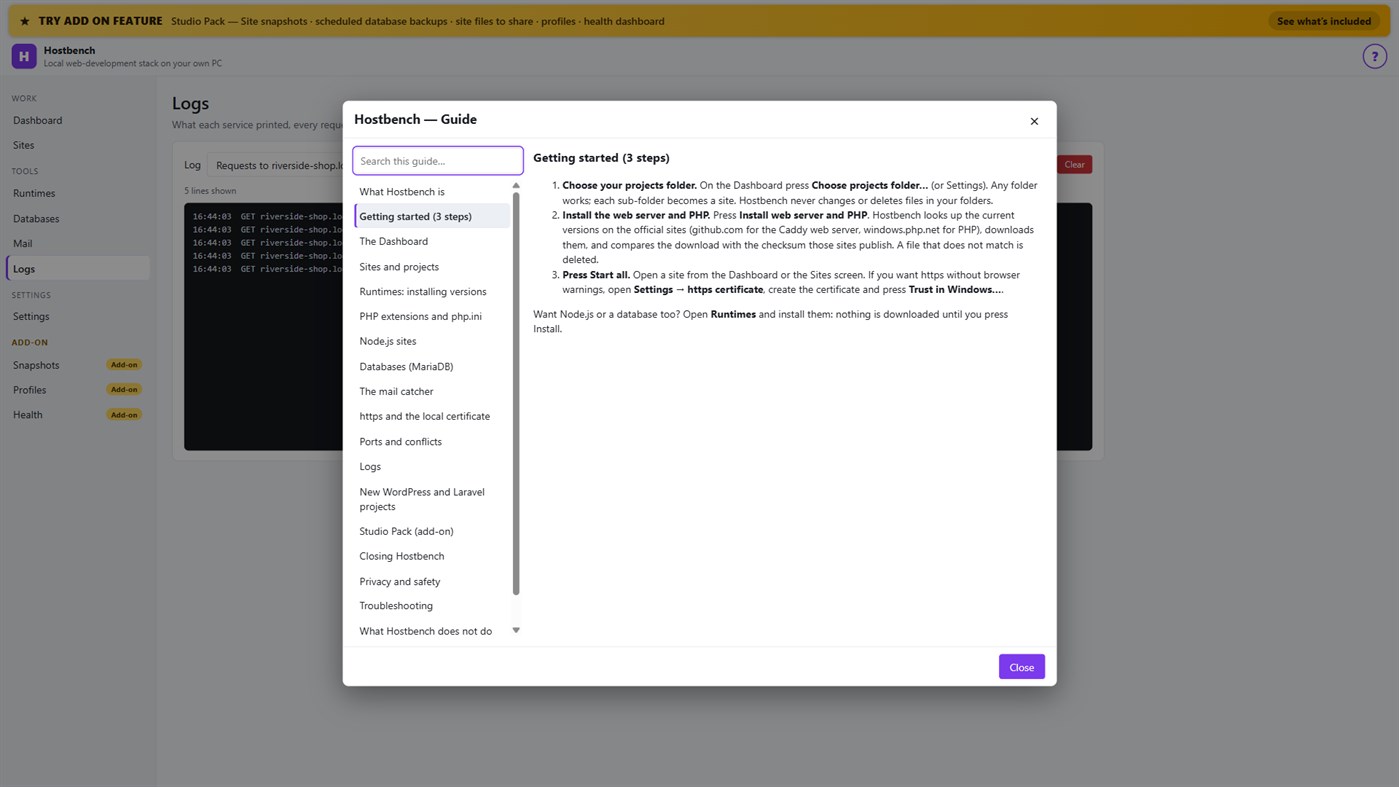
• One "?" guide explains every screen
ADD-ON: STUDIO PACK (optional monthly subscription)
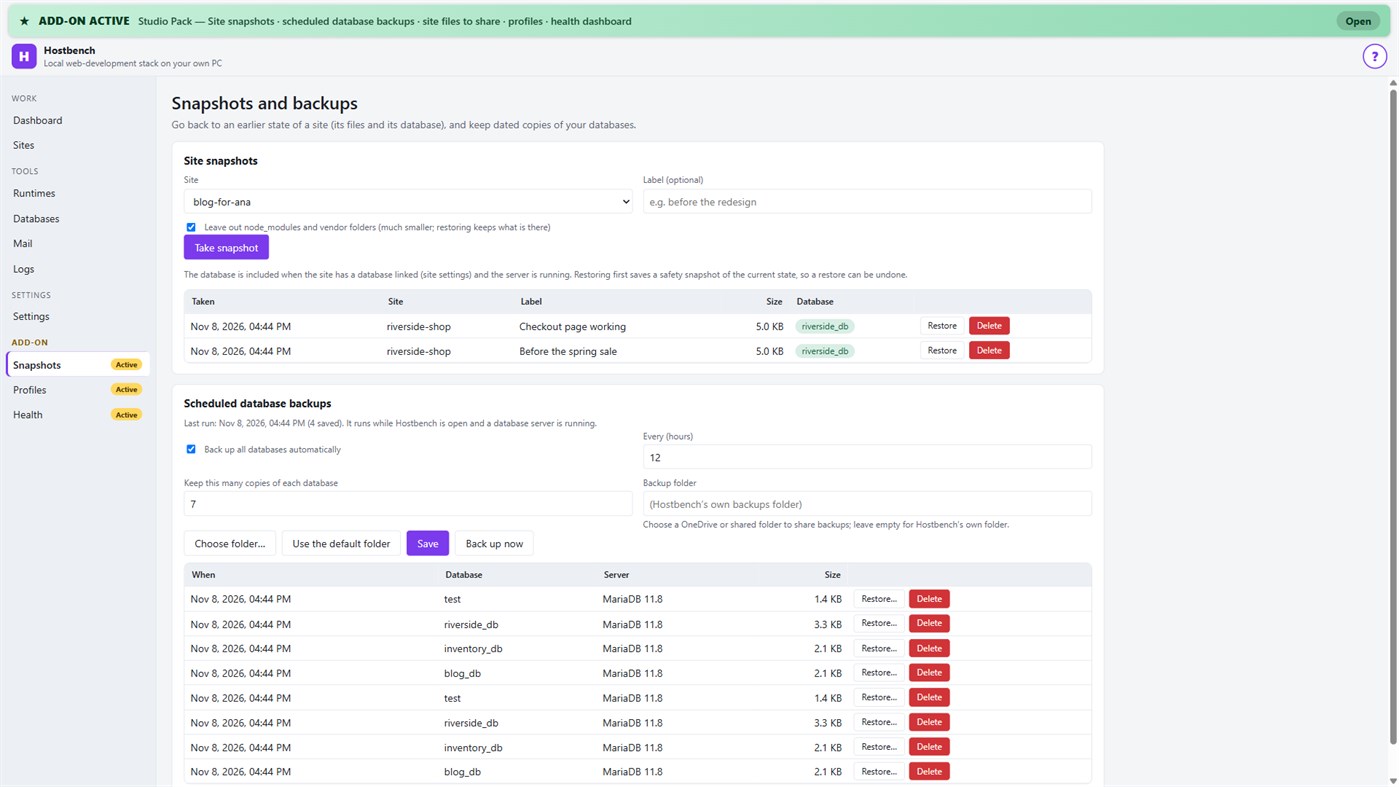
• Site snapshots and restore — a site's files and its database in one snapshot; a safety copy is taken before every restore
• Scheduled database backups — dated dumps every N hours to a folder you choose, newest copies kept
• Site files to share — export a site's settings (type, public folder, versions, PHP extensions, start command) as one small file; a colleague imports it and picks their own folder; secrets stay out unless you include them
• Profiles — name a set of sites, databases and the mail catcher and switch to it with one click
• Health dashboard — every site is checked through the real web server, with the answer code, the time and what to look at
PRIVACY
No telemetry, no advertising, no account. Your projects, databases and captured emails stay on your PC. The only network use is the downloads you start from the Runtimes screen or a new project, and the Microsoft Store licence check. Every Hostbench service listens on 127.0.0.1 only.
GOOD TO KNOW
Hostbench downloads runtimes on request, so the first set-up needs an internet connection. PHP 8 builds need the Microsoft Visual C++ Redistributable 2015–2022 (x64); Hostbench tells you if it is missing. Firefox keeps its own certificate list, so the saved certificate file must be imported there. This version includes MariaDB as its database server; PostgreSQL, MySQL, Redis-compatible caches and Xdebug setup are not included. Hostbench is tested with the programs from the official sites listed above; it is not affiliated with their projects.
Vom Entwickler ¡
Sind Sie der Entwickler?
Ihre Neuigkeiten oben auf der Seite, Follower erhalten sie per E-Mail
Andere Plattformen 0
| HostbenchWindows Store1K GoldWindowsIn-App-Käufe | $6.99 |
Derzeit nur in diesem Store.
Preisentwicklung 0
- Aktueller Preis: $6.99
- Minimum: $6.99
- Maximum: $6.99
Preise beobachten Per E-Mail oder Push benachrichtigt werden, wenn der Preis sinkt
Listen 0
-
 Hostbench
Punkte 0
-

- +1 Punkt

Ranglisten 0
-
- Deine Bewertung
Kommentare 0 ¡
Schreibe den ersten Kommentar
Entwickler 14
- Webspace IN
- Follower: 0
- Plattformen: Windows Apps (14)
- Angebote: 0
- Listen: 0 + 0
- Punkte: 0 + 0 ¡
- Ranglisten: 0
- Kommentare: 0
- Videos: 0
- RSS: Abonnieren
Neue Funktionen
- Version: PC
- Zuletzt aktualisiert:
- Initial release — introducing Hostbench to the Microsoft Store.
Weitere Informationen
- Veröffentlichungsdatum:
- Kategorie:
Windows-Apps›Entwicklungstools - Betriebssysteme:
PC - Größe:
158 Mb - Unterstützte Sprachen:
Englisch - Altersfreigabe:
EVERYONE - Windows Store Bewertung: ¡
0 - Webseite:
 https://webspacein.com/contact
AppAgg-Score
1.450
Geschätzter AppAgg-Score für
Hostbench
Entwickler: Webspace IN
1.450 Gold
Ein höherer Score weist meist auf bessere Werte bei den von AppAgg erfassten Kennzahlen hin.
Basierend auf: Popularität · Nutzerbewertungen · Aktualität · Angeboten · Store-Daten · Community-Aktivität
Wird täglich anhand aktueller AppAgg-Daten neu berechnet.
Badge für Websites:  Kopiert!
Kurzinfo
Hostbench Kurz-URL: Kopiert!- Windows Store
Auf AppAgg kannst du „Hostbench“ verfolgen, eine App von Webspace IN für Windows in der Kategorie Entwicklungstools. AppAgg-Score: 1.450 (Gold). AppAgg-Punkte der App — bestätigt: 0; indirekt: 0. Öffentliche Listen mit dieser App: 0. Nutzer, die sie in privaten Listen gespeichert haben: 0. AppAgg-Nutzer haben die App noch nicht bewertet. Bestätigte Punkte erfassen Store-Aufrufe angemeldeter AppAgg-Nutzer; indirekte Punkte beruhen auf Store-Daten. AppAgg zählt öffentliche Listen mit einer App oder einem Spiel sowie Nutzer, die sie oder es in privaten Listen gespeichert haben. Die App wurde erstmals am veröffentlicht. Die App wurde zuletzt am aktualisiert. Die App kostet derzeit $6.99. Die App ist in folgenden Sprachen verfügbar: Englisch. Sieh dir den Preisverlauf an, füge die App einer Liste hinzu oder folge dem Entwickler. Verfolge künftige Angebote und Updates der App über den RSS-Feed. AppAgg hostet oder vertreibt diese App nicht. Alle Marken, Logos und Screenshots im Zusammenhang mit der App gehören ihren jeweiligen Eigentümern.
Das könnte dir auch gefallen
Zuletzt angesehen
AppAgg-Nutzer ¡Mehr →
Quests der WocheMelde dich an, um jede Woche 3 Quests und XP dafür zu bekommen.

