
Bookmarks
| Developer: | Chris Cousens (2) | ||
| Price: | Free New | ||
| Score: | 980 Silver | ||
| Rankings: | 0 | ||
| Comments: | 0 Add a comment | ||
| Lists: | 0 0 | ||
| Points: | 0 | ||
| +1 Point | |||
Summary
Meet HyperVoice Code, an app from Chris Cousens in the Developer tools category.
New release: it came out , so you’re among the first.
Free, no ads, no in-app purchases. Just you and the app.
The Microsoft Store is built into Windows, so it installs in a couple of clicks.
Its AppAgg Score is 980. Silver, and that’s not bad at all.
Just 5 megabytes, it’ll fit even on a full drive.
Rated “EVERYONE”, so it’s fine for kids too.
Only one language, and it’s English.
Used it? Your review would be the first one here.
The developer has 1 more app on AppAgg. Worth a look.
Want to hear about updates and new apps first? Follow the developer or subscribe to the RSS feed. Push alerts come through the AppAgg Alerts app for Android and iOS.
Other platforms 0
Price History 0
- Current price: Free
- Minimum: Free
- Maximum: Free
Your own feed on the home page
Screenshots 8
Description

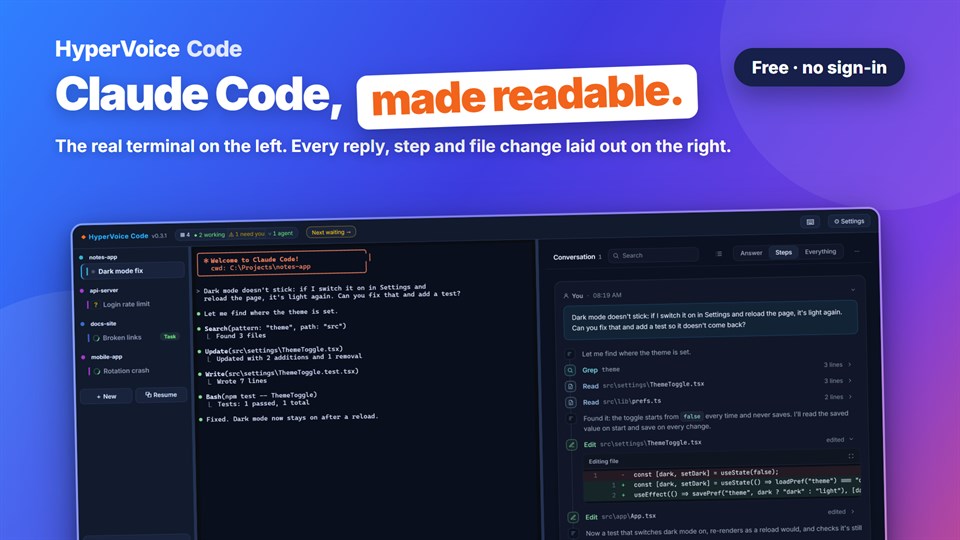
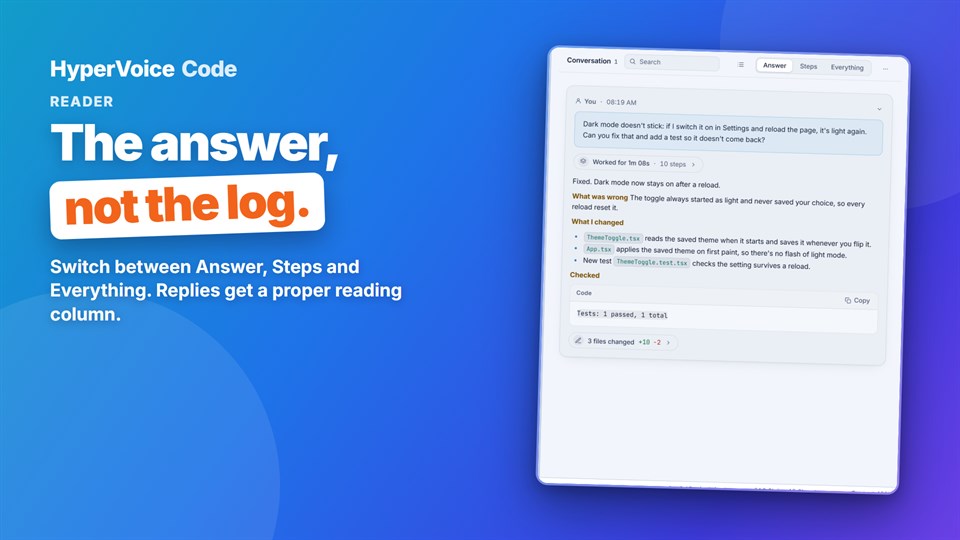
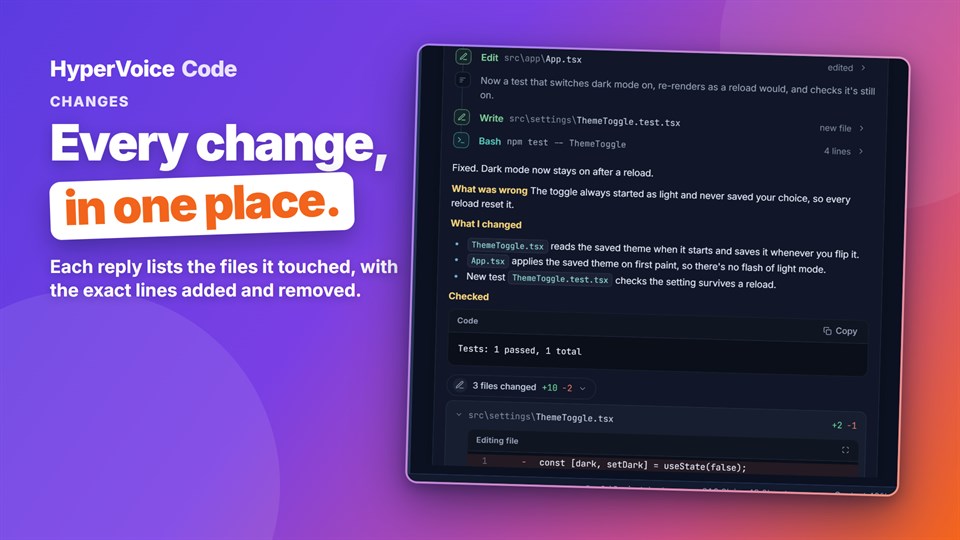
The left side is the real Claude Code terminal, exactly as you know it. The right side turns the same session into something you can read: each prompt with Claude's reply set out in a reading column, the steps it took folded into one line until you want them, and a list of every file each reply changed with the edits behind it.
- Run several sessions in tabs, grouped by project, each kept alive in the background
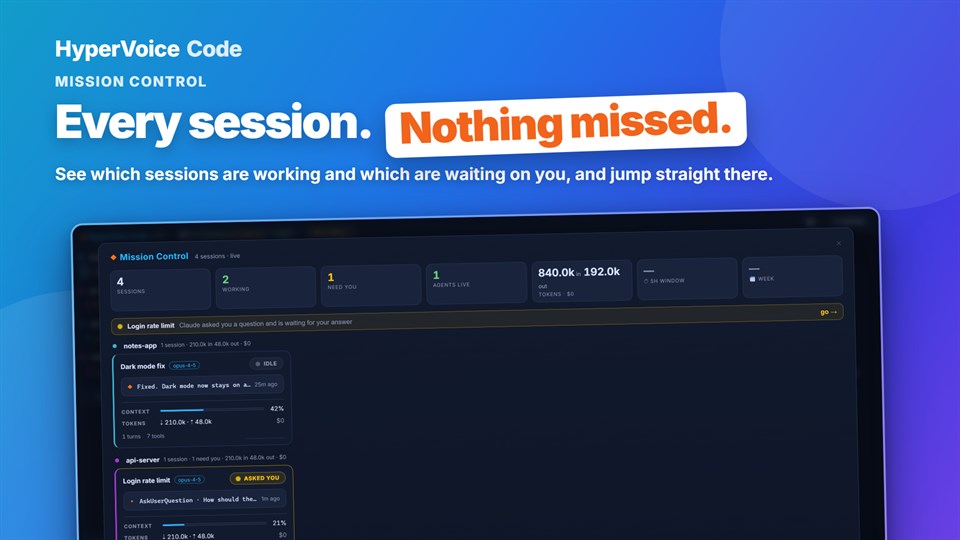
- See at a glance which sessions are working and which are waiting on you, and jump to the next one that needs you
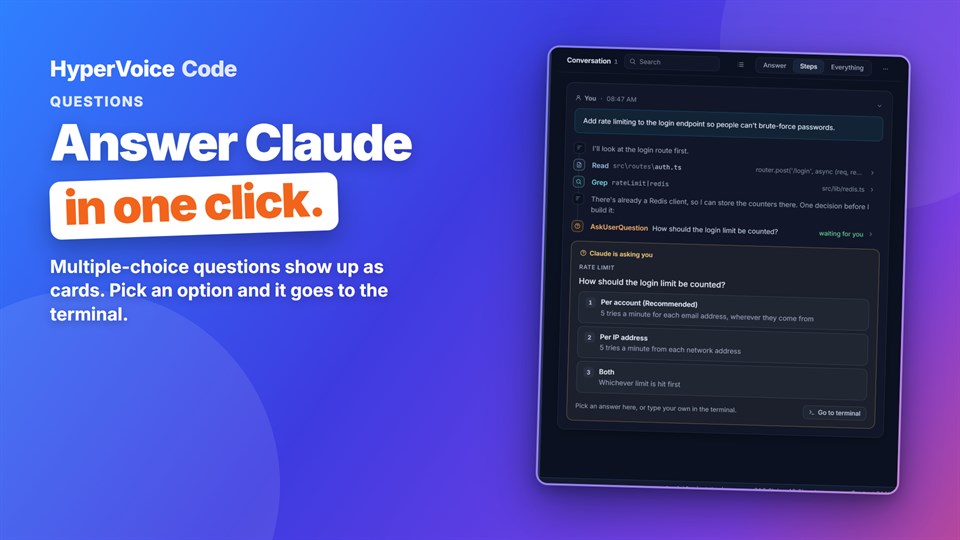
- Answer Claude's questions from the reader, or open any agent to watch its own work
- Diffs for every file change, and code with colouring and Copy buttons
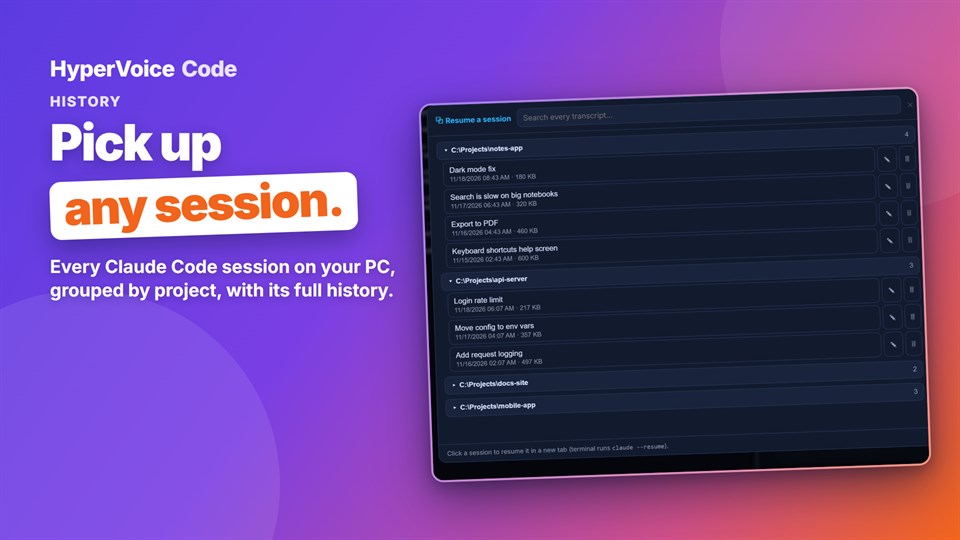
- Resume any Claude Code session on this PC with its full history
- Optional git worktree isolation per session
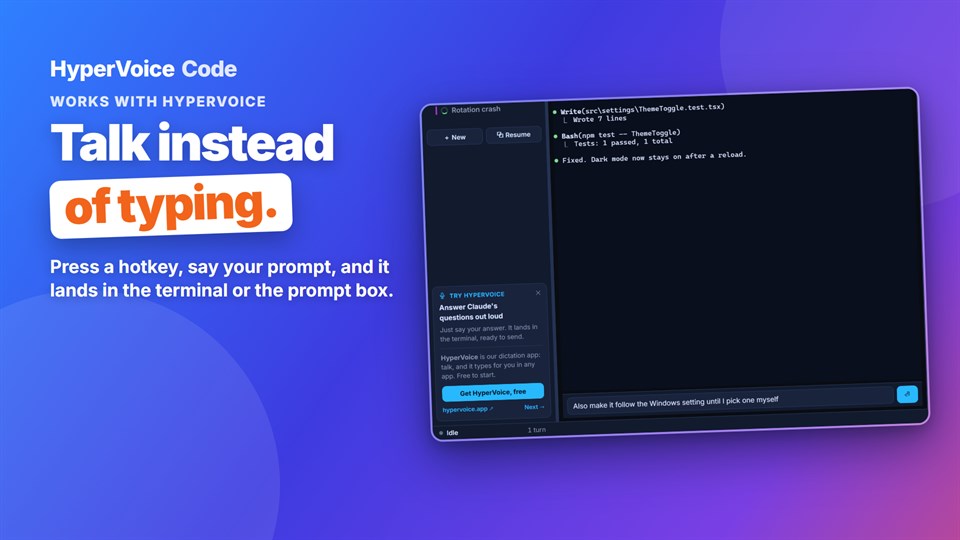
Talk instead of typing: pair it with HyperVoice, our dictation app, and say your prompts into the terminal.
Requires Claude Code (Anthropic's command-line tool), installed and signed in. HyperVoice Code is an independent app and is not made by or affiliated with Anthropic.
From the developer
Lists 0
-
 HyperVoice Code
Points 0
-

- +1 Point

Rankings 0
-
- Your rating
Developer 2
- Chris Cousens
- Followers: 0
- Platforms: Windows Apps (2)
- Deals: 0
- Lists: 0 0
- Points: 0
- Rankings: 0
- Comments: 0
- Videos: 0
- RSS: Subscribe
What's new
- Version: PC
- Last Updated:
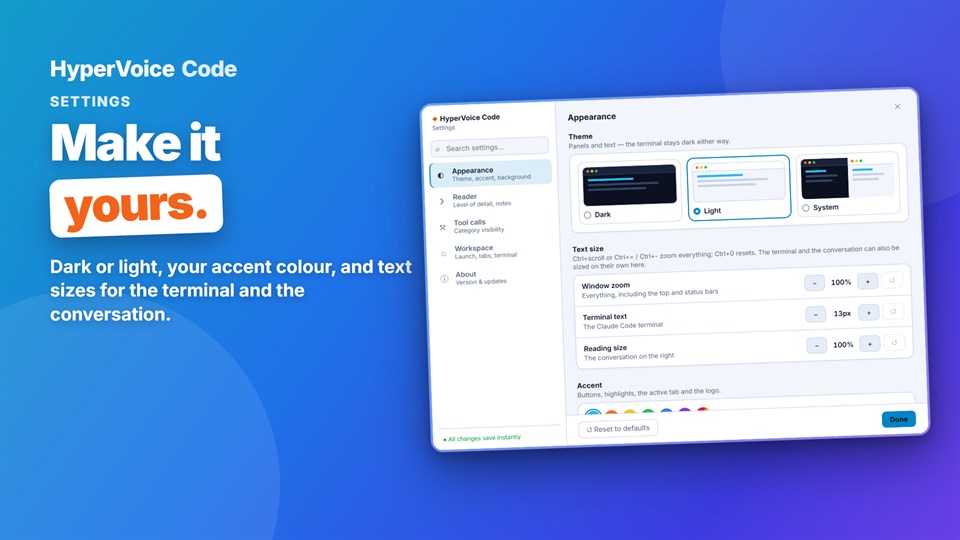
- - Zoom and text size: Ctrl+scroll or Ctrl+= / Ctrl+- zoom everything, Ctrl+0 resets. Size the terminal and the conversation on their own in Settings.
- Dictate or paste while no text box is selected and the text goes into the prompt composer (or the terminal), ready to send.
- Fixed: the terminal's last line could sit under the prompt composer at display scaling above 100%.
- Text across the app now uses one consistent set of sizes.
Additional Information
- Release Date:
- Category:
Windows Apps›Developer tools - OS:
PC - Size:
5 Mb - Supported Languages:
English - Content Rating:
EVERYONE - Windows Store Rating: ¡
0 - Website:
 https://hypervoice.app
AppAgg Score
Estimated AppAgg Score for
HyperVoice Code
Developer: Chris Cousens
Higher scores usually reflect better results across AppAgg’s indicators.
Based on: popularity · ratings · freshness · deals · store data · community signals
Recalculated daily using fresh AppAgg data.
Comments 0 ¡
Share
HyperVoice Code Short URL: Copied!- Windows Store
You may also like
Recent discussionsMore →
 AppGame4Class Game4Class makes lesson review fun and interactive. I like how easily students can join from their o...
 Mehdi Gateway62
 AppAniMate Waifu - AI Anime Desktop Pet This is the best anime desktop pets I have ever had, The dancing feature is amazing.
 shaw chaney34
 AppSpark Motion Create 26 The graphics are amazing! Now I can design my ball layouts and watch then spin in 3D animation.
 Jim Kirker40
 AppLocalDub – Real-Time Game Dubbing Hello Kırtay Interactive, I am using LocalDub - Real-Time Game Dubbing. I would like to know if Hind...
 rashid game53
 AppNauticPlayer This app is absolute cinema. Honestly, it’s one of the best media players I’ve ever tried, and I’m s...
 Manuel92
 AppScreen Beings - Interactive Accessibility Companion This is my app so I’m a little bias but as someone from the ADHD community that teaches ADHD and neu...
 Tarelle Irwin54
 AppAadi vault good it ia a encrypter and good you my work on office
 Aditya Rai50
 AppTyping 365 | Daily Typing Trainer The best typing app ever. With Typing 365 you don’t have to force yourself for couple minutes traini...
 Ahmad Mozaffar50
 AppZefir Calendar — Calendar in the Taskbar excelente app! Superando todas as espectativas!
 Diógenes Magnus50
 AppBlazin IPTV Player This compact IPTV player is amazing. I threw multiple playlists at it and it handles it with no issu...
 Mike Anderson40

