
Segnalibri
| Sviluppatore: | Chris Cousens (2) | ||
| Prezzo: | Gratis Novità | ||
| Punteggio: | 980 Argento | ||
| Classifiche: | 0 | ||
| Commenti: | 0 Pubblica commento | ||
| Liste: | 0 0 | ||
| Punti: | 0 | ||
| +1 Punto | |||
In breve
Ti presentiamo HyperVoice Code, un’app di Chris Cousens della categoria «Strumenti di sviluppo».
Novità: è uscita , quindi sei tra i primi.
Gratis: niente pubblicità, niente acquisti in-app. Solo tu e l’app.
Il Microsoft Store è integrato in Windows, quindi si installa in un paio di clic.
Il suo Punteggio AppAgg è 980. Livello Argento, e non è affatto male.
Solo 5 megabyte. Ci sta anche su un disco pieno zeppo.
Classificazione «EVERYONE»: va bene anche per i bambini.
Parla una sola lingua, e non è l’italiano.
L’hai usata? La tua recensione sarebbe la prima qui.
Lo sviluppatore ha 1 altra app su AppAgg. Vale la pena dare un’occhiata.
Vuoi sapere prima di tutti di aggiornamenti e nuove app? Segui lo sviluppatore o iscriviti al feed RSS. Le notifiche push arrivano tramite l’app AppAgg Alerts per Android e iOS.
Altre piattaforme 0
Cronologia dei prezzi 0
- Prezzo attuale: Gratis
- Minimo: Gratis
- Massimo: Gratis
Il tuo feed personale nella home
Screenshot 8
Descrizione

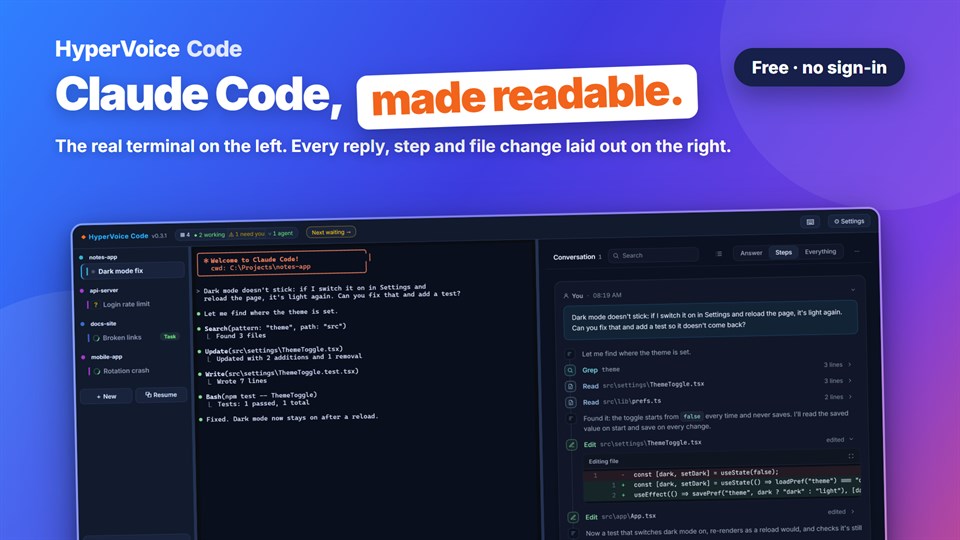
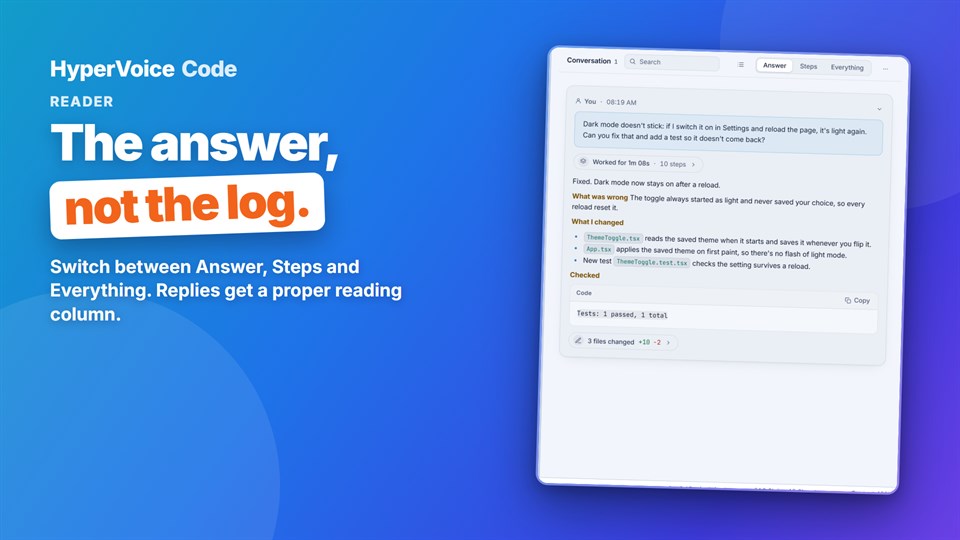
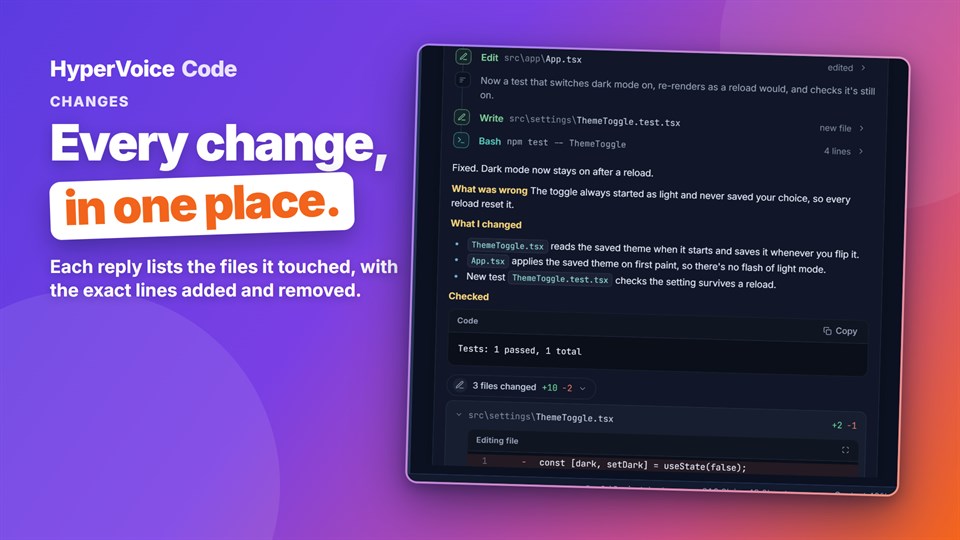
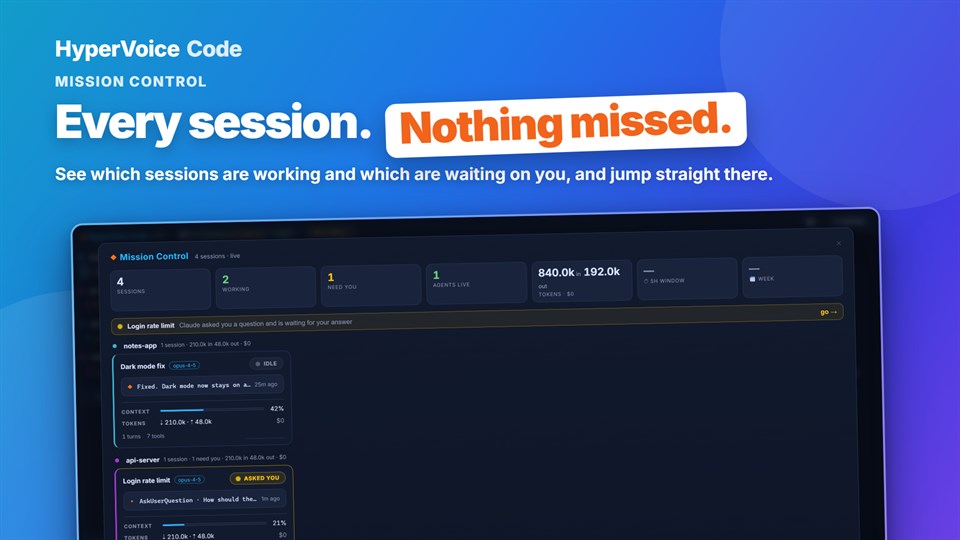
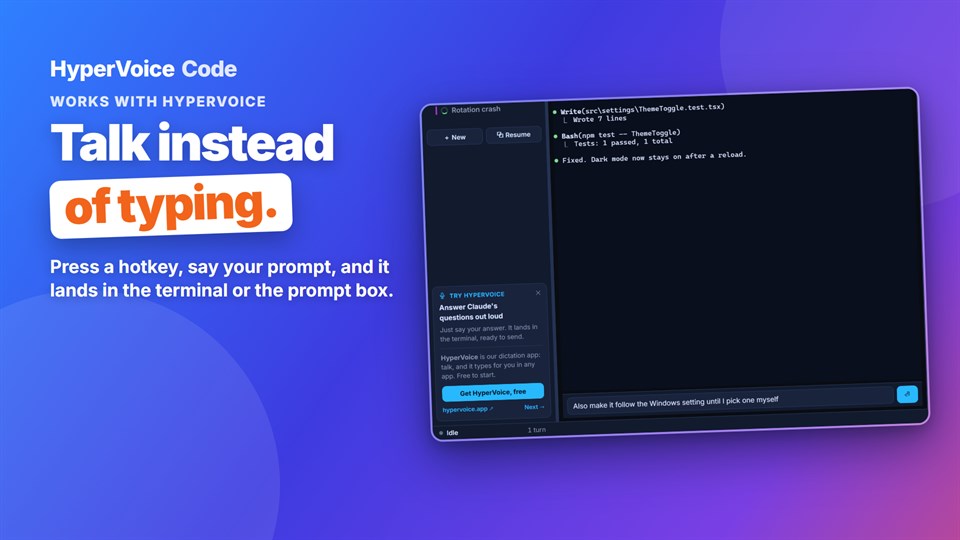
The left side is the real Claude Code terminal, exactly as you know it. The right side turns the same session into something you can read: each prompt with Claude's reply set out in a reading column, the steps it took folded into one line until you want them, and a list of every file each reply changed with the edits behind it.
- Run several sessions in tabs, grouped by project, each kept alive in the background
- See at a glance which sessions are working and which are waiting on you, and jump to the next one that needs you
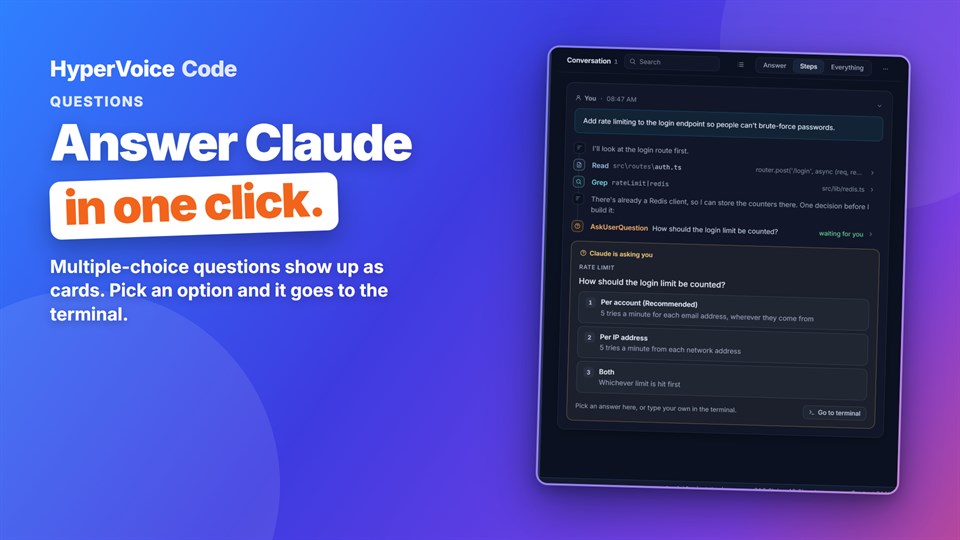
- Answer Claude's questions from the reader, or open any agent to watch its own work
- Diffs for every file change, and code with colouring and Copy buttons
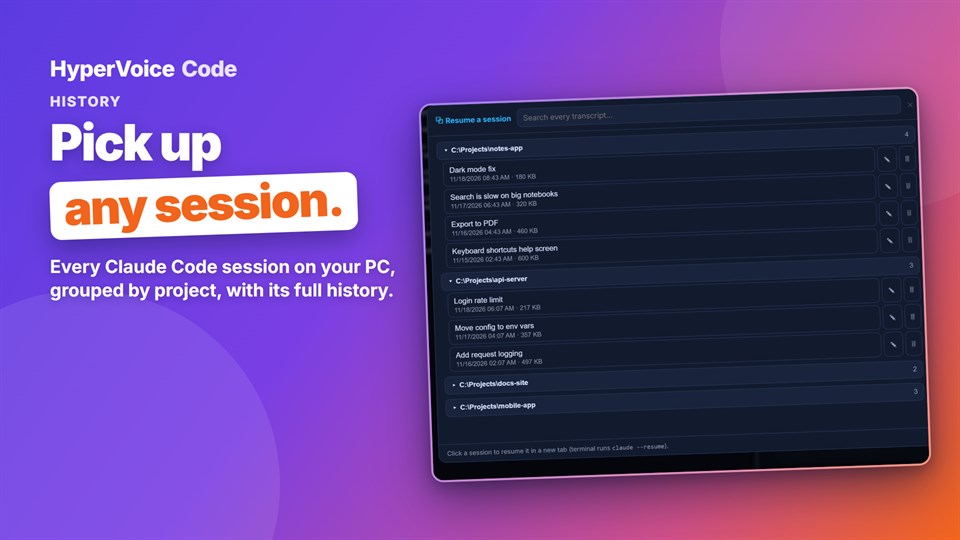
- Resume any Claude Code session on this PC with its full history
- Optional git worktree isolation per session
Talk instead of typing: pair it with HyperVoice, our dictation app, and say your prompts into the terminal.
Requires Claude Code (Anthropic's command-line tool), installed and signed in. HyperVoice Code is an independent app and is not made by or affiliated with Anthropic.
Dallo sviluppatore
Liste 0
-
 HyperVoice Code
Punti 0
-

- +1 Punto

Classifiche 0
-
- La tua valutazione
Sviluppatore 2
- Chris Cousens
- Follower: 0
- Piattaforme: Windows App (2)
- Offerte: 0
- Liste: 0 0
- Punti: 0
- Classifiche: 0
- Commenti: 0
- Video: 0
- RSS: Iscriviti
Novità
- Versione: PC
- Ultimo aggiornamento:
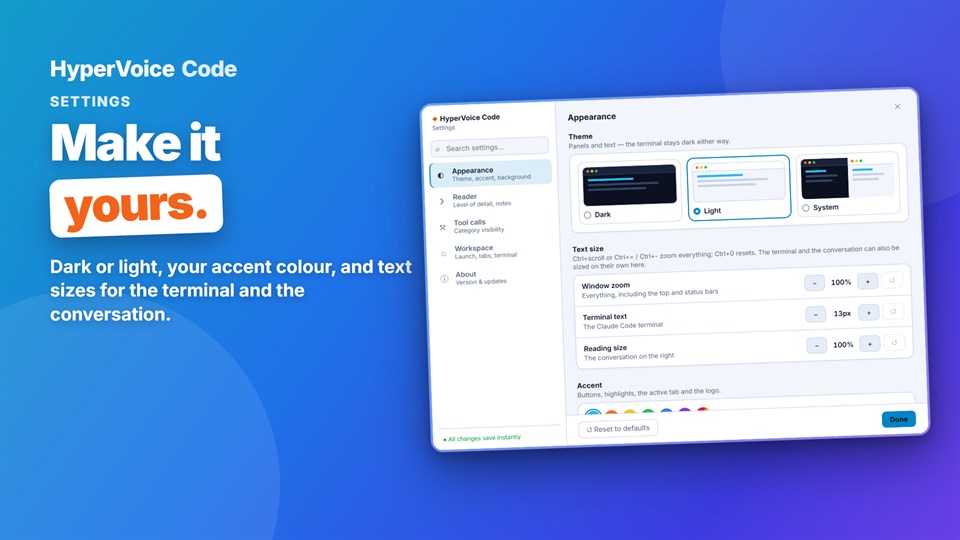
- - Zoom and text size: Ctrl+scroll or Ctrl+= / Ctrl+- zoom everything, Ctrl+0 resets. Size the terminal and the conversation on their own in Settings.
- Dictate or paste while no text box is selected and the text goes into the prompt composer (or the terminal), ready to send.
- Fixed: the terminal's last line could sit under the prompt composer at display scaling above 100%.
- Text across the app now uses one consistent set of sizes.
Informazioni aggiuntive
- Data di uscita:
- Categoria:
App per Windows›Strumenti di sviluppo - Sistemi operativi:
PC - Dimensioni:
5 Mb - Lingue supportate:
Inglese - Classificazione contenuti:
EVERYONE - Windows Store Valutazione: ¡
0 - Sito web:
 https://hypervoice.app
Punteggio AppAgg
Punteggio AppAgg stimato per
HyperVoice Code
Sviluppatore: Chris Cousens
Un punteggio più alto riflette in genere risultati migliori negli indicatori di AppAgg.
Basato su: popolarità · valutazioni degli utenti · freschezza · offerte · dati degli store · attività della community
Ricalcolato ogni giorno con dati AppAgg aggiornati.
Commenti 0 ¡
Condividi
HyperVoice Code URL breve: Copiato!- Windows Store

