
저장됨
저장됨 메뉴에 표시할 이름을 선택하세요.
완료!
기술

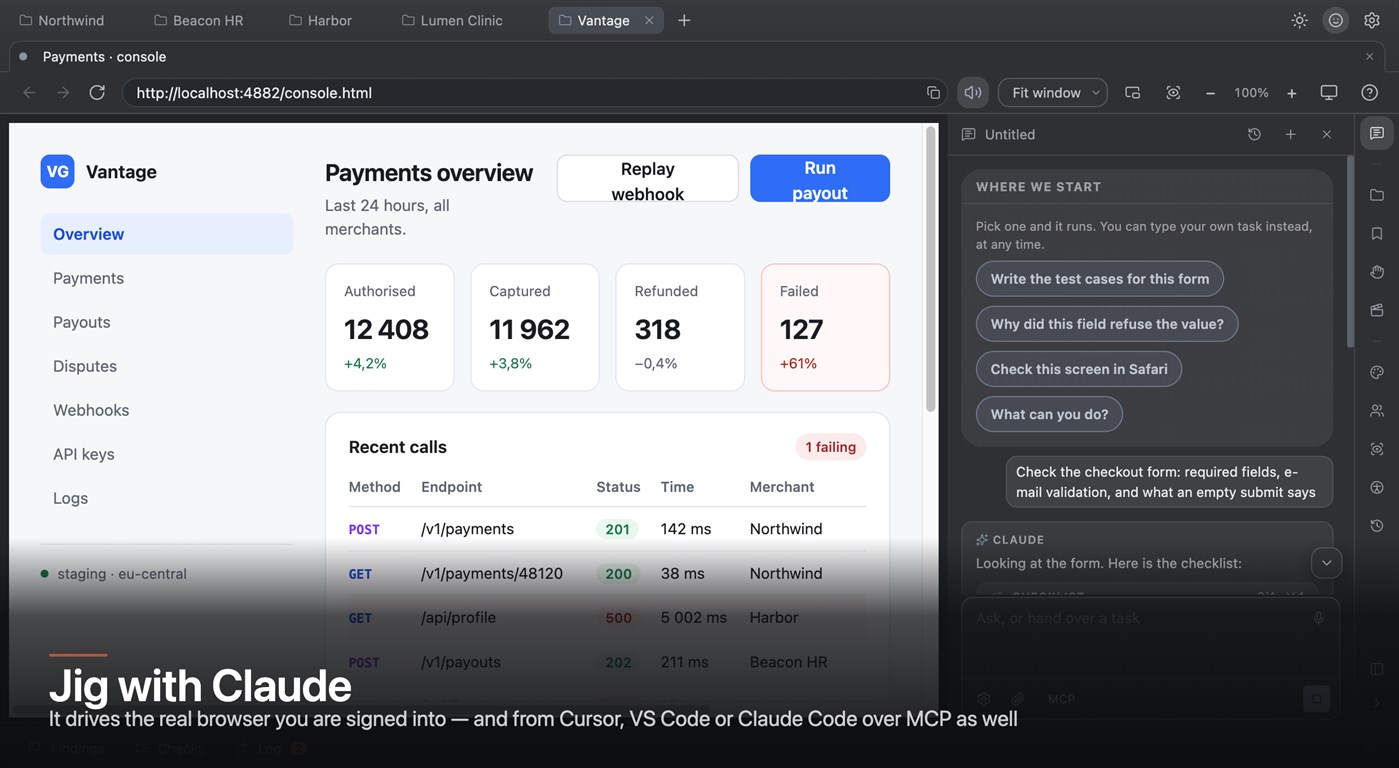
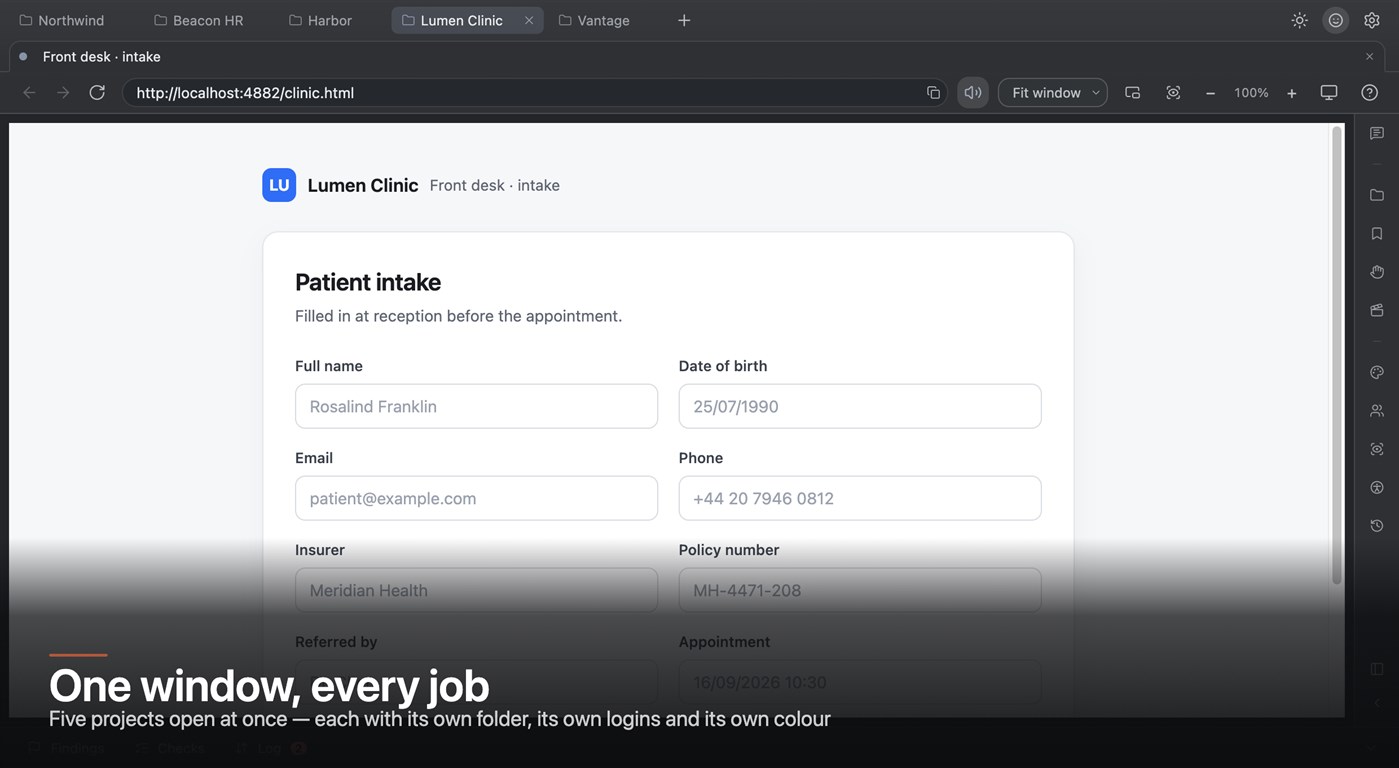
Your app opens inside it exactly as it would in any browser: your logins, your SSO, your cookies. The panels around it do the work you would otherwise spread across five windows. There is nothing to connect — no port, no token, no extension to install into another browser, and no "not connected" state to debug.
FOUR JOBS, ONE WINDOW
Jig asks one question when it starts — what you are here to do — and builds a different window around each answer.
JIG WITH CLAUDE
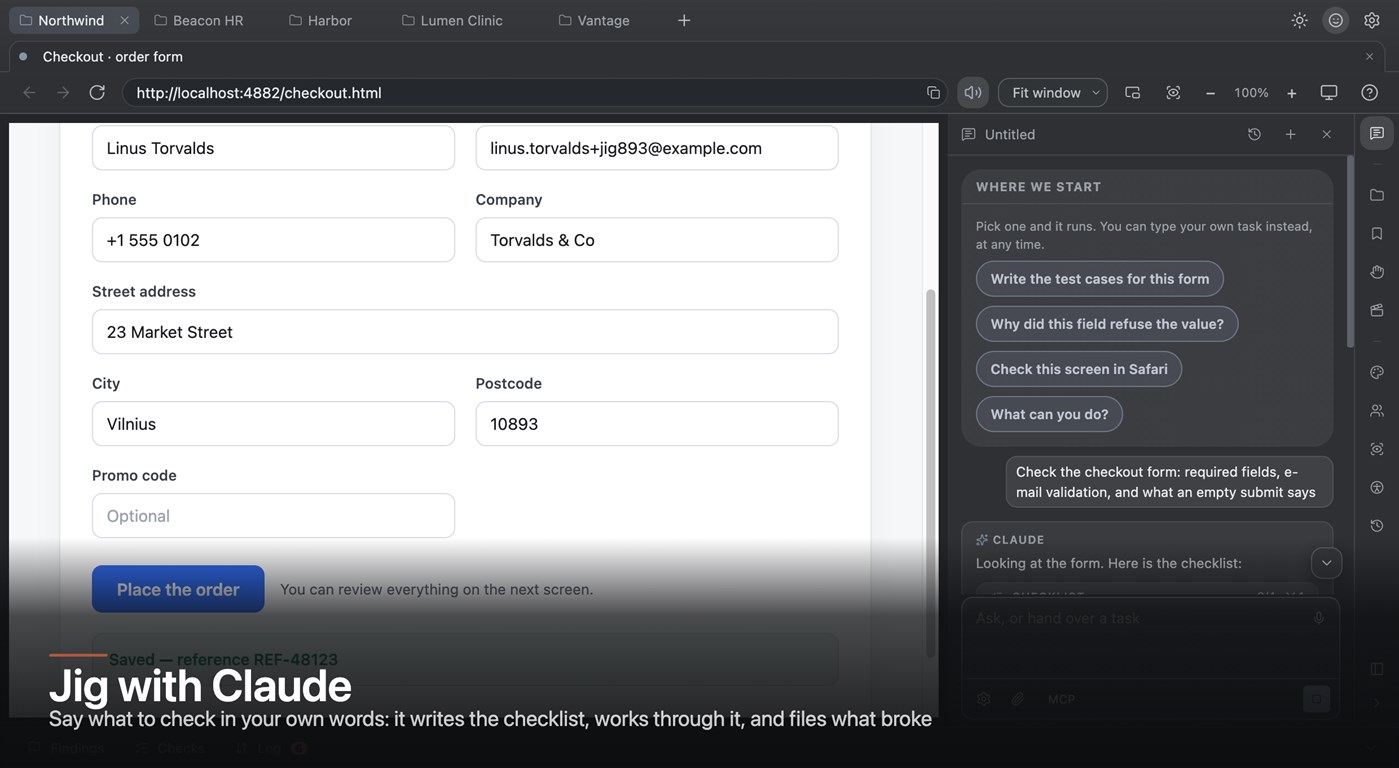
Say what to check in your own words and Claude does it in this window — the real browser, signed in as you, with your cookies and your environment. It writes the checklist, works through it, opens what it needs, fills what it must, reads the network, and files what broke with the steps already in the finding.
Give it your own checklist and it works through yours rather than improvising. Ask it why a field refused a value and it looks at the field rather than guessing. Ask for the test cases for a form and it writes them from what is actually on the screen.
It does not run a second, empty browser somewhere else. That is the whole point: the session it drives is the session you are testing.
Drive it from your editor instead, if you prefer. Jig speaks MCP, so Cursor, VS Code and Claude Code can open a page, fill a form, read the failing request and file a finding while you stay where you are.
And the line that matters when you are deciding: everything Jig MEASURES runs on your machine with no model involved. Claude is how the work gets done for you, not how the instrument works.
JIG FOR TESTING BY HAND
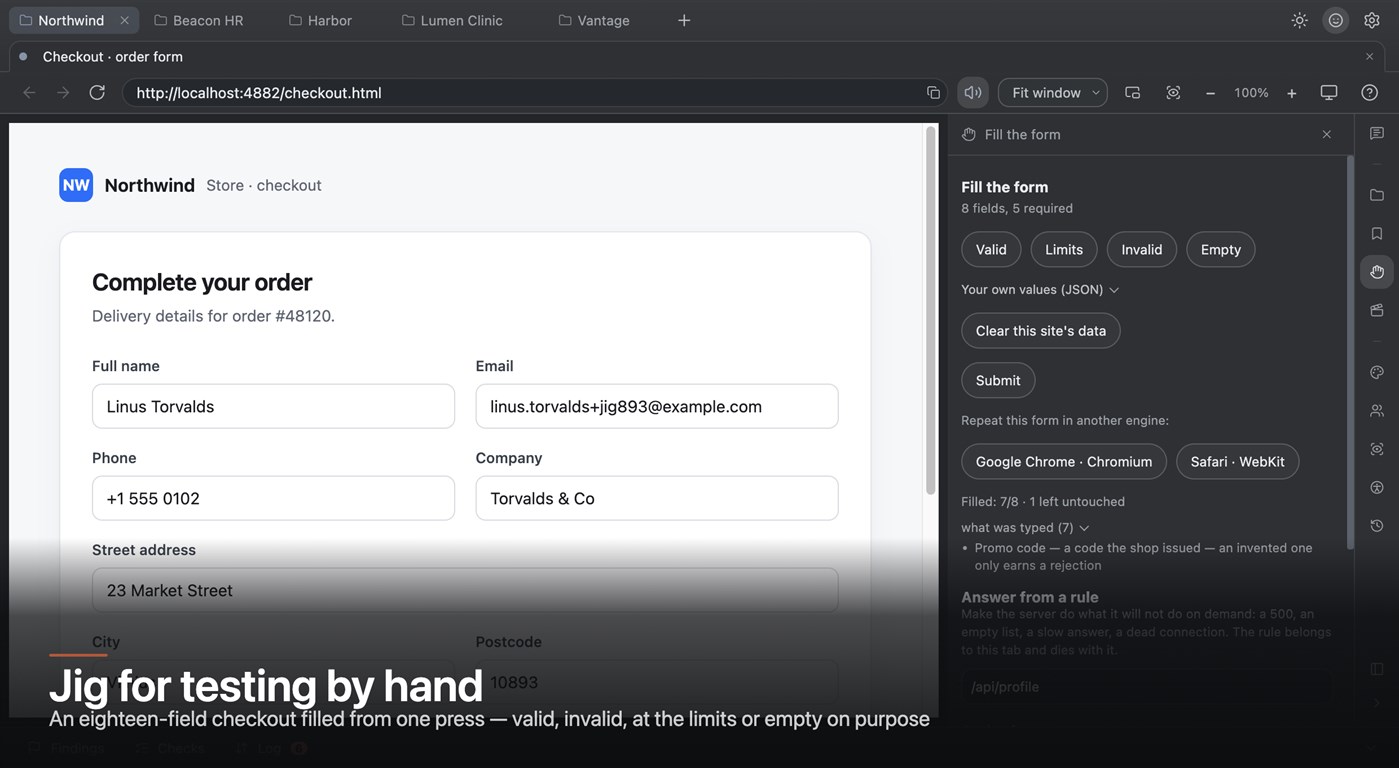
Fill a form from one press. Jig reads every label, type and widget on the screen without a single click, then fills the lot with values that are valid, invalid, at the limits, or empty on purpose. Custom dropdowns, date pickers, cascaders, tag fields and trees included.
Be two people at once. Every tab keeps its own cookie jar, so an administrator and a customer are signed in side by side, in the same window. No incognito, no second browser.
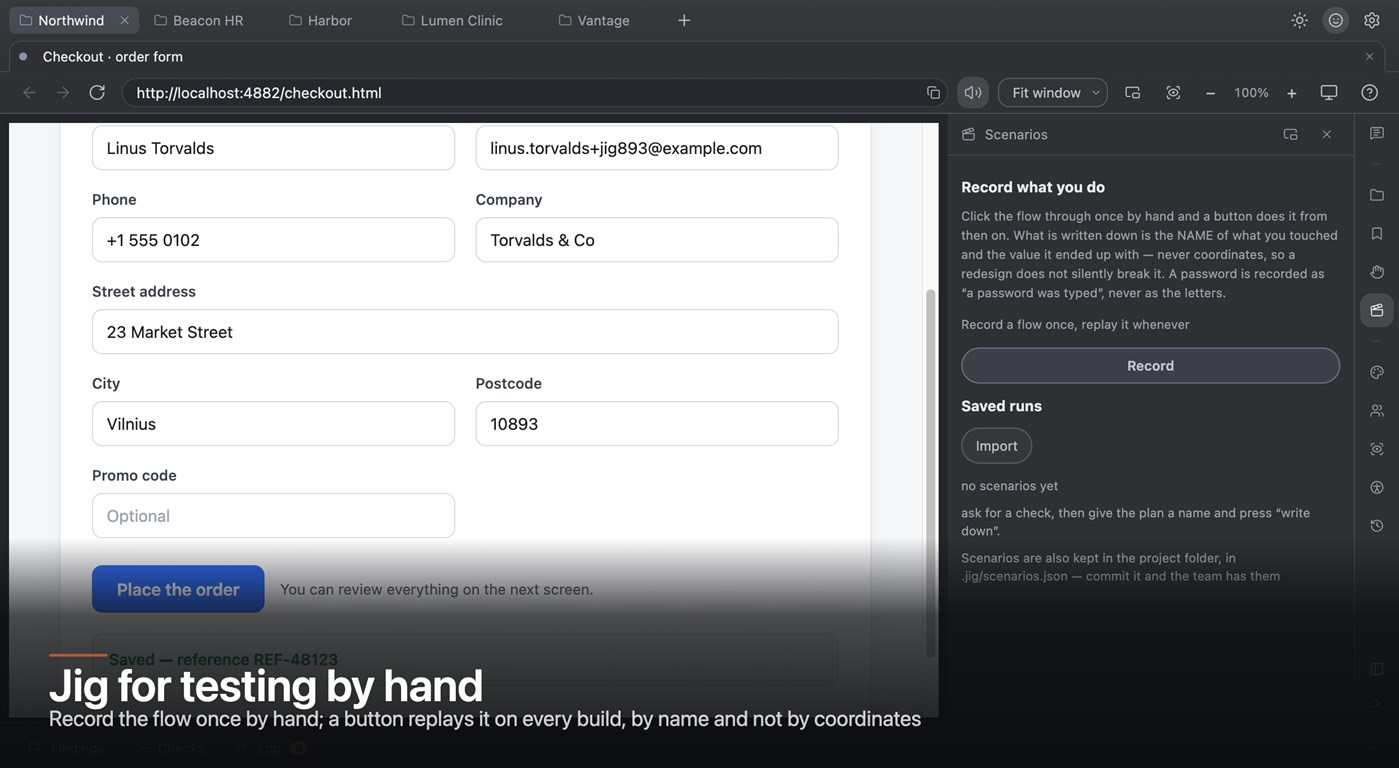
Record a flow once and replay it. What is written down is the NAME of what you touched and the value it ended up with — never coordinates, so a redesign does not silently break the recording. A password is recorded as "a password was typed", never as the letters.
Compare two runs and get the three answers a regression is about: what broke since last time, what got fixed, and what is still failing.
Make the server misbehave. Answer a request with a 500, an empty list, a thirty-second delay or a dead connection — no back end to talk into, no branch to deploy. The rule belongs to that tab and dies with it.
File a finding that is already a ticket: the steps, the environment, the page address, the failing request and the screenshot are in it before you type a word.
JIG FOR DEVELOPERS
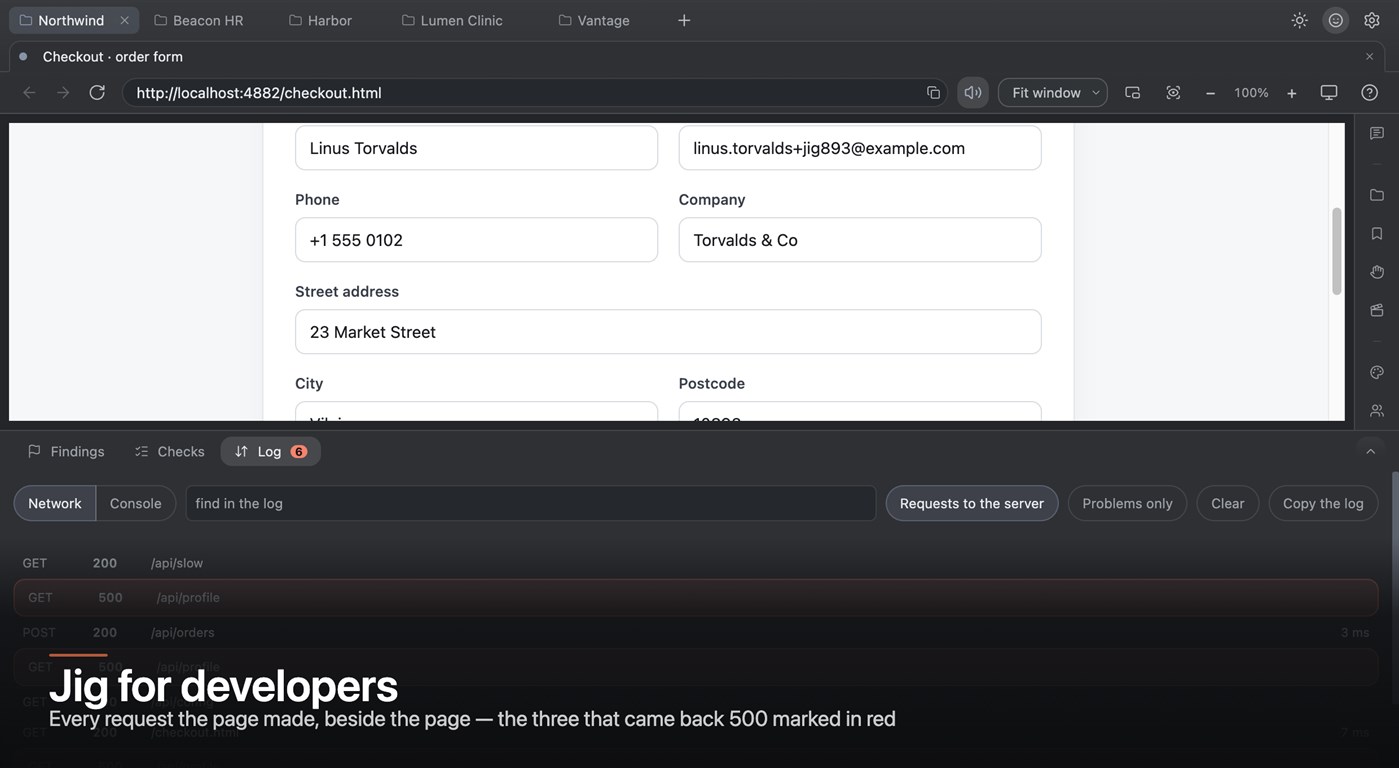
Read the failure, not the status code. The network panel carries the server's own response body — the difference between "payment does not work" and POST /api/pay 500 {"error":"tax_id required"}.
Replay any request without touching the page, or copy it as curl and take it somewhere else.
See the console beside the page rather than behind a developer panel, with the request that caused the noise in the same list.
Ask an element what it is: its role, its name, its computed styles and which design token a colour actually came from.
Know which build broke. Point the project at its repository and every finding carries the branch and the commit it was found on — half of "works on my machine" is two different builds.
JIG FOR ANALYSTS AND REQUIREMENTS
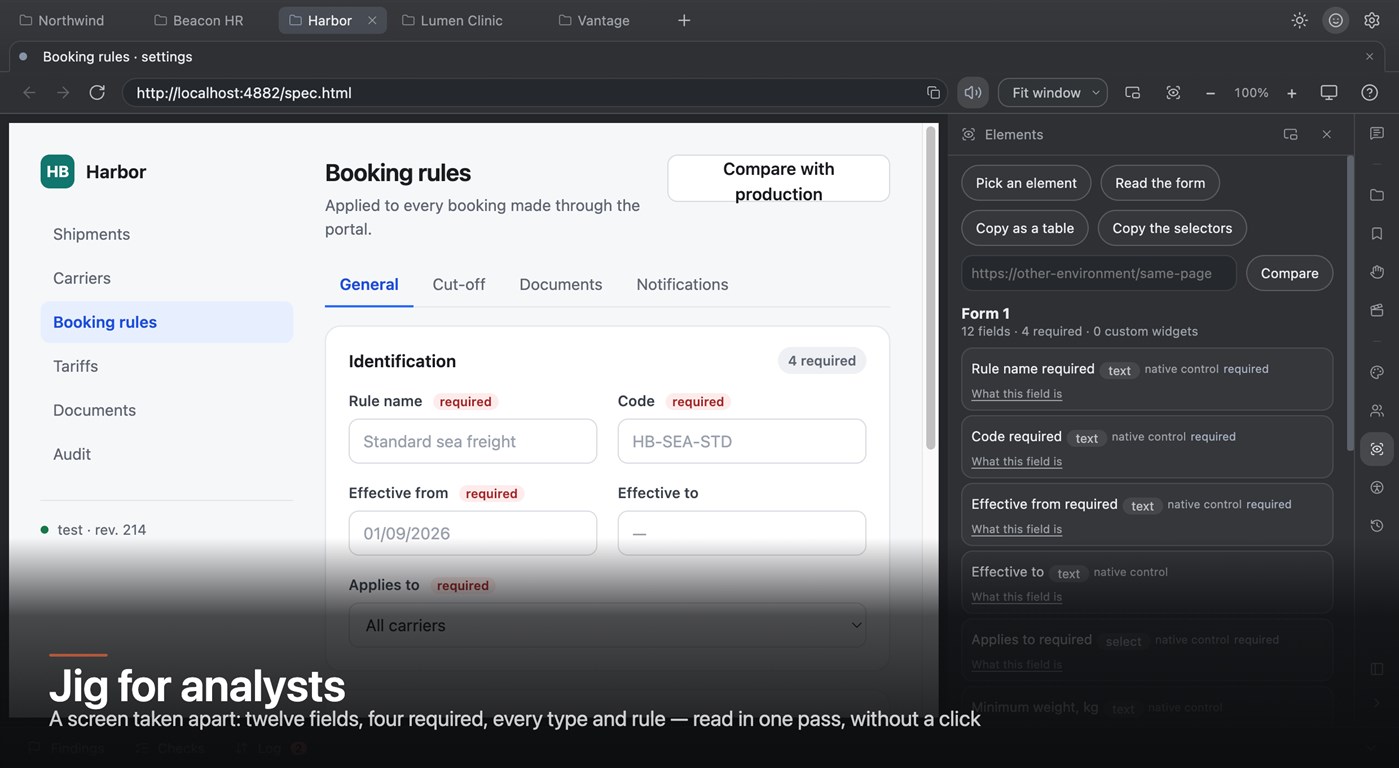
Take a screen apart into a table: every field, its type, whether it is required, what validates it, what it is bound to — read in one pass, without clicking anything.
Find the rule nobody wrote down, and the place where two screens disagree about the same field. Compare a page against the same page on another environment and get the differences as a list.
Copy the whole thing out as a table, or as selectors for whoever automates it next.
Walk the flow as each role — the saved logins make "what does an approver see here" one click rather than a request to somebody else.
JIG FOR ACCESSIBILITY
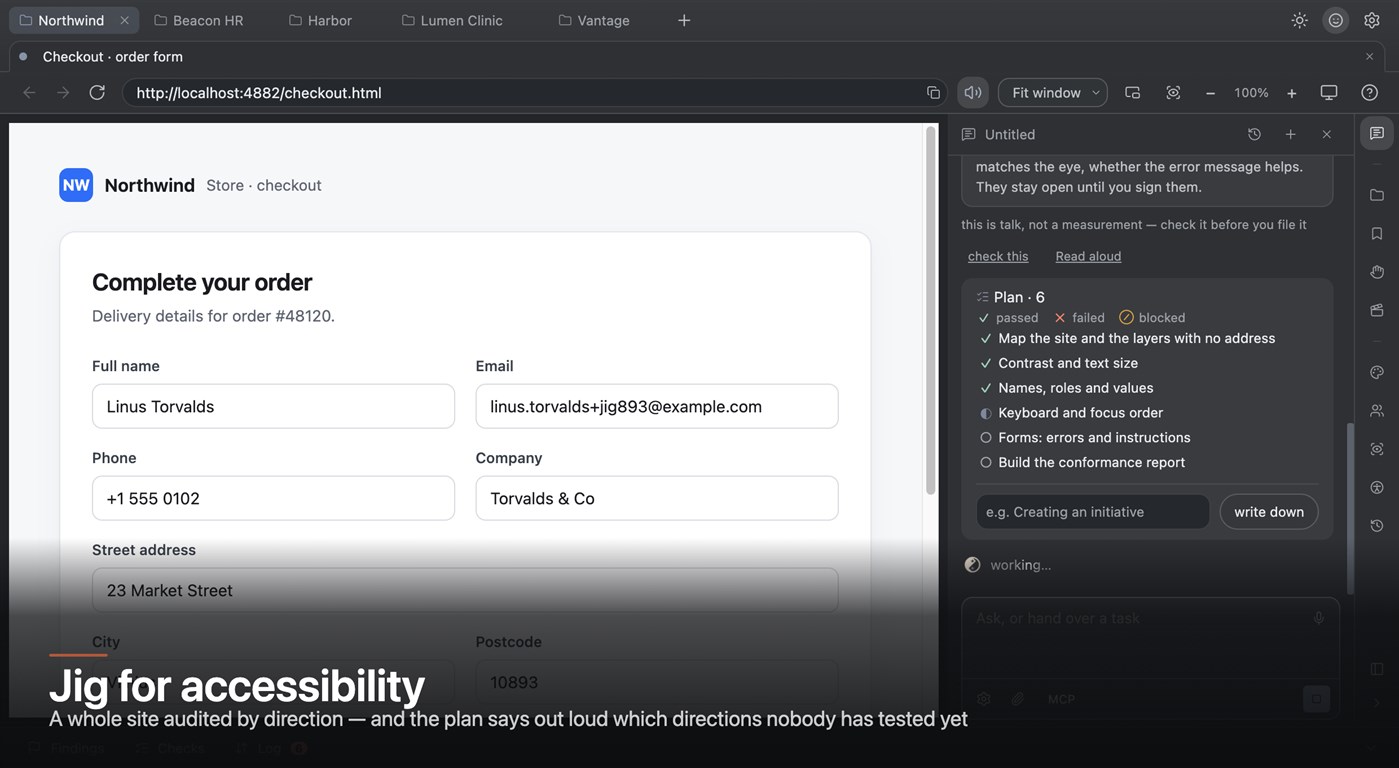
Audit a whole site, not one page. The crawl walks every route it can reach, signed in and signed out, and reports three ways at once: by direction, by route, and page by page.
Be told what was NOT tested. One section says out loud how many directions nobody opened at all — a percentage hides an untouched area, a list does not.
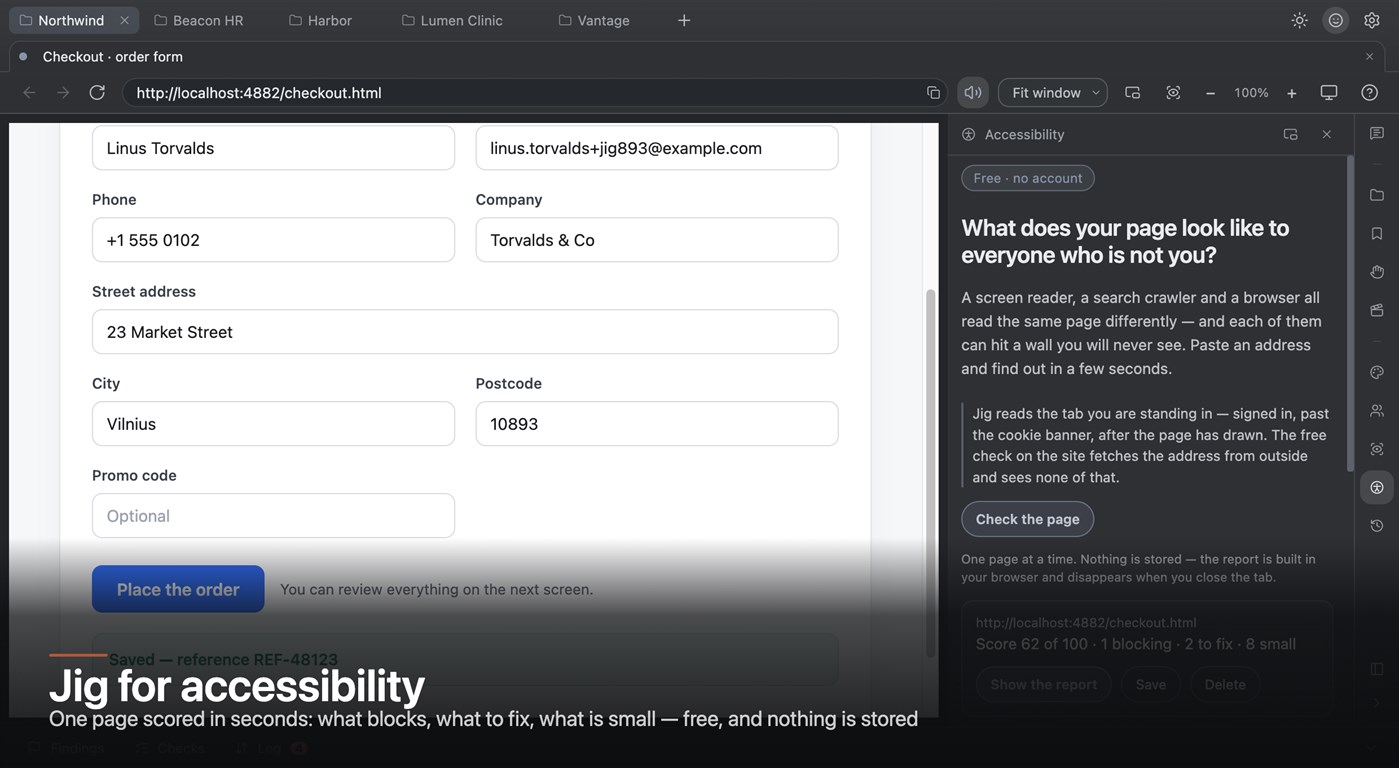
Score one page in seconds for free: what blocks, what to fix, what is small — built in your browser, stored nowhere.
Walk the Tab order and see where focus jumps, where it falls into something hidden, and where it never comes back.
Get keyboard traps as defects. A widget Jig cannot drive from the keyboard is filed rather than skipped: if a keyboard user cannot operate it, that is a defect in the page, and in the EU it has been a requirement since 2025.
Hand over a conformance report a client can sign.
ONE PROJECT, FOUR JOBS
These are not four separate products. They share one project — its folder, its logins, its addresses, its findings, its recordings — so work hands over without being re-explained. The tester files what broke with the steps, the environment and the failing request already written out; the developer opens the same project and that request is there, replayable; the analyst's field table and the auditor's route list describe the same screens. Five projects open at once are told apart by colour before a word is read.
THE PAPER AT THE END
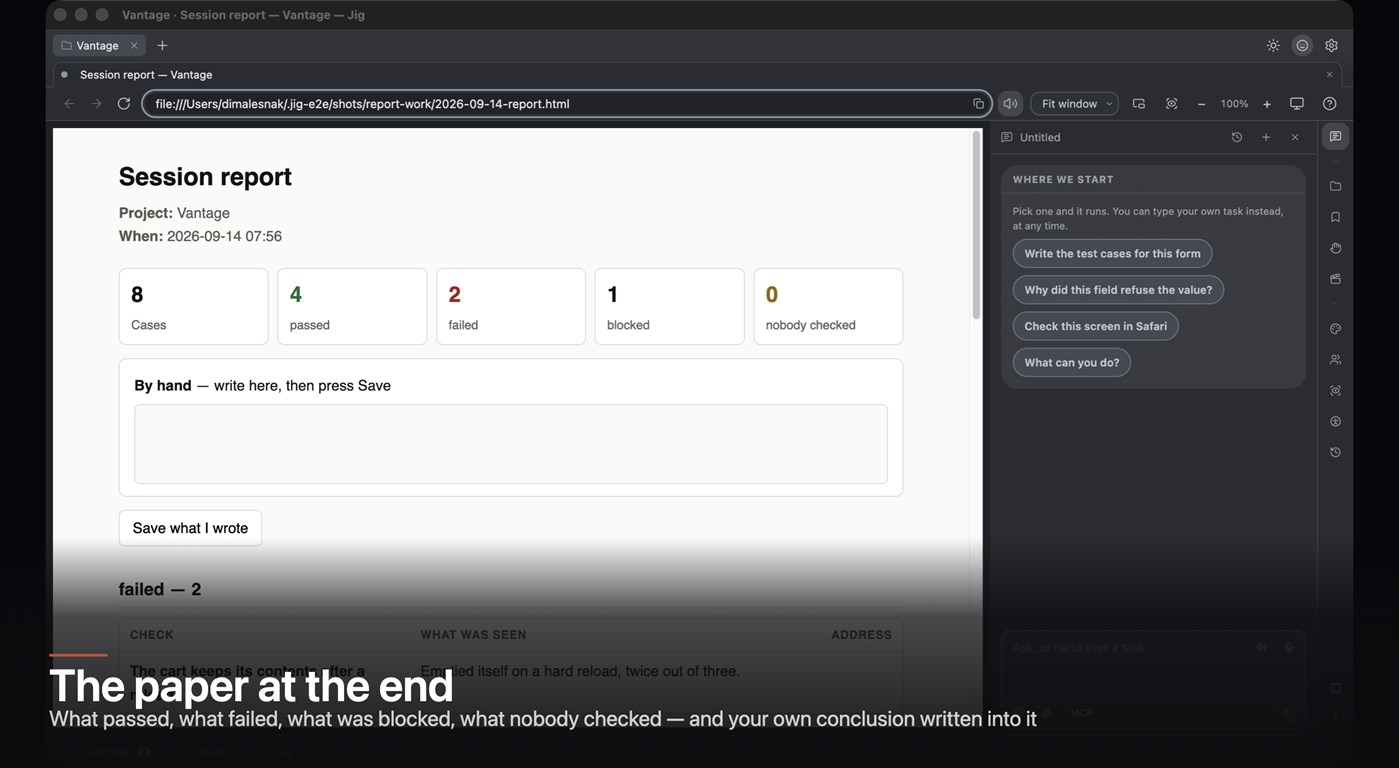
A session ends with one self-contained HTML file — the screenshots are inside it, so it opens on somebody else's machine with nothing attached. It names what passed, what failed, what was blocked, and how many items nobody opened at all. You write your own conclusion into the report itself, sign it, and turn it into a PDF a screen reader walks as a document rather than meeting as a picture.
EVIDENCE A TICKET CAN BE REPRODUCED FROM
A picture of the page, or of one element, or of the whole document past the fold. A picture of Jig itself — panels and all, with the page inside — which shows where the failure is visible. And a clip of the last twenty seconds, which shows what the person did: a ring rather than a recording, because you remember to record after something breaks. Any of them copies to the clipboard as an image, so it pastes straight into a chat.
WHAT LEAVES THE MACHINE
The browser, the inspector, the form map, the fill, the network rules, the recorder, the audit and the network log are local. Hand a task over and the field names of the page travel with the question; what you type does not. Saved logins are encrypted by the system keychain — and if the system refuses to encrypt, nothing is stored, because forgotten beats kept in the clear.
WHAT IT IS NOT
Not an editor with a preview pane, and not a test-automation framework. It does not ask you to write scripts and it does not run in CI. It is the window you work in for the day.
광고
스크린샷
가격 내역
-
* 인앱 구매 - 현재 가격: 무료
- 최소: 무료
- 최대: 무료
AppAgg 점수
1,470
AppAgg 예상 평가:
Jig Browser
개발자: Qiksy
1,470 골드
평가가 높을수록 보통 AppAgg에서 더 강한 신호를 의미합니다.
기준: 인기 · 사용자 평점 · 최신성 · 딜 · 스토어 데이터 · 커뮤니티 활동
최신 AppAgg 데이터를 바탕으로 매일 다시 계산됩니다.
단축 URL: 복사됨!
새로운 기능
- 버전: PC
- 마지막 업데이트:
추가 정보
 https://qiksy.app/
목록 (0)
0
- Jig Browser
포인트 (0)
0
순위 (0)
0
댓글 (0)
가장 먼저 댓글을 남겨주세요
요약
Jig Browser 단축 URL: 복사됨!- Windows Store
AppAgg에서 앱 ‘Jig Browser’의 정보를 확인할 수 있습니다. 개발자: Qiksy. 플랫폼: Windows. 카테고리: 개발자 도구. AppAgg 평가: 1,470 (골드). 이 앱의 AppAgg 포인트: 확인된 포인트 0, 간접 포인트 0. 이 앱이 포함된 공개 목록: 0개. 비공개 목록에 저장한 사용자: 0명. AppAgg 사용자가 아직 이 앱에 별점을 남기지 않았습니다. 확인된 포인트는 로그인한 AppAgg 사용자가 스토어로 이동한 기록을 반영합니다. 간접 포인트는 스토어 데이터를 바탕으로 합니다. 두 숫자는 공개 목록 수와 비공개 목록에 저장한 사용자 수를 나타냅니다. 이 앱의 최초 출시일은 입니다. 이 앱의 마지막 업데이트 날짜는 입니다. 이 앱은 현재 무료로 이용할 수 있습니다. 이 앱은 다음 언어를 지원합니다: English. 가격 기록을 확인하거나 앱을 목록에 추가하고 개발자를 팔로우할 수 있습니다. 이 앱의 향후 할인과 업데이트는 RSS 피드에서 확인할 수 있습니다. AppAgg는 이 앱을 호스팅하거나 배포하지 않습니다. 이 앱과 관련된 모든 상표, 로고 및 스크린샷은 각 소유자에게 귀속됩니다.

