
Lesezeichen
Wähle einen Titel für dieses Lesezeichen.
Lesezeichen gespeichert
| Entwickler: | K3D0 (5) | ||
| Preis: | Kostenlos | ||
| Score: | 1,240 Silber | ||
| Ranglisten: | 0 | ||
| Kommentare: | 0 Kommentar posten | ||
| Listen: | 0 + 0 | ||
| Punkte: | 0 + 0 ¡ | ||
| +1 Punkte | |||
Screenshots
Werbung
Beschreibung

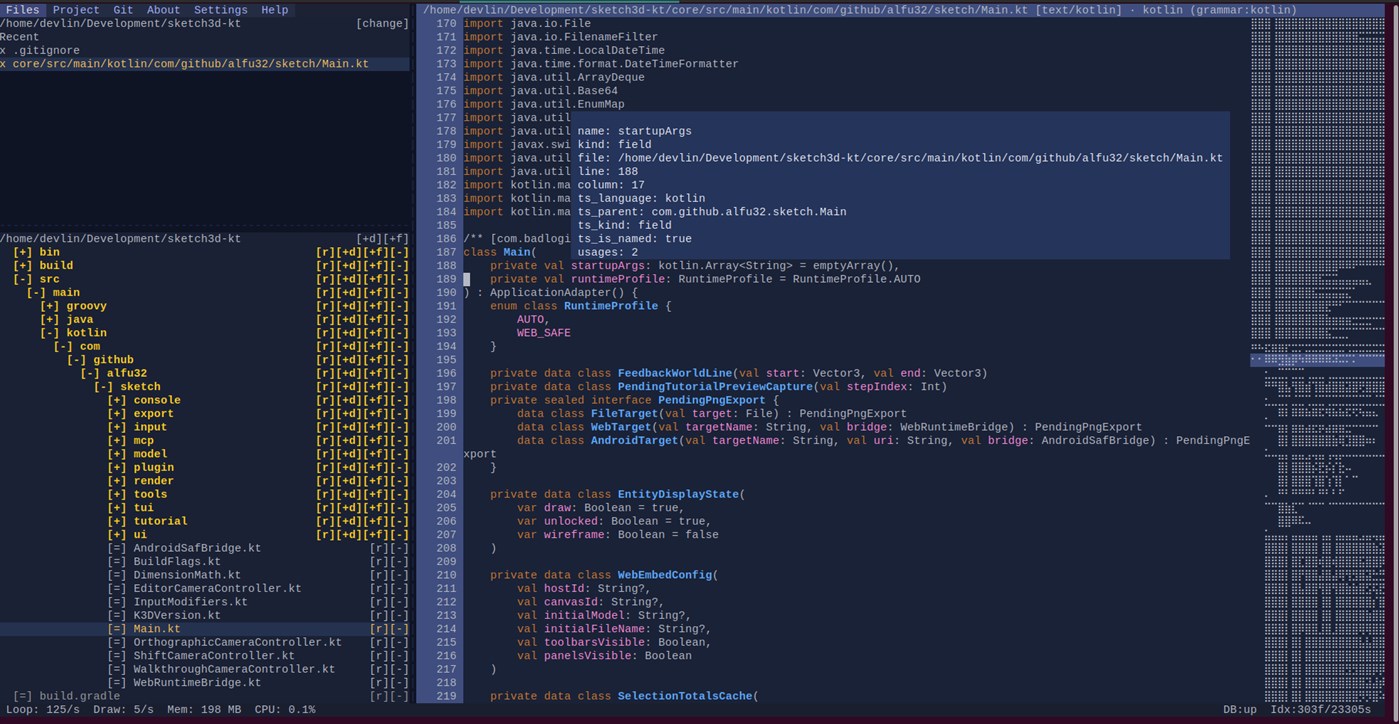
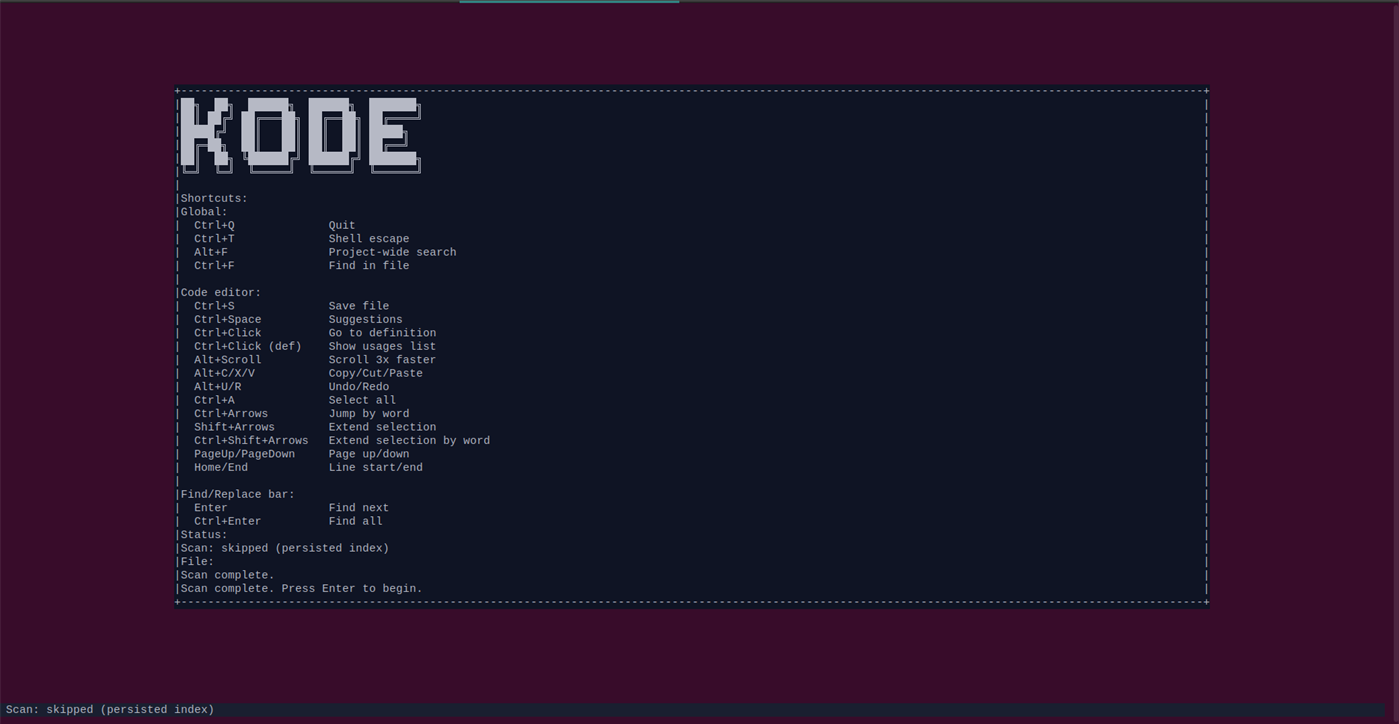
Kodium is a lightweight, keyboard-focused code editor and development environment designed for developers who prefer the speed and simplicity of the terminal without giving up the conveniences of a modern IDE.
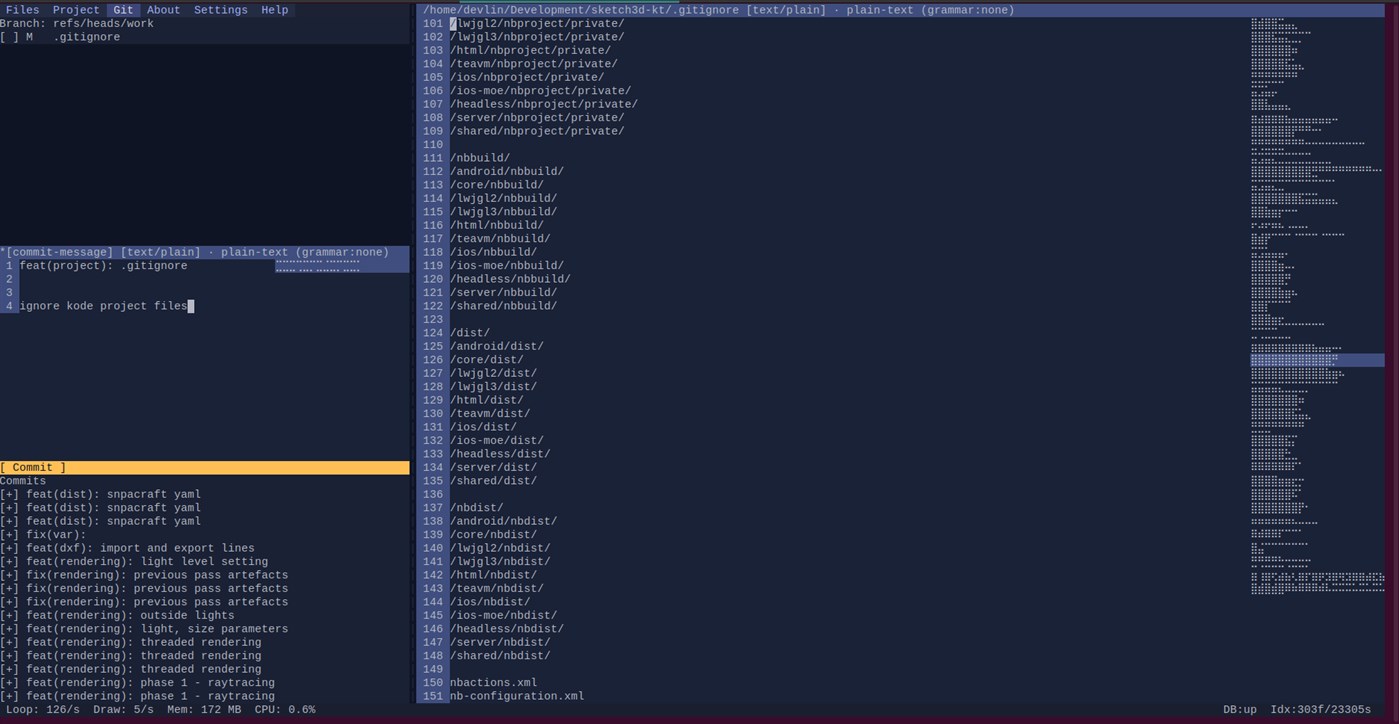
Built around a fast terminal user interface, Kodium combines source-code editing, project navigation, code intelligence, Git integration, database development tools and specialized file viewers in a single workspace.
Use it as a focused editor for individual files, a project-oriented development environment, a database client, or a remote development workspace.
Source code editing
Kodium provides a capable code editor with:
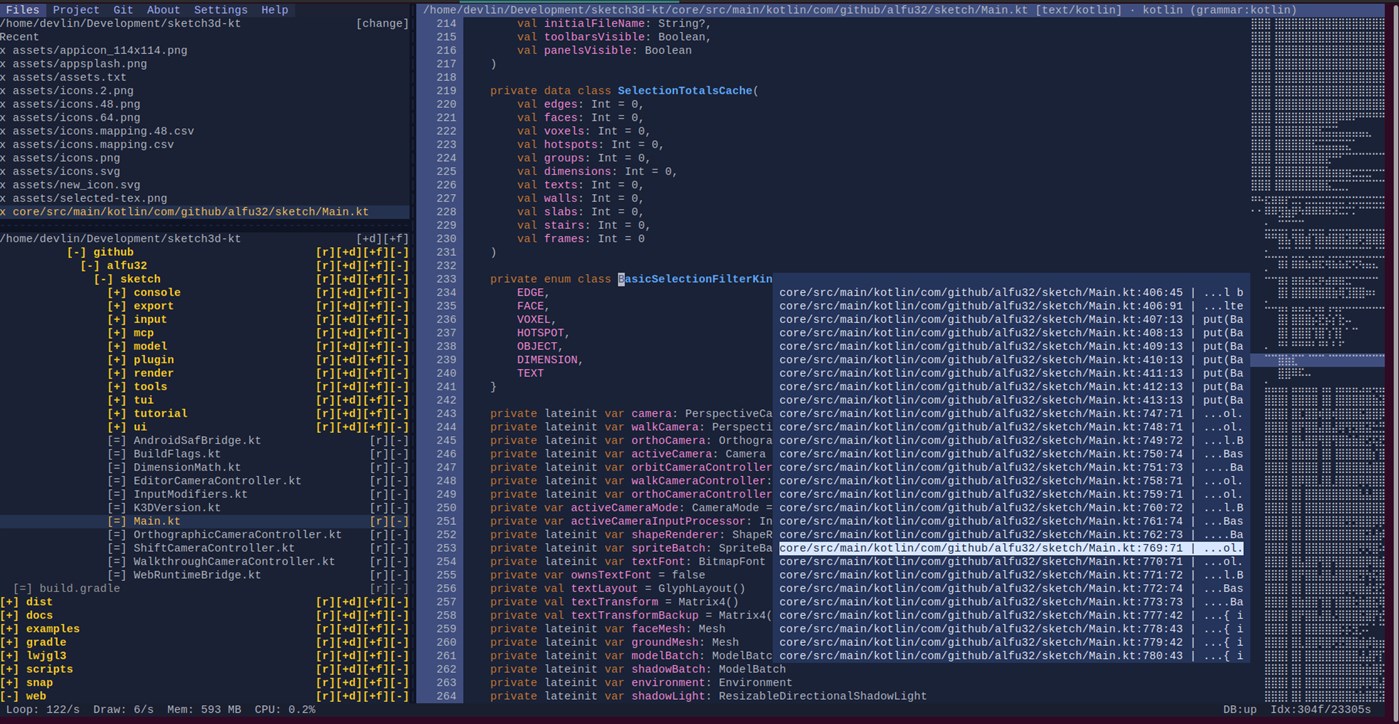
* Syntax highlighting
* Line numbers and editor gutters
* Mouse and keyboard navigation
* Text selection and word navigation
* Undo and redo
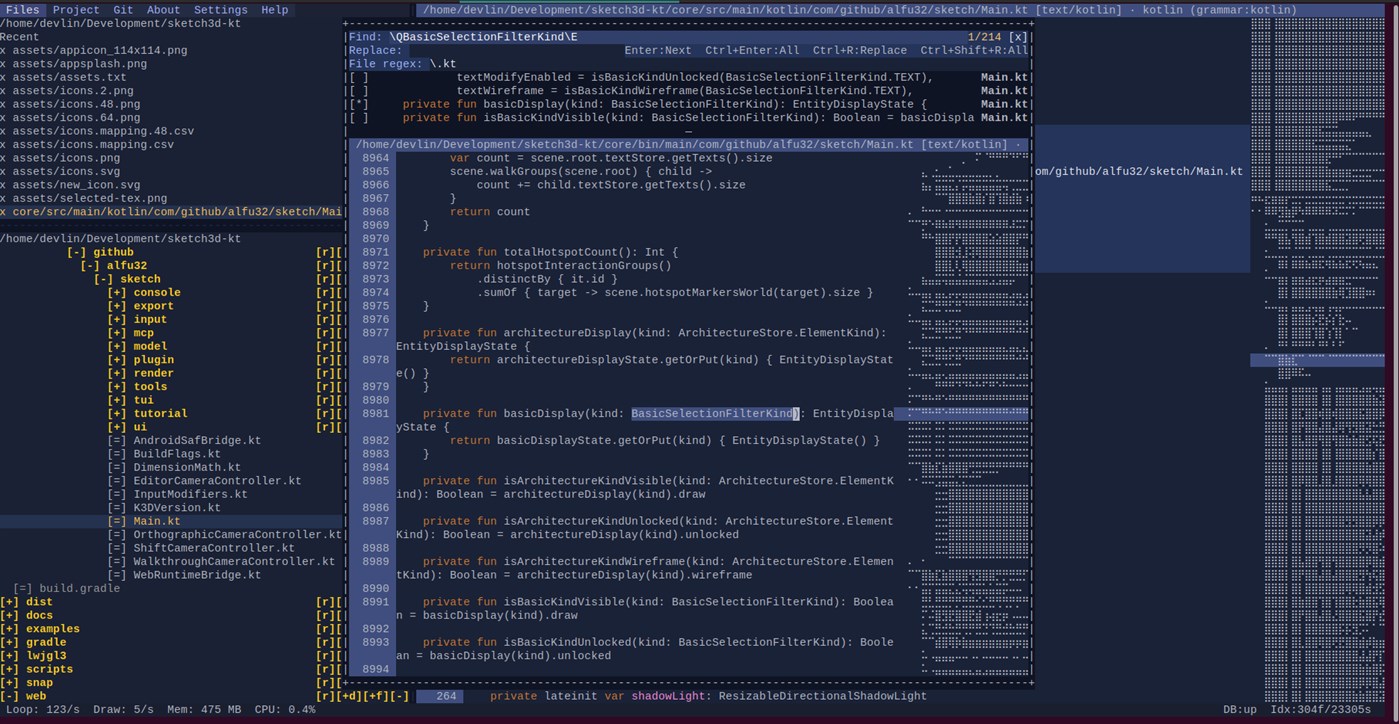
* Search and replace
* Regular-expression search
* Line wrapping
* A compact Braille code minimap
* Persistent unsaved buffers when switching between files
Code folding
Source blocks can be collapsed directly from the editor gutter.
Kodium recognizes brace-delimited structures as well as indentation-based blocks in languages such as Python, YAML, Bash, PowerShell and Ruby.
Collapsed sections are represented compactly while preserving the surrounding source context and can be expanded through the gutter, the collapsed-region marker, or automatically when keyboard navigation enters the hidden block.
Code intelligence
Kodium indexes project source code to build a persistent semantic database containing symbols, scopes, references, types, imports and relationships between files.
Depending on the language and available analysis support, Kodium can provide:
* Code completion
* Definition navigation
* Usage navigation
* Member completion
* Symbol-aware highlighting
* Cross-file references
* Definition previews
* Type and relationship information
The indexing engine incrementally analyzes project changes and maintains relationships between source files.
Language Server Protocol support can also be used as an optional source of additional language intelligence.
Project workspace
Integrated project tools include:
* File and directory navigation
* File creation, deletion and renaming
* Configurable source roots
* Project exclusions
* Project-wide search
* Recent-file restoration
* Editor-state restoration
* Git repository information
* Automatic project indexing
Kodium respects .gitignore while scanning project sources.
The project workspace is designed to keep source code, project navigation and development tools within the same terminal interface.
Integrated database development
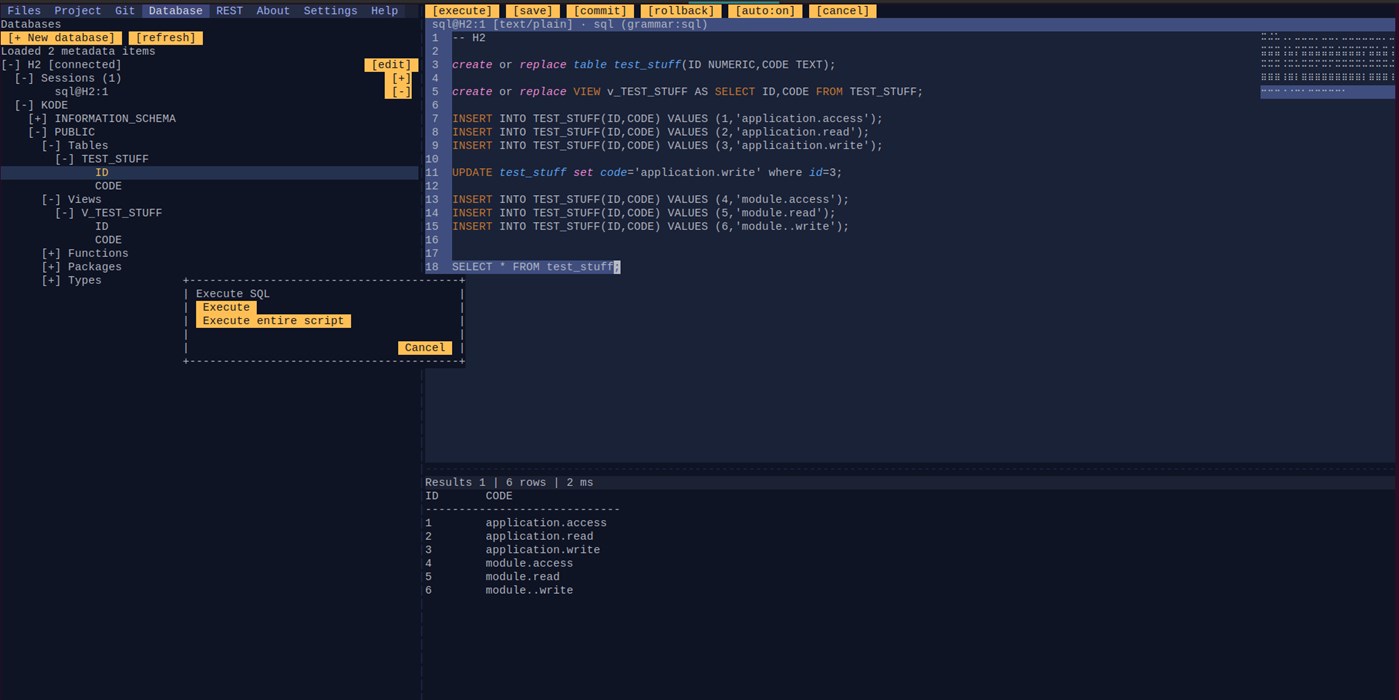
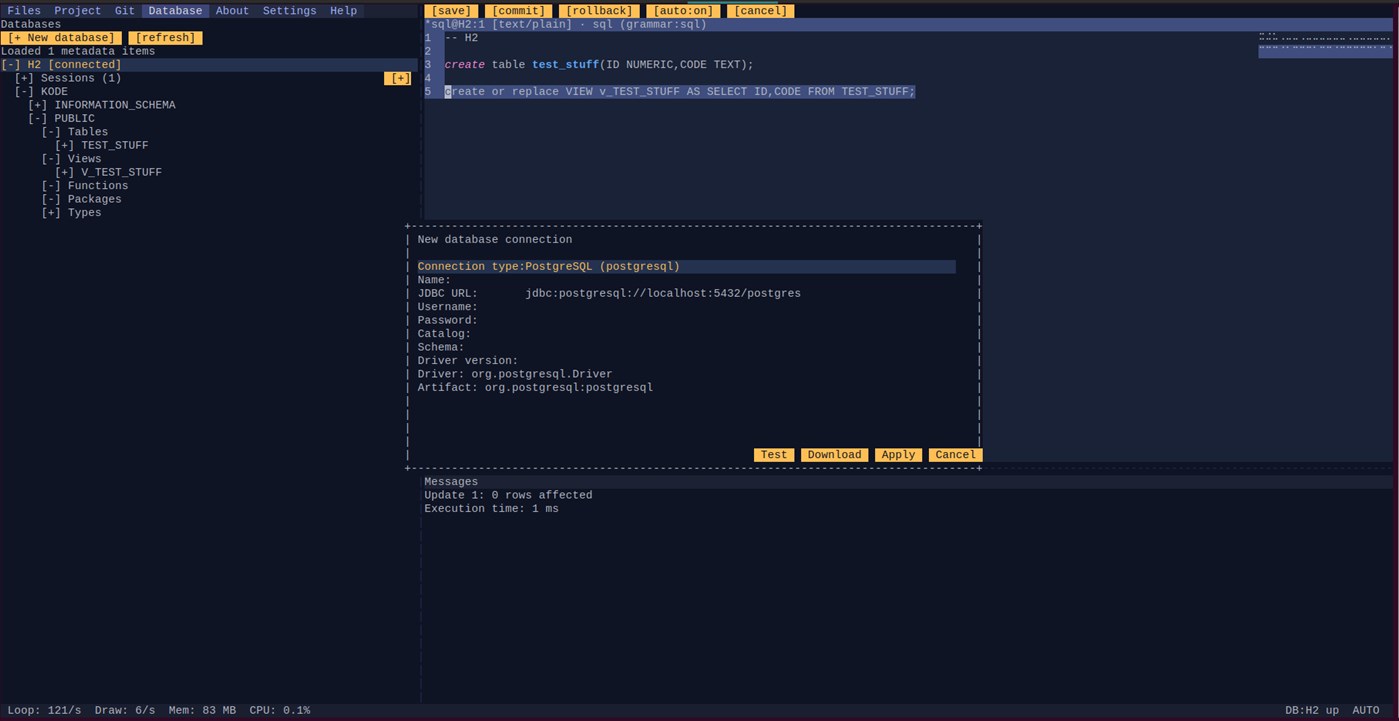
Kodium includes a JDBC-based database explorer and SQL development environment directly inside the editor.
Database connections can be created and persisted as part of the local Kodium configuration while credentials are stored separately from the datasource definitions.
The Database panel allows you to:
* Create and manage JDBC datasource connections
* Test connections before saving them
* Connect and disconnect interactively
* Browse database structures through lazy metadata introspection
* Refresh datasource metadata
* Inspect database objects
* Open SQL consoles associated with a datasource
Database metadata is retrieved on demand rather than requiring the entire database structure to be loaded at once.
SQL console
SQL sessions use the normal Kodium editor, giving SQL development the same editing environment as source code.
You can execute:
* The currently selected SQL
* The statement around the cursor
* The complete SQL session
Query results appear in an integrated bottom panel.
The result viewer supports:
* Result sets
* Multiple result sets
* Scrolling
* Update counts
* Database warnings
* SQL errors
* Bounded result loading
* Transaction operations
* Query cancellation
This allows application source and database work to remain inside the same development workspace.
JDBC driver management
Kodium can manage JDBC drivers independently of the application itself.
A built-in JDBC catalog covers common relational, analytical, distributed and cloud database systems.
For supported drivers, Kodium can resolve and download JDBC artifacts and their runtime dependencies, cache them locally and load each driver in isolation.
Driver versions are explicitly managed rather than silently upgraded.
Connections may also use:
* Maven Central drivers
* Custom Maven repositories
* Vendor-provided JDBC drivers
* Local JDBC JAR files
* Custom driver definitions
This makes the database tooling extensible beyond the built-in catalog.
Supported configurations include major database families such as PostgreSQL, MySQL, MariaDB, Oracle, Microsoft SQL Server, IBM Db2, SQLite, H2, HSQLDB, Firebird, SAP HANA, Snowflake, Redshift, Trino, Presto, Hive, Databricks, ClickHouse, DuckDB, Google Cloud Spanner, Neo4j and many others, subject to the availability and licensing of their JDBC drivers.
Git integration
Git repository information is integrated into the project workspace so source-control state can be inspected without leaving Kodium.
Repository scanning is designed to tolerate large Git objects and large source trees while keeping project information available to the editor.
More than a text editor
Kodium automatically selects an appropriate viewer for different file types.
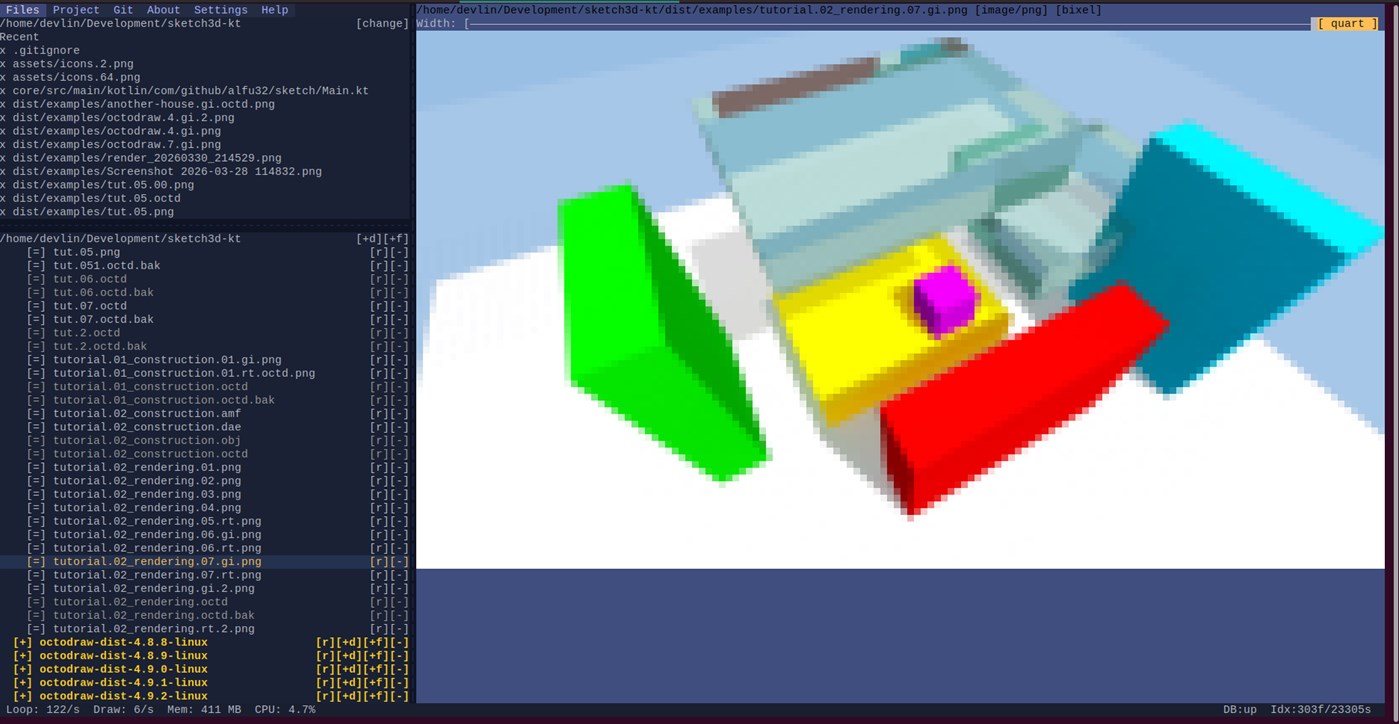
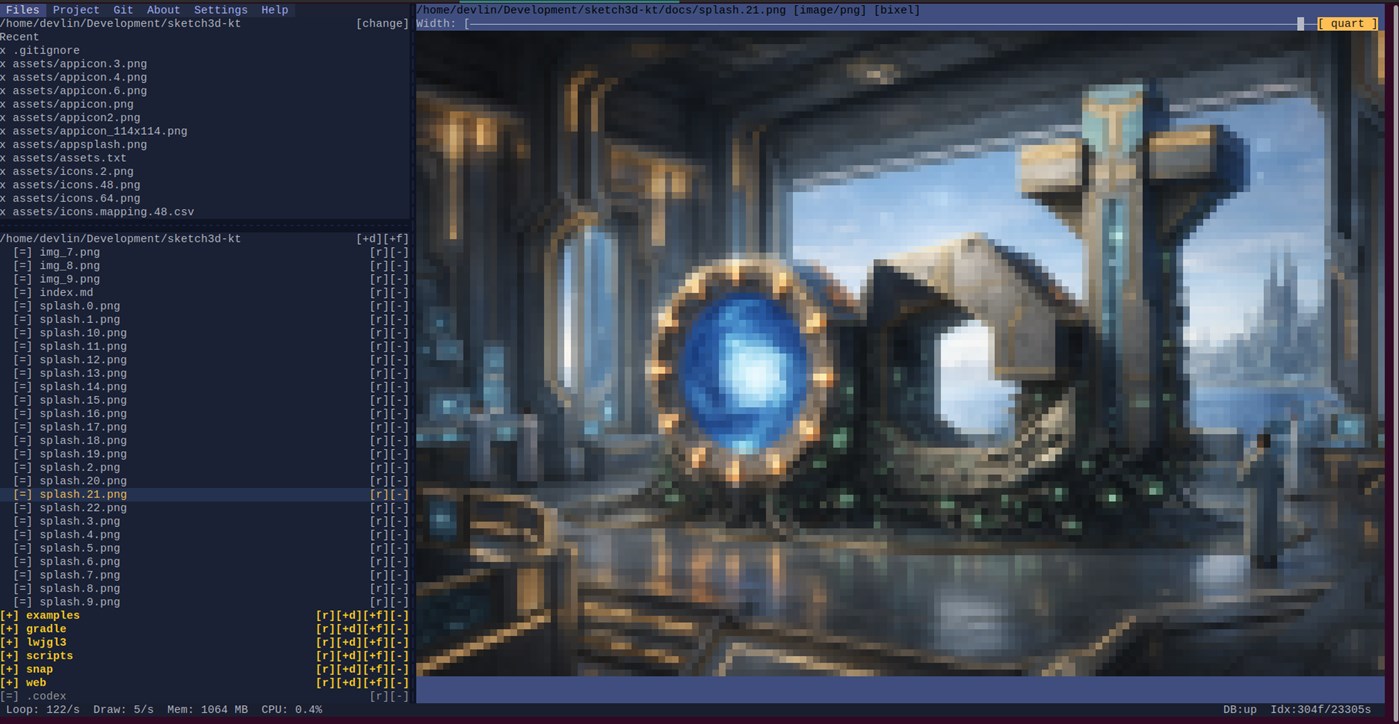
Source and text files open in the code editor, binary data can be inspected using the integrated hex viewer, and supported images can be displayed directly in the terminal using character-based rendering.
This makes it possible to inspect many of the resources contained in a software project without constantly switching applications.
Designed for terminal workflows
Kodium is particularly suited to developers who already work with shells, command-line tools, SSH, terminal multiplexers and remote development environments.
A shell can be opened from Kodium and returned to without abandoning the current editing session.
Kodium can also expose the terminal workspace through its remote serving mode, allowing the editor to run on the computer containing the source code while its interface is accessed remotely through a web browser.
Persistent workspace
Kodium retains useful project state between sessions, including editor state and project configuration.
Unsaved buffers are preserved when moving between files so temporary edits are not lost simply because another file is opened.
Combined with project indexing and database configuration persistence, this allows Kodium to function as a continuing development workspace rather than merely a transient terminal editor.
Lightweight and modular
Kodium focuses on providing practical IDE functionality while remaining close to the command line.
Its user interface is rendered directly in the terminal, while project indexing, language intelligence, database drivers, viewers and external language services remain modular.
Optional tooling can be added where needed instead of requiring a large graphical IDE installation.
Whether you are editing a local project, working through SSH, exploring a database, writing and executing SQL, inspecting a repository on a remote machine or simply want a capable development environment that stays close to the command line, Kodium provides a compact workspace built around the terminal.
Andere Plattformen
| kodiumWindows Store1K SilberDu bist hier | Kostenlos |
Derzeit nur in diesem Store.
Preisentwicklung
- Aktueller Preis: Kostenlos
- Minimum: Kostenlos
- Maximum: Kostenlos
Preise beobachten Zur Liste hinzufügen und Rabattbenachrichtigungen per E-Mail oder Push erhalten
Listen (0)
0
- kodium
Punkte (0)
0
Ranglisten (0)
-

- Deine Bewertung

Kommentare (0) ¡
Schreibe den ersten Kommentar
Entwickler
- K3D0
- Follower: 0
- Plattformen: Windows Apps (4) Windows Spiele (1)
- Angebote: 0
- Listen: 0 + 0
- Punkte: 0 + 0 ¡
- Ranglisten: 0
- Kommentare: 0
- Videos: 0
- RSS: Abonnieren
Neue Funktionen
- Version: PC
- Zuletzt aktualisiert:
- Database Navigator and REST API Explorer bring two powerful workflows to Kode. Connect to JDBC databases, install and test drivers, browse schemas and objects, open persistent SQL sessions, execute
statements, inspect results, and copy DDL or queries. Explore Postman collections and OpenAPI definitions, organize requests, manage environments, inherited headers, and authentication, edit syntax-aware
bodies, and run HTTP, SSE, or WebSocket requests with streaming responses, cancellation, pretty printing, raw request previews, and transaction inspection.
Database Navigator
- Browse JDBC databases, schemas, tables, views, functions, procedures, packages, and types.
- Create, edit, test, and manage database connections with driver installation support.
- Open persistent SQL sessions with syntax highlighting, execution controls, transactions, results, and metadata actions.
- Copy SQL selections, DDL, queries, and calls directly into the SQL editor.
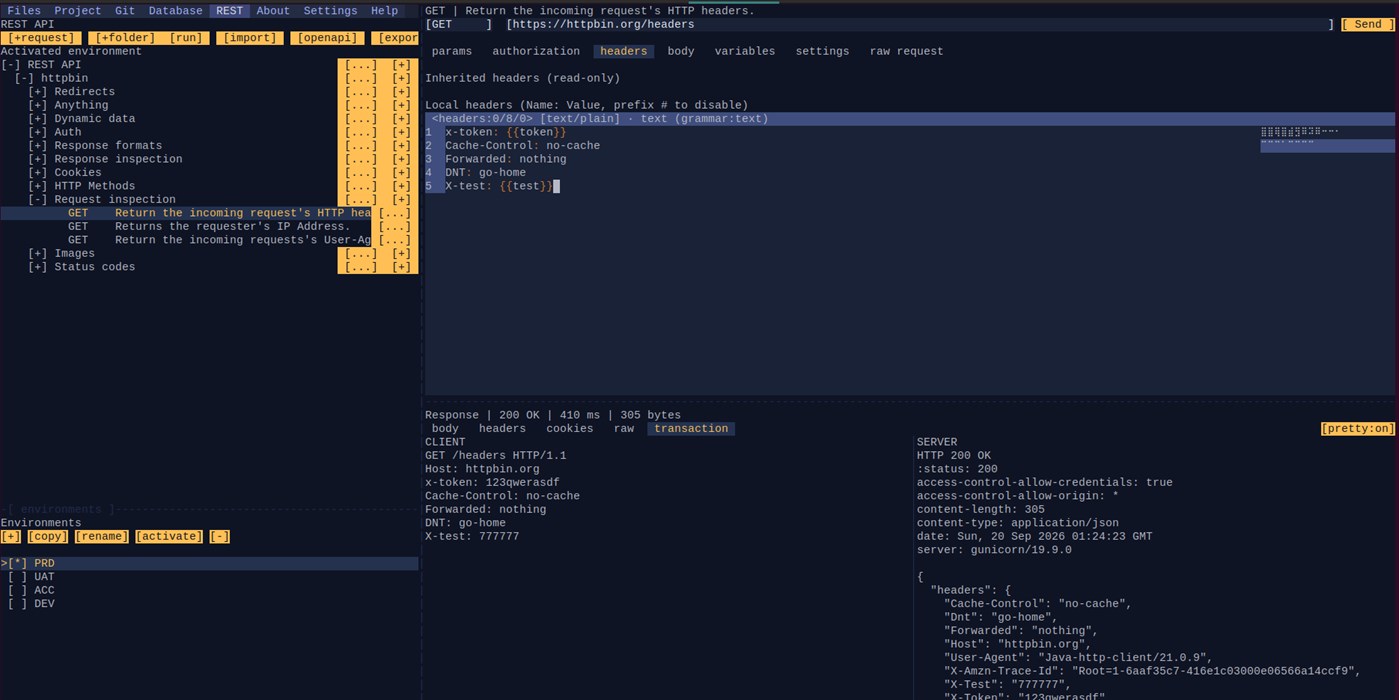
REST API Explorer
- Work with Postman Collection v2.1 projects directly inside Kode.
- Organize requests into folders, import OpenAPI definitions, and manage environments and variables.
- Edit headers, parameters, authorization, and syntax-aware request bodies.
- Execute HTTP, SSE, and WebSocket requests with cancellation, streaming output, response inspection, and transaction previews.
- Use inherited headers, authentication, variables, pretty printing, and raw request previews.
Weitere Informationen
- Veröffentlichungsdatum:
- Kategorie:
Windows-Apps›Entwicklungstools - Betriebssysteme:
PC - Größe:
176 Mb - Unterstützte Sprachen:
English - Altersfreigabe:
EVERYONE - Windows Store Bewertung: ¡
0 - Webseite:
 https://github.com/alfu32/kode
AppAgg-Score
1,240
Geschätzter AppAgg-Score für
kodium
Entwickler: K3D0
1,240 Silber
Ein höherer Score weist meist auf bessere Werte bei den von AppAgg erfassten Kennzahlen hin.
Basierend auf: Popularität · Nutzerbewertungen · Aktualität · Angeboten · Shop-Daten · Community-Aktivität
Wird täglich anhand aktueller AppAgg-Daten neu berechnet.
Badge für Websites:  Kopiert!
Kurzinfo
kodium Kurz-URL: Kopiert!- Windows Store
Auf AppAgg kannst du „kodium“ verfolgen, eine App von K3D0 für Windows in der Kategorie Entwicklungstools. AppAgg-Score: 1,240 (Silber). AppAgg-Punkte der App — bestätigt: 0; indirekt: 0. Öffentliche Listen mit dieser App: 0. Nutzer, die sie in privaten Listen gespeichert haben: 0. AppAgg-Nutzer haben die App noch nicht bewertet. Bestätigte Punkte erfassen Store-Aufrufe angemeldeter AppAgg-Nutzer; indirekte Punkte beruhen auf Store-Daten. AppAgg zählt öffentliche Listen mit einer App oder einem Spiel sowie Nutzer, die sie oder es in privaten Listen gespeichert haben. Die App wurde erstmals am veröffentlicht. Die App wurde zuletzt am aktualisiert. Die App ist derzeit kostenlos verfügbar. Die App ist in folgenden Sprachen verfügbar: English. Sieh dir den Preisverlauf an, füge die App einer Liste hinzu oder folge dem Entwickler. Verfolge künftige Angebote und Updates der App über den RSS-Feed. AppAgg hostet oder vertreibt diese App nicht. Alle Marken, Logos und Screenshots im Zusammenhang mit der App gehören ihren jeweiligen Eigentümern.
Das könnte dir auch gefallen
Aktuelle Diskussionen
 AppLocalDub – Real-Time Game Dubbing Hello Kırtay Interactive, I am using LocalDub - Real-Time Game Dubbing. I would like to know if Hind...
  rashid game5
  AppNauticPlayer This app is absolute cinema. Honestly, it’s one of the best media players I’ve ever tried, and I’m s...
  Manuel16
  AppScreen Beings - Desktop Pet & Study Companion This is my app so I’m a little bias but as someone from the ADHD community that teaches ADHD and neu...
  Tarelle Irwin6
  AppAadi vault good it ia a encrypter and good you my work on office
  Aditya Rai5
  AppTyping 365 | Daily Typing Trainer The best typing app ever. With Typing 365 you don’t have to force yourself for couple minutes traini...
  Ahmad Mozaffar5
  AppZefir Calendar — Calendar in the Taskbar excelente app! Superando todas as espectativas!
  Diógenes Magnus5
  AppLockinRa LockinRa 리뷰 LockinRa는 작업 관리, 집중력 도구, AI 코칭을 하나의 데스크톱 앱으로 통합한 무료 Windows 생산성 프로그램입니다. 클라우드 동기화 없이 로컬 ...
  abhilok reddy6
  AppCN Vault I Love this app CN Vault is a user-friendly app that helps keep your passwords safe and secure. If y...
  Marjuk Amin5
